lemonade-sdk/lemonade
GitHub: lemonade-sdk/lemonade
一款本地 AI 服务器,支持在用户自有 GPU 和 NPU 上运行优化后的 LLM 及多模态模型,并提供兼容 OpenAI 的标准 API 供外部应用直接调用。
Stars: 5219 | Forks: 437
## 🍋 Lemonade:清爽极速的本地 AI
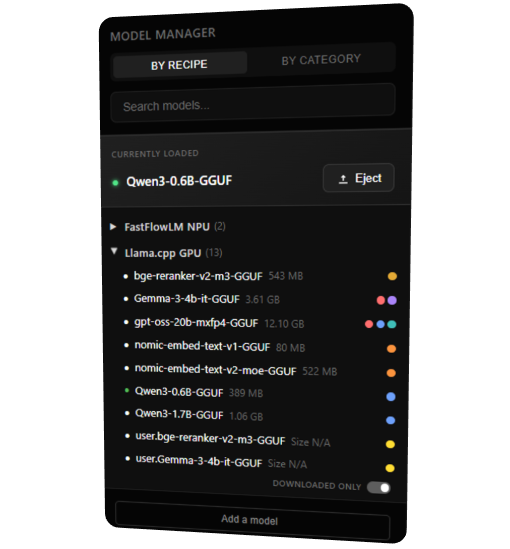 Lemonade 支持跨 CPU、GPU 和 NPU 的多种 LLM(**GGUF**、**FLM** 和 **ONNX**)、whisper、stable diffusion 等模型。
使用 `lemonade pull` 或内置的**模型管理器**下载模型。您还可以从 Hugging Face 导入自定义的 GGUF/ONNX 模型。
**[浏览所有内置模型 →](https://lemonade-server.ai/models.html)**
Lemonade 支持跨 CPU、GPU 和 NPU 的多种 LLM(**GGUF**、**FLM** 和 **ONNX**)、whisper、stable diffusion 等模型。
使用 `lemonade pull` 或内置的**模型管理器**下载模型。您还可以从 Hugging Face 导入自定义的 GGUF/ONNX 模型。
**[浏览所有内置模型 →](https://lemonade-server.ai/models.html)**
## 支持的配置 Lemonade 支持用于 LLM、语音、TTS 和图像生成的多种推理引擎,每种引擎都有其自己的后端和硬件要求。
要准确检查您自己的机器上支持哪些配置/后端,请运行:
```
lemonade backends
```
## 项目路线图
| 正在开发 | 正在考虑 | 最近完成 |
|---------------------------|-----------------------------|------------------------|
| 原生多模态工具调用 | vLLM 支持 | 将应用移植到 Tauri |
| 更多 whisper.cpp 后端 | | 可嵌入二进制文件发布 |
| 更多 SD.cpp 后端 | | 图像生成 |
| MLX 支持 | | 语音转文本 |
| | | 文本转语音 |
| | | 应用市场 |
## 在您的应用中集成 Embeddable Lemonade
Embeddable Lemonade 是 Lemonade 的二进制版本,您可以将其打包到自己的应用中,为其提供可移植、自动优化的多模态本地 AI 栈。这使得用户可以专注于您的应用,而无需面对任何 Lemonade 安装程序、品牌标识或遥测数据。
查看 [Embeddable Lemonade 指南](docs/embeddable/README.md)。
## 将 Lemonade Server 连接到您的应用
您可以使用任何兼容 OpenAI 的客户端库,只需将其配置为使用 `http://localhost:13305/v1` 作为 base URL。下表显示了不同语言的官方和流行的 OpenAI 客户端。
请随意选择您喜欢的语言。
| Python | C++ | Java | C# | Node.js | Go | Ruby | Rust | PHP |
|--------|-----|------|----|---------|----|-------|------|-----|
| [openai-python](https://github.com/openai/openai-python) | [openai-cpp](https://github.com/olrea/openai-cpp) | [openai-java](https://github.com/openai/openai-java) | [openai-dotnet](https://github.com/openai/openai-dotnet) | [openai-node](https://github.com/openai/openai-node) | [go-openai](https://github.com/sashabaranov/go-openai) | [ruby-openai](https://github.com/alexrudall/ruby-openai) | [async-openai](https://github.com/64bit/async-openai) | [openai-php](https://github.com/openai-php/client) |
### Python 客户端示例
```
from openai import OpenAI
# 初始化 client 以使用 Lemonade Server
client = OpenAI(
base_url="http://localhost:13305/api/v1",
api_key="lemonade" # required but unused
)
# 创建 chat completion
completion = client.chat.completions.create(
model="Gemma-4-E2B-it-GGUF", # or any other available model
messages=[
{"role": "user", "content": "What is the capital of France?"}
]
)
# 打印 response
print(completion.choices[0].message.content)
```
有关更详细的集成说明,请参阅[集成指南](./docs/server/server_integration.md)。
## 常见问题
要阅读我们的常见问题解答,请参阅我们的[常见问题解答指南](./docs/faq.md)
## 维护者
这是一个由 @amd-pworfolk @bitgamma @danielholanda @jeremyfowers @kenvandine @Geramy @ramkrishna2910 @sawansri @siavashhub @sofiageo @superm1 @vgodsoe 维护,并由 AMD 赞助的社区项目。您可以通过提交 [issue](https://github.com/lemonade-sdk/lemonade/issues)、发送电子邮件至 [lemonade@amd.com](mailto:lemonade@amd.com) 或加入我们的 [Discord](https://discord.gg/5xXzkMu8Zk) 来联系我们。
## 代码签名政策
免费代码签名由 [SignPath.io](https://signpath.io) 提供,证书由 [SignPath Foundation](https://signpath.org) 颁发。
- **提交者和审阅者**:本仓库的[者](#maintainers)
- **审批者**:[所有者](https://github.com/orgs/lemonade-sdk/people?query=role%3Aowner)
**隐私政策**:除非用户或安装/操作人员明确要求,否则本程序不会将任何信息传输到其他联网系统。当用户发出请求时,Lemonade 会从 [Hugging Face Hub](https://huggingface.co/) 下载 AI 模型(请参阅其[隐私政策](https://huggingface.co/privacy))。
## 许可证与署名
本项目:
- 使用 C++(服务器)和 React(应用)怀着 ❤️ 为开源社区构建,
- 站在以下伟大工具的肩膀上:
- [ggml/llama.cpp](https://github.com/ggml-org/llama.cpp)
- [ggml/whisper.cpp](https://github.com/ggerganov/whisper.cpp)
- [ggml/stable-diffusion.cpp](https://github.com/leejet/stable-diffusion.cpp)
- [kokoros](https://github.com/lucasjinreal/Kokoros)
- [OnnxRuntime GenAI](https://github.com/microsoft/onnxruntime-genai)
- [Hugging Face Hub](https://github.com/huggingface/huggingface_hub)
- [OpenAI API](https://github.com/openai/openai-python)
- [IRON/MLIR-AIE](https://github.com/Xilinx/mlir-aie)
- 以及更多...
- 基于 [Apache 2.0 许可证](https://github.com/lemonade-sdk/lemonade/blob/main/LICENSE)授权。
- 本项目的部分内容按 [LICENSE](./LICENSE) 中的说明进行授权。






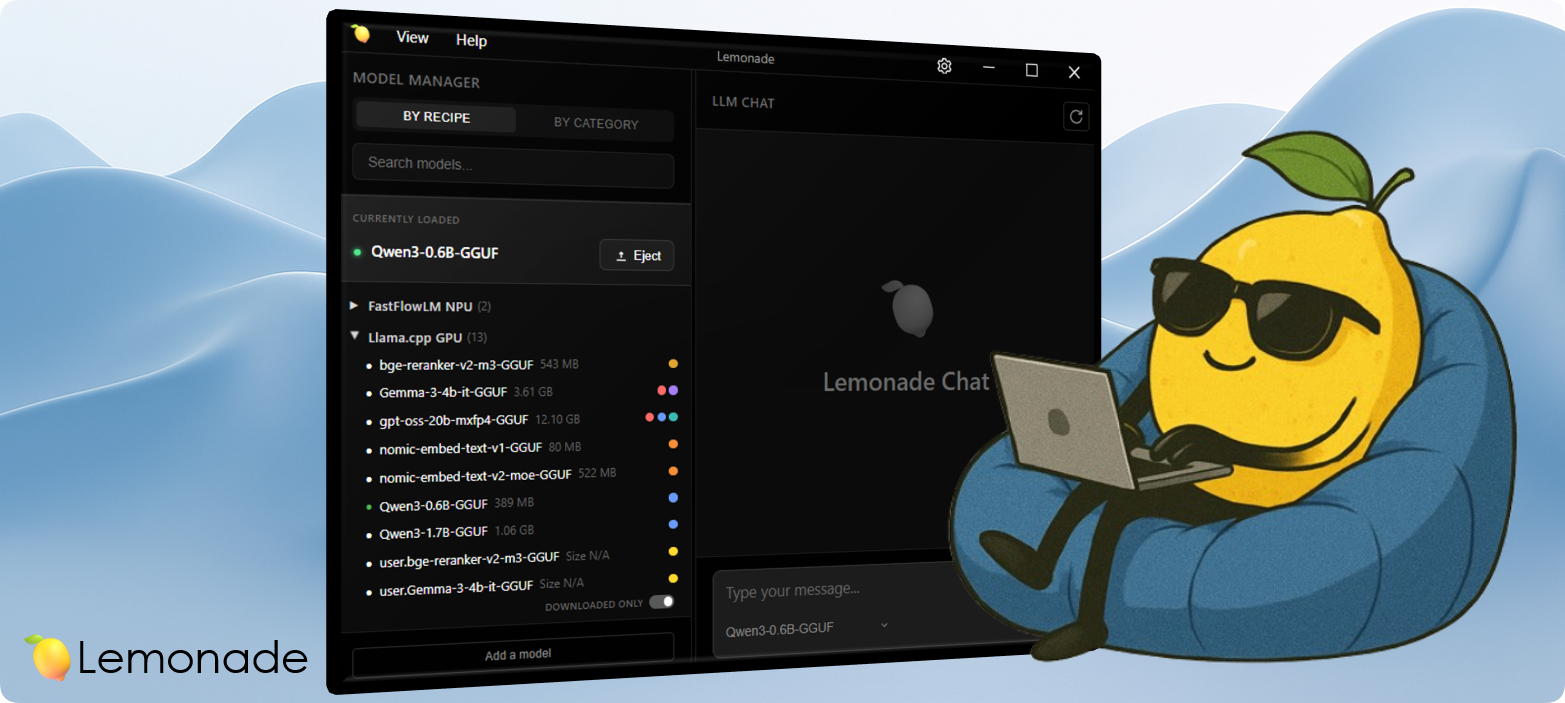
Download | Documentation | Discord
Lemonade 是一款本地 AI 服务器,为您提供与云 API 相同的功能,但完全免费且私密。使用您自己的 NPU 和 GPU 运行最新的模型,进行聊天、编程、语音和图像生成。 Lemonade 提供两种版本: * **Lemonade Server** 安装一项服务,您可以使用标准的 OpenAI、Anthropic 和 Ollama API 将其连接到数百款出色的应用程序。 * **Embeddable Lemonade** 是一个可移植的二进制文件,您可以将其打包到自己的应用程序中,为其提供多模态本地 AI,并能针对用户的 PC 自动优化。 *本项目由社区为每一台 PC 构建,并由 AMD 工程师进行优化,以充分发挥 Ryzen AI、Radeon 和 Strix Halo PC 的性能。* ## 入门指南 1. **安装**:[Windows](https://lemonade-server.ai/install_options.html#windows) · [Linux](https://lemonade-server.ai/install_options.html#linux) · [macOS (beta)](https://lemonade-server.ai/install_options.html#macos) · [Docker](https://lemonade-server.ai/install_options.html#docker) · [源码](./docs/dev-getting-started.md) 2. **获取模型**:使用[模型管理器](#model-library)浏览并下载 3. **生成**:通过内置界面尝试模型进行聊天、图像生成、语音生成等 4. **移动端**:随身携带您的 lemonade:[iOS](https://apps.apple.com/us/app/lemonade-mobile/id6757372210) · [Android](https://play.google.com/store/apps/details?id=com.lemonade.mobile.chat.ai&pli=1) · [源码](https://github.com/lemonade-sdk/lemonade-mobile) 5. **连接**:将 Lemonade 与您的[最爱应用](https://lemonade-server.ai/marketplace)配合使用:










想让您的应用展示在这里吗?只需提交一个 marketplace PR!
## 支持的平台 | 平台 | 构建 | |----------|-------| | [](https://lemonade-server.ai/install_options.html#arch) | [](https://github.com/lemonade-sdk/lemonade/actions/workflows/linux_distro_builds.yml) | | [](https://lemonade-server.ai/install_options.html#debian) | [](https://github.com/lemonade-sdk/lemonade/actions/workflows/linux_distro_builds.yml) | | [](https://lemonade-server.ai/install_options.html#docker) | [](https://github.com/lemonade-sdk/lemonade/actions/workflows/build-and-push-container.yml) | | [](https://lemonade-server.ai/install_options.html#fedora) | [](https://github.com/lemonade-sdk/lemonade/actions/workflows/cpp_server_build_test_release.yml) | | [](https://lemonade-server.ai/install_options.html#macos) | [](https://github.com/lemonade-sdk/lemonade/actions/workflows/cpp_server_build_test_release.yml) | | [](https://snapcraft.io/lemonade-server) | [](https://github.com/lemonade-sdk/lemonade-server-snap/actions/workflows/snap-build.yaml) | | [](https://lemonade-server.ai/install_options.html#ubuntu) | [](https://github.com/lemonade-sdk/lemonade/actions/workflows/launchpad-ppa.yml) | | [](https://lemonade-server.ai/install_options.html#windows) | [](https://github.com/lemonade-sdk/lemonade/actions/workflows/cpp_server_build_test_release.yml) | ## 使用 CLI 运行并与 Gemma 聊天: ``` lemonade run Gemma-4-E2B-it-GGUF ``` 使用 Lemonade 模型编写代码: ``` lemonade launch claude ``` 多模态: ``` # image gen lemonade run SDXL-Turbo # speech gen lemonade run kokoro-v1 # transcription lemonade run Whisper-Large-v3-Turbo ``` 查看可用模型并下载: ``` lemonade list lemonade pull Gemma-4-E2B-it-GGUF ``` 查看您的 PC 上可用的后端: ``` lemonade backends ``` ## 模型库
Lemonade 支持跨 CPU、GPU 和 NPU 的多种 LLM(**GGUF**、**FLM** 和 **ONNX**)、whisper、stable diffusion 等模型。
使用 `lemonade pull` 或内置的**模型管理器**下载模型。您还可以从 Hugging Face 导入自定义的 GGUF/ONNX 模型。
**[浏览所有内置模型 →](https://lemonade-server.ai/models.html)**
## 支持的配置 Lemonade 支持用于 LLM、语音、TTS 和图像生成的多种推理引擎,每种引擎都有其自己的后端和硬件要求。
| 模态 | 引擎 | 后端 | 设备 | 操作系统 |
|---|---|---|---|---|
| 文本生成 | llamacpp |
vulkan |
x86_64 CPU、AMD iGPU、AMD dGPU |
Windows, Linux |
rocm |
受支持的 AMD ROCm iGPU/dGPU 系列* | Windows, Linux | ||
cpu |
x86_64 CPU |
Windows, Linux | ||
metal |
Apple Silicon GPU | macOS (beta) | ||
system |
x86_64 CPU、GPU |
Linux | ||
flm |
npu |
XDNA2 NPU | Windows, Linux | |
ryzenai-llm |
npu |
XDNA2 NPU | Windows | |
| 语音转文本 | whispercpp |
npu |
XDNA2 NPU | Windows |
vulkan |
x86_64 CPU |
Linux | ||
cpu |
x86_64 CPU |
Windows, Linux | ||
| 文本转语音 | kokoro |
cpu |
x86_64 CPU |
Windows, Linux |
| 图像生成 | sd-cpp |
rocm |
受支持的 AMD ROCm iGPU/dGPU 系列* | Windows, Linux |
cpu |
x86_64 CPU |
Windows, Linux |
* 查看受支持的 AMD ROCm 平台
| 架构 | 平台支持 | GPU 型号 |
|---|---|---|
| gfx1151 (STX Halo) | Windows, Ubuntu | Ryzen AI MAX+ Pro 395 |
| gfx120X (RDNA4) | Windows, Ubuntu | Radeon AI PRO R9700, RX 9070 XT/GRE/9070, RX 9060 XT |
| gfx110X (RDNA3) | Windows, Ubuntu | Radeon PRO W7900/W7800/W7700/V710, RX 7900 XTX/XT/GRE, RX 7800 XT, RX 7700 XT |