KingOfBugbounty/enumrust
GitHub: KingOfBugbounty/enumrust
一款基于 Rust 的综合安全扫描工具,集成子域名枚举、漏洞扫描和实时仪表板,专为安全侦察和 Bug Bounty 场景设计。
Stars: 447 | Forks: 93
# 🛡️ EnumRust - 高级安全扫描器
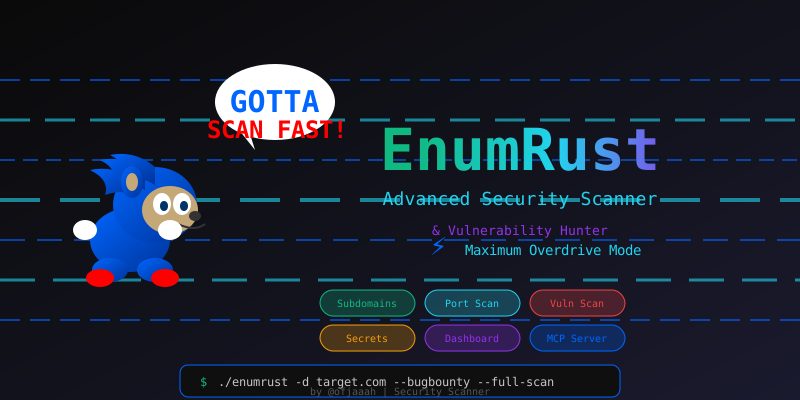 **一个全面的基于 Rust 的安全枚举工具,带有实时仪表板**
[](https://www.rust-lang.org/)
[](LICENSE)
[](DOCKER.md)
[](https://github.com/ofjaaah)
## 🎯 功能
### 核心能力
- 🕵️ **子域名枚举** - haktrails, subfinder, certificate transparency
- 🌐 **DNS 解析** - 使用 dnsx 进行快速 IP 解析
- ⚡ **端口扫描** - 使用 masscan 提速,使用 httpx 进行验证
- 🔍 **Web 爬取** - JavaScript 分析,endpoint 发现
- 🚨 **漏洞扫描** - 集成 Nuclei
- 🗄️ **基础设施模式** - 使用 IP 段进行网络扫描
- 📊 **实时仪表板** - 带有实时进度跟踪的 Web UI
### 🎯 Bug Bounty 模式 (新!)
- 🔍 **管理后台发现** - 扫描 15 个端口和 80+ 个后台路径
- 🔑 **默认凭据测试** - 测试 40+ 个常见的用户名/密码组合
- 🔔 **Discord 通知** - 针对严重发现的实时警报
- 🎯 **多重认证支持** - 基于表单的认证、Basic Auth、API JSON
- 💥 **即时警报** - 有效凭据、密钥、漏洞
- 📊 **详细报告** - JSON + TXT 输出,用于提交 Bug
👉 **[完整 Bug Bounty 指南](BUGBOUNTY_MODE.md)**
### 🤖 MCP Server 集成 (新!)
- **AI 助手集成** - 从 Claude Code、Cursor 和其他支持 MCP 的 AI 工具中使用 EnumRust
- **编程式扫描** - 通过 MCP 工具调用安全扫描,无需 CLI
- **11 个可用工具** - subdomain_enum, dns_resolve, ip_scan, http_probe, js_crawl, admin_finder, secrets_scan, vuln_scan, wordpress_scan, info_disclosure, full_scan
👉 **[MCP Server 指南](#-mcp-server-integration)** - 请参阅下文了解设置和使用方法
## 🆕 新动态
### IIS 短文件名扫描器
- **自动 IIS 检测** - 在扫描期间通过 `Server` 标头自动检测 Microsoft IIS 服务器
- **8.3 文件名暴力破解** - 利用 Windows 波浪号 (`~`) 漏洞发现隐藏的文件和目录
- **[shortscan](https://github.com/bitquark/shortscan) 集成** - 作为 STAGE 7.7 对最多 10 个 IIS 目标运行
- **JSON 输出** - 结果保存到 `shortscan_results.json` 中,包含结构化的发现
- **跳过标志** - 使用 `--no-shortscan` 禁用 IIS 扫描
- **安装** - `go install github.com/bitquark/shortscan/cmd/shortscan@latest`
### WordPress 漏洞扫描器 (WPScan)
- **自动 WordPress 检测** - 通过后台面板、`/wp-content/`、`/wp-json/` 等识别 WordPress 站点
- **基于 Docker 的 WPScan** - 通过 Docker 运行 `wpscanteam/wpscan` 进行深度漏洞分析
- **插件和主题枚举** - 检测易受攻击的插件、过时的主题和暴露的用户
- **AI 误报过滤器** - Ollama 验证 WPScan 的发现并消除误报
- **API Token 支持** - 使用 `--wpscan-token` 获取增强的漏洞数据库访问权限
- **跳过标志** - 使用 `--no-wpscan` 禁用 WordPress 扫描
### Ollama AI 集成
- **自动检测** - 在扫描开始时静默检测 `localhost:11434` 处的 Ollama
- **全阶段过滤** - AI 验证密钥、Nuclei 发现、管理后台、凭据等
- **执行摘要** - 使用 AI 驱动的分析生成 `ai_executive_summary.txt`
- **响应缓存** - 最多 5000 个缓存条目,以避免冗余查询
- **自定义模型** - 通过 `OLLAMA_MODEL` 环境变量配置(默认:`llama3`)
### 增强的 HTML 报告生成器
- **交互式仪表板** - 带有图表、过滤和严重性细分的完整 HTML 报告
- **整合所有发现** - 密钥、漏洞、管理后台、WordPress、IIS 发现整合在一份报告中
- **导出就绪** - 适合提交 Bug Bounty 的专业格式
## 最新改进 (v2.3.0)
### 高级密钥扫描器
- **70+ Token 模式** - GitHub (PAT, OAuth, App)、AWS、GCP、Azure、Vercel、Stripe、Twilio、SendGrid、Slack、Discord 等
- **Token 验证** - 针对真实 API 自动验证,以确认密钥是否处于活跃状态
- **代码上下文** - 显示找到密钥的确切行号和代码片段
- **修复指南** - 提供修复每种暴露密钥的具体步骤
### 云存储安全测试
- **S3 Bucket 测试** - 测试匿名读/写/列表权限
- **GCS 和 Azure Blob** - 多云存储暴露检测
- **风险评估** - 自动严重性分类
### IP 验证器和 CDN 过滤器
- **CDN 检测** - 自动过滤掉来自 Cloudflare、Akamai、Fastly、AWS CloudFront、Google Cloud CDN、Azure CDN、Incapsula 的 IP
- **智能 IP 验证** - 从扫描结果中删除无效 IP 和重复项
- **减少误报** - 仅扫描真实目标基础设施,不扫描共享的 CDN IP
### 依赖混淆扫描器
- **NPM 包检测** - 从 require()、import 语句中提取包
- **公共注册表验证** - 检查内部包是否存在于公共 npm 注册表中
- **依赖混淆警报** - 识别潜在的供应链攻击向量
### 增强的 JavaScript 爬虫
- **多来源收集** - 聚合来自 URLFinder、HTTP200、DOM 解析的 JS
- **深度密钥提取** - 分析 JavaScript 内容以查找硬编码的凭据
- **API Endpoint 发现** - 从 JS 代码中提取 REST/GraphQL endpoint
### 管理后台发现
- **15 个端口扫描** - 覆盖端口 80, 443, 8080, 8443, 8000, 3000, 5000, 9000, 8888, 8088, 8081, 9090, 3001, 4200, 5001
- **80+ 个后台路径** - WordPress、Joomla、Laravel、Django、phpMyAdmin 等
- **智能指纹识别** - 从响应内容识别 CMS 类型
### 凭据测试引擎
- **40+ 默认凭据** - 常见的管理员/密码组合
- **多重认证支持** - 基于表单、HTTP Basic Auth、API JSON 认证
- **速率限制** - 内置延迟以避免账户锁定
## 🚀 快速开始
### 1. 一键自动安装(推荐)
```
git clone https://github.com/KingOfBugbounty/enumrust.git && cd enumrust && sudo bash install.sh
```
这将自动:
- 安装 Rust 和 Go 工具链(如果缺失)
- 编译 `enumrust` 并复制到 `/usr/local/bin/`
- 安装所有 21 个安全工具 (httpx, nuclei, shortscan 等)
- 在 `.bashrc`、`.zshrc`、`.profile` 中配置 PATH
- 更新 Nuclei 模板
安装后,打开一个新终端或运行 `source ~/.bashrc`,然后:
```
enumrust --check-tools # verify all tools
enumrust -d target.com # start scanning
```
### 1b. 手动编译(备选)
```
# Clone repository
git clone https://github.com/KingOfBugbounty/enumrust.git
cd enumrust
# 构建 release version
cargo build --release
## 安装
### 通过 GitHub Token Clone(私有仓库)
To clone this repository, you need a GitHub Personal Access Token with `repo` scope.
1. **Generate your token** at [GitHub Settings > Developer settings > Personal access tokens](https://github.com/settings/tokens)
2. **Clone using HTTPS + Token:**
```bash
git clone https://$YOUR_GITHUB_TOKEN@github.com/tools-ofjaaah/enumrust.git
```
或者将 token 设置为环境变量:
```
export YOUR_GITHUB_TOKEN="ghp_xxxxxxxxxxxxxxxxxxxx"
git clone https://${YOUR_GITHUB_TOKEN}@github.com/tools-ofjaaah/enumrust.git
cd enumrust
```
3. **备选 — SSH 克隆(如果你配置了 SSH 密钥):**
```
git clone git@github.com:tools-ofjaaah/enumrust.git
```
### 2. 基础扫描
```
# 带有完整扫描的 Domain enumeration
./target/release/enumrust -d example.com --subfinder --full-scan
# Domain enumeration(基础)
./target/release/enumrust -d example.com --subfinder
```
### 3. 仪表板模式
```
# 在默认端口 8080 上启动 dashboard
./target/release/enumrust --dashboard
# 在自定义端口上启动 dashboard
./target/release/enumrust --dashboard --dashboard-port 3000
# 运行扫描并通过 dashboard 监控
./target/release/enumrust -d target.com --subfinder --full-scan --dashboard
```
**首次访问设置:**
```
🚀 Dashboard server starting on http://0.0.0.0:8080
📊 Access the dashboard and complete the initial setup
Setup Code:
**一个全面的基于 Rust 的安全枚举工具,带有实时仪表板**
[](https://www.rust-lang.org/)
[](LICENSE)
[](DOCKER.md)
[](https://github.com/ofjaaah)
## 🎯 功能
### 核心能力
- 🕵️ **子域名枚举** - haktrails, subfinder, certificate transparency
- 🌐 **DNS 解析** - 使用 dnsx 进行快速 IP 解析
- ⚡ **端口扫描** - 使用 masscan 提速,使用 httpx 进行验证
- 🔍 **Web 爬取** - JavaScript 分析,endpoint 发现
- 🚨 **漏洞扫描** - 集成 Nuclei
- 🗄️ **基础设施模式** - 使用 IP 段进行网络扫描
- 📊 **实时仪表板** - 带有实时进度跟踪的 Web UI
### 🎯 Bug Bounty 模式 (新!)
- 🔍 **管理后台发现** - 扫描 15 个端口和 80+ 个后台路径
- 🔑 **默认凭据测试** - 测试 40+ 个常见的用户名/密码组合
- 🔔 **Discord 通知** - 针对严重发现的实时警报
- 🎯 **多重认证支持** - 基于表单的认证、Basic Auth、API JSON
- 💥 **即时警报** - 有效凭据、密钥、漏洞
- 📊 **详细报告** - JSON + TXT 输出,用于提交 Bug
👉 **[完整 Bug Bounty 指南](BUGBOUNTY_MODE.md)**
### 🤖 MCP Server 集成 (新!)
- **AI 助手集成** - 从 Claude Code、Cursor 和其他支持 MCP 的 AI 工具中使用 EnumRust
- **编程式扫描** - 通过 MCP 工具调用安全扫描,无需 CLI
- **11 个可用工具** - subdomain_enum, dns_resolve, ip_scan, http_probe, js_crawl, admin_finder, secrets_scan, vuln_scan, wordpress_scan, info_disclosure, full_scan
👉 **[MCP Server 指南](#-mcp-server-integration)** - 请参阅下文了解设置和使用方法
## 🆕 新动态
### IIS 短文件名扫描器
- **自动 IIS 检测** - 在扫描期间通过 `Server` 标头自动检测 Microsoft IIS 服务器
- **8.3 文件名暴力破解** - 利用 Windows 波浪号 (`~`) 漏洞发现隐藏的文件和目录
- **[shortscan](https://github.com/bitquark/shortscan) 集成** - 作为 STAGE 7.7 对最多 10 个 IIS 目标运行
- **JSON 输出** - 结果保存到 `shortscan_results.json` 中,包含结构化的发现
- **跳过标志** - 使用 `--no-shortscan` 禁用 IIS 扫描
- **安装** - `go install github.com/bitquark/shortscan/cmd/shortscan@latest`
### WordPress 漏洞扫描器 (WPScan)
- **自动 WordPress 检测** - 通过后台面板、`/wp-content/`、`/wp-json/` 等识别 WordPress 站点
- **基于 Docker 的 WPScan** - 通过 Docker 运行 `wpscanteam/wpscan` 进行深度漏洞分析
- **插件和主题枚举** - 检测易受攻击的插件、过时的主题和暴露的用户
- **AI 误报过滤器** - Ollama 验证 WPScan 的发现并消除误报
- **API Token 支持** - 使用 `--wpscan-token` 获取增强的漏洞数据库访问权限
- **跳过标志** - 使用 `--no-wpscan` 禁用 WordPress 扫描
### Ollama AI 集成
- **自动检测** - 在扫描开始时静默检测 `localhost:11434` 处的 Ollama
- **全阶段过滤** - AI 验证密钥、Nuclei 发现、管理后台、凭据等
- **执行摘要** - 使用 AI 驱动的分析生成 `ai_executive_summary.txt`
- **响应缓存** - 最多 5000 个缓存条目,以避免冗余查询
- **自定义模型** - 通过 `OLLAMA_MODEL` 环境变量配置(默认:`llama3`)
### 增强的 HTML 报告生成器
- **交互式仪表板** - 带有图表、过滤和严重性细分的完整 HTML 报告
- **整合所有发现** - 密钥、漏洞、管理后台、WordPress、IIS 发现整合在一份报告中
- **导出就绪** - 适合提交 Bug Bounty 的专业格式
## 最新改进 (v2.3.0)
### 高级密钥扫描器
- **70+ Token 模式** - GitHub (PAT, OAuth, App)、AWS、GCP、Azure、Vercel、Stripe、Twilio、SendGrid、Slack、Discord 等
- **Token 验证** - 针对真实 API 自动验证,以确认密钥是否处于活跃状态
- **代码上下文** - 显示找到密钥的确切行号和代码片段
- **修复指南** - 提供修复每种暴露密钥的具体步骤
### 云存储安全测试
- **S3 Bucket 测试** - 测试匿名读/写/列表权限
- **GCS 和 Azure Blob** - 多云存储暴露检测
- **风险评估** - 自动严重性分类
### IP 验证器和 CDN 过滤器
- **CDN 检测** - 自动过滤掉来自 Cloudflare、Akamai、Fastly、AWS CloudFront、Google Cloud CDN、Azure CDN、Incapsula 的 IP
- **智能 IP 验证** - 从扫描结果中删除无效 IP 和重复项
- **减少误报** - 仅扫描真实目标基础设施,不扫描共享的 CDN IP
### 依赖混淆扫描器
- **NPM 包检测** - 从 require()、import 语句中提取包
- **公共注册表验证** - 检查内部包是否存在于公共 npm 注册表中
- **依赖混淆警报** - 识别潜在的供应链攻击向量
### 增强的 JavaScript 爬虫
- **多来源收集** - 聚合来自 URLFinder、HTTP200、DOM 解析的 JS
- **深度密钥提取** - 分析 JavaScript 内容以查找硬编码的凭据
- **API Endpoint 发现** - 从 JS 代码中提取 REST/GraphQL endpoint
### 管理后台发现
- **15 个端口扫描** - 覆盖端口 80, 443, 8080, 8443, 8000, 3000, 5000, 9000, 8888, 8088, 8081, 9090, 3001, 4200, 5001
- **80+ 个后台路径** - WordPress、Joomla、Laravel、Django、phpMyAdmin 等
- **智能指纹识别** - 从响应内容识别 CMS 类型
### 凭据测试引擎
- **40+ 默认凭据** - 常见的管理员/密码组合
- **多重认证支持** - 基于表单、HTTP Basic Auth、API JSON 认证
- **速率限制** - 内置延迟以避免账户锁定
## 🚀 快速开始
### 1. 一键自动安装(推荐)
```
git clone https://github.com/KingOfBugbounty/enumrust.git && cd enumrust && sudo bash install.sh
```
这将自动:
- 安装 Rust 和 Go 工具链(如果缺失)
- 编译 `enumrust` 并复制到 `/usr/local/bin/`
- 安装所有 21 个安全工具 (httpx, nuclei, shortscan 等)
- 在 `.bashrc`、`.zshrc`、`.profile` 中配置 PATH
- 更新 Nuclei 模板
安装后,打开一个新终端或运行 `source ~/.bashrc`,然后:
```
enumrust --check-tools # verify all tools
enumrust -d target.com # start scanning
```
### 1b. 手动编译(备选)
```
# Clone repository
git clone https://github.com/KingOfBugbounty/enumrust.git
cd enumrust
# 构建 release version
cargo build --release
## 安装
### 通过 GitHub Token Clone(私有仓库)
To clone this repository, you need a GitHub Personal Access Token with `repo` scope.
1. **Generate your token** at [GitHub Settings > Developer settings > Personal access tokens](https://github.com/settings/tokens)
2. **Clone using HTTPS + Token:**
```bash
git clone https://$YOUR_GITHUB_TOKEN@github.com/tools-ofjaaah/enumrust.git
```
或者将 token 设置为环境变量:
```
export YOUR_GITHUB_TOKEN="ghp_xxxxxxxxxxxxxxxxxxxx"
git clone https://${YOUR_GITHUB_TOKEN}@github.com/tools-ofjaaah/enumrust.git
cd enumrust
```
3. **备选 — SSH 克隆(如果你配置了 SSH 密钥):**
```
git clone git@github.com:tools-ofjaaah/enumrust.git
```
### 2. 基础扫描
```
# 带有完整扫描的 Domain enumeration
./target/release/enumrust -d example.com --subfinder --full-scan
# Domain enumeration(基础)
./target/release/enumrust -d example.com --subfinder
```
### 3. 仪表板模式
```
# 在默认端口 8080 上启动 dashboard
./target/release/enumrust --dashboard
# 在自定义端口上启动 dashboard
./target/release/enumrust --dashboard --dashboard-port 3000
# 运行扫描并通过 dashboard 监控
./target/release/enumrust -d target.com --subfinder --full-scan --dashboard
```
**首次访问设置:**
```
🚀 Dashboard server starting on http://0.0.0.0:8080
📊 Access the dashboard and complete the initial setup
Setup Code:
```
1. 在浏览器中打开 `http://localhost:8080`
2. 使用终端中显示的 **设置代码**(每次启动时随机生成)
3. 创建你自己的用户名和密码
4. 登录并开始监控你的扫描
## 🐳 Docker 安装
使用 Docker 运行 EnumRust,**预装所有 21 个工具** - 无需任何配置。
```
# 构建
docker build -t enumrust .
# 验证所有 21 个工具
docker run --rm enumrust --check-tools
# 运行扫描
docker run --rm --privileged \
-v $(pwd)/results:/results \
enumrust -d target.com --subfinder --full-scan
# Dashboard 模式
docker run --rm --privileged \
-p 8080:8080 \
-v $(pwd)/results:/results \
enumrust -d target.com --dashboard --full-scan
```
👉 **[完整 Docker 指南](DOCKER.md)** - 包含完整的说明、示例、卷挂载、故障排除等
## 🤖 MCP Server 集成
EnumRust 包含一个 MCP (Model Context Protocol) 服务器,允许像 Claude Code、Cursor 和其他支持 MCP 的工具等 AI 助手以编程方式调用安全扫描功能。
### 编译 MCP Server
```
# 从 enumrust 目录构建
cd enumrust
cargo build --release --package enumrust_mcp
```
### 可用的 MCP 工具
| 工具 | 描述 | 参数 |
|------|-------------|-------------|
| `subdomain_enum` | 被动子域名发现 | `domain: string` |
| `dns_resolve` | 将 DNS 解析为 IP | `domains: string[]` |
| `ip_scan` | 端口扫描 + 目录模糊测试 | `ip: string, ports?: string, wordlist?: string` |
| `http_probe` | 检查 HTTP 主机存活状态 | `hosts: string[]` |
| `js_crawl` | 从 JS 中提取密钥/endpoint | `urls: string[]` |
| `admin_finder` | 发现管理后台 | `hosts: string[]` |
| `secrets_scan` | 扫描硬编码的密钥 | `hosts: string[]` |
| `vuln_scan` | 运行 Nuclei 漏洞扫描 | `hosts: string[]` |
| `wordpress_scan` | WordPress 漏洞扫描 | `urls: string[]` |
| `info_disclosure` | S3/Actuator/GraphQL 扫描 | `hosts: string[]` |
| `full_scan` | 完整的 Bug Bounty 扫描 | `domain: string, options?: {workers?, discord_webhook?}` |
### Claude Code 配置
添加到你的 MCP 设置中(`~/.claude/settings.json` 或项目下的 `.claude/mcp.json`):
```
{
"mcpServers": {
"enumrust": {
"command": "/path/to/enumrust/enumrust-mcp",
"args": []
}
}
}
```
### 结合 Claude Code 的使用示例
```
You: "Scan example.com for subdomains using enumrust"
Claude: (calls subdomain_enum tool)
-> Returns list of discovered subdomains
You: "Run a full bug bounty scan on example.com"
Claude: (calls full_scan tool)
-> Returns complete scan results
```
### 运行独立 MCP Server
```
# 启动 MCP server(stdio 模式)
./target/release/enumrust-mcp
# 使用 MCP client 进行测试
echo '{"jsonrpc":"2.0","id":1,"method":"tools/list","params":{}}' | ./target/release/enumrust-mcp
```
## 📊 仪表板功能
### 实时监控
- **进度条** - 动画显示当前的扫描阶段
- **事件流** - 工具执行的实时反馈
- **统计卡片** - 按严重程度统计的漏洞数量
### 文件浏览器
- **双面板布局** - 文件列表 + 内容查看器
- **语法高亮** - 终端风格的显示
- **域名过滤** - 选择特定目标进行查看
### 漏洞管理
- **严重性过滤器** - 严重、高、中、低
- **详细视图** - 模板 ID、主机、描述
- **导出选项** - 用于报告的 JSON 数据
### 安全性
- **随机凭据** - 每次启动时生成设置代码
- **JWT 认证** - 安全的会话管理
- **无硬编码密钥** - 所有凭据均由用户创建
## 📖 使用示例
### Bug Bounty 模式 🎯
```
# 带有 Discord 通知的 Bug bounty 扫描
./target/release/enumrust -d target.com \
--bugbounty \
--discord-webhook "https://discord.com/api/webhooks/YOUR_WEBHOOK"
# 激进的 Bug bounty 扫描
./target/release/enumrust -d target.com \
--bugbounty \
--full-scan \
--workers 20 \
--discord-webhook "https://discord.com/api/webhooks/YOUR_WEBHOOK"
```
**它的作用:**
- ✅ 发现 15 个不同端口上的管理后台
- ✅ 自动测试 40+ 个默认凭据
- ✅ 针对找到的有效凭据发送 Discord 警报
- ✅ 通知有关严重的漏洞和密钥
- ✅ 生成用于提交 Bug 的详细报告
👉 **查看 [BUGBOUNTY_MODE.md](BUGBOUNTY_MODE.md) 获取完整指南**
### 域名侦察
```
# 使用所有来源的完整枚举
./target/release/enumrust -d target.com --full-scan
# 使用特定工具的快速扫描
./target/release/enumrust -d target.com --subfinder
```
### 基础设施扫描
```
# 单个 IP
./target/release/enumrust --infraestrutura --ip-range 192.168.1.100
# CIDR notation
./target/release/enumrust --infraestrutura --ip-range 192.168.1.0/24
# IP 范围
./target/release/enumrust --infraestrutura --ip-range 192.168.1.1-192.168.1.254
# 逗号分隔的 IP
./target/release/enumrust --infraestrutura --ip-range 192.168.1.1,192.168.1.5,192.168.1.10
# 从文件
./target/release/enumrust -f targets.txt --full-scan
```
### 高级选项
```
# 带有 directory fuzzing 的完整 IP 扫描
./target/release/enumrust -d target.com \
--ip-scan \
--ip-full-scan
```
## 📂 输出结构
扫描 `example.com` 后,结果将保存在:
```
example.com/
├── subdomains.txt # Discovered subdomains
├── ips.txt # Resolved IP addresses
├── http200.txt # Active HTTP(S) hosts
├── masscan.txt # Port scan results
├── ports.txt # Validated open ports
├── nuclei.txt # Vulnerability findings
├── urls.txt # Discovered URLs
├── js_endpoints.txt # JavaScript endpoints
├── js_secrets.txt # Potential secrets in JS
├── s3.txt # S3 bucket URLs
├── ferox_200_only.txt # Directory bruteforce results
├── wpscan_results.json # WordPress vulnerability findings
├── shortscan_results.json # IIS short filename findings
├── ai_executive_summary.txt # AI-generated executive summary
├── all_results.txt # Consolidated report
├── report.html # Interactive HTML report
├── current_status.json # Scan status
├── progress.jsonl # Real-time progress log
└── metrics.json # Performance metrics
```
## 🛠️ 工具安装
### 自动安装(推荐)
EnumRust 包含内置的工具管理。使用单个命令安装所有必需的工具:
```
# 自动安装所有必需的工具
./target/release/enumrust --install-tools
```
这将:
- ✅ 如果不存在,则安装 Go
- ✅ 安装所有 19 个安全工具
- ✅ 自动在 `.bashrc`、`.zshrc`、`.profile` 中配置 PATH
- ✅ 更新 Nuclei模板
- ✅ 跳过已安装的工具
### 检查工具状态
验证哪些工具已安装:
```
./target/release/enumrust --check-tools
```
示例输出:
```
━━━━━━━━━━━━━━━━━━━━━━━━━━━━━━━━━━━━━━━━━━━━━━━━━━━━━━━━━━━
CORE TOOLS (Required)
━━━━━━━━━━━━━━━━━━━━━━━━━━━━━━━━━━━━━━━━━━━━━━━━━━━━━━━━━━━
✓ httpx - HTTP probing and validation
✓ dnsx - DNS resolution and validation
✓ nuclei - Vulnerability scanner
✓ masscan - Port scanner (requires sudo)
OPTIONAL TOOLS
━━━━━━━━━━━━━━━━━━━━━━━━━━━━━━━━━━━━━━━━━━━━━━━━━━━━━━━━━━━
✓ subfinder - Passive subdomain discovery
✓ haktrails - SecurityTrails subdomain discovery
✓ tlsx - TLS/SSL certificate analysis
✓ ffuf - Fast web fuzzer
✓ feroxbuster - Recursive directory brute-forcer
✓ trufflehog - Secret scanner
...
```
### 必需工具列表
| 工具 | 类别 | 描述 |
|------|----------|-------------|
| **httpx** | 核心 | HTTP 探测和验证 |
| **dnsx** | 核心 | DNS 解析和验证 |
| **nuclei** | 核心 | 漏洞扫描器 |
| **masscan** | 核心 | 快速端口扫描器(需要 sudo) |
| subfinder | 发现 | 被动子域名枚举 |
| haktrails | 发现 | SecurityTrails 集成 |
| tlsx | 发现 | TLS/SSL 证书分析 |
| ffuf | 模糊测试 | 快速 Web 模糊测试工具 |
| feroxbuster | 模糊测试 | 递归目录暴力破解工具 |
| trufflehog | 密钥 | 密钥/凭据扫描器 |
| anew | 实用工具 | 向文件追加唯一行 |
| jq | 实用工具 | JSON 处理器 |
| whois | 实用工具 | 域名注册查询 |
| tmux | 实用工具 | 终端复用器 |
| hakrawler | 爬虫 | 用于 URL 发现的 Web 爬虫 |
| urlfinder | 爬虫 | 被动 URL 发现 |
| katana | 爬虫 | 快速 Web 爬虫 |
| gau | 爬虫 | 从 Web 档案中获取 URL |
| waybackurls | 爬虫 | 从 Wayback Machine 获取 URL |
| shortscan | IIS | IIS 短文件名 (8.3) 扫描器 |
| docker | WPScan | WordPress 漏洞扫描器(通过 Docker) |
### 手动安装(备选)
如果你更喜欢手动安装:
```
# 首先安装 Go(大多数工具必需)
apt-get install -y golang-go
# 核心工具
go install -v github.com/projectdiscovery/httpx/cmd/httpx@latest
go install -v github.com/projectdiscovery/dnsx/cmd/dnsx@latest
go install -v github.com/projectdiscovery/nuclei/v3/cmd/nuclei@latest
apt-get install -y masscan
# Discovery tools
go install -v github.com/projectdiscovery/subfinder/v2/cmd/subfinder@latest
go install -v github.com/hakluke/haktrails@latest
go install -v github.com/projectdiscovery/tlsx/cmd/tlsx@latest
# Fuzzing tools
go install -v github.com/ffuf/ffuf/v2@latest
cargo install feroxbuster # or: apt-get install feroxbuster
# Crawling tools
go install -v github.com/hakluke/hakrawler@latest
go install -v github.com/projectdiscovery/urlfinder/cmd/urlfinder@latest
go install -v github.com/projectdiscovery/katana/cmd/katana@latest
go install -v github.com/lc/gau/v2/cmd/gau@latest
go install -v github.com/tomnomnom/waybackurls@latest
# Utils
go install -v github.com/tomnomnom/anew@latest
go install -v github.com/trufflesecurity/trufflehog/v3@latest
apt-get install -y jq whois tmux
# IIS Scanner
go install github.com/bitquark/shortscan/cmd/shortscan@latest
# WordPress Scanner(基于 Docker)
curl -fsSL https://get.docker.com | sh && docker pull wpscanteam/wpscan
# 将 Go binaries 添加到 PATH
echo 'export PATH="$PATH:$HOME/go/bin"' >> ~/.bashrc
source ~/.bashrc
# 更新 Nuclei templates
nuclei -ut
```
## 📊 性能
- **并发扫描** - 并行执行工具
- **异步 I/O** - 非阻塞操作
- **资源管理** - 自动清理
- **超时处理** - 防止扫描挂起
**典型扫描时间:**
- 小型域名(< 10 个子域名):2-5 分钟
- 中型域名(10-50 个子域名):5-15 分钟
- 大型域名(> 50 个子域名):15-30 分钟
## 🔒 安全
- **路径验证** - 防止目录遍历
- **输入清理** - 命令注入保护
## 🤝 贡献
欢迎贡献!请:
1. Fork 该仓库
2. 创建一个功能分支
3. 提交一个 pull request
## 📄 许可证
MIT 许可证 - 详情见 [LICENSE](LICENSE)。
## 👤 作者
**OFJAAAH**
- GitHub: [@ofjaaah](https://github.com/ofjaaah)
**一个全面的基于 Rust 的安全枚举工具,带有实时仪表板**
[](https://www.rust-lang.org/)
[](LICENSE)
[](DOCKER.md)
[](https://github.com/ofjaaah)
**用 ❤️ 和 Rust 🦀 制作**
标签:AI风险缓解, BeEF, Bug Bounty, Rust, 可自定义解析器, 可视化界面, 子域名枚举, 实时处理, 密码管理, 日志审计, 爬虫, 系统安全, 网络流量审计, 请求拦截, 运行时操纵, 通知系统