presenton/presenton
GitHub: presenton/presenton
一款支持自托管和多模型接入的开源 AI 演示文稿生成器,附带完整的 API 和桌面客户端。
Stars: 9131 | Forks: 1429




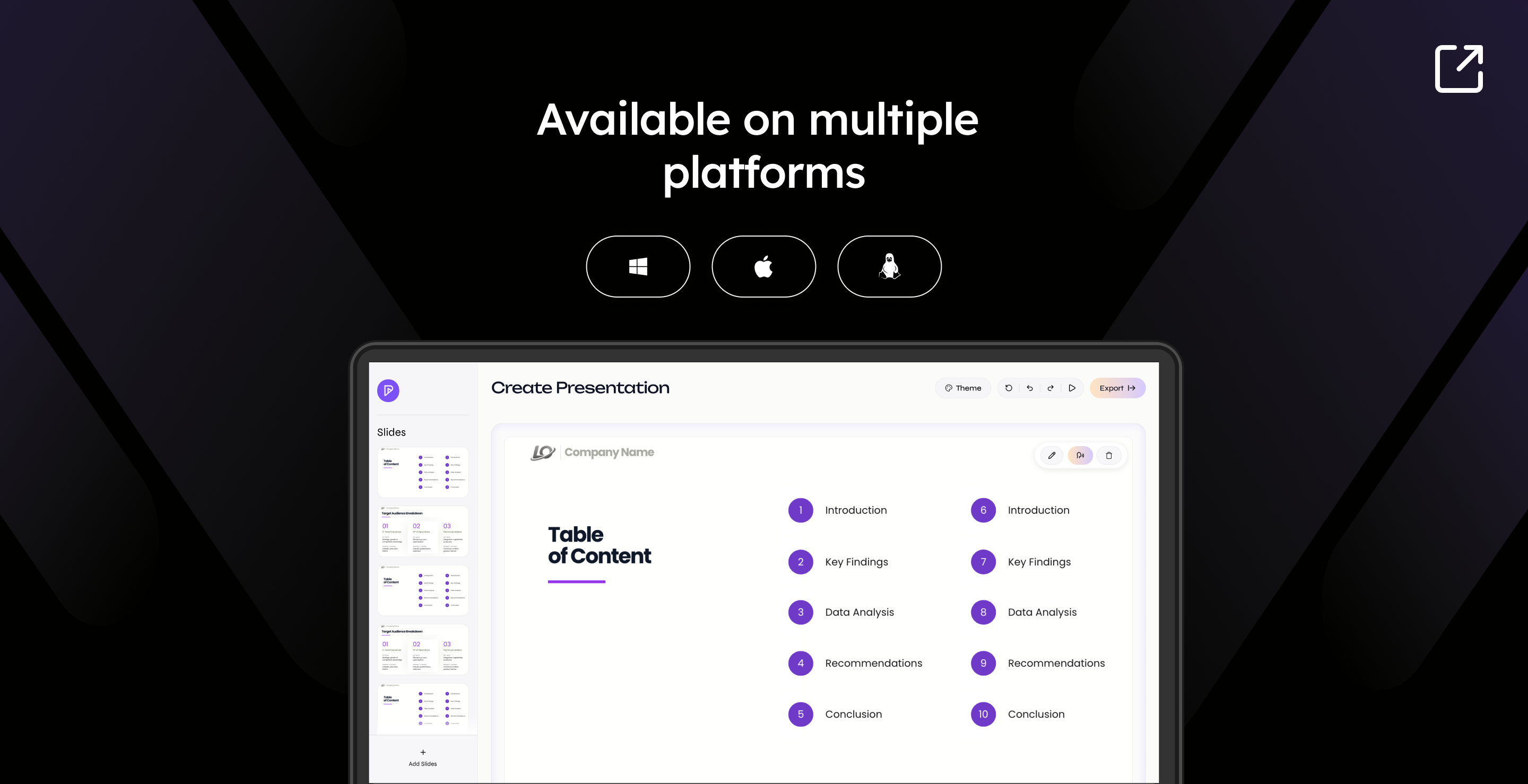
| 平台 | 架构 | 安装包 | 下载 |
|---|---|---|---|
| macOS | Apple Silicon / Intel | .dmg |
下载 ↗ |
| Windows | x64 | .exe |
下载 ↗ |
| Linux | x64 | .deb |
下载 ↗ |


您可以通过两种方式运行 Presenton: 使用 Docker 进行一键设置,无需安装本地开发 技术栈;或者使用 Electron 桌面应用 获得原生应用 体验(非常适合开发或离线使用)。
**选项 1:Electron (桌面应用)**将 Presenton 作为原生桌面应用程序运行。LLM 和图像提供商 (API 密钥等)可以在应用中配置。运行打包后端时,Docker 使用的 环境变量同样适用。
前置条件: Node.js (LTS), npm, Python 3.11, 和
uv
(用于 servers/fastapi 中共享的 FastAPI 后端)。
cd electron
这会安装 Node 依赖项,在 FastAPI 服务器中运行 uv sync,
并安装 Next.js 依赖项。
- 在开发环境中运行
npm run dev
这会编译 TypeScript 并启动 Electron。后端和 UI 将在桌面窗口内
本地运行。
- 构建分发包(可选)
要为 Windows, macOS 或 Linux 创建安装程序:
npm run build:all
输出文件将写入到 electron/dist
(或在您的 electron-builder 设置中进行配置)。
**选项 2:Docker**
- 启动 Presenton
Linux/MacOS (Bash/Zsh Shell):
docker run -it --name presenton -p 5001:80 -v "./app_data:/app_data" ghcr.io/presenton/presenton:latest
Windows (PowerShell):
docker run -it --name presenton -p 5001:80 -v "${PWD}\app_data:/app_data" ghcr.io/presenton/presenton:latest
- 打开 Presenton
在您喜欢的浏览器中打开 http://localhost:5001
即可使用 Presenton。
注意: 您可以将 5001 替换为您选择的任何其他端口号,以便在不同的端口上运行 Presenton。如果您使用
Docker Compose,请设置 PRESENTON_HTTP_HOST_PORT,例如
PRESENTON_HTTP_HOST_PORT=8080 docker compose up production。
#
### ⚙️ 部署配置
下面的列表与该代码库的 **`docker-compose.yml`** (`production`, `production-gpu`, `development`, 和 `development-gpu`) 中转发的环境变量相匹配。请将值放在 compose 文件旁边的 `.env` 文件中,或者在执行 `docker compose up` 之前导出它们。在 Docker 外部运行时,Electron 应用后端可以读取相同的变量名。
代码中还存在其他可选变量(例如高级 Mem0 路径、LiteParse runner,或者当 Next.js 和 FastAPI 不同源时的 `FAST_API_INTERNAL_URL`);它们**没有**在 `docker-compose.yml` 中配置。支持的变量名可以从 `servers/fastapi/utils/get_env.py` 和 `servers/nextjs/` 下的 Next.js 服务器实用程序中发现。
#### LLM 和 API 密钥
- **CAN_CHANGE_KEYS**=[true/false]:如果您想隐藏 API 密钥并使其不可修改,请设置为 **false**。
- **LLM**=[openai/deepseek/google/vertex/azure/bedrock/openrouter/fireworks/together/cerebras/anthropic/litellm/lmstudio/ollama/custom/codex]:选择文本 **LLM**。
- **OPENAI_API_KEY**:如果 **LLM** 为 **openai** 则必填。
- **OPENAI_MODEL**:如果 **LLM** 为 **openai** 则必填(默认:`gpt-4.1`)。
- **DEEPSEEK_API_KEY**:如果 **LLM** 为 **deepseek** 则必填。
- **DEEPSEEK_MODEL**:如果 **LLM** 为 **deepseek** 则必填(默认:`deepseek-chat`)。
- **DEEPSEEK_BASE_URL**:如果 **LLM** 为 **deepseek** 则可选(默认:`https://api.deepseek.com`)。
- **GOOGLE_API_KEY**:如果 **LLM** 为 **google** 则必填。
- **GOOGLE_MODEL**:如果 **LLM** 为 **google** 则必填(默认:`models/gemini-2.0-flash`)。
- **VERTEX_MODEL**:如果 **LLM** 为 **vertex** 则必填(默认:`gemini-2.5-flash`)。
- **VERTEX_API_KEY**:**LLM=vertex** 时的可选授权路径 (Vertex Express)。
- **VERTEX_PROJECT** / **VERTEX_LOCATION**:使用 GCP 项目凭证时 **LLM=vertex** 的可选授权路径(不要与 `VERTEX_API_KEY` 结合使用)。
- **VERTEX_BASE_URL**:可选的 Vertex 网关/基础 URL 覆盖。
- **AZURE_OPENAI_MODEL**:如果 **LLM** 为 **azure** 则必填(部署/模型名称)。
- **AZURE_OPENAI_API_KEY**:如果 **LLM** 为 **azure** 则必填。
- **AZURE_OPENAI_API_VERSION**:如果 **LLM** 为 **azure** 则必填(例如 `2024-10-21`)。
- **AZURE_OPENAI_ENDPOINT** / **AZURE_OPENAI_BASE_URL**:如果 **LLM** 为 **azure** 则至少需要填一个。
- **AZURE_OPENAI_DEPLOYMENT**:**LLM** 为 **azure** 时的可选部署覆盖。
- **BEDROCK_REGION**:如果 **LLM** 为 **bedrock** 则可选(默认:`us-east-1`)。
- **BEDROCK_MODEL**:如果 **LLM** 为 **bedrock** 则必填。使用标准模型 ID(例如:`us.anthropic.claude-3-5-haiku-20241022-v1:0`)或较新模型(例如:Claude Sonnet 4.6)的完整**推理配置文件 ARN**。作为 `modelId` 传递给 Bedrock Converse。请参阅 **[Amazon Bedrock 指南](docs/amazon-bedrock.md)**。
- **BEDROCK_API_KEY**:如果 **LLM** 为 **bedrock** 则可选(API 密钥认证;替代 AWS 密钥的方案)。
- **BEDROCK_AWS_ACCESS_KEY_ID** / **BEDROCK_AWS_SECRET_ACCESS_KEY**:如果 **LLM** 为 **bedrock** 且未设置 `BEDROCK_API_KEY` 则需要同时填写。
- **BEDROCK_AWS_SESSION_TOKEN**:**LLM** 为 **bedrock** 时的可选会话 token。
- **BEDROCK_PROFILE_NAME**:**LLM** 为 **bedrock** 时的可选 AWS 配置文件名称。
- **OPENROUTER_API_KEY**:如果 **LLM** 为 **openrouter** 则必填。
- **OPENROUTER_MODEL**:如果 **LLM** 为 **openrouter** 则必填(默认:`openai/gpt-4o`)。
- **OPENROUTER_BASE_URL**:如果 **LLM** 为 **openrouter** 则可选(默认:`https://openrouter.ai/api/v1`)。
- **FIREWORKS_API_KEY**:如果 **LLM** 为 **fireworks** 则必填。
- **FIREWORKS_MODEL**:如果 **LLM** 为 **fireworks** 则必填(例如:`accounts/fireworks/models/llama-v3p1-8-instruct`)。
- **FIREWORKS_BASE_URL**:如果 **LLM** 为 **fireworks** 则可选(默认:`https://api.fireworks.ai/inference/v1`)。
- **TOGETHER_API_KEY**:如果 **LLM** 为 **together** 则必填。
- **TOGETHER_MODEL**:如果 **LLM** 为 **together** 则必填(例如:`openai/gpt-oss-20b`)。
- **TOGETHER_BASE_URL**:如果 **LLM** 为 **together** 则可选(默认:`https://api.together.ai/v1`)。
- **CEREBRAS_API_KEY**:如果 **LLM** 为 **cerebras** 则必填。
- **CEREBRAS_MODEL**:如果 **LLM** 为 **cerebras** 则必填(默认:`llama-3.3-70b`)。
- **CEREBRAS_BASE_URL**:如果 **LLM** 为 **cerebras** 则可选(默认:`https://api.cerebras.ai/v1`)。
- **ANTHROPIC_API_KEY**:如果 **LLM** 为 **anthropic** 则必填。
- **ANTHROPIC_MODEL**:如果 **LLM** 为 **anthropic** 则必填(默认:`claude-3-5-sonnet-20241022`)。
- **CODEX_MODEL**:如果 **LLM** 为 **codex** 则必填(Codex OAuth 流程;compose 映射主机端口 **1455** 用于回调)。
- **CUSTOM_LLM_URL**:如果 **LLM** 为 **custom** 时的兼容 OpenAI 的基础 URL。
- **CUSTOM_LLM_API_KEY**:如果 **LLM** 为 **custom** 时的 API 密钥。
- **CUSTOM_MODEL**:如果 **LLM** 为 **custom** 时的模型 ID。
- **LITELLM_BASE_URL**:如果 **LLM** 为 **litellm** 时的 LiteLLM proxy 或网关基础 URL。
- **LITELLM_API_KEY**:如果 **LLM** 为 **litellm** 时的可选 API 密钥。
- **LITELLM_MODEL**:如果 **LLM** 为 **litellm** 则必填(默认:`gpt-4.1`)。
- **LMSTUDIO_BASE_URL**:如果 **LLM** 为 **lmstudio** 时的可选 LM Studio 基础 URL(默认:`http://localhost:1234/v1`;省略时自动追加 `/v1`)。
- **LMSTUDIO_API_KEY**:如果 **LLM** 为 **lmstudio** 时的可选 API 密钥。
- **LMSTUDIO_MODEL**:如果 **LLM** 为 **lmstudio** 则必填(例如:`openai/gpt-oss-20b`)。
- **DISABLE_THINKING**=[true/false]:如果为 **true**,则对支持“思考”的提供商(包括 DeepSeek)禁用该功能。
- **WEB_GROUNDING**=[true/false]:如果为 **true**,则默认启用网络搜索。
- **WEB_SEARCH_PROVIDER**=[auto/native/searxng/tavily/exa]:选择网络搜索模式。`auto` 为 OpenAI, Google 和 Anthropic 使用原生搜索,除非您选择外部提供商,否则将关闭网络搜索。
- **WEB_SEARCH_MAX_RESULTS**:添加到模型上下文中的最大外部搜索结果数(默认为 `5`,最大为 `10`)。
- **SEARXNG_BASE_URL**:自托管 SearXNG 实例的基础 URL。
- **TAVILY_API_KEY**, **EXA_API_KEY**:可选的托管搜索 API 凭证。
- **EXTENDED_REASONING**=[true/false]:在配置的技术栈支持的情况下启用扩展推理。
#### Ollama
当 **LLM** 为 **ollama** 时使用:
- **OLLAMA_URL**:Ollama HTTP API 的基础 URL(例如从 Docker 内部的 `http://host.docker.internal:11434`)。
- **OLLAMA_MODEL**:Ollama 中的模型名称(例如 `llama3.2:3b`)。
- **START_OLLAMA**=[true/false]:容器 entrypoint (`start.js`):可选的安装 + `ollama serve`。默认为 **false**(`development` / `production` compose)。
#### 演示文稿记忆 (Mem0 OSS)
Mem0 使用本地 Qdrant + SQLite (OSS);记忆按每个演示文稿划分。
默认情况下,Docker 运行时现在将 Mem0 指向本地兼容 Ollama 的 LLM endpoint,因此它不再仅仅为了初始化而需要 OpenAI 密钥。如果您想改用 OpenAI,请将 `MEM0_LLM_BASE_URL`/`MEM0_LLM_API_KEY` 设置为您的 OpenAI 兼容 endpoint 和密钥。
Docker 镜像在构建期间安装默认的 spaCy 模型 (`en_core_web_sm`),以便 Mem0 在每次运行时无需额外设置即可启动。
| 变量 | 用途 |
| ---------------------------- | ---------------------------------------------------------------------------------------------------------------- |
| **MEM0_ENABLED** | **true**/false(compose 默认为 **true**)。 |
| **MEM0_LLM_MODEL** | Mem0 LLM 模型名称(compose 默认为 **`llama3.1:latest`** 或 `OLLAMA_MODEL`)。 |
| **MEM0_LLM_API_KEY** | 兼容 OpenAI 的客户端的 Mem0 LLM API 密钥占位符(compose 默认为 **`ollama`**)。 |
| **MEM0_LLM_BASE_URL** | Mem0 LLM 基础 URL(compose 默认为 **`OLLAMA_URL`** 或 `http://host.docker.internal:11434`)。 |
| **MEM0_DIR** | 根目录(compose 默认为 **`/app_data/mem0`**)。 |
| **MEM0_EMBEDDER_PROVIDER** | Embedder 后端(compose 默认为 **`fastembed`**)。 |
| **MEM0_EMBEDDER_MODEL** | 模型 ID(compose 默认为 **`BAAI/bge-small-en-v1.5`**)。 |
| **MEM0_EMBEDDING_DIMS** | 向量大小(compose 默认为 **384**)。 |
| **MEM0_SPACY_MODEL** | 可选的 spaCy 模型覆盖(默认为 **`en_core_web_sm`**)。 |
| **MEM0_REQUIRE_SPACY_MODEL** | 保持为 **true**(默认)。仅当您有意让 Mem0 在没有 spaCy 词形还原的情况下运行时才设置为 false。 |
#### 文档解析 (LiteParse)
| 变量 | 用途 |
| ------------------------- | ----------------------------------------- |
| **LITEPARSE_DPI** | OCR 渲染 DPI(compose 默认为 **120**)。 |
| **LITEPARSE_NUM_WORKERS** | Worker 数量(compose 默认为 **1**)。 |
#### 数据库
- **DATABASE_URL**:SQLAlchemy URL;如果未设置,应用将回退到应用数据目录下的 SQLite。
- **MIGRATE_DATABASE_ON_STARTUP**:Compose 为所有服务设置为 **`true`**,以便在启动时运行迁移。
#### 图像生成
这些变量与 `docker-compose.yml` 匹配。**`IMAGE_PROVIDER`** 选择后端(`pexels`, `pixabay`, `gemini_flash`, `nanobanana_pro`, `dall-e-3`, `gpt-image-1.5`, `comfyui`, `open_webui`)。为 OpenAI 图像模式使用 **OPENAI_API_KEY**,为 Gemini 图像模式使用 **GOOGLE_API_KEY**(与 LLM 部分的密钥相同)。
- **DISABLE_IMAGE_GENERATION**=[true/false]:禁用幻灯片图像生成。
- **IMAGE_PROVIDER**:提供商 ID(参见上面的枚举)。
- **PEXELS_API_KEY**:Pexels 图库图像。
- **PIXABAY_API_KEY**:Pixabay 图库图像。
- **DALL_E_3_QUALITY**=[standard/hd]:**dall-e-3** 的可选参数(默认为 `standard`)。
- **GPT_IMAGE_1_5_QUALITY**=[low/medium/high]:**gpt-image-1.5** 的可选参数(默认为 `medium`)。
- **COMFYUI_URL** / **COMFYUI_WORKFLOW**:自托管的 ComfyUI 工作流 JSON。
- **OPEN_WEBUI_IMAGE_URL** / **OPEN_WEBUI_IMAGE_API_KEY**:兼容 Open WebUI 的图像 endpoint。
- **OPENAI_COMPAT_IMAGE_BASE_URL** / **OPENAI_COMPAT_IMAGE_API_KEY** / **OPENAI_COMPAT_IMAGE_MODEL**:如果使用 **openai_compatible** 将图像请求发送到任何兼容 OpenAI 的 `/v1/images/*` endpoint(LiteLLM, Azure, vLLM 网关等)则必填。
#### 遥测
- **DISABLE_ANONYMOUS_TRACKING**=[true/false]:设置为 **true** 以禁用匿名遥测。
#### 身份验证(Web 登录)
Presenton 为每个实例使用**单一管理员账户**。凭证存在于 `app_data` 中(已哈希;请参阅 `userConfig.json`)。使用 `-e` 或通过 `.env` 为 compose 传递这些参数:
- **AUTH_USERNAME** / **AUTH_PASSWORD** — 在首次启动时预设管理员登录(密码至少 6 个字符)。如果用户已存在则忽略,除非设置了 **AUTH_OVERRIDE_FROM_ENV**。
- **AUTH_OVERRIDE_FROM_ENV**=[true/false] — 如果为 **true**,则每次 FastAPI 启动时都会从环境变量替换已存储的凭证,并轮换会话签名密钥(使现有会话失效)。完成一次性轮换后请将其移除。
- **RESET_AUTH**=[true/false] — 如果为 **true**,则在启动时清除已存储的凭证。仅用于**单次**启动以恢复访问权限,之后请取消设置。
**示例**
```
docker run -it --name presenton -p 5001:80 -v "./app_data:/app_data" ghcr.io/presenton/presenton:latest
```
```
docker run -it --name presenton -p 5001:80 -e AUTH_USERNAME=admin -e AUTH_PASSWORD=changeme123 -v "./app_data:/app_data" ghcr.io/presenton/presenton:latest
```
```
docker run -it --name presenton -p 5001:80 -e AUTH_USERNAME=admin -e AUTH_PASSWORD=changeme123 -v "${PWD}\app_data:/app_data" ghcr.io/presenton/presenton:latest
```
```
docker stop presenton && docker rm presenton && docker run -it --name presenton -p 5001:80 -e AUTH_USERNAME=admin -e AUTH_PASSWORD=newcred456 -e AUTH_OVERRIDE_FROM_ENV=true -v "./app_data:/app_data" ghcr.io/presenton/presenton:latest
```
```
docker stop presenton && docker rm presenton && docker run -it --name presenton -p 5001:80 -e RESET_AUTH=true -v "./app_data:/app_data" ghcr.io/presenton/presenton:latest
```
```
docker stop presenton && docker rm presenton && docker run -it --name presenton -p 5001:80 -e AUTH_USERNAME=admin -e AUTH_PASSWORD=changeme123 -v "./app_data:/app_data" ghcr.io/presenton/presenton:latest
```
**手动重置:** 停止容器,编辑 `./app_data/userConfig.json`,删除 `AUTH_USERNAME`, `AUTH_PASSWORD_HASH` 和 `AUTH_SECRET_KEY`,保存后再次启动。
从应用中登出:**Settings → Other → Sign out**。
#### MCP 身份验证
配置身份验证后(`AUTH_USERNAME` / `AUTH_PASSWORD`),位于 `/mcp` 的 MCP endpoint 现在也需要进行身份验证。
1. 登录一次以获取 bearer token:
```
curl -s -X POST http://localhost:5001/api/v1/auth/login \
-H "Content-Type: application/json" \
-d '{"username":"admin","password":"changeme123"}'
```
响应包含:
- `access_token` (会话 token)
- `token_type` (`bearer`)
2. 配置您的 MCP 客户端,使其在每次请求时发送该 token:
```
{
"mcpServers": {
"presenton": {
"url": "http://localhost:5001/mcp",
"headers": {
"Authorization": "Bearer "
}
}
}
}
```
注意:
- 如果您使用 `AUTH_OVERRIDE_FROM_ENV=true` 轮换凭证,之前颁发的会话 token 将失效。
- MCP 在 Electron 桌面应用中不可用(`PRESENTON_ELECTRON=true`)。Electron 默认以 `DISABLE_AUTH=true` 运行,并且为避免身份验证冲突,MCP Server 在此处被禁用。
**按提供商列出的 Docker 运行示例**
与 compose 的变量相同;直接运行 `docker run` 时使用 `-e` 代替 `.env`。
- 使用 OpenAI
docker run -it --name presenton -p 5001:80 -e LLM="openai" -e OPENAI_API_KEY="******" -e IMAGE_PROVIDER="dall-e-3" -e CAN_CHANGE_KEYS="false" -v "./app_data:/app_data" ghcr.io/presenton/presenton:latest
- 使用 Google
docker run -it --name presenton -p 5001:80 -e LLM="google" -e GOOGLE_API_KEY="******" -e IMAGE_PROVIDER="gemini_flash" -e CAN_CHANGE_KEYS="false" -v "./app_data:/app_data" ghcr.io/presenton/presenton:latest
- 使用 Vertex AI (API 密钥模式)
docker run -it --name presenton -p 5001:80 -e LLM="vertex" -e VERTEX_API_KEY="******" -e VERTEX_MODEL="gemini-2.5-flash" -e IMAGE_PROVIDER="gemini_flash" -e CAN_CHANGE_KEYS="false" -v "./app_data:/app_data" ghcr.io/presenton/present:latest
- 使用 Azure OpenAI
docker run -it --name presenton -p 5001:80 -e LLM="azure" -e AZURE_OPENAI_API_KEY="******" -e AZURE_OPENAI_MODEL="gpt-4.1" -e AZURE_OPENAI_API_VERSION="2024-10-21" -e AZURE_OPENAI_ENDPOINT="https://YOUR-RESOURCE.openai.azure.com" -e IMAGE_PROVIDER="pexels" -e PEXELS_API_KEY="******" -e CAN_CHANGE_KEYS="false" -v "./app_data:/app_data" ghcr.io/presenton/presenton:latest
- 使用 Amazon Bedrock (按需模型 ID) — 有关推理配置文件、IAM 和故障排除的信息,请参阅 **[docs/amazon-bedrock.md](docs/amazon-bedrock.md)**。
docker run -it --name presenton -p 5001:80 -e LLM="bedrock" -e BEDROCK_REGION="us-east-1" -e BEDROCK_AWS_ACCESS_KEY_ID="******" -e BEDROCK_AWS_SECRET_ACCESS_KEY="******" -e BEDROCK_MODEL="us.anthropic.claude-3-5-haiku-20241022-v1:0" -e IMAGE_PROVIDER="pexels" -e PEXELS_API_KEY="******" -e CAN_CHANGE_KEYS="false" -v "./app_data:/app_data" ghcr.io/presenton/presenton:latest
- 使用 Amazon Bedrock (推理配置文件 ARN,例如 Claude Sonnet 4.6)
docker run -it --name presenton -p 5001:80 -e LLM="bedrock" -e BEDROCK_REGION="us-east-1" -e BEDROCK_AWS_ACCESS_KEY_ID="******" -e BEDROCK_AWS_SECRET_ACCESS_KEY="******" -e BEDROCK_MODEL="arn:aws:bedrock:us-east-1:YOUR_ACCOUNT_ID:inference-profile/us.anthropic.claude-sonnet-4-6" -e IMAGE_PROVIDER="pexels" -e PEXELS_API_KEY="******" -e CAN_CHANGE_KEYS="false" -v "./app_data:/app_data" ghcr.io/presenton/presenton:latest
- 使用 Fireworks
docker run -it --name presenton -p 5001:80 -e LLM="fireworks" -e FIREWORKS_API_KEY="******" -e FIREWORKS_MODEL="accounts/fireworks/models/llama-v3p1-8b-instruct" -e IMAGE_PROVIDER="pexels" -e PEXELS_API_KEY="******" -e CAN_CHANGE_KEYS="false" -v "./app_data:/app_data" ghcr.io/presenton/presenton:latest
- 使用 Together AI
docker run -it --name presenton -p 5001:80 -e LLM="together" -e TOGETHER_API_KEY="******" -e TOGETHER_MODEL="openai/gpt-oss-20b" -e IMAGE_PROVIDER="pexels" -e PEXELS_API_KEY="******" -e CAN_CHANGE_KEYS="false" -v "./app_data:/app_data" ghcr.io/presenton/presenton:latest
- 使用 Ollama
docker run -it --name presenton -p 5001:80 -e LLM="ollama" -e OLLAMA_MODEL="llama3.2:3b" -e IMAGE_PROVIDER="pexels" -e PEXELS_API_KEY="*******" -e CAN_CHANGE_KEYS="false" -v "./app_data:/app_data" ghcr.io/presenton/presenton:latest
- 使用 Anthropic
docker run -it --name presenton -p 5001:80 -e LLM="anthropic" -e ANTHROPIC_API_KEY="******" -e IMAGE_PROVIDER="pexels" -e PEXELS_API_KEY="******" -e CAN_CHANGE_KEYS="false" -v "./app_data:/app_data" ghcr.io/presenton/presenton:latest
- 使用 LM Studio (本地)
docker run -it --name presenton -p 5001:80 -e LLM="lmstudio" -e LMSTUDIO_BASE_URL="http://host.docker.internal:1234" -e LMSTUDIO_MODEL="openai/gpt-oss-20b" -e IMAGE_PROVIDER="pexels" -e PEXELS_API_KEY="******" -e CAN_CHANGE_KEYS="false" -v "./app_data:/app_data" ghcr.io/presenton/presenton:latest
- 使用兼容 OpenAI 的 LLM API
docker run -it -p 5001:80 -e CAN_CHANGE_KEYS="false" -e LLM="custom" -e CUSTOM_LLM_URL="http://*****" -e CUSTOM_LLM_API_KEY="*****" -e CUSTOM_MODEL="llama3.2:3b" -e IMAGE_PROVIDER="pexels" -e PEXELS_API_KEY="********" -v "./app_data:/app_data" ghcr.io/presenton/presenton:latest
- 在 GPU 支持下运行 Presenton
要将 GPU 加速与 Ollama 模型结合使用,您需要安装并配置 NVIDIA Container Toolkit。这允许 Docker 容器访问您的 NVIDIA GPU。
安装并配置 NVIDIA Container Toolkit 后,您可以通过添加 `--gpus=all` 标志在 GPU 支持下运行 Presenton:
docker run -it --name presenton --gpus=all -p 5001:80 -e LLM="ollama" -e OLLAMA_MODEL="llama3.2:3b" -e IMAGE_PROVIDER="pexels" -e PEXELS_API_KEY="*******" -e CAN_CHANGE_KEYS="false" -v "./app_data:/app_data" ghcr.io/presenton/presenton:latest
- 使用兼容 OpenAI 的图像提供商
这会将所有幻灯片图像请求通过您的兼容 OpenAI 的网关(LiteLLM, Azure, vLLM 等)进行路由,同时保持文本 LLM 配置独立:
docker run -it --name presenton -p 5001:80 -e IMAGE_PROVIDER="openai_compatible" -e OPENAI_COMPAT_IMAGE_BASE_URL="https://proxy.example.com/v1" -e OPENAI_COMPAT_IMAGE_API_KEY="******" -e OPENAI_COMPAT_IMAGE_MODEL="gpt-image-1" -v "./app_data:/app_data" ghcr.io/presenton/presenton:latest
#
### ✨ 通过 API 生成演示文稿
**生成演示文稿**
Endpoint: /api/v1/ppt/presentation/generate
方法: POST
Content-Type: application/json
身份验证 (HTTP Basic):
除了 /api/v1/auth/* 之外,所有的 /api/v1/ 路由都需要身份验证。发送您的 Presenton 管理员用户名和密码(与 Web UI 相同,或者 Docker 预设的 AUTH_USERNAME / AUTH_PASSWORD)。使用 curl 时,将它们直接放在 -u 后面作为 -u USERNAME:PASSWORD — 这就是 HTTP Basic 认证,并会自动为您设置 Authorization: Basic …。请将下面示例中的 username:password 替换为您的真实凭证。
**请求体**
参数
类型
必填
描述
contentstring
是
用于生成演示文稿的主要内容。
slides_markdownstring[] | null
否
提供自定义的幻灯片 Markdown 以代替自动生成。
instructionsstring | null
否
额外的生成指令。
tonestring
否
文本基调(默认:"default")。
选项:default, casual, professional,
funny, educational, sales_pitch
verbositystring
否
内容密度(默认:"standard")。
选项:concise, standard, text-heavy
web_searchboolean
否
启用网络搜索基础(默认:false)。
n_slidesinteger
否
要生成的幻灯片数量(默认:8)。
languagestring
否
演示文稿语言(默认:"English")。
templatestring
否
模板名称(默认:"general")。
include_table_of_contentsboolean
否
包含目录幻灯片(默认:false)。
include_title_slideboolean
否
包含标题幻灯片(默认:true)。
filesstring[] | null
否
用于生成的文件。
请先通过 /api/v1/ppt/files/upload 上传。
export_asstring
否
导出格式(默认:"pptx")。
选项:pptx, pdf
**响应**
{
"presentation_id": "string",
"path": "string",
"edit_path": "string"
**示例 (curl + 使用 -u 的 HTTP Basic 认证)**
curl -u username:password \
-X POST http://localhost:5001/api/v1/ppt/presentation/generate \
-H "Content-Type: application/json" \
-d '{
"content": "Introduction to Machine Learning",
"n_slides": 5,
"language": "English",
"template": "general",
"export_as": "pptx"
**示例响应**
{
"presentation_id": "d3000f96-096c-4768-b67b-e99aed029b57",
"path": "/app_data/d3000f96-096c-4768-b67b-e99aed029b57/Introduction_to_Machine_Learning.pptx",
"edit_path": "/presentation?id=d3000f96-096c-4768-b67b-e99aed029b57"
注意:
请在 path 和 edit_path 前加上服务器的根 URL,以构建有效的链接。
**文档与教程**
-
部署 Presenton
-
完整的 API 文档
-
5 分钟内通过 API 生成演示文稿
-
使用 AI 从 CSV 创建演示文稿
-
使用 AI 创建数据报告
#
### 🚀 路线图
在 GitHub Projects 上跟踪公开的路线图:[https://github.com/orgs/presenton/projects/2](https://github.com/orgs/presenton/projects/2)