microsoft/agent-framework
GitHub: microsoft/agent-framework
微软官方的多语言AI agent框架,支持Python和.NET,用于构建、编排和部署从简单对话到复杂多agent工作流的企业级AI应用。
Stars: 11360 | Forks: 1911
# 欢迎使用 Microsoft Agent Framework!
[](https://discord.gg/b5zjErwbQM)
[](https://learn.microsoft.com/en-us/agent-framework/)
[](https://pypi.org/project/agent-framework/)
[](https://www.nuget.org/profiles/MicrosoftAgentFramework/)
欢迎使用 Microsoft 全面的多语言框架,用于构建、编排和部署 AI agent,同时支持 .NET 和 Python 实现。该框架提供了从简单聊天 agent 到具有基于图编排的复杂多 agent 工作流的所有功能。
with your OpenAI API key.
var agent = new OpenAIClient("")
.GetResponsesClient("gpt-4o-mini")
.AsAIAgent(name: "HaikuBot", instructions: "You are an upbeat assistant that writes beautifully.");
Console.WriteLine(await agent.RunAsync("Write a haiku about Microsoft Agent Framework."));
```
使用 Azure OpenAI Responses 和基于 token 的认证创建一个简单的 Agent,写一首关于 Microsoft Agent Framework 的俳句
```
// dotnet add package Microsoft.Agents.AI.OpenAI --prerelease
// dotnet add package Azure.Identity
// Use `az login` to authenticate with Azure CLI
using System.ClientModel.Primitives;
using Azure.Identity;
using Microsoft.Agents.AI;
using OpenAI;
using OpenAI.Responses;
// Replace and gpt-4o-mini with your Azure OpenAI resource name and deployment name.
var agent = new OpenAIClient(
new BearerTokenPolicy(new AzureCliCredential(), "https://ai.azure.com/.default"),
new OpenAIClientOptions() { Endpoint = new Uri("https://.openai.azure.com/openai/v1") })
.GetResponsesClient("gpt-4o-mini")
.AsAIAgent(name: "HaikuBot", instructions: "You are an upbeat assistant that writes beautifully.");
Console.WriteLine(await agent.RunAsync("Write a haiku about Microsoft Agent Framework."));
```
## 更多示例与样本
### Python
- [Agent 入门](./python/samples/01-get-started):从 hello-world 到托管的渐进式教程
- [Agent 概念](./python/samples/02-agents):按主题(工具、中间件、提供商等)分类的深入样本
- [工作流入门](./python/samples/03-workflows):工作流创建及与 agent 的集成
### .NET
- [Agent 入门](./dotnet/samples/02-agents/Agents):基础 agent 创建和工具使用
- [Agent 提供商样本](./dotnet/samples/02-agents/AgentProviders):展示不同 agent 提供商的样本
- [工作流样本](./dotnet/samples/03-workflows):高级多 agent 模式和工作流编排
## 贡献者资源
- [贡献指南](./CONTRIBUTING.md)
- [Python 开发指南](./python/DEV_SETUP.md)
- [设计文档](./docs/design)
- [架构决策记录](./docs/decisions)
## 重要说明
如果您使用 Microsoft Agent Framework 构建与第三方服务器或 agent 交互的应用程序,请自行承担风险。我们建议审查与第三方服务器或 agent 共享的所有数据,并了解第三方关于数据保留和位置的做法。管理您的数据是否会流出您组织的 Azure 合规性和地理边界以及任何相关影响是您的责任。
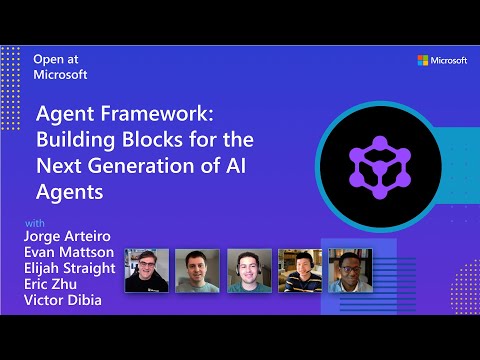
Watch the full Agent Framework introduction (30 min)
## 📋 入门指南 ### 📦 安装 Python ``` pip install agent-framework --pre # 这将安装所有子包,有关单个包的信息请参阅 `python/packages`。 # 在 Windows 上首次安装可能需要一分钟。 ``` .NET ``` dotnet add package Microsoft.Agents.AI ``` ### 📚 文档 - **[概述](https://learn.microsoft.com/agent-framework/overview/agent-framework-overview)** - 框架的高层级概述 - **[快速入门](https://learn.microsoft.com/agent-framework/tutorials/quick-start)** - 从一个简单的 agent 开始 - **[教程](https://learn.microsoft.com/agent-framework/tutorials/overview)** - 分步教程 - **[用户指南](https://learn.microsoft.com/en-us/agent-framework/user-guide/overview)** - 构建 agent 和工作流的深度指南 - **[从 Semantic Kernel 迁移](https://learn.microsoft.com/en-us/agent-framework/migration-guide/from-semantic-kernel)** - 从 Semantic Kernel 迁移的指南 - **[从 AutoGen 迁移](https://learn.microsoft.com/en-us/agent-framework/migration-guide/from-autogen)** - 从 AutoGen 迁移的指南 仍有疑问?加入我们的[每周办公时间](./COMMUNITY.md#public-community-office-hours)或在我们的 [Discord 频道](https://discord.gg/b5zjErwbQM)提问,以获得团队和其他用户的帮助。 ### ✨ **亮点** - **基于图的工作流**:使用数据流连接 agent 和确定性函数,支持流式传输、检查点、人机交互(human-in-the-loop)和时间旅行功能 - [Python 工作流](./python/samples/03-workflows/) | [.NET 工作流](./dotnet/samples/03-workflows/) - **AF Labs**:用于前沿功能的实验性包,包括基准测试、强化学习和研究项目 - [Labs 目录](./python/packages/lab/) - **DevUI**:用于 agent 开发、测试和调试工作流的交互式开发者 UI - [DevUI 包](./python/packages/devui/)
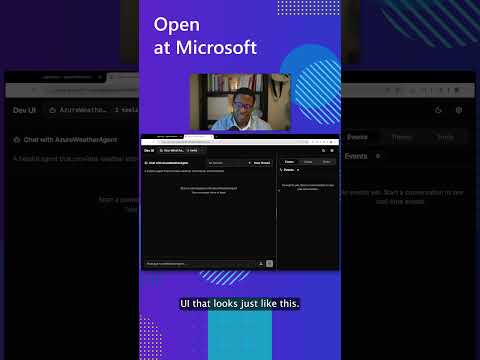
See the DevUI in action (1 min)
- **Python 和 C#/.NET 支持**:对 Python 和 C#/.NET 实现的完整框架支持,提供一致的 API - [Python 包](./python/packages/) | [.NET 源码](./dotnet/src/) - **可观测性**:内置 OpenTelemetry 集成,用于分布式追踪、监控和调试 - [Python 可观测性](./python/samples/02-agents/observability/) | [.NET 遥测](./dotnet/samples/02-agents/AgentOpenTelemetry/) - **多 Agent 提供商支持**:支持各种 LLM 提供商,并持续增加更多 - [Python 示例](./python/samples/02-agents/providers/) | [.NET 示例](./dotnet/samples/02-agents/AgentProviders/) - **中间件**:灵活的中间件系统,用于请求/响应处理、异常处理和自定义流水线 - [Python 中间件](./python/samples/02-agents/middleware/) | [.NET 中间件](./dotnet/samples/02-agents/Agents/Agent_Step11_Middleware/) ### 💬 **我们需要您的反馈!** - 如发现 Bug,请提交 [GitHub issue](https://github.com/microsoft/agent-framework/issues)。 ## 快速入门 ### 基础 Agent - Python 创建一个简单的 Azure Responses Agent,写一首关于 Microsoft Agent Framework 的俳句 ``` # pip install agent-framework --pre # 使用 `az login` 通过 Azure CLI 进行身份验证 import os import asyncio from agent_framework.azure import AzureOpenAIResponsesClient from azure.identity import AzureCliCredential async def main(): # Initialize a chat agent with Azure OpenAI Responses # the endpoint, deployment name, and api version can be set via environment variables # or they can be passed in directly to the AzureOpenAIResponsesClient constructor agent = AzureOpenAIResponsesClient( # endpoint=os.environ["AZURE_OPENAI_ENDPOINT"], # deployment_name=os.environ["AZURE_OPENAI_RESPONSES_DEPLOYMENT_NAME"], # api_version=os.environ["AZURE_OPENAI_API_VERSION"], # api_key=os.environ["AZURE_OPENAI_API_KEY"], # Optional if using AzureCliCredential credential=AzureCliCredential(), # Optional, if using api_key ).as_agent( name="HaikuBot", instructions="You are an upbeat assistant that writes beautifully.", ) print(await agent.run("Write a haiku about Microsoft Agent Framework.")) if __name__ == "__main__": asyncio.run(main()) ``` ### 基础 Agent - .NET 使用 OpenAI Responses 创建一个简单的 Agent,写一首关于 Microsoft Agent Framework 的俳句 ``` // dotnet add package Microsoft.Agents.AI.OpenAI --prerelease using Microsoft.Agents.AI; using OpenAI; using OpenAI.Responses; // Replace the标签:Azure AI, DLL 劫持, LLM应用开发, Microsoft, PyRIT, Python, 人工智能, 企业级框架, 图编排, 多智能体系统, 大语言模型, 工作流编排, 开源框架, 持续集成, 无后门, 智能体构建, 用户代理, 用户模式Hook绕过, 网络调试, 自动化, 逆向工具