Debasish-87/ZeroTrustOps-Platform
GitHub: Debasish-87/ZeroTrustOps-Platform
一个自托管的Kubernetes原生DevSecOps流水线平台,在每次Git推送时自动扫描IaC配置与凭据泄露并以强制门禁阻止不安全变更进入生产。
Stars: 8 | Forks: 3
## 📸 截图
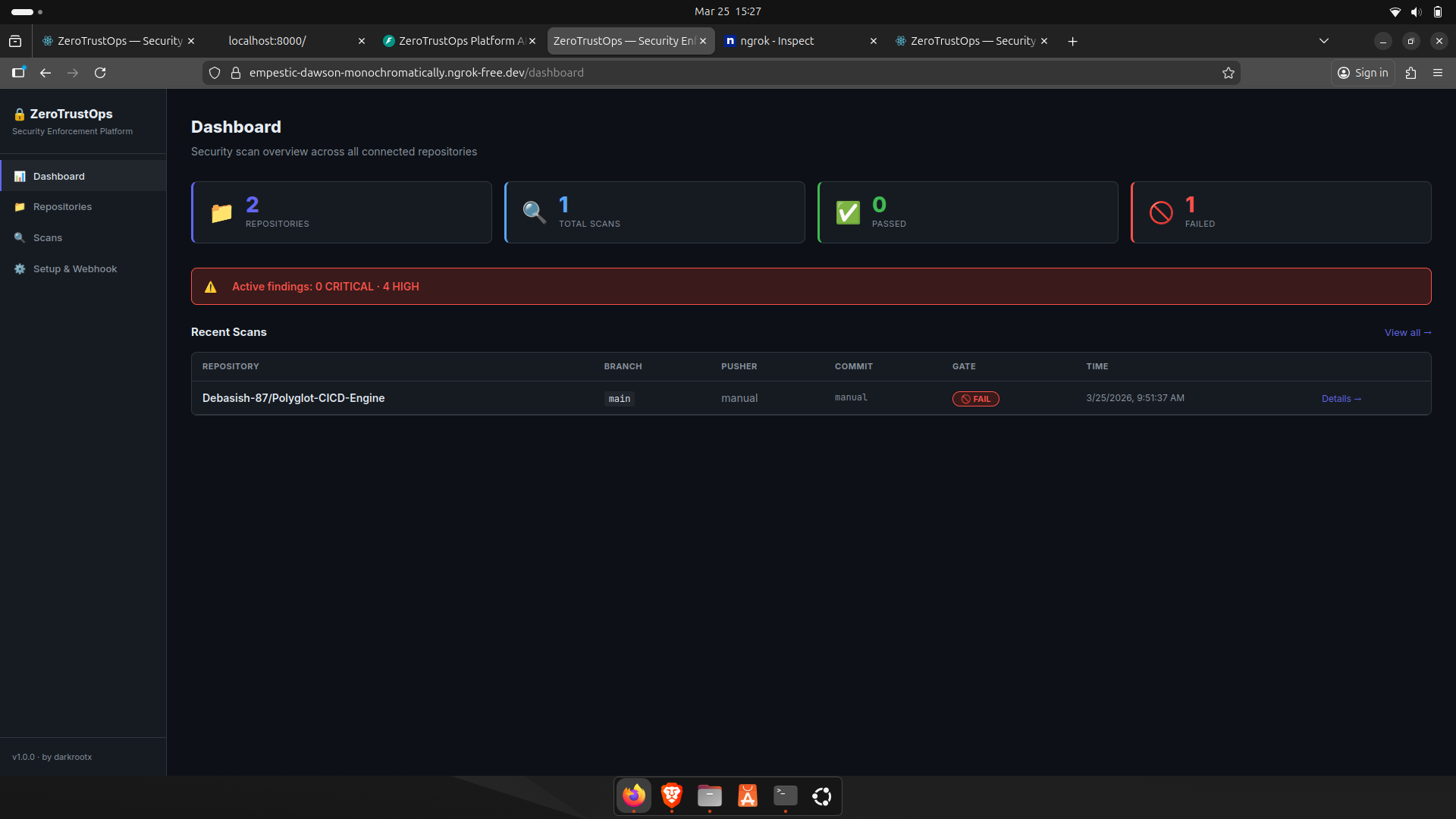
### 仪表盘概览
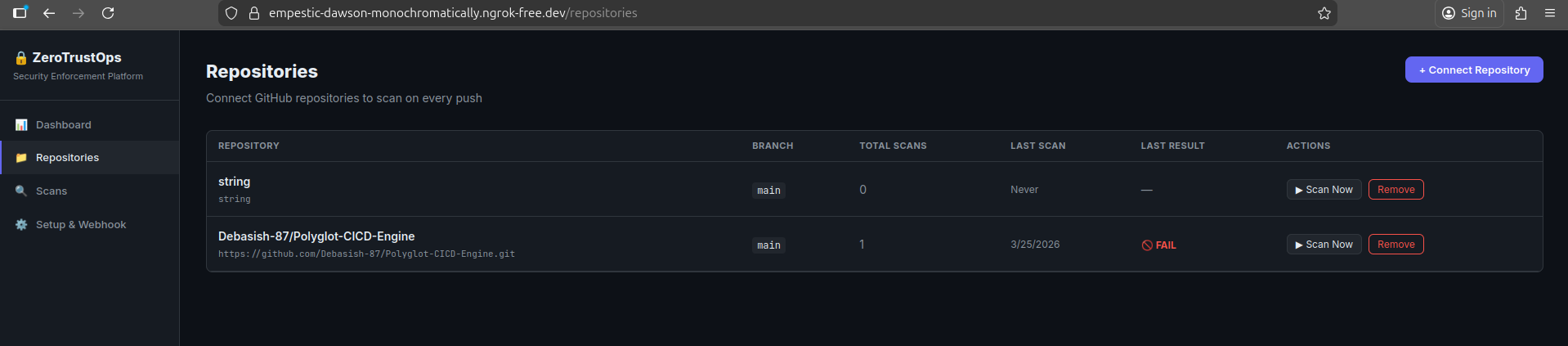
### 仓库管理
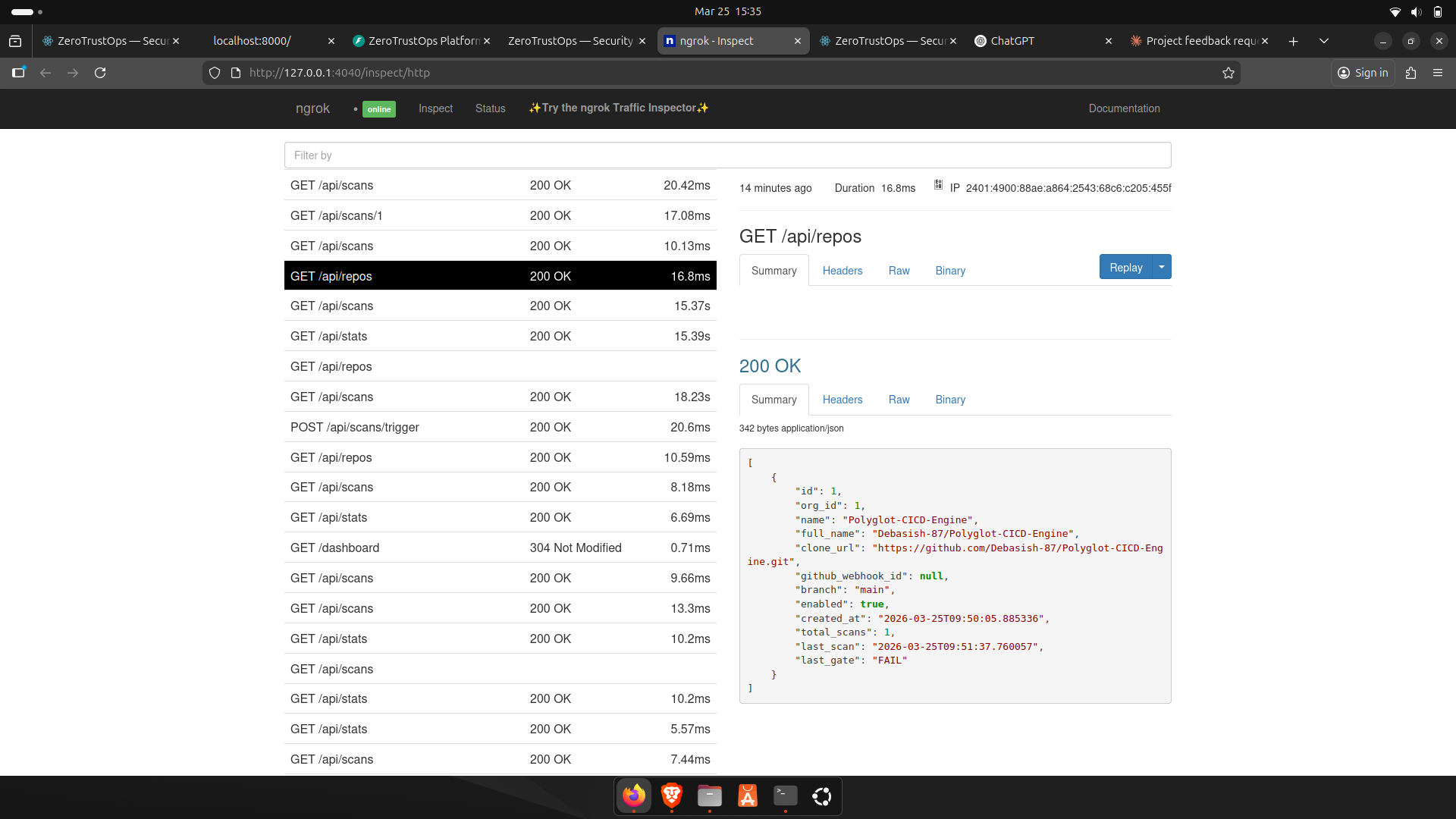
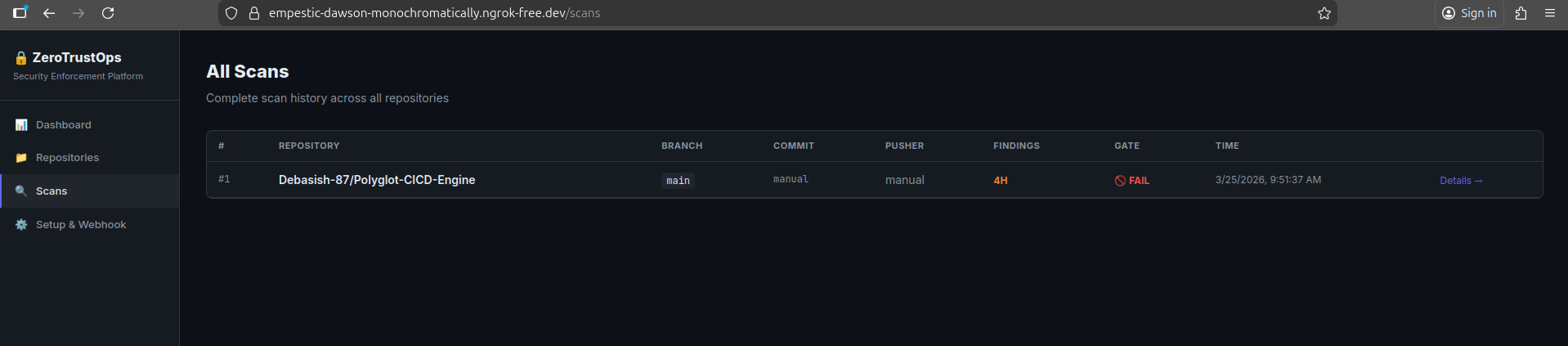
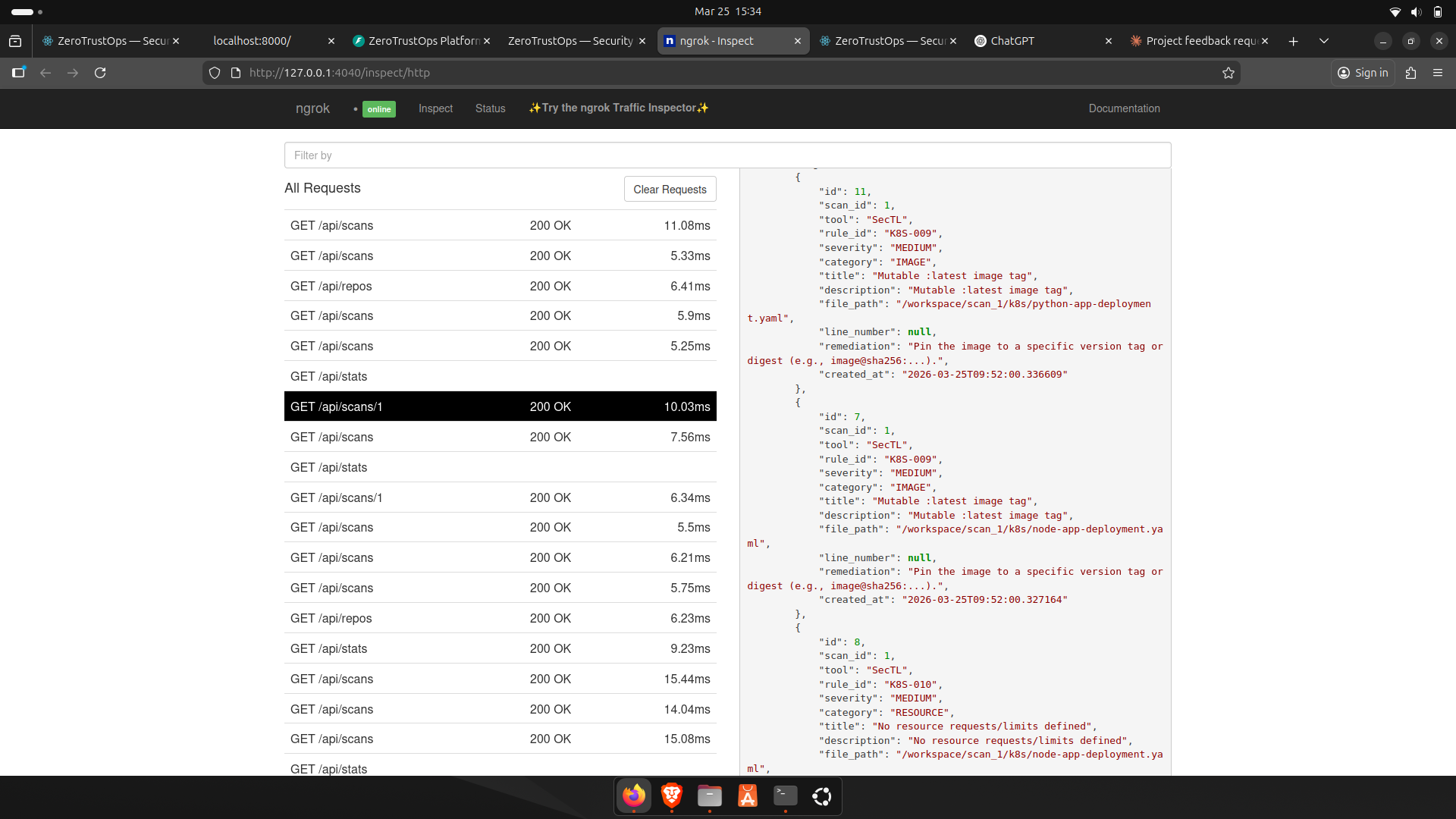
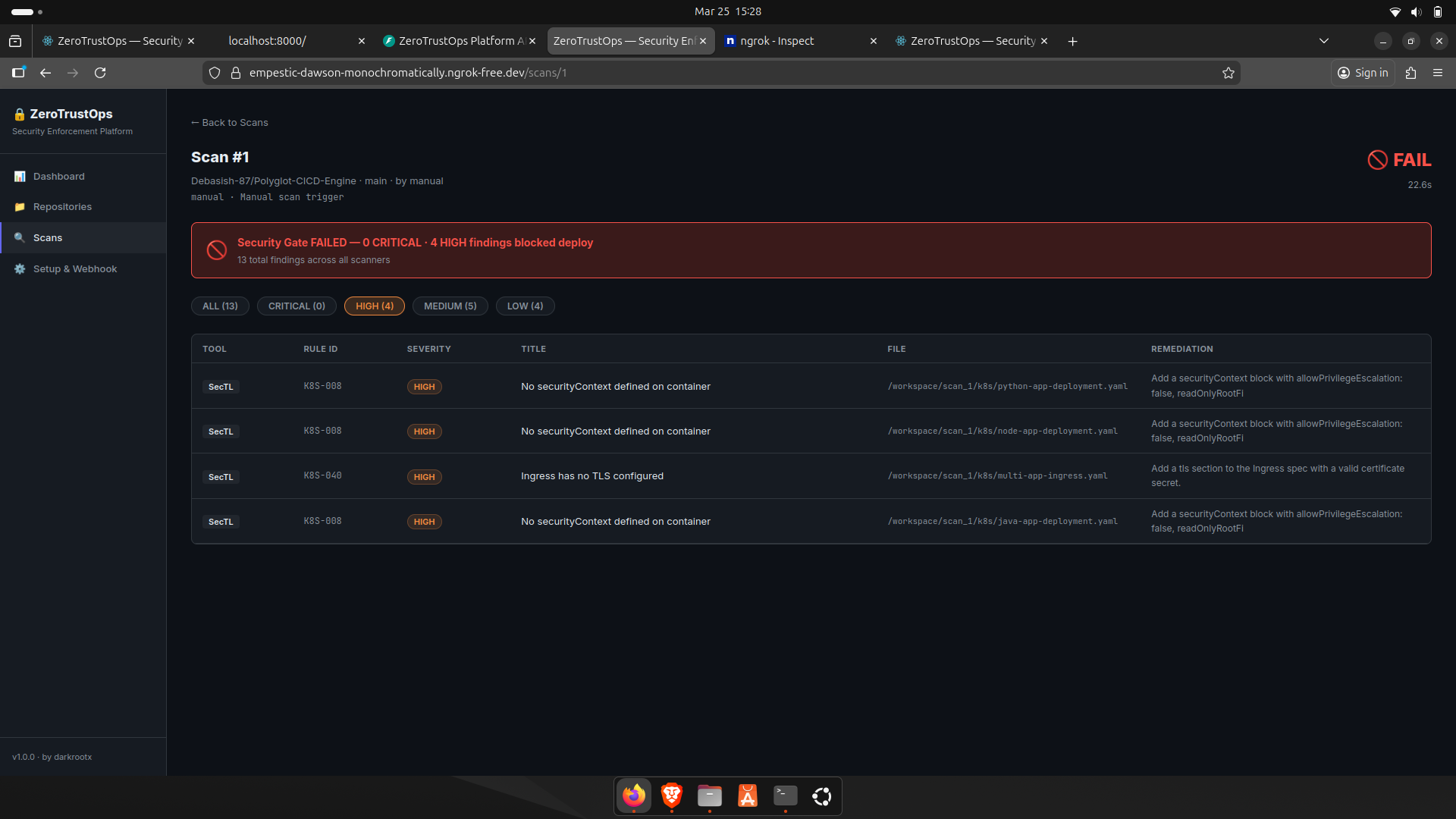
### 扫描结果与发现
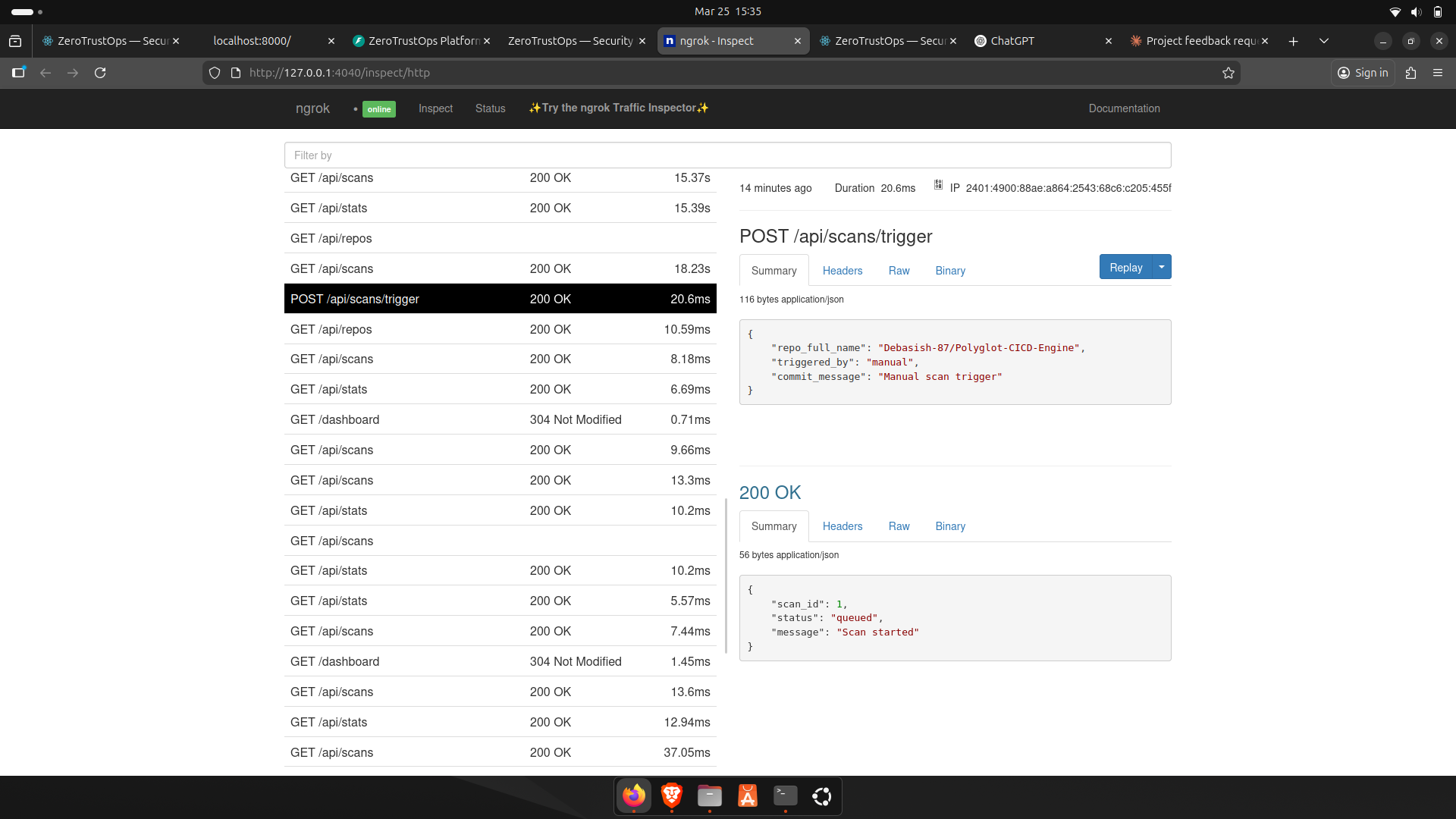
### 触发扫描
## 🧭 概述
ZeroTrustOps 扫描每次 Git 推送,检测配置错误和机密,并在不安全的基础设施到达生产环境之前将其阻止。
它由自定义的执行引擎 (SecTL) 以及用于机密检测的 Gitleaks 驱动,提供端到端的 DevSecOps 流水线,包括自动化扫描、CI/CD 执行和实时仪表盘 —— 所有这些都可以通过一条命令在本地运行。
## ⚡ 工作原理
每次推送都被视为一个安全检查点。如果失败,则永远不会部署。
```
git push
└── GitHub webhook triggers the scan pipeline
└── Repository is cloned into an isolated scan environment
│
├── 🔍 Static Analysis (SecTL)
│ ├── Scans IaC: Kubernetes, Terraform, Helm
│ ├── Detects misconfigurations (RBAC, networking, privilege escalation)
│ ├── Applies 70+ security rules
│ └── Assigns severity levels (CRITICAL → LOW)
│
├── 🔑 Secrets Detection (Gitleaks)
│ └── Identifies API keys, tokens, passwords, and exposed credentials
│
├── 🧠 Findings Processing
│ ├── Normalizes results (rule_id, severity, file path)
│ ├── Deduplicates issues
│ └── Attaches precise remediation guidance
│
├── 🚦 Enforcement Engine (CI/CD Gate)
│ ├── Evaluates findings against severity thresholds
│ └── Returns binary decision → PASS / FAIL
│
├── 🗄️ Persistence Layer
│ └── Stores scan results, history, and findings in PostgreSQL
│
└── 📊 Real-time Feedback Loop
├── Updates dashboard instantly
├── Displays repo status (PASS / FAIL)
├── Shows severity breakdown
└── Provides actionable fixes per finding
```
## 🚀 实际功能
- 🚫 **阻止不安全的 Kubernetes 部署**,在它们到达您的集群之前
- 🔑 **防止机密离开您的仓库**,通过在每次推送时检测硬编码的凭据
- 🚦 **发现严重问题时立即中断 CI**,带有清晰的 PASS/FAIL 安全门禁
- 🛡️ **在部署时执行安全策略**,使用准入控制 (Kyverno)
- 🔍 **检测 IaC 和容器中的配置错误** (Kubernetes, Terraform, Helm, 镜像)
- 📊 **提供可操作的见解,而不仅仅是日志** —— 每个发现都包含确切的修复方法和上下文
## 🏗️ 架构
| 组件 | 技术栈 | 角色 |
|-----------------|-------------------|----------------------------------------------------------|
| **SecTL CLI** | Go 1.21+ | 自定义静态分析引擎 —— 内置 70+ 条规则 |
| **Platform API**| Python / FastAPI | Webhook 接收器,扫描编排器,REST API |
| **Dashboard** | React + Vite | 实时扫描结果和仓库管理 |
| **Database** | PostgreSQL 16 | repos, scans, 和 findings 的持久化存储 |
| **Secrets Scanner** | Gitleaks | 检测硬编码的机密和凭据 |
所有服务运行在 **Docker Compose** 中,并通过内部桥接网络进行通信。
```
┌────────────────────────────────────────────────────────────┐
│ Docker Compose Network │
│ │
│ ┌──────────────┐ ┌──────────────┐ ┌─────────────┐ │
│ │ React │ │ FastAPI │ │ PostgreSQL │ │
│ │ Dashboard │◄──►│ Backend │◄──►│ 16 │ │
│ │ :3000 │ │ :8000 │ │ :5432 │ │
│ └──────────────┘ └──────┬───────┘ └─────────────┘ │
│ │ │
│ ┌────────▼────────┐ │
│ │ SecTL CLI │ │
│ │ + Gitleaks │ │
│ └─────────────────┘ │
└────────────────────────────────────────────────────────────┘
▲
│ GitHub Webhook (ngrok tunnel)
│
┌─────┴──────┐
│ GitHub │
│ Repos │
└────────────┘
```
## 🛡️ SecTL — 安全执行引擎
SecTL 是用 Go 编写的专用 CLI 工具。它扫描基础设施即代码文件以查找安全配置错误,并生成一个适合用作 CI/CD 门禁的 **二进制 PASS/FAIL 退出代码**。
### 扫描类型
| 类型 | 目标 | 覆盖范围 |
|-----------------|--------------------------|-----------------------------------------------------------------------|
| `k8s` | Kubernetes manifests | Pods, Deployments, RBAC, Ingress, ConfigMaps, ServiceAccounts |
| `terraform` | Infrastructure as Code | AWS, GCP, Azure — S3, IAM, Security Groups, RDS, EKS, CloudTrail |
| `helm` | Helm charts | Chart.yaml, values.yaml, rendered templates |
| `posture` | Live AWS account | IAM root keys, MFA enforcement, password policy, S3 bucket posture |
| `supply-chain` | Container images | Digest pinning, `:latest` tag detection, EOL base images |
### 部分规则
#### 🔴 Kubernetes — 严重 & 高危
| Rule ID | Severity | Description |
|-----------|--------------|------------------------------------------------------|
| K8S-001 | 🔴 CRITICAL | `hostPID` enabled — container sees all host processes|
| K8S-004 | 🔴 CRITICAL | Privileged container — full host device access |
| K8S-020 | 🔴 CRITICAL | RBAC wildcard `apiGroups` (`*`) |
| K8S-024 | 🔴 CRITICAL | Binding to `cluster-admin` role |
| K8S-025 | 🔴 CRITICAL | Binding to unauthenticated/anonymous subject |
| K8S-031 | 🟠 HIGH | Hardcoded secret in environment variable |
| K8S-005 | 🟠 HIGH | `allowPrivilegeEscalation` not set to `false` |
#### 🔴 Terraform — 严重 & 高危
| Rule ID | Severity | Description |
|--------------|--------------|------------------------------------------------------|
| TF-S3-010 | 🔴 CRITICAL | S3 bucket ACL set to public |
| TF-IAM-001 | 🔴 CRITICAL | IAM policy allows `Action: *` (all actions) |
| TF-SG-001 | 🔴 CRITICAL | Security group: sensitive port open to internet |
| TF-RDS-002 | 🔴 CRITICAL | RDS instance publicly accessible |
| TF-EKS-002 | 🟠 HIGH | EKS API server publicly accessible |
### 用法
```
# 扫描 Kubernetes manifests
sectl scan ./manifests --type k8s
# 扫描 Terraform — HIGH 或以上级别时 CI 失败
sectl scan ./infra --type terraform --severity high --fail-on-findings
# 扫描 Helm chart
sectl scan ./charts/myapp --type helm
# 验证容器镜像 (digest, EOL, latest tag)
sectl verify nginx:latest myapp:1.0.0
# 审计实时 AWS 账户态势
sectl audit --provider aws --region us-east-1
# 用于编程用途的 JSON 输出
sectl scan ./manifests --type k8s --output json
# 用于 GitHub Security 标签页的 SARIF 输出
sectl scan ./manifests --type k8s --output sarif
```
## 🚀 快速开始
### 前置条件
| Dependency | Minimum Version | Notes |
|----------------|-----------------|------------------------------|
| Docker | 24+ | With Docker Compose plugin |
| Docker Compose | 2.x | Bundled with Docker Desktop |
| Go | 1.21+ | For compiling SecTL |
| Git | Any | For cloning and webhook use |
### 安装
```
# 1. 克隆仓库
git clone https://github.com/Debasish-87/ZeroTrustOps-Platform.git
cd ZeroTrustOps-Platform
# 2. 运行一键安装程序
bash setup.sh
```
`setup.sh` 脚本将自动:
1. ✅ 验证所有前置条件已安装
2. ⚙️ 从源代码编译 SecTL 二进制文件
3. 🐳 构建并启动所有 Docker 容器
4. 🩺 等待所有服务通过健康检查
### 访问
| Service | URL | Description |
|-------------------|--------------------------------|---------------------------|
| 📊 Dashboard | http://localhost:3000 | React UI — main interface |
| ⚡ API | http://localhost:8000 | FastAPI backend |
| 📖 API Reference | http://localhost:8000/docs | Swagger / OpenAPI docs |
### GitHub Webhook 集成
```
# 步骤 1: 通过 ngrok 公开暴露本地平台
ngrok http 8000
```
在您的 GitHub 仓库中 -> **Settings > Webhooks > Add webhook**:
| Field | Value |
|---------------|---------------------------------------------|
| Payload URL | `https://
/webhook/github` |
| Content type | `application/json` |
| Events | ✅ Push events |
随后的每一次 `git push` 都将 **自动触发一次完整扫描**。
### 卸载
```
bash uninstall.sh
```
## 🌐 REST API 参考
| Method | Endpoint | Description | Auth |
|----------|-------------------------|------------------------------------------|------|
| `GET` | `/health` | Health check — all services | — |
| `GET` | `/api/stats` | Dashboard overview counts | — |
| `GET` | `/api/repos` | List all connected repositories | — |
| `POST` | `/api/repos` | Add a new repository | — |
| `DELETE` | `/api/repos/:id` | Remove a repository | — |
| `GET` | `/api/scans` | List recent scans | — |
| `GET` | `/api/scans/:id` | Scan detail with all findings | — |
| `POST` | `/api/scans/trigger` | Manually trigger a scan | — |
| `POST` | `/webhook/github` | GitHub push webhook receiver | HMAC |
### 示例:触发扫描
```
curl -X POST http://localhost:8000/api/scans/trigger \
-H "Content-Type: application/json" \
-d '{"repo_id": 1}'
```
### 示例:获取扫描发现
```
curl http://localhost:8000/api/scans/42 | jq '.findings[] | select(.severity == "CRITICAL")'
```
## 🗂️ 项目结构
```
ZeroTrustOps-Platform/
├── setup.sh # One-command installer
├── uninstall.sh # Complete cleanup script
├── docker-compose.yml # Service orchestration
│
├── sectl/ # Security CLI (Go)
│ ├── main.go
│ ├── cmd/ # scan, audit, verify, rules commands
│ │ ├── audit.go
│ │ ├── helpers.go
│ │ ├── root.go
│ │ ├── rules.go
│ │ ├── scan.go
│ │ └── verify.go
│ └── internal/
│ ├── scanner/ # K8s, Terraform, Helm analyzers + unit tests
│ │ ├── finding.go
│ │ ├── helm.go
│ │ ├── k8s.go
│ │ ├── k8s_test.go
│ │ ├── terraform.go
│ │ └── terraform_test.go
│ ├── posture/ # Live AWS account audit
│ │ └── aws.go
│ ├── supply/ # Container image supply chain checks
│ │ └── chain.go
│ └── report/ # Table, JSON, SARIF output renderers
│ └── render.go
│
├── platform/
│ ├── api/ # FastAPI backend
│ │ ├── main.py # Webhook handler, scan engine, REST API
│ │ ├── requirements.txt
│ │ └── Dockerfile
│ ├── web/ # React dashboard
│ │ ├── src/
│ │ │ ├── pages/ # Dashboard, Repositories, Scans, Setup
│ │ │ │ ├── Dashboard.jsx
│ │ │ │ ├── Repositories.jsx
│ │ │ │ ├── ScanDetail.jsx
│ │ │ │ ├── Scans.jsx
│ │ │ │ └── Setup.jsx
│ │ │ ├── components/
│ │ │ │ └── Layout.jsx
│ │ │ ├── App.jsx
│ │ │ └── main.jsx
│ │ └── Dockerfile
│ └── db/
│ └── init.sql # PostgreSQL schema
│
└── manifests/
├── dev/ # Hardened Kubernetes deployment example
│ ├── deployment.yaml
│ └── service.yaml
└── kyverno-policies/ # Admission control enforcement policies
├── disallow-latest-tag.yaml
├── disallow-privileged.yaml
└── require-resource-limits.yaml
```
## 🛡️ Kyverno 准入控制策略
包含三个集群范围的准入控制策略。所有策略均在 **`Enforce` 模式** 下运行 —— 它们主动 **阻止** 不合规的资源进入集群。
| Policy | Mode | Enforcement |
|-----------------------------|---------|----------------------------------------------------------------------|
| `disallow-latest-tag` | Enforce | Blocks containers using `:latest` or untagged images |
| `disallow-privileged` | Enforce | Blocks privileged containers, privilege escalation, host namespaces |
| `require-resource-limits` | Enforce | Requires CPU and memory requests and limits on all containers |
### 应用策略
```
# 将所有 Kyverno policies 应用到您的集群
kubectl apply -f manifests/kyverno-policies/
# 验证 policies 是否处于活动状态
kubectl get clusterpolicy
```
## 🗄️ 数据库模式
```
organizations
└── repositories
└── scans
└── findings
```
每条 `finding` 记录存储:
| Field | Type | Description |
|---------------|---------|-----------------------------------------------|
| `tool` | text | `sectl` or `gitleaks` |
| `rule_id` | text | e.g. `K8S-001`, `TF-IAM-001` |
| `severity` | text | `CRITICAL`, `HIGH`, `MEDIUM`, `LOW` |
| `category` | text | e.g. `rbac`, `network`, `secrets` |
| `title` | text | Short rule description |
| `description` | text | Full violation explanation |
| `file_path` | text | Relative path to the affected file |
| `remediation` | text | How to fix the violation |
## 🧪 运行测试
```
# SecTL 扫描器的单元测试
cd sectl
go test ./internal/scanner/... -v
# 运行并检测竞态条件
go test -race ./internal/...
# 针对示例 manifests 进行测试
sectl scan ./sectl/testdata/k8s --type k8s
sectl scan ./sectl/testdata/terraform --type terraform
```
**包含的测试数据:**
| File | Purpose |
|-----------------------------------|---------------------------------|
| `testdata/k8s/bad-deployment.yaml` | Triggers K8S rules |
| `testdata/k8s/good-deployment.yaml` | Should produce zero findings|
| `testdata/terraform/bad-infra.tf` | Triggers TF rules |
| `testdata/terraform/good-infra.tf` | Should produce zero findings|
## ⚙️ 配置
### 环境变量
在项目根目录下创建一个 `.env` 文件(从 `.env.example` 复制):
```
# Database
POSTGRES_USER=zerotrust
POSTGRES_PASSWORD=changeme
POSTGRES_DB=zerotrust
# GitHub Webhook
GITHUB_WEBHOOK_SECRET=your-secret-here
# API
API_HOST=0.0.0.0
API_PORT=8000
```
### Docker Compose 端口
| Service | Internal Port | External Port | Configurable |
|------------|---------------|---------------|--------------|
| Dashboard | 3000 | 3000 | ✅ |
| API | 8000 | 8000 | ✅ |
| PostgreSQL | 5432 | 5432 | ✅ |
## 🗺️ 路线图
- [ ] GitHub commit status API — report PASS/FAIL directly on pull requests
- [ ] Slack and Microsoft Teams webhook notifications
- [ ] Trivy container image vulnerability scanning
- [ ] Falco runtime threat detection
- [ ] SARIF upload to GitHub Advanced Security via API
- [ ] Multi-organization support
- [ ] Prometheus metrics endpoint (`/metrics`)
- [ ] Role-based access control (RBAC) for multi-team environments
- [ ] GitLab webhook support
## 🤝 贡献
欢迎贡献!以下是入门方法:
```
# Fork 并克隆
git clone https://github.com//ZeroTrustOps-Platform.git
cd ZeroTrustOps-Platform
# 创建功能分支
git checkout -b feature/my-new-rule
# 在 sectl/internal/scanner/ 中添加您的规则
# 在对应的 _test.go 文件中添加测试
# 在 sectl/testdata/ 中添加测试数据
# 运行测试
go test ./...
# 提交 pull request
```
**添加新的 SecTL 规则:** 请参阅 `sectl/internal/scanner/k8s.go` 或 `terraform.go` 以了解模式。每条规则需要一个 `RuleID`, `Severity`, `Title`, `Description`, 和 `Remediation`。
## 🧪 示例
一名开发者推送一个包含以下内容的 Kubernetes manifest:
- privileged container enabled
- latest image tag
→ 扫描自动触发
→ 检测到严重问题
→ CI 失败
→ 部署被阻止
任何不安全的内容都不会到达生产环境。
## 💡 为什么这很重要
大多数安全工具只能检测问题。
ZeroTrustOps 强制执行它们。
如果不安全,就不会部署。就这样。
## 📄 许可证
基于 [Apache 2.0 License](LICENSE) 分发。
## 👤 维护者
**Debasish Mohanty**
[](https://github.com/Debasish87)
⭐ **如果它帮助您保护了基础设施,请给这个仓库一个 Star!** ⭐
标签:CI/CD安全, DevSecOps, Docker, EVTX分析, GitOps, Go, IaC扫描, JSONLines, Llama, PostgreSQL, Python, React, Ruby工具, SAST, StruQ, Syscalls, Web截图, 上游代理, 云安全监控, 安全防御评估, 容器安全, 文本排版, 文档安全, 无后门, 日志审计, 活动识别, 测试用例, 盲注攻击, 策略即代码, 结构化查询, 聊天机器人安全, 自动化安全, 请求拦截, 逆向工具, 镜像扫描, 零信任, 静态分析