adityatelange/evil-winrm-py
GitHub: adityatelange/evil-winrm-py
一款基于 Python 的 WinRM 交互式远程管理工具,提供多认证方式连接、文件传输与脚本执行功能,适合渗透测试与远程运维。
Stars: 382 | Forks: 36

evil-winrm-py
[](https://pypi.org/project/evil-winrm-py/)


[](https://pepy.tech/projects/evil-winrm-py)
[](https://github.com/adityatelange/evil-winrm-py/wiki)
`evil-winrm-py` 是一个基于 Python 的工具,用于通过 WinRM (Windows Remote Management) 协议在远程 Windows 机器上执行命令。它提供了一个交互式 shell,具有文件上传/下载、命令历史记录和彩色输出等增强功能。它支持多种身份验证方法,包括 NTLM、Pass-the-Hash、Certificate 和 Kerberos。
## 动机
原版的 evil-winrm 是用 Ruby 编写的,这对某些用户来说可能是一个障碍。用 Python 重写它使其更易于访问和使用,同时也允许我们利用 Python 丰富的生态系统来增加功能和灵活性。
我也想更多地了解 winrm 及其内部原理,因此这个项目也将作为我的一次学习经历。
## 功能
- 通过交互式 shell 在远程 Windows 机器上执行命令。
- 将文件从远程主机下载到本地机器。
- 将文件从本地机器上传到远程主机。
- 文件传输进度条,包含速度和时间估算。
- 稳定可靠的文件传输,包括对大文件的 MD5 校验和支持。
- 使用 `Tab` 补全自动补全本地和远程文件路径(甚至是带有空格的路径)。
- 使用 `Tab` 补全自动补全 PowerShell cmdlets/helpers。🆕
- 将本地脚本中的 PowerShell 函数加载到交互式 shell 中。🆕
- 在远程主机上运行本地 PowerShell 脚本。🆕
- 将本地 DLL(内存中)作为 PowerShell 模块加载到远程主机上。🆕
- 在远程主机上上传并执行本地 EXE(内存中)。🆕
- 列出远程主机上正在运行的服务(系统服务除外)。🆕
- 可选的 MCP server 模式,将 WinRM 登录/执行/注销作为工具暴露给 MCP 客户端,并支持多个并发 session。🆕
- 启用日志记录和调试以提供更好的可追溯性。
- 使用 `up`/`down` 方向键浏览命令历史。
- 显示彩色输出以提高可读性。
- 轻量级且基于 Python,易于使用。
- 支持键盘中断(Ctrl+C / Ctrl+D),以优雅地终止长时间运行的命令。
包括对以下内容的支持:
- NTLM 身份验证。
- Pass-the-Hash 身份验证。
- Certificate 身份验证。
- 带有自定义 SPN 前缀和主机名选项的 Kerberos 身份验证。
- SSL 以保护与远程主机的通信。
- 自定义 WSMan URI。
- 为 WinRM 客户端自定义 user agent。
详细文档可以在 [文档](https://github.com/adityatelange/evil-winrm-py/blob/main/docs) 目录中找到。
## 安装
#### 在 Linux 上安装 Kerberos 前置条件
```
sudo apt install gcc python3-dev libkrb5-dev krb5-pkinit
# 可选:krb5-user
```
### 安装 `evil-winrm-py`
```
pip install evil-winrm-py
pip install evil-winrm-py[kerberos] # for kerberos support on Linux
# 注意:构建 gssapi 和 krb5 包可能需要一些时间,请耐心等待。
```
如果你想安装 main 分支上最新 commit 的版本,可以通过克隆代码仓库并使用 `pip`/`pipx`/`uv` 进行安装:
```
git clone https://github.com/adityatelange/evil-winrm-py
cd evil-winrm-py
pip install .
pip install .[mcp] # for optional MCP server support (requires Python 3.10+), not yet released on PyPI
```
### 更新
```
pip install --upgrade evil-winrm-py
```
### 卸载
```
pip uninstall evil-winrm-py
```
查看 [安装指南](https://github.com/adityatelange/evil-winrm-py/blob/main/docs/install.md) 了解更多详情。
## 在 Unix 发行版上的可用性
[](https://repology.org/project/evil-winrm-py/versions)
对于上述提到的发行版,你可以直接从它们的包管理器中安装 `evil-winrm-py`。感谢包维护者在各自发行版中打包和维护 `evil-winrm-py`。
## 使用
有关如何使用 `evil-winrm-py` 的详细信息可以在 [使用指南](https://github.com/adityatelange/evil-winrm-py/blob/main/docs/usage.md) 中找到。
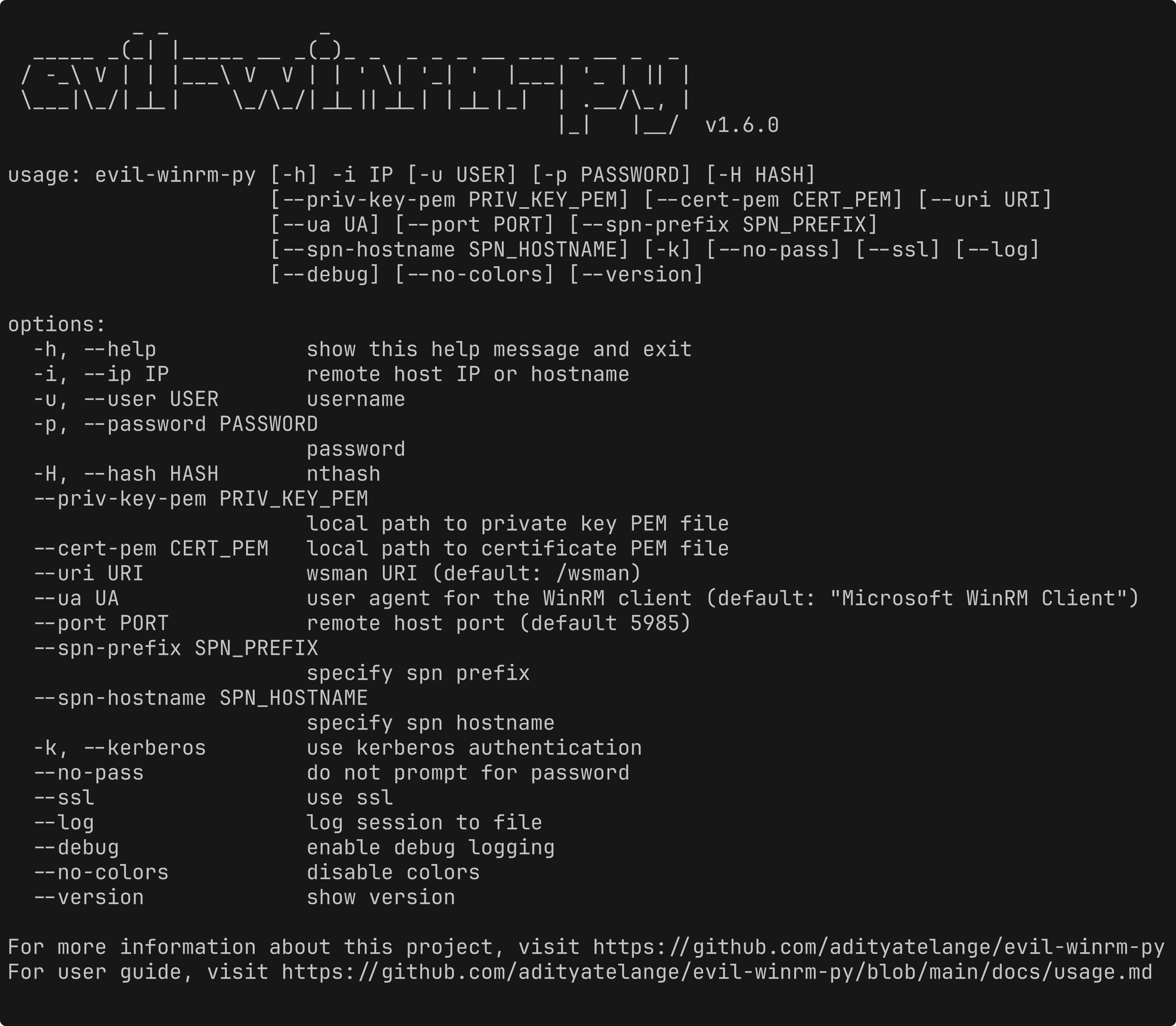
```
usage: evil-winrm-py [-h] -i IP [-u USER] [-p PASSWORD] [-H HASH]
[--priv-key-pem PRIV_KEY_PEM] [--cert-pem CERT_PEM] [--uri URI]
[--ua UA] [--port PORT] [--spn-prefix SPN_PREFIX]
[--spn-hostname SPN_HOSTNAME] [-k] [--no-pass] [--ssl] [--log]
[--debug] [--no-colors] [--version] [--mcp] [--mcp-port MCP_PORT]
[--mcp-host MCP_HOST]
options:
-h, --help show this help message and exit
-i, --ip IP remote host IP or hostname
-u, --user USER username
-p, --password PASSWORD
password
-H, --hash HASH nthash
--priv-key-pem PRIV_KEY_PEM
local path to private key PEM file
--cert-pem CERT_PEM local path to certificate PEM file
--uri URI wsman URI (default: /wsman)
--ua UA user agent for the WinRM client (default: "Microsoft WinRM Client")
--port PORT remote host port (default 5985)
--spn-prefix SPN_PREFIX
specify spn prefix
--spn-hostname SPN_HOSTNAME
specify spn hostname
-k, --kerberos use kerberos authentication
--no-pass do not prompt for password
--ssl use ssl
--log log session to file
--debug enable debug logging
--no-colors disable colors
--version show version
--mcp start in MCP server in streamable HTTP mode (experimental
feature, requires the `mcp` extra, use with --mcp-port
and --mcp-host to customize the server address and
port if needed)
--mcp-port MCP_PORT port for MCP streamable HTTP mode (default 8000)
--mcp-host MCP_HOST host for MCP streamable HTTP mode (default 127.0.0.1)
For more information about this project, visit https://github.com/adityatelange/evil-winrm-py
For user guide, visit https://github.com/adityatelange/evil-winrm-py/blob/main/docs/usage.md
```
示例:
```
evil-winrm-py -i 192.168.1.100 -u Administrator -p P@ssw0rd --ssl
```
### MCP Server 模式
安装 `mcp` 扩展后,你可以将 `evil-winrm-py` 作为 MCP server 运行,通过可流式传输的 HTTP 将 WinRM 登录/执行/注销作为工具暴露给兼容 MCP 的客户端(例如 Claude,其他 AI agent)。它通过 `session_id` 支持多个并发的 WinRM session。
```
evil-winrm-py --mcp
# 或自定义地址:
evil-winrm-py --mcp --mcp-host 0.0.0.0 --mcp-port 8000
```
## 菜单命令(在 evil-winrm-py shell 内部)
```
Menu:
[+] services - Show the running services (except system services)
[+] upload
- Upload a file
[+] download - Download a file
[+] loadps .ps1 - Load PowerShell functions from a local script
[+] runps .ps1 - Run a local PowerShell script on the remote host
[+] loaddll .dll - Load a local DLL (in-memory) as a module on the remote host
[+] runexe .exe [args] - Upload and execute (in-memory) a local EXE on the remote host
[+] menu - Show this menu
[+] clear, cls - Clear the screen
[+] exit - Exit the shell
Note: Use absolute paths for upload/download for reliability.
```
## 致谢
- 原版 evil-winrm 项目 - https://github.com/Hackplayers/evil-winrm
- 用于 Python 的 PowerShell Remoting Protocol - https://github.com/jborean93/pypsrp
- Prompt Toolkit - https://github.com/prompt-toolkit/python-prompt-toolkit
- tqdm - https://github.com/tqdm/tqdm
- 感谢 [Github Coplilot](https://github.com/features/copilot) 和 [Google Gemini](https://gemini.google.com/app) 提供的代码建议和改进。标签:AI合规, HTTP, Python, WinRM, 域名侦查, 无后门, 远程管理, 逆向工具