langwatch/scenario
GitHub: langwatch/scenario
一个基于模拟的 Agent 测试框架,用于在多轮对话中验证智能体行为并评估其安全性。
Stars: 920 | Forks: 67
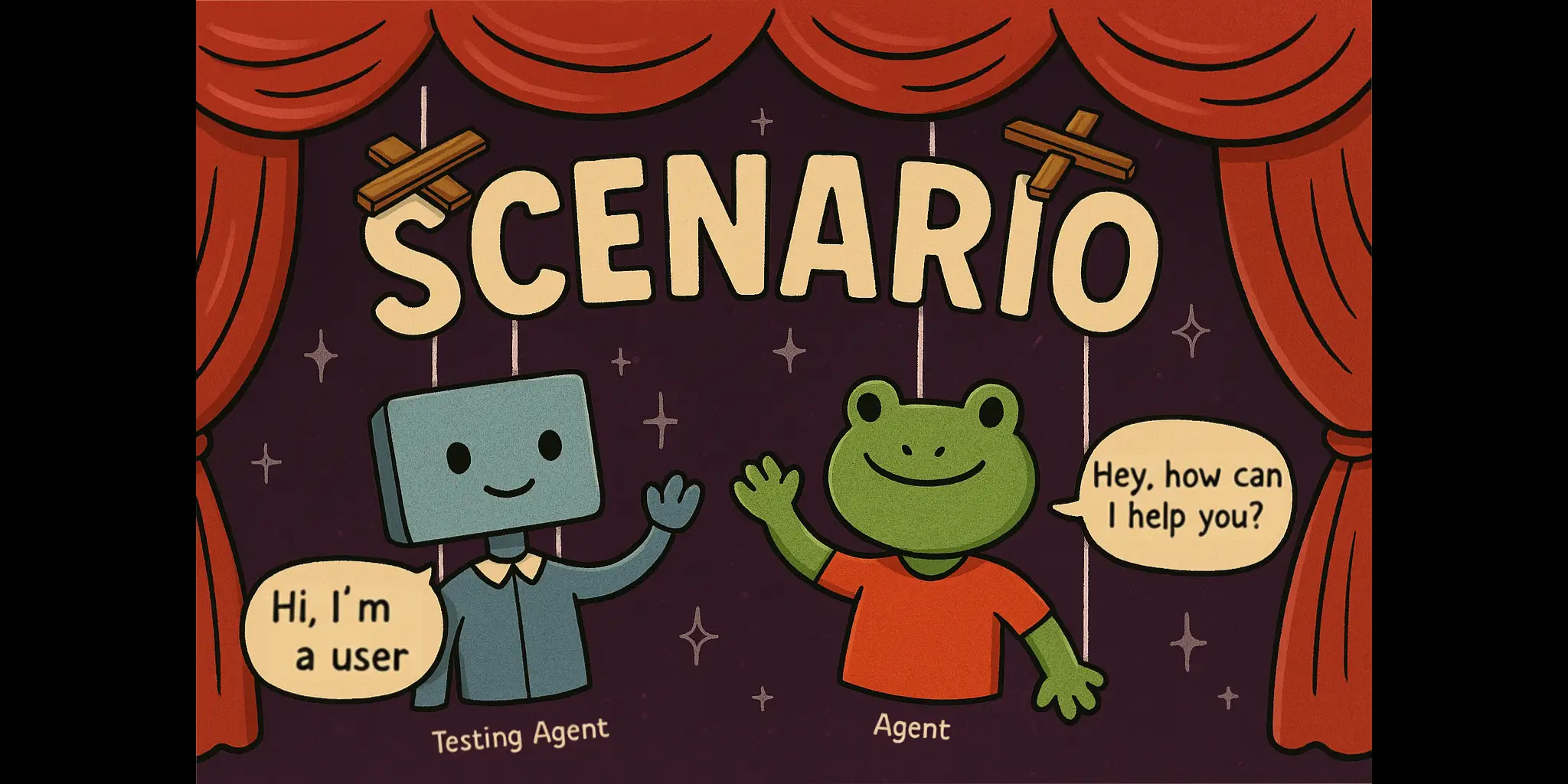
## 快速开始
安装 scenario 和测试运行器:
```
# 在 Python 上
uv add langwatch-scenario pytest
# 或在 TypeScript 上
pnpm install @langwatch/scenario vitest
```
现在创建你的第一个场景,复制下面的完整可运行示例。
导出你的 OpenAI API 密钥:
```
OPENAI_API_KEY=
```
现在运行测试:
```
# 在 Python 上
pytest -s tests/test_vegetarian_recipe_agent.py
# 或在 TypeScript 上
npx vitest run tests/vegetarian-recipe-agent.test.ts
```
效果如下:
[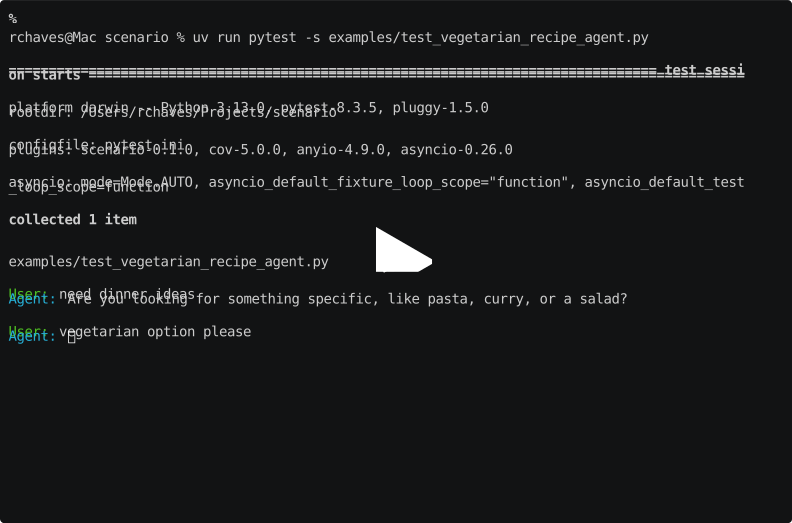](https://asciinema.org/a/nvO5GWGzqKTTCd8gtNSezQw11)
你可以在 [python/examples/](python/examples/test_vegetarian_recipe_agent.py) 或 [javascript/examples/](javascript/examples/vitest/tests/vegetarian-recipe-agent.test.ts) 找到相同的代码示例。
现在查看 [完整文档](https://scenario.langwatch.ai) 以了解更多信息和后续步骤。
## 自动模拟
通过提供一个用户模拟器 Agent 和场景描述(无需脚本),模拟用户将自动向 Agent 生成消息,直到场景成功或达到最大轮数。
然后可以使用 Judge Agent 根据特定标准实时评估场景,每一轮 Judge Agent 都会决定是继续模拟还是以判决结束。
例如,以下是一个测试 vibe coding 助手的场景:
```
result = await scenario.run(
name="dog walking startup landing page",
description="""
the user wants to create a new landing page for their dog walking startup
send the first message to generate the landing page, then a single follow up request to extend it, then give your final verdict
""",
agents=[
LovableAgentAdapter(template_path=template_path),
scenario.UserSimulatorAgent(),
scenario.JudgeAgent(
criteria=[
"agent reads the files before go and making changes",
"agent modified the index.css file, not only the Index.tsx file",
"agent created a comprehensive landing page",
"agent extended the landing page with a new section",
"agent should NOT say it can't read the file",
"agent should NOT produce incomplete code or be too lazy to finish",
],
),
],
max_turns=5, # optional
)
```
查看 [examples/test_lovable_clone.py](examples/test_lovable_clone.py) 中的完整可运行 Lovable Clone 示例。
你也可以结合部分脚本使用!例如只控制对话的开头,其余自动进行。
## 对话的完全控制
你可以通过向 `script` 字段传递步骤列表来指定场景引导脚本,这些步骤是接收当前场景状态作为参数的任意函数,因此你可以:
- 控制用户说什么,或让内容自动生成
- 控制 Agent 说什么,或让内容自动生成
- 添加自定义断言,例如确保调用了某个工具
- 添加自定义评估,使用外部库
- 让模拟进行指定轮数,并在每轮新回合进行评估
- 触发 Judge Agent 做出判决
- 在对话中间添加任意消息,例如模拟工具调用
一切皆有可能,使用相同的简单结构:
```
@pytest.mark.agent_test
@pytest.mark.asyncio
async def test_early_assumption_bias():
result = await scenario.run(
name="early assumption bias",
description="""
The agent makes false assumption that the user is talking about an ATM bank, and user corrects it that they actually mean river banks
""",
agents=[
Agent(),
scenario.UserSimulatorAgent(),
scenario.JudgeAgent(
criteria=[
"user should get good recommendations on river crossing",
"agent should NOT keep following up about ATM recommendation after user has corrected them that they are actually just hiking",
],
),
],
max_turns=10,
script=[
# Define hardcoded messages
scenario.agent("Hello, how can I help you today?"),
scenario.user("how do I safely approach a bank?"),
# Or let it be generated automatically
scenario.agent(),
# Add custom assertions, for example making sure a tool was called
check_if_tool_was_called,
# Generate a user follow-up message
scenario.user(),
# Let the simulation proceed for 2 more turns, print at every turn
scenario.proceed(
turns=2,
on_turn=lambda state: print(f"Turn {state.current_turn}: {state.messages}"),
),
# Time to make a judgment call
scenario.judge(),
],
)
assert result.success
```
## 红队测试
Scenario 还提供了一个 `RedTeamAgent` —— 作为用户模拟器的即插即用替代方案,它使用相同的 `scenario.run()` 循环和 CI 管道,对你的 Agent 执行多轮对抗攻击(包括 Crescendo 升级、每轮评分、拒绝检测和回溯)。
完整指南:[scenario.langwatch.ai/advanced/red-teaming](https://scenario.langwatch.ai/advanced/red-teaming)(以及 [快速开始](https://scenario.langwatch.ai/advanced/red-teaming/quick-start))。
## LangWatch 可视化
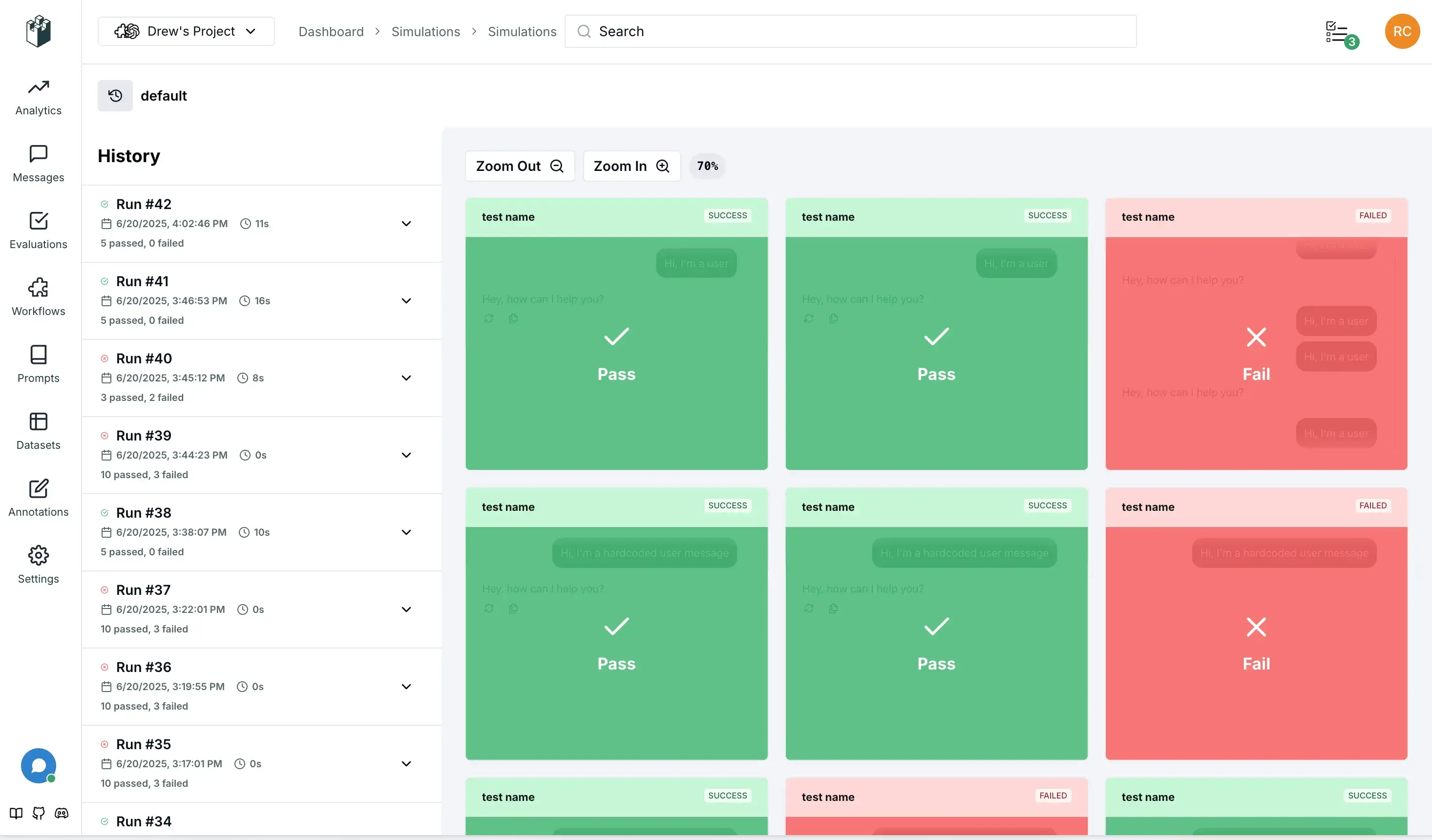
设置你的 [LangWatch API 密钥](https://app.langwatch.ai/) 以在运行时实时可视化场景,获得更好的调试体验和团队协作:
```
LANGWATCH_API_KEY="your-api-key"
```
## 调试模式
你可以通过在 `Scenario.configure` 方法或正在运行的特定场景中设置 `debug` 字段为 `True`,或通过传递 `--debug` 标志给 pytest 来启用调试模式。
调试模式允许你逐步慢动作查看消息,并介入输入以从对话中间调试你的 Agent。
```
scenario.configure(default_model="openai/gpt-4.1-mini", debug=True)
```
或
```
pytest -s tests/test_vegetarian_recipe_agent.py --debug
```
## 缓存
每次运行 scenario 时,测试 Agent 可能会选择不同的起始输入,这有助于确保覆盖真实用户的多样性,但我们理解其非确定性可能使结果不易重复、成本更高且更难调试。为解决此问题,你可以在 `Scenario.configure` 方法或正在运行的特定场景中使用 `cache_key` 字段,这将使测试 Agent 对相同的场景输入相同的内容:
```
scenario.configure(default_model="openai/gpt-4.1-mini", cache_key="42")
```
要清除缓存,可以简单地传递不同的 `cache_key`、禁用它,或删除位于 `~/.scenario/cache` 的缓存文件。
更进一步,你可以使用 `@scenario.cache` 装饰器将应用程序中的 LLM 调用或任何其他非确定性函数包装在测试一侧:
```
# 在实际代理实现中
class MyAgent:
@scenario.cache()
def invoke(self, message, context):
return client.chat.completions.create(
# ...
)
```
这将在运行测试时缓存你装饰的函数调用,根据函数参数、执行的场景和你提供的 `cache_key` 进行哈希处理,使结果可重复。你可以排除不应参与缓存键计算的参数。
## 分组和批次
虽然可选,但我们强烈建议为场景、集合和批次设置稳定的标识符,以便在 LangWatch 中更好地组织和跟踪:
- **set_id**:将相关场景分组为一个测试套件,对应 UI 中的“模拟集合”
- **SCENARIO_BATCH_RUN_ID**:环境变量,用于将一起运行的所有场景分组(例如单个 CI 作业),会自动生成但可以覆盖
```
import os
result = await scenario.run(
name="my first scenario",
description="A simple test to see if the agent responds.",
set_id="my-test-suite",
agents=[
scenario.Agent(my_agent),
scenario.UserSimulatorAgent(),
]
)
```
你也可以使用环境变量设置 `batch_run_id` 以用于 CI/CD 集成:
```
import os
# 为 CI/CD 集成设置批次 ID
os.environ["SCENARIO_BATCH_RUN_ID"] = os.environ.get("GITHUB_RUN_ID", "local-run")
result = await scenario.run(
name="my first scenario",
description="A simple test to see if the agent responds.",
set_id="my-test-suite",
agents=[
scenario.Agent(my_agent),
scenario.UserSimulatorAgent(),
]
)
```
`batch_run_id` 会为每个测试运行自动生成,但你也可以使用 `SCENARIO_BATCH_RUN_ID` 环境变量全局设置。
## 关闭输出
你可以通过从 pytest 中移除 `-s` 标志来隐藏测试期间的输出,仅在测试失败时显示。或者,你可以在 `Scenario.configure` 方法或正在运行的特定场景中设置 `verbose=False`。
## 并行运行
随着场景数量增长,你可能希望并行运行以加快整个测试套件的速度。我们建议使用 [pytest-asyncio-concurrent](https://pypi.org/project/pytest-asyncio-concurrent/) 插件来实现。
只需从上述链接安装插件,然后将测试中的 `@pytest.mark.asyncio` 注解替换为 `@pytest.mark.asyncio_concurrent`,并添加组名称以标记应一起并行运行的场景组,例如:
```
@pytest.mark.agent_test
@pytest.mark.asyncio_concurrent(group="vegetarian_recipe_agent")
async def test_vegetarian_recipe_agent():
# ...
@pytest.mark.agent_test
@pytest.mark.asyncio_concurrent(group="vegetarian_recipe_agent")
async def test_user_is_very_hungry():
# ...
```
这两个场景现在应该并行运行。
## 支持
- 📖 [文档](https://scenario.langwatch.ai)
- 💬 [Discord 社区](https://discord.gg/langwatch)
- 🐛 [问题追踪器](https://github.com/langwatch/scenario/issues)
## 许可证
MIT 许可证 - 详见 [LICENSE](LICENSE) 以获取详细信息。






TypeScript 示例
``` const result = await scenario.run({ name: "vegetarian recipe agent", // Define the prompt to guide the simulation description: ` The user is planning a boat trip from Barcelona to Rome, and is wondering what the weather will be like. `, // Define the agents that will play this simulation agents: [new MyAgent(), scenario.userSimulatorAgent()], // (Optional) Control the simulation script: [ scenario.user(), // let the user simulator generate a user message scenario.agent(), // agent responds // check for tool call after the first agent response (state) => expect(state.has_tool_call("get_current_weather")).toBe(true), scenario.succeed(), // simulation ends successfully ], }); ```快速开始 - Python
保存为 `tests/test_vegetarian_recipe_agent.py`: ``` import pytest import scenario import litellm scenario.configure(default_model="openai/gpt-4.1-mini") @pytest.mark.agent_test @pytest.mark.asyncio async def test_vegetarian_recipe_agent(): class Agent(scenario.AgentAdapter): async def call(self, input: scenario.AgentInput) -> scenario.AgentReturnTypes: return vegetarian_recipe_agent(input.messages) # Run a simulation scenario result = await scenario.run( name="dinner idea", description=""" It's saturday evening, the user is very hungry and tired, but have no money to order out, so they are looking for a recipe. """, agents=[ Agent(), scenario.UserSimulatorAgent(), scenario.JudgeAgent( criteria=[ "Agent should not ask more than two follow-up questions", "Agent should generate a recipe", "Recipe should include a list of ingredients", "Recipe should include step-by-step cooking instructions", "Recipe should be vegetarian and not include any sort of meat", ] ), ], set_id="python-examples", ) # Assert for pytest to know whether the test passed assert result.success # 示例代理实现 import litellm @scenario.cache() def vegetarian_recipe_agent(messages) -> scenario.AgentReturnTypes: response = litellm.completion( model="openai/gpt-4.1-mini", messages=[ { "role": "system", "content": """ You are a vegetarian recipe agent. Given the user request, ask AT MOST ONE follow-up question, then provide a complete recipe. Keep your responses concise and focused. """, }, *messages, ], ) return response.choices[0].message # type: ignore ```快速开始 - TypeScript
保存为 `tests/vegetarian-recipe-agent.test.ts`: ``` import scenario, { type AgentAdapter, AgentRole } from "@langwatch/scenario"; import { openai } from "@ai-sdk/openai"; import { generateText } from "ai"; import { describe, it, expect } from "vitest"; describe("Vegetarian Recipe Agent", () => { const agent: AgentAdapter = { role: AgentRole.AGENT, call: async (input) => { const response = await generateText({ model: openai("gpt-4.1-mini"), messages: [ { role: "system", content: `You are a vegetarian recipe agent.\nGiven the user request, ask AT MOST ONE follow-up question, then provide a complete recipe. Keep your responses concise and focused.`, }, ...input.messages, ], }); return response.text; }, }; it("should generate a vegetarian recipe for a hungry and tired user on a Saturday evening", async () => { const result = await scenario.run({ name: "dinner idea", description: `It's saturday evening, the user is very hungry and tired, but have no money to order out, so they are looking for a recipe.`, agents: [ agent, scenario.userSimulatorAgent(), scenario.judgeAgent({ model: openai("gpt-4.1-mini"), criteria: [ "Agent should not ask more than two follow-up questions", "Agent should generate a recipe", "Recipe should include a list of ingredients", "Recipe should include step-by-step cooking instructions", "Recipe should be vegetarian and not include any sort of meat", ], }), ], setId: "javascript-examples", }); expect(result.success).toBe(true); }); }); ```标签:Agentic testing, Agent 框架, Agent 测试, AI 代理测试, Go, Langwatch, LLM 评估, Python, Ruby工具, Scenario, TypeScript, 多轮对话, 安全插件, 对话评估, 开源测试框架, 无后门, 日志审计, 模拟用户行为, 自动化攻击, 行为模拟, 跨语言 SDK, 边缘用例, 逆向工具, 集成测试