mrexodia/ida-pro-mcp
GitHub: mrexodia/ida-pro-mcp
通过MCP协议将IDA Pro与AI语言模型连接,让AI助手能够直接分析二进制代码并辅助逆向工程工作。
Stars: 9392 | Forks: 1123
# IDA Pro MCP
简单的 [MCP Server](https://modelcontextprotocol.io/introduction),用于在 IDA Pro 中实现 vibe reversing。
https://github.com/user-attachments/assets/6ebeaa92-a9db-43fa-b756-eececce2aca0
视频相关的二进制文件和提示词可在 [mcp-reversing-dataset](https://github.com/mrexodia/mcp-reversing-dataset) 仓库中获取。
## 前置条件
- [Python](https://www.python.org/downloads/) (**3.11 或更高版本**)
- 使用 `idapyswitch` 切换到最新的 Python 版本
- [IDA Pro](https://hex-rays.com/ida-pro) (8.3 或更高版本,推荐 9),**不支持 IDA Free**
- 支持的 MCP 客户端(任选其一)
- [Amazon Q Developer CLI](https://aws.amazon.com/q/developer/)
- [Augment Code](https://www.augmentcode.com/)
- [Claude](https://claude.ai/download)
- [Claude Code](https://www.anthropic.com/code)
- [Cline](https://cline.bot)
- [Codex](https://github.com/openai/codex)
- [Copilot CLI](https://docs.github.com/en/copilot)
- [Crush](https://github.com/charmbracelet/crush)
- [Cursor](https://cursor.com)
- [Gemini CLI](https://google-gemini.github.io/gemini-cli/)
- [Kilo Code](https://www.kilocode.com/)
- [Kiro](https://kiro.dev/)
- [LM Studio](https://lmstudio.ai/)
- [Opencode](https://opencode.ai/)
- [Qodo Gen](https://www.qodo.ai/)
- [Qwen Coder](https://qwenlm.github.io/qwen-code-docs/)
- [Roo Code](https://roocode.com)
- [Trae](https://trae.ai/)
- [VS Code](https://code.visualstudio.com/)
- [VS Code Insiders](https://code.visualstudio.com/insiders)
- [Warp](https://www.warp.dev/)
- [Windsurf](https://windsurf.com)
- [Zed](https://zed.dev/)
- [其他 MCP 客户端](https://modelcontextprotocol.io/clients#example-clients):运行 `ida-pro-mcp --config` 以获取适用于您客户端的 JSON 配置。
## 安装
安装最新版本的 IDA Pro MCP 包:
```
pip uninstall ida-pro-mcp
pip install https://github.com/mrexodia/ida-pro-mcp/archive/refs/heads/main.zip
```
配置 MCP 服务器并安装 IDA 插件:
```
ida-pro-mcp --install
```
**重要**:请确保完全重启 IDA 和您的 MCP 客户端,以使安装生效。某些客户端(如 Claude)会在后台运行,需要从系统托盘图标退出。
https://github.com/user-attachments/assets/65ed3373-a187-4dd5-a807-425dca1d8ee9
_注意_:您需要先在 IDA 中加载一个二进制文件,插件菜单才会显示。
## 提示词工程
LLM 容易产生幻觉,您需要在提示词中保持具体明确。对于逆向工程而言,整数与字节之间的转换尤其容易出问题。以下是一个最小化的示例提示词,如果您通过不同的提示词取得了良好效果,欢迎发起讨论或提交 issue:
```
Your task is to analyze a crackme in IDA Pro. You can use the MCP tools to retrieve information. In general use the following strategy:
- Inspect the decompilation and add comments with your findings
- Rename variables to more sensible names
- Change the variable and argument types if necessary (especially pointer and array types)
- Change function names to be more descriptive
- If more details are necessary, disassemble the function and add comments with your findings
- NEVER convert number bases yourself. Use the `int_convert` MCP tool if needed!
- Do not attempt brute forcing, derive any solutions purely from the disassembly and simple python scripts
- Create a report.md with your findings and steps taken at the end
- When you find a solution, prompt to user for feedback with the password you found
```
这个提示词只是最初的实验,如果您找到了改进输出的方法,请分享!
另一个由 [@can1357](https://github.com/can1357) 编写的提示词:
```
Your task is to create a complete and comprehensive reverse engineering analysis. Reference AGENTS.md to understand the project goals and ensure the analysis serves our purposes.
Use the following systematic methodology:
1. **Decompilation Analysis**
- Thoroughly inspect the decompiler output
- Add detailed comments documenting your findings
- Focus on understanding the actual functionality and purpose of each component (do not rely on old, incorrect comments)
2. **Improve Readability in the Database**
- Rename variables to sensible, descriptive names
- Correct variable and argument types where necessary (especially pointers and array types)
- Update function names to be descriptive of their actual purpose
3. **Deep Dive When Needed**
- If more details are necessary, examine the disassembly and add comments with findings
- Document any low-level behaviors that aren't clear from the decompilation alone
- Use sub-agents to perform detailed analysis
4. **Important Constraints**
- NEVER convert number bases yourself - use the int_convert MCP tool if needed
- Use MCP tools to retrieve information as necessary
- Derive all conclusions from actual analysis, not assumptions
5. **Documentation**
- Produce comprehensive RE/*.md files with your findings
- Document the steps taken and methodology used
- When asked by the user, ensure accuracy over previous analysis file
- Organize findings in a way that serves the project goals outlined in AGENTS.md or CLAUDE.md
```
讨论提示词并展示真实世界恶意软件分析的直播:
[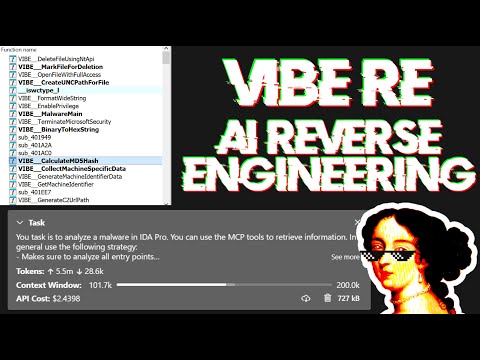](https://www.youtube.com/watch?v=iFxNuk3kxhk)
## 提升 LLM 准确性的技巧
大型语言模型 (LLM) 是强大的工具,但有时可能在复杂的数学计算上遇到困难,或表现出“幻觉”(编造事实)。请务必让 LLM 使用 `int_convert` MCP 工具,您可能还需要 [math-mcp](https://github.com/EthanHenrickson/math-mcp) 来执行某些操作。
另一个需要注意的问题是,LLM 在处理混淆代码时表现不佳。在尝试使用 LLM 解决问题之前,请先浏览二进制文件,并花些时间(自动)移除以下内容:
- 字符串加密
- 导入表哈希
- 控制流平坦化
- 代码加密
- 反反编译技巧
您还应该使用 Lumina 或 FLIRT 等工具来尝试解析所有开源库代码和 C++ STL,这将进一步提高准确性。
## SSE 传输与无头 MCP
您可以像这样运行 SSE 服务器以连接到用户界面:
```
uv run ida-pro-mcp --transport http://127.0.0.1:8744/sse
```
安装 [`idalib`](https://docs.hex-rays.com/user-guide/idalib) 后,您还可以运行无头 SSE 服务器:
```
uv run idalib-mcp --host 127.0.0.1 --port 8745 path/to/executable
```
_注意_:`idalib` 功能由 [Willi Ballenthin](https://github.com/williballenthin) 贡献。
## 无头 idalib 会话模型
使用 `--isolated-contexts` 启用严格的按传输隔离:
```
uv run idalib-mcp --isolated-contexts --host 127.0.0.1 --port 8745 path/to/executable
```
### 为什么要使用 `--isolated-contexts`?
当多个 Agent 连接到同一个 `idalib-mcp` 服务器且您希望实现确定性的上下文隔离时使用:
- 防止一个 Agent 意外更改另一个 Agent 的活动会话。
- 安全地运行并发分析(例如 Agent A 处理二进制文件 X,Agent B 处理二进制文件 Y)。
- 仍允许通过将多个 Agent 绑定到同一个打开的会话 ID 来实现有意协作。
- 提高可重现性,因为每个 Agent 的上下文绑定都是显式的。
当启用 `--isolated-contexts` 时:
- 每个传输上下文都有自己的绑定(`/mcp` 对应 `Mcp-Session-Id`,`/sse` 对应 `session`,stdio 对应 `stdio:default`)。
- 未绑定的上下文对于依赖 IDB 的工具/资源会快速失败。
- `idalib_switch(session_id)` 和 `idalib_open(...)` 仅绑定调用者上下文。
### 可流式 HTTP 行为
启用 `--isolated-contexts` 后,将启用严格的 Streamable HTTP 会话语义,包括 `Mcp-Session-Id` 验证。
### 上下文工具
- `idalib_open(input_path, ...)`:打开二进制文件并将其绑定到活动上下文策略。
- `idalib_switch(session_id)`:将活动上下文策略重新绑定到现有会话。
- `idalib_current()`:返回绑定到活动上下文策略的会话。
- `idalib_unbind()`:移除活动上下文绑定。
- `idalib_list()`:包含 `is_active`、`is_current_context` 和 `bound_contexts`。
## MCP 资源
**资源** 代表遵循 MCP 理念的可浏览状态(只读数据)。
**核心 IDB 状态:**
- `ida://idb/metadata` - IDB 文件信息(路径、架构、基址、大小、哈希)
- `ida://idb/segments` - 具有权限的内存段
- `ida://idb/entrypoints` - 入口点(main、TLS 回调等)
**UI 状态:**
- `ida://cursor` - 当前光标位置和函数
- `ida://selection` - 当前选择范围
**类型信息:**
- `ida://types` - 所有本地类型
- `ida://structs` - 所有结构体/联合体
- `ida://struct/{name}` - 包含字段的结构体定义
**查找:**
- `ida://import/{name}` - 按名称查找导入详情
- `ida://export/{name}` - 按名称查找导出详情
- `ida://xrefs/from/{addr}` - 从地址出发的交叉引用
## 核心函数
- `lookup_funcs(queries)`:通过地址或名称获取函数(自动检测,接受列表或逗号分隔的字符串)。
- `int_convert(inputs)`:将数字转换为不同格式(十进制、十六进制、字节、ASCII、二进制)。
- `list_funcs(queries)`:列出函数(分页、过滤)。
- `list_globals(queries)`:列出全局变量(分页、过滤)。
- `imports(offset, count)`:列出所有带有模块名称的导入符号(分页)。
- `decompile(addr)`:反编译给定地址处的函数。
- `disasm(addr)`:反汇编函数并包含完整详情(参数、栈帧等)。
- `xrefs_to(addrs)`:获取指向地址的所有交叉引用。
- `xrefs_to_field(queries)`:获取指向特定结构体字段的交叉引用。
- `callees(addrs)`:获取在地址处被函数调用的函数。
## 修改操作
- `set_comments(items)`:在地址处设置注释(同时作用于反汇编和反编译视图)。
- `patch_asm(items)`:在地址处修补汇编指令。
- `declare_type(decls)`:在本地类型库中声明 C 类型。
- `define_func(items)`:在地址处定义函数。可选择指定 `end` 以明确边界。
- `define_code(items)`:将地址处的字节转换为代码指令。
- `undefine(items)`:取消定义地址处的项目,转换回原始字节。可选择指定 `end` 或 `size`。
## 内存读取操作
- `get_bytes(addrs)`:读取地址处的原始字节。
- `get_int(queries)`:使用 ty 读取整数值(i8/u64/i16le/i16be 等)。
- `get_string(addrs)`:读取以空字符结尾的字符串。
- `get_global_value(queries)`:通过地址或名称读取全局变量值(自动检测,编译时值)。
## 栈帧操作
- `stack_frame(addrs)`:获取函数的栈帧变量。
- `declare_stack(items)`:在指定偏移处创建栈变量。
- `delete_stack(items)`:按名称删除栈变量。
## 结构体操作
- `read_struct(queries)`:读取特定地址处的结构体字段值。
- `search_structs(filter)`:按名称模式搜索结构体。
## 调试器操作(扩展)
调试器工具默认隐藏。使用 `?ext=dbg` 查询参数启用:
```
http://127.0.0.1:13337/mcp?ext=dbg
```
**控制:**
- `dbg_start()`:启动调试器进程。
- `dbg_exit()`:退出调试器进程。
- `dbg_continue()`:继续执行。
- `dbg_run_to(addr)`:运行到指定地址。
- `dbg_step_into()`:单步进入指令。
- `dbg_step_over()`:单步跨越指令。
**断点:**
- `dbg_bps()`:列出所有断点。
- `dbg_add_bp(addrs)`:添加断点。
- `dbg_delete_bp(addrs)`:删除断点。
- `dbg_toggle_bp(items)`:启用/禁用断点。
**寄存器:**
- `dbg_regs()`:当前线程的所有寄存器。
- `dbg_regs_all()`:所有线程的所有寄存器。
- `dbg_regs_remote(tids)`:指定线程的所有寄存器。
- `dbg_gpregs()`:当前线程的通用寄存器。
- `dbg_gpregs_remote(tids)`:指定线程的通用寄存器。
- `dbg_regs_named(names)`:当前线程的命名寄存器。
- `dbg_regs_named_remote(tid, names)`:指定线程的命名寄存器。
**栈与内存:**
- `dbg_stacktrace()`:带有模块/符号信息的调用栈。
- `dbg_read(regions)`:从被调试进程读取内存。
- `dbg_write(regions)`:向被调试进程写入内存。
## 高级分析操作
- `py_eval(code)`:在 IDA 上下文中执行任意 Python 代码(返回包含 result/stdout/stderr 的字典,支持 Jupyter 风格评估)。
- `analyze_funcs(addrs)`:全面的函数分析(反编译、汇编、交叉引用、被调用者、调用者、字符串、常量、基本块)。
## 模式匹配与搜索
- `find_regex(queries)`:使用不区分大小写的正则表达式搜索字符串(分页)。
- `find_bytes(patterns, limit=1000, offset=0)`:在二进制文件中查找字节模式(例如 "48 8B ?? ??")。最大限制:10000。
- `find_insns(sequences, limit=1000, offset=0)`:在代码中查找指令序列。最大限制:10000。
- `find(type, targets, limit=1000, offset=0)`:高级搜索(立即数、字符串、数据/代码引用)。最大限制:10000。
## 控制流分析
- `basic_blocks(addrs)`:获取带有后继和前驱的基本块。
## 类型操作
- `set_type(edits)`:将类型应用于函数、全局变量、局部变量或栈变量。
- `infer_types(addrs)`:使用 Hex-Rays 或启发式算法推断地址处的类型。
## 导出操作
- `export_funcs(addrs, format)`:以指定格式导出函数。
## 图操作
- `callgraph(roots, max_depth)`:从根函数构建具有可配置深度的调用图。
## 批量操作
- `rename(batch)`:针对函数、全局变量、局部变量和栈变量的统一批量重命名操作(接受带有可选 `func`、`data`、`local`、`stack` 键的字典)。
- `patch(patches)`:一次修补多个字节序列。
- `put_int(items)`:使用 ty 写入整数值(i8/u64/i16le16be 等)。
**关键特性:**
- **类型安全的 API**:所有函数使用带有 TypedDict schema 的强类型参数,以提供更好的 IDE 支持和 LLM 结构化输出
- **批量优先设计**:大多数操作同时接受单项和列表
- **一致的错误处理**:所有批量操作返回 `[{..., error: null|string}, ...]`
- **基于游标的分页**:搜索函数返回 `cursor: {next: offset}` 或 `{done: true}`(默认限制:1000,强制最大限制:10000 以防止 token 溢出)
- **性能**:字符串使用基于 MD5 的失效机制进行缓存,以避免在大型项目中重复调用 `build_strlist`
## 与其他 MCP 服务器的比较
虽然已有一些 IDA Pro MCP 服务器存在,但我创建自己的版本有以下几个原因:
1. 安装应该完全自动化。
2. 其他插件的架构使得快速添加新功能变得困难(太多不必要的样板代码依赖)。
3. 学习新技术很有趣!
如果您想了解它们,这里是一个列表(按我发现它们的顺序排列):
- https://github.com/taida957789/ida-mcp-server-plugin (仅支持 SSE 协议,需要在 IDAPython 中安装依赖)。
- https://github.com/fdrechsler/mcp-server-idapro (TypeScript 编写的 MCP Server,添加新功能需要大量样板代码)。
- https://github.com/MxIris-Reverse-Engineering/ida-mcp-server (自定义套接字协议,样板代码)。
欢迎提交 PR 将您的 IDA Pro MCP 服务器添加到这里。
## 开发
添加新功能是一个非常简单且流程化的过程。您只需在 `src/ida_pro_mcp/ida_mcp/api_*.py` 中的模块化 API 文件中添加一个新的 `@tool` 函数,您的函数就会在 MCP 服务器中可用,无需任何额外的样板代码!下面是一个视频,展示我在不到 2 分钟内(包括测试)添加了 `get_metadata` 函数:
https://github.com/user-attachments/assets/951de823-88ea-4235-adcb-9257e316ae64
要测试 MCP 服务器本身:
```
npx -y @modelcontextprotocol/inspector
```
这将在 http://localhost:5173 打开一个 Web 界面,允许您与 MCP 工具进行交互测试。
为了进行测试,我创建了一个指向 IDA 插件的符号链接,然后直接向 `http://localhost:13337/mcp` POST 一个 JSON-RPC 请求。在 [启用符号链接](https://learn.microsoft.com/en-us/windows/apps/get-started/enable-your-device-for-development) 后,您可以运行以下命令:
```
uv run ida-pro-mcp --install
```
生成直接提交到 `main` 的变更日志:
```
git log --first-parent --no-merges 1.2.0..main "--pretty=- %s"
```
标签:Claude, CVE检测, DAST, DLL 劫持, IDA Pro, LLM, MCP, Python, Unmanaged PE, VS Code, 二进制分析, 云安全监控, 云安全运维, 云资产清单, 人工智能辅助安全, 大语言模型, 威胁情报, 开发者工具, 恶意软件分析, 插件, 无后门, 模型上下文协议, 网络调试, 自动化, 逆向工具, 逆向工程, 静态分析