LSTM-Kirigaya/openmcp-client
GitHub: LSTM-Kirigaya/openmcp-client
一款集成调试、测试与部署功能的 MCP 开发一体化 VSCode 插件,支持从 MCP Server 开发调试到大模型交互验证再到 Agent 快速部署的完整工作流。
Stars: 749 | Forks: 55
## OpenMCP
一款用于 MCP 服务器调试的 vscode/trae/cursor 一体化插件。
[](https://www.youtube.com/watch?v=S7igsEhcLiw)
### [👆 完整视频](https://www.youtube.com/watch?v=S7igsEhcLiw)
### openmcp-client
集成了 Inspector 和 MCP 客户端基础功能,将开发与测试合二为一。
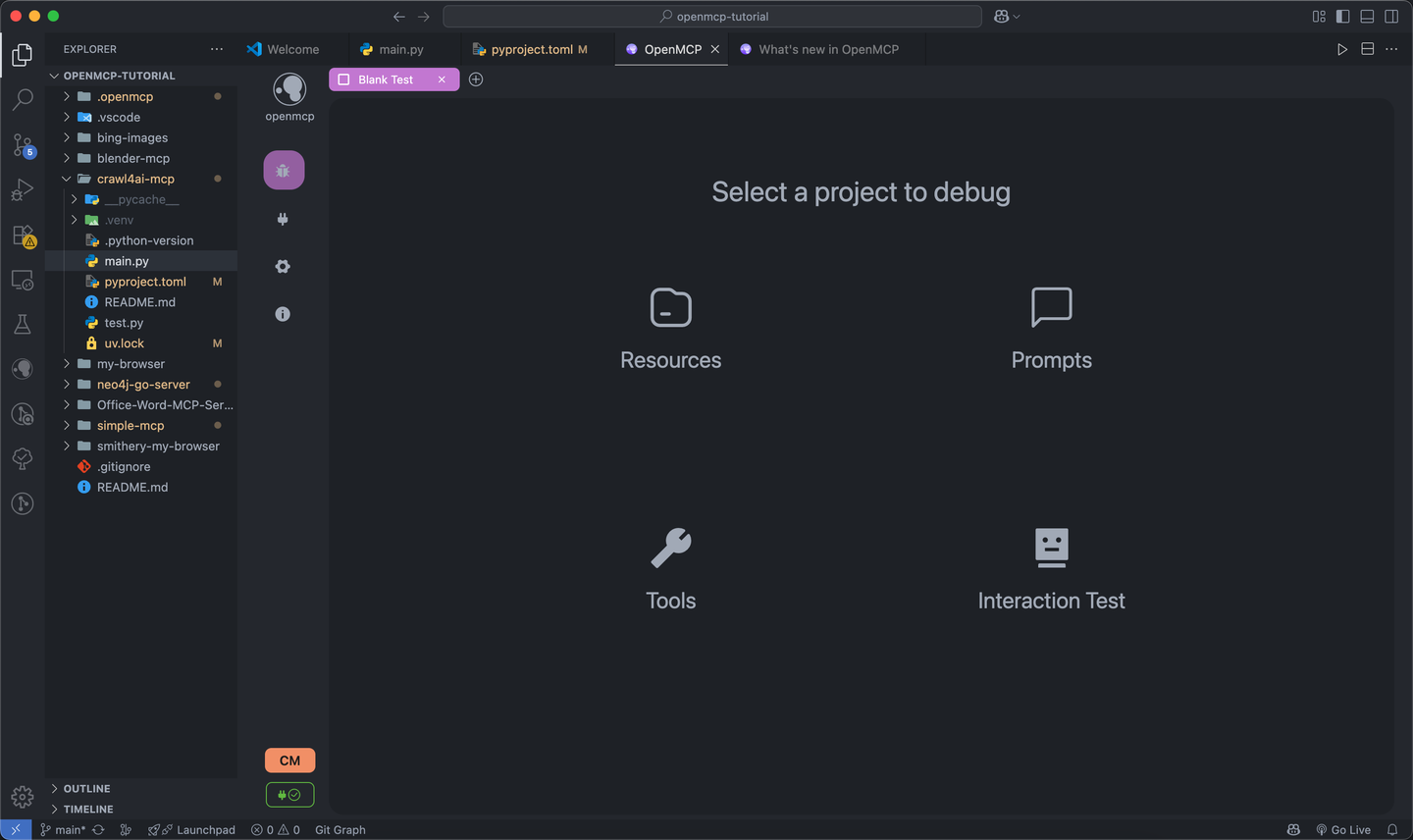
使用多种工具测试 mcp tools、prompts 和 resources。
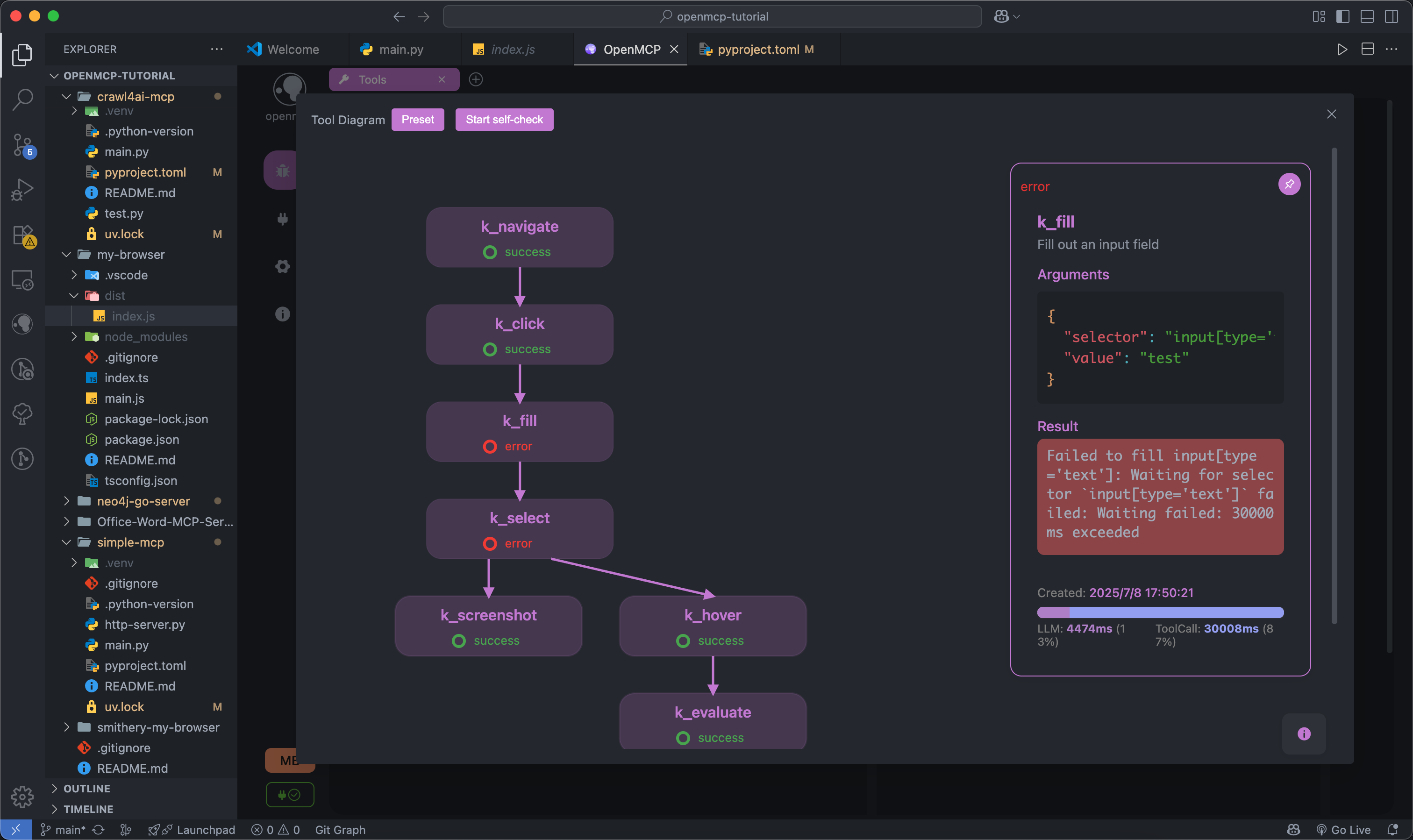
测试过的工具可以放入“交互测试”模块中,进行大模型交互测试。
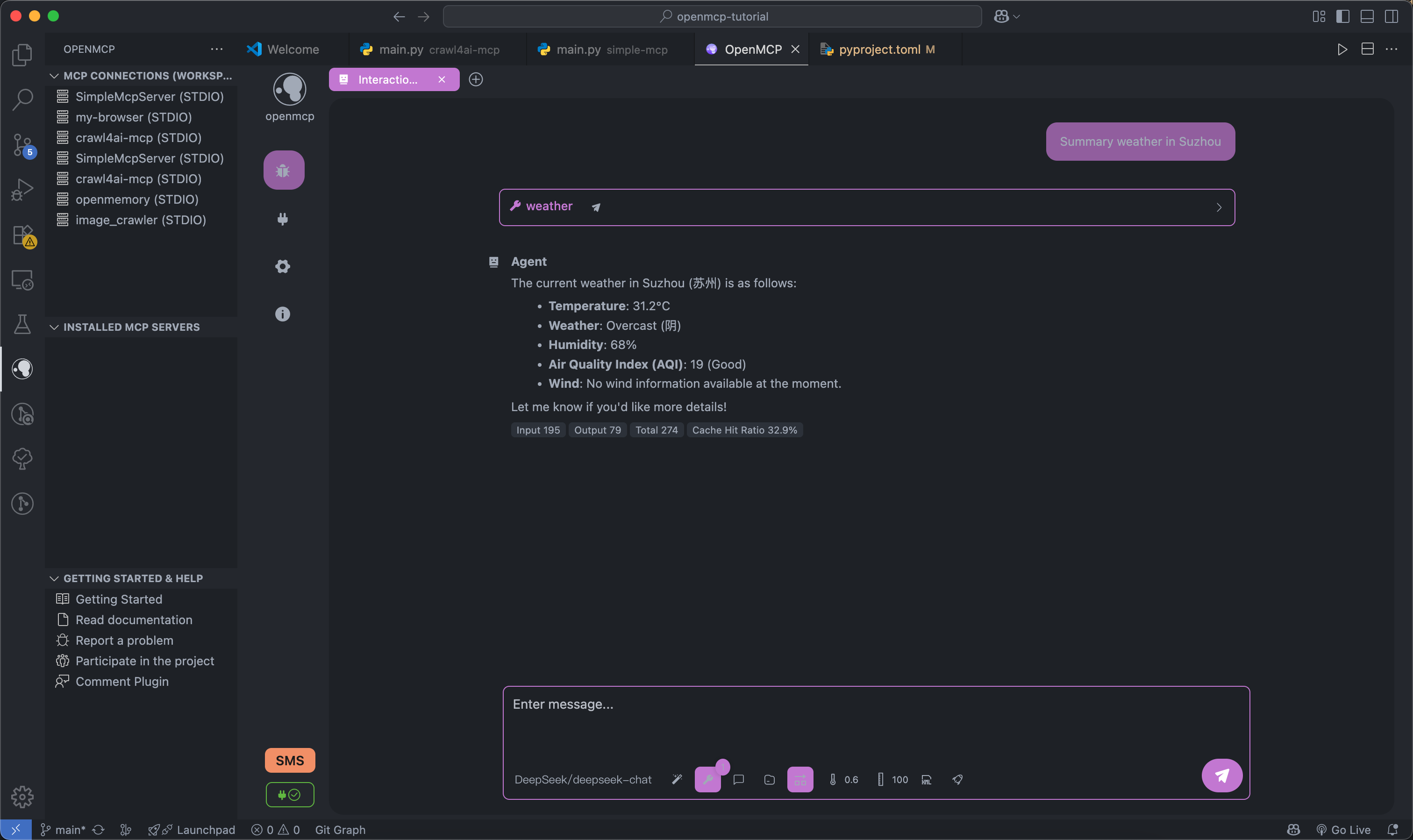
完整的项目级管理面板,便于在项目级和全局级轻松管理 MCP 项目。
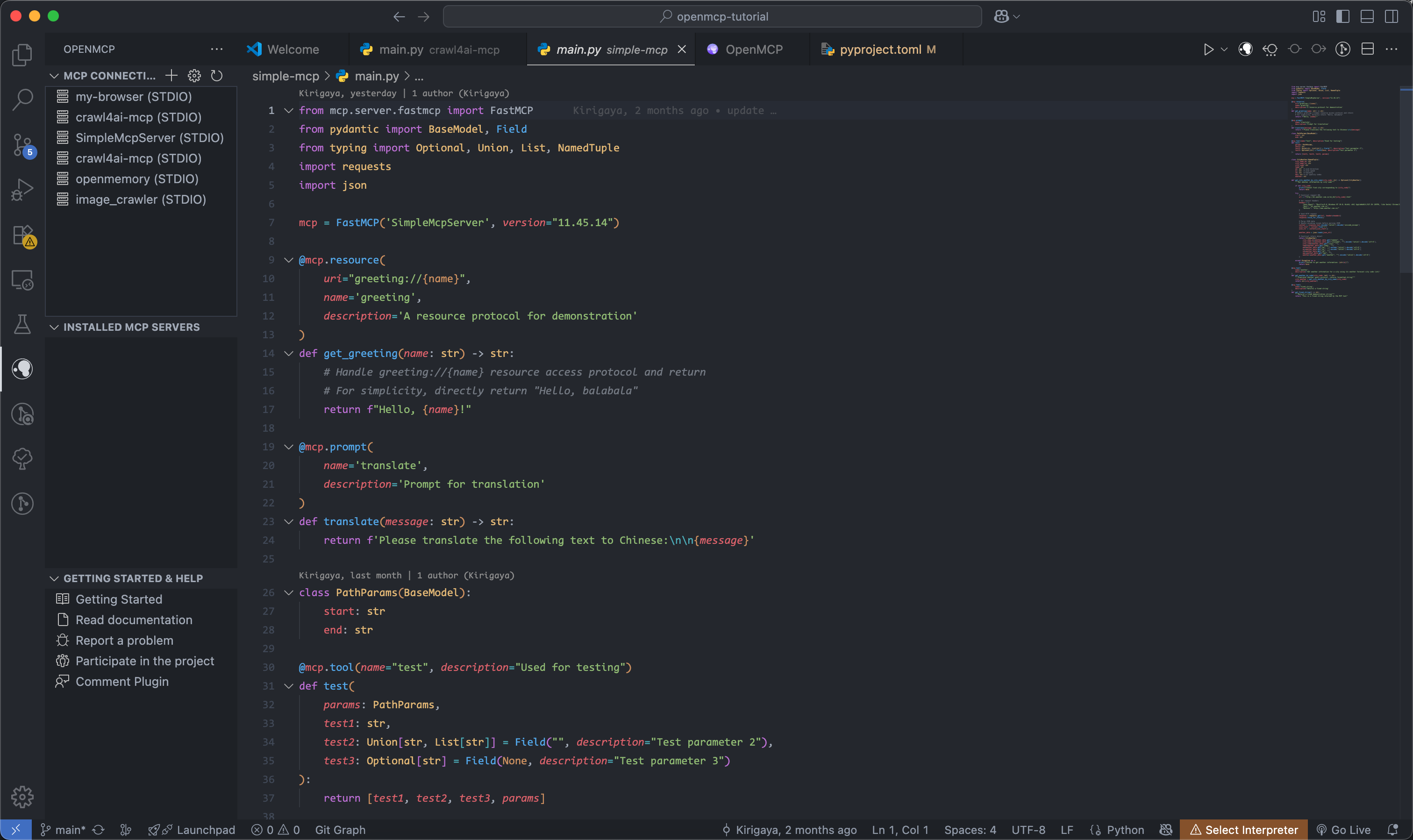
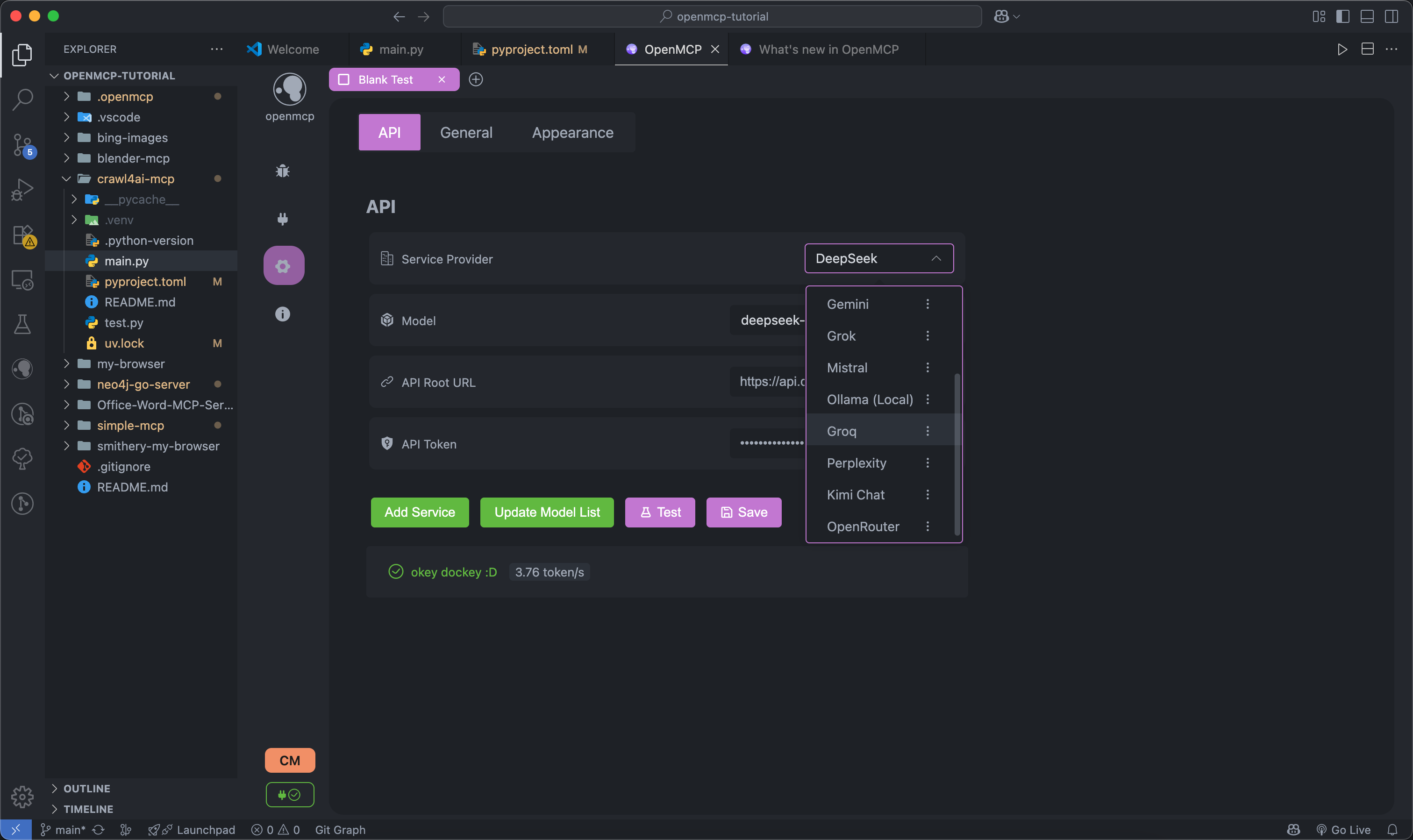
支持多种大模型
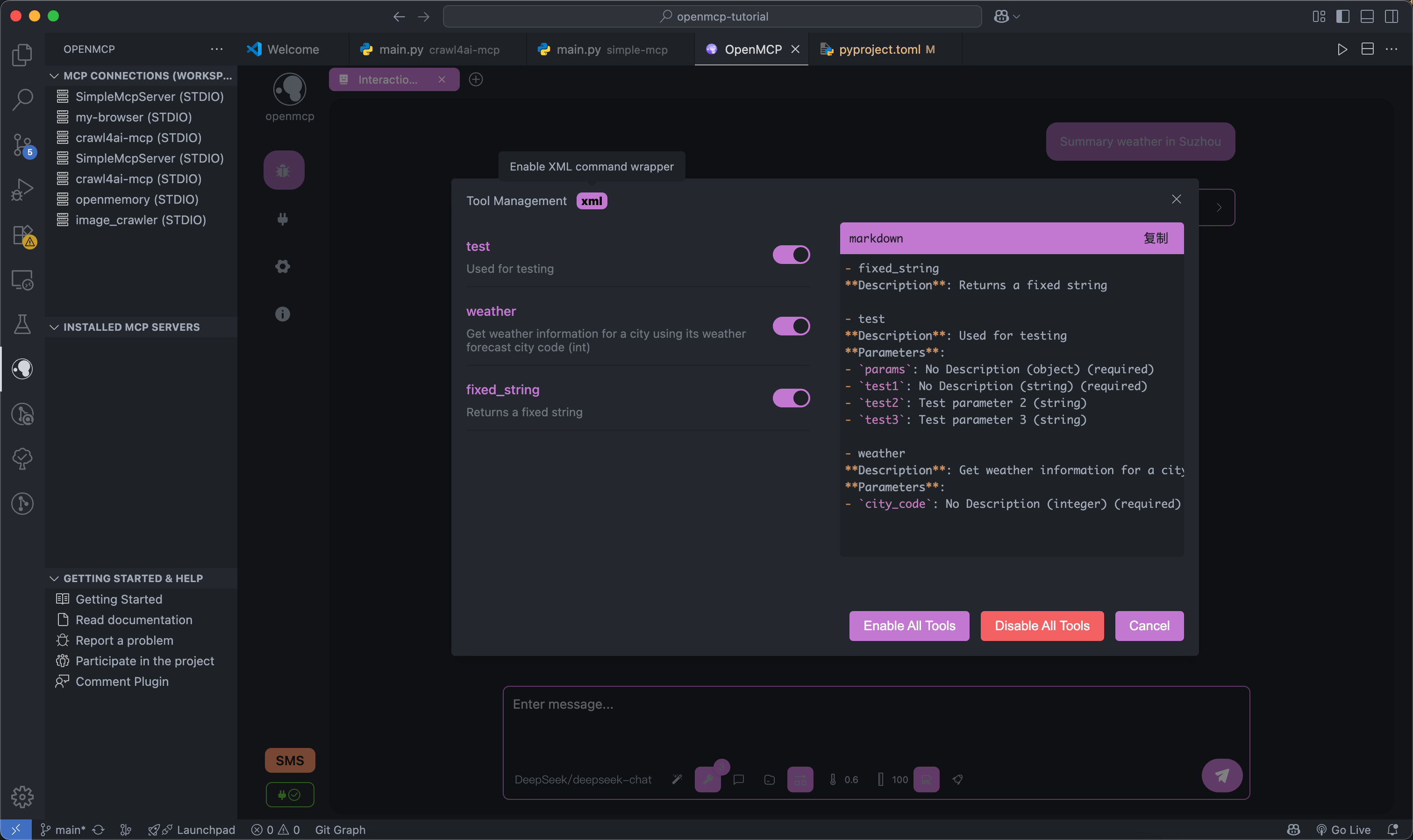
支持 XML 模式和为你的工具选择定制的选项。
### openmcp-sdk
一旦在 `openmcp-client` 中测试并验证了一切,你可以使用 `openmcp-sdk` 快速轻松地将你的 mcp 部署为一个 agent 应用:
```
npm install openmcp-sdk
```
然后只需几行代码即可部署你的 agent
```
import { OmAgent } from 'openmcp-sdk/service/sdk';
// create Agent
const agent = new OmAgent();
// Load configuration, which can be automatically generated after debugging with openmcp client
agent.loadMcpConfig('./mcpconfig.json');
// Read the debugged prompt
const prompt = await agent.getPrompt('hacknews', { topn: '5' });
// Execute the task
const res = await agent.ainvoke({ messages: prompt });
console.log('⚙️ Agent Response', res);
```
输出
```
[2025/6/20 20:47:31] 🚀 [crawl4ai-mcp] 1.9.1 connected
[2025/6/20 20:47:35] 🤖 Agent wants to use these tools get_web_markdown
[2025/6/20 20:47:35] 🔧 using tool get_web_markdown
[2025/6/20 20:47:39] ✓ use tools success
[2025/6/20 20:47:46] 🤖 Agent wants to use these tools get_web_markdown, get_web_markdown, get_web_markdown
[2025/6/20 20:47:46] 🔧 using tool get_web_markdown
[2025/6/20 20:47:48] ✓ use tools success
[2025/6/20 20:47:48] 🔧 using tool get_web_markdown
[2025/6/20 20:47:54] ✓ use tools success
[2025/6/20 20:47:54] 🔧 using tool get_web_markdown
[2025/6/20 20:47:57] ✓ use tools success
⚙️ Agent Response
⌨️ Today's Tech Article Roundup
📌 How to Detect or Observe Passing Gravitational Waves?
Summary: This article explores the physics of gravitational waves, explaining their effects on space-time and how humans might perceive or observe this cosmic phenomenon.
Author: ynoxinul
Posted: 2 hours ago
Link: https://physics.stackexchange.com/questions/338912/how-would-a-passing-gravitational-wave-look-or-feel
📌 Learn Makefile Tutorial
Summary: A comprehensive Makefile tutorial for beginners and advanced users, covering basic syntax, variables, automatic rules, and advanced features to help developers manage project builds efficiently.
Author: dsego
Posted: 4 hours ago
Link: https://makefiletutorial.com/
📌 Hurl: Run and Test HTTP Requests in Plain Text
Summary: Hurl is a command-line tool that allows defining and executing HTTP requests in plain text format, ideal for data fetching and HTTP session testing. It supports chained requests, value capture, and response queries, making it perfect for testing REST, SOAP, and GraphQL APIs.
Author: flykespice
Posted: 8 hours ago
Link: https://github.com/Orange-OpenSource/hurl
```
[🔗 openmcp-sdk 文档](https://openmcp.kirigaya.cn/sdk-tutorial/)
## TODO
## 功能路线图
| 模块 | 功能 | 优先级 | 状态 | 修复优先级 |
|---------|---------|--------|---------|-----------|
| `all` | 完成基础架构 | `Full Version` | 100% | `Done` |
| `render` | 支持聊天模式下的成本分析 | `Iteration` | 100% | `Done` |
| `ext` | 支持基础 MCP 项目管理 | `Iteration` | 100% | `P0` |
| `service` | 支持自定义 OpenAI 兼容大模型集成 | `Full Version` | 100% | `Done` |
| `service` | 支持自定义协议大模型集成 | `MVP` | 0% | `P1` |
| `all` | 支持同时调试多个 MCP Server | `MVP` | 100% | `P0` |
| `all` | 支持通过大模型进行在线验证 | `Iteration` | 100% | `Done` |
| `all` | 支持保存用户的服务器调试工作 | `Iteration` | 100% | `Done` |
| `render` | 高危操作权限确认 | `MVP` | 0% | `P1` |
| `service` | 已连接 MCP server 的热更新 | `MVP` | 0% | `P1` |
| `service` | 系统配置的云端同步 | `MVP` | 0% | `P1` |
| `all` | System prompt 管理模块 | `Iteration` | 100% | `Done` |
| `service` | 基于 Tool 的日志系统 | `MVP` | 0% | `P1` |
| `service` | MCP 安全检查(防止 prompt 注入等) | `MVP` | 0% | `P1` |
| `service` | 内置 OCR 用于字符识别 | `Iteration` | 100% | `Done` |
## 项目概念
OpenMCP 采用分层模块化设计。通过组装不同的模块,可以在不同的平台上以不同的模式实现。
```
flowchart TD
subgraph OpenMCP Core Components
renderer[Renderer]
openmcpservice[OpenMCPService]
end
subgraph OpenMCP_Web["OpenMCP Web"]
renderer
openmcpservice
nginx[Nginx]
end
subgraph OpenMCP_Plugin["OpenMCP Plugin"]
renderer
openmcpservice
vscode[VSCode Plugin Code]
end
subgraph OpenMCP_App["OpenMCP App"]
renderer
openmcpservice
electron[Electron Code]
end
subgraph QQBot["OpenMCP-based QQ Bot"]
lagrange[Lagrange.OneBot]
openmcpservice
end
%% Dependencies
OpenMCP_Web -->|Frontend Rendering| renderer
OpenMCP_Web -->|Backend Service| openmcpservice
OpenMCP_Web -->|Reverse Proxy| nginx
OpenMCP_Plugin -->|UI Interface| renderer
OpenMCP_Plugin -->|Core Logic| openmcpservice
OpenMCP_Plugin -->|IDE Integration| vscode
OpenMCP_App -->|Frontend UI| renderer
OpenMCP_App -->|Local Service| openmcpservice
OpenMCP_App -->|Desktop Packaging| electron
QQBot -->|Protocol Adaptation| lagrange
QQBot -->|Business Logic| openmcpservice
```
## 开发
- renderer : 前端 UI 定义
- service : renderer 的测试组件,包括一个简单的转发层
- src : VSCode 插件定义
### Renderer & Service 开发
```
flowchart LR
D[renderer] <--> A[Dev Server]
<--ws--> B[service]
B <--mcp--> m(MCP Server)
```
项目设置:
```
npm run setup
```
启动开发服务器:
```
npm run serve
```
### 扩展开发
```
flowchart LR
D[renderer] <--> A[extention.ts] <--> B[service]
B <--mcp--> m(MCP Server)
```
构建部署:
```
npm run build
```
构建 vscode 扩展:
```
npm run build:plugin
```
然后只需按 F5,いただきます(让我们开始吧)
## CI 流水线
✅ npm run build
✅ npm run build:task-loop
✅ openmcp-client UT
✅ openmcp-sdk UT
✅ vscode extension UT

标签:Cursor, Linux 内核安全, LLM 客户端, MCP, MITM代理, Model Context Protocol, Prompt 测试, Trae, VSCode 插件, 二进制发布, 交互式测试, 人工智能, 代码测试, 大模型开发工具, 威胁情报, 工具链, 开发者工具, 开源工具, 用户模式Hook绕过, 项目管理