0xdea/oneiromancer
GitHub: 0xdea/oneiromancer
基于本地运行LLM的逆向工程助手,针对IDA Pro Hex-Rays伪代码进行优化,可自动生成代码描述、函数命名和变量重命名建议。
Stars: 136 | Forks: 13
# oneiromancer
[](https://github.com/0xdea/oneiromancer)
[](https://crates.io/crates/oneiromancer)
[](https://crates.io/crates/oneiromancer)
[](https://ollama.com/)
[](https://twitter.com/0xdea)
[](https://infosec.exchange/@raptor)
[](https://github.com/0xdea/oneiromancer/actions/workflows/build.yml)
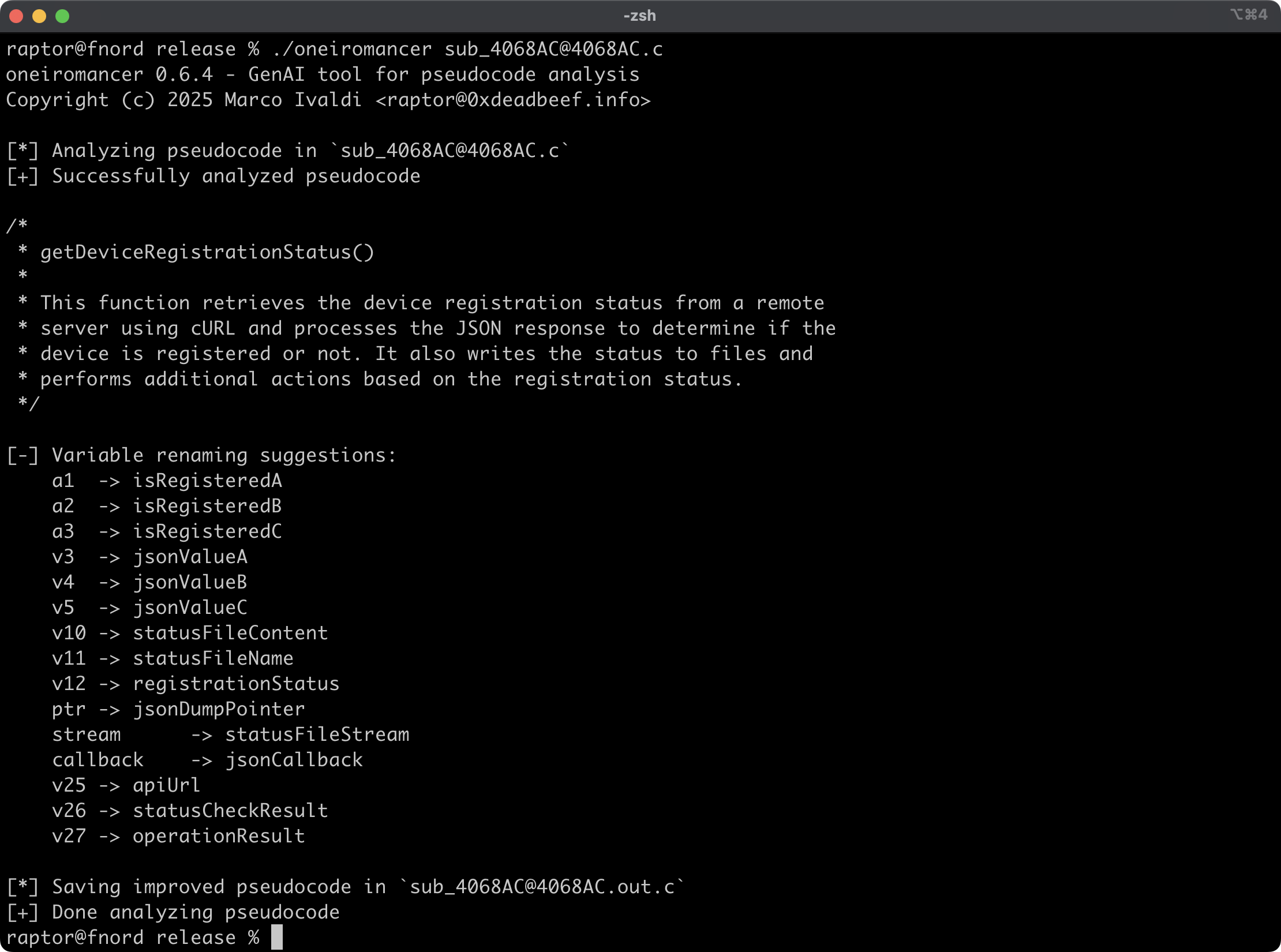
Oneiromancer 是一个逆向工程助手,它使用本地运行的 LLM,该模型针对 Hex-Rays
伪代码进行了 fine-tuned,以辅助代码分析。它可以分析函数或较小的代码片段,
根据分析结果返回代码功能的高级描述、推荐的函数名称以及变量重命名建议。
## 功能
* 跨平台支持基于 `mistral-7b-instruct` 的 fine-tuned LLM [aidapal](https://huggingface.co/AverageBusinessUser/aidapal)。
* 易于与伪代码提取器 [haruspex](https://github.com/0xdea/haruspex) 和流行的 IDE 集成。
* 代码描述、推荐的函数名称和变量重命名建议将打印在终端上。
* 每个被分析函数的改进伪代码都保存在单独的文件中,以便于检查。
* 外部 crate 可以调用 [`analyze_code`] 或 [`analyze_file`] 来分析伪代码,然后处理分析结果。
## 博客文章
*
## 另请参阅
*
*
*
*
## 安装
获取最新版本最简单的方法是通过 [crates.io](https://crates.io/crates/oneiromancer):
```
cargo install oneiromancer
```
要将其作为库安装,请在你的项目目录中运行以下命令:
```
cargo add oneiromancer
```
## 编译
或者,你可以从 [源代码](https://github.com/0xdea/oneiromancer) 构建:
```
git clone https://github.com/0xdea/oneiromancer
cd oneiromancer
cargo build --release
```
## 配置
1. 下载并安装 [Ollama](https://ollama.com/)。
2. 从 [Hugging Face](https://huggingface.co/) 下载 fine-tuned 权重和 Ollama modelfile:
wget https://huggingface.co/AverageBusinessUser/aidapal/resolve/main/aidapal-8k.Q4_K_M.gguf
wget https://huggingface.co/AverageBusinessUser/aidapal/resolve/main/aidapal.modelfile
3. 在下载文件的目录中运行以下命令来配置 Ollama:
ollama create aidapal -f aidapal.modelfile
ollama list
## 用法
1. 按如下方式运行 oneiromancer:
export OLLAMA_BASEURL=custom_baseurl # 如果未设置,将使用默认值
export OLLAMA_MODEL=custom_model # 如果未设置,将使用默认值
oneiromancer .c
2. 在 `.out.c` 中查看改进后的伪代码:
vim .out.c
code .out.c
## 兼容性
测试环境:
* Apple macOS Sequoia 15.2 with Ollama 0.13.5
* Ubuntu Linux 24.04.2 LTS with Ollama 0.13.5
* Microsoft Windows 11 23H2 with Ollama 0.13.5
## 致谢
* Atredis Partners 的 Chris Bellows (@AverageBusinessUser) 提供的 fine-tuned LLM `aidapal` <3
## 更新日志
* [CHANGELOG.md](CHANGELOG.md)
## 待办事项
* 改进带有版本控制和/或输出目录的输出文件处理。
* 实现 IDAPython `aidapal` IDA Pro 插件的其他功能(例如,上下文)。
* 与 [haruspex](https://github.com/0xdea/haruspex) 和 [idalib](https://github.com/binarly-io/idalib) 集成。
* 在 public API 中使用自定义类型并实现 provider 抽象。
* 实现“少数派报告”协议(即,进行三次查询并选择最佳响应)。
* 考虑重构变量重命名以防止潜在的代码损坏。
* 研究 `aidapal` LLM 的其他用例,并实现模块化架构以插入自定义 LLM。
标签:AI 编程助手, AI风险缓解, API密钥扫描, C++, Crates.io, DevSecOps, DLL 劫持, Fine-tuning, Hex-Rays, IDA Pro, LLM, LLM评估, Mistral, Ollama, Rust, Unmanaged PE, URL提取, 上游代理, 二进制分析, 云安全监控, 云安全运维, 云资产清单, 人工智能, 代码理解, 伪代码分析, 函数命名, 反编译, 变量重命名, 可视化界面, 大语言模型, 数据擦除, 本地部署, 漏洞分析, 用户模式Hook绕过, 网络流量审计, 路径探测, 逆向工程, 通知系统, 静态分析