trycua/cua
GitHub: trycua/cua
CUA 提供开源的沙箱、SDK 和基准测试工具链,用于构建、评估和部署能自主操控完整桌面环境的 AI 智能体。
Stars: 19125 | Forks: 1249

构建、基准测试并部署使用计算机的智能体




|
||
|
|
|
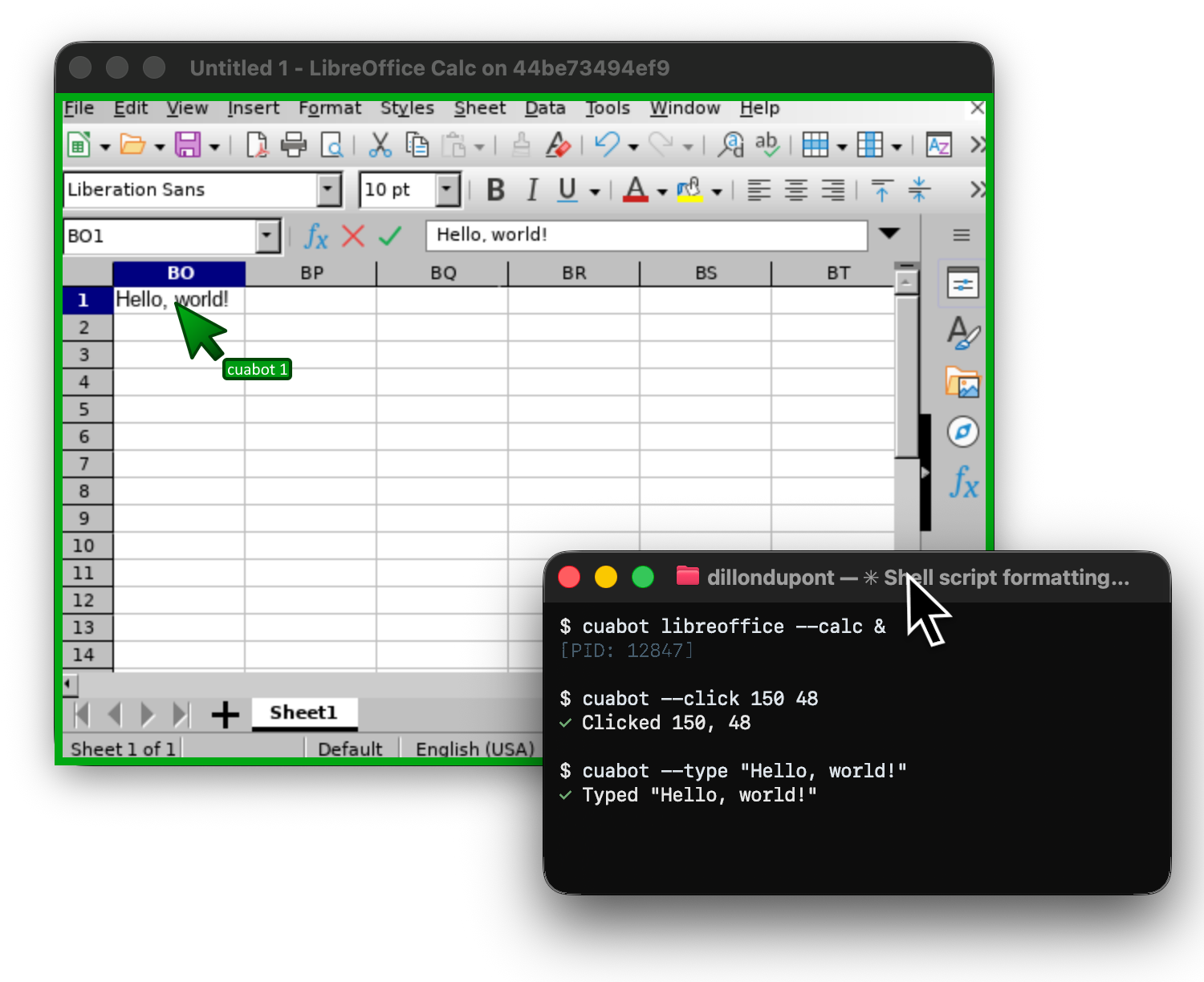
**[开始使用](https://cua.ai/docs/cuabot/guide/getting-started/introduction)** | **[安装说明](https://cua.ai/docs/cuabot/guide/getting-started/installation)** | 首次亮相于 [ClawCon](https://www.claw-con.com/)

## Cua-Bench - 基准测试与 RL 环境
在 OSWorld、ScreenSpot、Windows Arena 和自定义任务上评估计算机使用智能体。导出轨迹用于训练。
```
# 安装并创建 base image
cd cua-bench
uv tool install -e . && cb image create linux-docker
# 使用 agent 运行 benchmark
cb run dataset datasets/cua-bench-basic --agent cua-agent --max-parallel 4
```
**[开始使用](https://cua.ai/docs/cuabench/guide/getting-started/first-steps)** | **[与我们合作](https://cuabench.ai/)** | **[注册表](https://cuabench.ai/registry)** | **[CLI 参考](https://cua.ai/docs/cuabench/reference/cli-reference)**
## Lume - macOS 虚拟化
使用 Apple 的 Virtualization.Framework 在 Apple Silicon 上创建和管理具有接近原生性能的 macOS/Linux 虚拟机。
```
# 安装 Lume
/bin/bash -c "$(curl -fsSL https://raw.githubusercontent.com/trycua/cua/main/libs/lume/scripts/install.sh)"
# Pull 并启动 macOS VM
lume run macos-sequoia-vanilla:latest
```
**[开始使用](https://cua.ai/docs/lume)** | **[常见问题](https://cua.ai/docs/lume/guide/getting-started/faq)** | **[CLI 参考](https://cua.ai/docs/lume/reference/cli-reference)**
## 软件包
| 软件包 | 描述 |
| --------------------------------------------------------------------------- | ---------------------------------------------------------- |
| [cuabot](https://docs.trycua.com/cuabot/guide/getting-started/introduction) | 多智能体计算机使用沙箱 CLI |
| [cua-agent](https://cua.ai/docs/cua/reference/agent-sdk) | 用于计算机使用任务的 AI 智能体框架 |
| [cua-sandbox](https://cua.ai/docs/cua/reference/sandbox-sdk) | 用于创建和控制沙箱的 SDK |
| [cua-computer-server](https://cua.ai/docs/cua/reference/sandbox-sdk) | 用于沙箱中 UI 交互和代码执行的驱动程序 |
| [cua-bench](https://cua.ai/docs/cuabench) | 计算机使用的基准测试和 RL 环境 |
| [lume](https://cua.ai/docs/lume) | Apple Silicon 上的 macOS/Linux 虚拟机管理 |
| [lumier](https://cua.ai/docs/lume/guide/advanced/lumier) | 适用于 Lume 虚拟机的 Docker 兼容接口 |
## 资源
- [文档](https://cua.ai/docs) — 指南、示例和 API 参考
- [博客](https://www.cua.ai/blog) — 教程、更新和研究
- [Discord](https://discord.com/invite/mVnXXpdE85) — 社区支持和讨论
- [GitHub Issues](https://github.com/trycua/cua/issues) — Bug 报告和功能请求
## 许可证
MIT 许可证 — 详见 [LICENSE](LICENSE.md)。
第三方组件拥有其各自的许可证:
- [Kasm](libs/kasm/LICENSE) (MIT)
- [OmniParser](https://github.com/microsoft/OmniParser/blob/master/LICENSE) (CC-BY-4.0)
- 可选的 `cua-agent[omni]` 包含 ultralytics (AGPL-3.0)
## 商标
Apple、macOS、Ubuntu、Canonical 和 Microsoft 是其各自所有者的商标。本项目不隶属于这些公司,也未获得其认可。
[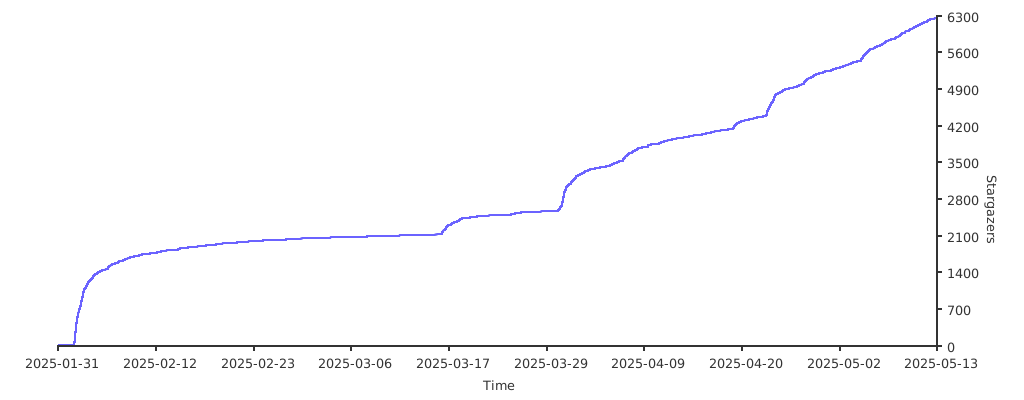](https://starchart.cc/trycua/cua)
感谢我们所有的 [GitHub Sponsors](https://github.com/sponsors/trycua)!
标签:AI智能体, AI训练, AI评估, Computer Use Agents, DLL 劫持, GUI自动化, MITM代理, OpenCanary, RPA, UI自动化, 人工智能, 人机交互, 代理工作流, 后端开发, 多操作系统, 大语言模型, 威胁情报, 开发者工具, 开源基础设施, 文档结构分析, 桌面自动化, 沙箱环境, 用户模式Hook绕过, 界面交互, 计算机控制代理, 请求拦截, 身份验证强制, 逆向工具