BlackSnufkin/LitterBox
GitHub: BlackSnufkin/LitterBox
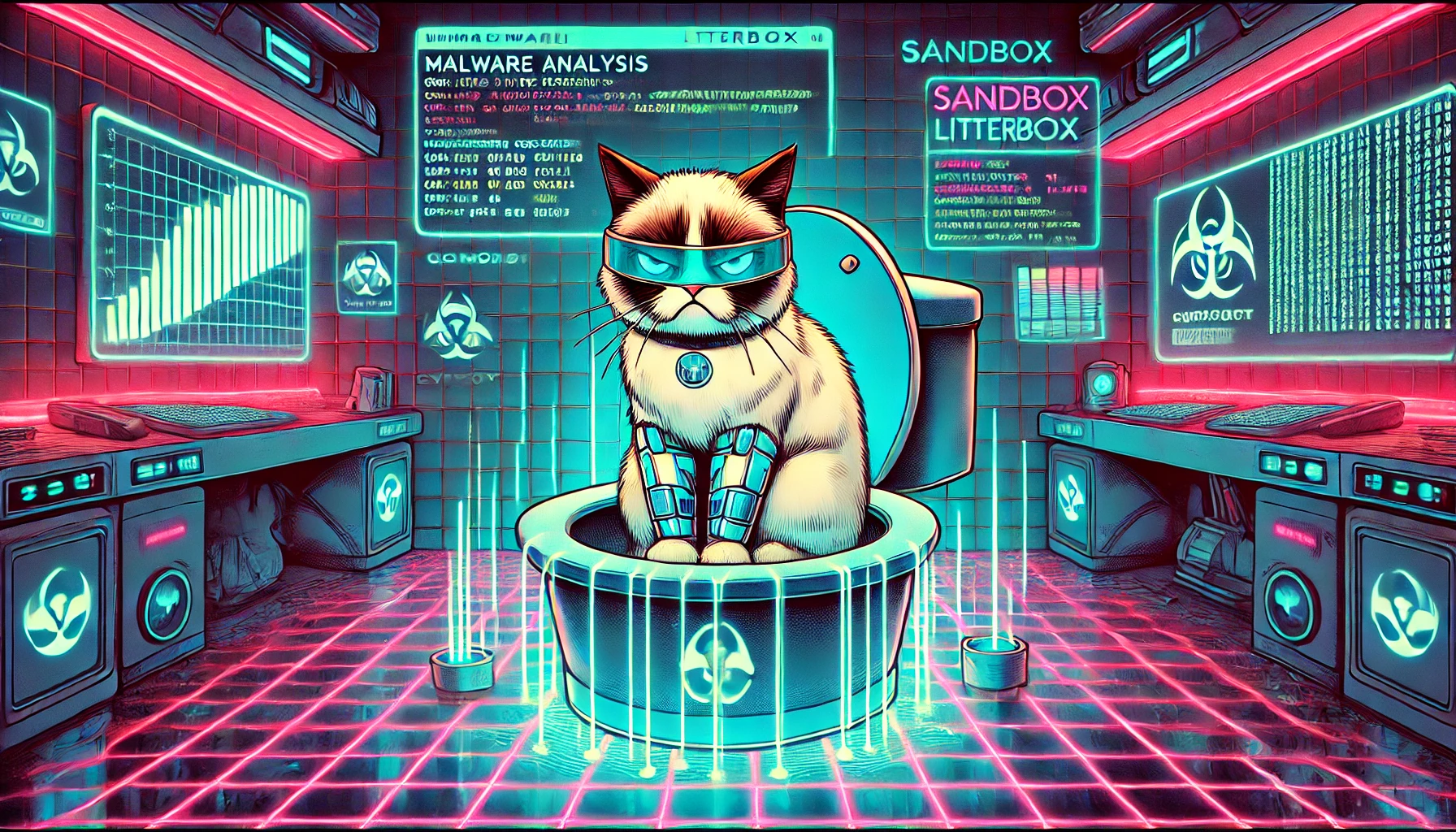
一个集成静态与动态分析能力的恶意软件测试沙箱,支持红队载荷检测规避测试和蓝队恶意软件分析。
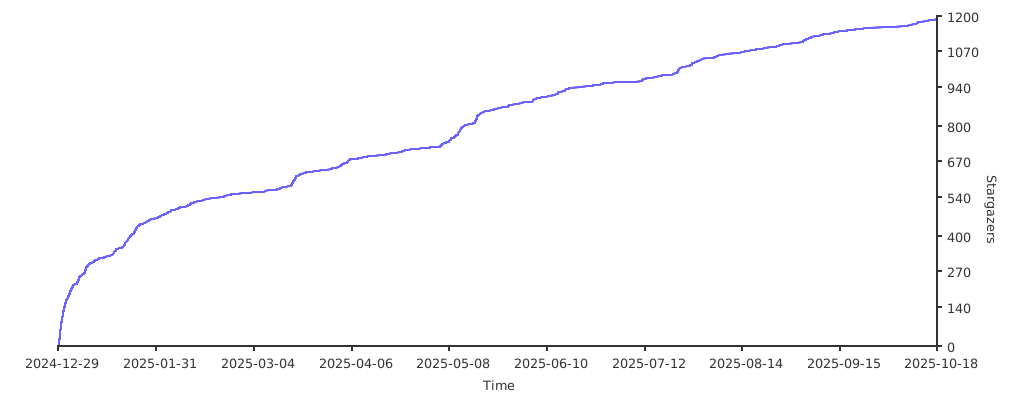
Stars: 1462 | Forks: 165
# 垃圾箱
[]()
[]()
[]()
[]()
[]()
[](https://deepwiki.com/BlackSnufkin/LitterBox)
[](https://github.com/BlackSnufkin/LitterBox/stargazers)
## 目录
- [Overview](#overview)
- [Documentation](#documentation)
- [Analysis Capabilities](#analysis-capabilities)
- [Analysis Engines](#analysis-engines)
- [Integrated Tools](#integrated-tools)
- [API Reference](#api-reference)
- [Installation](#installation)
- [Windows Installation](#windows-installation)
- [Linux Installation (Docker)](#linux-installation)
- [Configuration](#configuration)
- [Client Libraries](#client-libraries)
- [Contributing](#contributing)
- [Security Advisory](#security-advisory)
- [Acknowledgments](#acknowledgments)
- [Interface](#interface)
## 概述
LitterBox 提供了一个受控的沙箱环境,专为安全专业人员开发和测试载荷而设计。该平台允许红队:
* 针对现代检测技术测试规避技术
* 在实地部署前验证检测签名
* 在隔离环境中分析恶意软件行为
* 将载荷保留在内部,不暴露给外部安全厂商
* 确保载荷功能正常,而不触发生产环境安全控制
该平台通过 LitterBoxMCP 服务器包含 LLM 辅助分析功能,利用自然语言处理技术提供高级分析洞察。
**注意**:虽然主要为红队设计,但通过转换视角,LitterBox 对蓝队同样具有价值——可以在恶意软件分析工作流中使用相同的工具。
## 文档
**[LitterBox Wiki](../../wiki)** - 高级配置和技术指南
关键章节:
- **扫描器配置** - HolyGrail、Blender 和 FuzzyHash 设置
- **YARA 规则管理** - 自定义规则和组织
- **配置参考** - 完整的 config.yml 选项
- **架构与开发** - 系统设计和自定义扫描器
## 分析能力
### 初始处理
| 功能 | 描述 |
|---------|-------------|
| 文件识别 | 多种哈希算法 (MD5, SHA256) |
| 熵值分析 | 检测加密和混淆 |
| 类型分类 | 高级 MIME 和文件类型分析 |
| 元数据保留 | 原始文件名和时间戳跟踪 |
| 运行时检测 | 编译二进制文件识别
### 可执行文件分析
针对 Windows PE 文件 (.exe, .dll, .sys):
- 架构识别 (PE32/PE32+)
- 编译时间戳验证
- 子系统分类
- 入口点分析
- 节区枚举和特征描述
- 导入/导出表映射
- 针对 Go 和 Rust 二进制文件的运行时检测及专门的导入分析
### 文档分析
针对 Microsoft Office 文件:
- 宏检测和提取
- VBA 代码安全分析
- 隐藏内容识别
- 混淆技术检测
### LNK 分析
针对 Windows 快捷方式文件 (.lnk)
- 目标执行路径和参数
- 机器跟踪标识符
- 时间戳和文件属性
- 网络共享信息
- 卷和驱动器详细信息
- 环境变量和元数据
## 分析引擎
### 静态分析
- 行业标准签名检测
- 二进制熵值分析
- 字符串提取和分类
- 已知指标的模式匹配
### 动态分析
提供双操作模式:
- **文件分析**:专注于提交的样本
- **进程分析**:通过 PID 定位运行中的进程
功能包括:
- 运行时行为监控
- 内存区域检查和分类
- 进程镂空检测
- 代码注入技术识别
- 睡眠模式分析
- 通过 ETW 收集 Windows 遥测数据
### HolyGrail BYOVD 分析
查找未被检测的合法驱动程序用于 BYOVD 攻击:
- **LOLDrivers 数据库**:与已知易受攻击驱动程序交叉比对
- **Windows 阻止策略**:根据微软针对 Windows 10/11 的推荐驱动程序阻止规则进行验证
- **危险导入分析**:检测 BYOVD 攻击中常被利用的特权函数
- **BYOVD 评分计算**:基于利用潜力和防御控制进行风险评估
### Doppelganger 分析
#### Blender 模块
通过以下方式提供系统级进程比较:
- 从活动进程收集 IOC
- 将进程特征与提交的载荷进行比较
- 识别行为相似性
#### FuzzyHash 模块
通过以下方式提供代码相似性分析:
- 维护已知工具和恶意软件的数据库
- ssdeep 模糊哈希比较方法
- 详细的相似性评分和报告
## 集成工具
### 静态分析套件
- [YARA](https://github.com/elastic/protections-artifacts/tree/main/yara) - 签名检测引擎
- [CheckPlz](https://github.com/BlackSnufkin/CheckPlz) - AV 检测测试框架
- [Stringnalyzer](https://github.com/BlackSnufkin/Rusty-Playground/tree/main/Stringnalyzer) - 高级字符串分析工具
- [HolyGrail](https://github.com/BlackSnufkin/HolyGrail) - BYOVD 猎手
### 动态分析套件
- [YARA Memory](https://github.com/elastic/protections-artifacts/tree/main/yara) - 运行时模式检测
- [PE-Sieve](https://github.com/hasherezade/pe-sieve) - 内存恶意软件检测
- [Moneta](https://github.com/forrest-orr/moneta) - 内存区域 IOC 分析器
- [Patriot](https://github.com/BlackSnufkin/patriot) - 内存隐秘技术检测
- [RedEdr](https://github.com/dobin/RedEdr) - ETW 遥测收集
- [Hunt-Sleeping-Beacons](https://github.com/thefLink/Hunt-Sleeping-Beacons) - C2 信标分析器
- [Hollows-Hunter](https://github.com/hasherezade/hollows_hunter) - 进程镂空检测
## API 参考
### 文件操作
```
POST /upload # Upload samples for analysis
GET /files # Retrieve processed file list
```
### 分析端点
```
GET /analyze/static/ # Execute static analysis
POST /analyze/dynamic/ # Perform dynamic file analysis
POST /analyze/dynamic/ # Conduct process analysis
```
### HolyGrail BYOVD 分析
```
POST /holygrail # Upload driver for BYOVD analysis
GET /holygrail?hash= # Execute BYOVD analysis on uploaded driver
```
### 分身 API
```
# Blender 模块
GET /doppelganger?type=blender # Retrieve latest scan results
GET /doppelganger?type=blender&hash= # Compare process IOCs with payload
POST /doppelganger # Execute system scan with {"type": "blender", "operation": "scan"}
# 模糊哈希模块
GET /doppelganger?type=fuzzy # Retrieve fuzzy analysis statistics
GET /doppelganger?type=fuzzy&hash= # Execute fuzzy hash analysis
POST /doppelganger # Generate database with {"type": "fuzzy", "operation": "create_db", "folder_path": "C:\path\to\folder"}
```
### 结果检索 (JSON)
```
GET /api/results//info # Retrieve file metadata
GET /api/results//static # Access static analysis results
GET /api/results//dynamic # Obtain dynamic analysis data
GET /api/results//dynamic # Retrieve process analysis data
GET /api/results//holygrail # Access BYOVD analysis results
```
### HTML 报告生成
```
GET /api/report/ # Generate comprehensive HTML report (target = hash or pid)
GET /api/report/?download=true # Download report as file attachment
GET /report/ # Download report directly (redirects to api with download=true)
```
### Web 界面结果
```
GET /results//info # View file information
GET /results//static # Access static analysis reports
GET /results//dynamic # View dynamic analysis reports
GET /results//dynamic # Access process analysis reports
GET /results//byovd # View BYOVD analysis results
```
### 系统管理
```
GET /health # System health verification
POST /cleanup # Remove analysis artifacts
POST /validate/ # Verify process accessibility
DELETE /file/ # Remove specific analysis
```
## 安装
### Windows 安装
**系统要求:**
- Windows 操作系统
- Python 3.11 或更高版本
- 管理员权限
**部署流程:**
1. 克隆仓库:
```
git clone https://github.com/BlackSnufkin/LitterBox.git
cd LitterBox
```
2. 配置环境:
```
python -m venv venv
.\venv\Scripts\Activate.ps1
pip install -r requirements.txt
```
**运行:**
```
# 标准操作
python litterbox.py
# 诊断模式
python litterbox.py --debug
```
**访问:**
- **Web UI**: `http://127.0.0.1:1337`
- **API 访问**: Python 客户端集成
- **LLM 集成**: MCP 服务器
### Linux 安装
**系统要求:**
- Linux 操作系统
- Docker 和 Docker Compose
- 硬件虚拟化支持
**部署流程:**
1. 克隆仓库:
```
git clone https://github.com/BlackSnufkin/LitterBox.git
cd LitterBox/Docker
```
2. 运行自动安装脚本:
```
chmod +x setup.sh
./setup.sh
```
安装脚本会自动:
- 安装 Docker、Docker Compose 和 CPU 检查器
- 验证 KVM 硬件虚拟化支持
- 创建 Windows 10 容器环境并自动安装 LitterBox
- 启动容器化的 Windows 实例
**访问:**
- **安装监控**: `http://localhost:8006` (跟踪 Windows 安装进度)
- **RDP 访问**: `localhost:3389` (安装完成后可用,凭据在 docker 文件中)
安装完成后,LitterBox 提供:
- **Web UI**: `http://127.0.0.1:1337`
- **API 访问**: Python 客户端集成
- **LLM 集成**: MCP 服务器
## 配置
所有设置存储在 `config/config.yml` 中。编辑此文件以:
- 更改服务器设置(主机/端口)
- 设置允许的文件类型
- 配置分析工具
- 调整超时时间
## 客户端库
要以编程方式访问 LitterBox,请使用 **GrumpyCats** 包:
**[GrumpyCats Documentation](GrumpyCats/README.md)**
该包包括:
* **grumpycat.py**:具有双重用途的工具,可作为:
* 用于直接与服务器交互的独立 CLI 工具
* 用于将 LitterBox 功能集成到自定义工具中的 Python 库
* **LitterBoxMCP.py**:专用服务器组件,可:
* 封装 GrumpyCat 库功能
* 使 LLM 代理能够与 LitterBox 分析平台交互
* 为恶意软件分析工作流提供自然语言接口
## 贡献
开发贡献应在个人分叉的功能分支上进行。
有关详细的贡献指南,请参阅:[CONTRIBUTING.md](./CONTRIBUTING.md)
## 支持 🍺
如果 LitterBox 对您的安全研究有帮助:
 ## 观星者 🌟
[](https://starchart.cc/blacksnufkin/litterbox)
## 安全建议
- **仅供开发使用**:该平台专为测试环境设计。生产环境部署存在重大安全风险。
- **需要隔离**:仅在隔离的虚拟机或专用测试环境中执行。
- **免责声明**:不提供任何保证;使用风险自负。
- **法律合规**:用户有责任确保所有使用行为符合适用法律法规。
## 致谢
本项目采用了以下贡献者的技术:
- [Elastic Security](https://github.com/elastic/protections-artifacts/tree/main/yara)
- [hasherezade](https://github.com/hasherezade/pe-sieve)
- [Forrest Orr](https://github.com/forrest-orr/moneta)
- [rasta-mouse](https://github.com/rasta-mouse/ThreatCheck)
- [thefLink](https://github.com/thefLink/Hunt-Sleeping-Beacons)
- [joe-desimone](https://github.com/joe-desimone/patriot)
- [dobin](https://github.com/dobin/RedEdr)
- [mr.d0x](https://malapi.io/)
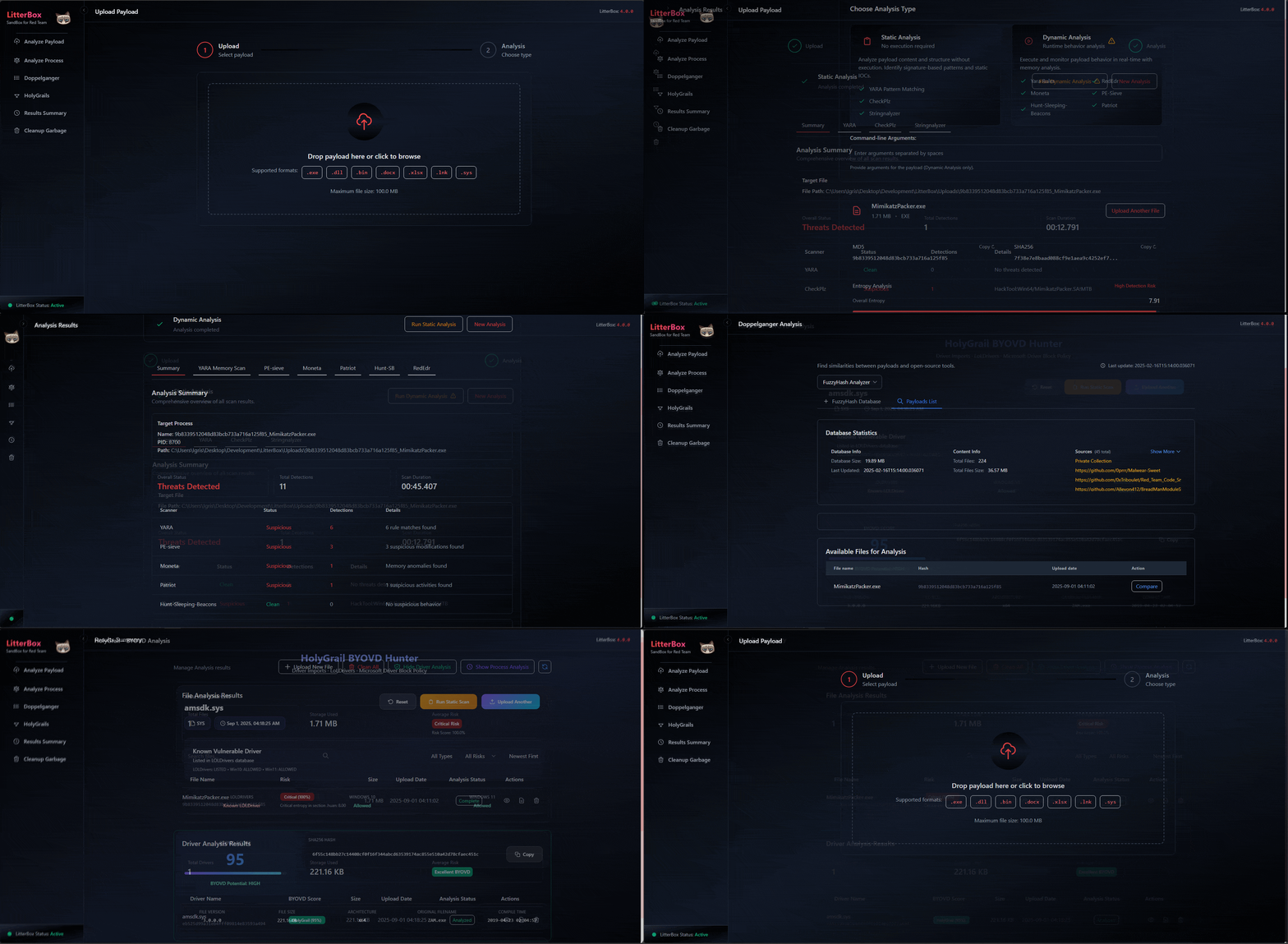
## 界面
## 观星者 🌟
[](https://starchart.cc/blacksnufkin/litterbox)
## 安全建议
- **仅供开发使用**:该平台专为测试环境设计。生产环境部署存在重大安全风险。
- **需要隔离**:仅在隔离的虚拟机或专用测试环境中执行。
- **免责声明**:不提供任何保证;使用风险自负。
- **法律合规**:用户有责任确保所有使用行为符合适用法律法规。
## 致谢
本项目采用了以下贡献者的技术:
- [Elastic Security](https://github.com/elastic/protections-artifacts/tree/main/yara)
- [hasherezade](https://github.com/hasherezade/pe-sieve)
- [Forrest Orr](https://github.com/forrest-orr/moneta)
- [rasta-mouse](https://github.com/rasta-mouse/ThreatCheck)
- [thefLink](https://github.com/thefLink/Hunt-Sleeping-Beacons)
- [joe-desimone](https://github.com/joe-desimone/patriot)
- [dobin](https://github.com/dobin/RedEdr)
- [mr.d0x](https://malapi.io/)
## 界面

## 观星者 🌟
[](https://starchart.cc/blacksnufkin/litterbox)
## 安全建议
- **仅供开发使用**:该平台专为测试环境设计。生产环境部署存在重大安全风险。
- **需要隔离**:仅在隔离的虚拟机或专用测试环境中执行。
- **免责声明**:不提供任何保证;使用风险自负。
- **法律合规**:用户有责任确保所有使用行为符合适用法律法规。
## 致谢
本项目采用了以下贡献者的技术:
- [Elastic Security](https://github.com/elastic/protections-artifacts/tree/main/yara)
- [hasherezade](https://github.com/hasherezade/pe-sieve)
- [Forrest Orr](https://github.com/forrest-orr/moneta)
- [rasta-mouse](https://github.com/rasta-mouse/ThreatCheck)
- [thefLink](https://github.com/thefLink/Hunt-Sleeping-Beacons)
- [joe-desimone](https://github.com/joe-desimone/patriot)
- [dobin](https://github.com/dobin/RedEdr)
- [mr.d0x](https://malapi.io/)
## 界面
标签:DAST, DNS 反向解析, DNS 解析, Docker, LLM集成, MCP协议, Python, XML 请求, 中高交互蜜罐, 免杀测试, 合规性检查, 安全开发, 安全测试平台, 安全防御评估, 恶意软件分析, 恶意软件开发, 数据包嗅探, 无后门, 无线安全, 检测规避, 沙箱环境, 流量嗅探, 私有化部署, 结构化查询, 网络安全审计, 自动化安全, 请求拦截, 载荷测试, 逆向工具, 防御规避