sinelaw/fresh
GitHub: sinelaw/fresh
一款基于 Rust 构建的现代化终端 IDE,零配置即可提供接近图形化编辑器的体验,支持 LSP、多光标、大文件编辑,适合远程开发和终端工作流。
Stars: 7891 | Forks: 288
# Fresh
一款现代化、功能齐全的终端文本编辑器,**零配置即可使用**。熟悉的快捷键、鼠标支持以及 IDE 级别的功能——无需任何学习成本。
[官方网站](https://sinelaw.github.io/fresh/) · [文档](https://getfresh.dev/docs) · [Discord](https://discord.gg/gqGh3K4uW3) · [贡献指南](#contributing)
**[快速安装](#installation):** `curl https://raw.githubusercontent.com/sinelaw/fresh/refs/heads/master/scripts/install.sh | sh`
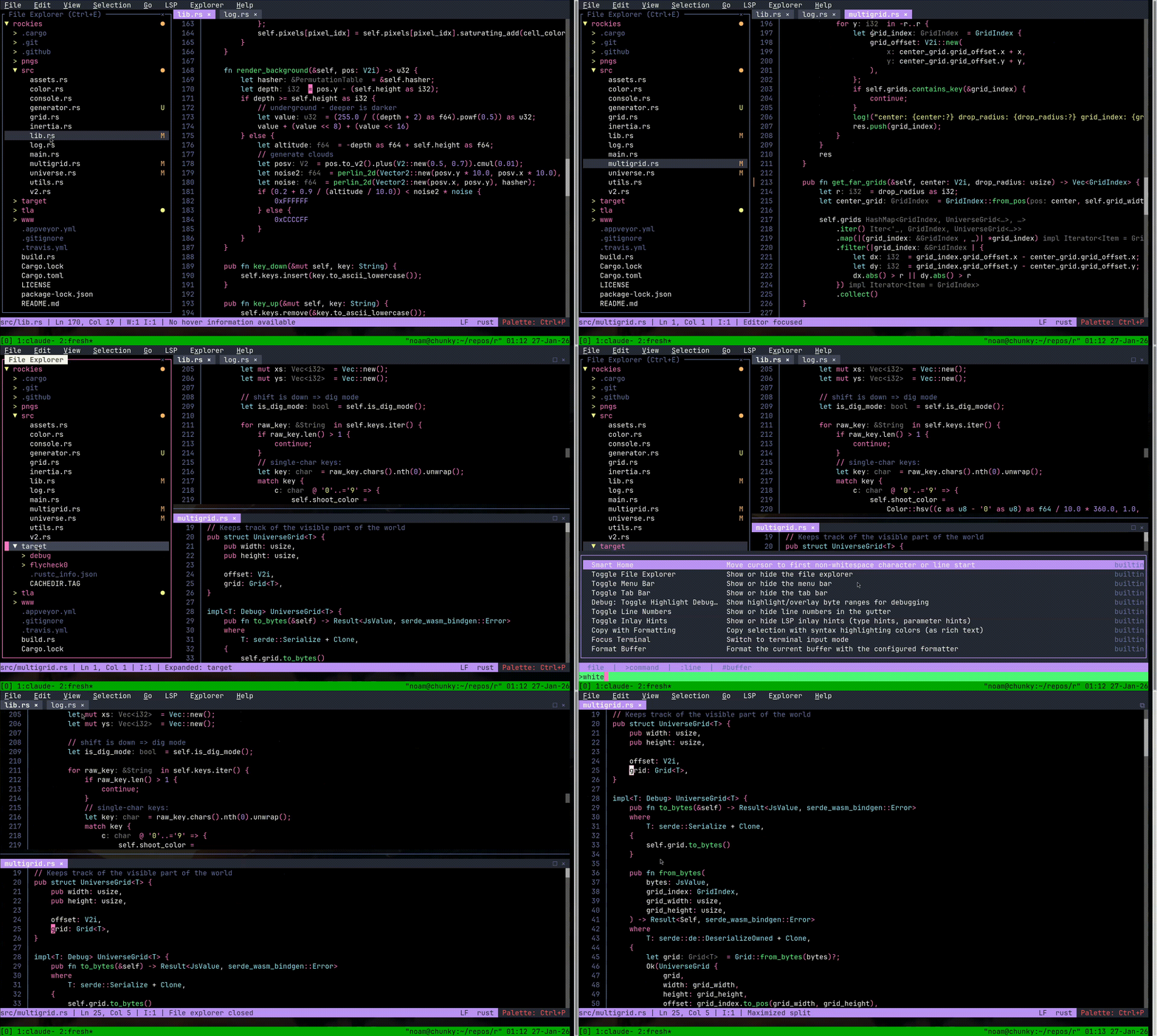
Fresh 将 VS Code 和 Sublime Text 的直观用户体验带入了终端。标准快捷键、完整的鼠标支持、菜单以及命令面板——一切都如你预期般开箱即用。没有模式限制,无需死记快捷键。
为真实场景的性能而打造:Fresh 能够处理[数 GB 的大型文件](https://noamlewis.com/blog/2025/12/09/how-fresh-loads-huge-files-fast),且几乎不产生内存开销,无论文件大小如何,都能提供持续的低延迟输入体验。
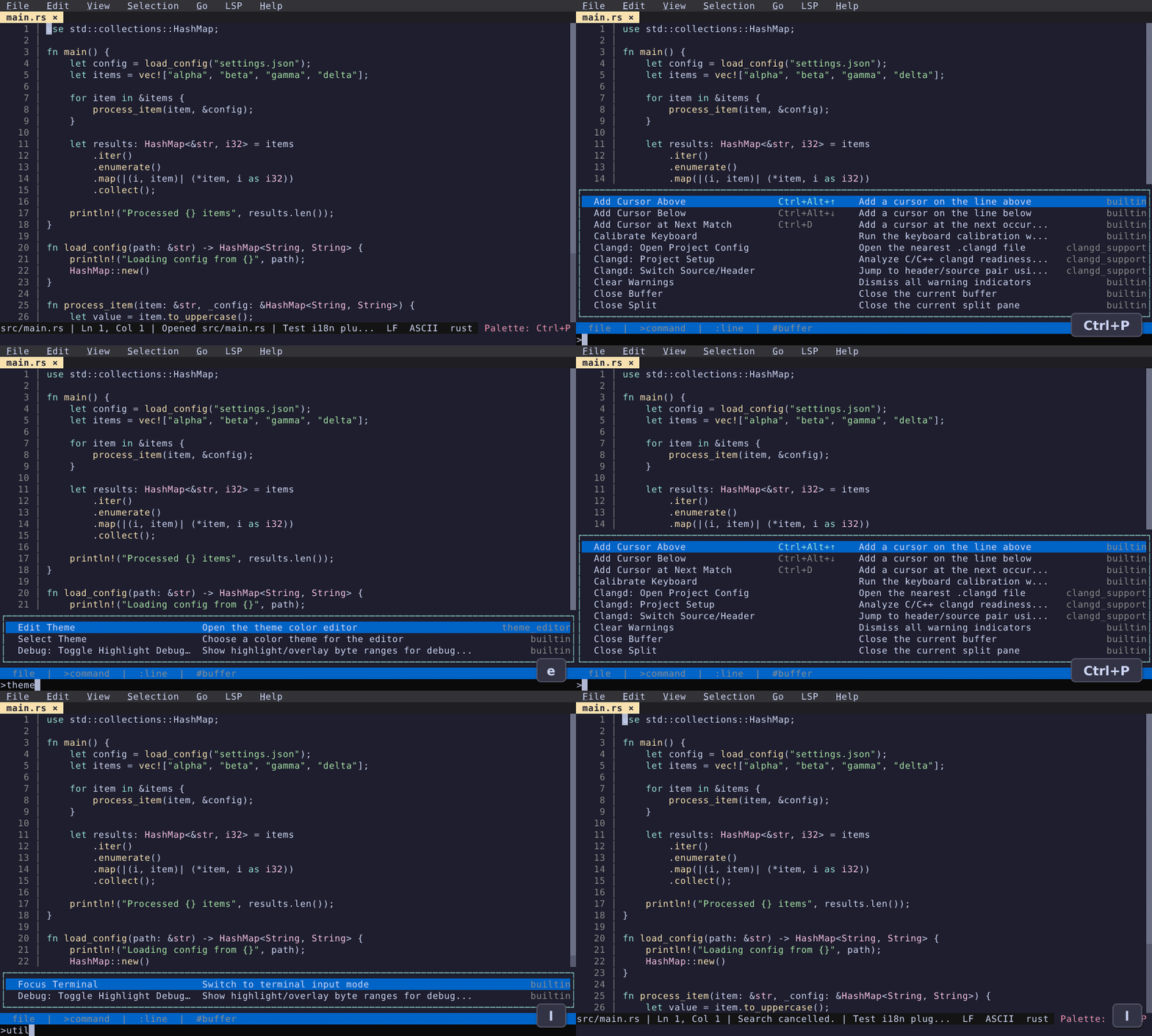
### 命令面板与模糊查找器
只需一个快捷键即可查找文件、运行命令、切换缓冲区以及跳转到任意行。
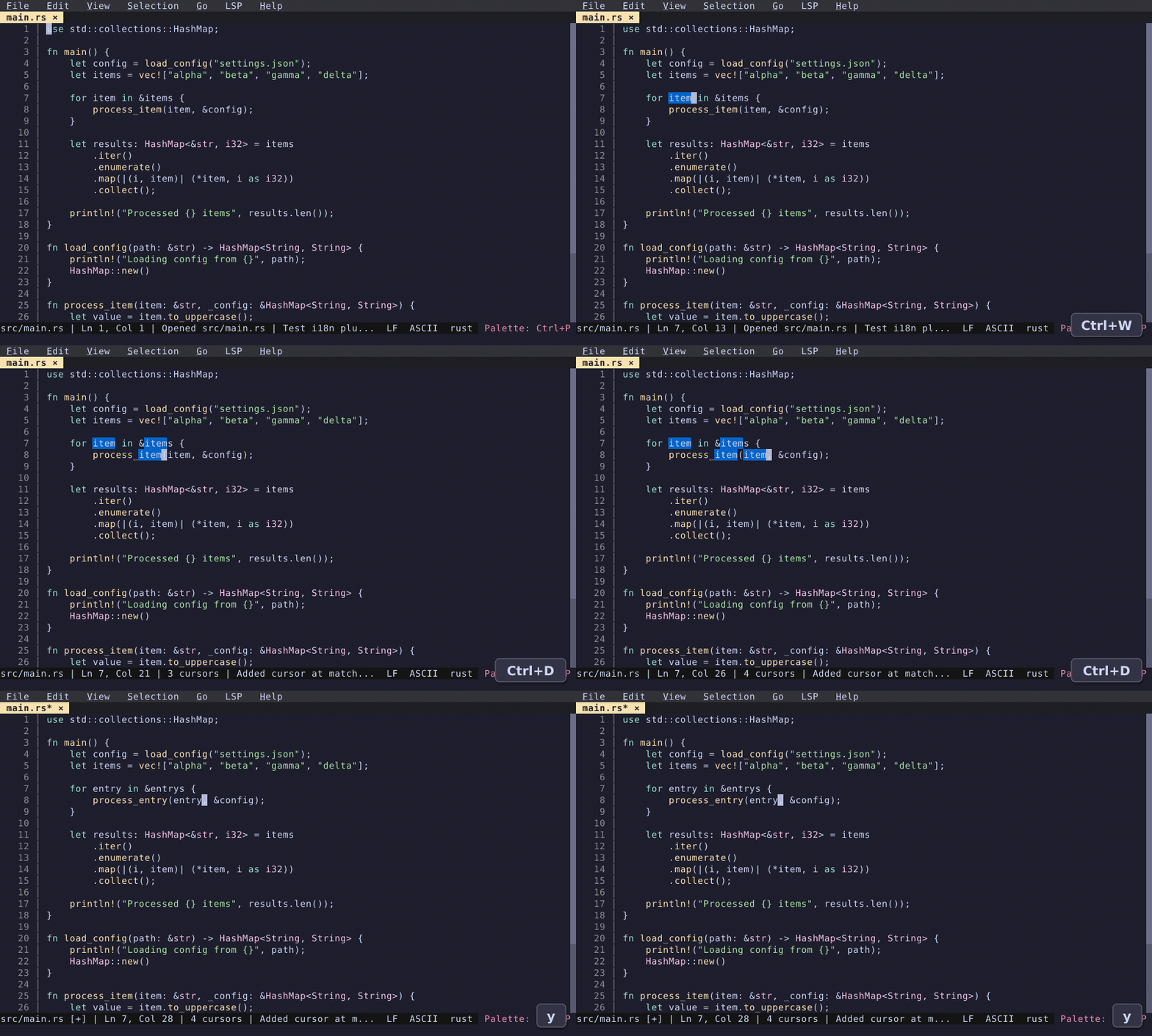
### 多光标编辑
同时选择并编辑多个匹配项——与你熟悉的图形化编辑器工作流程完全一致。
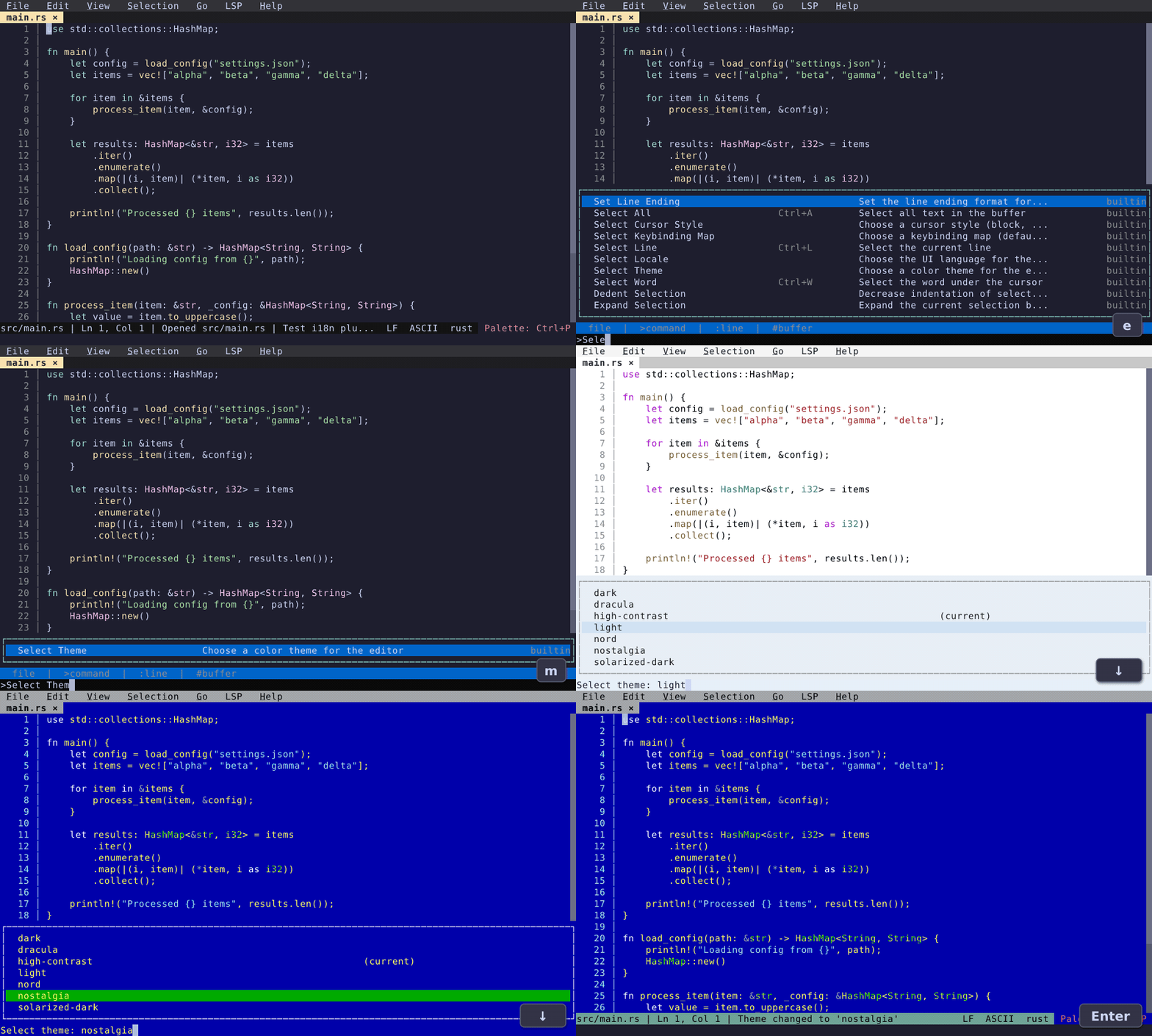
### 主题与自定义
即时浏览并应用配色主题。内置完整的设置 UI 和交互式快捷键编辑器。
查看更多功能演示:[编辑](https://getfresh.dev/docs/blog/editing) (查找与替换、块选择、排序行等) · [效率工具](https://getfresh.dev/docs/blog/productivity) (文件浏览器、分屏视图、集成终端等) · [主题](https://getfresh.dev/docs/blog/themes)
## 功能概览
| 类别 | 功能 |
|----------|----------|
| **文件管理** | 打开/保存/新建/关闭、文件浏览器、标签页、自动还原、git 文件查找器 |
| **编辑** | 撤销/重做、多光标、块选择、智能缩进、注释、剪贴板 |
| **查找与替换** | 增量搜索、在选区中查找、查询替换、git grep |
| **导航** | 跳转到行/括号、单词移动、位置历史记录、书签、错误导航 |
| **视图与布局** | 分割面板、行号、自动换行、背景、markdown 预览 |
| **语言服务器 (LSP)** | 跳转到定义、引用、悬停提示、代码操作、重命名、诊断、自动补全 |
| **效率工具** | 命令面板、菜单栏、键盘宏、git log、诊断面板 |
| **可扩展性** | TypeScript 插件 (沙盒化的 QuickJs)、颜色高亮、TODO 高亮、合并冲突、路径补全、按键映射 |
| **国际化** | 多语言支持 (参见 [`locales/`](locales/))、插件翻译系统 |
## 安装说明
快速安装 (自动检测最佳方法):
`curl https://raw.githubusercontent.com/sinelaw/fresh/refs/heads/master/scripts/install.sh | sh`
或者,选择你喜欢的方式:
| 平台 | 方法 |
|----------|--------|
| macOS | [brew](#brew) |
| Bazzite/Bluefin/Aurora Linux | [brew](#brew) |
| Windows | [winget](#windows-winget) |
| Arch Linux | [AUR](#arch-linux-aur) |
| Debian/Ubuntu | [.deb](#debianubuntu-deb) |
| Fedora/RHEL | [.rpm](#fedorarhel-rpm), [Terra](https://terra.fyralabs.com/) |
| OpenSUSE | [zypper](#opensuse-zypper), [.rpm](#fedorarhel-rpm) |
| FreeBSD | [ports / pkg](https://www.freshports.org/editors/fresh) |
| Gentoo | [GURU](#gentoo-guru) |
| Linux (任何发行版) | [AppImage](#appimage), [Flatpak](#flatpak) |
| 所有平台 | [预编译二进制文件](#pre-built-binaries) |
| npm | [npm / npx](#npm) |
| Rust 用户 (快速) | [cargo-binstall](#using-cargo-binstall) |
| Rust 用户 | [crates.io](#from-cratesio) |
| Nix | [Nix flakes](#nix-flakes) |
| 开发者 | [从源码构建](#from-source) |
### Brew
在 macOS 和部分 linux 发行版 (Bazzite/Bluefin/Aurora) 上:
```
brew tap sinelaw/fresh
brew install fresh-editor
```
### Windows (winget)
```
winget install fresh-editor
```
或者,Windows 用户可以使用 [npm](#npm)。
### Arch Linux ([AUR](https://aur.archlinux.org/packages/fresh-editor-bin))
**二进制包 (推荐,安装更快):**
```
git clone https://aur.archlinux.org/fresh-editor-bin.git
cd fresh-editor-bin
makepkg --syncdeps --install
```
**从源码构建:**
```
git clone https://aur.archlinux.org/fresh-editor.git
cd fresh-editor
makepkg --syncdeps --install
```
**使用 AUR 助手 (例如 `yay` 或 `paru`):**
```
# Binary 包(推荐,安装更快)
yay -S fresh-editor-bin
# 或者从源码构建
yay -S fresh-editor
```
### Debian/Ubuntu (.deb)
下载并安装最新版本:
```
curl -sL $(curl -s https://api.github.com/repos/sinelaw/fresh/releases/latest | grep "browser_download_url.*_$(dpkg --print-architecture)\.deb" | cut -d '"' -f 4) -o fresh-editor.deb && sudo dpkg -i fresh-editor.deb
```
或者从 [releases 页面](https://github.com/sinelaw/fresh/releases) 手动下载 `.deb` 文件。
### Fedora/RHEL (.rpm)
下载并安装最新版本:
```
curl -sL $(curl -s https://api.github.com/repos/sinelaw/fresh/releases/latest | grep "browser_download_url.*\.$(uname -m)\.rpm" | cut -d '"' -f 4) -o fresh-editor.rpm && sudo rpm -U fresh-editor.rpm
```
或者从 [releases 页面](https://github.com/sinelaw/fresh/releases) 手动下载 `.rpm` 文件。
### OpenSUSE (zypper)
```
zypper install fresh-editor
```
### Gentoo ([GURU](https://wiki.gentoo.org/wiki/Project:GURU))
按照 [Project:GURU/Information for End Users](https://wiki.gentoo.org/wiki/Project:GURU/Information_for_End_Users) 中的说明启用仓库,然后 emerge 该软件包:
```
emerge --ask app-editors/fresh
```
### AppImage
从 [releases 页面](https://github.com/sinelaw/fresh/releases) 下载 `.AppImage` 文件并运行:
```
chmod +x fresh-editor-VERSION-x86_64.AppImage
./fresh-editor-VERSION-x86_64.AppImage
```
**为了更快的启动速度** (推荐):解压 AppImage 而不是直接运行它。这可以避免每次启动时的 FUSE 挂载开销 (约快 10 倍):
```
./fresh-editor-VERSION-x86_64.AppImage --appimage-extract
mkdir -p ~/.local/share/fresh-editor ~/.local/bin
mv squashfs-root/* ~/.local/share/fresh-editor/
ln -sf ~/.local/share/fresh-editor/usr/bin/fresh ~/.local/bin/fresh
```
确保 `~/.local/bin` 在你的 PATH 中。支持 x86_64 和 aarch64 架构。
### Flatpak
从 [releases 页面](https://github.com/sinelaw/fresh/releases) 下载 `.flatpak` 包并安装:
```
flatpak install --user fresh-editor-VERSION-x86_64.flatpak
flatpak run io.github.sinelaw.fresh
```
有关从源码构建的信息,请参见 [flatpak/README.md](flatpak/README.md)。
### 预编译二进制文件
从 [releases 页面](https://github.com/sinelaw/fresh/releases) 下载适用于你平台的最新版本。
### 使用 mise
```
mise use github:sinelaw/fresh
```
### npm
```
npm install -g @fresh-editor/fresh-editor
```
或者在不安装的情况下尝试:
```
npx @fresh-editor/fresh-editor
```
### 使用 cargo-binstall
直接安装预编译二进制文件而无需编译 (比通过 crates.io 安装快得多):
首先,如果你还没有安装 cargo-binstall,请先安装它
```
cargo install cargo-binstall
```
然后安装 fresh
```
cargo binstall fresh-editor
```
### Nix flakes
无需安装即可运行:
```
nix run github:sinelaw/fresh
```
或者将其安装到你的 profile:
```
nix profile add github:sinelaw/fresh
```
### 通过 crates.io
```
cargo install --locked fresh-editor
```
### 从源码构建
```
git clone https://github.com/sinelaw/fresh.git
cd fresh
cargo build --release
./target/release/fresh [file]
```
## 文档
- [用户指南](https://getfresh.dev/docs)
- [macOS 提示](https://getfresh.dev/docs/configuration/keyboard#macos-terminal-tips) - 针对Mac用户的终端配置、键盘快捷键和故障排除
- [插件开发](https://getfresh.dev/docs/plugins/development)
## 隐私
Fresh 每天会检查是否有新版本,以通知你有可用的升级。与此同时,它会发送基本的匿名遥测数据 (版本、操作系统/架构、终端类型),以帮助了解使用模式。我们不会收集任何个人数据或文件内容。
要禁用升级检查和遥测数据,请使用 `--no-upgrade-check` 或在配置中设置 `check_for_updates: false`。
## 许可证
版权所有 (c) Noam Lewis
本项目采用 GNU通用公共许可证 v2.0 (GPL-2.0) 授权。
标签:SOC Prime, TUI, VS Code 替代品, 主题定制, 代码编辑器, 低延迟, 可视化界面, 命令面板, 多光标编辑, 大文件处理, 开发工具, 开源编辑器, 性能优化, 文本编辑器, 检测绕过, 模糊查找, 终端 IDE, 终端用户界面, 语法高亮, 通知系统, 零配置, 鼠标支持