0xdea/haruspex
GitHub: 0xdea/haruspex
一款基于 Rust 和 idalib 的 IDA Pro 无头插件,可批量提取 Hex-Rays 反编译伪代码用于静态分析。
Stars: 126 | Forks: 9
# haruspex
[](https://github.com/0xdea/haruspex)
[](https://crates.io/crates/haruspex)
[](https://crates.io/crates/haruspex)
[](https://hex-rays.com/ida-pro)
[](https://twitter.com/0xdea)
[](https://infosec.exchange/@raptor)
[](https://github.com/0xdea/haruspex/actions/workflows/build.yml)
[](https://github.com/0xdea/haruspex/actions/workflows/doc.yml)
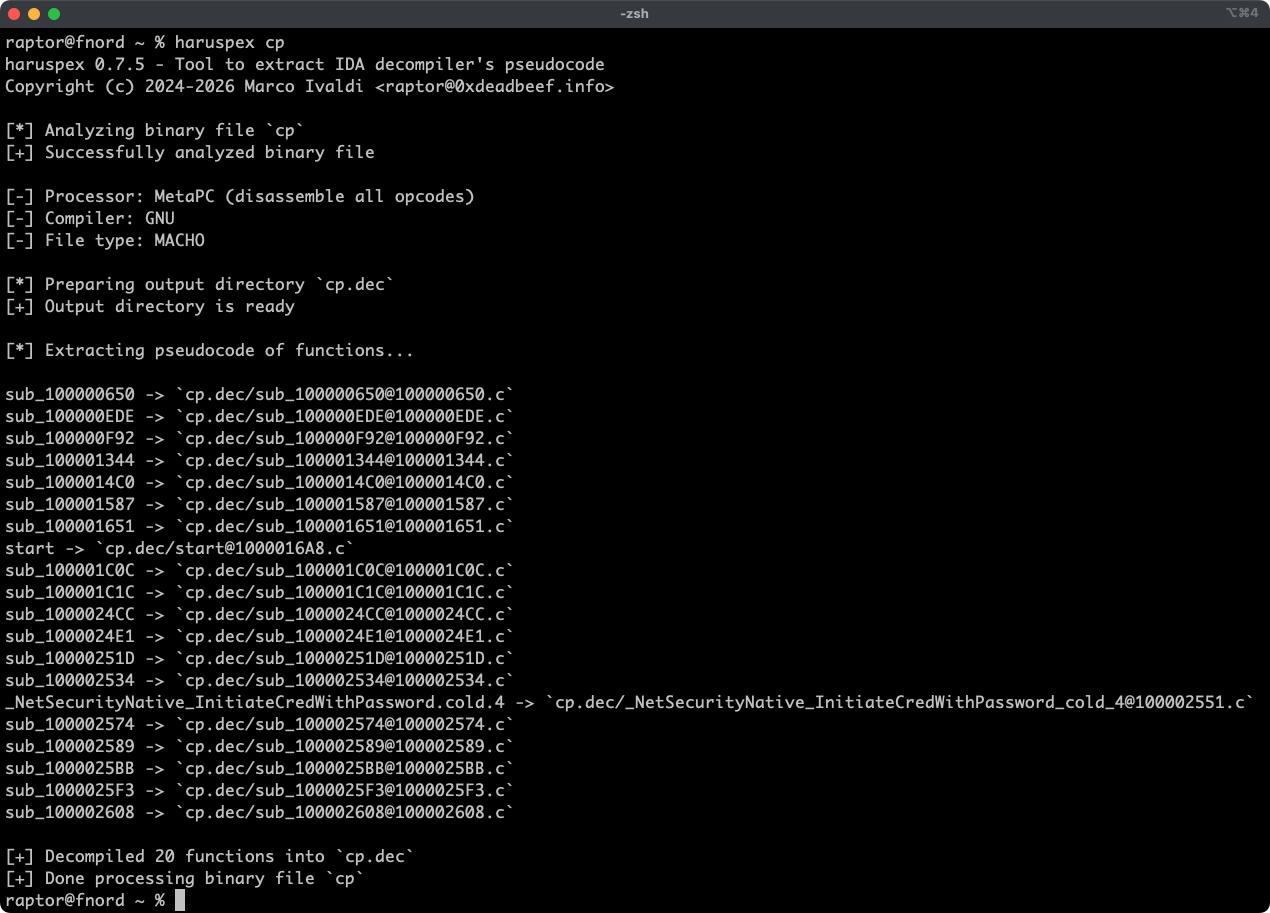
Haruspex 是一个极快的 IDA Pro 无头(headless)插件,它以 IDA Pro 反编译器生成的伪代码格式提取代码,该格式适合导入到 IDE 中,或由 [Semgrep](https://semgrep.dev/)、[weggli](https://github.com/weggli-rs/weggli) 或 [oneiromancer](https://crates.io/crates/oneiromancer) 等静态分析工具进行解析。
## 功能特性
* 得益于 IDA Pro 9.x 和 Binarly 的 idalib Rust bindings,提供极快的无头用户体验。
* 支持 IDA Pro Hex-Rays 反编译器实现的任何架构的二进制目标文件。
* 每个函数的伪代码都存储在输出目录中的独立文件里,便于检查。
* 外部 crates 可以调用 [`decompile_to_file`] 来反编译函数并将其伪代码保存到磁盘。
## 博客文章
*
*
## 另请参阅
*
*
*
*
*
*
*
## 安装
获取最新版本最简单的方法是通过 [crates.io](https://crates.io/crates/haruspex):
1. 下载、安装并配置 IDA Pro(见 )。
2. 安装 LLVM/Clang(见 )。
3. 在 Linux/macOS 上,按如下方式安装:
export IDADIR=/path/to/ida # 如果未设置,构建脚本将检查常见位置
cargo install haruspex
在 Windows 上,则使用以下命令:
$env:LIBCLANG_PATH="\path\to\clang+llvm\bin"
$env:PATH="\path\to\ida;$env:PATH"
$env:IDADIR="\path\to\ida" # 如果未设置,构建脚本将检查常见位置
cargo install haruspex
## 编译
或者,您可以从[源代码](https://github.com/0xdea/haruspex)构建:
1. 下载、安装并配置 IDA Pro(见 )。
2. 安装 LLVM/Clang(见 )。
3. 在 Linux/macOS 上,按如下方式编译:
git clone --depth 1 https://github.com/0xdea/haruspex
cd haruspex
export IDADIR=/path/to/ida # 如果未设置,构建脚本将检查常见位置
cargo build --release
在 Windows 上,则使用以下命令:
git clone --depth 1 https://github.com/0xdea/haruspex
cd haruspex
$env:LIBCLANG_PATH="\path\to\clang+llvm\bin"
$env:PATH="\path\to\ida;$env:PATH"
$env:IDADIR="\path\to\ida" # 如果未设置,构建脚本将检查常见位置
cargo build --release
## 使用方法
1. 确保 IDA Pro 已使用有效许可证正确配置。
2. 按如下方式运行:
haruspex
3. 在 `binary_file.dec` 目录中找到每个反编译函数的提取伪代码:
vim .dec
code .dec
## 兼容性
* IDA Pro 9.0.240925 - 最新兼容版本:v0.2.4。
* IDA Pro 9.0.241217 - 最新兼容版本:v0.3.5。
* IDA Pro 9.1.250226 - 最新兼容版本:v0.6.2。
* IDA Pro 9.2.250908 - 最新兼容版本:v0.7.5。
* IDA Pro 9.3.260213 - 最新兼容版本:当前版本。
## 更新日志
* [CHANGELOG.md](CHANGELOG.md)
## 待办事项
* 使用 `.cpp` 扩展名而不是 `.c` 来输出伪代码(参见此 [issue](https://github.com/0xdea/semgrep-rules/issues/12))?
* 集成 Semgrep 扫描(见 )。
* 集成 weggli 扫描(见 )。
* 改进反编译器输出,风格参考 [HexRaysPyTools](https://github.com/igogo-x86/HexRaysPyTools) 和 [abyss](https://github.com/patois/abyss)。
* 实现并行分析(见 )。
标签:Hakrawler, Headless, Hex-Rays 反编译器, idalib, IDA Pro 插件, Rust, Semgrep, TLS抓取, WordPress安全扫描, 二进制分析, 二进制安全, 云安全监控, 云安全运维, 云资产清单, 代码反编译, 伪代码提取, 可视化界面, 可配置连接, 文件格式分析, 程序分析, 网络安全, 网络流量审计, 软件安全, 逆向工程, 通知系统, 隐私保护, 静态分析