towardsthecloud/vscode-iam-actions-snippets
GitHub: towardsthecloud/vscode-iam-actions-snippets
为 VS Code 提供全量 AWS IAM Action 代码片段和智能补全的扩展,加速 IAM 策略编写。
Stars: 6 | Forks: 0
# VS Code 的 AWS IAM Actions Snippets
[](https://marketplace.visualstudio.com/items?itemName=dannysteenman.iam-actions-snippets)
[](https://open-vsx.org/extension/dannysteenman/iam-actions-snippets)
[](https://marketplace.visualstudio.com/items?itemName=dannysteenman.iam-actions-snippets)
[](https://marketplace.visualstudio.com/items?itemName=dannysteenman.iam-actions-snippets)
这个 AWS IAM Actions Snippets 扩展为 Visual Studio Code 提供了涵盖所有 AWS IAM 操作的完整代码片段。这是您进行高效且准确的 IAM policy 开发的必备工具。
## 功能
1. **全面覆盖**:提供各种 AWS 服务中**所有** AWS IAM 操作的代码片段。
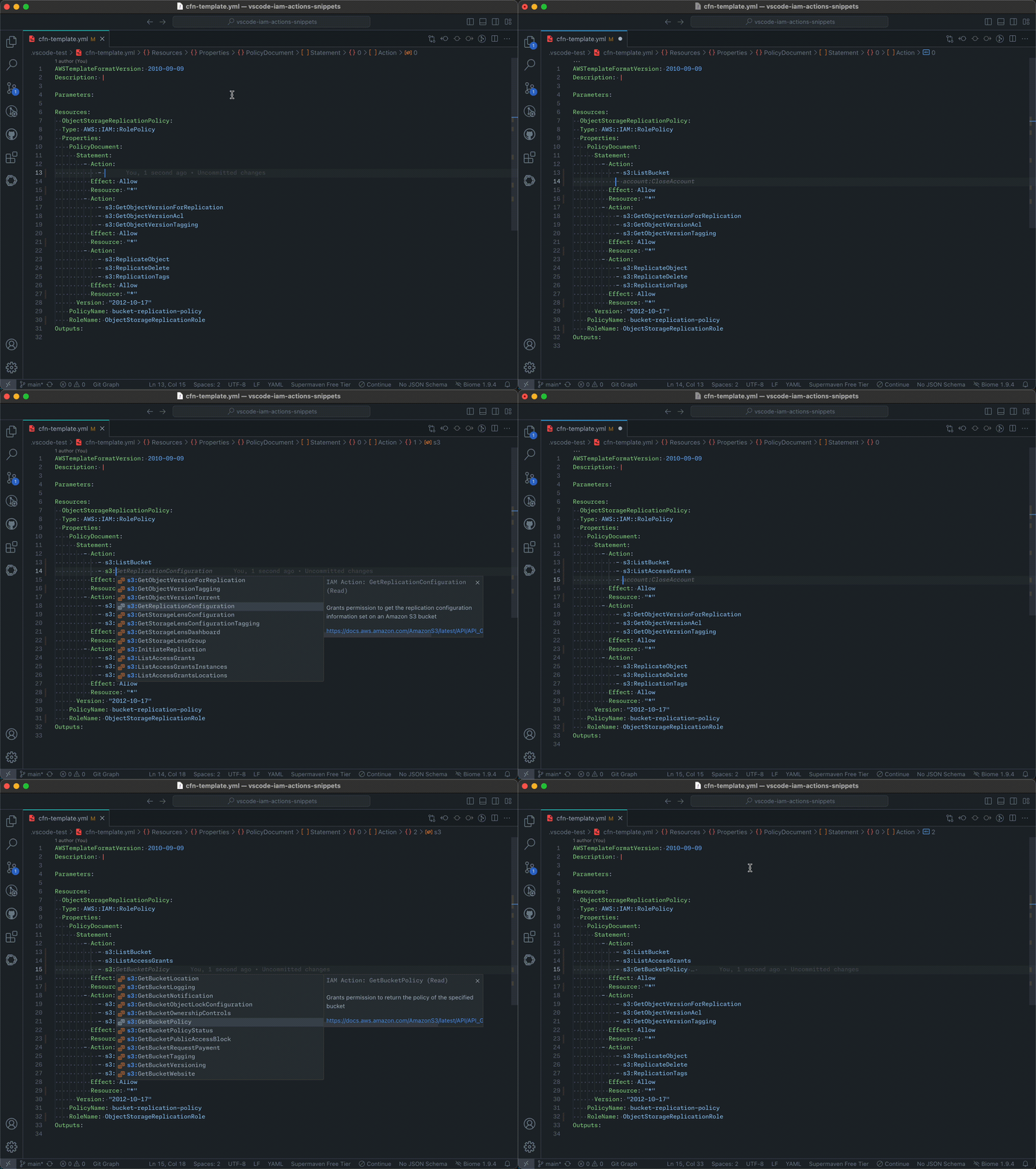
2. **自动补全**:在您输入时为 IAM 操作提供智能自动补全。
3. **文档链接**:可直接从代码片段快速访问每个 IAM 操作的 AWS 文档。
4. **灵活的格式支持**:支持 JSON 格式的 IAM policy,也支持 CloudFormation 模板(`.json, .yaml`)和 Terraform 文件(`.tf`)中定义的 IAM Policies。
5. **保持最新**:定期更新以反映最新的 AWS IAM 操作。
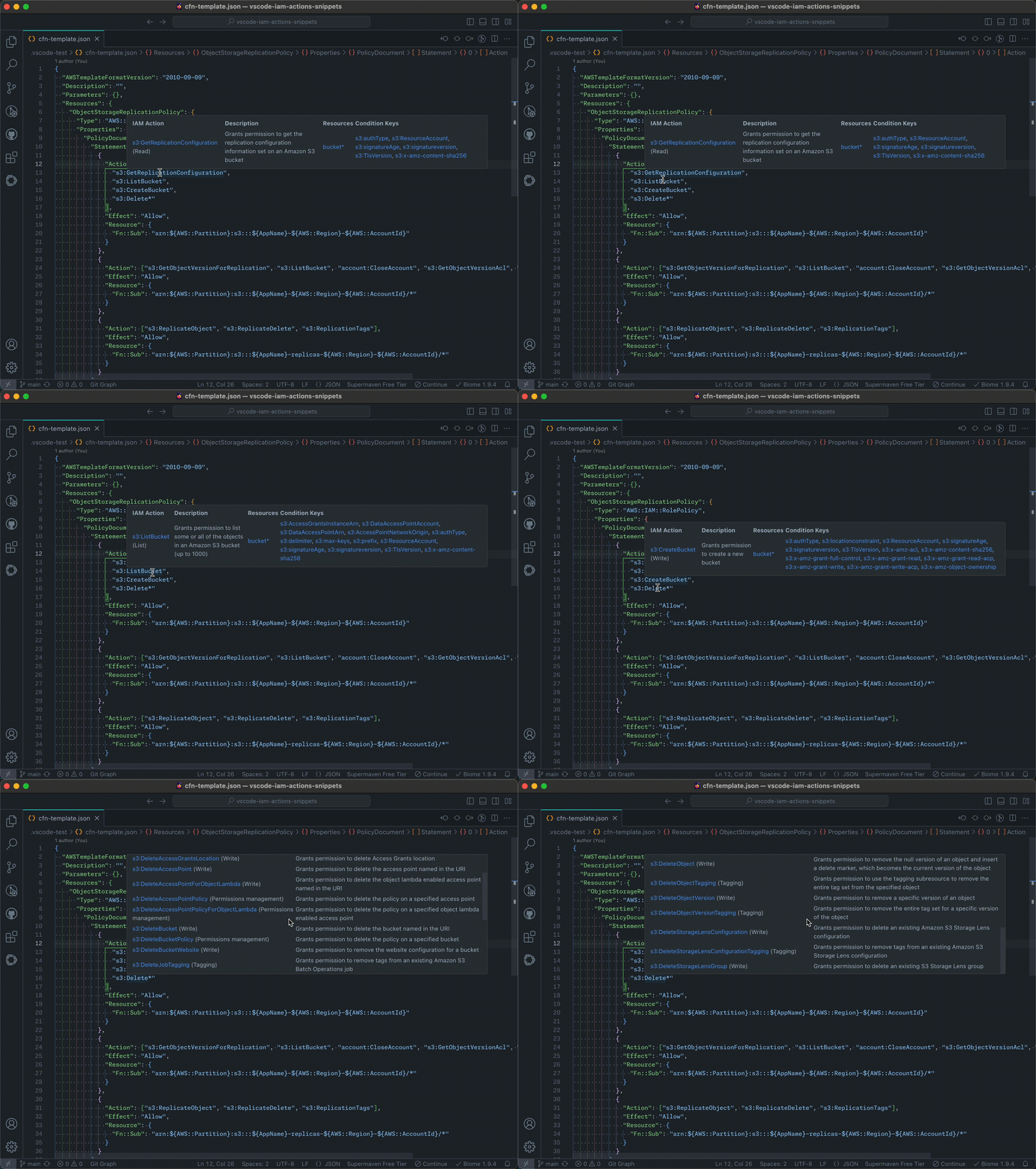
6. **智能悬停信息**:当悬停在通配符操作上时,显示所有匹配的 IAM 操作,提供涵盖权限的综合视图。
## 使用方法
1. 在 VS Code 中安装 AWS IAM Actions Snippets 扩展。
2. 打开或创建一个新的 `.json`、`.yml` 或 `.tf` 文件用于编写 IAM policy。
3. 在策略中的适当位置开始输入 IAM 操作名称(例如 `s3:Get`)。
4. 扩展将为匹配的 IAM 操作提供自动补全建议。
5. 选择所需的操作将其插入到您的策略中。
自动补全操作示例:
以及悬停信息示例:
## 支持
如果您有功能请求或问题,请在 [Github](https://github.com/towardsthecloud/vscode-iam-actions-snippets/issues) 上告诉我
## 作者
[Danny Steenman](https://towardsthecloud.com/about)
[](https://www.linkedin.com/company/towardsthecloud)
[](https://twitter.com/dannysteenman)
[](https://github.com/towardsthecloud)
标签:AWS, Cloud Computing, DPI, EC2, Homebrew安装, IaC, IAM, IAM Actions, IDE 插件, SOC Prime, VS Code 扩展, 亚马逊云科技, 代码片段, 开发工具, 数据可视化, 权限管理, 模型越狱, 策略开发, 编程效率, 自动化攻击, 自动补全