Cyber-Threat-Hunting-Playground/ConvertSigmaRepo2SentinelOnePQ
GitHub: Cyber-Threat-Hunting-Playground/ConvertSigmaRepo2SentinelOnePQ
通过 GitHub Actions 自动将 SigmaHQ 检测规则批量转换为 SentinelOne PowerQuery 格式,帮助安全团队快速复用社区威胁检测规则。
Stars: 12 | Forks: 3
# 转换 Sigma 仓库至 SentinelOne PQ
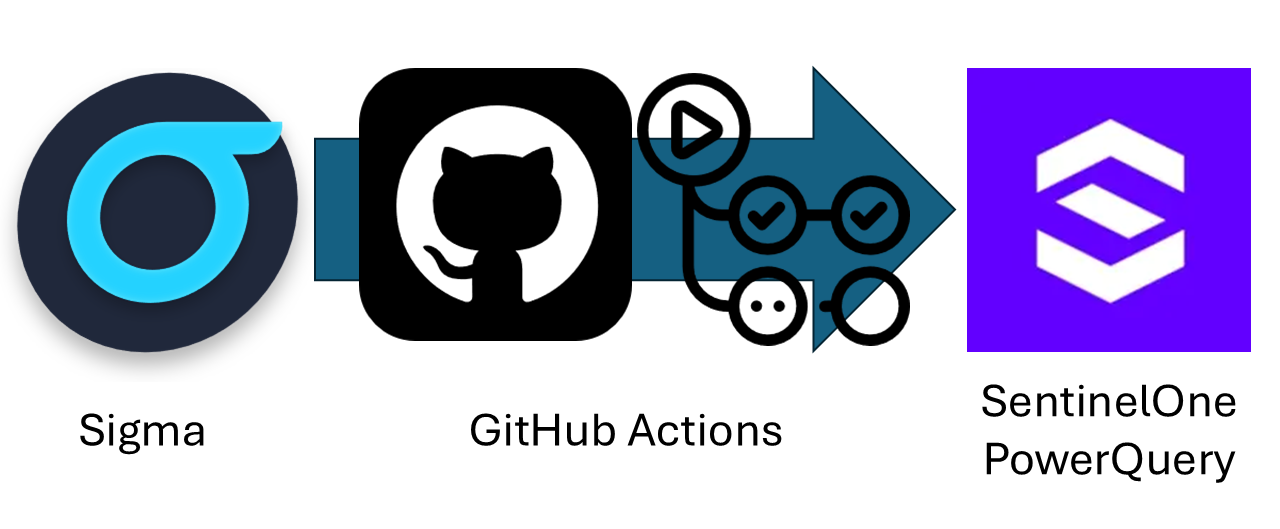
脚本借鉴自 [rcegan/ConvertSigmaRepo2KQL](https://github.com/rcegan/ConvertSigmaRepo2KQL) 并在其基础上进行了大量修改,通过 GitHub Actions 利用 PySigma 将 Sigma 规则转换为 SentinelOne PowerQuery。
## 使用说明
首先,修改 `rules_directory` 变量,使其指向您的 Sigma 进程创建规则所在的位置。如果在 CI/CD 环境中使用且每次都会克隆 Sigma 仓库,则可以保持此值不变。
接下来,修改 `output_directory` 为您希望将规则输出到的目标文件夹。预计会生成 1000 多条结果。
## Sigma 覆盖范围
| 数据源 | 规则类型 | 平台 | 第三层级 | 状态 |
|----------------------|----------------------|-------------|----------------------|-------------------------|
| SigmaHQ | rules-threat-hunting | cloud | 2 folders | ❌ 不适用 |
| SigmaHQ | rules-threat-hunting | linux | file_event | ⚠️ 待实现 |
| SigmaHQ | rules-threat-hunting | linux | process_creation | ⚠️ 待实现 |
| SigmaHQ | rules-threat-hunting | macos | file_event | ⚠️ 待实现 |
| SigmaHQ | rules-threat-hunting | macos | process_creation | ⚠️ 待实现 |
| SigmaHQ | rules-threat-hunting | web | proxy_generic | ❌ 不适用 |
| SigmaHQ | rules-threat-hunting | windows | builtin | ⚠️ 待实现 |
| SigmaHQ | rules-threat-hunting | windows | create_remote_threat | ⚠️ 待实现 |
| SigmaHQ | rules-threat-hunting | windows | file | ⚠️ 待实现 |
| SigmaHQ | rules-threat-hunting | windows | image_load | ⚠️ 待实现 |
| SigmaHQ | rules-threat-hunting | windows | network_connection | ⚠️ 待实现 |
| SigmaHQ | rules-threat-hunting | windows | pipe_created | ⚠️ 待实现 |
| SigmaHQ | rules-threat-hunting | windows | powershell | ⚠️ 待实现 |
| SigmaHQ | rules-threat-hunting | windows | process_access | ✅ 已实现 |
| SigmaHQ | rules-threat-hunting | windows | process_creation | ✅ 已实现 |
| SigmaHQ | rules-threat-hunting | windows | registry | ⚠️ 待实现 |
| SigmaHQ | rules | application | 10 folders | ❌ 不适用 |
| SigmaHQ | rules | category | 2 folders | ❌ 不适用 |
| SigmaHQ | rules | cloud | 9 folders | ❌ 不适用 |
| SigmaHQ | rules | compliance | N/A | ❌ 不适用 |
| SigmaHQ | rules | linux | auditd | ⚠️ 待实现 |
| SigmaHQ | rules | linux | builtin | ⚠️ 待实现 |
| SigmaHQ | rules | linux | file_event | ⚠️ 待实现 |
| SigmaHQ | rules | linux | network_connection | ⚠️ 待实现 |
| SigmaHQ | rules | linux | process_creation | ✅ 已实现 |
| SigmaHQ | rules | macos | file_event | ✅ 已实现 |
| SigmaHQ | rules | macos | process_creation | ✅ 已实现 |
| SigmaHQ | rules | network | cisco | ❌ 不适用 |
| SigmaHQ | rules | network | dns | ⚠️ 待实现 |
| SigmaHQ | rules | network | firewall | ⚠️ 待实现 |
| SigmaHQ | rules | network | huawei | ❌ 不适用 |
| SigmaHQ | rules | network | juniper | ❌ 不适用 |
| SigmaHQ | rules | network | zeek | ❌ 不适用 |
| SigmaHQ | rules | web | 3 folders | ❌ 不适用 |
| SigmaHQ | rules | windows | builtin | ⚠️ 待实现 |
| SigmaHQ | rules | windows | create_remote_threat | ⚠️ 待实现 |
| SigmaHQ | rules | windows | dns_query | ✅ 已实现 |
| SigmaHQ | rules | windows | driver_load | ❌ 不适用 |
| SigmaHQ | rules | windows | file | ⚠️ 待实现 |
| SigmaHQ | rules | windows | image_load | ✅ 已实现 |
| SigmaHQ | rules | windows | network_connection | ⚠️ 待实现 |
| SigmaHQ | rules | windows | pipe_created | ⚠️ 待实现 |
| SigmaHQ | rules | windows | powershell | ⚠️ 待实现 |
| SigmaHQ | rules | windows | process_access | ⚠️ 待实现 |
| SigmaHQ | rules | windows | process_creation | ✅ 已实现 |
| SigmaHQ | rules | windows | process_tampering | ⚠️ 待实现 |
| SigmaHQ | rules | windows | raw_access_thread | ⚠️ 待实现 |
| SigmaHQ | rules | windows | registry | ✅ 已实现 |
| SigmaHQ | rules | windows | sysmon | ❌ 不适用 |
| SigmaHQ | rules | windows | wmi_event | ❌ 不适用 |
## GitHub 工作流状态
| 类别 | 操作系统 | 目标文件夹 | 最近一次 GitHub Actions 执行状态 |
|----------------------|------------------|----------------------------------------------------|-----------------------------------------------------------------------------------------------------------------------------------------------------------------------------------------------------------------------------------------------------------------------------------------------------------------------------------------------------------------------------------------------------------------|
| SigmaHQ | rules-threat-hunting | Windows | S1PQ - Threat Hunting - Windows - Process Creation | [](https://github.com/wikijm/ConvertSigmaRepo2SentinelOnePQ/actions/workflows/sigma-to-s1pq-converter-threathunting-windows-process_create-markdown.yml) |
| SigmaHQ | rules | Linux | S1PQ - Linux - Network Connection | [](https://github.com/wikijm/ConvertSigmaRepo2SentinelOnePQ/actions/workflows/sigma_to_s1pq_converter-rules-linux-network_connection-markdown.yml) |
| SigmaHQ | rules | Linux | S1PQ - Linux - Process Creation | [](https://github.com/wikijm/ConvertSigmaRepo2SentinelOnePQ/actions/workflows/sigma-to-s1pq-converter-linux-process_creation-markdown.yml) |
| SigmaHQ | rules | MacOS | S1PQ - MacOS - File Event | [](https://github.com/wikijm/ConvertSigmaRepo2SentinelOnePQ/actions/workflows/sigma-to-s1pq-converter-macos-file_event-markdown.yml) |
| SigmaHQ | rules | MacOS | S1PQ - MacOS - Process Creation | [](https://github.com/wikijm/ConvertSigmaRepo2SentinelOnePQ/actions/workflows/sigma-to-s1pq-converter-macos-process_creation-markdown.yml) |
| SigmaHQ | rules | Windows | S1PQ - Windows - DNS Query | [](https://github.com/wikijm/ConvertSigmaRepo2SentinelOnePQ/actions/workflows/sigma-to-s1pq-converter-windows-dns_query-markdown.yml) |
| SigmaHQ | rules | Windows | S1PQ - Windows - Image Load | [](https://github.com/wikijm/ConvertSigmaRepo2SentinelOnePQ/actions/workflows/sigma-to-s1pq-converter-windows-image_load-markdown.yml) |
| SigmaHQ | rules | Windows | S1PQ - Windows - Process Creation | [](https://github.com/wikijm/ConvertSigmaRepo2SentinelOnePQ/actions/workflows/sigma-to-s1pq-converter-windows-process_creation-markdown.yml) |
| SigmaHQ | rules | Windows | S1PQ - Windows - Registry | [](https://github.com/wikijm/ConvertSigmaRepo2SentinelOnePQ/actions/workflows/sigma-to-s1pq-converter-windows-registry-markdown.yml) |
## 示例
对于 GitHub 工作流,您可以在此处找到工作流示例:[工作流示例.md](Example Workflow.md)
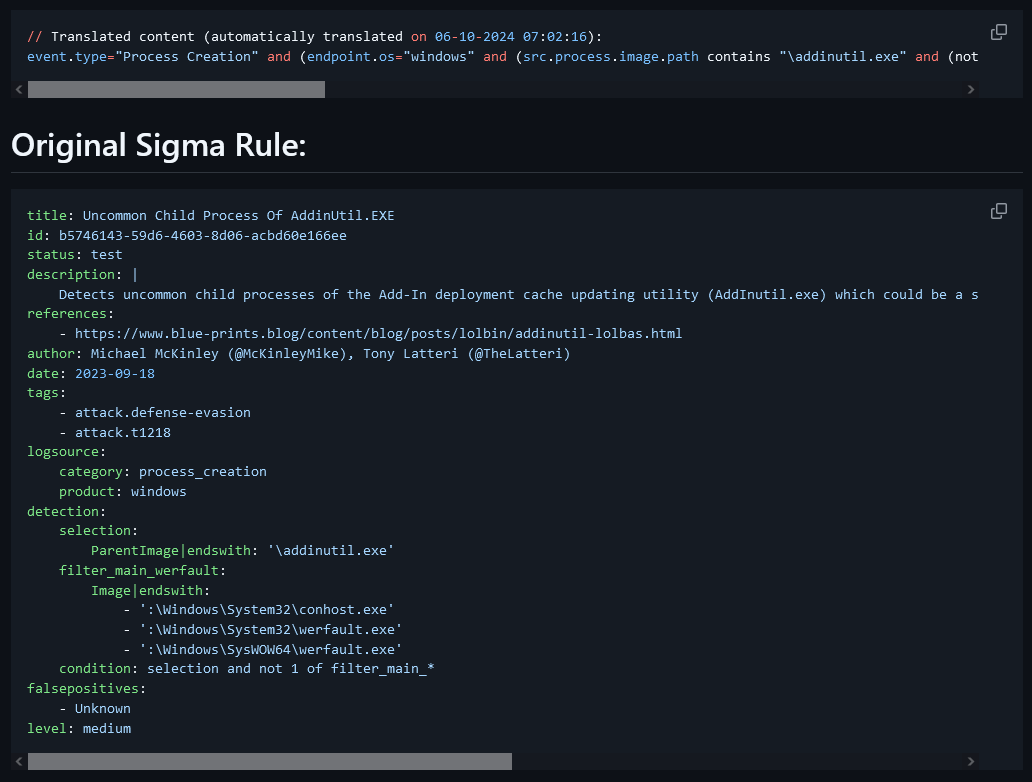
要查看 [sigma-to-s1pq-converter-win_process_creation_markdown.py](sigma-to-s1pq-converter-win_process_creation_markdown.py) 生成的结果,请查看 [SentinelOne_PQ - Windows Process Creation/proc_creation_win_addinutil_uncommon_child_process.md](SentinelOne_PQ - Windows Process Creation/proc_creation_win_addinutil_uncommon_child_process.md)
## 依赖项
### sigma-to-s1pq-converter-win_process_creation_markdown.py
1. Python 环境:确保您的系统上已安装 Python。您可以从 python.org 下载。
2. 所需库:
**os**:这是 Python 的标准库,因此无需额外安装。
**datetime**:也是 Python 的标准库。
**sigma.rule**:这是 Sigma 项目的一部分。您需要安装 Sigma 库。
**sigma.backends.sentinelone_pq**:这是 Sigma 的特定后端,因此您需要安装 Sigma 后端。
您可以使用 pip 安装 Sigma 库及其后端:
pip install sigma
pip install sigma-backends
3. Sigma 规则目录:确保您有一个包含 YAML 格式的 Sigma 规则文件的目录。脚本期望这些文件位于 `sigma/rules/windows/process_creation/` 中。
4. 输出目录:如果名为 `SentinelOne_PQ - Windows Process Creation` 的输出目录尚不存在,脚本将创建它。请确保您拥有在指定位置创建目录和写入文件的必要权限。
5. 文件处理:该脚本会读取和写入文件,因此请确保在 `rules_directory` 和 `output_directory` 中指定的路径正确且可访问。
6. 错误处理:该脚本包含基本的错误处理,以捕获文件处理期间的异常。如果您计划在生产环境中运行此脚本,请确保已建立适当的错误日志记录或处理机制。
### .github/workflows/sigma-to-s1pq-converter-win_process_creation_markdown.yml
1. GitHub 账户:确保您拥有 GitHub 账户以及一个可以添加此工作流的仓库。
2. GitHub Actions:在您的仓库设置中启用 GitHub Actions。
3. Python 环境:
该工作流使用 `actions/setup-python` 操作设置 Python 3.10。
确保您的脚本(`sigma-to-s1pq-converter-win_process_creation_markdown.py`)与 Python 3.10 兼容。
4. 所需库:
**sigma-cli**:使用 `pip install sigma-cli` 安装。
**sigma-cli pipelines**:使用 `sigma plugin install sentinelone-pq` 安装。
5. Sigma 仓库:该工作流从 GitHub 克隆 Sigma 仓库。确保您可以访问互联网以克隆仓库。
6. 权限:该工作流需要对仓库内容的写入权限,以便提交和推送更改。
7. Cron 计划:该工作流计划每天午夜运行。确保 cron 语法(`"0 0 * * *"`)符合您所需的计划安排。
8. 目录结构:
该工作流在 GitHub 工作区中创建一个名为 `S1PQ - Windows Process Creation` 的目录。
确保您的脚本正确处理路径并将输出写入此目录。
9. GitHub Actions:
- `actions/checkout@v4.2.0`:用于检出仓库代码。
- `actions/setup-python@v4.7.1`:用于设置 Python 环境。
- `stefanzweifel/git-auto-commit-action@v5`:用于自动提交和推送更改。
10. 脚本执行:确保您的脚本(`sigma-to-s1-converter-win_process_creation_markdown.py`)存在于仓库中且可执行。
## 感谢
特别感谢:
- [@SigmaHQ](https://github.com/SigmaHQ) 提供
- [Sigma 规则仓库](https://github.com/SigmaHQ/sigma)
- [pySigma](https://github.com/SigmaHQ/pySigma)
- [sigma-cli](https://github.com/SigmaHQ/sigma-cli)
- [@rcegan](https://github.com/rcegan) 提供 [rcegan/ConvertSigmaRepo2KQL](https://github.com/rcegan/ConvertSigmaRepo2KQL)
- [@7RedViolin](https://github.com/7RedViolin) 提供 [7RedViolin/pySigma-backend-sentinelone-pq)](https://github.com/7RedViolin/pySigma-backend-sentinelone-pq)
标签:AMSI绕过, API接口, DevSecOps, EDR, GitHub Actions, OpenCanary, PowerQuery, PySigma, SentinelOne, Sigma规则转换, 上游代理, 威胁检测, 安全工程, 安全规则转换, 开源框架, 持续集成, 狩猎规则, 网络信息收集, 脆弱性评估, 自动笔记, 逆向工具