alexpasmantier/television
GitHub: alexpasmantier/television
一款用 Rust 编写的高性能终端模糊查找工具,支持自定义数据源和 Shell/编辑器集成。
Stars: 6040 | Forks: 180
# Television (tv)
**一个极速、便携且可扩展的模糊查找工具。**



[](https://discord.gg/hQBrzsJgUg)
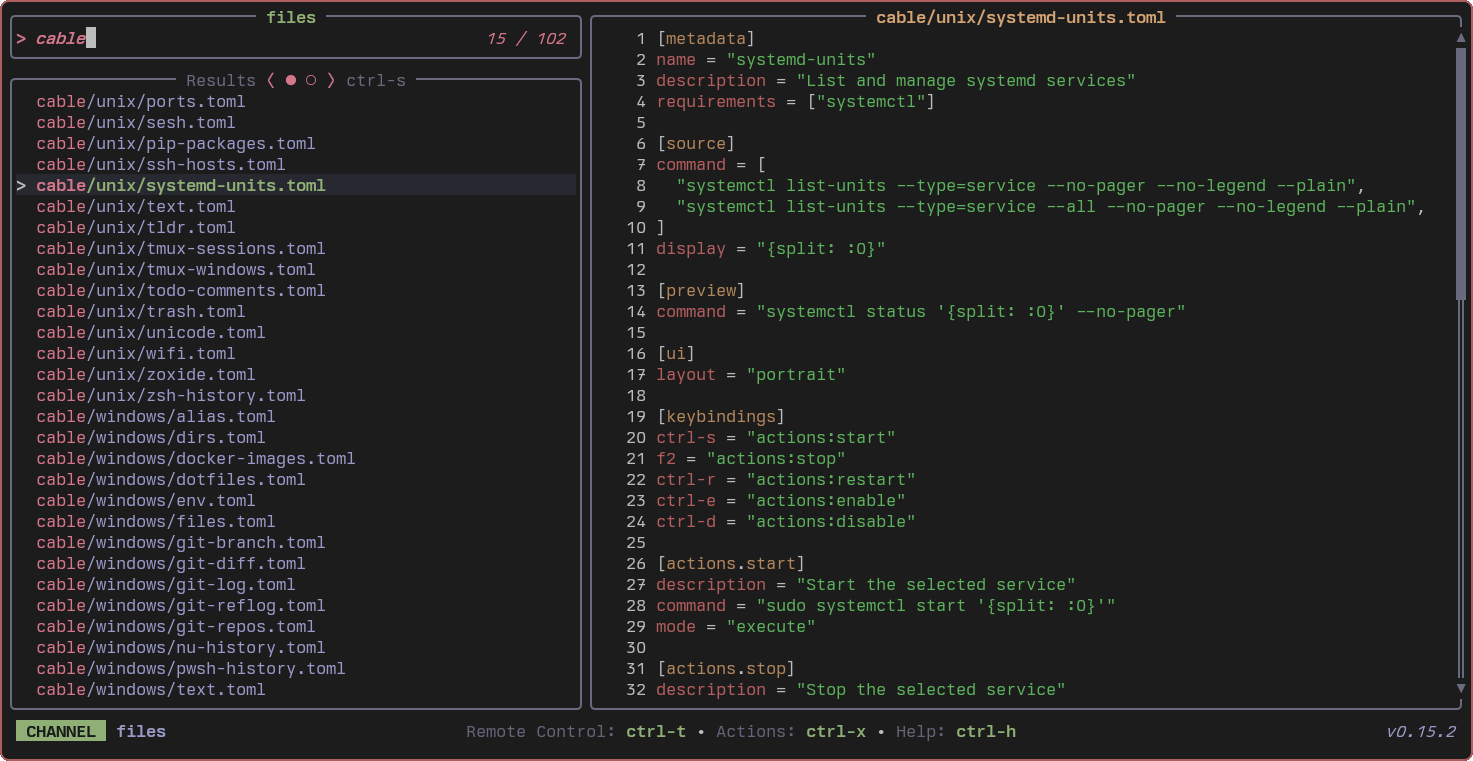
## 关于
Television 是一个用于终端的快速、便携式模糊查找工具。它允许你在任何类型的数据源中进行实时搜索,例如文件、文本、Git 仓库、环境变量、Docker 容器等。
**[阅读文档](https://alexpasmantier.github.io/television/)**
## 快速开始
```
tv # Search files (default channel)
tv text # Search file contents
tv git-repos # Find git repositories
tv --help # See all options
```
如需完整的介绍,请参阅 [快速入门指南](https://alexpasmantier.github.io/television/getting-started/quickstart)。
## 安装
### 快速安装(推荐)
```
curl -fsSL https://alexpasmantier.github.io/television/install.sh | bash
```
### 包管理器
| 平台 | 命令 |
|----------|---------|
| **Arch Linux** | `pacman -S television` |
| **Homebrew** | `brew install television` |
| **Cargo** | `cargo install television` |
| **Scoop** | `scoop bucket add extras && scoop install television` |
| **WinGet** | `winget install --exact --id alexpasmantier.television` |
| **Nix** | `nix run nixpkgs#television` |
欲了解更多安装选项,请参阅 [安装说明](https://alexpasmantier.github.io/television/getting-started/installation)。
## 自定义 Channels
为任何工作流创建自定义 Channels。这是一个 TLDR Channel 的示例:
```
# ~/.config/television/cable/tldr.toml
[metadata]
name = "tldr"
description = "Browse TLDR pages"
[source]
command = "tldr --list"
[preview]
command = "tldr '{}'"
[keybindings]
ctrl-e = "actions:open"
[actions.open]
command = "tldr '{}'"
mode = "execute"
```
了解更多关于 [创建 Channels](https://alexpasmantier.github.io/television/getting-started/first-channel) 的信息。
## Shell 集成
启用智能自动补全 (Ctrl+T) 和历史记录搜索 (Ctrl+R):
```
# Zsh
echo 'eval "$(tv init zsh)"' >> ~/.zshrc
# Bash
echo 'eval "$(tv init bash)"' >> ~/.bashrc
```
针对更多 Shell,请参阅 [Shell 集成](https://alexpasmantier.github.io/television/user-guide/shell-integration)。
## 编辑器集成
- **Neovim**: [tv.nvim](https://github.com/alexpasmantier/tv.nvim)
- **Vim**: [tv.vim](https://github.com/prabirshrestha/tv.vim)
- **VSCode**: [Television 扩展](https://marketplace.visualstudio.com/items?itemName=alexpasmantier.television)
- **Zed**: [Telescope 风格配置](https://zed.dev/blog/hidden-gems-part-2#emulate-vims-telescope-via-television)
## 文档
- [入门指南](https://alexpasmantier.github.io/television/getting-started/quickstart)
- [用户指南](https://alexpasmantier.github.io/television/user-guide/channels)
- [技巧与窍门](https://alexpasmantier.github.io/television/advanced/tips-and-tricks)
- [参考手册](https://alexpasmantier.github.io/television/reference/cli)
## 致谢
灵感来源于 [telescope.nvim](https://github.com/nvim-telescope/telescope.nvim)。基于 [nucleo](https://github.com/helix-editor/nucleo)(模糊匹配)、[tokio](https://github.com/tokio-rs/tokio)(异步运行时)和 [ratatui](https://github.com/ratatui/ratatui)(TUI 框架)构建。
感谢所有贡献者:
标签:Awesome, CLI, Docker容器, Fuzzy Finder, Git仓库搜索, Hackable, HTTP工具, Linux工具, Rust, SOC Prime, Television, TUI, WiFi技术, 代码检索, 可视化界面, 实时搜索, 开发工具, 搜索工具, 攻击面发现, 文件搜索, 模糊查找器, 环境变量, 生产力工具, 知识库安全, 端口探测, 系统管理, 终端应用, 网络安全审计, 网络流量审计, 通知系统