turbot/tailpipe
GitHub: turbot/tailpipe
一款基于 DuckDB 的开源轻量级 SIEM 工具,让用户直接在终端通过 SQL 对海量云日志进行秒级查询与安全检测。
Stars: 571 | Forks: 14
 [](https://hub.tailpipe.io/)
[](https://hub.tailpipe.io/)
[](https://turbot.com/community/join?utm_id=gspreadme&utm_source=github&utm_medium=repo&utm_campaign=github&utm_content=readme)
[](https://turbot.com?utm_id=gspreadme&utm_source=github&utm_medium=repo&utm_campaign=github&utm_content=readme)
# select * from logs;
[Tailpipe](https://tailpipe.io) 是一种**轻量级**、**对开发者友好**的日志查询方式。
**云日志,SQL 洞察**。从云、容器和应用源收集日志。直接在终端中利用 SQL 的强大功能,即时查询和分析您的数据。
**快速、本地且高效**。在本地运行,由 DuckDB 的内存分析和 Parquet 的优化存储提供支持。
**预置智能的生态系统**。符合 MITRE ATT&CK 标准的查询、预置的检测、基准测试和仪表盘,全部开源并由社区驱动。
**为构建而生**。将检测定义为代码,通过 plugin 扩展功能,并编写自定义 SQL 查询。
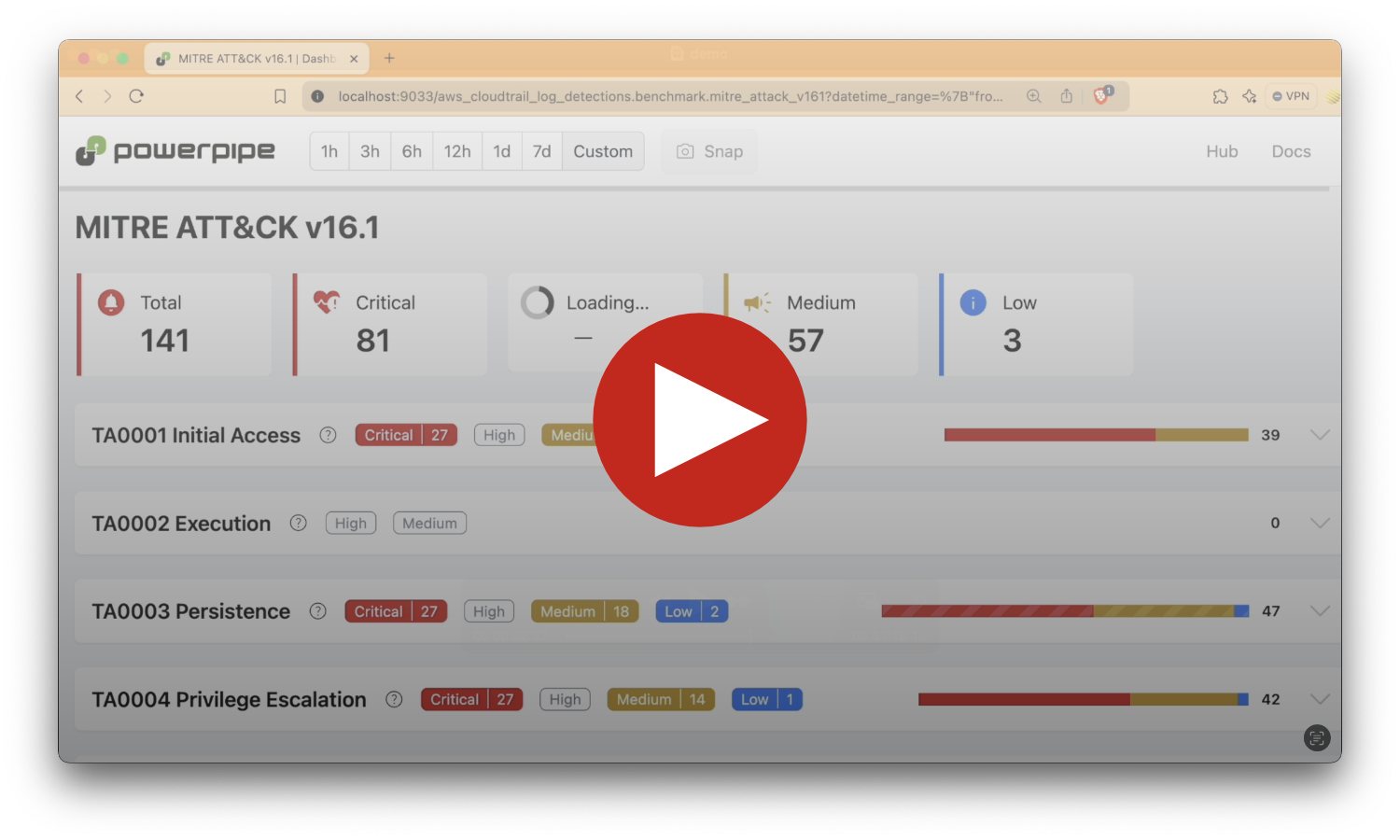
## 演示时间!
**[在 YouTube 上观看 →](https://www.youtube.com/watch?v=IR9MK1DMvW4)**
[](https://hub.tailpipe.io/)
[](https://hub.tailpipe.io/)
[](https://turbot.com/community/join?utm_id=gspreadme&utm_source=github&utm_medium=repo&utm_campaign=github&utm_content=readme)
[](https://turbot.com?utm_id=gspreadme&utm_source=github&utm_medium=repo&utm_campaign=github&utm_content=readme)
# select * from logs;
[Tailpipe](https://tailpipe.io) 是一种**轻量级**、**对开发者友好**的日志查询方式。
**云日志,SQL 洞察**。从云、容器和应用源收集日志。直接在终端中利用 SQL 的强大功能,即时查询和分析您的数据。
**快速、本地且高效**。在本地运行,由 DuckDB 的内存分析和 Parquet 的优化存储提供支持。
**预置智能的生态系统**。符合 MITRE ATT&CK 标准的查询、预置的检测、基准测试和仪表盘,全部开源并由社区驱动。
**为构建而生**。将检测定义为代码,通过 plugin 扩展功能,并编写自定义 SQL 查询。
## 演示时间!
**[在 YouTube 上观看 →](https://www.youtube.com/watch?v=IR9MK1DMvW4)**
 ## 文档
请查看[文档](https://tailpipe.io/docs)了解:
- [入门指南](https://tailpipe.io/docs)
- [这就是 SQL!](https://tailpipe.io/docs/sql)
- [管理 Tailpipe](https://tailpipe.io/docs/manage)
- [CLI 命令](https://tailpipe.io/docs/reference/cli)
Plugin 和查询示例可在 [Tailpipe Hub](https://hub.tailpipe.io) 上找到。
预置的检测基准测试可在 [Powerpipe Hub](https://hub.powerpipe.io/?engines=tailpipe) 上找到。
## 快速开始
从[下载](https://tailpipe.io/downloads)页面安装 Tailpipe:
```
# MacOS
brew install turbot/tap/tailpipe
```
```
# Linux 或 Windows (WSL)
sudo /bin/sh -c "$(curl -fsSL https://tailpipe.io/install/tailpipe.sh)"
```
从 [Tailpipe Hub](https://hub.tailpipe.io) 为您常用的服务(例如 [AWS](https://hub.tailpipe.io/plugins/turbot/aws)、[Azure](https://hub.tailpipe.io/plugins/turbot/azure)、[GCP](https://hub.tailpipe.io/plugins/turbot/gcp))安装 plugin:
```
tailpipe plugin install aws
```
配置您的[连接](https://tailpipe.io/docs/manage/connection)凭据、表[分区](https://tailpipe.io/docs/manage/partition)和数据[源](https://tailpipe.io/docs/manage/source)。这是一个 [AWS CloudTrail 示例](https://hub.tailpipe.io/plugins/turbot/aws/tables/aws_cloudtrail_log#example-configurations):
```
vi ~/.tailpipe/config/aws.tpc
```
```
connection "aws" "logging_account" {
profile = "my-logging-account"
}
partition "aws_cloudtrail_log" "my_logs" {
source "aws_s3_bucket" {
connection = connection.aws.logging_account
bucket = "aws-cloudtrail-logs-bucket"
}
}
```
从您的源下载、丰富并保存日志([示例](https://tailpipe.io/docs/reference/cli/collect)):
```
tailpipe collect aws_cloudtrail_log
```
进入交互式查询模式:
```
tailpipe query
```
运行查询:
```
select
event_source,
event_name,
count(*) as event_count
from
aws_cloudtrail_log
where
not read_only
group by
event_source,
event_name
order by
event_count desc;
```
```
+----------------------+-----------------------+-------------+
| event_source | event_name | event_count |
+----------------------+-----------------------+-------------+
| logs.amazonaws.com | CreateLogStream | 793845 |
| ecs.amazonaws.com | RunTask | 350836 |
| ecs.amazonaws.com | SubmitTaskStateChange | 190185 |
| s3.amazonaws.com | PutObject | 60842 |
| sns.amazonaws.com | TagResource | 25499 |
| lambda.amazonaws.com | TagResource | 20673 |
+----------------------+-----------------------+-------------+
```
## 使用 Powerpipe 实现检测即代码
[Powerpipe](https://powerpipe.io) mods 中提供了用于 AWS plugin 的预构建仪表盘和检测,帮助您监控和分析跨 AWS 账户的活动。
例如,[AWS CloudTrail Logs Detections mod](https://hub.powerpipe.io/mods/turbot/tailpipe-mod-aws-cloudtrail-log-detections) 会扫描您的 CloudTrail 日志以查找异常,例如 S3 存储桶被公开或您的 VPC 网络基础架构发生更改。
仪表盘和检测是[开源](https://github.com/topics/tailpipe-mod)的,允许轻松进行自定义和协作。
若要开始使用,请从 [Powerpipe Hub](https://hub.powerpipe.io/?engines=tailpipe) 中选择一个 mod。
## 开发
如果您想协助开发核心的 Tailpipe 二进制文件,以下是构建它的步骤。
**克隆**:
```
git clone https://github.com/turbot/tailpipe
```
**构建**:
```
cd tailpipe
make
```
**检查版本**:
```
$ tailpipe --version
Tailpipe version 0.1.0
```
## 开源与贡献
本仓库基于 [AGPL 3.0](https://www.gnu.org/licenses/agpl-3.0.html) 许可证发布。请参阅我们的[行为准则](https://github.com/turbot/.github/blob/main/CODE_OF_CONDUCT.md)。贡献者必须在首次提交 pull request 时签署我们的[贡献者许可协议](https://turbot.com/open-source#cla)。我们期待与您合作!
[Tailpipe](https://tailpipe.io) 是由 [Turbot HQ, Inc](https://turbot.com) 独家基于此开源软件开发的产品。它根据我们的商业条款分发。允许他人自行分发该软件,但不能使用任何 Turbot 商标、云服务等。您可以在我们的[开源常见问题解答](https://turbot.com/open-source)中了解更多信息。
## 参与其中
**[加入 Slack 上的 #tailpipe 频道 →](https://turbot.com/community/join)**
## 文档
请查看[文档](https://tailpipe.io/docs)了解:
- [入门指南](https://tailpipe.io/docs)
- [这就是 SQL!](https://tailpipe.io/docs/sql)
- [管理 Tailpipe](https://tailpipe.io/docs/manage)
- [CLI 命令](https://tailpipe.io/docs/reference/cli)
Plugin 和查询示例可在 [Tailpipe Hub](https://hub.tailpipe.io) 上找到。
预置的检测基准测试可在 [Powerpipe Hub](https://hub.powerpipe.io/?engines=tailpipe) 上找到。
## 快速开始
从[下载](https://tailpipe.io/downloads)页面安装 Tailpipe:
```
# MacOS
brew install turbot/tap/tailpipe
```
```
# Linux 或 Windows (WSL)
sudo /bin/sh -c "$(curl -fsSL https://tailpipe.io/install/tailpipe.sh)"
```
从 [Tailpipe Hub](https://hub.tailpipe.io) 为您常用的服务(例如 [AWS](https://hub.tailpipe.io/plugins/turbot/aws)、[Azure](https://hub.tailpipe.io/plugins/turbot/azure)、[GCP](https://hub.tailpipe.io/plugins/turbot/gcp))安装 plugin:
```
tailpipe plugin install aws
```
配置您的[连接](https://tailpipe.io/docs/manage/connection)凭据、表[分区](https://tailpipe.io/docs/manage/partition)和数据[源](https://tailpipe.io/docs/manage/source)。这是一个 [AWS CloudTrail 示例](https://hub.tailpipe.io/plugins/turbot/aws/tables/aws_cloudtrail_log#example-configurations):
```
vi ~/.tailpipe/config/aws.tpc
```
```
connection "aws" "logging_account" {
profile = "my-logging-account"
}
partition "aws_cloudtrail_log" "my_logs" {
source "aws_s3_bucket" {
connection = connection.aws.logging_account
bucket = "aws-cloudtrail-logs-bucket"
}
}
```
从您的源下载、丰富并保存日志([示例](https://tailpipe.io/docs/reference/cli/collect)):
```
tailpipe collect aws_cloudtrail_log
```
进入交互式查询模式:
```
tailpipe query
```
运行查询:
```
select
event_source,
event_name,
count(*) as event_count
from
aws_cloudtrail_log
where
not read_only
group by
event_source,
event_name
order by
event_count desc;
```
```
+----------------------+-----------------------+-------------+
| event_source | event_name | event_count |
+----------------------+-----------------------+-------------+
| logs.amazonaws.com | CreateLogStream | 793845 |
| ecs.amazonaws.com | RunTask | 350836 |
| ecs.amazonaws.com | SubmitTaskStateChange | 190185 |
| s3.amazonaws.com | PutObject | 60842 |
| sns.amazonaws.com | TagResource | 25499 |
| lambda.amazonaws.com | TagResource | 20673 |
+----------------------+-----------------------+-------------+
```
## 使用 Powerpipe 实现检测即代码
[Powerpipe](https://powerpipe.io) mods 中提供了用于 AWS plugin 的预构建仪表盘和检测,帮助您监控和分析跨 AWS 账户的活动。
例如,[AWS CloudTrail Logs Detections mod](https://hub.powerpipe.io/mods/turbot/tailpipe-mod-aws-cloudtrail-log-detections) 会扫描您的 CloudTrail 日志以查找异常,例如 S3 存储桶被公开或您的 VPC 网络基础架构发生更改。
仪表盘和检测是[开源](https://github.com/topics/tailpipe-mod)的,允许轻松进行自定义和协作。
若要开始使用,请从 [Powerpipe Hub](https://hub.powerpipe.io/?engines=tailpipe) 中选择一个 mod。
## 开发
如果您想协助开发核心的 Tailpipe 二进制文件,以下是构建它的步骤。
**克隆**:
```
git clone https://github.com/turbot/tailpipe
```
**构建**:
```
cd tailpipe
make
```
**检查版本**:
```
$ tailpipe --version
Tailpipe version 0.1.0
```
## 开源与贡献
本仓库基于 [AGPL 3.0](https://www.gnu.org/licenses/agpl-3.0.html) 许可证发布。请参阅我们的[行为准则](https://github.com/turbot/.github/blob/main/CODE_OF_CONDUCT.md)。贡献者必须在首次提交 pull request 时签署我们的[贡献者许可协议](https://turbot.com/open-source#cla)。我们期待与您合作!
[Tailpipe](https://tailpipe.io) 是由 [Turbot HQ, Inc](https://turbot.com) 独家基于此开源软件开发的产品。它根据我们的商业条款分发。允许他人自行分发该软件,但不能使用任何 Turbot 商标、云服务等。您可以在我们的[开源常见问题解答](https://turbot.com/open-source)中了解更多信息。
## 参与其中
**[加入 Slack 上的 #tailpipe 频道 →](https://turbot.com/community/join)**标签:DuckDB, EVTX分析, 代码示例, 多线程, 数据分析, 文档结构分析, 日志审计, 终端工具, 调试插件