eremit4/favihunter
GitHub: eremit4/favihunter
一款通过 favicon 哈希指纹在多平台搜索引擎中进行资产发现与监控的命令行工具。
Stars: 250 | Forks: 30
# Favihunter
本工具帮助安全从业者通过 favicon 哈希在多个搜索引擎中查找资产:
- [Censys](https://search.censys.io/)
- [Criminal IP](https://www.criminalip.io/)
- [FOFA](https://en.fofa.info/)
- [Hunter-How](https://hunter.how/)
- [Netlas](https://app.netlas.io)
- [Odin](https://search.odin.io/)
- [Shodan](https://www.shodan.io)
- [Silent Push](https://explore.silentpush.com)
- [Validin](https://app.validin.com)
- [VirusTotal](https://virustotal.com)
- [Zoomeye](https://www.zoomeye.ai)
## 🛠️ 安装
### 方式 A — PyPI (标准)
```
pip install favihunter
```
### 方式 B — pipx (隔离的 CLI 安装) — **推荐用于命令行工具**
```
# 如果没有安装 pipx,请先安装
python3 -m pip install --user pipx
python3 -m pipx ensurepath # then restart your shell
# 安装 favihunter
pipx install favihunter
# 稍后升级
pipx upgrade favihunter
# 不安装直接运行(一次性)
pipx run favihunter --help
```
### 方式 C — 从源码安装 (Poetry)
```
git clone https://github.com/eremit4/favihunter.git
cd favihunter
poetry install
```
## ⚡ 快速入门
```
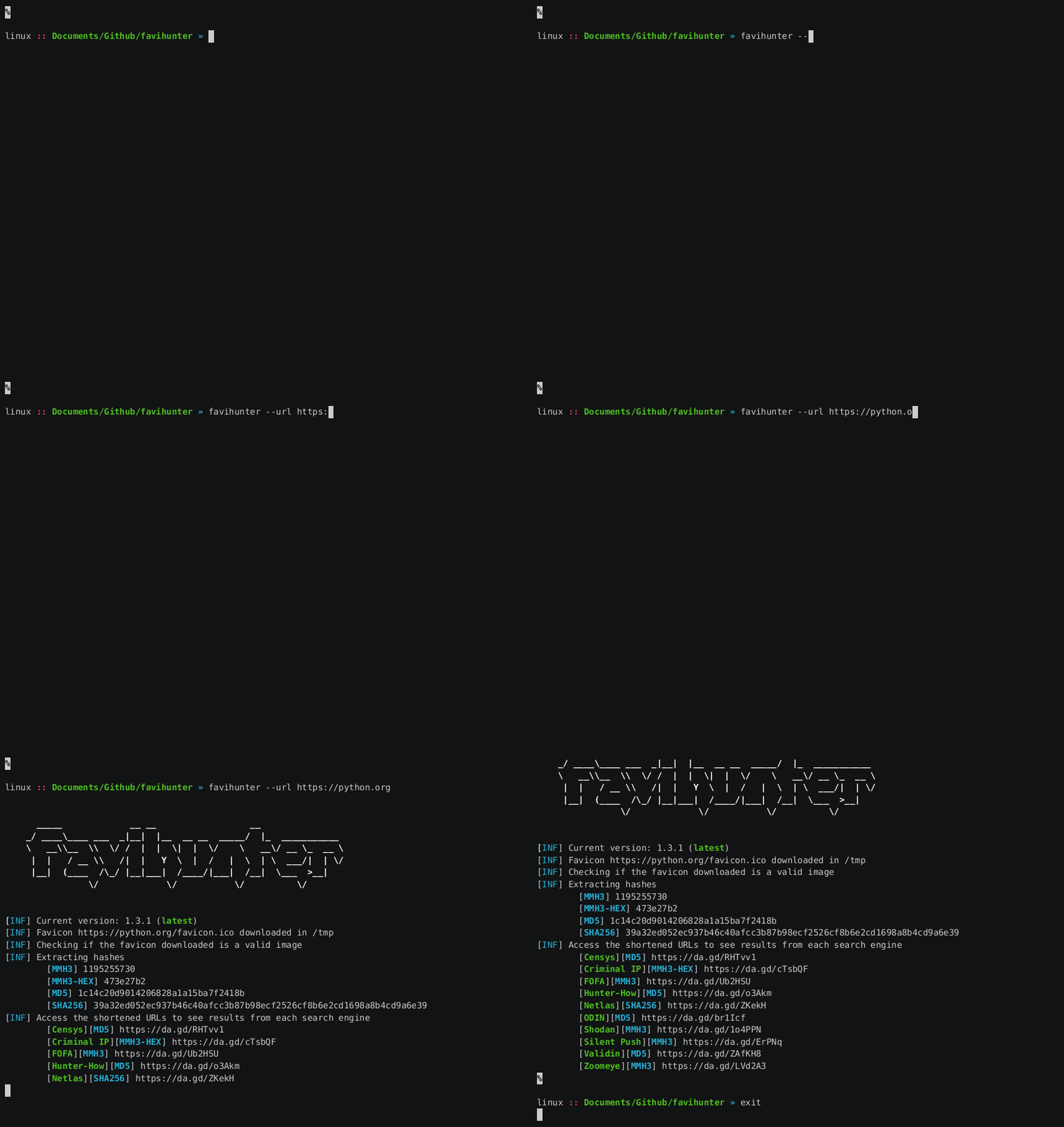
favihunter --url https://python.org
```
Favihunter 下载 favicon,计算哈希(MMH3, MD5, SHA256 以及可选的感知哈希),并打印可直接点击的搜索 URL。
## 🕵️♂️ 用法
```
favihunter --help
```
分析单个 URL:
```
favihunter --url
```
分析包含 URL 的文件(每行一个):
```
favihunter --urls
```
分析本地 favicon 文件:
```
favihunter --favicon
```
清理临时文件夹:
```
favihunter --remove
```
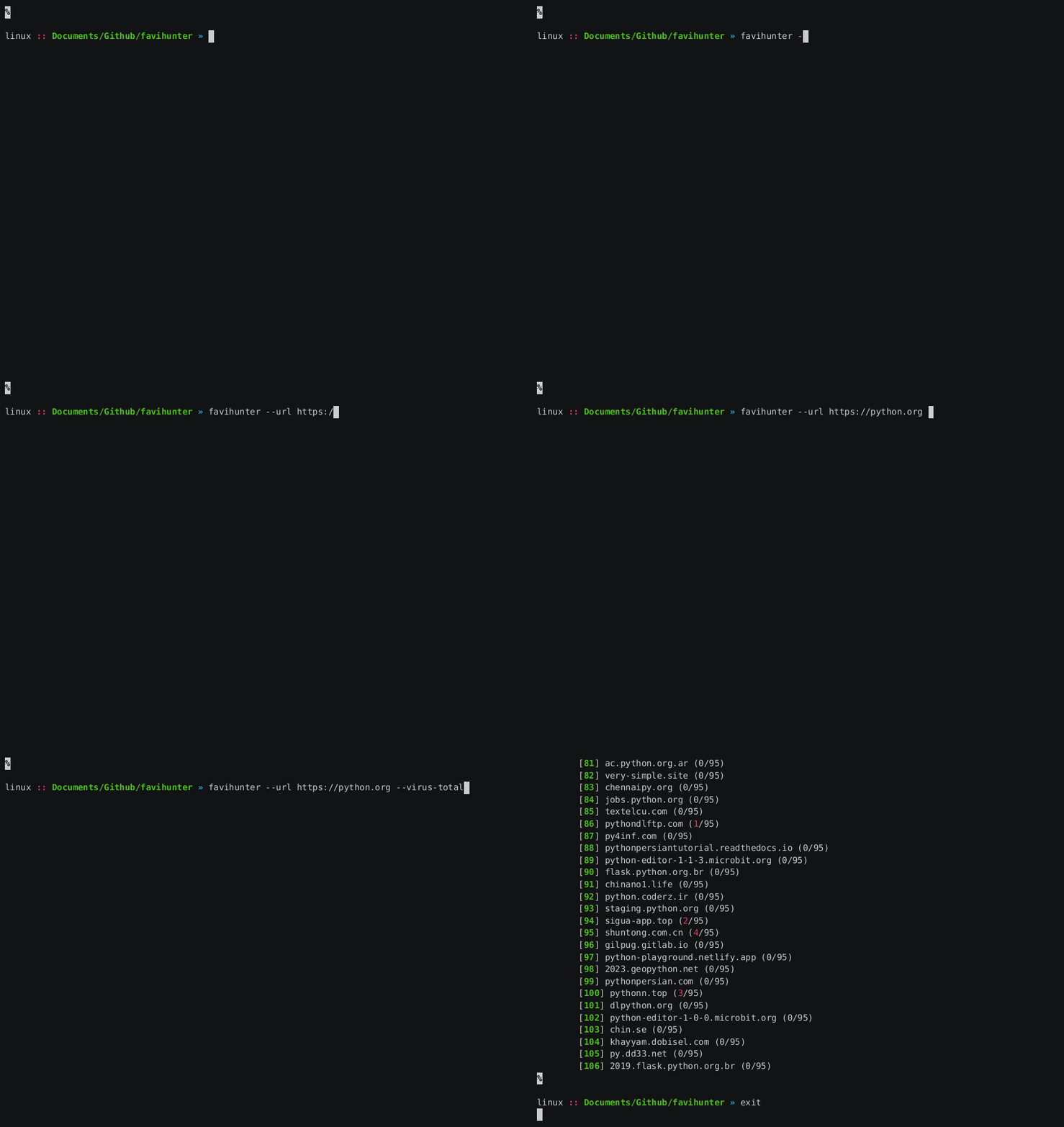
VirusTotal 扩展查询:
```
favihunter --url --virus-total
```
* Python **3.8+**
* Linux/macOS(Windows 通过 PowerShell 大概率也可用;如果遇到问题请提交 issue)
## 🧹 卸载 / 升级
**pip**
```
pip install --upgrade favihunter
pip uninstall favihunter
```
**pipx**
```
pipx upgrade favihunter
pipx uninstall favihunter
```
标签:Ask搜索, C2日志可视化, ESC4, Favicon Hash, MMH3, OSINT, Python, VirusTotal, Zoomeye, 侦察工具, 图标哈希, 子域名挖掘, 实时处理, 对称加密, 感知哈希, 指纹识别, 插件系统, 文档结构分析, 无后门, 网络安全, 自动化审计, 逆向工具, 隐私保护