playcanvas/supersplat
GitHub: playcanvas/supersplat
基于浏览器的开源 3D Gaussian Splat 编辑器,提供检查、编辑、优化和发布 Gaussian Splat 数据的完整工作流。
Stars: 9349 | Forks: 1039
# SuperSplat 编辑器
[](https://github.com/playcanvas/supersplat/releases)
[](https://github.com/playcanvas/supersplat/blob/main/LICENSE)
[](https://discord.gg/RSaMRzg)
[](https://www.reddit.com/r/PlayCanvas)
[](https://x.com/intent/follow?screen_name=playcanvas)
| [SuperSplat 编辑器](https://superspl.at/editor) | [用户指南](https://developer.playcanvas.com/user-manual/gaussian-splatting/editing/supersplat/) | [博客](https://blog.playcanvas.com) | [论坛](https://forum.playcanvas.com) |
SuperSplat 编辑器是一款免费的开源工具,用于检查、编辑、优化和发布 3D Gaussian Splats。它基于 Web 技术构建并在浏览器中运行,无需下载或安装任何内容。
该工具的在线版本可在此处获取:https://superspl.at/editor
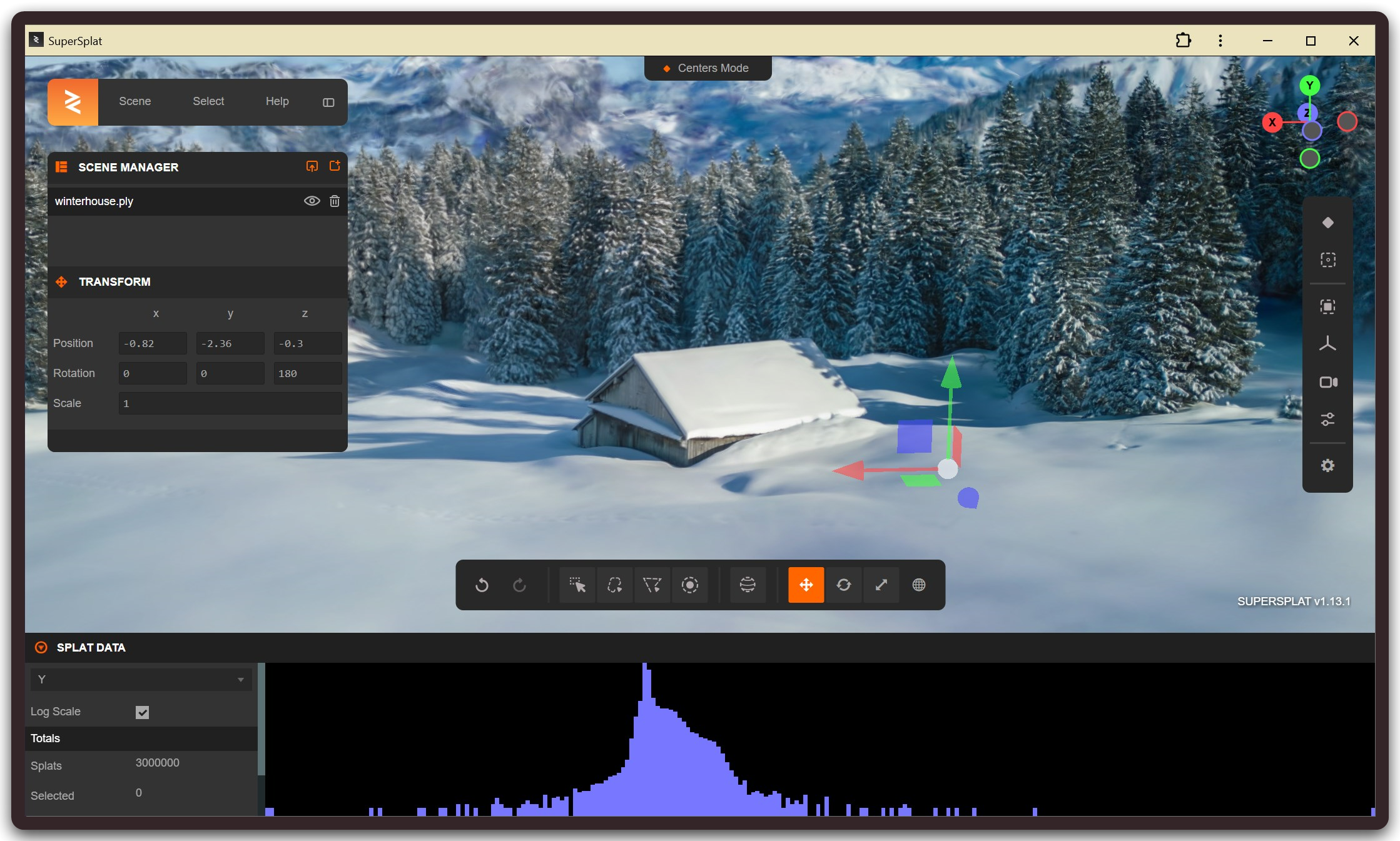
要了解更多关于使用 SuperSplat 的信息,请参阅[用户指南](https://developer.playcanvas.com/user-manual/gaussian-splatting/editing/supersplat/)。
## 本地开发
要初始化 SuperSplat 的本地开发环境,请确保已安装 [Node.js](https://nodejs.org/) 18 或更高版本。请按照以下步骤操作:
1. 克隆仓库:
git clone https://github.com/playcanvas/supersplat.git
cd supersplat
2. 安装依赖:
npm install
3. 构建 SuperSplat 并启动本地 Web 服务器:
npm run develop
4. 打开浏览器标签页,确保在网络面板中禁用网络缓存,并清除其他应用缓存:
- 在 Safari 上,你可以使用 `Cmd+Option+e` 或“开发”->“清空缓存”。
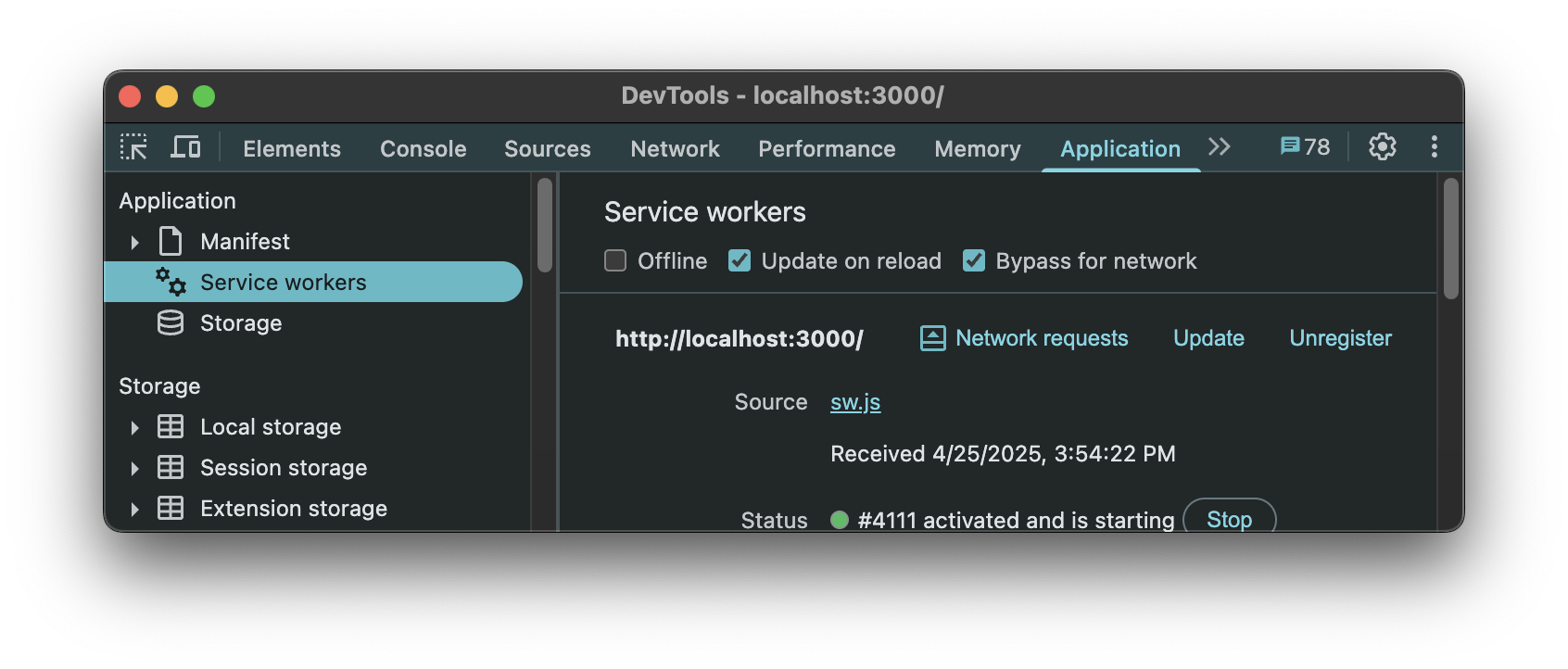
- 在 Chrome 上,确保在“Application”->“Service workers”标签页中启用了“Update on reload”和“Bypass for network”选项:
 5. 导航到 `http://localhost:3000`
当检测到源代码发生更改时,SuperSplat 会自动重新构建。只需刷新浏览器即可查看您的更改。
## SuperSplat 编辑器本地化
当前支持的语言可在此处获取:
https://github.com/playcanvas/supersplat/tree/main/static/locales
### 添加新语言
1. 在 `static/locales` 目录中添加一个新的 `
5. 导航到 `http://localhost:3000`
当检测到源代码发生更改时,SuperSplat 会自动重新构建。只需刷新浏览器即可查看您的更改。
## SuperSplat 编辑器本地化
当前支持的语言可在此处获取:
https://github.com/playcanvas/supersplat/tree/main/static/locales
### 添加新语言
1. 在 `static/locales` 目录中添加一个新的 `.json` 文件。
2. 将语言环境添加到此处列表中:
https://github.com/playcanvas/supersplat/blob/main/src/ui/localization.ts
### 测试翻译
要测试您的翻译:
1. 运行开发服务器:
npm run develop
2. 打开浏览器并导航至:
http://localhost:3000/?lng=
将 `` 替换为您的语言代码(例如:`fr`、`de`、`es`)。
## 贡献者
SuperSplat 的诞生离不开我们出色的开源社区:

5. 导航到 `http://localhost:3000`
当检测到源代码发生更改时,SuperSplat 会自动重新构建。只需刷新浏览器即可查看您的更改。
## SuperSplat 编辑器本地化
当前支持的语言可在此处获取:
https://github.com/playcanvas/supersplat/tree/main/static/locales
### 添加新语言
1. 在 `static/locales` 目录中添加一个新的 `标签:3DGS, 3D可视化, 3D模型优化, 3D编辑器, 3D高斯溅射, CMS安全, GNU通用公共许可证, JavaScript, MITM代理, Node.js, PlayCanvas, SLAM, SuperSplat, TypeScript, WebGL, WebGPU, Web端3D, 三维内容创作, 三维模型编辑, 三维视觉, 前端, 场景重建, 安全插件, 开源, 数字孪生, 暗色界面, 浏览器工具, 点云处理, 自动化攻击, 计算机图形学, 高斯泼溅