CodeWithDennis/filament-select-tree
GitHub: CodeWithDennis/filament-select-tree
一个Laravel Filament插件,用于创建交互式多级选择树字段,以简化Web应用中层次数据的选择和管理。
Stars: 330 | Forks: 53
# Filament 选择树
[](https://packagist.org/packages/codewithdennis/filament-select-tree)
[](https://packagist.org/packages/codewithdennis/filament-select-tree)
如果您正在使用 Filament 3.x,请查看此包的兼容版本[此处](https://github.com/CodeWithDennis/filament-select-tree/tree/3.x)。
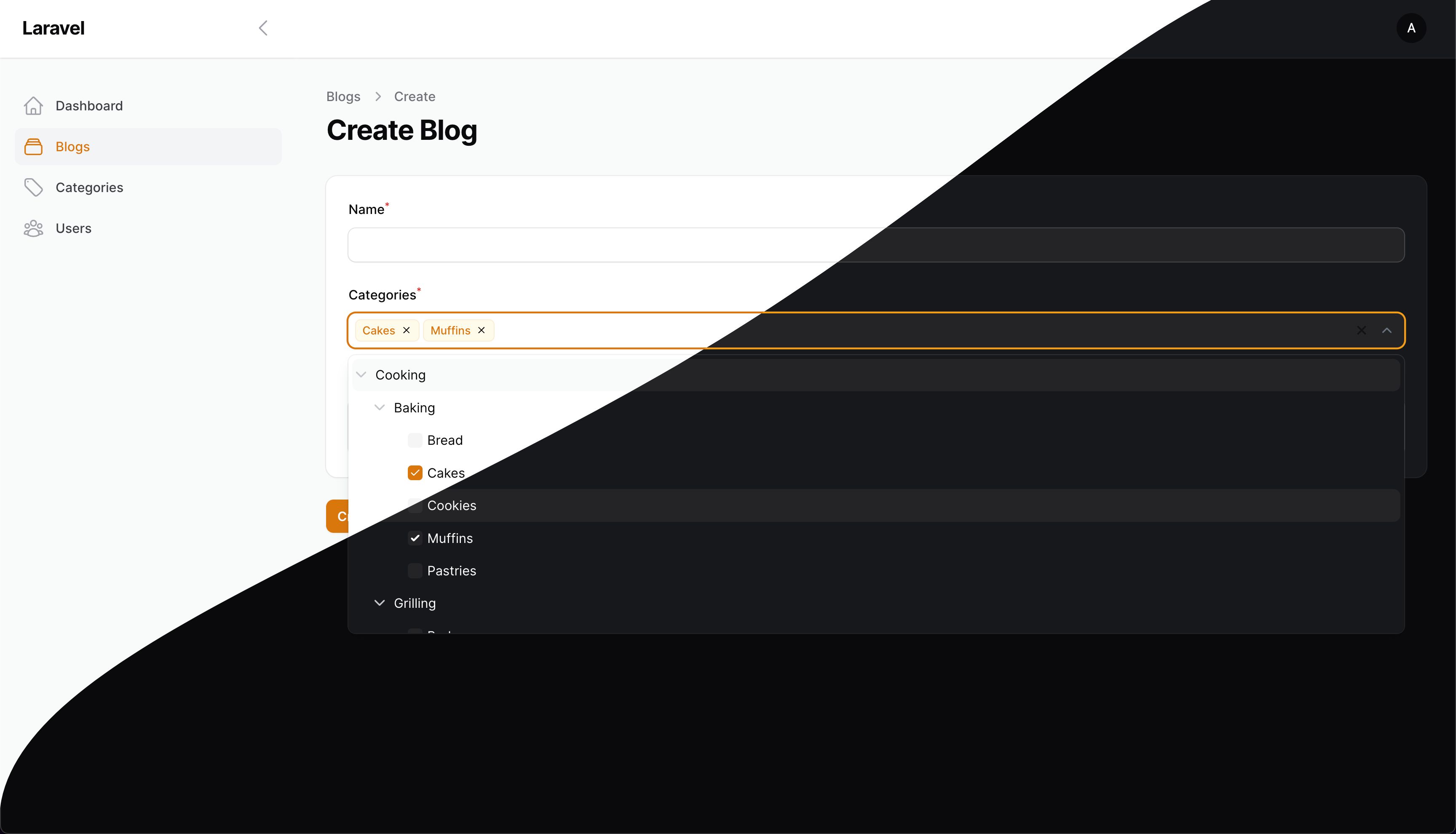
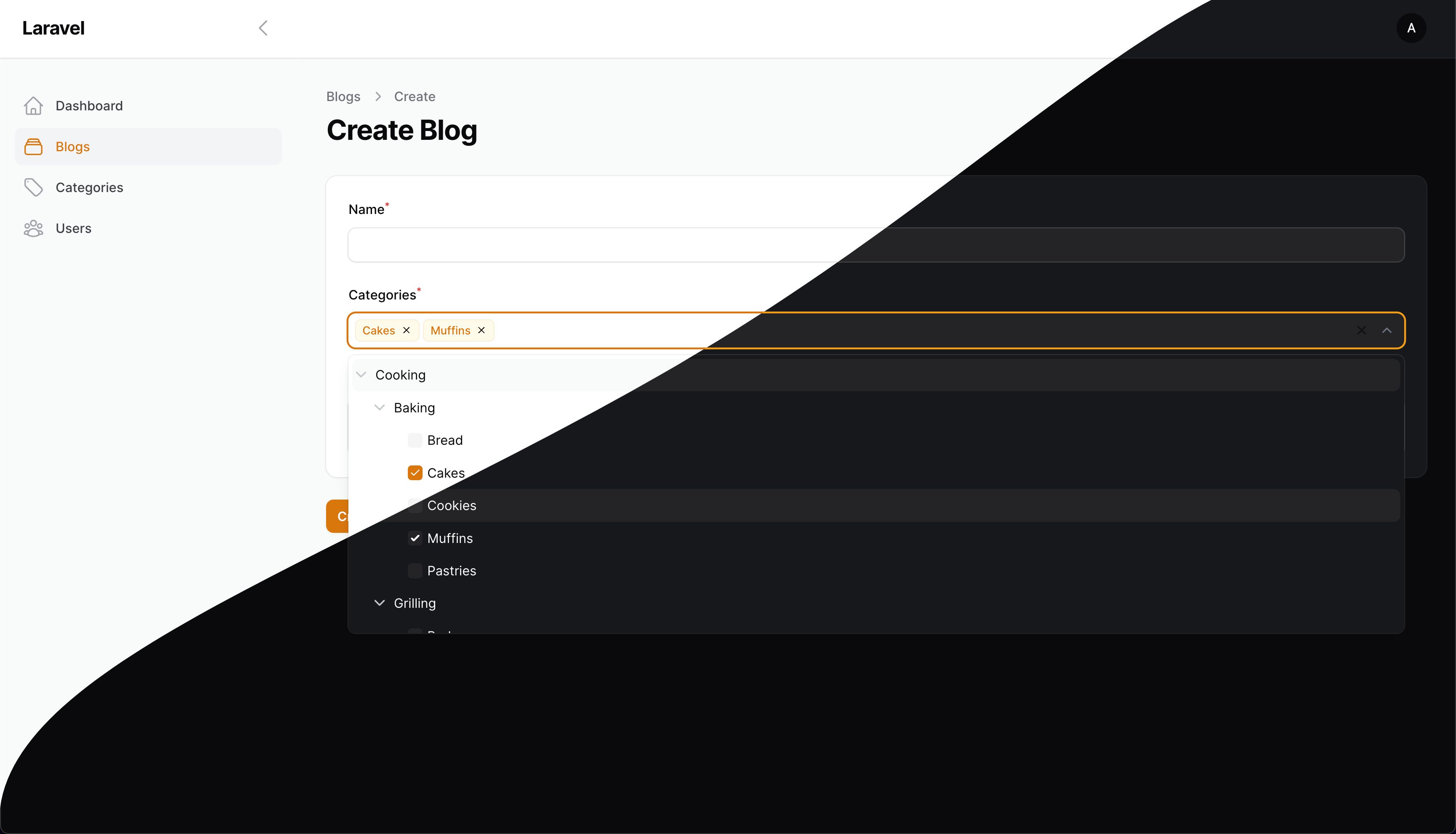
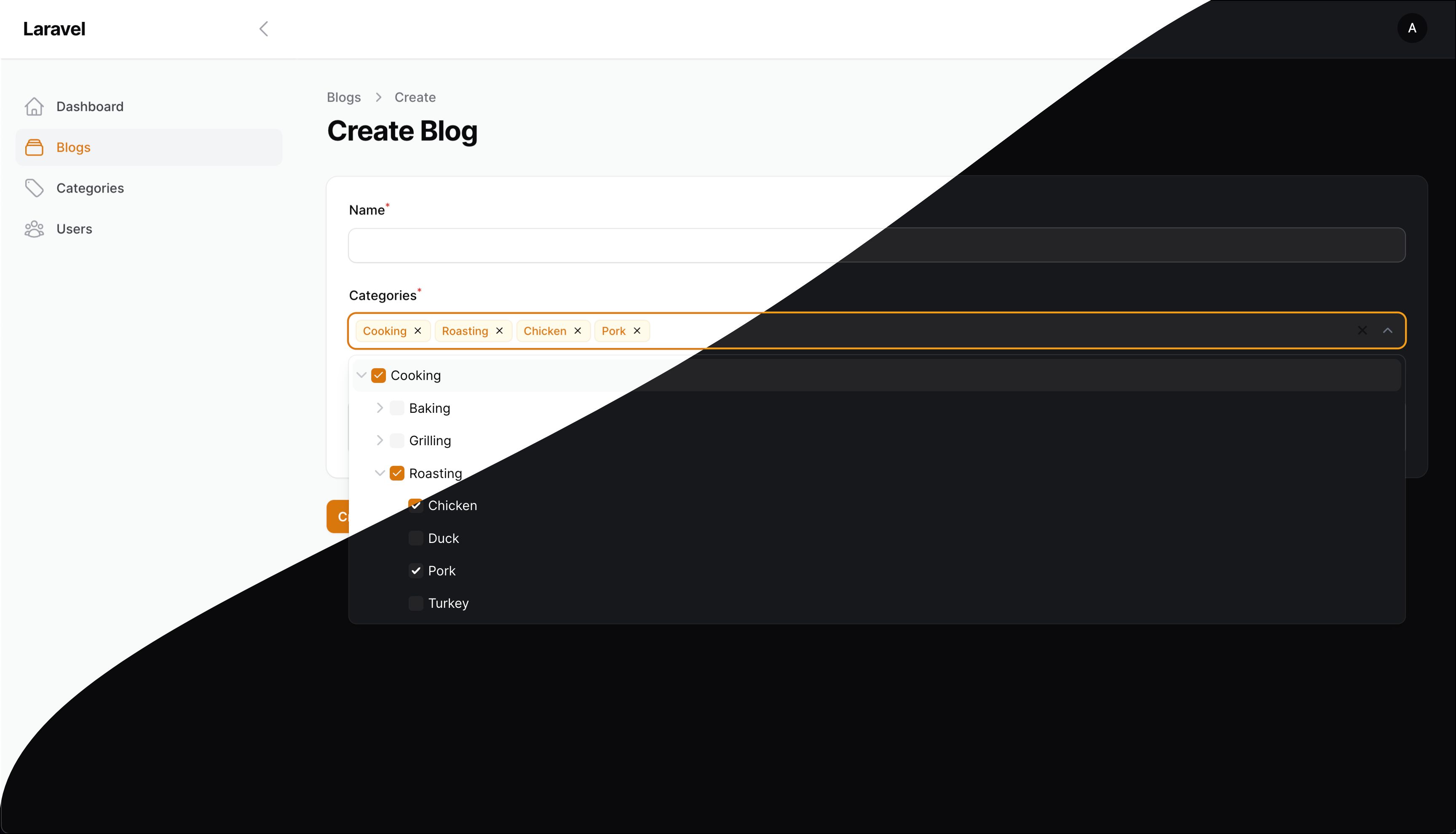
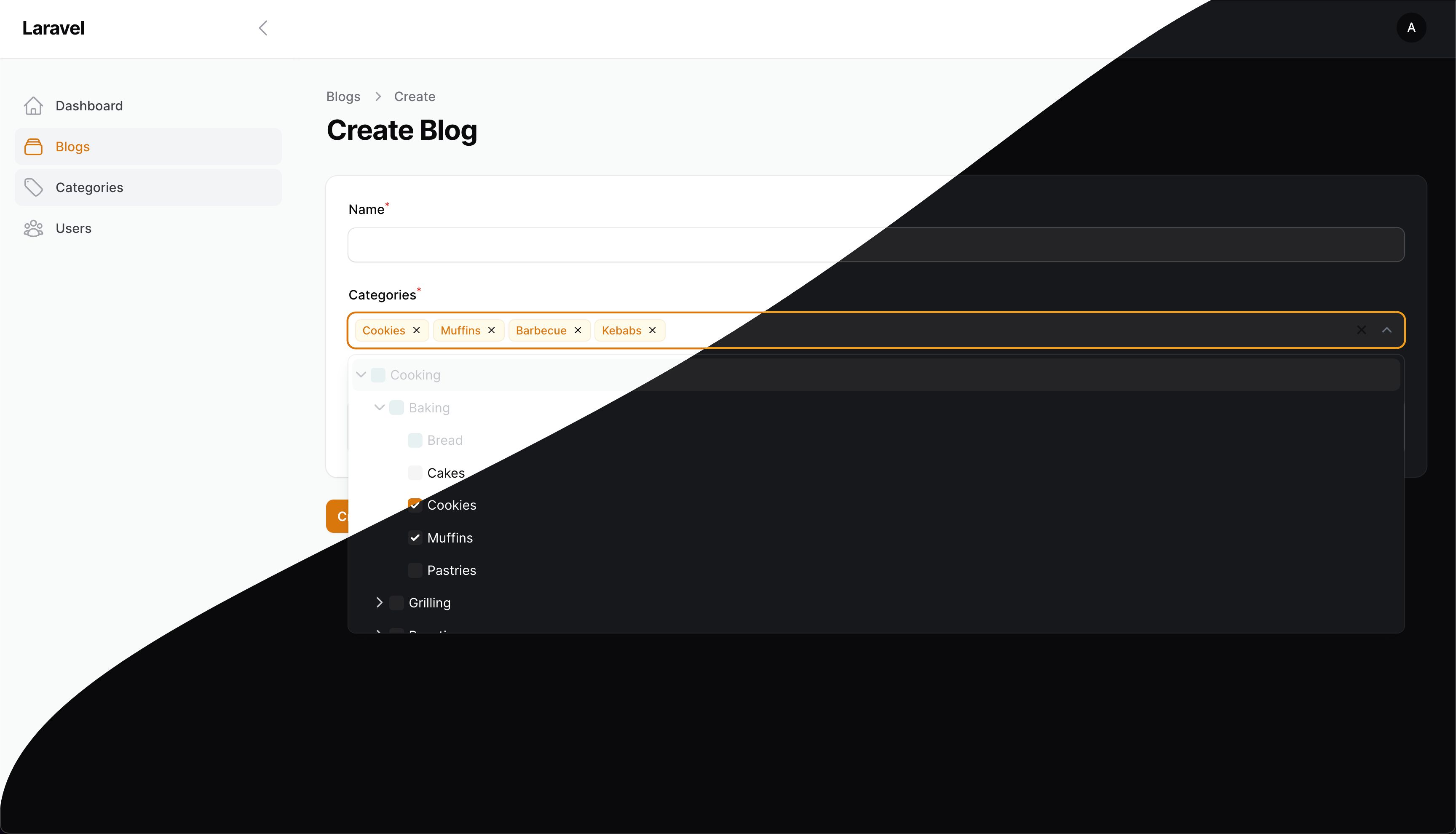
此包为您的 Laravel / Filament 应用添加了一个动态选择树字段,允许您根据关系创建交互式层次结构选择下拉列表。它便于构建具有多种自定义选项的选择下拉列表。
## 安装
您可以通过 composer 安装此包:
```
composer require codewithdennis/filament-select-tree:4.x
```
```
php artisan filament:assets
```
## 关系
为 `BelongsToMany` 关系使用树
```
SelectTree::make('categories')
->relationship('categories', 'name', 'parent_id')
```
为 `BelongsTo` 关系使用树
```
SelectTree::make('category_id')
->relationship('category', 'name', 'parent_id')
```
## 无关系使用
不使用关系,直接使用树
```
SelectTree::make('category_id')
->query(fn() => Category::query(), 'name', 'parent_id')
```
## 自定义查询
自定义父级查询
```
SelectTree::make('categories')
->relationship(relationship: 'categories', titleAttribute: 'name', parentAttribute: 'parent_id', modifyQueryUsing: fn($query) => $query));
```
自定义子级查询
```
SelectTree::make('categories')
->relationship(relationship: 'categories', titleAttribute: 'name', parentAttribute: 'parent_id', modifyChildQueryUsing: fn($query) => $query));
```
注意:当您过滤父级查询时,子级查询找到的任何其父项已被过滤掉的结果默认将被提升为根节点(以防止空结果集)。
要禁用此功能,请使用 `strictNullParentRootNodes()` 配置方法
```
SelectTree::make('categories')
->relationship(relationship: 'categories', titleAttribute: 'name', parentAttribute: 'parent_id', modifyQueryUsing: fn($query) => $query->where('id', 1))
->strictNullParentRootNodes(); // only children of parent results from the parent query will be included in the tree
```
## 方法
设置未选中任何项时的自定义占位符
```
->placeholder(__('Please select a category'))
```
启用选择组
```
->enableBranchNode()
```
自定义当搜索结果为零时的标签
```
->emptyLabel(__('Oops, no results have been found!'))
```
在组名旁边显示子项数量
```
->withCount()
```
始终保持下拉列表打开
```
->alwaysOpen()
```
将列表添加为静态 DOM 元素,使其不会与内容重叠
```
->staticList()
```
设置节点为依赖关系
```
->independent(false)
```
使用选定值展开树(仅当字段为依赖关系时有效)
```
->expandSelected(false)
```
将父项的 null 值设置为 -1,允许您使用 -1 作为哨兵值(默认 = null)
```
->parentNullValue(-1)
```
所有组将展开至此级别
```
->defaultOpenLevel(2)
```
指定列表的强制方向。选项包括:auto(默认)、top 和 bottom。
```
->direction('top')
```
当所有叶节点被选中时,显示单个叶节点而不是主组
```
->grouped(false)
```
如果所有子节点都被选中,则返回父节点值,而不是单个叶节点。
```
->isGroupedValue()
```
隐藏标签并改为显示已选项目的数量
```
->showTags(false)
```
自定义当 `showTags` 设置为 `false` 时显示的文本,例如 "{count} {tagsCountText}"
```
->tagsCountText('elements selected')
```
隐藏可清除图标
```
->clearable(false)
```
激活搜索功能
```
->searchable();
```
禁用树中的特定选项
```
->disabledOptions([2, 3, 4])
```
隐藏树中的特定选项
```
->hiddenOptions([2, 3, 4])
```
允许显示软删除的项目
```
->withTrashed()
```
为您的模型指定不同的键。
例如:您有 id、code 和 parent_code。您的模型使用 id 作为键,但父子关系是在 code 和 parent_code 之间建立的。
```
->withKey('code')
```
存储获取的模型以实现附加功能
```
->storeResults()
```
现在您可以在 `disabledOptions` 或 `hiddenOptions` 中访问结果
```
->disabledOptions(function ($state, SelectTree $component) {
$results = $component->getResults();
})
```
默认情况下,树中的选择类型(单选或多选)由关系类型决定:`BelongsTo` 用于单选,`BelongsToMany` 用于多选。如果您想
明确设置选择类型,请使用:
```
->multiple(false)
```
您可以使用以下方法更改树的键。
```
->treeKey('my-cool-tree')
```
如果需要在树菜单前插入一个项目,请使用 `prepend` 方法。此方法接受一个数组或闭包。当 tree-select 用作过滤器时,这很有用(参见下面的示例)。
```
use Filament\Tables\Filters\Filter;
use Illuminate\Database\Eloquent\Builder;
use CodeWithDennis\FilamentSelectTree\SelectTree;
```
```
->filters([
Filter::make('tree')
->form([
SelectTree::make('category')
->relationship('categories', 'name', 'parent_id')
->enableBranchNode()
->multiple(false)
->prepend([
'name' => 'Uncategorized Records',
'value' => -1,
'parent' => null, // optional
'disabled' => false, // optional
'hidden' => false, // optional
'children' => [], // optional
])
])
->query(function (Builder $query, array $data) {
return $query->when($data['categories'], function (Builder $query, $categories) {
if (collect($categories)->contains('-1')) {
$query->whereDoesntHave('categories');
}
return $query->orWhereHas('categories',
fn(Builder $query) => $query->whereIn('id', $categories));
});
})
])
```
如果需要在树菜单后追加一个项目,请使用 `append` 方法。此方法也接受一个数组或闭包。
```
->schema([
SelectTree::make('category')
->relationship('categories', 'name', 'parent_id')
->enableBranchNode()
->multiple(false)
->append([
'name' => 'Uncategorized Records',
'value' => -1,
'parent' => null, // optional
'disabled' => false, // optional
'hidden' => false, // optional
'children' => [], // optional
])
])
```
如果您需要完全控制树结构,可以使用 `getTreeUsing` 提供一个自定义的树数组,或一个解析为数组的闭包。
使用数组:
```
SelectTree::make('categories')
->getTreeUsing([
[
'name' => 'Parent Category',
'value' => '1',
'children' => [
[
'name' => 'Child Category',
'value' => '2',
'children' => [],
],
],
],
[
'name' => 'Another Category',
'value' => '3',
'children' => [],
],
])
```
使用闭包获取动态数据:
```
SelectTree::make('categories')
->getTreeUsing(function () {
return Category::query()
->get()
->map(fn ($category) => [
'name' => $category->name,
'value' => $category->id,
'children' => $category->children->map(fn ($child) => [
'name' => $child->name,
'value' => $child->id,
'children' => [],
])->toArray(),
])
->toArray();
})
```
```
[
[
'name' => 'Display Name',
'value' => 'option_value',
'disabled' => false, // optional
'hidden' => false, // optional
'children' => [], // optional
],
]
```
## 过滤器
在您的表格过滤器中使用树。这里有一个示例向您展示如何操作。
```
use Filament\Tables\Filters\Filter;
use Illuminate\Database\Eloquent\Builder;
use CodeWithDennis\FilamentSelectTree\SelectTree;
```
```
->filters([
Filter::make('tree')
->form([
SelectTree::make('categories')
->relationship('categories', 'name', 'parent_id')
->independent(false)
->enableBranchNode(),
])
->query(function (Builder $query, array $data) {
return $query->when($data['categories'], function ($query, $categories) {
return $query->whereHas('categories', fn($query) => $query->whereIn('id', $categories));
});
})
->indicateUsing(function (array $data): ?string {
if (! $data['categories']) {
return null;
}
return __('Categories') . ': ' . implode(', ', Category::whereIn('id', $data['categories'])->get()->pluck('name')->toArray());
})
])
```
## 截图
## 安全漏洞
请查阅[我们的安全政策](../../security/policy) 了解如何报告安全漏洞。
## 许可证
MIT 许可证 (MIT)。详情请参见[许可证文件](LICENSE.md)。
标签:BelongsTo, BelongsToMany, CMS安全, Composer, ffuf, Filament, JavaScript, Laravel, Laravel包, OpenVAS, PHP, Syscall, UI组件, Web开发, 下拉菜单, 交互式UI, 关系选择, 多级选择, 层次选择, 插件, 树形选择器, 管理面板, 自定义查询, 选择树