tsl0922/ttyd
GitHub: tsl0922/ttyd
通过 Web 浏览器共享本地终端会话的轻量级跨平台工具,支持 SSL 加密和多种认证方式。
Stars: 11873 | Forks: 1154


[](https://github.com/tsl0922/ttyd/releases)
[](https://hub.docker.com/r/tsl0922/ttyd)
[](https://repology.org/project/ttyd/versions)

# ttyd - 通过 Web 共享你的终端
ttyd 是一个简单的命令行工具,用于通过 Web 共享终端。
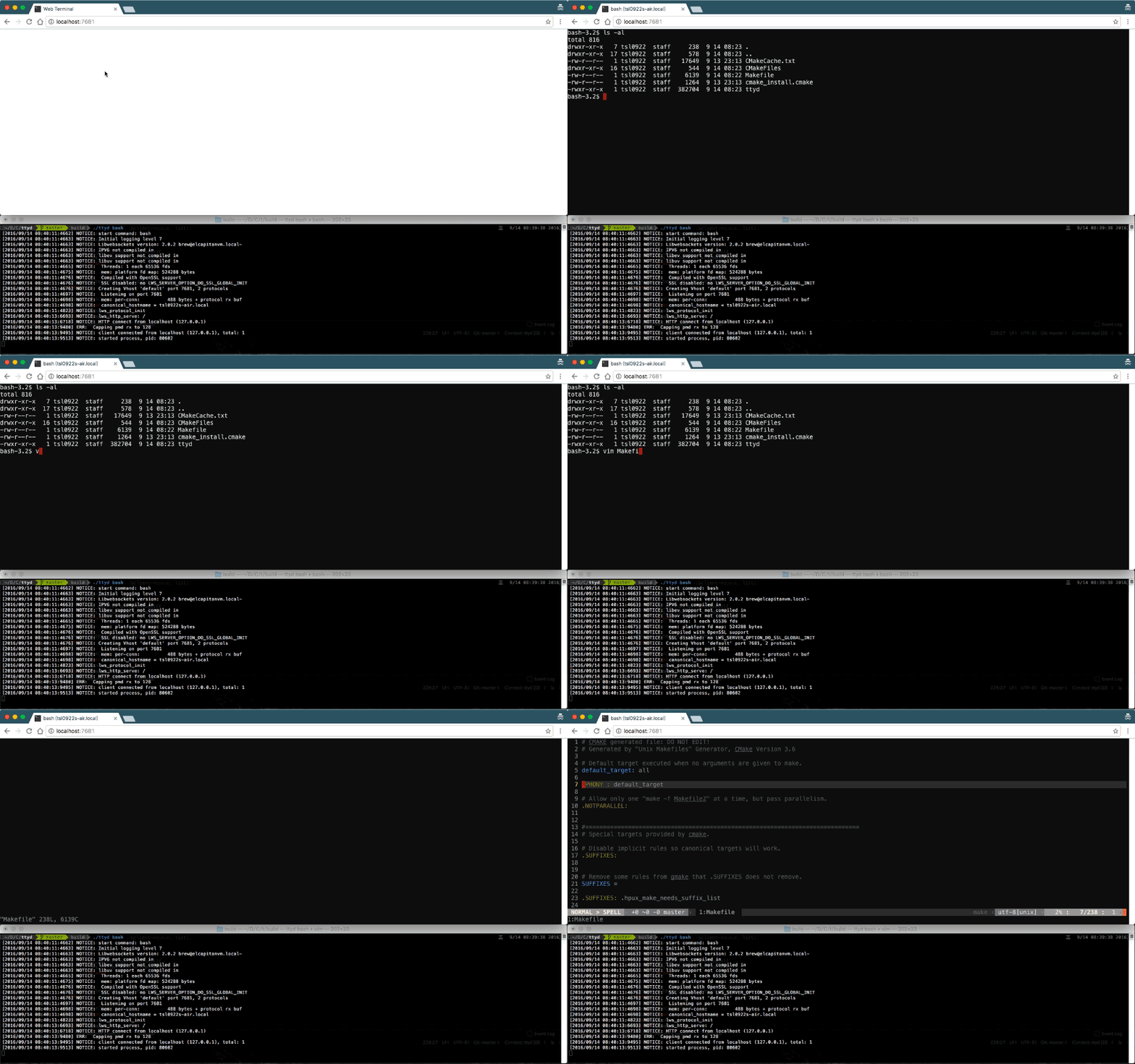
# 功能
- 基于 [libuv](https://libuv.org) 和 [WebGL2](https://developer.mozilla.org/en-US/docs/Web/API/WebGL_API) 构建,速度极快
- 功能齐全的终端,支持 [CJK](https://en.wikipedia.org/wiki/CJK_characters) 和 IME
- [ZMODEM](https://en.wikipedia.org/wiki/ZMODEM) ([lrzsz](https://ohse.de/uwe/software/lrzsz.html)) / [trzsz](https://trzsz.github.io) 文件传输支持
- [Sixel](https://en.wikipedia.org/wiki/Sixel) 图像输出支持 ([img2sixel](https://saitoha.github.io/libsixel) / [lsix](https://github.com/hackerb9/lsix))
- 基于 [OpenSSL](https://www.openssl.org) / [Mbed TLS](https://github.com/Mbed-TLS/mbedtls) 的 SSL 支持
- 支持带选项运行任何自定义命令
- 基础认证支持以及许多其他自定义选项
- 跨平台:macOS, Linux, FreeBSD/OpenBSD, [OpenWrt](https://openwrt.org), Windows
# 安装
## 在 macOS 上安装
- 使用 [Homebrew](http://brew.sh) 安装:`brew install ttyd`
- 使用 [MacPorts](https://www.macports.org) 安装:`sudo port install ttyd`
## 在 Linux 上安装
- 二进制版本(推荐):从 [releases](https://github.com/tsl0922/ttyd/releases) 页面下载
- 使用 [Homebrew](https://docs.brew.sh/Homebrew-on-Linux) 安装:`brew install ttyd`
- 安装 snap:`sudo snap install ttyd --classic`
- 从源码编译 (debian/ubuntu):
sudo apt-get update
sudo apt-get install -y build-essential cmake git libjson-c-dev libwebsockets-dev
git clone https://github.com/tsl0922/ttyd.git
cd ttyd && mkdir build && cd build
cmake ..
make && sudo make install
如果 `libwebsockets-dev` 包版本过旧,你可能还需要从源码编译/安装 [libwebsockets](https://libwebsockets.org)。
- 在 OpenWrt 上安装:`opkg install ttyd`
- 在 Gentoo 上安装:克隆 [repo](https://bitbucket.org/mgpagano/ttyd/src/master) 并遵循[此处](https://wiki.gentoo.org/wiki/Custom_repository#Creating_a_local_repository)的说明。
## 在 Windows 上安装
- 二进制版本(推荐):从 [releases](https://github.com/tsl0922/ttyd/releases) 页面下载
- 使用 [WinGet](https://github.com/microsoft/winget-cli) 安装:`winget install tsl0922.ttyd`
- 使用 [Scoop](https://scoop.sh/#/apps?q=ttyd&s=2&d=1&o=true) 安装:`scoop install ttyd`
- [在 Windows 上编译](https://github.com/tsl0922/ttyd/wiki/Compile-on-Windows)
# 用法
## 命令行选项
```
USAGE:
ttyd [options] []
OPTIONS:
-p, --port Port to listen (default: 7681, use `0` for random port)
-i, --interface Network interface to bind (eg: eth0), or UNIX domain socket path (eg: /var/run/ttyd.sock)
-U, --socket-owner User owner of the UNIX domain socket file, when enabled (eg: user:group)
-c, --credential Credential for basic authentication (format: username:password)
-H, --auth-header HTTP Header name for auth proxy, this will configure ttyd to let a HTTP reverse proxy handle authentication
-u, --uid User id to run with
-g, --gid Group id to run with
-s, --signal Signal to send to the command when exit it (default: 1, SIGHUP)
-w, --cwd Working directory to be set for the child program
-a, --url-arg Allow client to send command line arguments in URL (eg: http://localhost:7681?arg=foo&arg=bar)
-W, --writable Allow clients to write to the TTY (readonly by default)
-t, --client-option Send option to client (format: key=value), repeat to add more options
-T, --terminal-type Terminal type to report, default: xterm-256color
-O, --check-origin Do not allow websocket connection from different origin
-m, --max-clients Maximum clients to support (default: 0, no limit)
-o, --once Accept only one client and exit on disconnection
-q, --exit-no-conn Exit on all clients disconnection
-B, --browser Open terminal with the default system browser
-I, --index Custom index.html path
-b, --base-path Expected base path for requests coming from a reverse proxy (eg: /mounted/here, max length: 128)
-P, --ping-interval Websocket ping interval(sec) (default: 5)
-6, --ipv6 Enable IPv6 support
-S, --ssl Enable SSL
-C, --ssl-cert SSL certificate file path
-K, --ssl-key SSL key file path
-A, --ssl-ca SSL CA file path for client certificate verification
-d, --debug Set log level (default: 7)
-v, --version Print the version and exit
-h, --help Print this text and exit
```
阅读 [wiki](https://github.com/tsl0922/ttyd/wiki/Example-Usage) 上的示例用法。
## 浏览器支持
现代浏览器,参见 [浏览器支持](https://github.com/xtermjs/xterm.js#browser-support)。
## 替代方案
* [Wetty](https://github.com/krishnasrinivas/wetty):基于 [Node](https://nodejs.org) 的 Web 终端 (SSH/login)
* [GoTTY](https://github.com/yudai/gotty):基于 [Go](https://golang.org) 的 Web 终端
标签:Awesome, libuv, Linux工具, Shell, Sixel, SOC Prime, ttyd, WebGL, WebShell, WebSocket, Web终端, ZMODEM, 依赖分析, 安全测试工具, 客户端加密, 客户端加密, 开发工具, 文件传输, 服务器管理, 端口探测, 系统管理, 终端共享, 运维工具, 远程访问