marimo-team/marimo
GitHub: marimo-team/marimo
Marimo 是一款基于纯 Python 的响应式笔记本,旨在通过 Git 友好存储和自动依赖执行来解决传统 Notebook 的可重现性与状态管理问题。
Stars: 21902 | Forks: 1181

一款响应式的 Python notebook,具有可重现性、对 git 友好,并可部署为脚本或应用。
文档 · Discord · 示例 · 画廊 · YouTube
English | 繁體中文 | 简体中文 | 日本語 | Español





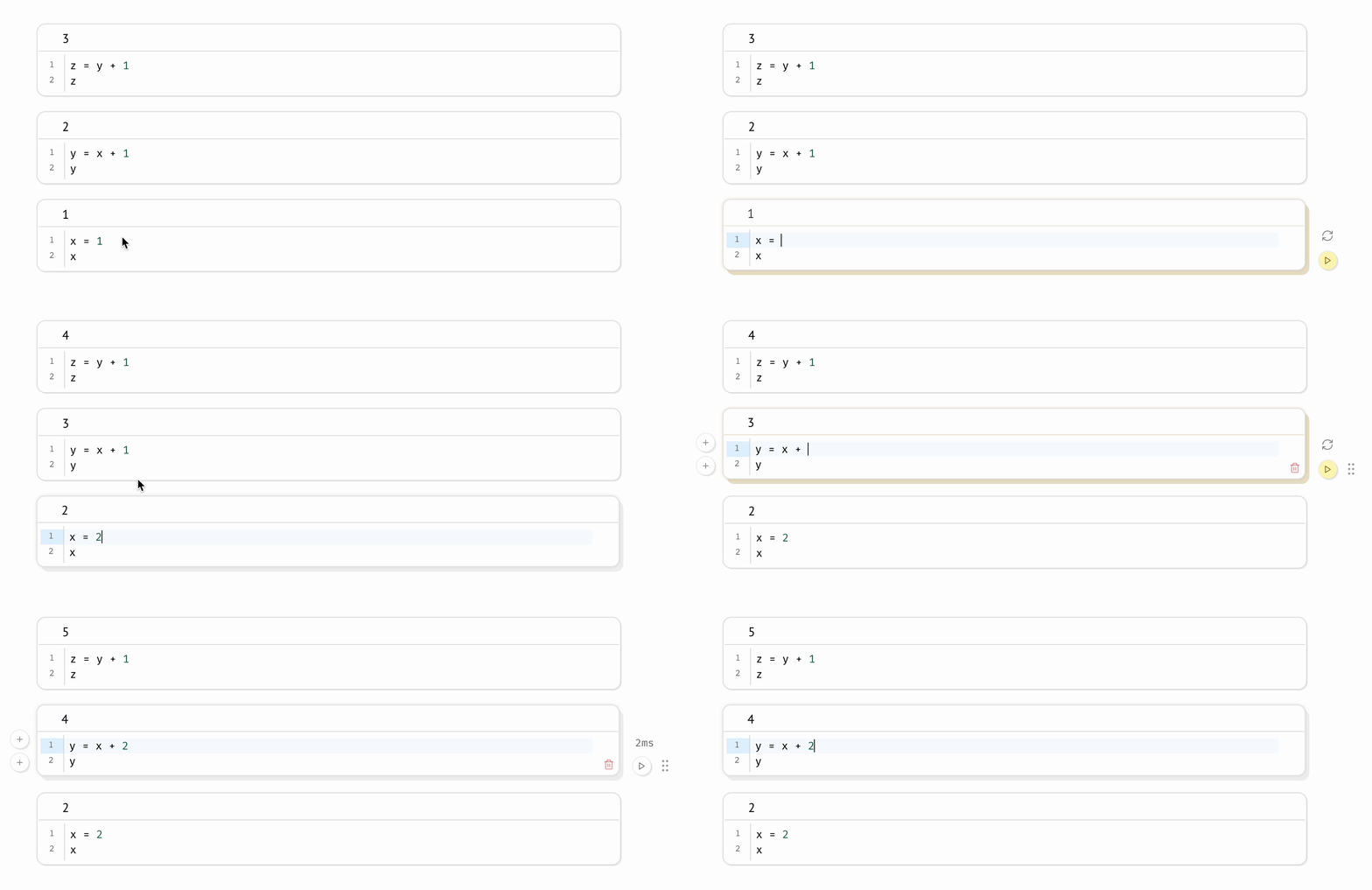 **兼容昂贵 notebook。** marimo 允许您 [将运行时配置为惰性](https://docs.marimo.io/guides/configuration/runtime_configuration.html),将受影响的单元格标记为过时,而不是自动运行它们。这既保证了程序状态,又防止了意外执行昂贵的单元格。
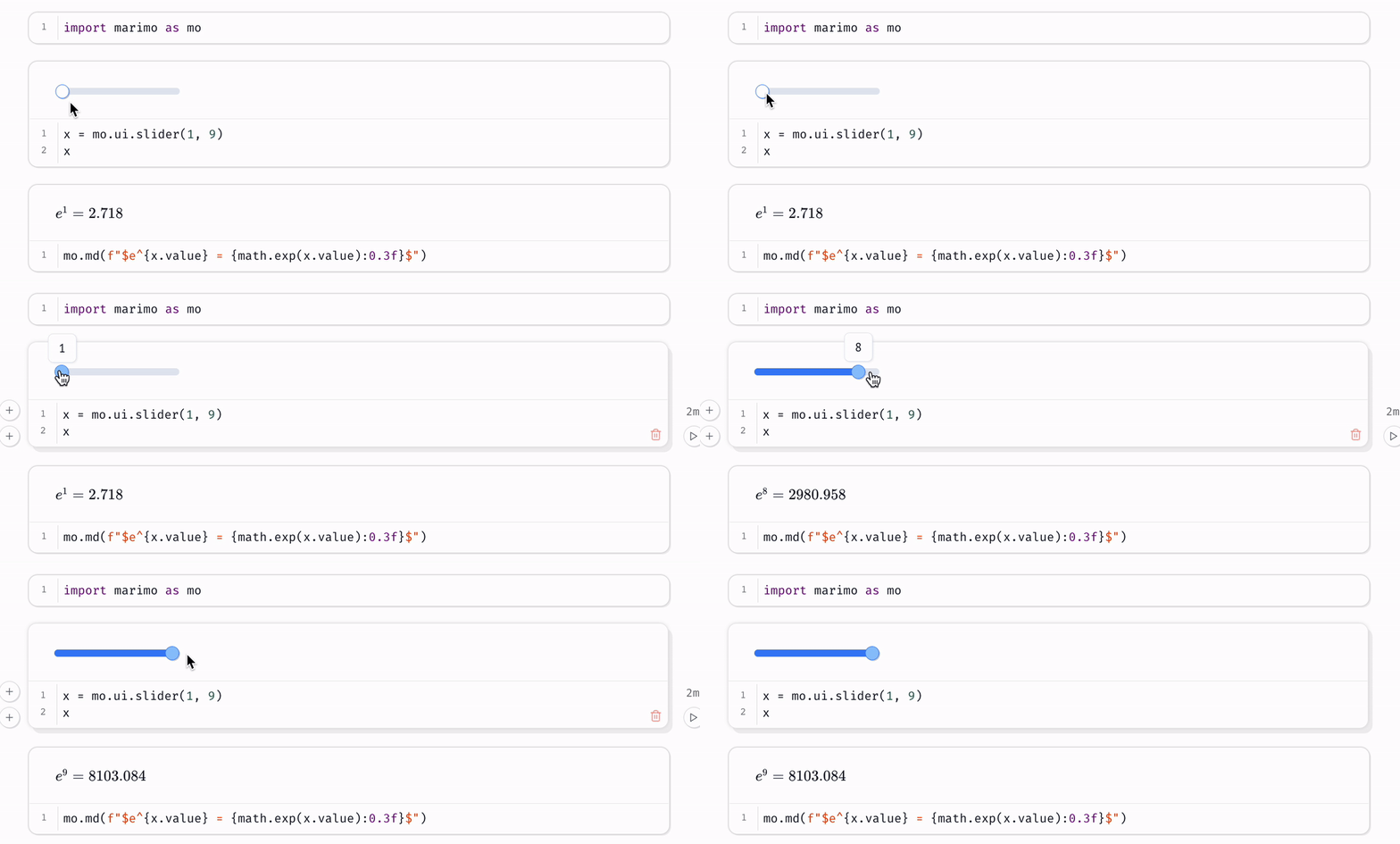
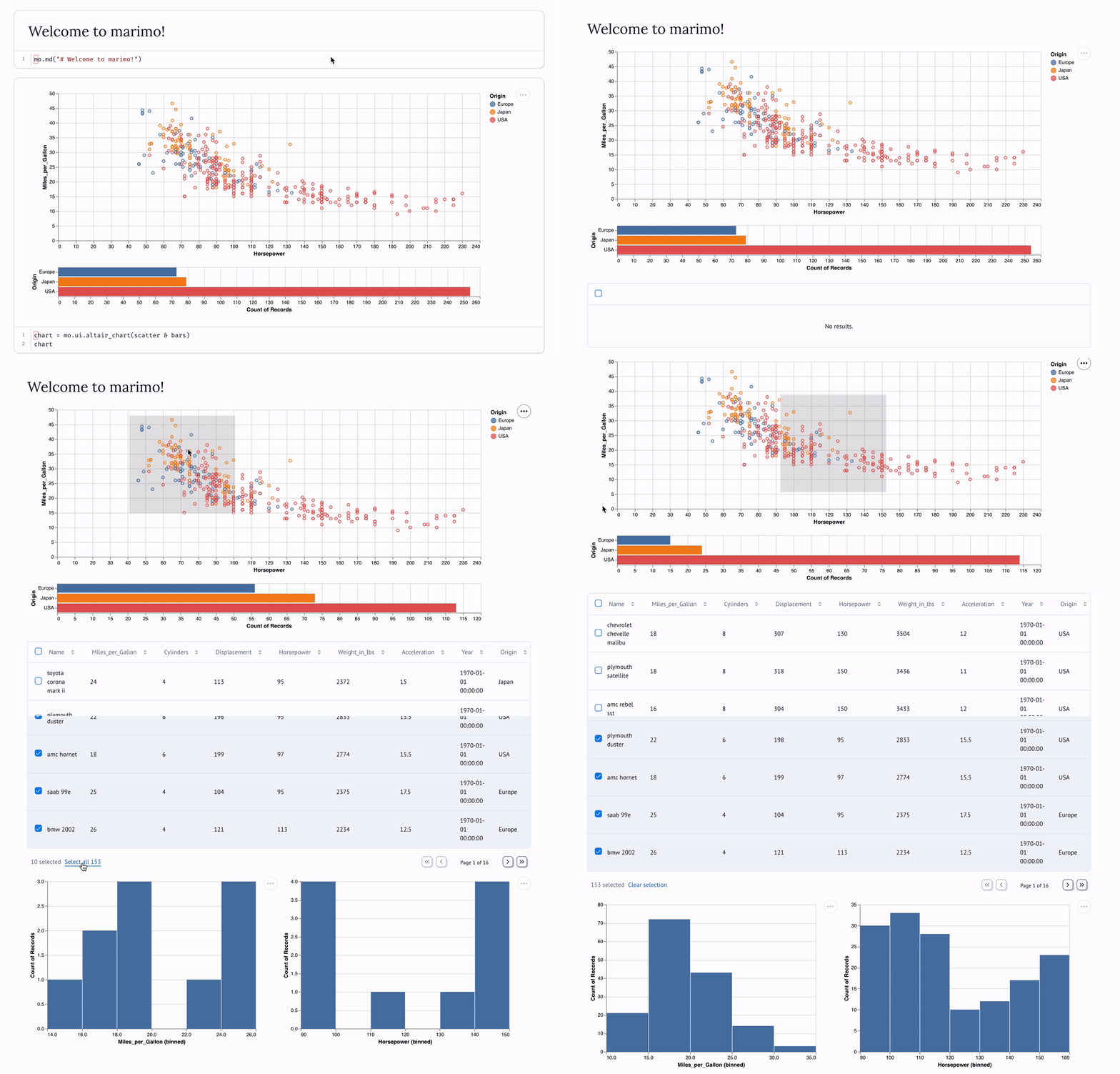
**同步的 UI 元素。** 与 [UI 元素](https://docs.marimo.io/guides/interactivity.html)(如 [滑块](https://docs.marimo.io/api/inputs/slider.html#slider)、[下拉菜单](https://docs.marimo.io/api/inputs/dropdown.html)、[dataframe 转换器](https://docs.marimo.io/api/inputs/dataframe.html) 和 [聊天界面](https://docs.marimo.io/api/inputs/chat.html))交互,使用它们的单元格会自动使用最新值重新运行。
**兼容昂贵 notebook。** marimo 允许您 [将运行时配置为惰性](https://docs.marimo.io/guides/configuration/runtime_configuration.html),将受影响的单元格标记为过时,而不是自动运行它们。这既保证了程序状态,又防止了意外执行昂贵的单元格。
**同步的 UI 元素。** 与 [UI 元素](https://docs.marimo.io/guides/interactivity.html)(如 [滑块](https://docs.marimo.io/api/inputs/slider.html#slider)、[下拉菜单](https://docs.marimo.io/api/inputs/dropdown.html)、[dataframe 转换器](https://docs.marimo.io/api/inputs/dataframe.html) 和 [聊天界面](https://docs.marimo.io/api/inputs/chat.html))交互,使用它们的单元格会自动使用最新值重新运行。
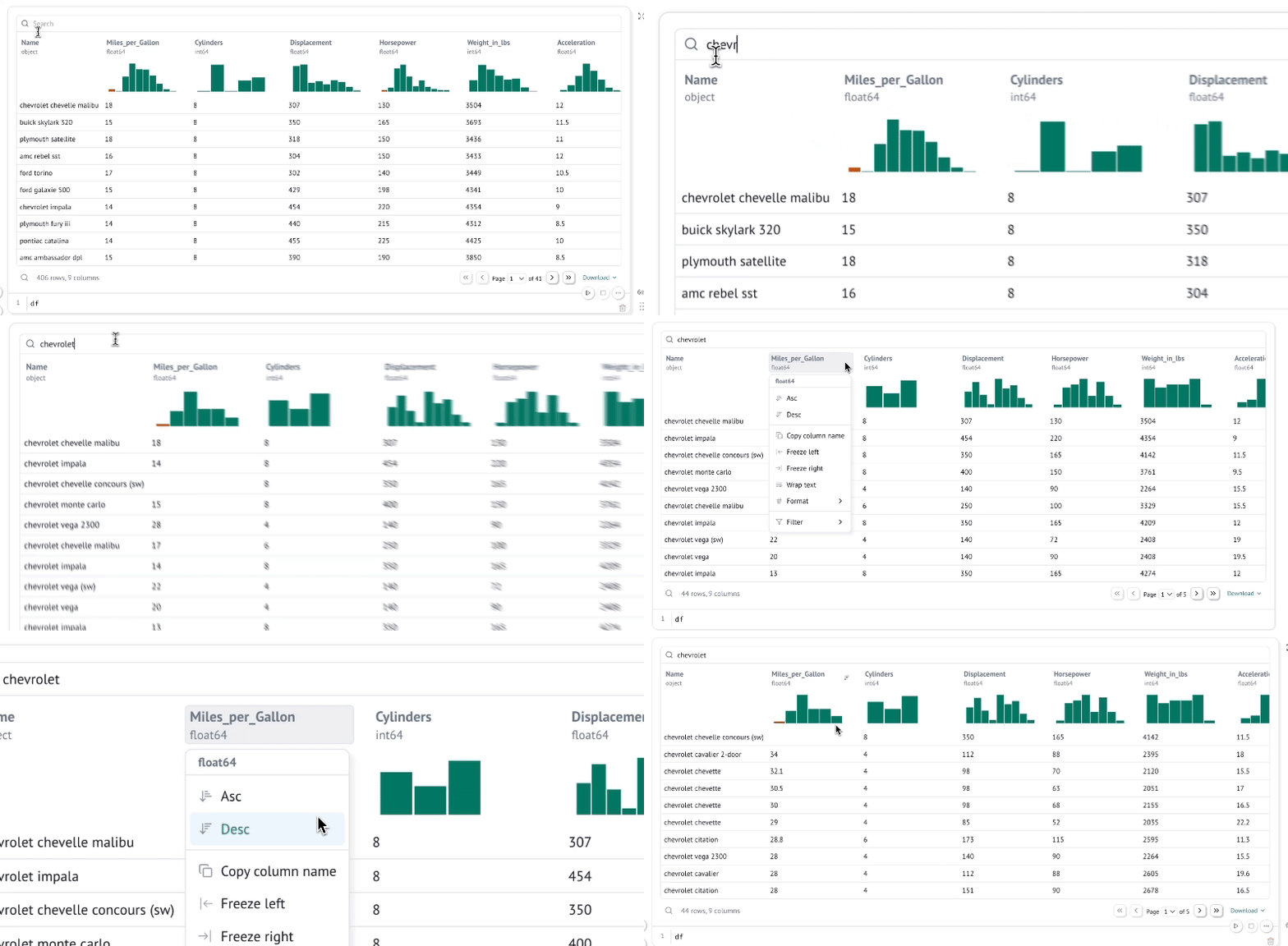
 **交互式 dataframe。** [浏览、搜索、筛选和排序](https://docs.marimo.io/guides/working_with_data/dataframes.html) 数百万行数据,速度极快,无需编写代码。
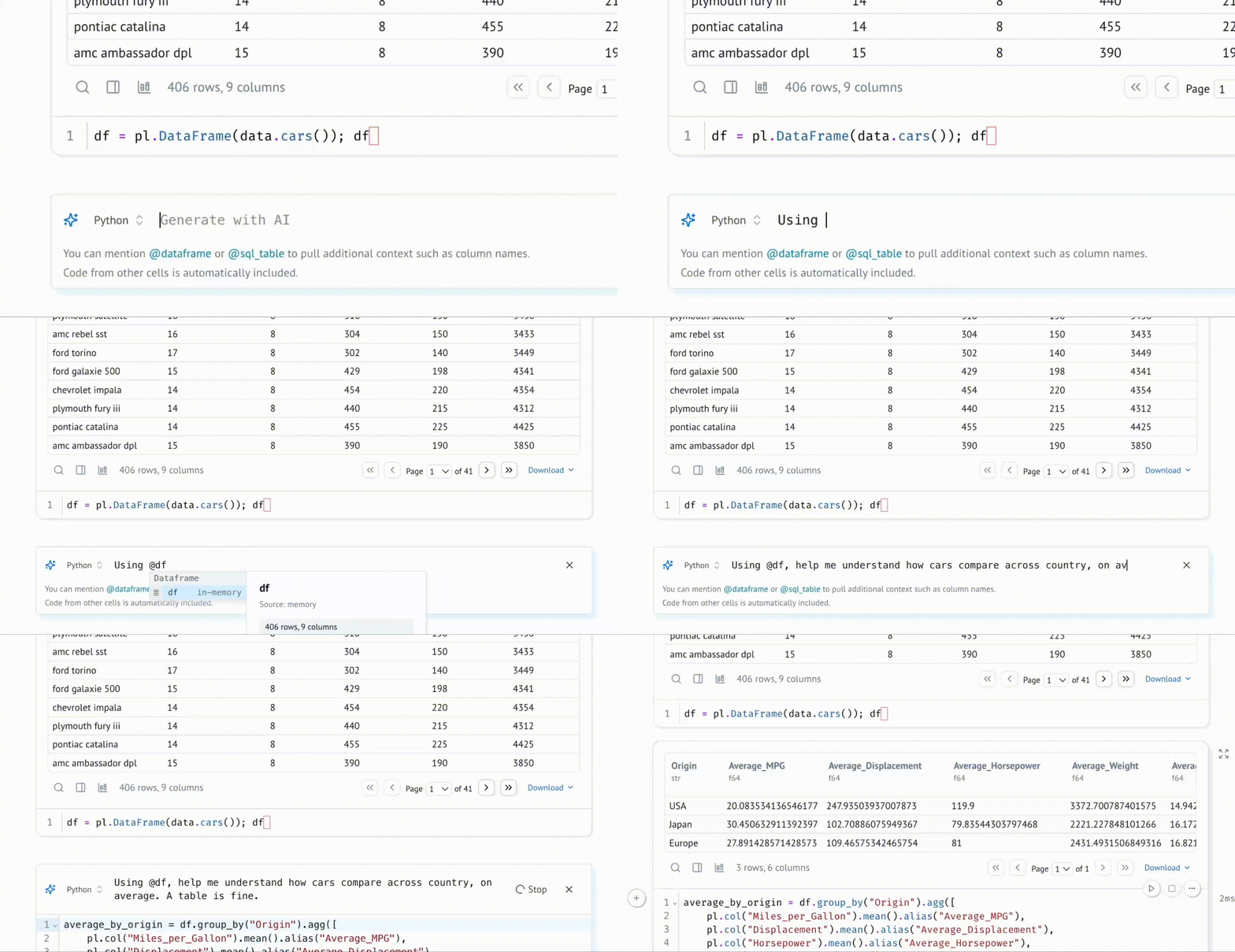
 **通过数据感知 AI 生成单元格。** 使用您喜爱的 agent(如 Claude Code、Codex 或 OpenCode)通过 [marimo pair](https://docs.marimo.io/guides/generate_with_ai/marimo_pair/) 在 marimo notebook 上协作。或者,在 marimo 编辑器中使用 [AI 助手](https://docs.marimo.io/guides/editor_features/ai_completion/) 生成代码,该助手专门针对数据处理进行了优化,并了解内存中变量的上下文。自定义系统提示词,自带 API 密钥,或使用本地模型。
 **使用 SQL 查询数据。** 构建依赖 Python 值的 [SQL](https://docs.marimo.io/guides/working_with_data/sql.html) 查询,并使用我们内置的 SQL 引擎将其针对 dataframe、数据库、湖仓、CSV、Google Sheets 或任何其他数据源执行,该引擎将结果作为 Python dataframe 返回。
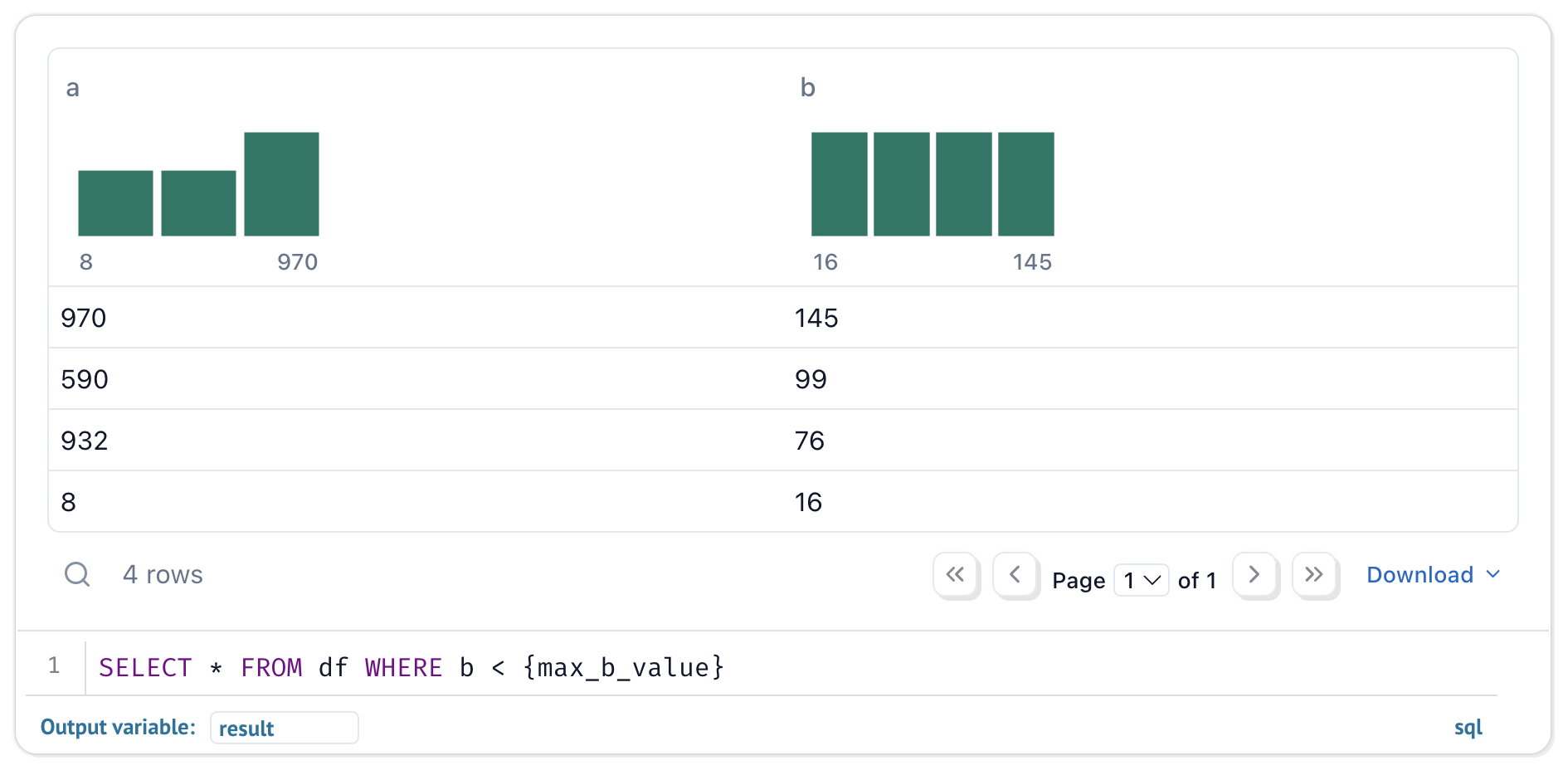 即使您的 notebook 使用了 SQL,它们仍然是纯 Python。
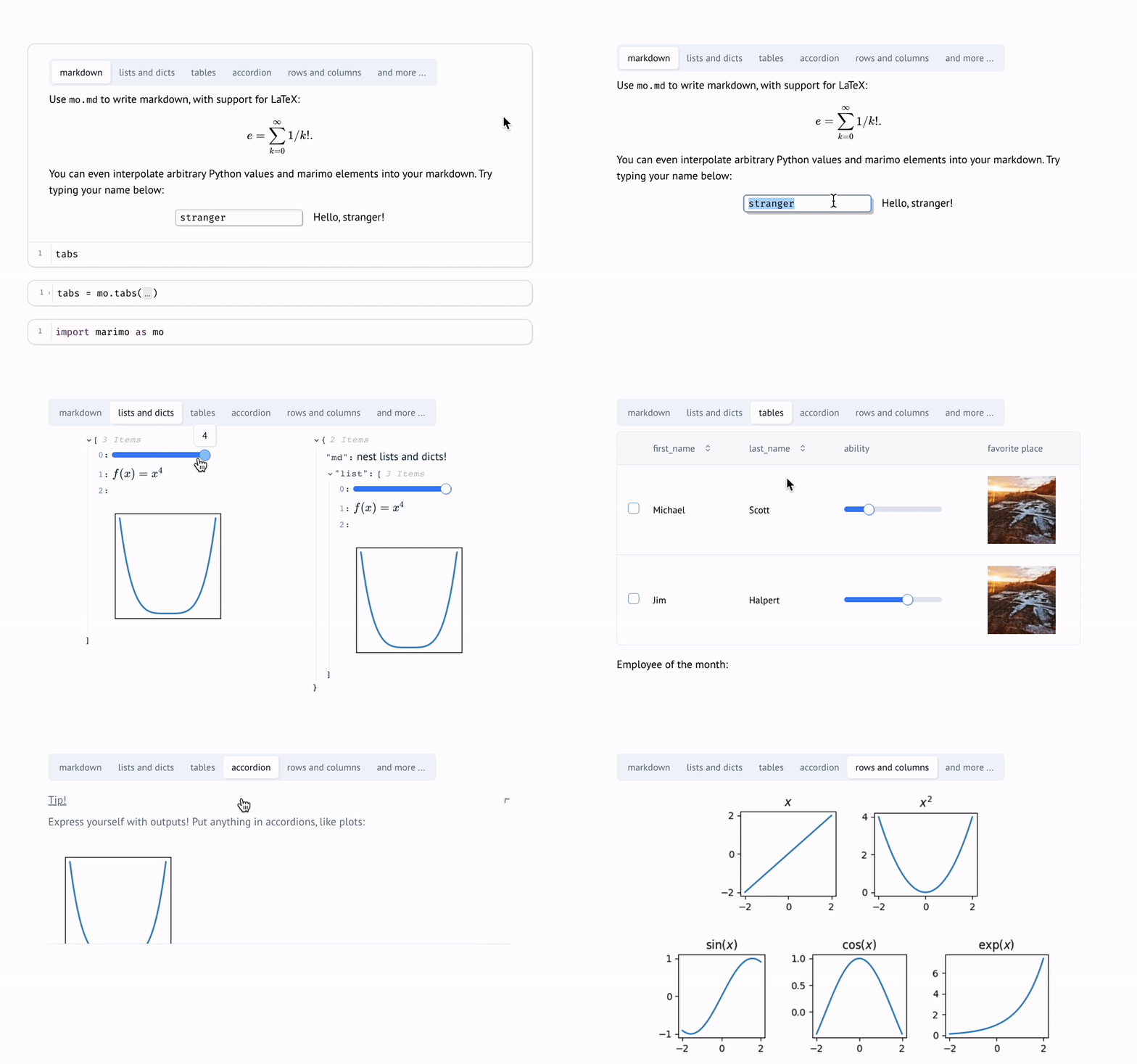
**动态 markdown。** 使用由 Python 变量参数化的 markdown 来讲述依赖 Python 数据的动态故事。
**内置包管理。** marimo 内置支持所有主要包管理器,允许您 [在导入时安装包](https://docs.marimo.io/guides/editor_features/package_management.html)。marimo 甚至可以在 notebook 文件中 [序列化包需求](https://docs.marimo.io/guides/package_management/inlining_dependencies/),并在隔离的 venv 沙箱中自动安装它们。
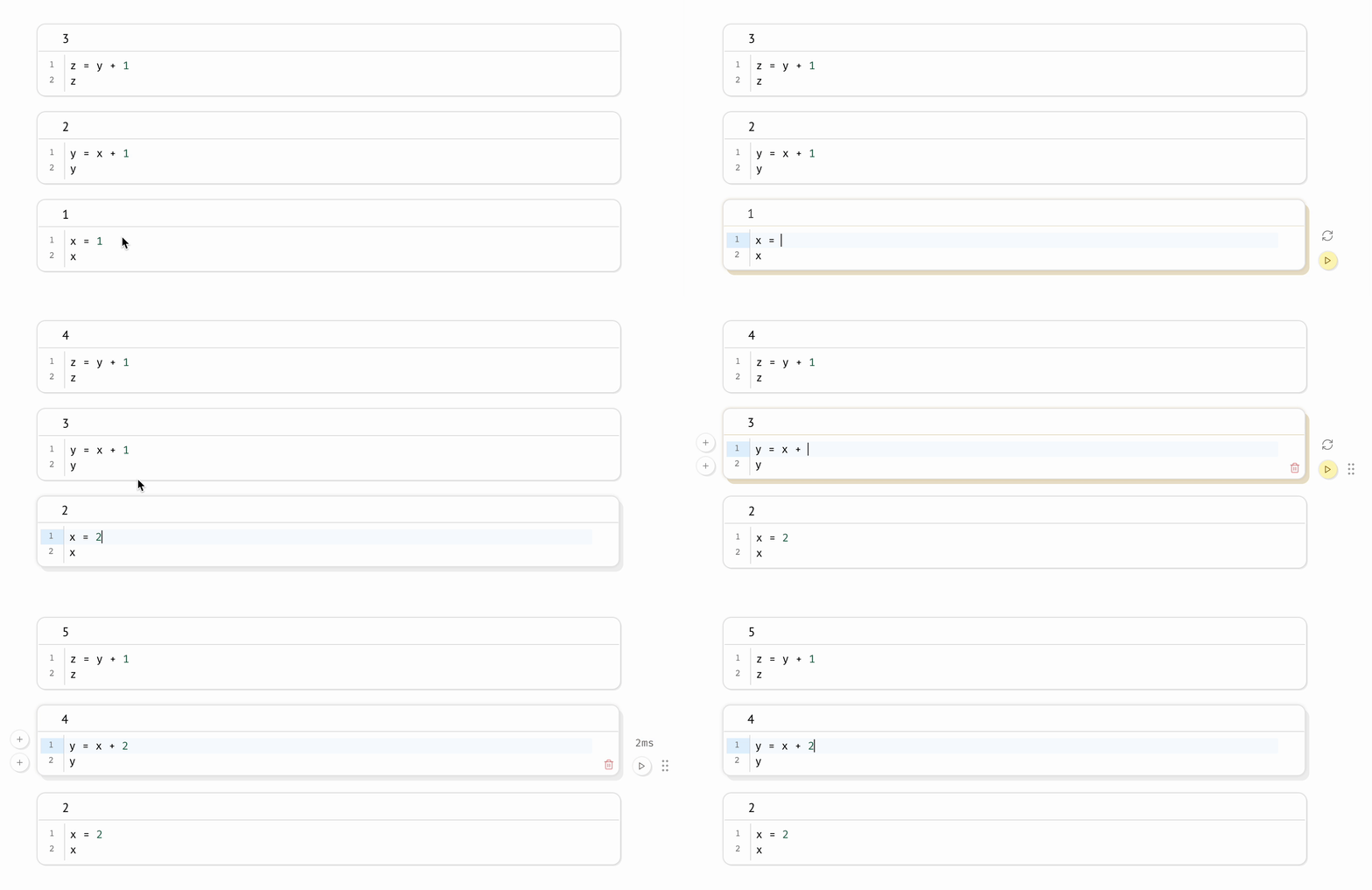
**确定性执行顺序。** Notebook 按确定性顺序执行,基于变量引用而非单元格在页面上的位置。组织您的 notebook 以最适合您想要讲述的故事。
**高性能运行时。** marimo 通过静态分析您的代码,仅运行那些需要运行的单元格。
**功能齐备。** marimo 附带 GitHub Copilot、AI 助手、Ruff 代码格式化、HTML 导出、快速代码补全、[VS Code 扩展](https://marketplace.visualstudio.com/items?itemName=marimo-team.vscode-marimo)、交互式 dataframe 查看器,以及 [许多](https://docs.marimo.io/guides/editor_features/index.html) 提升生活质量的特性。
## 快速入门
_我们在 [YouTube 频道](https://www.youtube.com/@marimo-team) 上的 [marimo 概念播放列表](https://www.youtube.com/watch?v=3N6lInzq5MI&list=PLNJXGo8e1XT9jP7gPbRdm1XwloZVFvLEq) 概述了许多功能。_
**安装。** 在终端中运行
```
pip install marimo # or conda install -c conda-forge marimo
marimo tutorial intro
```
若要安装解锁 SQL 单元格、AI 补全等功能的额外依赖项,请运行
```
pip install "marimo[recommended]"
```
**创建 notebook。**
使用以下命令创建或编辑 notebook
```
marimo edit
```
**运行应用。** 将您的 notebook 作为 Web 应用运行,此时 Python 代码被隐藏且不可编辑:
```
marimo run your_notebook.py
```
即使您的 notebook 使用了 SQL,它们仍然是纯 Python。
**动态 markdown。** 使用由 Python 变量参数化的 markdown 来讲述依赖 Python 数据的动态故事。
**内置包管理。** marimo 内置支持所有主要包管理器,允许您 [在导入时安装包](https://docs.marimo.io/guides/editor_features/package_management.html)。marimo 甚至可以在 notebook 文件中 [序列化包需求](https://docs.marimo.io/guides/package_management/inlining_dependencies/),并在隔离的 venv 沙箱中自动安装它们。
**确定性执行顺序。** Notebook 按确定性顺序执行,基于变量引用而非单元格在页面上的位置。组织您的 notebook 以最适合您想要讲述的故事。
**高性能运行时。** marimo 通过静态分析您的代码,仅运行那些需要运行的单元格。
**功能齐备。** marimo 附带 GitHub Copilot、AI 助手、Ruff 代码格式化、HTML 导出、快速代码补全、[VS Code 扩展](https://marketplace.visualstudio.com/items?itemName=marimo-team.vscode-marimo)、交互式 dataframe 查看器,以及 [许多](https://docs.marimo.io/guides/editor_features/index.html) 提升生活质量的特性。
## 快速入门
_我们在 [YouTube 频道](https://www.youtube.com/@marimo-team) 上的 [marimo 概念播放列表](https://www.youtube.com/watch?v=3N6lInzq5MI&list=PLNJXGo8e1XT9jP7gPbRdm1XwloZVFvLEq) 概述了许多功能。_
**安装。** 在终端中运行
```
pip install marimo # or conda install -c conda-forge marimo
marimo tutorial intro
```
若要安装解锁 SQL 单元格、AI 补全等功能的额外依赖项,请运行
```
pip install "marimo[recommended]"
```
**创建 notebook。**
使用以下命令创建或编辑 notebook
```
marimo edit
```
**运行应用。** 将您的 notebook 作为 Web 应用运行,此时 Python 代码被隐藏且不可编辑:
```
marimo run your_notebook.py
```
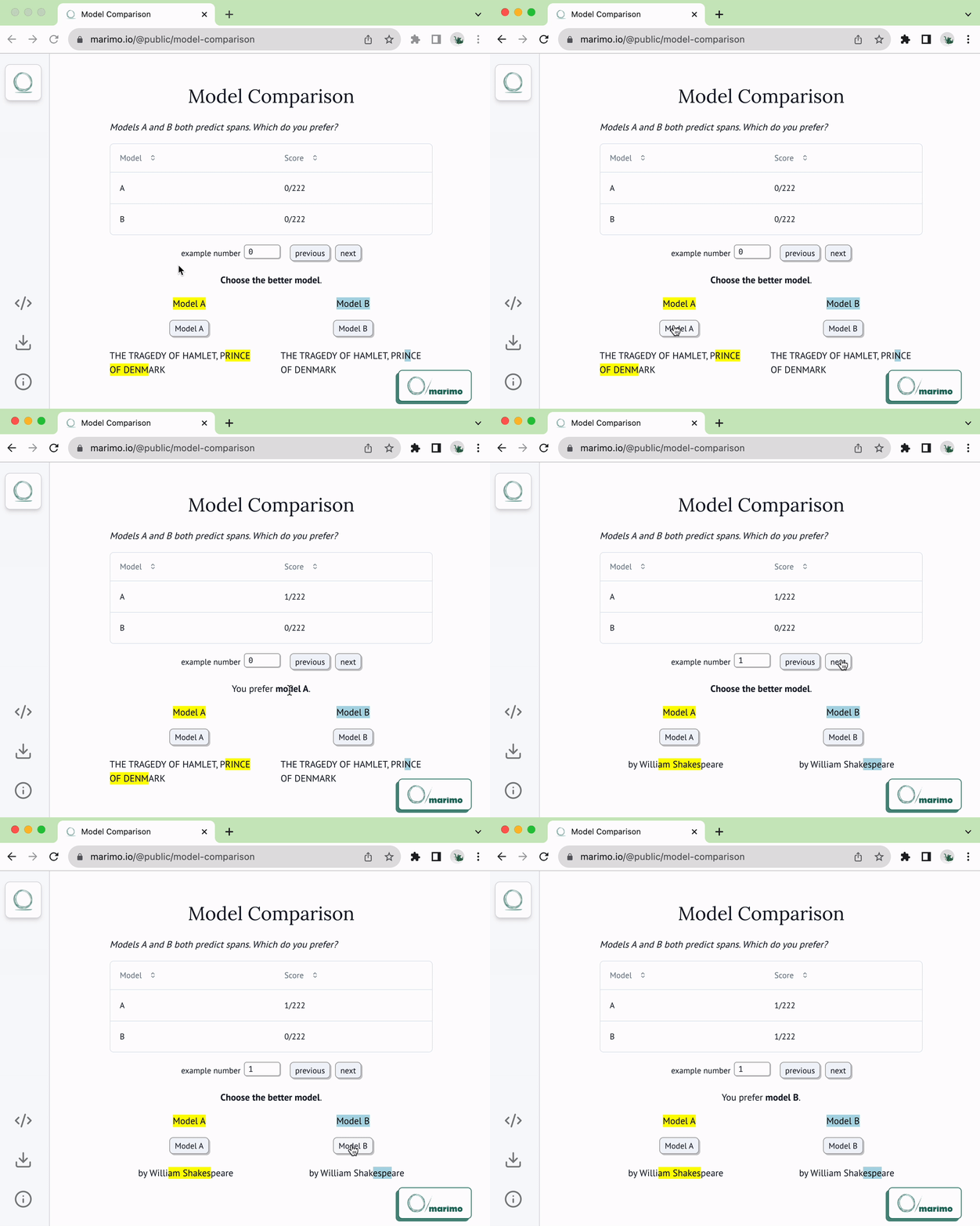 **作为脚本执行。** 在命令行中将 notebook 作为脚本执行:
```
python your_notebook.py
```
**自动转换 Jupyter notebook。** 使用 CLI 自动将 Jupyter notebook 转换为 marimo notebook
```
marimo convert your_notebook.ipynb > your_notebook.py
```
或使用我们的 [Web 界面](https://marimo.io/convert)。
**教程。**
列出所有教程:
```
marimo tutorial --help
```
**共享基于云的 notebook。** 使用 [molab](https://molab.marimo.io/notebooks)(一款类似于 Google Colab 的基于云的 marimo notebook 服务)来创建和共享 notebook 链接。
## 有问题?
请参阅我们文档中的 [FAQ](https://docs.marimo.io/faq.html)。
## 了解更多
marimo 易于上手,同时也为高级用户提供了广阔的探索空间。
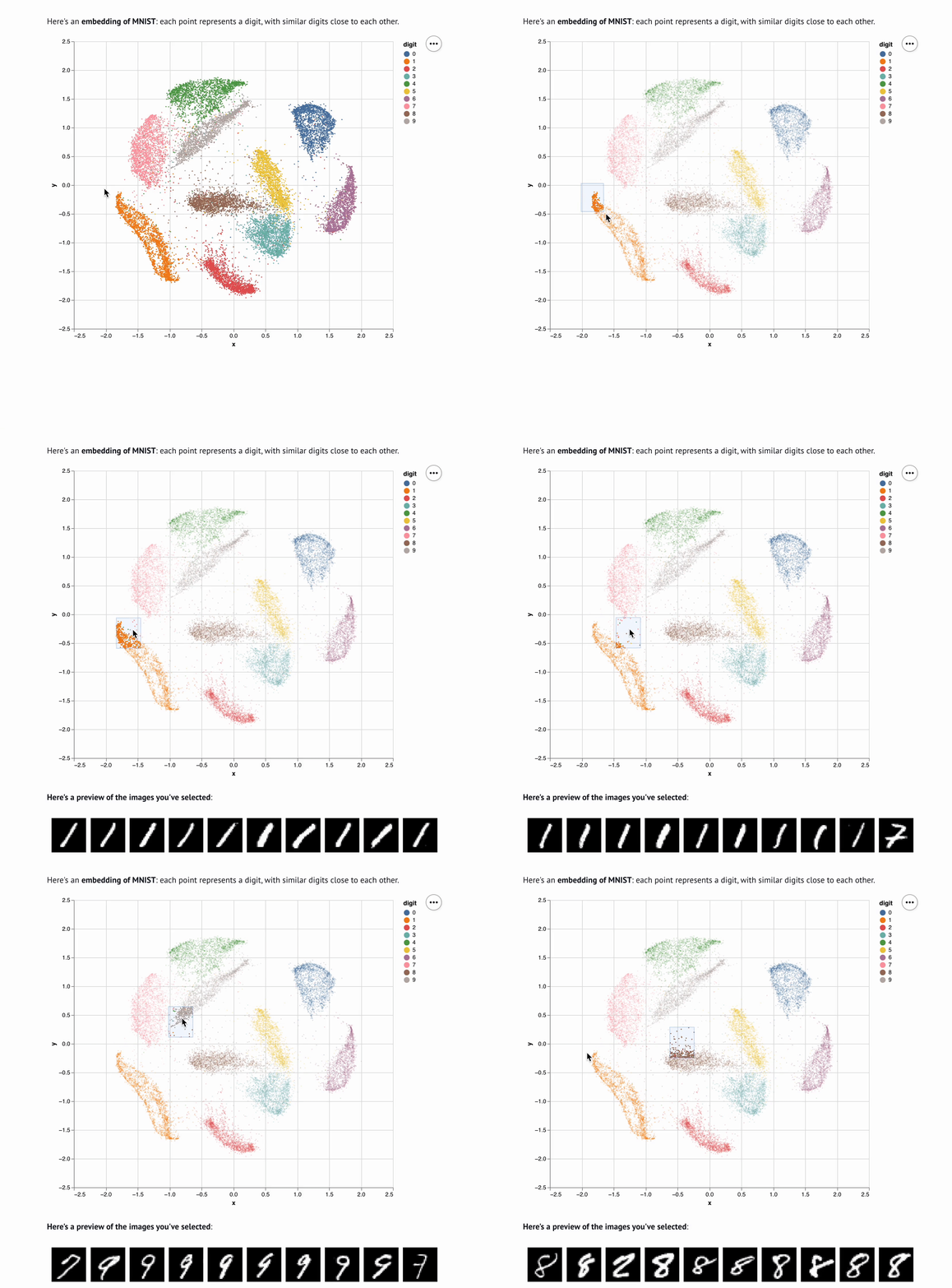
例如,这是一个用 marimo 制作的嵌入可视化器([在 molab 上实时试用 notebook!](https://molab.marimo.io/notebooks/nb_jJiFFtznAy4BxkrrZA1o9b/app?show-code=true)):
**作为脚本执行。** 在命令行中将 notebook 作为脚本执行:
```
python your_notebook.py
```
**自动转换 Jupyter notebook。** 使用 CLI 自动将 Jupyter notebook 转换为 marimo notebook
```
marimo convert your_notebook.ipynb > your_notebook.py
```
或使用我们的 [Web 界面](https://marimo.io/convert)。
**教程。**
列出所有教程:
```
marimo tutorial --help
```
**共享基于云的 notebook。** 使用 [molab](https://molab.marimo.io/notebooks)(一款类似于 Google Colab 的基于云的 marimo notebook 服务)来创建和共享 notebook 链接。
## 有问题?
请参阅我们文档中的 [FAQ](https://docs.marimo.io/faq.html)。
## 了解更多
marimo 易于上手,同时也为高级用户提供了广阔的探索空间。
例如,这是一个用 marimo 制作的嵌入可视化器([在 molab 上实时试用 notebook!](https://molab.marimo.io/notebooks/nb_jJiFFtznAy4BxkrrZA1o9b/app?show-code=true)):
 查看我们的 [文档](https://docs.marimo.io)、[使用示例](https://docs.marimo.io/examples/) 和 [画廊](https://marimo.io/gallery) 以了解更多信息。
|
|
|
|
| Tutorial | Inputs | Plots | Layout |

|
|
|
|

标签:AI原生, Git, Jupyter替代, Mutation, Python, SOC Prime, SQL, 代码示例, 代码编辑器, 前端, 可复现, 可视化, 响应式, 多线程, 安全可观测性, 应用程序, 开发工具, 开源, 数据分析, 数据科学, 无后门, 查询, 版本控制, 生产力工具, 科学计算, 笔记本, 系统审计, 脚本, 资源验证, 逆向工具, 部署, 防御加固