FalkorDB/FalkorDB
GitHub: FalkorDB/FalkorDB
FalkorDB 是一个利用稀疏矩阵技术的高速图数据库,专为 LLM 提供快速知识图谱查询支持。
Stars: 4853 | Forks: 410
FalkorDB
Ultra-fast, Multi-tenant Graph Database
Powering Generative AI, Agent Memory, Cloud Security, and Fraud Detection

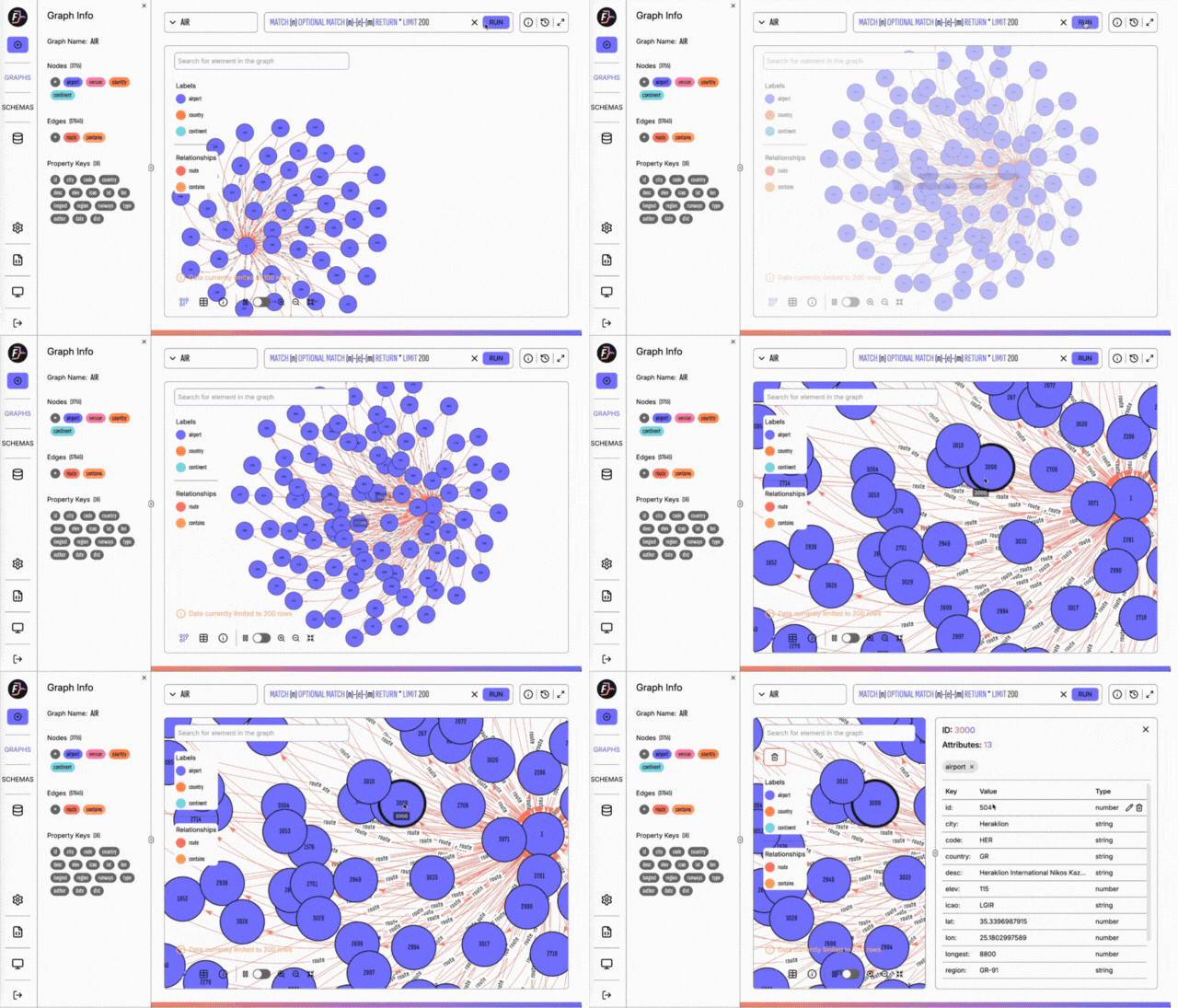
## 独特特性
我们的目标是构建一个针对大型语言模型优化的高性能知识图谱,特别关注极低的延迟,以确保通过我们的图数据库提供快速高效的信息。
🆕 [FalkorDB](https://www.falkordb.com/) 是**首个利用稀疏矩阵**来表示图中的[邻接矩阵](https://en.wikipedia.org/wiki/Adjacency_matrix),并利用[线性代数](https://en.wikipedia.org/wiki/Adjacency_matrix)进行查询的**可查询[属性图](https://github.com/opencypher/openCypher/blob/master/docs/property-graph-model.adoc)数据库**。
### 主要特性
* **稀疏矩阵表示**:利用稀疏矩阵表示邻接矩阵,优化存储和性能。
* **线性代数查询**:采用线性代数进行查询执行,提升计算效率。
* **属性图模型合规性**:支持带属性的节点和关系,符合属性图模型。
* **OpenCypher 支持:** 兼容 [OpenCypher](ttps://github.com/opencypher/openCypher/blob/master/docs/property-graph-model.adoc) 查询语言,包括用于高级查询能力的专有扩展。
## 文档
[官方文档](https://docs.falkordb.com/) | [客户端](https://docs.falkordb.com/clients.html) | [命令](https://docs.falkordb.com/commands/) | 📊 [最新性能基准测试](https://benchmark.falkordb.com/)
## 快速开始
### 步骤 1
要快速试用 FalkorDB,请使用 docker 启动一个实例:
```
docker run -p 6379:6379 -p 3000:3000 -it --rm -v ./data:/var/lib/falkordb/data falkordb/falkordb
```
### 步骤 2
然后,打开浏览器并访问 `http://localhost:3000`。
你也可以使用任何受支持的[客户端库](https://docs.falkordb.com/clients.html)与 FalkorDB 进行交互。
### MotoGP 联赛示例
在这个示例中,我们将使用 [FalkorDB Python 客户端](https://pypi.org/project/FalkorDB/) 创建一个代表部分参加 MotoGP 联赛的摩托车手和车队的小型图。创建图之后,我们将查询数据以探索其结构和关系。
```
from falkordb import FalkorDB
# 连接到 FalkorDB
db = FalkorDB(host='localhost', port=6379)
# 创建 'MotoGP' 图
g = db.select_graph('MotoGP')
g.query("""CREATE (:Rider {name:'Valentino Rossi'})-[:rides]->(:Team {name:'Yamaha'}),
(:Rider {name:'Dani Pedrosa'})-[:rides]->(:Team {name:'Honda'}),
(:Rider {name:'Andrea Dovizioso'})-[:rides]->(:Team {name:'Ducati'})""")
# 查询哪些车手代表 Yamaha?
res = g.query("""MATCH (r:Rider)-[:rides]->(t:Team)
WHERE t.name = 'Yamaha'
RETURN r.name""")
for row in res.result_set:
print(row[0])
# 打印:'Valentino Rossi'
# 查询有多少车手代表 Ducati 车队?
res = g.query("""MATCH (r:Rider)-[:rides]->(t:Team {name:'Ducati'})
RETURN count(r)""")
print(res.result_set[0][0])
# 打印:1
```
## 开始构建
### 编译
请确保满足以下要求:
1️⃣ 克隆 FalkorDB 仓库:`git clone --recurse-submodules -j8 https://github.com/FalkorDB/FalkorDB.git`
* Ubuntu,安装:`apt-get install build-essential cmake m4 automake peg libtool autoconf python3 python3-pip`
* Alpine,安装:`apk add build-base cmake m4 automake libtool autoconf python3 py3-pip peg git libgomp openssl-dev`
* OS X,请确保已安装 `homebrew` 并运行:`brew install cmake m4 automake peg libtool autoconf`。
* OS X 工具链附带的 Clang 版本不支持 OpenMP,而这是 FalkorDB 的一个要求。解决此问题的一种方法是运行 `brew install gcc g++` 并按照屏幕上的说明更新符号链接。请注意,这是一个系统范围的更改——如果这不可行,可以为 `CC` 和 `CXX` 设置环境变量。
2️⃣ 在项目目录中运行 `make` 进行构建。
恭喜!你可以在 `bin/
/src/falkordb.so` 找到编译后的二进制文件。
### 运行测试
首先通过从 ```tests``` 目录运行 ```pip install -r requirements.txt``` 来安装所需的 Python 包。
### 在 docker 中构建
FalkorDB 构建系统在 docker 内运行。有关构建的详细说明,请[参见此处](https://docs.falkordb.com/docker-examples/README.html)。
## 将 FALKORDB 加载到 REDIS 中
FalkorDB 由 [Redis](https://redis.io) 托管,因此你首先需要将其作为模块加载到 Redis 服务器中。
💡 我们建议通过将以下内容添加到你的 redis.conf 文件中,让 Redis 在启动时加载 FalkorDB:
```
loadmodule /path/to/module/src/falkordb.so
```
在上面的行中,将 `/path/to/module/src/falkordb.so` 替换为 FalkorDB 库的实际路径。
如果 Redis 作为服务运行,你必须确保 `redis` 用户(默认)拥有访问 `falkordb.so` 所需的文件/文件夹权限。
或者,你也可以使用以下命令行参数语法让 Redis 加载 FalkorDB:
```
~/$ redis-server --loadmodule /path/to/module/src/falkordb.so
```
最后,你还可以使用 [`MODULE LOAD`](http://redis.io/commands/module-load) 命令。但请注意,`MODULE LOAD` 是一个危险命令,由于安全考虑,它将来可能会被阻止/弃用。
成功加载 FalkorDB 后,你的 Redis 日志中应该会看到类似以下的行:
```
...
30707:M 20 Jun 02:08:12.314 * Module 'graph' loaded from /src/falkordb.so
...
```
如果服务器启动失败,输出类似:
```
# 模块 /usr/lib/redis/modules/falkordb.so 加载失败:libgomp.so.1:无法打开共享对象文件:没有那个文件或目录
# 无法从 /usr/lib/redis/modules/falkordb.so 加载模块:服务器正在中止
```
表示系统缺少运行时依赖项 OpenMP。这可以在 Ubuntu 上通过 `apt-get install libgomp1` 安装,在 RHEL/CentOS 上通过 `yum install libgomp` 安装,在 OSX 上通过 `brew install libomp` 安装。
## 使用 FALKORDB
你可以从任何 Redis 客户端调用 FalkorDB 的命令。以下是几种方法:
### 使用 `redis-cli`
```
$ redis-cli
127.0.0.1:6379> GRAPH.QUERY social "CREATE (:person {name: 'roi', age: 33, gender: 'male', status: 'married'})"
```
### 使用任何其他客户端
你可以利用客户端发送原始 Redis 命令的功能与 FalkorDB 交互。
#### 示例:使用 Python 客户端使用 FalkorDB
这段代码片段展示了如何使用 [falkordb-py](https://github.com/FalkorDB/falkordb-py) 从 Python 中使用 FalkorDB:
```
from falkordb import FalkorDB
# 连接到 FalkorDB
db = FalkorDB(host='localhost', port=6379)
# 选择社交图谱
g = db.select_graph('social')
reply = g.query("CREATE (:person {name:'roi', age:33, gender:'male', status:'married'})")
```
## 客户端库
### 官方客户端
| 项目 | 语言 | 许可证 | 作者 | 星标 | 包 | 备注 |
| --------------------------------------------------------- | ---------- | ------- | ------------------------------------------- | ----------------------------------------------------------------- | ------- | ---------- |
| [jfalkordb][jfalkordb-url] | Java | BSD | [FalkorDB][falkordb-url] | [![jfalkordb-stars]][jfalkordb-url] | [Maven][jfalkordb-package]||
| [falkordb-py][falkordb-py-url] | Python | MIT | [FalkorDB][falkordb-url] | [![falkordb-py-stars]][falkordb-py-url] | [pypi][falkordb-py-package]||
| [falkordb-ts][falkordb-ts-url] | Node.JS | MIT | [FalkorDB][falkordb-url] | [![falkordb-ts-stars]][falkordb-ts-url] | [npm][falkordb-ts-package]||
| [falkordb-rs][falkordb-rs-url] | Rust | MIT | [FalkorDB][falkordb-url] | [![falkordb-rs-stars]][falkordb-rs-url] | [Crate][falkordb-rs-package]||
| [falkordb-go][falkordb-go-url] | Go | BSD | [FalkorDB][falkordb-url] | [![falkordb-go-stars]][falkordb-go-url] | [GitHub][falkordb-go-url]||
| [NFalkorDB][nfalkordb-url] | C# | Apache-2.0 | [FalkorDB][falkordb-url] | [![nfalkordb-stars]][nfalkordb-url] | [nuget][nfalkordb-package] | |
### 附加客户端
| 项目 | 语言 | 许可证 | 作者 | 星标 | 包 | 备注 |
| --------------------------------------------------------- | ---------- | ------- | ------------------------------------------- | ----------------------------------------------------------------- | ------- | ---------- |
| [nredisstack][nredisstack-url] | .NET | MIT | [Redis][redis-url] | [![nredisstack-stars]][nredisstack-url] | [nuget][nredisstack-package]||
| [redisgraph-rb][redisgraph-rb-url] | Ruby | BSD | [Redis][redisgraph-rb-author] | [![redisgraph-rb-stars]][redisgraph-rb-url] | [GitHub][redisgraph-rb-url] ||
| [redgraph][redgraph-url] | Ruby | MIT | [pzac][redgraph-author] | [![redgraph-stars]][redgraph-url] | [GitHub][redgraph-url] ||
| [redisgraph-go][redisgraph-go-url] | Go | BSD | [Redis][redisgraph-go-author] | [![redisgraph-go-stars]][redisgraph-go-url] | [GitHub][redisgraph-go-url]||
| [rueidis][rueidis-url] | Go | Apache 2.0 | [Rueian][rueidis-author] | [![rueidis-stars]][rueidis-url] | [GitHub][rueidis-url] ||
| [ioredisgraph][ioredisgraph-url] | JavaScript | ISC | [Jonah][ioredisgraph-author] | [![ioredisgraph-stars]][ioredisgraph-url] | [GitHub][ioredisgraph-url] ||
| [@hydre/rgraph][rgraph-url] | JavaScript | MIT | [Sceat][rgraph-author] | [![rgraph-stars]][rgraph-url] | [GitHub][rgraph-url] ||
| [php-redis-graph][php-redis-graph-url] | PHP | MIT | [KJDev][php-redis-graph-author] | [![php-redis-graph-stars]][php-redis-graph-url] | [GitHub][php-redis-graph-url] ||
| [redisgraph_php][redisgraph_php-url] | PHP | MIT | [jpbourbon][redisgraph_php-author] | [![redisgraph_php-stars]][redisgraph_php-url] | [GitHub][redisgraph_php-url] ||
| [redisgraph-ex][redisgraph-ex-url] | Elixir | MIT | [crflynn][redisgraph-ex-author] | [![redisgraph-ex-stars]][redisgraph-ex-url] | [GitHub][redisgraph-ex-url] ||
| [redisgraph-rs][redisgraph-rs-url] | Rust | MIT | [malte-v][redisgraph-rs-author] | [![redisgraph-rs-stars]][redisgraph-rs-url] | [GitHub][redisgraph-rs-url] ||
| [redis_graph][redis_graph-url] | Rust | BSD | [tompro][redis_graph-author] | [![redis_graph-stars]][redis_graph-url] | [GitHub][redis_graph-url] ||
| [rustis][rustis-url] | Rust | MIT | [Dahomey Technologies][rustis-author] | [![rustis-stars]][rustis-url] | [Crate](https://crates.io/crates/rustis) | [文档](https://docs.rs/rustis/latest/rustis/commands/trait.GraphCommands.html) |
| [NRedisGraph][NRedisGraph-url] | C# | BSD | [tombatron][NRedisGraph-author] | [![NRedisGraph-stars]][NRedisGraph-url] | [GitHub][NRedisGraph-url] ||
| [RedisGraph.jl][RedisGraph.jl-url] | Julia | MIT | [xyxel][RedisGraph.jl-author] | [![RedisGraph.jl-stars]][RedisGraph.jl-url] | [GitHub][RedisGraph.jl-url] ||
## 许可证
根据服务器端公共许可证 v1 (SSPLv1) 授权。请参阅[许可证](LICENSE.txt)。
标签:GraphBLAS, GraphRAG, 人工智能, 代理记忆, 大型语言模型, 安全, 客户端加密, 搜索引擎查询, 欺诈检测, 生成式人工智能, 用户模式Hook绕过, 稀疏矩阵, 请求拦截, 超快, 超时处理, 逆向工具