cosad3s/postleaks
GitHub: cosad3s/postleaks
一款用于搜索 Postman 公共工作区中泄露的敏感数据(如私有端点和凭证)的命令行安全审计工具。
Stars: 217 | Forks: 38
# Postleaks

## 描述
[Postman](https://www.postman.com/home) 是一个用于构建和使用 API 的优秀平台,被数百万开发者所使用。
它还提供了由其构建的公共 API 资产,其中可能包含自定义 endpoint 和数据。不幸的是,这些项目可能会泄露有关私有网站和公司的敏感数据。
此脚本旨在搜索 Postman 公共库中的这些信息。
## 安装
```
pip3 install postleaks
```
或
```
pip3 install .
```
## 用法
```
❯ postleaks -h
usage: postleaks [-h] [-k KEYWORD] [-kf KEYWORD_FILE] [--extend-workspaces] [--strict] [--include INCLUDE] [--exclude EXCLUDE] [--raw] [--output OUTPUT]
Postleaks 🚀💧 Search for sensitive data in Postman public library.
options:
-h, --help show this help message and exit
-k KEYWORD Keyword (Domain, company, etc.)
-kf KEYWORD_FILE File containing keywords (one per line)
--extend-workspaces Extend search to Postman workspaces linked to found requests (warning: request consuming and risk of false positive)
--strict Only include results where keywords are in the URL (warning: could miss some results where the final URL is a variable)
--include INCLUDE URL should match this string
--exclude EXCLUDE URL should not match this string
--raw Display raw filtered results as JSON
--output OUTPUT Store JSON in specific output folder (Default: results_)
--debug Display HTTP debug info (sent/received headers, request body/params, full responses
```
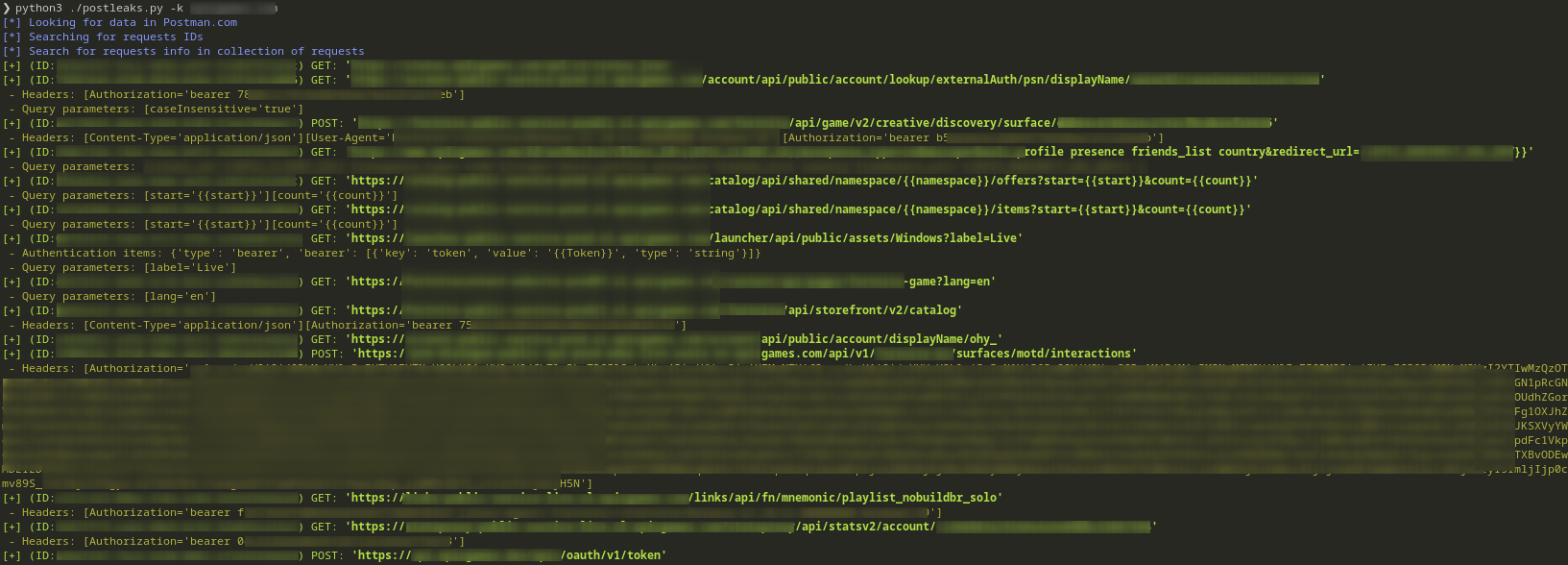
*结果保存在 `results_` 子文件夹中。文件名为 Postman.com 中的请求标识符。*
## 示例
## 限制
**~~2024年2月:Postman.com 将结果限制为 300 项(页面大小为 100 / offset 为 200)。~~**
**2024年12月:Postman.com 将结果限制为 225 项(页面大小为 25 / offset 为 200)。**
## 注意事项
敏感信息检测使用 [whispers](https://github.com/adeptex/whispers) 完成。规则存储在 `config.yml` 文件中。
标签:LLM应用, 文档结构分析, 逆向工具