Cosmian/kms
GitHub: Cosmian/kms
一个用 Rust 编写的高性能开源密钥管理系统,支持 FIPS 140-3 标准和 KMIP 1.0-2.1 协议,提供企业级密钥生命周期管理、云服务外部密钥集成和 PKI 功能。
Stars: 330 | Forks: 37
# Cosmian KMS
[](https://github.com/Cosmian/kms/actions/workflows/main.yml) [](https://github.com/Cosmian/kms/actions/workflows/pr.yml) [](https://github.com/Cosmian/kms/releases) [](https://docs.cosmian.com/key_management_system/) [](https://github.com/Cosmian/kms/pkgs/container/kms) [](SECURITY.md) [](LICENSE) [](./documentation/docs/fips.md)
**Cosmian KMS** 是一款高性能、开放源码的[符合 FIPS 140-3 标准](./documentation/docs/fips.md)的服务器应用程序,使用 [Rust](https://www.rust-lang.org/) 编写。
在线[文档](https://docs.cosmian.com/key_management_system/)。
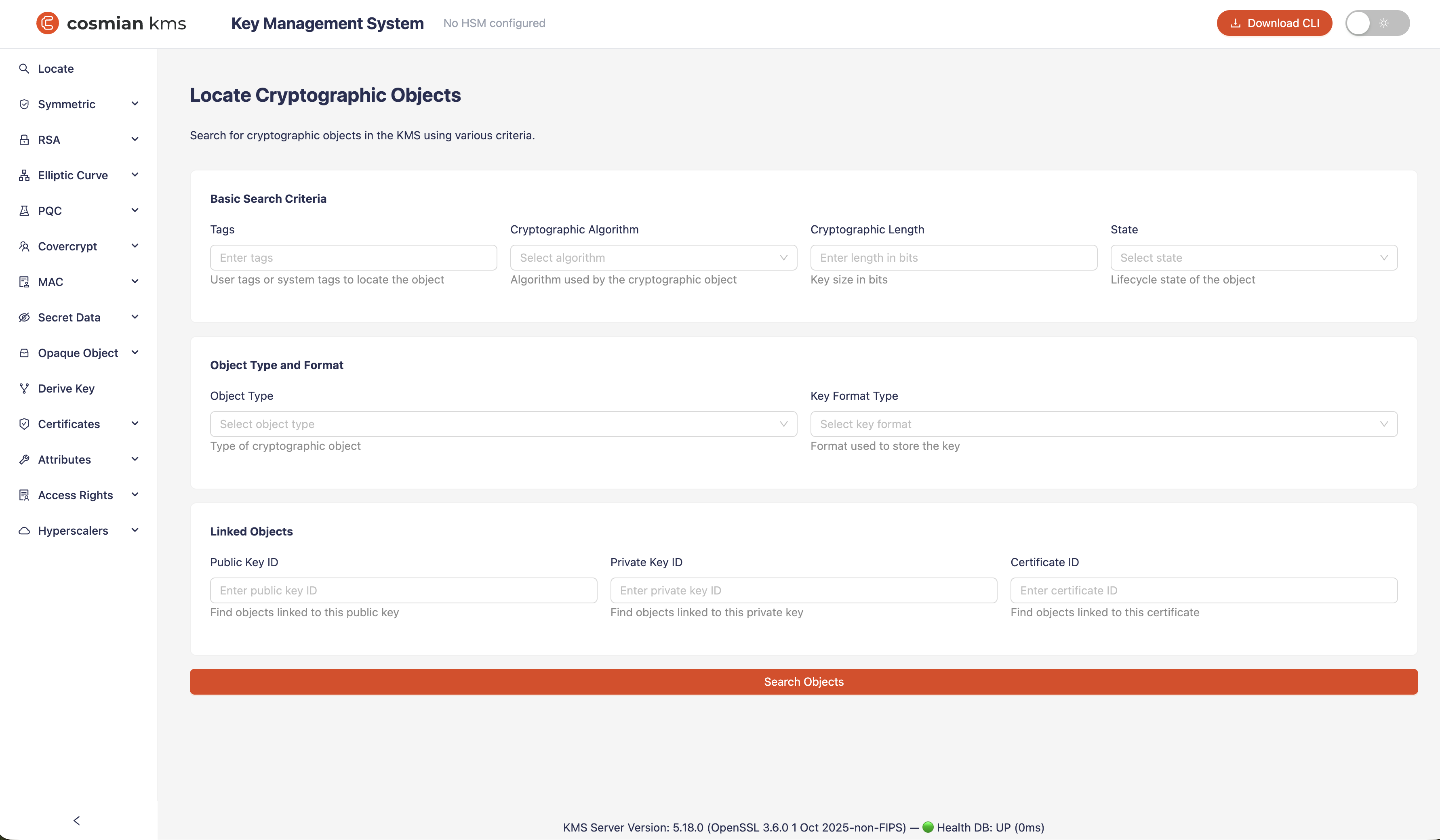
用于管理和操作的内置 Web UI。
**Cosmian KMS** 提供了一些独特的功能,例如: - **用例**:[大规模加密/解密](./documentation/docs/use_cases/encrypting_and_decrypting_at_scale.md)和[客户端/应用层加密](./documentation/docs/use_cases/client_side_and_application_level_encryption.md),并支持大规模签名(包括非 FIPS 模式下的 secp256k1)。 - **云与企业集成**:[AWS XKS v2](./documentation/docs/integrations/cloud_providers/aws/xks.md)、[Azure EKM](./documentation/docs/integrations/cloud_providers/azure/ekm.md)、[Google Workspace CSE](./documentation/docs/integrations/cloud_providers/google_workspace_client_side_encryption_cse/getting_started/index.md) 和 [Microsoft 365 DKE](./documentation/docs/integrations/cloud_providers/microsoft_365_double_key_encryption_dke/index.md)。 - **数据库**:[Oracle Database TDE](./documentation/docs/integrations/databases/oracle_tde.md)、[Microsoft SQL Server External (EKM)](./documentation/docs/integrations/databases/ms_sql_server.md)、[MongoDB](./documentation/docs/integrations/databases/mongodb.md)、[MySQL Enterprise](./documentation/docs/integrations/databases/mysql.md)、[PostgreSQL Percona](./documentation/docs/integrations/databases/percona.md) 和 [Snowflake Native App](./documentation/docs/integrations/databases/snowflake_native_app/index.md)。 - **磁盘加密**:[Veracrypt](./documentation/docs/integrations/disk_encryption/veracrypt.md)、[LUKS](./documentation/docs/integrations/disk_encryption/luks.md) 和 [Cryhod](./documentation/docs/integrations/disk_encryption/cryhod.md)。 - **其他集成**:[OpenSSH](./documentation/docs/integrations/openssh.md)、[Synology DSM](./documentation/docs/integrations/storage/synology_dsm.md)、[Veeam Backup & Replication](./documentation/docs/integrations/storage/veeam.md)、[VMware vCenter Trust Key Provider](./documentation/docs/integrations/storage/vcenter.md) 和 [PySpark/Databricks Python UDF](./documentation/docs/integrations/storage/user_defined_function_for_pyspark_databricks_in_python/index.md)。 - **安全与标准**:[FIPS 140-3](./documentation/docs/certifications_and_compliance/fips.md)、[KMIP 1.0-2.1 二进制和 JSON TTLV 支持](./documentation/docs/kmip_support/introduction/index.md)、[最先进的认证机制](./documentation/docs/configuration/authentication.md),并与 [FortiGate / FortiOS](./documentation/docs/integrations/fortigate.md) 等网络设备原生兼容。 - **HSM 支持**:[Utimaco、SmartCard-HSM/Nitrokey HSM 2、Proteccio、Crypt2pay 等](./documentation/docs/hsm_support/introduction/index.md),KMS 密钥由 HSM 封装。 - **运维**:功能齐全的[命令行和图形客户端](https://docs.cosmian.com/kms_clients/)、[高可用模式](./documentation/docs/installation/high_availability_mode.md)、[机密云部署](./documentation/docs/installation/marketplace_guide.md) 和 [OpenTelemetry 集成](./documentation/docs/configuration/logging.md)。 **Cosmian KMS** 既是一个密钥管理系统,也是一个公钥基础设施。作为 KMS,它旨在管理密钥的生命周期并提供可扩展的加密服务,例如动态密钥生成、加密和解密操作。 **Cosmian KMS** 支持所有标准的 NIST 加密算法,以及诸如 [Covercrypt](https://github.com/Cosmian/cover_crypt) 等高级后量子密码算法。请参阅[支持的算法](./documentation/docs/algorithms.md)列表。 作为 **PKI**,它可以管理根证书和中间证书,签名和验证证书,使用其公钥加密和解密数据。证书可以导出为多种格式,包括现代和传统风格的 _PKCS#12_,以便在诸如 _S/MIME_ 加密电子邮件等各种应用程序中使用。 **Cosmian KMS** 拥有详尽的在线[文档](https://docs.cosmian.com/key_management_system/)。 ## 🚀 快速入门 针对 Linux、MacOS 和 Windows 系统[提供有](https://package.cosmian.com/kms/5.22.0/)预编译二进制文件以及 Docker 镜像。要运行服务器二进制文件,您的环境路径中必须包含 OpenSSL(详情请参见下文的“构建 KMS”);其他二进制文件则无此要求。 使用 Docker 在 `http://localhost:9998` 上快速启动一个 Cosmian KMS 服务器,并将数据存储在容器内部,请运行以下命令: ``` docker run -p 9998:9998 --name kms ghcr.io/cosmian/kms:latest ``` 然后,使用 CLI 向 KMS 发出命令。名为 `cosmian` 的 CLI 可以通过以下方式获取: - 通过 `cargo install ckms` 安装 - 从 [Cosmian packages](https://package.cosmian.com/kms/) 下载 - 通过运行以下命令,从 [GitHub 项目](https://github.com/Cosmian/cli)构建并启动 cargo build --bin ckms ### ▶️ 示例 1. 创建一个 256 位对称密钥 ➜ ckms sym keys create --number-of-bits 256 --algorithm aes --tag my-key-file ... 对称密钥已成功生成。 唯一标识符: 87e9e2a8-4538-4701-aa8c-e3af94e44a9e 标签: - my-key-file 2. 使用该密钥通过 AES GCM 加密 `image.png` 文件 ➜ ckms sym encrypt --tag my-key-file --output-file image.enc image.png ... 加密后的文件位于 "image.enc" 3. 使用该密钥解密 `image.enc` 文件 ➜ ckms sym decrypt --tag my-key-file --output-file image2.png image.enc ... 解密后的文件位于 "image2.png" 更多信息请参阅[文档](https://docs.cosmian.com/key_management_system/)。 ## ⭐ 为什么选择 Cosmian KMS - 性能:使用 Rust 构建,提供低延迟加密和高吞吐量。 - 设计即信任:默认为 FIPS 140-3 模式;在需要更广泛算法访问时使用非 FIPS 模式。 - 互操作性:全面支持 KMIP 1.0–2.1,PKCS#11 集成以及丰富的客户端工具。 - HSM 优先:可选的 HSM 密钥封装和供应商模块(Utimaco、SmartCard-HSM、Proteccio、Crypt2pay 等)。 - 云原生:官方 Docker 镜像,简单的水平扩展和 OpenTelemetry 可观测性。 - 端到端:提供服务器、CLI 和 Web UI,带来完整的开发和运维体验。 ## 🎯 核心用例 - 具有集中式密钥生命周期的大规模应用层加密(文件、对象、数据集)。 - 通过 KMIP/PKCS#11 实现数据库 TDE 与集成(Oracle TDE、Percona PostgreSQL、MongoDB、MySQL)。 - 企业集成:Google Workspace CSE、Microsoft DKE、Microsoft SQL Server External (EKM)、AWS XKS v2 和 Azure EKM。 - 由 HSM 支持的密钥保护和策略驱动的访问控制。 - PKI 操作:颁发、签名、验证和自动化证书生命周期。 ## 🔒 安全与合规 - 默认开启 FIPS 140-3 模式;切换到 `--features non-fips` 以使用扩展算法。 - 通过 Nix 实现可复现构建;发布构件附带 SHA-256 校验和。 - 服务器和 CLI (`ckms`) 的软件物料清单 (SBOM) 和漏洞报告: - CycloneDX (服务器): [`sbom/server/fips/static/bom.cdx.json`](sbom/server/fips/static/bom.cdx.json) - SPDX (服务器): [`sbom/server/fips/static/bom.spdx.json`](sbom/server/fips/static/bom.spdx.json) - 漏洞 (服务器): [`sbom/server/fips/static/vulns.csv`](sbom/server/fips/static/vulns.csv) - CycloneDX (ckms CLI): [`sbom/ckms/fips/static/bom.cdx.json`](sbom/ckms/fips/static/bom.cdx.json) - 概览: [`sbom/README.md`](sbom/README.md) - 密码学物料清单 (CBOM):以 CycloneDX 1.6 格式提供加密资产(算法、库、参数)的完整清单。 - [`cbom/cbom.cdx.json`](cbom/cbom.cdx.json) — 由 `.github/scripts/sbom/generate_cbom.py` 生成 - 内置 OpenTelemetry 指标/链路的可观测性。参见 [`OTLP_METRICS.md`](monitoring/OTLP_METRICS.md)。 [TOC] ## 🔐 HSM 支持 | HSM | 状态 | | ------------------------------------------ | ------ | | Proteccio (Bull Atos) | ✅ | | Crypt2pay | ✅ | | Utimaco SecurityServer | ✅ | | CardContact SmartCard-HSM / Nitrokey HSM 2 | ✅ | | SoftHSM2 (测试中) | ✅ | | AWS CloudHSM | 🚧 | | Azure Dedicated HSM | 🚧 | | GCP Cloud HSM | 🚧 | ## 🔗 集成 ### ☁️ 云服务商 — 外部密钥管理 云服务商提供了一些机制,允许您在其基础设施之外持有加密密钥。 共有三种不同的委托模型: | 术语 | 含义 | | -------- | ------------------------------------------------------------------------------------------------------------------------------------------ | | **XKS** | AWS External Key Store — 每次加密/解密都会实时代理到您的 KMS;密钥材料永远不会进入 AWS。 | | **EKM** | GCP External Key Manager — 相同的实时代理模型;Google 永远不会持有密钥材料。 | | **DKE** | Microsoft Double Key Encryption — 一个密钥位于 Azure/M365 中,第二个密钥专门位于您的 KMS 中;解密时需要同时使用这两个密钥。 | | **HYOK** | Hold Your Own Key (Oracle) — OCI Vault External KMS;每次加密/解密都会实时代理到您的 KMS;密钥材料永远不会进入 OCI。 | | **BYOK** | Bring Your Own Key — 您生成密钥材料并将其导入到服务商的 KMS 中;随后服务商会持有一份副本。 | | **CMK** | Customer-Managed Key — 服务商在其 KMS 中生成并存储密钥,但您控制其生命周期(轮换、禁用、删除)。 | #### Amazon Web Services (AWS) AWS XKS 是一个**单一代理 API**,AWS KMS 代表每个服务调用它 —— S3、EBS、RDS、DynamoDB、Secrets Manager 等都通过同一个端点进行路由。只需实现一次 [XKS Proxy API](https://github.com/aws/aws-kms-xks-proxy),Cosmian KMS 即可实时代理覆盖所有支持 XKS 的 AWS 服务,无需针对每个服务进行单独开发。 | 委托模型 | 描述 | 状态 | | -------------------- | ---------------------------------------------------------------------------------------------------------------------------------------------------------------------------------------------------------------------------------------------------------------------------- | ------ | | **XKS** (实时代理) | 密钥材料永远不会进入 AWS;每次加密/解密都会代理到 Cosmian KMS —— 覆盖所有支持 KMS 加密的 AWS 服务(S3、EBS、RDS、DynamoDB、Secrets Manager、SQS、SNS、Redshift、OpenSearch、EMR、Glue、Lambda…) —— [文档](./documentation/docs/integrations/cloud_providers/aws/xks.md) | ✅ | | **BYOK** | 由您生成密钥材料并一次性导入 AWS KMS;AWS 持有一份副本 | ✅ | | **CMK** | 在 AWS KMS 内部生成并存储的密钥;您仅控制生命周期 | 🚧 | #### Microsoft Azure 与 AWS XKS 或 GCP EKM 不同,Azure 没有单一的代理网关 —— 每个服务独立与 Azure Key Vault 集成。EKM 和 DKE 都是实时代理模型,密钥材料永远不会离开 Cosmian KMS;DKE 的独特之处在于需要同时使用您的密钥和 Microsoft 的密钥才能解密。 | 委托模型 | 描述 | 状态 | | -------------------- | ------------------------------------------------------------------------------------------------------------------------------------------------------------------------------------------------------------------------------------------------ | ------ | | **EKM** (实时代理) | 密钥材料永远不会离开 Cosmian KMS;Azure 服务通过 mTLS 将加密/解密操作代理到 Cosmian KMS —— [文档](./documentation/docs/integrations/cloud_providers/azure/ekm.md) | ✅ | | **DKE** (实时代理) | 密钥材料永远不会离开 Cosmian KMS;M365 / Purview 需要同时使用您的密钥和 Microsoft 的密钥解密 | ✅ | | **BYOK** | 由您生成密钥材料,一次性导入 Azure Key Vault;Azure 持有一份副本 —— 适用于 Azure Information Protection (AIP) | ✅ | | **BYOK / CMK** | 密钥被导入或在 Azure Key Vault 中生成;适用于所有剩余的 Azure 数据服务(Storage、Disk Encryption、SQL/Managed Instance TDE、Cosmos DB、Synapse、Databricks、Container Registry、Monitor、Service Bus、ASK etcd、Backup…) | ✅ | #### Google Cloud Platform (GCP) GCP EKM 是一个**单一代理网关** —— 与 AWS XKS 类似,只需实现一次 EKM 即可自动覆盖所有支持 CMEK 的 GCP 服务(Cloud Storage、BigQuery、Cloud SQL、GKE、Pub/Sub、Spanner、Vertex AI、Cloud Functions、Artifact Registry、Secret Manager、Cloud Logging…)。Workspace CSE 使用相同的实时代理模型。 | 委托模型 | 描述 | 状态 | | ------------------------------ | ------------------------------------------------------------------------------------------------------------------------------------------------------- | ------ | | **EKM** (实时代理) | 密钥材料永远不会进入 GCP;每次加密/解密都会代理到 Cosmian KMS —— 覆盖所有支持 CMEK 的 GCP 服务 | ✅ | | **Workspace CSE** (实时代理) | Google Workspace Client-Side Encryption;密钥专门保存在 Cosmian KMS 中 | ✅ | | **CSEK** | Customer-Supplied Encryption Key:在 Cosmian KMS 中生成的对称密钥,使用 Google 的 CSEK 证书封装并按请求提供 —— [文档](./documentation/docs/integrations/cloud_providers/google_gcp/csek.md) | ✅ | | **BYOK / CMEK** | 在 Cosmian KMS 中生成的密钥材料,使用 Google 的导入封装密钥封装,并导入到 Cloud KMS 中 —— [文档](./documentation/docs/integrations/cloud_providers/google_gcp/cmek.md) | ✅ | | **CMK** | 在 Cloud KMS 中生成并存储的密钥;您仅控制生命周期 | 🚧 | #### Oracle Cloud Infrastructure (OCI) OCI Vault **External KMS** (HYOK) 是一个**单一代理网关** —— 实现一次即可覆盖所有支持客户管理密钥的 OCI 服务(Block Volumes、Object Storage、File Storage、Autonomous Database、Oracle Database Service、OKE 中的 Kubernetes Secrets、Streaming、Functions…)。 | 委托模型 | 描述 | 状态 | | ------------------------------------ | ------------------------------------------------------------------------------------------------------------------------------------------------------------------------------------------------------------------- | ------ | | **HYOK / External KMS** (实时代理) | 密钥材料永远不会进入 OCI;每次加密/解密都会代理到 Cosmian KMS —— 覆盖所有支持 Vault External KMS 的 OCI 服务(Block Volumes、Object Storage、File Storage、Autonomous DB、OKE secrets…) | 🚧 | | **BYOK** | 由您生成密钥材料并一次性导入 OCI Vault;Oracle 持有一份副本 | 🚧 | | **CMK** | 在 OCI Vault 中生成并存储的密钥;您仅控制生命周期 | 🚧 | ### 🗄️ 数据库集成 | 产品 | 集成 | 状态 | | ------------------- | ------------------------------------------------------------------------------------------------------------------------------------------------------------------------------------- | ------ | | Oracle Database | 通过 PKCS#11 实现 TDE ([文档](./documentation/docs/integrations/databases/oracle_tde.md)) | ✅ | | MongoDB | 通过 KMIP 实现 CSFLE / Queryable Encryption ([文档](./documentation/docs/integrations/databases/mongodb.md)) | ✅ | | MySQL Enterprise | 通过 KMIP 实现 TDE ([文档](./documentation/docs/integrations/databases/mysql.md)) | ✅ | | Percona PostgreSQL | 通过 KMIP 实现 TDE ([文档](./documentation/docs/integrations/databases/percona.md)) | ✅ | | Microsoft SQL Server | 通过 PKCS#11 实现外部密钥管理 (EKM) ([文档](./documentation/docs/integrations/databases/ms_sql_server.md)) | ✅ | | Snowflake | Native App —— 通过 KMIP 实现列级加密 ([文档](./documentation/docs/integrations/databases/snowflake_native_app/index.md)) | ✅ | ### 💿 磁盘加密 | 产品 | 集成 | 状态 | | --------- | ------------------------------------------------------------------------------------------------------------------------- | ------ | | VeraCrypt | 通过 PKCS#11 实现虚拟磁盘加密 ([文档](./documentation/docs/integrations/disk_encryption/veracrypt.md)) | ✅ | | LUKS | 通过 PKCS#11 实现 Linux 磁盘加密 ([文档](./documentation/docs/integrations/disk_encryption/luks.md)) | ✅ | | Cryhod | 磁盘加密 ([文档](./documentation/docs/integrations/disk_encryption/cryhod.md)) | ✅ | ### 💾 存储集成 | 产品 | 集成 | 状态 | | ---------------------- | -------------------------------------------------------------------------------------------------------------------------------------------------------------------- | ------ | | VMware vCenter | Trust Key Provider ([文档](./documentation/docs/integrations/storage/vcenter.md)) | ✅ | | Synology DSM | 通过 KMIP 实现 NAS 卷加密 ([文档](./documentation/docs/integrations/storage/synology_dsm.md)) | ✅ | | Veeam Backup | 通过 KMIP 实现备份加密密钥管理 ([文档](./documentation/docs/integrations/storage/veeam.md)) | ✅ | | Big Data / Python UDFs | 针对 PySpark / Databricks 的批量加密/解密 ([文档](./documentation/docs/integrations/storage/user_defined_function_for_pyspark_databricks_in_python/index.md)) | ✅ | ### 🔗 其他集成 | 产品 | 集成 | 状态 | | -------- | ---------------------------------------------------------------------------------------------------------------------------- | ------ | | FortiGate / FortiOS | 通过 KMIP 1.0–1.4 实现外部 KMS ([文档](./documentation/docs/integrations/fortigate.md)) | ✅ | | OpenSSH | 基于证书的身份验证 ([文档](./documentation/docs/integrations/openssh.md)) | ✅ | | S/MIME | 邮件加密 ([文档](./documentation/docs/integrations/smime.md)) | ✅ | | PyKMIP | 用于测试和 Synology DSM 的兼容 PyKMIP 接口 ([文档](./documentation/docs/integrations/pykmip.md)) | ✅ | ## Cosmian KMS 的 KMIP 支持 本页总结了 Cosmian KMS 中的 KMIP 覆盖范围。支持状态 源自 `crate/server/src/core/operations` 中的实际实现。 **Cosmian KMS 服务器支持的 KMIP 版本:** 2.1、2.0、1.4、1.3、1.2、1.1、1.0 图例: - ✅ 完全支持 - ❌ 未实现 - 🚫 已弃用 - N/A 不适用(该操作/属性未在此 KMIP 版本中定义) ### KMIP 基线配置文件合规性 **基线服务器:** ✅ 合规(全部 9 个必需项 + 18/18 个可选项) 基线服务器配置文件(定义于 KMIP Profiles v2.1 第 4.1 节)要求: - **必需操作:** Discover Versions、Query、Create、Register、Get、Destroy、Locate、Activate、Revoke - **可选操作:** 用于扩展功能的许多额外操作 ### KMIP 覆盖范围 #### 消息 | 消息 | 支持 | | ---------------- | ------: | | Request Message | ✅ | | Response Message | ✅ | #### 按 KMIP 版本划分的操作 下表显示了所有 KMIP 版本中的操作支持情况。 | 操作 | 1.0 | 1.1 | 1.2 | 1.3 | 1.4 | 2.0 | 2.1 | | --------- | :-----: | :-----: | :-----: | :-----: | :-----: | :-----: | :-----: | | Activate | ✅ | ✅ | ✅ | ✅ | ✅ | ✅ | ✅ | | Add Attribute | N/A | ✅ | ✅ | ✅ | ✅ | ✅ | ✅ | | Archive | ❌ | ❌ | ❌ | ❌ | ❌ | ❌ | ❌ | | Cancel | ❌ | ❌ | ❌ | ❌ | ❌ | ❌ | ❌ | | Certify | ✅ | ✅ | ✅ | ✅ | ✅ | ✅ | ✅ | | Check | ✅ | ✅ | ✅ | ✅ | ✅ | ✅ | ✅ | | Create | ✅ | ✅ | ✅ | ✅ | ✅ | ✅ | ✅ | | Create Key Pair | ✅ | ✅ | ✅ | ✅ | ✅ | ✅ | ✅ | | Create Split Key | N/A | N/A | ❌ | ❌ | ❌ | ❌ | ❌ | | Decrypt | N/A | N/A | ✅ | ✅ | ✅ | ✅ | ✅ | | Delete Attribute | N/A | ✅ | ✅ | ✅ | ✅ | ✅ | ✅ | | DeriveKey | ✅ | ✅ | ✅ | ✅ | ✅ | ✅ | ✅ | | Destroy | ✅ | ✅ | ✅ | ✅ | ✅ | ✅ | ✅ | | Discover Versions | N/A | ✅ | ✅ | ✅ | ✅ | ✅ | ✅ | | Encrypt | N/A | N/A | ✅ | ✅ | ✅ | ✅ | ✅ | | Export | N/A | N/A | N/A | N/A | ✅ | ✅ | ✅ | | Get | ✅ | ✅ | ✅ | ✅ | ✅ | ✅ | ✅ | | Get Attribute List | N/A | ✅ | ✅ | ✅ | ✅ | ✅ | ✅ | | Get Attributes | N/A | ✅ | ✅ | ✅ | ✅ | ✅ | ✅ | | Get Usage Allocation | ❌ | ❌ | ❌ | ❌ | ❌ | ❌ | ❌ | | Hash | N/A | N/A | ✅ | ✅ | ✅ | ✅ | ✅ | | Import | N/A | N/A | N/A | N/A | ✅ | ✅ | ✅ | | Join Split Key | N/A | N/A | ❌ | ❌ | ❌ | ❌ | ❌ | | Locate | ✅ | ✅ | ✅ | ✅ | ✅ | ✅ | ✅ | | MAC | N/A | N/A | ✅ | ✅ | ✅ | ✅ | ✅ | | MAC Verify | N/A | N/A | ✅ | ✅ | ✅ | ✅ | ✅ | | Notify | N/A | N/A | N/A | N/A | N/A | ❌ | ❌ | | Obtain Lease | ❌ | ❌ | ❌ | ❌ | ❌ | ❌ | ❌ | | Poll | ❌ | ❌ | ❌ | ❌ | ❌ | ❌ | ❌ | | Put | N/A | N/A | N/A | N/A | N/A | ❌ | ❌ | | Query | ✅ | ✅ | ✅ | ✅ | ✅ | ✅ | ✅ | | RNG Retrieve | N/A | N/A | ✅ | ✅ | ✅ | ✅ | ✅ | | RNG Seed | N/A | N/A | ✅ | ✅ | ✅ | ✅ | ✅ | | Re-certify | ❌ | ❌ | ❌ | ❌ | ❌ | ❌ | ❌ | | Re-key | ✅ | ✅ | ✅ | ✅ | ✅ | ✅ | ✅ | | Re-key Key Pair | N/A | ✅ | ✅ | ✅ | ✅ | ✅ | ✅ | | Recover | ❌ | ❌ | ❌ | ❌ | ❌ | ❌ | ❌ | | Register | ✅ | ✅ | ✅ | ✅ | ✅ | ✅ | ✅ | | Revoke | ✅ | ✅ | ✅ | ✅ | ✅ | ✅ | ✅ | | Set Attribute (Modify) | N/A | N/A | N/A | N/A | N/A | ✅ | ✅ | | Sign | N/A | N/A | ✅ | ✅ | ✅ | ✅ | ✅ | | Signature Verify | N/A | N/A | ✅ | ✅ | ✅ | ✅ | ✅ | | Validate | ✅ | ✅ | ✅ | ✅ | ✅ | ✅ | ✅ | #### 方法论 - 标记为 ✅ 的操作由 `crate/server/src/core/operations` 下的 Rust 实现文件提供支持。 - 标记为 ❌ 的操作已在 KMIP 规范中定义,但未在 Cosmian KMS 中实现。 - 标记为 N/A 的操作在特定的 KMIP 版本中不存在。 - 本文档通过分析源代码和 KMIP 规范自动生成。 如果您发现不匹配之处或希望扩展覆盖范围,请提交 issue 或 PR。 #### 托管对象 下表显示了所有 KMIP 版本中的托管对象支持情况。 | 托管对象 | 1.0 | 1.1 | 1.2 | 1.3 | 1.4 | 2.0 | 2.1 | | -------------- | :-----: | :-----: | :-----: | :-----: | :-----: | :-----: | :-----: | | Certificate | ✅ | ✅ | ✅ | ✅ | ✅ | ✅ | ✅ | | Symmetric Key | ✅ | ✅ | ✅ | ✅ | ✅ | ✅ | ✅ | | Public Key | ✅ | ✅ | ✅ | ✅ | ✅ | ✅ | ✅ | | Private Key | ✅ | ✅ | ✅ | ✅ | ✅ | ✅ | ✅ | | Split Key | ❌ | ❌ | ❌ | ❌ | ❌ | ❌ | ❌ | | Template | 🚫 | 🚫 | 🚫 | 🚫 | 🚫 | N/A | N/A | | Secret Data | ✅ | ✅ | ✅ | ✅ | ✅ | ✅ | ✅ | | Opaque Data | ✅ | ✅ | ✅ | ✅ | ✅ | ✅ | ✅ | | PGP Key | ❌ | ❌ | ❌ | ❌ | ❌ | ❌ | ❌ | 注意: - Opaque Object 导入支持已存在(参见 `import.rs`)。 - PGP Key 类型出现在摘要和属性处理中,但完整的对象导入/注册未实现,因此为 ❌。 - Template 对象在较新的 KMIP 版本中已弃用。 #### 基础对象 下表显示了所有 KMIP 版本中的基础对象支持情况。 | 基础对象 | 1.0 | 1.1 | 1.2 | 1.3 | 1.4 | 2.0 | 2.1 | | ----------- | :-----: | :-----: | :-----: | :-----: | :-----: | :-----: | :-----: | | Attribute | ❌ | ❌ | ❌ | ❌ | ❌ | ❌ | ❌ | | Credential | ❌ | ❌ | ❌ | ❌ | ❌ | ❌ | ❌ | | Key Block | ✅ | ✅ | ✅ | ✅ | ✅ | ✅ | ✅ | | Key Value | ❌ | ❌ | ❌ | ❌ | ❌ | ❌ | ❌ | | Key Wrapping Data | ✅ | ✅ | ✅ | ✅ | ✅ | ✅ | ✅ | | Key Wrapping Specification | ✅ | ✅ | ✅ | ✅ | ✅ | ✅ | ✅ | | Transparent Key Structures | ✅ | ✅ | ✅ | ✅ | ✅ | N/A | N/A | | Template-Attribute Structures | N/A | ✅ | ✅ | ✅ | ✅ | N/A | N/A | | Server Information | ✅ | ✅ | ✅ | ✅ | ✅ | ✅ | ✅ | | Extension Information | N/A | ❌ | ❌ | ❌ | ❌ | ❌ | ❌ | | Data | ✅ | ✅ | ✅ | ✅ | ✅ | ✅ | ✅ | | Data Length | N/A | N/A | ✅ | ✅ | ✅ | ✅ | ✅ | | Signature Data | N/A | N/A | ✅ | ✅ | ✅ | ✅ | ✅ | | MAC Data | N/A | N/A | ✅ | ✅ | ✅ | ✅ | ✅ | | Nonce | ✅ | ✅ | ✅ | ✅ | ✅ | ✅ | ✅ | | Correlation Value | ✅ | ✅ | ✅ | ✅ | ✅ | ✅ | ✅ | | Init Indicator | N/A | N/A | N/A | ✅ | ✅ | ✅ | ✅ | | Final Indicator | N/A | N/A | N/A | ✅ | ✅ | ✅ | ✅ | | RNG Parameters | N/A | N/A | N/A | ❌ | ❌ | ❌ | ❌ | | Profile Information | N/A | N/A | N/A | ❌ | ❌ | ❌ | ❌ | | Validation Information | N/A | N/A | N/A | ❌ | ❌ | ❌ | ❌ | | Capability Information | N/A | N/A | N/A | ❌ | ❌ | ❌ | ❌ | | Authenticated Encryption Additional Data | N/A | N/A | N/A | N/A | ✅ | ✅ | ✅ | | Authenticated Encryption Tag | N/A | N/A | N/A | N/A | ✅ | ✅ | ✅ | 注意: - AEAD Additional Data 和 Tag 在 encrypt/decrypt API 中受支持。 - Nonce 和 RNG Parameter 用于对称加密路径。 - 基础对象是存在于所有 KMIP 版本中的基本结构。 #### 透明密钥结构 下表显示了所有 KMIP 版本中的透明密钥结构支持情况。 | 结构 | 1.0 | 1.1 | 1.2 | 1.3 | 1.4 | 2.0 | 2.1 | | --------- | :-----: | :-----: | :-----: | :-----: | :-----: | :-----: | :-----: | | Symmetric Key | ✅ | ✅ | ✅ | ✅ | ✅ | ✅ | ✅ | | DSA Private Key | ✅ | ✅ | ✅ | ✅ | ✅ | ✅ | ✅ | | DSA Public Key | ❌ | ❌ | ❌ | ❌ | ❌ | ❌ | ❌ | | RSA Private Key | ✅ | ✅ | ✅ | ✅ | ✅ | ✅ | ✅ | | RSA Public Key | ✅ | ✅ | ✅ | ✅ | ✅ | ✅ | ✅ | | DH Private Key | ❌ | ❌ | ❌ | ❌ | ❌ | ❌ | ❌ | | DH Public Key | ❌ | ❌ | ❌ | ❌ | ❌ | ❌ | ❌ | | EC Private Key | N/A | N/A | N/A | ✅ | ✅ | ✅ | ✅ | | EC Public Key | ✅ | ✅ | ✅ | ✅ | ✅ | ✅ | ✅ | | ECDSA Private Key | ✅ | ✅ | ✅ | ✅ | ✅ | N/A | N/A | | ECDSA Public Key | ✅ | ✅ | ✅ | ✅ | ✅ | N/A | N/A | | ECDH Private Key | ❌ | ❌ | ❌ | ❌ | ❌ | N/A | /A | | ECDH Public Key | ❌ | ❌ | ❌ | ❌ | ❌ | N/A | N/A | | ECMQV Private Key | ❌ | ❌ | ❌ | ❌ | ❌ | N/A | N/A | | ECMQV Public Key | ❌ | ❌ | ❌ | ❌ | ❌ | N/A | N/A | 注意:支持 EC/ECDSA;未实现 DH/DSA/ECMQV。 #### 属性 | 属性 | 当前 | | --------- | ------: | | Activation Date | ✅ | | Alternative Name | ✅ | | Always Sensitive | ✅ | | Application Specific Information | ✅ | | Archive Date | ✅ | | Attribute Index | ✅ | | Certificate Attributes | ✅ | | Certificate Length | ✅ | | Certificate Type | ✅ | | Comment | ✅ | | Compromise Date | ✅ | | Compromise Occurrence Date | ✅ | | Contact Information | ✅ | | Critical | ✅ | | Cryptographic Algorithm | ✅ | | Cryptographic Domain Parameters | ✅ | | Cryptographic Length | ✅ | | Cryptographic Parameters | ✅ | | Cryptographic Usage Mask | ✅ | | Deactivation Date | ✅ | | Description | ✅ | | Destroy Date | ✅ | | Digest | ✅ | | Digital Signature Algorithm | ✅ | | Extractable | ✅ | | Fresh | ✅ | | Initial Date | ✅ | | Key Format Type | ✅ | | Key Value Location | ✅ | | Key Value Present | ✅ | | Last Change Date | ✅ | | Lease Time | ✅ | | Link | ✅ | | Name | ✅ | | Never Extractable | ✅ | | Nist Key Type | ✅ | | Object Group | ✅ | | Object Group Member | ✅ | | Object Type | ✅ | | Opaque Data Type | ✅ | | Original Creation Date | ✅ | | PKCS#12 Friendly Name | ✅ | | Process Start Date | ✅ | | Protect Stop Date | ✅ | | Protection Level | ✅ | | Protection Period | ✅ | | Protection Storage Masks | ✅ | | Quantum Safe | ✅ | | Random Number Generator | ✅ | | Revocation Reason | ✅ | | Rotate Date | ✅ | | Rotate Generation | ✅ | | Rotate Interval | ✅ | | Rotate Latest | ✅ | | Rotate Name | ✅ | | Rotate Offset | ✅ | | Sensitive | ✅ | | Short Unique Identifier | ✅ | | State | ✅ | | Unique Identifier | ✅ | | Usage Limits | ✅ | | Vendor Attribute | ✅ | | X.509 Certificate Identifier | ✅ | | X.509 Certificate Issuer | ✅ | | X.509 Certificate Subject | ✅ | 注意: - GetAttributes 返回元数据属性和嵌入在 KeyBlock 结构中的属性的并集。 - “Vendor Attributes”可通过 Cosmian 供应商命名空间获取,并可通过 GetAttributes 访问。 - ✅ 表示该属性被 `crate/server/src/core/operations` 中的至少一个 KMIP 操作实现使用或更新,包括属性处理器(Add/Delete/Set/Get Attribute)。 - 大多数属性存在于所有 KMIP 版本中,较新版本中增加了一些内容。 ## 🗄️ 仓库内容 **Cosmian KMS** 使用 [Rust](https://www.rust-lang.org/) 编写,并组织为包含多个 crate 的 Cargo 工作区。该仓库包含以下主要组件: ### 🧰 二进制文件 - **KMS Server** (`cosmian_kms`) - 由 `crate/server` 构建的主 KMS 服务器二进制文件 ### 🧱 核心 Crates #### 🖧 服务器基础设施 - **`server`** - 主 KMS 服务器实现,包含 REST API、KMIP 协议支持和 Web UI - **`server_database`** - 支持 SQLite、PostgreSQL、MySQL 和 Redis 的数据库抽象层 - **`access`** - 权限和访问控制管理系统 服务器 crate(`crate/server`)的 Cosmian 专属 crate 依赖: ``` flowchart TD server[server] server --> access server --> base_hsm server --> server_database base_hsm --> hsm_loaders hsm_loaders --> smartcardhsm hsm_loaders --> crypt2pay hsm_loaders --> proteccio hsm_loaders --> softhsm2 hsm_loaders --> utimaco hsm_loaders --> other server_database --> kmip server_database --> crypto server_database --> interfaces ``` #### 🧑💻 客户端库 - **`kms_client`** - 用于 KMS 服务器通信的高级 Rust 客户端库 - **`client_utils`** - 客户端实现的共享工具 - **`wasm`** - 用于基于浏览器的客户端的 WebAssembly 绑定 #### 🔐 加密组件 - **`crypto`** - 核心加密操作和算法实现 - **`kmip`** - 完整实现 KMIP(密钥管理互操作性协议)标准版本 1.0-2.1 - **`kmip-derive`** - 用于 KMIP 协议序列化/反序列化的过程宏 #### 🔐 硬件安全模块 (HSM) 支持 - **`hsm/base_hsm`** - 基础 HSM 抽象层 - **`hsm/smartcardhsm`** - Nitrokey HSM 2 即 CardContact SmartCard-HSM - **`hsm/crypt2pay`** - Crypt2pay HSM 集成 - **`hsm/proteccio`** - Proteccio HSM 集成 - **`hsm/softhsm2`** - 用于测试和开发的 SoftHSM2 集成 - **`hsm/utimaco`** - Utimaco HSM 集成 - **`hsm/other`** - 其他 HSM 支持 #### 🗄️ 数据库接口 - **`interfaces`** - 数据库和存储后端抽象 #### 🧪 开发与测试 - **`test_kms_server`** - 用于在测试中以编程方式实例化 KMS 服务器的库 - **`cli`** - 旧版 CLI crate(目前主要用于测试) ### 📁 附加目录 - **`documentation/`** - 使用 MkDocs 构建的综合项目文档 - **`examples/`** - 代码示例和集成示例 - **`scripts/`** - 构建和部署脚本 - **`test_data/`** - 测试固定装置和样本数据 - **`ui/`** - 前端 Web 界面源代码 - **`pkg/`** - 用于 Debian 和 RPM 分发的打包配置 **注意:** 每个 crate 都包含自己的 README,其中包含详细信息。请参阅这些文件以获取特定的实现细节和使用说明。 请在 `documentation` 目录中找到 KMS 的[公开文档](https://docs.cosmian.com)。 ### 🏗️ 构建和运行 KMS 支持两种方式: - 用于生产环境,请使用 Nix 构建:使用统一脚本 `.github/scripts/nix.sh` 获取固定工具链、可复现的 FIPS 构建(为了保持一致性,也会跟踪非 FIPS 构建)和打包。 - 用于开发目的,请使用传统的 `cargo` 命令:`cargo build...`、`cargo test` #### GLIBC 支持 下表显示了 **Cosmian KMS** 的 GLIBC 版本和发行版支持情况: | 发行版 | 版本 | GLIBC | 支持 | 终止支持时间 | | --------------- | ------------------ | ----- | ------- | -------------- | | **Debian** | 13 (Trixie) | 2.40 | ✅ | TBD | | **Debian** | 12 (Bookworm) | 2.36 | ✅ | ~2028 (LTS) | | **Debian** | 11 (Bullseye) | 2.31 | ❌ | ~2026 (LTS) | | **Debian** | 10 (Buster) | 2.28 | ❌ | Jun 2024 (LTS) | | **Debian** | 9 (Stretch) | 2.24 | ❌ | Jun 2022 (LTS) | | **Rocky Linux** | 10 | 2.40 | ✅ | TBD | | **Rocky Linux** | 9 | 2.34 | ✅ | May 2032 | | **Rocky Linux** | 8 | 2.28 | ❌ | May 2029 | | **Ubuntu** | 25.04 (Plucky) | 2.40 | ✅ | Jan 2026 | | **Ubuntu** | 24.04 LTS (Noble) | 2.39 | ✅ | Apr 2029 | | **Ubuntu** | 22.04 LTS (Jammy) | 2.35 | ✅ | Apr 2027 | | **Ubuntu** | 20.04 LTS (Focal) | 2.31 | ❌ | Apr 2025 | | **Ubuntu** | 18.04 LTS (Bionic) | 2.27 | ❌ | Apr 2023 | **注意:** Cosmian KMS 要求 **GLIBC 2.34** 或更高版本(在 Debian 12+、Rocky Linux 9+ 和 Ubuntu 22.04+ 中可用)。 #### OpenSSL 先决条件 下表显示了 **Cosmian KMS** 变体使用的 OpenSSL 版本: | OpenSSL 链接方式 | FIPS | 非 FIPS | | --------------- | ---------------------------------------------------------------------- | ---------------------------------------------------------------- | | 静态 | 链接:OpenSSL 3.6.0;运行时从 OpenSSL 3.1.2 加载 FIPS provider | 链接:OpenSSL 3.6.0;运行时使用 default/legacy provider | | 动态 | 链接:OpenSSL 3.1.2;附带 FIPS 配置和 OpenSSL 3.1.2 的 provider | 链接:OpenSSL 3.6.0;附带 `libssl`/`libcrypto` 和 provider | 注意: - FIPS 构建包含 `fipsmodule.cnf` 和 FIPS provider #### ✨ 功能特性 从 5.4.0 版本开始,KMS 默认以 FIPS 模式运行。 可以通过向 `cargo build` 或 `cargo run` 传递 `--features non-fips` 标志来启用非 FIPS 模式。 `interop` 功能可启用 KMIP 互操作性测试操作,出于安全原因,这些操作默认被禁用。 这些操作只应在测试期间启用:`cargo build --features interop` 或 `cargo test --features interop`。 所有构建都链接到 OpenSSL 3.6.0。FIPS 变体附带 FIPS provider 和 `fipsmodule.cnf`;非 FIPS 变体使用 default/legacy provider。对于非 Nix 开发,请确保 OpenSSL 3.6.0+ 可用。 #### 🖥️ Linux 或 macOS 基于 Nix(可复现的 FIPS 构建): ``` # 运行测试(默认为 'all';DB backends 需要 services) bash .github/scripts/nix.sh test # 打包 artifacts (Linux → deb+rpm, macOS → dmg) bash .github/scripts/nix.sh package ``` 简单(仅使用 Cargo): ``` cargo build cargo test --lib --workspace cargo test --lib --workspace --features non-fips ``` #### 🪟 Windows 请遵循以下先决条件,或使用提供的 PowerShell 辅助脚本。 先决条件(手动): 1. 安装 Visual Studio(C++ 工作负载 + clang)、Strawberry Perl 和 `vcpkg`。 2. 使用 vcpkg 安装 OpenSSL 3.6.0: 在此项目根目录下运行: ``` vcpkg install --triplet x64-windows-static # arm64-windows-static for ARM64 $env:OPENSSL_DIR=(Get-Item .).FullName+"\vcpkg_installed\vcpkg\pkgs\openssl_x64-windows-static" ``` 对于 FIPS 构建(以构建 fips.dll): ``` Copy-Item -Path "vcpkg_fips.json" -Destination "vcpkg.json" vcpkg install vcpkg integrate install ``` PowerShell 辅助脚本(默认非 FIPS): ``` . .github/scripts/cargo_build.ps1 BuildProject -BuildType release # or debug . .github/scripts/cargo_test.ps1 TestProject -BuildType release # or debug ``` #### 📦 打包 (DEB/RPM/DMG) 和哈希值 使用 Nix 入口点来构建包: ``` # Linux bash .github/scripts/nix.sh package # builds deb + rpm bash .github/scripts/nix.sh package deb # build deb only bash .github/scripts/nix.sh package rpm # build rpm only # macOS bash .github/scripts/nix.sh package dmg ``` 成功后,会在每个生成的安装包(.deb/.rpm/.dmg)旁边写入一个 SHA-256 校验和文件(.sha256),以便于验证和构件分发。 ### 🧪 运行单元和集成测试 使用以下命令拉取测试数据: ``` git submodule update --init --recursive ``` 默认情况下,测试使用 `cargo test` 和 SQLCipher 后端(称为 `sqlite`)运行。 这可以通过将 `KMS_TEST_DB 环境变量设置为以下值来更改: - `sqlite`,用于纯 SQLite - `mysql`(需要运行中的 MySQL 或 MariaDB 服务器,并使用 `"mysql://kms:kms@localhost:3306/kms"` URL 连接) - `postgresql`(需要运行中的 PostgreSQL 服务器,并使用 `"postgresql://kms:kms@127.0.0.1:5432/kms"`URL 连接) - `redis-findex`(需要运行中的 Redis 服务器,并使用 `"redis://localhost:6379"` URL 连接) 示例:使用纯 SQLite 进行测试并附带一些日志 ``` RUST_LOG="error,cosmian_kms_server=info,cosmian_kms_cli=info" KMS_TEST_DB=sqlite cargo test ``` 或者,在编写测试或从 IDE 运行测试时,可以在测试顶部插入以下内容: ``` unsafe { set_var("RUST_LOG", "error,cosmian_kms_server=debug,cosmian_kms_cli=info"); set_var("RUST_BACKTRACE", "1"); set_var("KMS_TEST_DB", "redis-findex"); } log_init(option_env!("RUST_LOG")); ``` ### ⚙️ 开发:使用 cargo 运行服务器 要使用 cargo 运行服务器,您需要将 `RUST_LOG` 环境变量设置为所需的日志级别,并选择正确的后端(默认为 `sqlite`)。 ``` RUST_LOG="info,cosmian_kms_server=debug" \ cargo run --bin cosmian_kms --features non-fips -- \ --database-type redis-findex --database-url redis://localhost:6379 \ --redis-master-password secret --redis-findex-label label ``` ### 🔧 服务器参数 如果提供了配置文件,参数将按以下顺序设置: - 配置文件(环境变量 `COSMIAN_KMS_CONF` 默认设置为 `/etc/cosmian/kms.toml`) - 默认值(在结构体上设置) 否则,参数将按以下顺序设置: - 命令行中的参数 - 环境变量 - 默认值(在结构体上设置) ## ☁️ 在 SEV/TDX 上的 Cosmian 虚拟机内使用 KMS 有关 Cosmian VM 的更多详细信息,请参阅[市场指南](documentation/docs/installation/marketplace_guide.md)。 ## 🏷️ 发布版本 所有版本均可在公开 URL [package.cosmian.com](https://package.cosmian.com/kms/) 中找到。 ## 📈 基准测试 要运行基准测试,请转到 `crate/test_kms_server` 目录并运行: ``` cargo bench ``` 单线程 HTTP KMIP 2.1 请求的典型值 (零网络延迟)如下所示 ``` - RSA PKCSv1.5: - encrypt - 2048 bits: 128 microseconds - 4096 bits: 175 microseconds - decrypt - 2048 bits: 830 microseconds - 4096 bits: 4120 microseconds - RSA PKCS OAEP: - encrypt - 2048 bits: 134 microseconds - 4096 bits: 173 microseconds - decrypt - 2048 bits: 849 microseconds - 4096 bits: 3823 microseconds - RSA PKCS KEY WRP (AES): - encrypt - 2048 bits: 142 microseconds - 4096 bits: 198 microseconds - decrypt - 2048 bits: 824 microseconds - 4096 bits: 3768 microseconds - RSA Keypair creation (saved in KMS DB) - 2048 bits: 33 milliseconds - 4096 bits: 322 milliseconds ``` ## 🤝 社区与支持 - 文档:`documentation/` 和在线文档:标签:AI工具, AWS, Azure, CVE, DPI, FIPS 140-3, KMS, ProjectDiscovery, Rust, Streamlit, TCP SYN 扫描, Web UI, 云集成, 人工智能安全, 企业级安全, 可扩展性, 可视化界面, 合规性, 客户端加密, 密码学, 密钥存储, 密钥管理系统, 密钥轮换, 应用层加密, 手动系统调用, 搜索引擎查询, 数字签名, 数据保护, 数据加密, 数据解密, 测试用例, 网络流量审计, 访问控制, 请求拦截, 高并发