comet-ml/opik
GitHub: comet-ml/opik
开源的 LLM 应用可观测性平台,提供全链路追踪、自动化评估和生产监控能力,帮助团队从开发到上线全程把控 AI 应用质量。
Stars: 19660 | Forks: 1523
English | 简体中文 | 日本語 | Português (Brasil) | 한국어
Español | Français | Deutsch | Русский | العربية | हिन्दी | Türkçe
Español | Français | Deutsch | Русский | العربية | हिन्दी | Türkçe

Opik
Opik
Open-source AI Observability, Evaluation, and Optimization
Opik helps you build, test, and optimize generative AI application that run better, from prototype to production. From RAG chatbots to code assistants to complex agentic systems, Opik provides comprehensive tracing, evaluation, and automatic prompt and tool optimization to take the guesswork out of AI development.
[](https://pypi.org/project/opik/)
[](https://github.com/comet-ml/opik/blob/main/LICENSE)
[](https://github.com/comet-ml/opik/actions/workflows/build_apps.yml)
官方网站 • Slack 社区 • Twitter • 更新日志 • 文档
🚀 什么是 Opik? • 🛠️ Opik 服务器安装 • 💻 Opik Client SDK • 📝 记录 Traces
🧑⚖️ LLM as a Judge • 🔍 评估你的应用程序 • ⭐ 给我们点 Star • 🤝 参与贡献
🧑⚖️ LLM as a Judge • 🔍 评估你的应用程序 • ⭐ 给我们点 Star • 🤝 参与贡献
[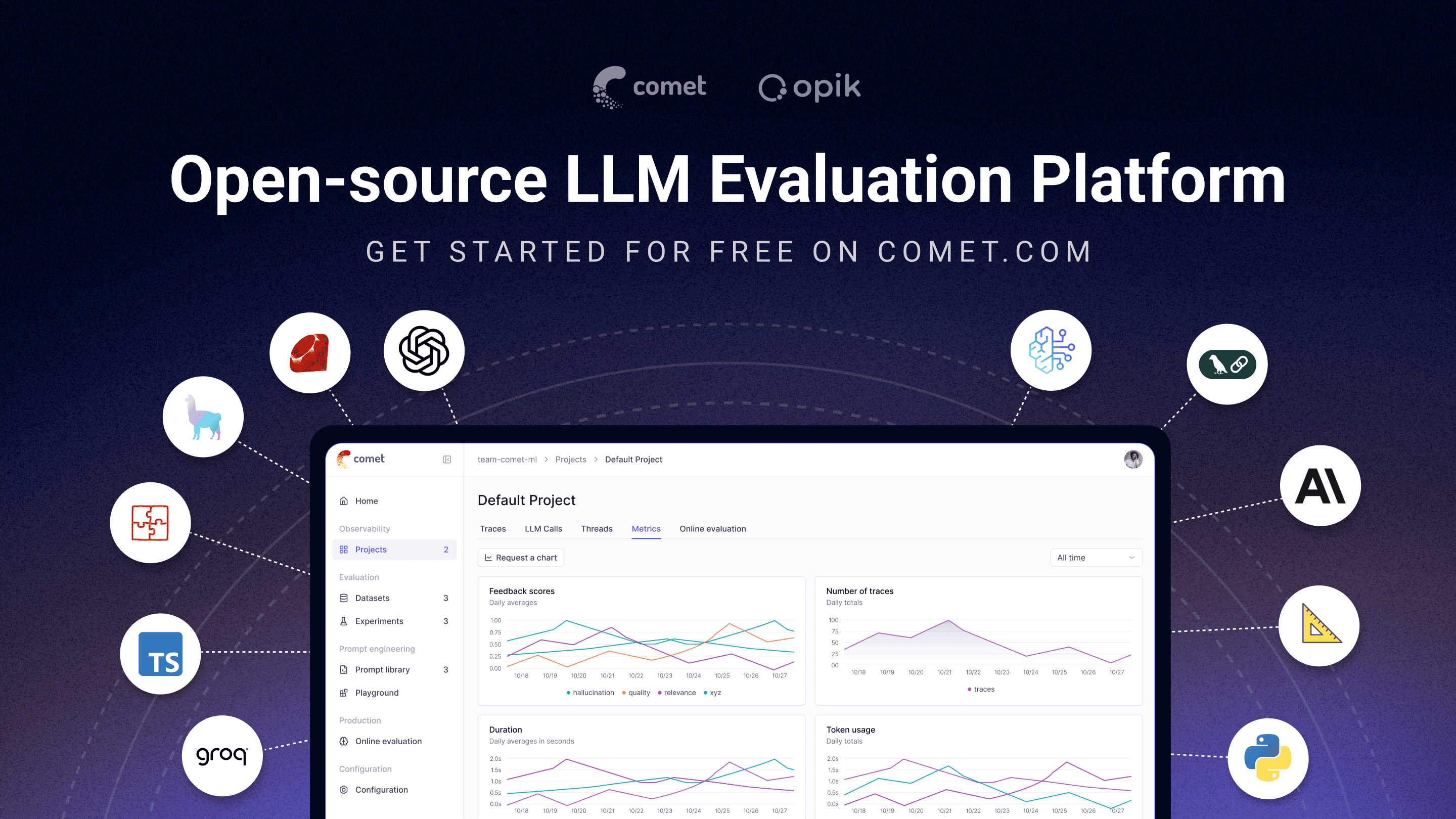](https://www.comet.com/signup?from=llm&utm_source=opik&utm_medium=github&utm_content=readme_banner&utm_campaign=opik) ## 🚀 什么是 Opik? Opik (由 [Comet](https://www.comet.com?from=llm&utm_source=opik&utm_medium=github&utm_content=what_is_opik_link&utm_campaign=opik) 构建) 是一个开源平台,旨在简化 LLM 应用程序的整个生命周期。它使开发人员能够评估、测试、监控和优化他们的模型和 Agentic 系统。主要功能包括: - **全方位的可观测性**:对 LLM 调用、对话日志和 Agent 活动进行深度追踪。 - **高级评估**:强大的 Prompt 评估、LLM-as-a-judge 以及实验管理。 - **生产就绪**:可扩展的监控仪表板和用于生产环境的在线评估规则。 - **Opik Agent Optimizer**:专用的 SDK 和优化器集,用于增强 Prompts 和 Agents。 - **Opik Guardrails**:帮助您实施安全和负责任 AI 实践的功能。
核心能力包括: - **开发与追踪:** - 在开发和生产环境中,跟踪所有 LLM 调用和 traces,并附上详细的上下文信息 ([快速入门](https://www.comet.com/docs/opik/quickstart/?from=llm&utm_source=opik&utm_medium=github&utm_content=quickstart_link&utm_campaign=opik))。 - 广泛的第三方集成,实现轻松的可观测性:与日益增长的框架列表无缝集成,原生支持许多最大和最受欢迎的框架(包括最近新增的 **Google ADK**、**Autogen** 和 **Flowise AI**)。([集成](https://www.comet.com/docs/opik/integrations/overview/?from=llm&utm_source=opik&utm_medium=github&utm_content=integrations_link&utm_campaign=opik)) - 通过 [Python SDK](https://www.comet.com/docs/opik/tracing/annotate_traces/#annotating-traces-and-spans-using-the-sdk?from=llm&utm_source=opik&utm_medium=github&utm_content=sdk_link&utm_campaign=opik) 或 [UI](https://www.comet.com/docs/opik/tracing/annotate_traces/#annotating-traces-through-the-ui?from=llm&utm_source=opik&utm_medium=github&utm_content=ui_link&utm_campaign=opik) 为 traces 和 spans 添加反馈分数注释。 - 在 [Prompt Playground](https://www.comet.com/docs/opik/prompt_engineering/playground) 中试验 prompts 和模型。 - **评估与测试**: - 使用 [Datasets](https://www.comet.com/docs/opik/evaluation/manage_datasets/?from=llm&utm_source=opik&utm_medium=github&utm_content=datasets_link&utm_campaign=opik) 和 [Experiments](https://www.comet.com/docs/opik/evaluation/evaluate_your_llm/?from=llm&utm_source=opik&utm_medium=github&utm_content=eval_link&utm_campaign=opik) 自动化您的 LLM 应用程序评估。 - 利用强大的 LLM-as-a-judge 指标处理复杂任务,如[幻觉检测](https://www.comet.com/docs/opik/evaluation/metrics/hallucination/?from=llm&utm_source=opik&utm_medium=github&utm_content=hallucination_link&utm_campaign=opik)、[内容审核](https://www.comet.com/docs/opik/evaluation/metrics/moderation/?from=llm&utm_source=opik&utm_medium=github&utm_content=moderation_link&utm_campaign=opik) 和 RAG 评估 ([答案相关性](https://www.comet.com/docs/opik/evaluation/metrics/answer_relevance/?from=llm&utm_source=opik&utm_medium=github&utm_content=alex_link&utm_campaign=opik)、[上下文精确度](https://www.comet.com/docs/opik/evaluation/metrics/context_precision/?from=llm&utm_source=opik&utm_medium=github&utm_content=context_link&utm_campaign=opik))。 - 通过我们的 [PyTest 集成](https://www.comet.com/docs/opik/testing/pytest_integration/?from=llm&utm_source=opik&utm_medium=github&utm_content=pytest_link&utm_campaign=opik) 将评估集成到您的 CI/CD 管道中。 - **生产监控与优化**: - 记录海量的生产 traces:Opik 专为规模而设计(每天超过 4000 万条 traces)。 - 在 [Opik Dashboard](https://www.comet.com/docs/opik/production/production_monitoring/?from=llm&utm_source=opik&utm_medium=github&utm_content=dashboard_link&utm_campaign=opik) 中监控反馈分数、trace 数量和 token 使用情况。 - 利用结合了 LLM-as-a-Judge 指标的 [在线评估规则](https://www.comet.com/docs/opik/production/rules/?from=llm&utm_source=opik&utm_medium=github&utm_content=dashboard_link&utm_campaign=opik) 来识别生产问题。 - 利用 **Opik Agent Optimizer** 和 **Opik Guardrails** 在生产环境中持续改进并保护您的 LLM 应用程序。
## 🛠️ Opik 服务器安装 几分钟内即可运行您的 Opik 服务器。选择最适合您需求的选项: ### 选项 1:Comet.com 云端 (最简单且推荐) 无需任何设置即可立即访问 Opik。非常适合快速入门和无维护烦恼。 👉 [创建您的免费 Comet 账户](https://www.comet.com/signup?from=llm&utm_source=opik&utm_medium=github&utm_content=install_create_link&utm_campaign=opik) ### 选项 2:自托管 Opik 以实现完全控制 在您自己的环境中部署 Opik。选择 Docker 用于本地设置,或选择 Kubernetes 以实现可扩展性。 #### 使用 Docker Compose 自托管 (用于本地开发和测试) 这是运行本地 Opik 实例最简单的方法。请注意新的 `./opik.sh` 安装脚本: 在 Linux 或 Mac 环境中: ``` # Clone the Opik repository git clone https://github.com/comet-ml/opik.git # Navigate to the repository cd opik # Start the Opik platform ./opik.sh ``` 在 Windows 环境中: ``` # Clone the Opik repository git clone https://github.com/comet-ml/opik.git # Navigate to the repository cd opik # Start the Opik platform powershell -ExecutionPolicy ByPass -c ".\\opik.ps1" ``` **用于开发的服务配置 (Service Profiles)** Opik 安装脚本现在支持针对不同开发场景的服务配置: ``` # Start full Opik suite (default behavior) ./opik.sh # Start only infrastructure services (databases, caches etc.) ./opik.sh --infra # Start infrastructure + backend services ./opik.sh --backend # Enable guardrails with any profile ./opik.sh --guardrails # Guardrails with full Opik suite ./opik.sh --backend --guardrails # Guardrails with infrastructure + backend ``` 使用 `--help` 或 `--info` 选项排查问题。Dockerfiles 现在确保容器以非 root 用户运行,以增强安全性。一切运行正常后,您可以在浏览器中访问 [localhost:5173](http://localhost:5173)!有关详细说明,请参阅[本地部署指南](https://www.comet.com/docs/opik/self-host/local_deployment?from=llm&utm_source=opik&utm_medium=github&utm_content=self_host_link&utm_campaign=opik)。 #### 使用 Kubernetes 和 Helm 自托管 (用于可扩展部署) 对于生产或更大规模的自托管部署,可以使用我们的 Helm Chart 将 Opik 安装在 Kubernetes 集群上。点击徽章查看完整的[使用 Helm 的 Kubernetes 安装指南](https://www.comet.com/docs/opik/self-host/kubernetes/#kubernetes-installation?from=llm&utm_source=opik&utm_medium=github&utm_content=kubernetes_link&utm_campaign=opik)。 [](https://www.comet.com/docs/opik/self-host/kubernetes/#kubernetes-installation?from=llm&utm_source=opik&utm_medium=github&utm_content=kubernetes_link&utm_campaign=opik) ## 💻 Opik Client SDK Opik 提供了一套客户端库和一个 REST API 来与 Opik 服务器交互。这包括 Python、TypeScript 和 Ruby (通过 OpenTelemetry) 的 SDK,允许无缝集成到您的工作流程中。有关详细的 API 和 SDK 参考,请参阅 [Opik Client 参考文档](https://www.comet.com/docs/opik/reference/overview?from=llm&utm_source=opik&utm_medium=github&utm_content=reference_link&utm_campaign=opik)。 ### Python SDK 快速入门 要开始使用 Python SDK: 安装软件包: ``` # install using pip pip install opik # or install with uv uv pip install opik ``` 通过运行 `opik configure` 命令配置 Python SDK,该命令会提示您输入 Opik 服务器地址(对于自托管实例)或您的 API key 和工作区(对于 Comet.com): ``` opik configure ``` 您现在已准备好开始使用 [Python SDK](https://www.comet.com/docs/opik/python-sdk-reference/?from=llm&utm_source=opik&utm_medium=github&utm_content=sdk_link2&utm_campaign=opik) 记录 traces。 ### 📝 通过集成记录 Traces 记录 traces 最简单的方法是使用我们的直接集成之一。Opik 支持广泛的框架,包括最近新增的 **Google ADK**、**Autogen**、**AG2** 和 **Flowise AI**: | 集成 | 描述 | 文档 | | --------------------- | ------------------------------------------------------- | ------------------------------------------------------------------------------------------------------------------------------------------------------------------------------ | | ADK | 记录 Google Agent Development Kit (ADK) 的 traces | [文档](https://www.comet.com/docs/opik/integrations/adk?utm_source=opik&utm_medium=github&utm_content=google_adk_link&utm_campaign=opik) | | AG2 | 记录 AG2 LLM 调用的 traces | [文档](https://www.comet.com/docs/opik/integrations/ag2?utm_source=opik&utm_medium=github&utm_content=ag2_link&utm_campaign=opik) | | AIsuite | 记录 aisuite LLM 调用的 traces | [文档](https://www.comet.com/docs/opik/integrations/aisuite?utm_source=opik&utm_medium=github&utm_content=aisuite_link&utm_campaign=opik) | | Agno | 记录 Agno agent 编排框架调用的 traces | [文档](https://www.comet.com/docs/opik/integrations/agno?utm_source=opik&utm_medium=github&utm_content=agno_link&utm_campaign=opik) | | Anthropic | 记录 Anthropic LLM 调用的 traces | [文档](https://www.comet.com/docs/opik/integrations/anthropic?utm_source=opik&utm_medium=github&utm_content=anthropic_link&utm_campaign=opik) | | Autogen | 记录 Autogen agentic 工作流的 traces | [文档](https://www.comet.com/docs/opik/integrations/autogen?utm_source=opik&utm_medium=github&utm_content=autogen_link&utm_campaign=opik) | | Bedrock | 记录 Amazon Bedrock LLM 调用的 traces | [文档](https://www.comet.com/docs/opik/integrations/bedrock?utm_source=opik&utm_medium=github&utm_content=bedrock_link&utm_campaign=opik) | | BeeAI (Python) | 记录 BeeAI Python agent 框架调用的 traces | [文档](https://www.comet.com/docs/opik/integrations/beeai?utm_source=opik&utm_medium=github&utm_content=beeai_link&utm_campaign=opik) | | BeeAI (TypeScript) | 记录 BeeAI TypeScript agent 框架调用的 traces | [文档](https://www.comet.com/docs/opik/integrations/beeai-typescript?utm_source=opik&utm_medium=github&utm_content=beeai_typescript_link&utm_campaign=opik) | | BytePlus | 记录 BytePlus LLM 调用的 traces | [文档](https://www.comet.com/docs/opik/integrations/byteplus?utm_source=opik&utm_medium=github&utm_content=byteplus_link&utm_campaign=opik) | | Cloudflare Workers AI | 记录 Cloudflare Workers AI 调用的 traces | [文档](https://www.comet.com/docs/opik/integrations/cloudflare-workers-ai?utm_source=opik&utm_medium=github&utm_content=cloudflare_workers_ai_link&utm_campaign=opik) | | Cohere | 记录 Cohere LLM 调用的 traces | [文档](https://www.comet.com/docs/opik/integrations/cohere?utm_source=opik&utm_medium=github&utm_content=cohere_link&utm_campaign=opik) | | CrewAI | 记录 CrewAI 调用的 traces | [文档](https://www.comet.com/docs/opik/integrations/crewai?utm_source=opik&utm_medium=github&utm_content=crewai_link&utm_campaign=opik) | | Cursor | 记录 Cursor 对话的 traces | [文档](https://www.comet.com/docs/opik/integrations/cursor?utm_source=opik&utm_medium=github&utm_content=cursor_link&utm_campaign=opik) | | DeepSeek | 记录 DeepSeek LLM 调用的 traces | [文档](https://www.comet.com/docs/opik/integrations/deepseek?utm_source=opik&utm_medium=github&utm_content=deepseek_link&utm_campaign=opik) | | Dify | 记录 Dify agent 运行的 traces | [文档](https://www.comet.com/docs/opik/integrations/dify?utm_source=opik&utm_medium=github&utm_content=dify_link&utm_campaign=opik) | | DSPY | 记录 DSPy 运行的 traces | [文档](https://www.comet.com/docs/opik/integrations/dspy?utm_source=opik&utm_medium=github&utm_content=dspy_link&utm_campaign=opik) | | Fireworks AI | 记录 Fireworks AI LLM 调用的 traces | [文档](https://www.comet.com/docs/opik/integrations/fireworks-ai?utm_source=opik&utm_medium=github&utm_content=fireworks_ai_link&utm_campaign=opik) | | Flowise AI | 记录 Flowise AI 可视化 LLM 构建器的 traces | [文档](https://www.comet.com/docs/opik/integrations/flowise?utm_source=opik&utm_medium=github&utm_content=flowise_link&utm_campaign=opik) | | Gemini (Python) | 记录 Google Gemini LLM 调用的 traces | [文档](https://www.comet.com/docs/opik/integrations/gemini?utm_source=opik&utm_medium=github&utm_content=gemini_link&utm_campaign=opik) | | Gemini (TypeScript) | 记录 Google Gemini TypeScript SDK 调用的 traces | [文档](https://www.comet.com/docs/opik/integrations/gemini-typescript?utm_source=opik&utm_medium=github&utm_content=gemini_typescript_link&utm_campaign=opik) | | Groq | 记录 Groq LLM 调用的 traces | [文档](https://www.comet.com/docs/opik/integrations/groq?utm_source=opik&utm_medium=github&utm_content=groq_link&utm_campaign=opik) | | Guardrails | 记录 Guardrails AI 验证的 traces | [文档](https://www.comet.com/docs/opik/integrations/guardrails-ai?utm_source=opik&utm_medium=github&utm_content=guardrails_link&utm_campaign=opik) | | Haystack | 记录 Haystack 调用的 traces | [文档](https://www.comet.com/docs/opik/integrations/haystack?utm_source=opik&utm_medium=github&utm_content=haystack_link&utm_campaign=opik) | | Harbor | 记录 Harbor 基准评估试验的 traces | [文档](https://www.comet.com/docs/opik/integrations/harbor?utm_source=opik&utm_medium=github&utm_content=harbor_link&utm_campaign=opik) | | Instructor | 记录使用 Instructor 进行的 LLM 调用的 traces | [文档](https://www.comet.com/docs/opik/integrations/instructor?utm_source=opik&utm_medium=github&utm_content=instructor_link&utm_campaign=opik) | | LangChain (Python) | 记录 LangChain LLM 调用的 traces | [文档](https://www.comet.com/docs/opik/integrations/langchain?utm_source=opik&utm_medium=github&utm_content=langchain_link&utm_campaign=opik) | | LangChain (JS/TS) | 记录 LangChain JavaScript/TypeScript 调用的 traces | [文档](https://www.comet.com/docs/opik/integrations/langchainjs?utm_source=opik&utm_medium=github&utm_content=langchainjs_link&utm_campaign=opik) | | LangGraph | 记录 LangGraph 执行的 traces | [文档](https://www.comet.com/docs/opik/integrations/langgraph?utm_source=opik&utm_medium=github&utm_content=langgraph_link&utm_campaign=opik) | | Langflow | 记录 Langflow 可视化 AI 构建器的 traces [文档](https://www.comet.com/docs/opik/integrations/langflow?utm_source=opik&utm_medium=github&utm_content=langflow_link&utm_campaign=opik) | | LiteLLM | 记录 LiteLLM 模型调用的 traces | [文档](https://www.comet.com/docs/opik/integrations/litellm?utm_source=opik&utm_medium=github&utm_content=litellm_link&utm_campaign=opik) | | LiveKit Agents | 记录 LiveKit Agents AI agent 框架调用的 traces | [文档](https://www.comet.com/docs/opik/integrations/livekit?utm_source=opik&utm_medium=github&utm_content=livekit_link&utm_campaign=opik) | | LlamaIndex | 记录 LlamaIndex LLM 调用的 traces | [文档](https://www.comet.com/docs/opik/integrations/llama_index?utm_source=opik&utm_medium=github&utm_content=llama_index_link&utm_campaign=opik) | | Mastra | 记录 Mastra AI 工作流框架调用的 traces | [文档](https://www.comet.com/docs/opik/integrations/mastra?utm_source=opik&utm_medium=github&utm_content=mastra_link&utm_campaign=opik) | | Microsoft Agent Framework (Python) | 记录 Microsoft Agent Framework 调用的 traces | [文档](https://www.comet.com/docs/opik/integrations/microsoft-agent-framework?utm_source=opik&utm_medium=github&utm_content=agent_framework_link&utm_campaign=opik) | | Microsoft Agent Framework (.NET) | 记录 Microsoft Agent Framework .NET 调用的 traces | [文档](https://www.comet.com/docs/opik/integrations/microsoft-agent-framework-dotnet?utm_source=opik&utm_medium=github&utm_content=agent_framework_dotnet_link&utm_campaign=opik) | | Mistral AI | 记录 Mistral AI LLM 调用的 traces | [文档](https://www.comet.com/docs/opik/integrations/mistral?utm_source=opik&utm_medium=github&utm_content=mistral_link&utm_campaign=opik) | | n8n | 记录 n8n 工作流执行的 traces | [文档](https://www.comet.com/docs/opik/integrations/n8n?utm_source=opik&utm_medium=github&utm_content=n8n_link&utm_campaign=opik) | | Novita AI | 记录 Novita AI LLM 调用的 traces | [文档](https://www.comet.com/docs/opik/integrations/novita-ai?utm_source=opik&utm_medium=github&utm_content=novita_ai_link&utm_campaign=opik) | | Ollama | 记录 Ollama LLM 调用的 traces | [文档](https://www.comet.com/docs/opik/integrations/ollama?utm_source=opik&utm_medium=github&utm_content=ollama_link&utm_campaign=opik) | | OpenAI (Python) | 记录 OpenAI LLM 调用的 traces | [文档](https://www.comet.com/docs/opik/integrations/openai?utm_source=opik&utm_medium=github&utm_content=openai_link&utm_campaign=opik) | | OpenAI (JS/TS) | 记录 OpenAI JavaScript/TypeScript 调用的 traces | [文档](https://www.comet.com/docs/opik/integrations/openai-typescript?utm_source=opik&utm_medium=github&utm_content=openai_typescript_link&utm_campaign=opik) | | OpenAI Agents | 记录 OpenAI Agents SDK 调用的 traces | [文档](https://www.comet.com/docs/opik/integrations/openai_agents?utm_source=opik&utm_medium=github&utm_content=openai_agents_link&utm_campaign=opik) | | OpenRouter | 记录 OpenRouter LLM 调用的 traces | [文档](https://www.comet.com/docs/opik/integrations/openrouter?utm_source=opik&utm_medium=github&utm_content=openrouter_link&utm_campaign=opik) | | OpenTelemetry | 记录 OpenTelemetry 支持的调用的 traces | [文档](https://www.comet.com/docs/opik/tracing/opentelemetry/overview?utm_source=opik&utm_medium=github&utm_content=opentelemetry_link&utm_campaign=opik) | | OpenWebUI | 记录 OpenWebUI 对话的 traces | [文档](https://www.comet.com/docs/opik/integrations/openwebui?utm_source=opik&utm_medium=github&utm_content=openwebui_link&utm_campaign=opik) | | Pipecat | 记录 Pipecat 实时语音 agent 调用的 traces | [文档](https://www.comet.com/docs/opik/integrations/pipecat?utm_source=opik&utm_medium=github&utm_content=pipecat_link&utm_campaign=opik) | | Predibase | 记录 Predibase LLM 调用的 traces | [文档](https://www.comet.com/docs/opik/integrations/predibase?utm_source=opik&utm_medium=github&utm_content=predibase_link&utm_campaign=opik) | | Pydantic AI | 记录 PydanticAI agent 调用的 traces | [文档](https://www.comet.com/docs/opik/integrations/pydantic-ai?utm_source=opik&utm_medium=github&utm_content=pydantic_ai_link&utm_campaign=opik) | | Ragas | 记录 Ragas 评估的 traces | [文档](https://www.comet.com/docs/opik/integrations/ragas?utm_source=opik&utm_medium=github&utm_content=ragas_link&utm_campaign=opik) | | Semantic Kernel | 记录 Microsoft Semantic Kernel 调用的 traces | [文档](https://www.comet.com/docs/opik/integrations/semantic-kernel?utm_source=opik&utm_medium=github&utm_content=semantic_kernel_link&utm_campaign=opik) | | Smolagents | 记录 Smolagents agents 的 traces | [文档](https://www.comet.com/docs/opik/integrations/smolagents?utm_source=opik&utm_medium=github&utm_content=smolagents_link&utm_campaign=opik) | | Spring AI | 记录 Spring AI 框架调用的 traces | [文档](https://www.comet.com/docs/opik/integrations/spring-ai?utm_source=opik&utm_medium=github&utm_content=spring_ai_link&utm_campaign=opik) | | Strands Agents | 记录 Strands agents 调用的 traces | [文档](https://www.comet.com/docs/opik/integrations/strands-agents?utm_source=opik&utm_medium=github&utm_content=strands_agents_link&utm_campaign=opik) | | Together AI | 记录 Together AI LLM 调用的 traces | [文档](https://www.comet.com/docs/opik/integrations/together-ai?utm_source=opik&utm_medium=github&utm_content=together_ai_link&utm_campaign=opik) | | Vercel AI SDK | 记录 Vercel AI SDK 调用的 traces | [文档](https://www.comet.com/docs/opik/integrations/vercel-ai-sdk?utm_source=opik&utm_medium=github&utm_content=vercel_ai_sdk_link&utm_campaign=opik) | | VoltAgent | 记录 VoltAgent agent 框架调用的 traces | [文档](https://www.comet.com/docs/opik/integrations/voltagent?utm_source=opik&utm_medium=github&utm_content=voltagent_link&utm_campaign=opik) | | WatsonX | 记录 IBM watsonx LLM 调用的 traces | [文档](https://www.comet.com/docs/opik/integrations/watsonx?utm_source=opik&utm_medium=github&utm_content=watsonx_link&utm_campaign=opik) | | xAI Grok | 记录 xAI Grok LLM 调用的 traces | [文档](https://www.comet.com/docs/opik/integrations/xai-grok?utm_source=opik&utm_medium=github&utm_content=xai_grok_link&utm_campaign=opik) | 如果您没有使用上述任何框架,也可以使用 `track` 函数装饰器来[记录 traces](https://www.comet.com/docs/opik/tracing/log_traces/?from=llm&utm_source=opik&utm_medium=github&utm_content=traces_link&utm_campaign=opik): ``` import opik opik.configure(use_local=True) # Run locally @opik.track def my_llm_function(user_question: str) -> str: # Your LLM code here return "Hello" ``` ### 🧑⚖️ LLM as a Judge 指标 Python Opik SDK 包含许多 LLM as a judge 指标,可帮助您评估 LLM 应用程序。在[指标文档](https://www.comet.com/docs/opik/evaluation/metrics/overview/?from=llm&utm_source=opik&utm_medium=github&utm_content=metrics_2_link&utm_campaign=opik)中了解更多信息。 要使用它们,只需导入相关指标并使用 `score` 函数: ``` from opik.evaluation.metrics import Hallucination metric = Hallucination() score = metric.score( input="What is the capital of France?", output="Paris", context=["France is a country in Europe."] ) print(score) ``` Opik 还包含许多预构建的启发式指标以及创建自定义指标的能力。在[指标文档](https://www.comet.com/docs/opik/evaluation/metrics/overview?from=llm&utm_source=opik&utm_medium=github&utm_content=metrics_3_link&utm_campaign=opik)中了解更多信息。 ### 🔍 评估您的 LLM 应用程序 Opik 允许您在开发过程中通过 [Datasets](https://www.comet.com/docs/opik/evaluation/manage_datasets/?from=llm&utm_source=opik&utm_medium=github&utm_content=datasets_2_link&utm_campaign=opik) 和 [Experiments](https://www.comet.com/docs/opik/evaluation/evaluate_your_llm/?from=llm&utm_source=opik&utm_medium=github&utm_content=experiments_link&utm_campaign=opik) 评估您的 LLM 应用程序。Opik Dashboard 为实验提供了增强的图表,并能更好地处理大型 traces。您还可以使用我们的 [PyTest 集成](https://www.comet.com/docs/opik/testing/pytest_integration/?from=llm&utm_source=opik&utm_medium=github&utm_content=pytest_2_link&utm_campaign=opik) 将评估作为 CI/CD 管道的一部分运行。 ## 🤝 参与贡献 有很多方式可以为 Opik 做出贡献: - 提交 [错误报告](https://github.com/comet-ml/opik/issues) 和 [功能请求](https://github.com/comet-ml/opik/issues) - 审阅文档并提交 [Pull Requests](https://github.com/comet-ml/opik/pulls) 来改进它 - 演讲或撰写关于 Opik 的内容并[告知我们](https://chat.comet.com) - 为 [热门功能请求](https://github.com/comet-ml/opik/issues?q=is%3Aissue+is%3Aopen+label%3A%22enhancement%22) 投票以表示您的支持 要了解更多关于如何为 Opik 做贡献的信息,请参阅我们的[贡献指南](CONTRIBUTING.md)。
标签:Agentic Workflows, AI Observability, AI开发工具, Chatbot, Clair, Comet, DLL 劫持, DNS解析, LLMOps, LLM评估, MLOps, Ollama, Opik, Python SDK, RAG系统, RESTful API, 人工智能, 代码助手, 仪表盘, 可观测性平台, 大语言模型, 子域名突变, 应用追踪, 开源项目, 提示词优化, 数据监控, 机器学习运维, 生成式AI, 用户代理, 用户模式Hook绕过, 索引, 自动评估, 请求拦截, 逆向工具