kby-ai/FaceAttribute-Android
GitHub: kby-ai/FaceAttribute-Android
一款商业级Android人脸识别SDK,集成3D被动活体检测、人脸识别、年龄性别估计及多项属性分析功能。
Stars: 19 | Forks: 14

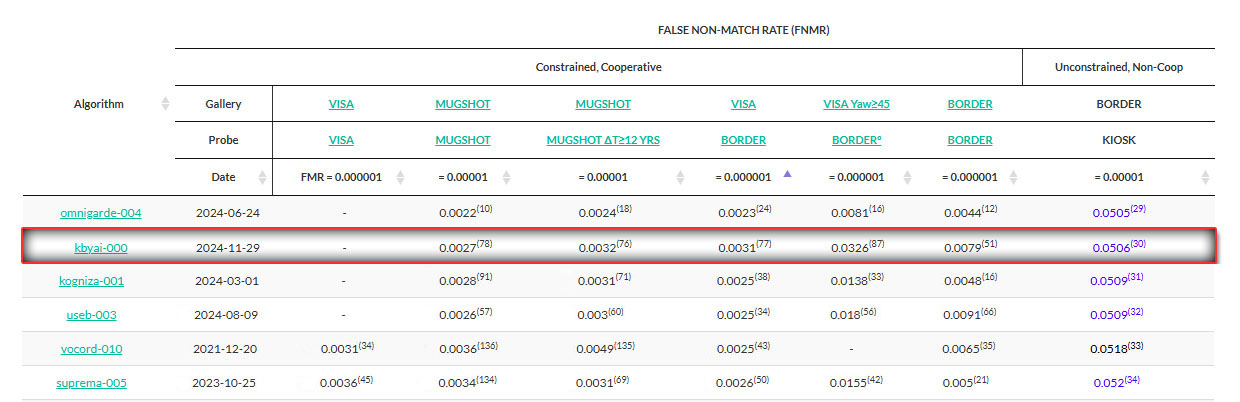
 [最新 NIST FRVT 评估报告 2024-12-20](https://pages.nist.gov/frvt/html/frvt11.html)
#### 🆔 ID Document Liveness Detection - Linux - [这里](https://web.kby-ai.com)
#### 📚 产品与资源 - [这里](https://github.com/kby-ai/Product)
#### 🛟 帮助中心 - [这里](https://docs.kby-ai.com)
#### 💼 KYC 验证演示 - [这里](https://github.com/kby-ai/KYC-Verification-Demo-Android)
#### 🙋♀️ Docker Hub - [这里](https://hub.docker.com/u/kbyai)
# FaceAttribute-Android
## 概述
本仓库集成了多种 `人脸识别` 技术,包括 `3D 被动人脸活体检测`、`人脸识别`、`自动人脸采集`,以及分析各种 `人脸属性`,如 `年龄`、`性别`、`人脸质量`、`人脸遮挡`、`闭眼` 和 `张嘴`。
该系统利用 `人脸活体检测` 技术,根据相机拍摄的单张图像生成实时活体分数。
此外,该演示还提供 `人脸识别` 功能,支持从图库中注册并实时识别相机捕捉到的人脸。
该仓库还具有自动人脸采集功能,可验证各种 `人脸属性`,例如 `人脸质量`、`人脸方向` (`yaw`、`roll`、`pitch`)、`人脸遮挡`(例如口罩、太阳镜、手遮挡面部)、`闭眼`、`张嘴` 以及面部在 `感兴趣区域` (`ROI`) 内的位置。
此外,该仓库还可以从图库图像中计算不同人脸属性的分数,包括 `活体`、`人脸方向` (`yaw`、`roll`、`pitch`)、`人脸质量`、`人脸亮度`、`人脸遮挡`、`闭眼`、`张嘴`、`年龄` 和 `性别`。
### ◾FaceSDK(Mobile) 详情
| 基础版 | 标准版 | 🔽 高级版 |
|------------------|------------------|------------------|
| Face Detection | Face Detection | Face Detection |
| Face Liveness Detection | Face Liveness Detection | Face Liveness Detection |
| Pose Estimation | Pose Estimation | Pose Estimation |
| | Face Recognition | Face Recognition |
| | | 68 points Face Landmark Detection |
| | | Face Quality Calculation |
| | | Face Occlusion Detection |
| | | Eye Closure Detection |
| | | Age, Gender Estimation |
### ◾FaceSDK(Mobile) 产品列表
| No. | 仓库 | SDK 详情 |
|------------------|-----------------------------------------------------------------------------------------------------------|------------------|
| 1 | [Face Liveness Detection - Android](https://github.com/kby-ai/FaceLivenessDetection-Android) | 基础版 SDK |
| 2 | [Face Liveness Detection - iOS](https://github.com/kby-ai/FaceLivenessDetection-iOS) | 基础版 SDK |
| 3 | [Face Recognition + Face Liveness Detection - Android](https://github.com/kby-ai/FaceRecognition-Android) | 标准版 SDK |
| 4 | [Face Recognition + Face Liveness Detection - iOS](https://github.com/kby-ai/FaceRecognition-iOS) | 标准版 SDK |
| 5 | [Face Recognition + Face Liveness Detection - Flutter](https://github.com/kby-ai/FaceRecognition-Flutter) | 标准版 SDK |
| 6 | [Face Recognition + Face Liveness Detection - Ionic-Cordova](https://github.com/kby-ai/FaceRececogniion-Ionic-Cordova) | 标准版 SDK |
| 7 | [Face Recognition + Face Liveness Detection - React-Native](https://github.com/kby-ai/FaceRecognition-React-Native) | 标准版 SDK |
| ➡️ | [Face Attribute - Android](https://github.com/kby-ai/FaceAttribute-Android) | 高级版 SDK |
| 9 | [Face Attribute - iOS](https://github.com/kby-ai/FaceAttribute-iOS) | 高级版 SDK |
| 10 | [Face Attribute - Flutter](https://github.com/kby-ai/FaceAttribute-Flutter) | 高级版 SDK |
## 试用 APK
### Google Play
[最新 NIST FRVT 评估报告 2024-12-20](https://pages.nist.gov/frvt/html/frvt11.html)

#### 🆔 ID Document Liveness Detection - Linux - [这里](https://web.kby-ai.com)
#### 📚 产品与资源 - [这里](https://github.com/kby-ai/Product)
#### 🛟 帮助中心 - [这里](https://docs.kby-ai.com)
#### 💼 KYC 验证演示 - [这里](https://github.com/kby-ai/KYC-Verification-Demo-Android)
#### 🙋♀️ Docker Hub - [这里](https://hub.docker.com/u/kbyai)
# FaceAttribute-Android
## 概述
本仓库集成了多种 `人脸识别` 技术,包括 `3D 被动人脸活体检测`、`人脸识别`、`自动人脸采集`,以及分析各种 `人脸属性`,如 `年龄`、`性别`、`人脸质量`、`人脸遮挡`、`闭眼` 和 `张嘴`。
该系统利用 `人脸活体检测` 技术,根据相机拍摄的单张图像生成实时活体分数。
此外,该演示还提供 `人脸识别` 功能,支持从图库中注册并实时识别相机捕捉到的人脸。
该仓库还具有自动人脸采集功能,可验证各种 `人脸属性`,例如 `人脸质量`、`人脸方向` (`yaw`、`roll`、`pitch`)、`人脸遮挡`(例如口罩、太阳镜、手遮挡面部)、`闭眼`、`张嘴` 以及面部在 `感兴趣区域` (`ROI`) 内的位置。
此外,该仓库还可以从图库图像中计算不同人脸属性的分数,包括 `活体`、`人脸方向` (`yaw`、`roll`、`pitch`)、`人脸质量`、`人脸亮度`、`人脸遮挡`、`闭眼`、`张嘴`、`年龄` 和 `性别`。
### ◾FaceSDK(Mobile) 详情
| 基础版 | 标准版 | 🔽 高级版 |
|------------------|------------------|------------------|
| Face Detection | Face Detection | Face Detection |
| Face Liveness Detection | Face Liveness Detection | Face Liveness Detection |
| Pose Estimation | Pose Estimation | Pose Estimation |
| | Face Recognition | Face Recognition |
| | | 68 points Face Landmark Detection |
| | | Face Quality Calculation |
| | | Face Occlusion Detection |
| | | Eye Closure Detection |
| | | Age, Gender Estimation |
### ◾FaceSDK(Mobile) 产品列表
| No. | 仓库 | SDK 详情 |
|------------------|-----------------------------------------------------------------------------------------------------------|------------------|
| 1 | [Face Liveness Detection - Android](https://github.com/kby-ai/FaceLivenessDetection-Android) | 基础版 SDK |
| 2 | [Face Liveness Detection - iOS](https://github.com/kby-ai/FaceLivenessDetection-iOS) | 基础版 SDK |
| 3 | [Face Recognition + Face Liveness Detection - Android](https://github.com/kby-ai/FaceRecognition-Android) | 标准版 SDK |
| 4 | [Face Recognition + Face Liveness Detection - iOS](https://github.com/kby-ai/FaceRecognition-iOS) | 标准版 SDK |
| 5 | [Face Recognition + Face Liveness Detection - Flutter](https://github.com/kby-ai/FaceRecognition-Flutter) | 标准版 SDK |
| 6 | [Face Recognition + Face Liveness Detection - Ionic-Cordova](https://github.com/kby-ai/FaceRececogniion-Ionic-Cordova) | 标准版 SDK |
| 7 | [Face Recognition + Face Liveness Detection - React-Native](https://github.com/kby-ai/FaceRecognition-React-Native) | 标准版 SDK |
| ➡️ | [Face Attribute - Android](https://github.com/kby-ai/FaceAttribute-Android) | 高级版 SDK |
| 9 | [Face Attribute - iOS](https://github.com/kby-ai/FaceAttribute-iOS) | 高级版 SDK |
| 10 | [Face Attribute - Flutter](https://github.com/kby-ai/FaceAttribute-Flutter) | 高级版 SDK |
## 试用 APK
### Google Play
 ## 性能视频
您可以访问我们的 YouTube 视频 [这里](https://www.youtube.com/watch?v=-WiAethTacc),查看我们演示应用的运行效果。
[](https://www.youtube.com/watch?v=-WiAethTacc)
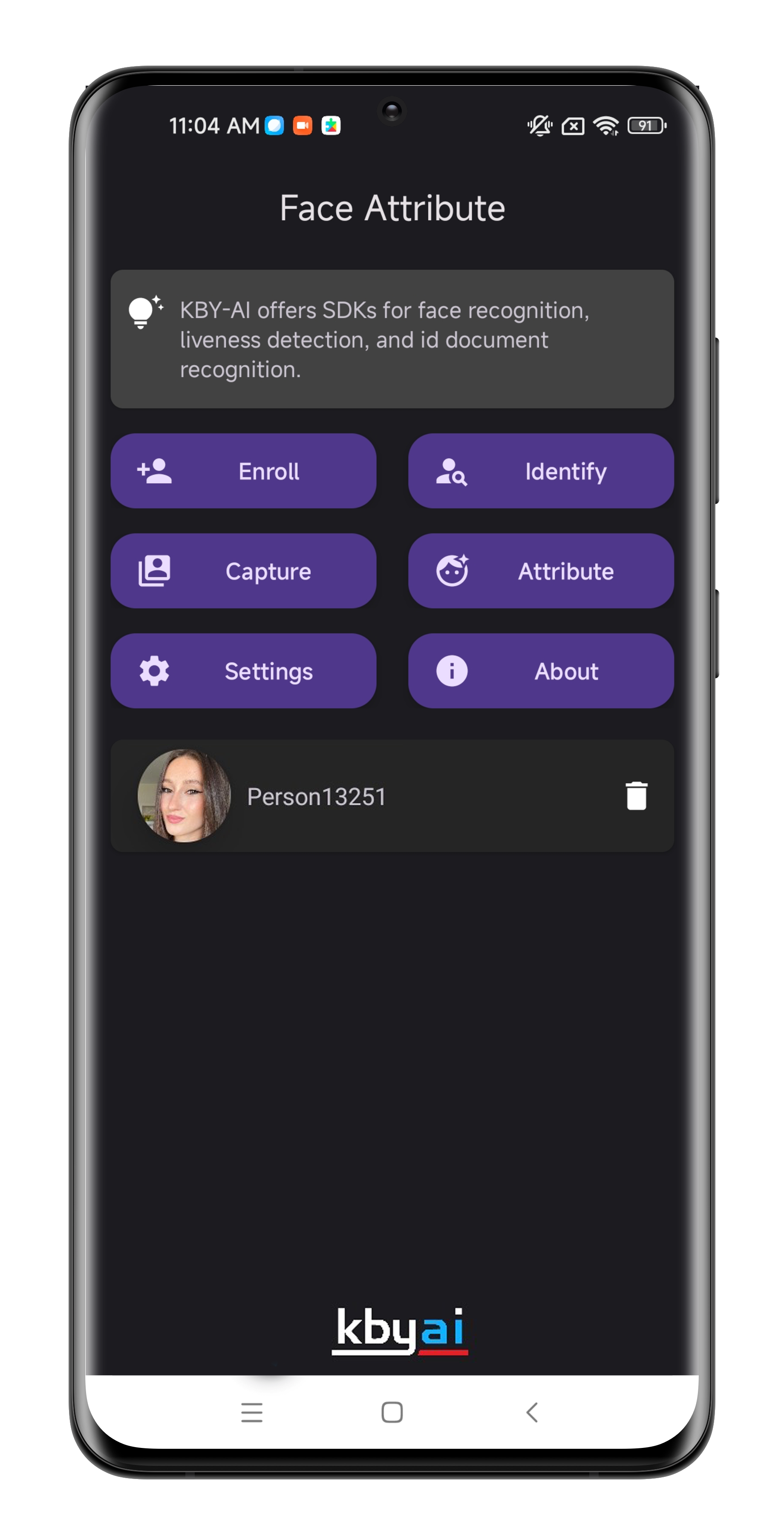
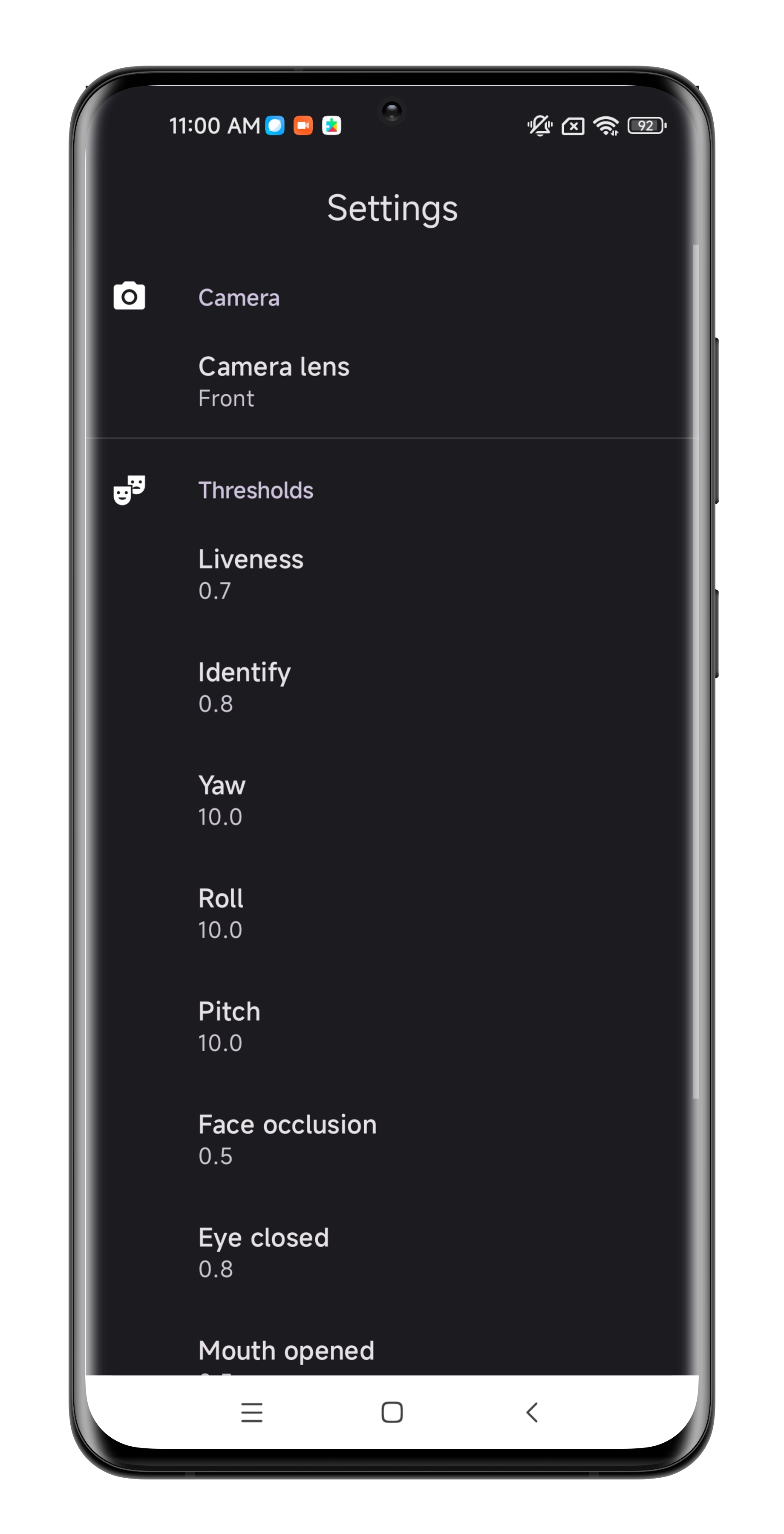
## 截图
## 性能视频
您可以访问我们的 YouTube 视频 [这里](https://www.youtube.com/watch?v=-WiAethTacc),查看我们演示应用的运行效果。
[](https://www.youtube.com/watch?v=-WiAethTacc)
## 截图
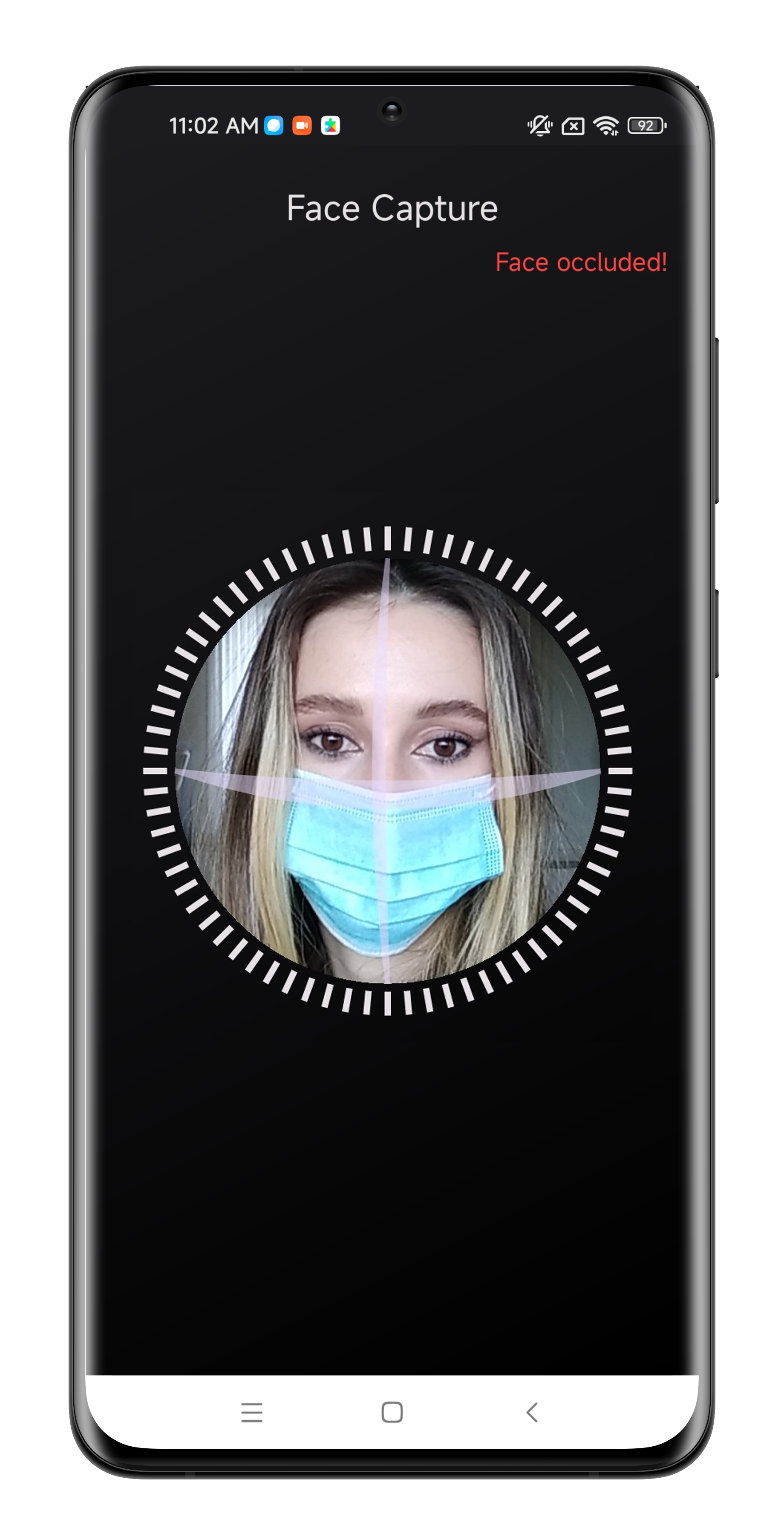
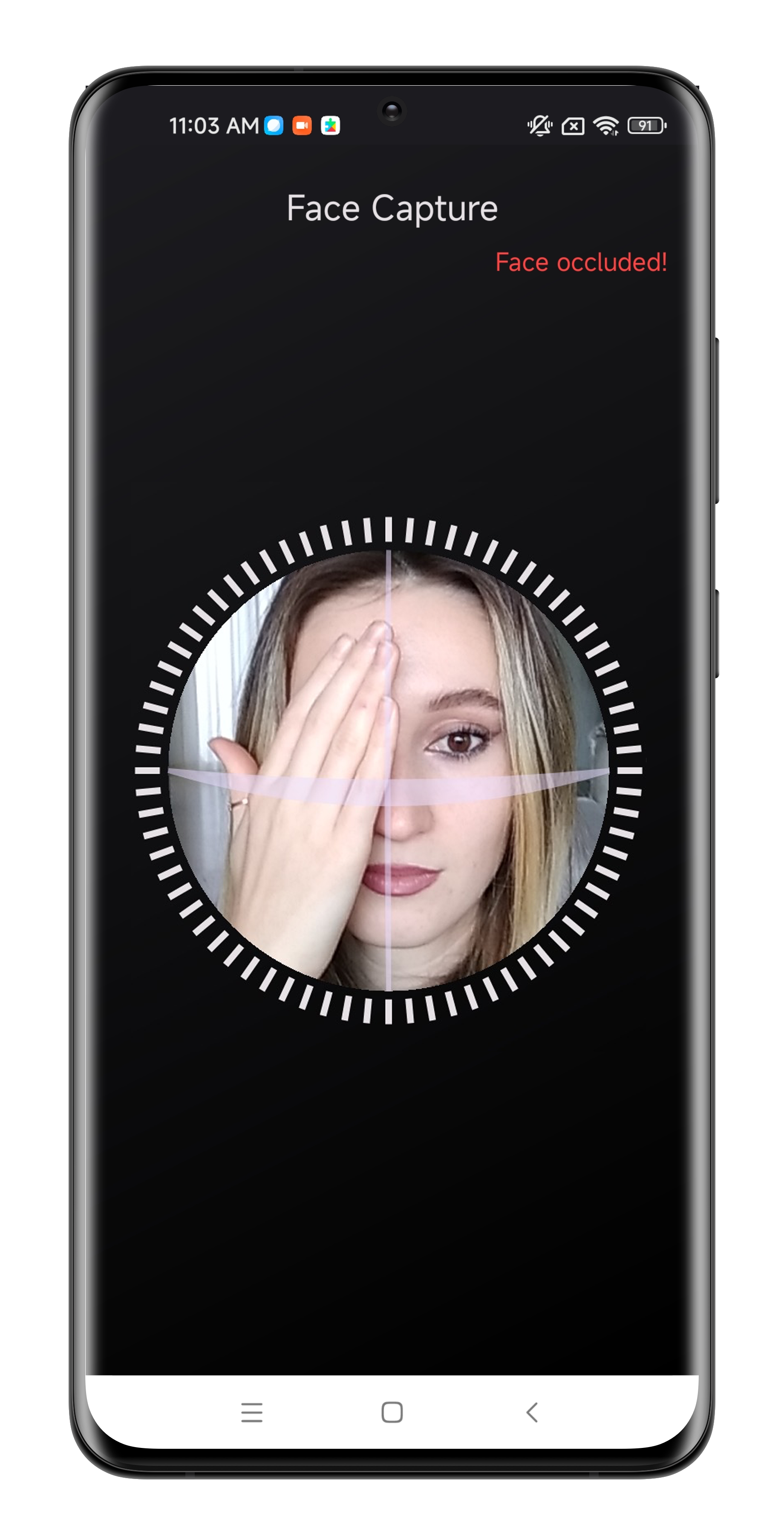
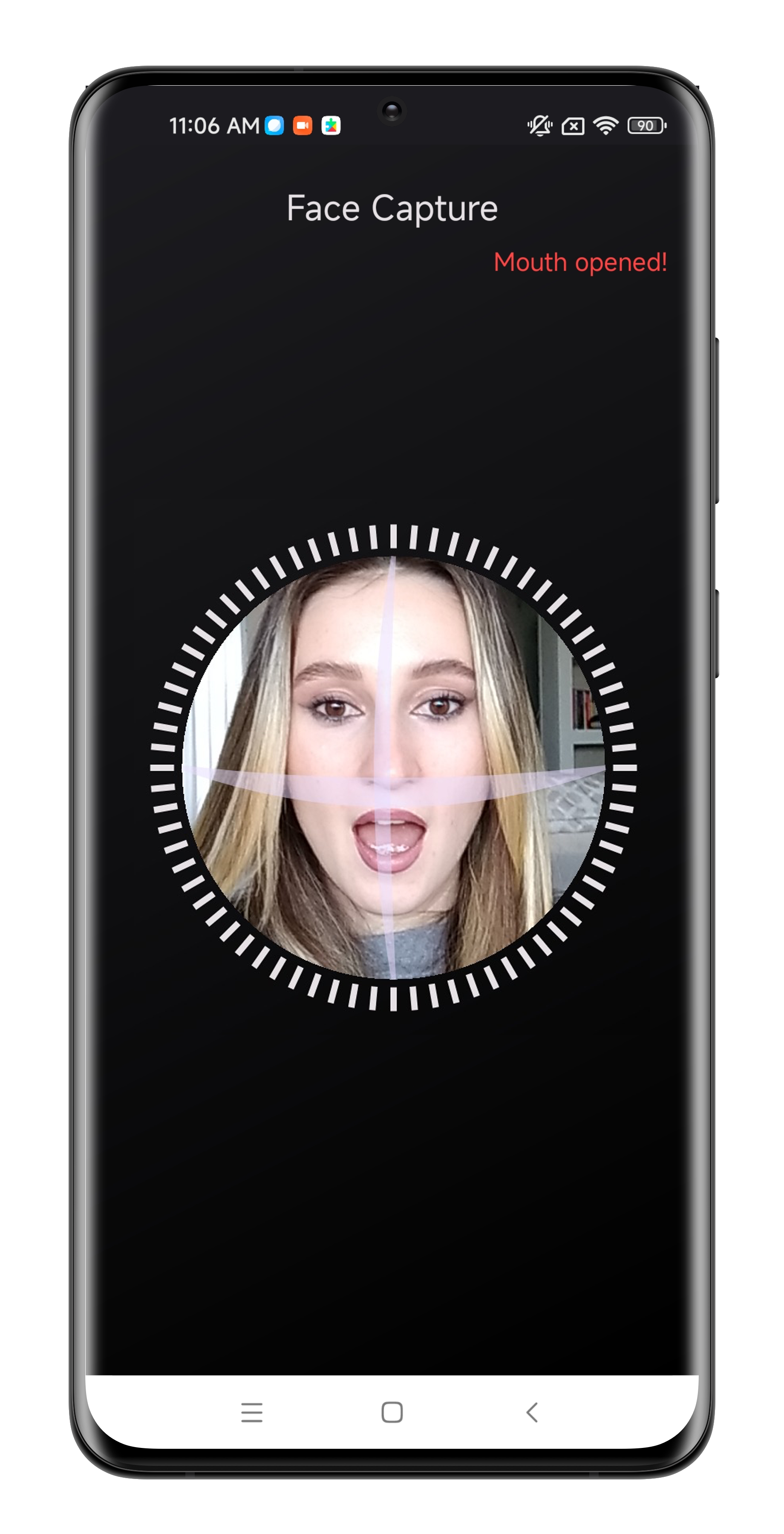
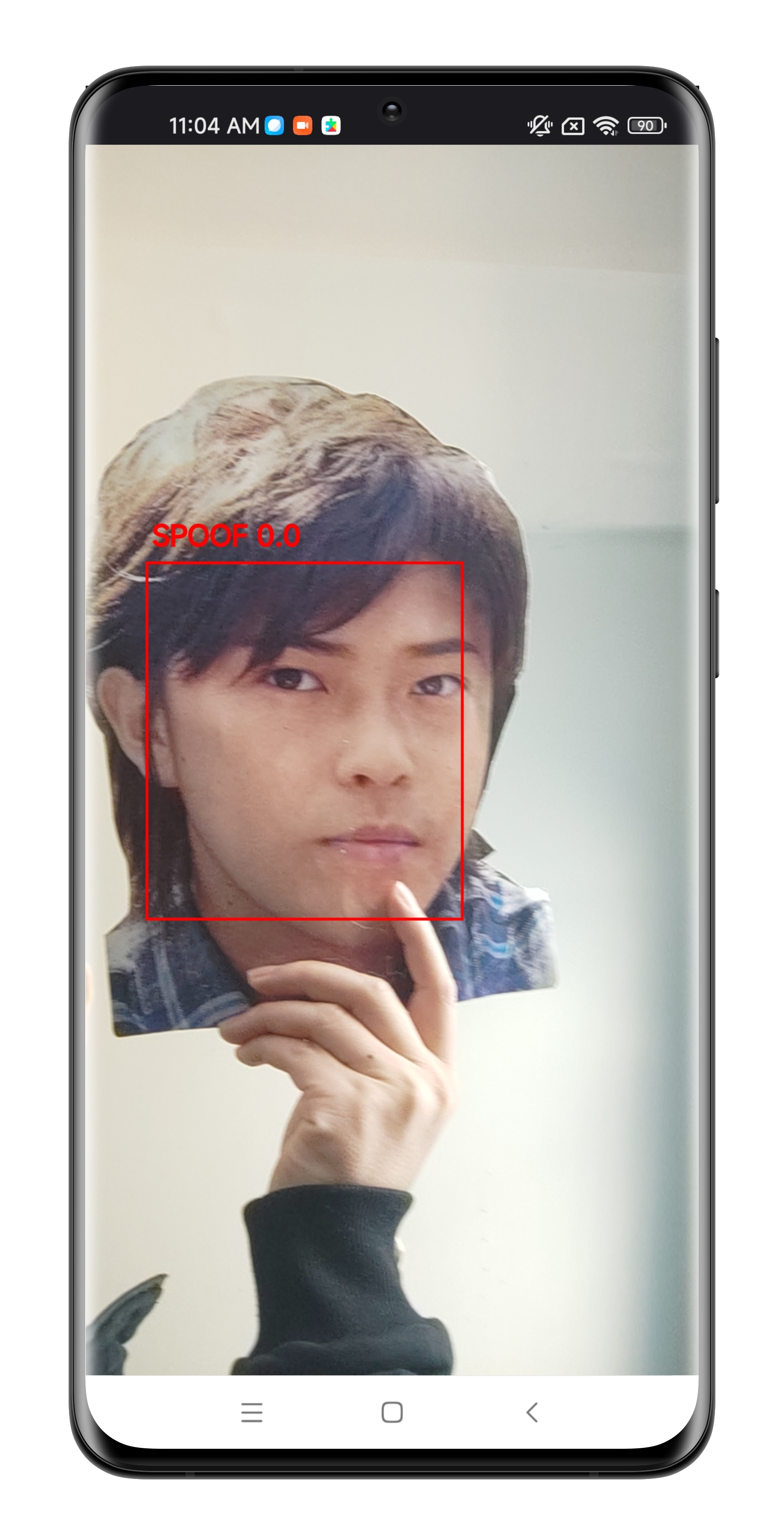
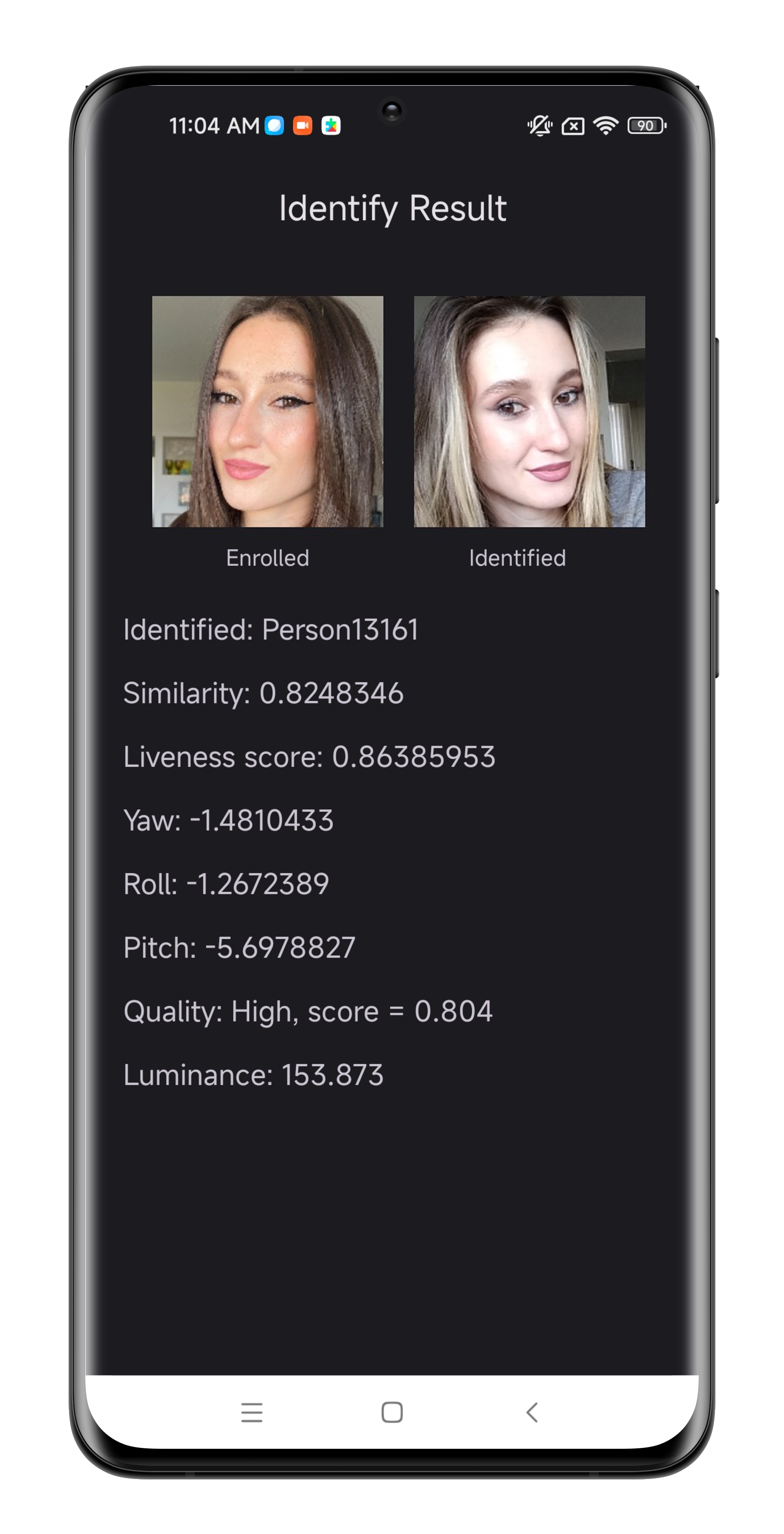
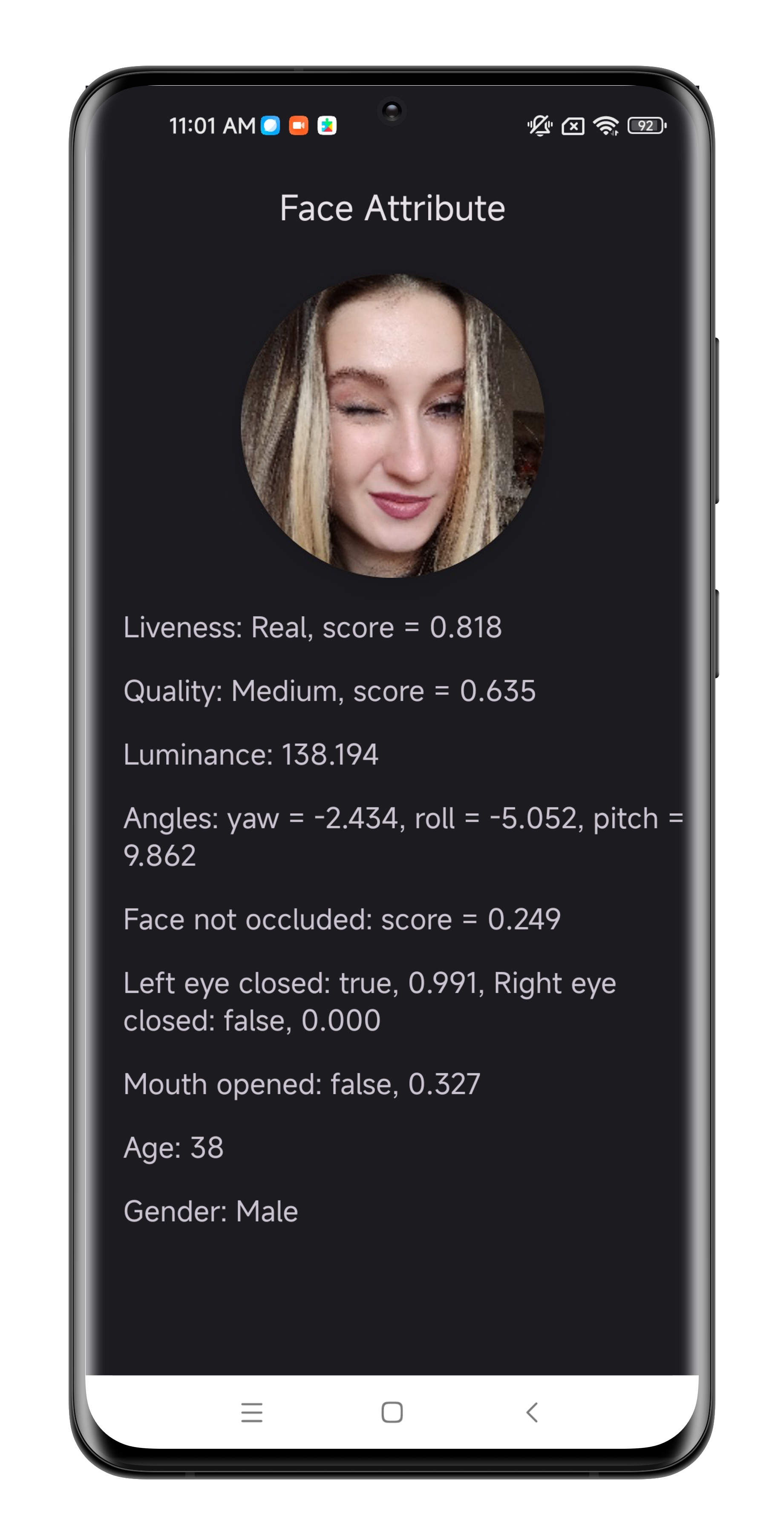
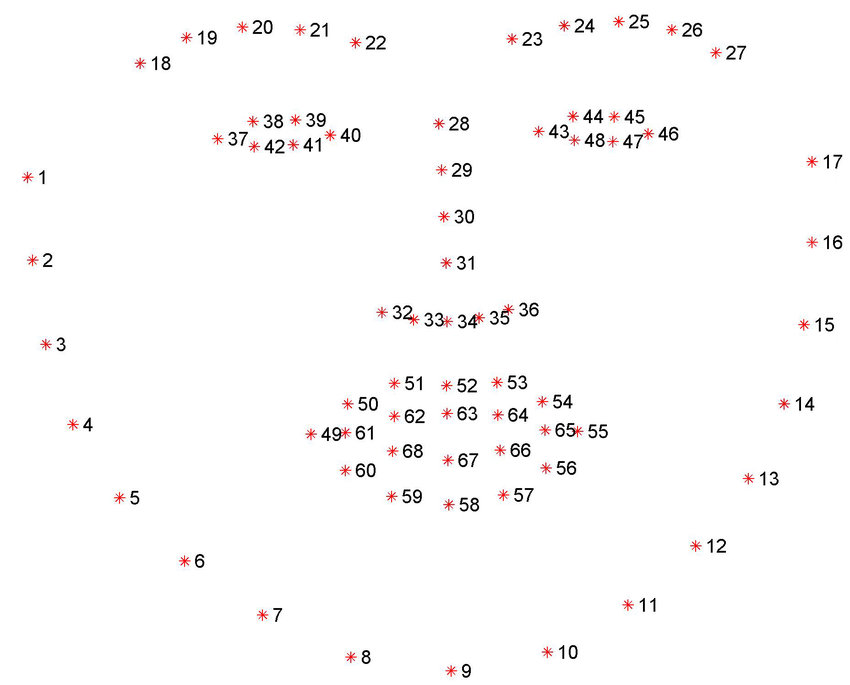 - FaceDetectionParam
此类用作 `face detection` 的输入参数,可启用各种处理功能,如 `face liveness detection`、`eye closure checking`、`facial occlusion checking`、`mouth opening checking` 和 `age and gender estimation`。
| 特征| 类型 | 名称 |
|------------------|------------------|------------------|
| Check liveness | boolean | check_liveness |
| Check eye closure | boolean | check_eye_closeness |
| Check face occlusion | boolean | check_face_occlusion |
| Check mouth opening | boolean | check_mouth_opened |
| Estimate age, gender | boolean | estimate_age_gender |
### 4. SDK API
#### - Face Detection
`Face SDK` 提供了用于检测人脸的统一函数,可启用多种功能,如 `liveness detection`、`face orientation` (yaw, roll, pitch)、`face quality`、`facial occlusion`、`eye closure`、`mouth opening`、`age`、`gender` 和 `facial landmarks`。
该函数的使用方式如下:
```
FaceSDK.faceDetection(bitmap, param)
```
此函数需要两个参数:一个 `Bitmap` 对象和一个启用各种处理功能的 `FaceDetectionParam` 对象。
该函数返回 `FaceBox` 对象列表。
#### - 创建模板
`FaceSDK` 提供了一个可以从 `Bitmap` 图像生成 `template` 的函数。然后可以使用此模板来验证捕获的单个图像的身份。
```
byte[] templates = FaceSDK.templateExtraction(bitmap, faceBox);
```
`SDK` 的 `template` 提取函数接受两个参数:一个 `Bitmap` 对象和一个 `FaceBox` 对象。
该函数返回一个字节数组,其中包含可用于人员验证的 `template`。
#### - 计算相似度
`similarityCalculation` 函数将两个 `template` 的字节数组作为参数。
```
float similarity = FaceSDK.similarityCalucation(templates1, templates1);
```
它返回两个 `template` 之间的相似度值,该值可用于确定两个个体之间的相似程度。
#### - Yuv 转 Bitmap
`SDK` 提供了一个名为 `yuv2Bitmap` 的函数,用于将 `yuv` 帧转换为 `Bitmap`。由于相机帧通常采用 `yuv` 格式,因此需要使用此函数将其转换为 `Bitmap`。此函数的用法如下:
```
Bitmap bitmap = FaceSDK.yuv2Bitmap(nv21, image.getWidth(), image.getHeight(), 7);
```
第一个参数是包含 `yuv` 数据的 `nv21` 字节数组。
第二个参数是 `yuv` 帧的宽度,第三个参数是其高度。
第四个参数是 `conversion mode`,由相机方向决定。
要确定合适的 `conversion mode`,可以使用以下方法:
```
1 2 3 4 5 6 7 8
888888 888888 88 88 8888888888 88 88 8888888888
88 88 88 88 88 88 88 88 88 88 88 88
8888 8888 8888 8888 88 8888888888 8888888888 88
88 88 88 88
88 88 888888 888888
```
- FaceDetectionParam
此类用作 `face detection` 的输入参数,可启用各种处理功能,如 `face liveness detection`、`eye closure checking`、`facial occlusion checking`、`mouth opening checking` 和 `age and gender estimation`。
| 特征| 类型 | 名称 |
|------------------|------------------|------------------|
| Check liveness | boolean | check_liveness |
| Check eye closure | boolean | check_eye_closeness |
| Check face occlusion | boolean | check_face_occlusion |
| Check mouth opening | boolean | check_mouth_opened |
| Estimate age, gender | boolean | estimate_age_gender |
### 4. SDK API
#### - Face Detection
`Face SDK` 提供了用于检测人脸的统一函数,可启用多种功能,如 `liveness detection`、`face orientation` (yaw, roll, pitch)、`face quality`、`facial occlusion`、`eye closure`、`mouth opening`、`age`、`gender` 和 `facial landmarks`。
该函数的使用方式如下:
```
FaceSDK.faceDetection(bitmap, param)
```
此函数需要两个参数:一个 `Bitmap` 对象和一个启用各种处理功能的 `FaceDetectionParam` 对象。
该函数返回 `FaceBox` 对象列表。
#### - 创建模板
`FaceSDK` 提供了一个可以从 `Bitmap` 图像生成 `template` 的函数。然后可以使用此模板来验证捕获的单个图像的身份。
```
byte[] templates = FaceSDK.templateExtraction(bitmap, faceBox);
```
`SDK` 的 `template` 提取函数接受两个参数:一个 `Bitmap` 对象和一个 `FaceBox` 对象。
该函数返回一个字节数组,其中包含可用于人员验证的 `template`。
#### - 计算相似度
`similarityCalculation` 函数将两个 `template` 的字节数组作为参数。
```
float similarity = FaceSDK.similarityCalucation(templates1, templates1);
```
它返回两个 `template` 之间的相似度值,该值可用于确定两个个体之间的相似程度。
#### - Yuv 转 Bitmap
`SDK` 提供了一个名为 `yuv2Bitmap` 的函数,用于将 `yuv` 帧转换为 `Bitmap`。由于相机帧通常采用 `yuv` 格式,因此需要使用此函数将其转换为 `Bitmap`。此函数的用法如下:
```
Bitmap bitmap = FaceSDK.yuv2Bitmap(nv21, image.getWidth(), image.getHeight(), 7);
```
第一个参数是包含 `yuv` 数据的 `nv21` 字节数组。
第二个参数是 `yuv` 帧的宽度,第三个参数是其高度。
第四个参数是 `conversion mode`,由相机方向决定。
要确定合适的 `conversion mode`,可以使用以下方法:
```
1 2 3 4 5 6 7 8
888888 888888 88 88 8888888888 88 88 8888888888
88 88 88 88 88 88 88 88 88 88 88 88
8888 8888 8888 8888 88 8888888888 8888888888 88
88 88 88 88
88 88 888888 888888
```
标签:3D活体检测, Android开发, KYC验证, NIST FRVT, 人脸属性分析, 人脸比对, 人脸活体检测, 人脸识别, 人脸质量评估, 人脸遮挡检测, 人脸采集, 反欺诈, 域名枚举, 实名认证, 年龄估计, 张嘴检测, 性别识别, 生物特征识别, 眼睛闭合检测, 移动端安全, 静默活体