CERT-EDF/generaptor
GitHub: CERT-EDF/generaptor
一款用于生成 Velociraptor 离线采集器的跨平台 CLI 工具,解决在隔离或受限环境中安全取证与配置管理的痛点。
Stars: 16 | Forks: 4

Generaptor


[](LICENSE)
Velociraptor 离线采集器 CLI 生成器
# 简介
Generaptor 是一个与平台无关的命令行工具,用于基于预配置或可自定义的采集配置文件生成 [Velociraptor](https://github.com/velocidex/velociraptor) 离线采集器。
得益于 Python 端的跨平台支持和配置重打包侧的 Velociraptor,所有平台(Linux、Windows 和 Darwin)都可以为所有目标(Linux、Windows 和 Darwin)生成采集器,没有限制。
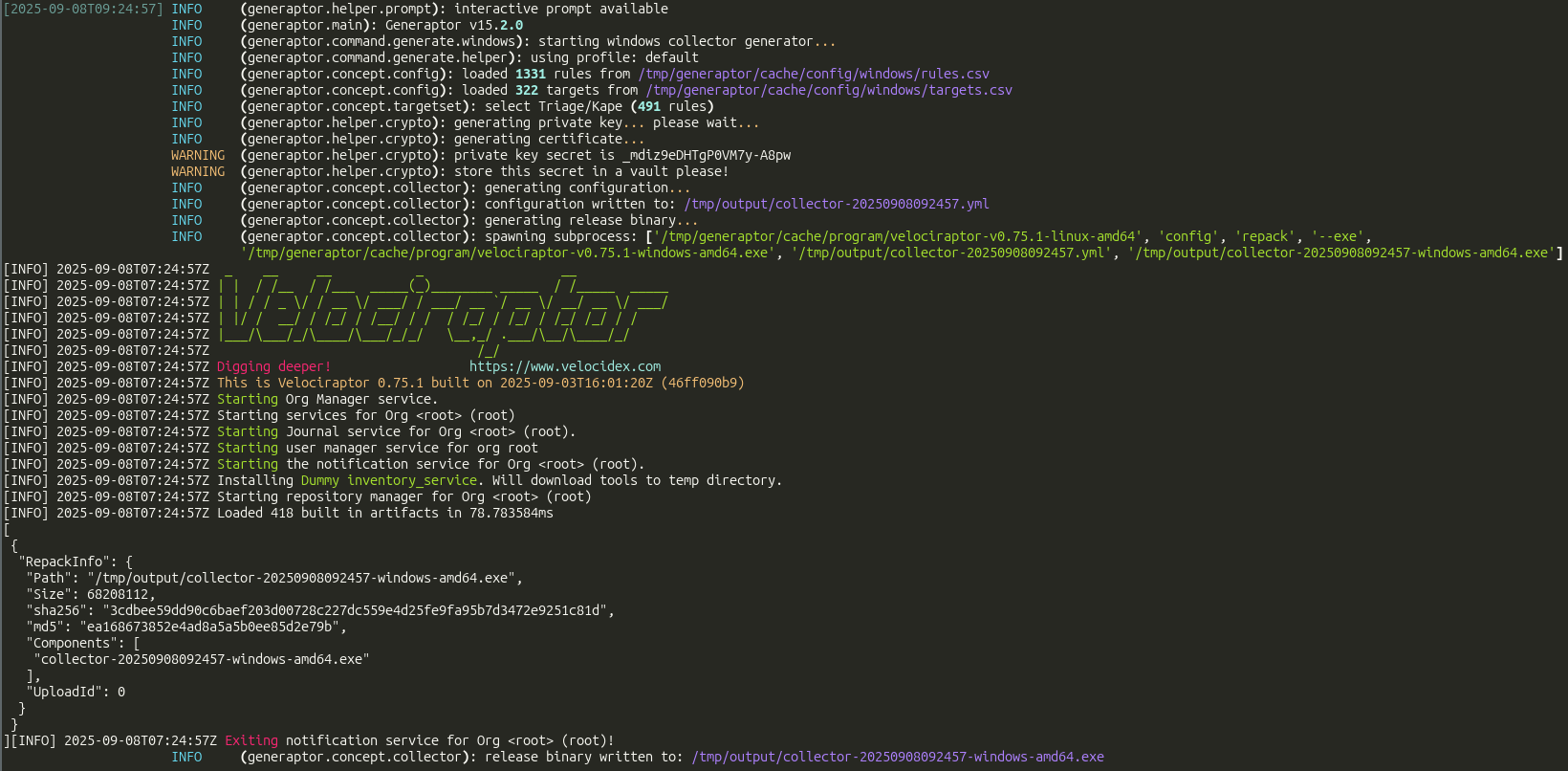
## 快速开始 Generaptor 的发行版可在 Github 和 Pypi 获取。只要安装并配置了 Python 3.12+ 并将其加入 PATH 环境变量,即可在 Linux、Windows 和 Darwin 上使用。建议使用 Python 虚拟环境。 ``` # Setup generaptor w/o interactive cli python3 -m pip install generaptor # Setup generaptor w/ interactive cli python3 -m pip install generaptor[pick] # Setup certifi (Darwin only) python3 -m pip install certifi # Setup configuration files and fetch latest stable release of velociraptor generaptor update # Create a collector for windows for instance generaptor generate -o /tmp/generaptor windows # Keep the private key secret in a password vault to be able to decrypt the archive # /tmp/generaptor now contains a collector and its configuration file # Perform collection on target # Then retrieve collection archive and extract generaptor extract \ --output-directory /tmp/collection \ /tmp/generaptor/*.key.pem \ Collection_COMPUTER_DEVICE_YYYY-mm-ddTHH-MM-SS.zip # Check integrated help for more options generaptor -h generaptor generate -h generaptor generate linux -h generaptor generate windows -h generaptor generate darwin -h ```
## 配置 Generaptor 可以使用放置在 `$HOME/.config/generaptor` 目录中的可选配置文件来生成采集器。 可以通过此配置目录扩展目标与规则。 也可以修改 VQL 模板以添加自定义采集项或修改采集器行为。请参考 [Velociraptor 文档](https://docs.velociraptor.app/) 学习如何掌握 VQL 并编写自己的配置文件。 首次启动 Generaptor 后,可以使用以下命令初始化配置目录: ``` # Add variables for directories in current environment export CACHE="${HOME}/.cache/generaptor" export CONFIG="${HOME}/.config/generaptor" # Copy header for each file head -n 1 "${CACHE}/config/linux/rules.csv" > "${CONFIG}/linux/rules.csv" head -n 1 "${CACHE}/config/linux/targets.csv" > "${CONFIG}/linux/targets.csv" head -n 1 "${CACHE}/config/windows/rules.csv" > "${CONFIG}/windows/rules.csv" head -n 1 "${CACHE}/config/windows/targets.csv" > "${CONFIG}/windows/targets.csv" head -n 1 "${CACHE}/config/darwin/rules.csv" > "${CONFIG}/darwin/rules.csv" head -n 1 "${CACHE}/config/darwin/targets.csv" > "${CONFIG}/darwin/targets.csv" # Copy VQL templates cp "${CACHE}/config/linux/collector.yml.jinja" "${CONFIG}/linux/" cp "${CACHE}/config/windows/collector.yml.jinja" "${CONFIG}/windows/" cp "${CACHE}/config/darwin/collector.yml.jinja" "${CONFIG}/darwin/" ```
## 许可证 根据 [MIT 许可证](LICENSE) 分发。
### 过往贡献者(截至版本 10.0.2) - [koromodako](https://github.com/koromodako) - [SPToast](https://github.com/SPToast) - [td2m](https://github.com/td2m)
## 安全 如需报告(疑似)安全问题,请参考 [SECURITY.md](SECURITY.md)。
标签:CERT, CLI生成, EDF, JSON 请求, Linux收集器, macOS收集器, Python CLI, Python打包, Velociraptor, Windows收集器, ZAP项目解析, 取证, 可定制配置, 多平台支持, 密钥安全, 开源安全工具, 恶意代码分析, 提取工具, 数字取证, 文档结构分析, 生成器, 生成工具, 用户态调试, 离线收集器, 自动化脚本, 逆向工具, 逆向工程平台, 配置文件, 采集归档