k8sgpt-ai/k8sgpt
GitHub: k8sgpt-ai/k8sgpt
一款融合 SRE 经验与大模型能力的 Kubernetes 集群诊断工具,能自动扫描并用人话解释故障原因。
Stars: 7876 | Forks: 1006

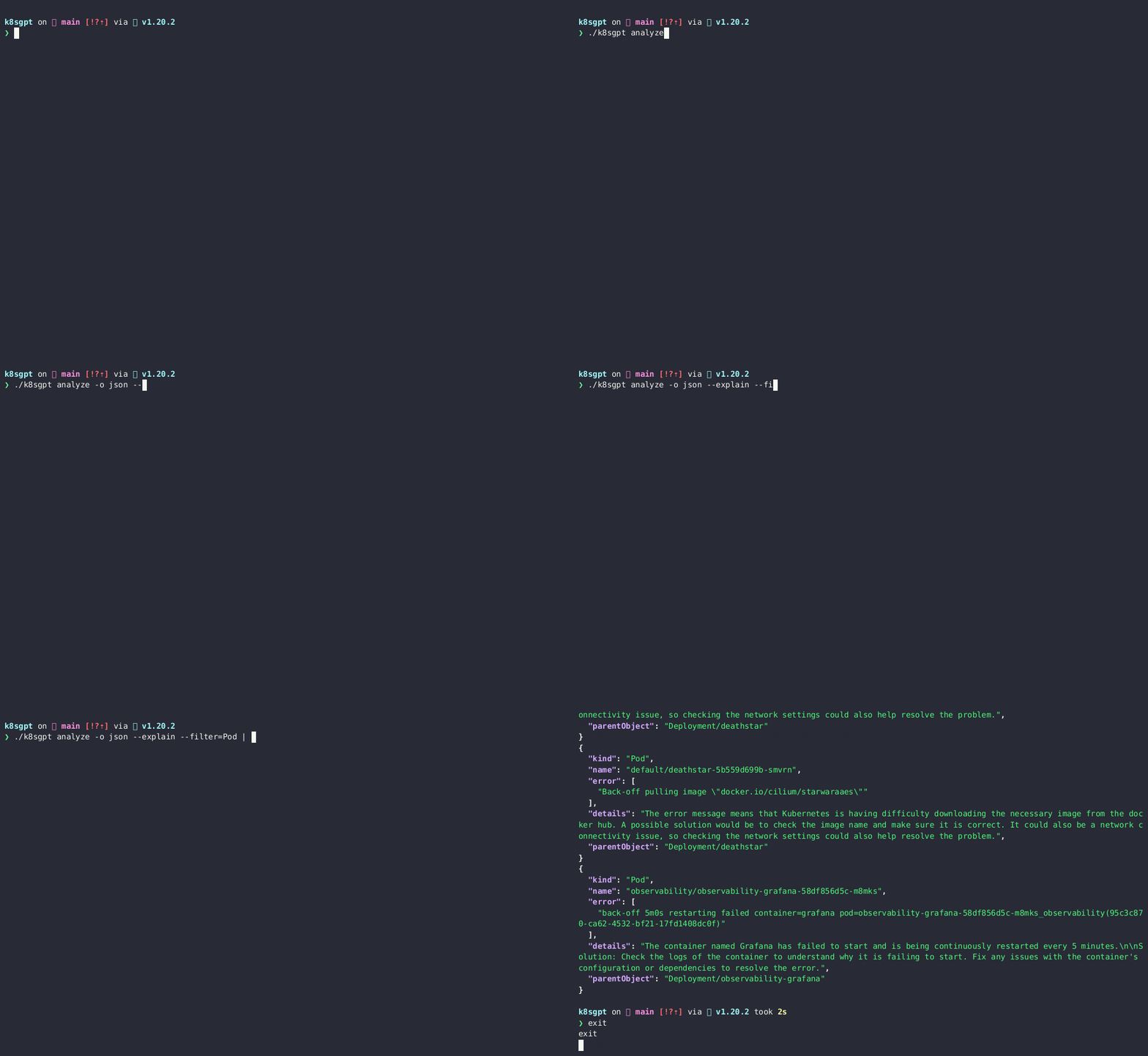
   [](https://bestpractices.coreinfrastructure.org/projects/7272) [](https://docs.k8sgpt.ai/) [](https://app.fossa.com/projects/git%2Bgithub.com%2Fk8sgpt-ai%2Fk8sgpt?ref=badge_shield) [](https://opensource.org/licenses/Apache-2.0) [](https://github.com/k8sgpt-ai/k8sgpt) [](https://codecov.io/github/k8sgpt-ai/k8sgpt)  `k8sgpt` 是一个用于扫描 Kubernetes 集群、诊断和分类问题的工具,它使用简单的英语进行描述。 它将 SRE 经验融入其分析器中,并帮助提取最相关的信息,通过 AI 进行丰富。 _开箱即支持 OpenAI、Azure、Cohere、Amazon Bedrock、Google Gemini 和本地模型。_


 # 目录
- [概述](#k8sgpt)
- [安装](#cli-installation)
- [快速开始](#quick-start)
- [分析器](#analyzers)
- [示例](#examples)
- [LLM AI 后端](#llm-ai-backends)
- [主要功能](#key-features)
- [Model Context Protocol (MCP)](#model-context-protocol-mcp)
- [文档](#documentation)
- [贡献](#contributing)
- [社区](#community)
- [许可证](#license)
# CLI 安装
### Linux/Mac 通过 brew
```
brew install k8sgpt
```
或者
```
brew tap k8sgpt-ai/k8sgpt
brew install k8sgpt
```
# 目录
- [概述](#k8sgpt)
- [安装](#cli-installation)
- [快速开始](#quick-start)
- [分析器](#analyzers)
- [示例](#examples)
- [LLM AI 后端](#llm-ai-backends)
- [主要功能](#key-features)
- [Model Context Protocol (MCP)](#model-context-protocol-mcp)
- [文档](#documentation)
- [贡献](#contributing)
- [社区](#community)
- [许可证](#license)
# CLI 安装
### Linux/Mac 通过 brew
```
brew install k8sgpt
```
或者
```
brew tap k8sgpt-ai/k8sgpt
brew install k8sgpt
```
基于 RPM 的安装
**32 位:** ``` sudo rpm -ivh https://github.com/k8sgpt-ai/k8sgpt/releases/download/v0.4.30/k8sgpt_386.rpm ``` **64 位:** ``` sudo rpm -ivh https://github.com/k8sgpt-ai/k8sgpt/releases/download/v0.4.30/k8sgpt_amd64.rpm ```基于 DEB 的安装
**32 位:** ``` curl -LO https://github.com/k8sgpt-ai/k8sgpt/releases/download/v0.4.30/k8sgpt_386.deb sudo dpkg -i k8sgpt_386.deb ``` **64 位:** ``` curl -LO https://github.com/k8sgpt-ai/k8sgpt/releases/download/v0.4.30/k8sgpt_amd64.deb sudo dpkg -i k8sgpt_amd64.deb ```基于 APK 的安装
**32 位:** ``` wget https://github.com/k8sgpt-ai/k8sgpt/releases/download/v0.4.30/k8sgpt_386.apk apk add --allow-untrusted k8sgpt_386.apk ``` **64 位:** ``` wget https://github.com/k8sgpt-ai/k8sgpt/releases/download/v0.4.30/k8sgpt_amd64.apk apk add --allow-untrusted k8sgpt_amd64.apk ```WSL 或 Linux 上安装失败
在 WSL 或 Linux 上安装 Homebrew 时,可能会遇到以下错误: ``` ==> Installing k8sgpt from k8sgpt-ai/k8sgpt Error: The following formula cannot be installed from a bottle and must be built from the source. k8sgpt Install Clang or run brew install gcc. ``` 如果按照建议安装 gcc,问题依然存在。因此,您需要安装 build-essential 包。 ``` sudo apt-get update sudo apt-get install build-essential ```使用过滤器
_列出过滤器_ ``` k8sgpt filters list ``` _添加默认过滤器_ ``` k8sgpt filters add [filter(s)] ``` ### 示例 : - 单个过滤器 : `k8sgpt filters add Service` - 多个过滤器 : `k8sgpt filters add Ingress,Pod` _移除默认过滤器_ ``` k8sgpt filters remove [filter(s)] ``` ### 示例 : - 单个过滤器 : `k8sgpt filters remove Service` - 多个过滤器 : `k8sgpt filters remove Ingress,Pod`附加命令
_列出已配置的后端_ ``` k8sgpt auth list ``` _更新已配置的后端_ ``` k8sgpt auth update $MY_BACKEND1,$MY_BACKEND2.. ``` _移除已配置的后端_ ``` k8sgpt auth remove -b $MY_BACKEND1,$MY_BACKEND2.. ``` _列出集成_ ``` k8sgpt integrations list ``` _激活集成_ ``` k8sgpt integrations activate [integration(s)] ``` _使用集成_ ``` k8sgpt analyze --filter=[integration(s)] ``` _停用集成_ ``` k8sgpt integrations deactivate [integration(s)] ``` _服务模式_ ``` k8sgpt serve ``` _带 MCP 的服务模式_ ``` # 在默认端口 8089 上启用 MCP server k8sgpt serve --mcp --mcp-http # 在自定义端口上启用 MCP server k8sgpt serve --mcp --mcp-http --mcp-port 8089 # 包含 MCP 的完整服务模式 k8sgpt serve --mcp --mcp-http --port 8080 --metrics-port 8081 --mcp-port 8089 ``` MCP 服务器支持与 Claude Desktop 等工具及其他兼容 MCP 的客户端集成。它默认在 8089 端口运行,并提供: - 通过 MCP 协议进行 Kubernetes 集群分析 - 资源信息和健康状态 - AI 驱动的问题解释和建议 有关支持 MCP 的 Helm chart 部署,请参阅 `charts/k8sgpt/values-mcp-example.yaml` 文件。 _在服务模式下进行分析_ ``` grpcurl -plaintext -d '{"namespace": "k8sgpt", "explain" : "true"}' localhost:8080 schema.v1.ServerAnalyzerService/Analyze { "status": "OK" } ``` _带自定义 Header 进行分析_ ``` k8sgpt analyze --explain --custom-headers CustomHeaderKey:CustomHeaderValue ``` _打印分析统计信息_ ``` k8sgpt analyze -s The stats mode allows for debugging and understanding the time taken by an analysis by displaying the statistics of each analyzer. - Analyzer Ingress took 47.125583ms - Analyzer PersistentVolumeClaim took 53.009167ms - Analyzer CronJob took 57.517792ms - Analyzer Deployment took 156.6205ms - Analyzer Node took 160.109833ms - Analyzer ReplicaSet took 245.938333ms - Analyzer StatefulSet took 448.0455ms - Analyzer Pod took 5.662594708s - Analyzer Service took 38.583359166s ``` _诊断信息_ 要收集诊断信息,请使用以下命令在本地目录中创建一个 `dump_
使用此选项,数据在发送到 AI 后端之前会被匿名化。在执行分析期间,`k8sgpt` 会检索敏感数据(Kubernetes 对象名称、标签等)。这些数据在发送到 AI 后端时会被屏蔽,并替换为一个密钥,当解决方案返回给用户时,可以使用该密钥对数据进行反匿名化。
匿名化
1. 分析期间报告的错误: ``` Error: HorizontalPodAutoscaler uses StatefulSet/fake-deployment as ScaleTargetRef which does not exist. ``` 2. 发送到 AI 后端的 Payload: ``` Error: HorizontalPodAutoscaler uses StatefulSet/tGLcCRcHa1Ce5Rs as ScaleTargetRef which does not exist. ``` 3. AI 返回的 Payload: ``` The Kubernetes system is trying to scale a StatefulSet named tGLcCRcHa1Ce5Rs using the HorizontalPodAutoscaler, but it cannot find the StatefulSet. The solution is to verify that the StatefulSet name is spelled correctly and exists in the same namespace as the HorizontalPodAutoscaler. ``` 4. 返回给用户的 Payload: ``` The Kubernetes system is trying to scale a StatefulSet named fake-deployment using the HorizontalPodAutoscaler, but it cannot find the StatefulSet. The solution is to verify that the StatefulSet name is spelled correctly and exists in the same namespace as the HorizontalPodAutoscaler. ``` ### 更多详情 注意:**匿名化目前不适用于事件。** _在像 Pod 这样的少数分析器中,我们向 AI 后端提供事先未知的事件消息,因此**暂时**不会对它们进行屏蔽。_ - 以下是其数据**正在被屏蔽**的分析器列表:- - Statefulset - Service - PodDisruptionBudget - Node - NetworkPolicy - Ingress - HPA - Deployment - Cronjob -以下是其数据**未被屏蔽**的分析器列表:- - ReplicaSet - PersistentVolumeClaim - Pod - Log - **_\*Events_** **\*注意**: - k8gpt 不会屏蔽上述分析器,因为除了 **Events** 分析器外,它们不会发送任何识别信息。 - **Events** 分析器的屏蔽计划在不久的将来完成,详见此 [issue](https://github.com/k8sgpt-ai/k8sgpt/issues/560)。_需要进一步研究以了解相关模式,并能够屏蔽事件中的敏感部分,如 pod 名称、命名空间等。_ - 以下是**未被屏蔽**的字段列表:- - Describe - ObjectStatus - Replicas - ContainerStatus - **_\*Event Message_** - ReplicaStatus - Count (Pod) **\*注意**: - 事件消息的 Payload 中可能包含类似 "super-secret-project-pod-X crashed" 的内容,我们目前不会对其进行修订(计划在不久的将来完成,详见此 [issue](https://github.com/k8sgpt-ai/k8sgpt/issues/560))_。 ### 谨慎操作 - K8gpt 团队建议**在关键生产环境中**使用完全不同的后端**(本地模型)**。通过使用本地模型,您可以确保所有内容都保留在您的 DMZ 内,不会发生任何泄露。 - 如果不确定是否可能将数据发送到公共 LLM(OpenAI、Azure AI),并且这对业务关键型操作构成风险,那么在这种情况下,应根据个人评估和所涉及的风险管辖范围,避免使用公共 LLM。配置管理
`k8sgpt` 将配置数据存储在 `$XDG_CONFIG_HOME/k8sgpt/k8sgpt.yaml` 文件中。数据以明文形式存储,包括您的 OpenAI Key。 配置文件位置: | OS | Path | | ------- | ------------------------------------------------ | | MacOS | ~/Library/Application Support/k8sgpt/k8sgpt.yaml | | Linux | ~/.config/k8sgpt/k8sgpt.yaml | | Windows | %LOCALAPPDATA%/k8sgpt/k8sgpt.yaml |
在某些场景下,可能首选远程缓存。
在这些场景中,K8sGPT 支持 AWS S3 或 Azure Blob 存储集成。
--bucket `
- 带有 HTTP 端点的 Minio 配置 ` k8sgpt cache add s3 --bucket --endpoint `
- 带有 HTTPs 端点并跳过 TLS 验证的 Minio 配置 ` k8sgpt cache add s3 --bucket --endpoint --insecure`
- 如果存储桶不存在,K8sGPT 将创建它
- Azure Storage
- 我们支持多种[技术](https://learn.microsoft.com/en-us/azure/developer/go/azure-sdk-authentication?tabs=bash#2-authenticate-with-azure)对 Azure 进行身份验证
- 配置,`k8sgpt cache add azure --storageacc --container `
- K8sGPT 假定存储账户已经存在,如果容器不存在,它将创建该容器
- **用户**有责任为其身份授予特定权限,以便能够上传 Blob 文件并创建 SA 容器(例如 Storage Blob Data Contributor)
- Google Cloud Storage
- _前置条件:需要将 `GOOGLE_APPLICATION_CREDENTIALS` 设置为环境变量。_
- 配置,` k8sgpt cache add gcs --region --bucket --projectid `
- 如果存储桶不存在,K8sGPT 将创建它
_列出缓存项_
```
k8sgpt cache list
```
_从缓存中清除对象_
注意:使用此命令清除对象将删除上游文件,因此需要适当的权限。
```
k8sgpt cache purge $OBJECT_NAME
```
_移除远程缓存_
注意:这不会删除上游的 S3 存储桶或 Azure 存储容器
```
k8sgpt cache remove
```
远程缓存
_注意:您一次只能配置和使用一个远程缓存_ _添加远程缓存_ - AWS S3 - _前置条件:需要将 `AWS_ACCESS_KEY_ID` 和 `AWS_SECRET_ACCESS_KEY` 设置为环境变量。_ - 配置,`k8sgpt cache add s3 --region自定义分析器
在某些场景下,您可能希望用您选择的语言编写自己的分析器。 K8sGPT 现在支持通过遵守[schema](https://github.com/k8sgpt-ai/schemas/blob/main/protobuf/schema/v1/custom_analyzer.proto)并提供分析器以供使用来实现此功能。 为此,在 K8sGPT 配置中定义分析器,它将将其添加到扫描过程中。 此外,您需要在分析时启用以下标志: ``` k8sgpt analyze --custom-analysis ``` 这是一个 [Rust](https://github.com/k8sgpt-ai/host-analyzer) 编写的本地主机分析器示例 当它在 `localhost:8080` 上运行时,K8sGPT 配置可以通过以下添加内容获取它: ``` custom_analyzers: - name: host-analyzer connection: url: localhost port: 8080 ``` 现在,可以将(来自此分析器示例的)hostOS 信息传递给 K8sGPT,以便在常规分析中作为上下文使用。 _请参阅有关如何编写自定义分析器的文档_ _列出已配置的自定义分析器_ ``` k8sgpt custom-analyzer list ``` _无需安装即可添加自定义分析器_ ``` k8sgpt custom-analyzer add --name my-custom-analyzer --port 8085 ``` _移除自定义分析器_ ``` k8sgpt custom-analyzer remove --names "my-custom-analyzer,my-custom-analyzer-2" ```标签:AI, Amazon Bedrock, API集成, Azure, C2, CISA项目, DLL 劫持, Docker, English, EVTX分析, EVTX分析, Go, GPT, LLM, NIDS, OpenAI, Python工具, Ruby工具, SRE, Unmanaged PE, 人工智能, 代码分析, 偏差过滤, 内存规避, 凭证管理, 可观测性, 大语言模型, 子域名突变, 安全扫描, 安全防御评估, 容器化, 开源, 异常检测, 性能监控, 故障诊断, 日志审计, 时序注入, 漏洞管理, 用户模式Hook绕过, 自动化代码审查, 自动化运维, 运维工具, 集群扫描