hakavlad/tird
GitHub: hakavlad/tird
一款通过 PURB 格式与隐写文件系统隐藏加密数据的轻量级加密工具,聚焦最小元数据与抗胁迫。
Stars: 22 | Forks: 2
🏠 主页 📑 规范说明 📜 man page 📄 输入选项 📖 教程 ❓ FAQ 📥 安装
 # `tird` 与 `tirdFS` [](https://github.com/hakavlad/tird/releases) [](https://pypi.org/project/tird/) `tird` /tɪrd/ *("this is random data" 的首字母缩写)* 是一款文件加密工具,旨在最小化元数据并隐藏加密数据。 使用 `tird`,您可以: 1. 创建填充了随机数据的文件,用作容器或 keyfile。 2. 用随机数据覆盖块设备和常规文件的内容,以准备容器或销毁残留数据。 3. 使用 keyfile 和密码加密文件内容和评论。加密数据格式(cryptoblob)是一种[填充的均匀随机数据块(PURB)](https://en.wikipedia.org/wiki/PURB_(cryptography):它看起来像随机数据,并且具有随机化的体积大小。这减少了因文件格式和长度造成的元数据泄露,并允许将 cryptoblob 隐藏在随机数据中。 4. 在容器文件和块设备内创建[隐写术](https://en.wikipedia.org/wiki/Steganography)(隐藏的、不可检测的)用户驱动的文件系统(`tirdFS`)。与 [VeraCrypt](https://veracrypt.fr) 和 [Shufflecake](https://shufflecake.net/) 不同,`tirdFS` 容器不包含头部信息;用户需指定容器内的数据位置,并负责保持这些位置的独立性。文件或块设备中任何看起来像随机数据的区域都可以用作容器。 5. 使用时间锁加密防止对解密数据的快速访问。 `tird` 提供内置的[合理推诿](https://en.wikipedia.org/wiki/Plausible_deniability)功能,即使加密文件存储在容器之外也是如此。它还有助于抵御[强制性的](https://en.wikipedia.org/wiki/Coercion)[密钥泄露](https://en.wikipedia.org/wiki/Key_disclosure_law)攻击([橡胶软管密码分析](https://en.wikipedia.org/wiki/Deniable_encryption),[xkcd 538](https://xkcd.com/538/))。 格式稳定化和正式规范计划在 v1.0.0 版本中实现。 ## 目标 1. **文件保护:** 确保对单个文件的保护,包括: - 使用认证对称加密确保机密性和完整性。 - 最小化元数据泄露,包括隐藏加密数据的存在。 - 预防或抵御强制性攻击。 2. **稳定的格式:** 维持稳定的加密数据格式,不支持[密码敏捷性](https://en.wikipedia.org/wiki/Cryptographic_agility),以适用于长期存储。 3. **简单性:** 优先考虑简单性并避免[功能蔓延](https://en.wikipedia.org/wiki/Feature_creep);拒绝实现与主要安全目标没有直接关系的功能。 ## 功能 - [x] **PURB 格式的加密数据块:** 随机化的体积大小和均匀的随机内容;元数据受限(仅总大小会泄露——没有头部、类型或明文提示)。 - [x] **填充并加密的评论:** 没有关于内容的明文提示。 - [x] **隐藏数据嵌入(可选):** 将 cryptoblob 隐藏在随机/加密容器中,以实现合理推诿。 - [x] **时间锁加密(可选):** 基于 PoW 的慢速密钥派生,以延迟解密(反胁迫)。 - [x] **强健的认证加密:** 完全承诺、抗量子的 ChaCha20-BLAKE2b AEAD。 - [x] **强大的密钥拉伸:** Argon2id(libsodium "敏感" 配置)—— 1 GiB 内存,1 通道,4 次迭代(默认值和最小值)。 - [x] **任意密钥材料:** 从密码、文件、块设备或目录派生密钥——顺序无关紧要。 - [x] **基于提示的 CLI:** 直观且具有交互性,无需记忆命令行标志。 - [ ] \[TODO] **稳定且有文档记录的格式:** 为长期存档和互操作性而规划。 ## 使用方法 您无需为了使用 `tird` 而记忆命令行选项。该工具具有基于提示的 CLI:只需启动它,选择一个菜单选项,并回答随后的问题即可。 ``` $ tird MENU ——————————————————————————————————————————— 0. Exit 1. Info & Warnings 2. Encrypt 3. Decrypt 4. Embed 5. Extract 6. Encrypt & Embed 7. Extract & Decrypt 8. Create w/ Random 9. Overwrite w/ Random ——————————————————————————————————————————— A0. SELECT AN OPTION [0-9]: ``` ## 输入选项 输入选项分为 4 组:A(操作)、D(数据)、K(密钥)、P(继续)。为了便于描述,对它们进行了编号。 ``` +——————————————————————+————————————————————————+ | A0. SELECT AN OPTION | A. Select an action | +——————————————————————+————————————————————————+ | D1. INPUT FILE PATH | | | D2. COMMENTS | D. Enter data, | | D3. OUTPUT FILE PATH | data location, | | D4. OUTPUT FILE SIZE | data size | | D5. START POSITION | | | D6. END POSITION | | +——————————————————————+————————————————————————+ | K1. KEYFILE PATH | K. Enter values | | K2. PASSPHRASE | related to | | K3. TIME COST | key derivation | +——————————————————————+————————————————————————+ | P0. PROCEED? | P. Confirm to continue | +——————————————————————+————————————————————————+ ``` 有关这些选项的详细说明和示例,请参阅[此处](https://github.com/hakavlad/tird/blob/main/docs/input_options/README.md)。 ## Payload 在创建 cryptoblob 期间将被加密的 Payload 包括: - **一个文件的内容(可选):** 一个常规文件或块设备(整个磁盘/分区)。如果省略,则会加密一个空的文件 Payload。 - **评论(可选):** 任意 UTF-8 字符串,最大 1 KiB。默认使用输入文件名作为评论。解密时会显示解密后的评论。 在 UI 中指定 Payload 如下所示: ``` D1. FILE TO ENCRYPT (OPT): files.zip I: path: 'files.zip'; size: 2,824,230,648 B (2.6 GiB) D2. COMMENTS (DEFAULT='files.zip'): The X-Files, zip (секретные материалы) I: comments will be shown as ['The X-Files, zip (секретные материалы)'] ``` ## 输入密钥材料 `tird` 提供了使用 keyfile 内容和密码来派生一次性密钥的选项。 - **Keyfile(可选):** 零个、一个或多个 keyfile 路径;输入顺序无关紧要。Keyfile 路径可以是: - 常规文件。Keyfile 的内容将被哈希处理,其摘要将用于进一步的密钥拉伸和密钥派生。 - 块设备。处理方式与常规 keyfile 相同:内容将被哈希处理。 - 目录。目录中的所有文件都将被哈希处理并用作 keyfile。 - **密码(可选):** 经过 Unicode [规范化](https://www.unicode.org/reports/tr15/)(格式 C)后最多 2048 字节;可以省略。 在 UI 中指定 IKM 如下所示: ``` K1. KEYFILE PATH (OPT): key I: path: 'key'; size: 32 B I: reading and hashing contents of 'key' I: keyfile accepted K1. KEYFILE PATH (OPT): K2. PASSPHRASE (OPT): K2. CONFIRM PASSPHRASE: I: passphrase accepted ``` ## 加密数据格式 - **PURB 格式**: - 看起来像随机数据且不包含可识别的头部信息;在没有对应密钥的情况下,它无法与随机数据区分。此特性允许将 cryptoblob 隐藏在其他随机数据中。 - [随机化大小](https://en.wikipedia.org/wiki/Padding_(cryptography)#Randomized_padding)):填充长度在未填充 cryptoblob 大小的 0% 到 25% 之间均匀选择(相当于最终 cryptoblob 大小的最高 20%)。 - **评论**在加密前被填充(或截断)为 1 KiB 的固定大小,完全隐藏了其原始长度。 - **双向应用盐**:覆盖 cryptoblob 的开头或结尾(或存储不完整的 cryptoblob)将导致无法成功解密。显示 cryptoblob 方案
``` +————————————————————————————————————————————————————————+ | CSPRNG output: | | Salt for key stretching used with Argon2 (16 B) | +————————————————————————————————————————————————————————+ | ChaCha20 output: | | Encrypted pad_ikm (8 B) | +————————————————————————————————————————————————————————+ | CSPRNG/BLAKE2 output: | | Randomized padding (0-25% of the unpadded size) | | + MAC tag (32 B) | +————————————————————————————————————————————————————————+ | ChaCha20/BLAKE2 output: | | Encrypted payload file contents + MAC tags (0+ B) | +————————————————————————————————————————————————————————+ | ChaCha20/BLAKE2 output: | | Encrypted padded comments (1 KiB) + MAC tag (32 B) | +————————————————————————————————————————————————————————+ | CSPRNG output: | | Salt for pre‑hashing IKM used with BLAKE2 (16 B) | +————————————————————————————————————————————————————————+ ```对比
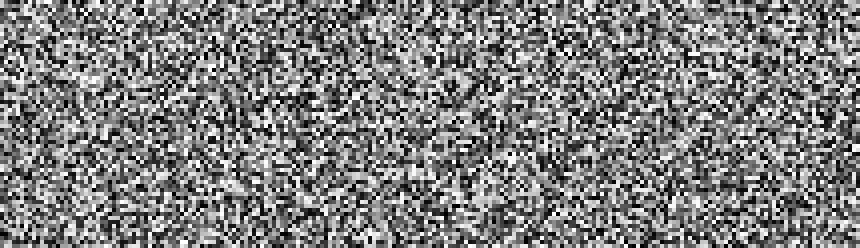
| |-| - PURB 格式: - 加密文件看起来像随机数据。 - 加密文件具有随机化的大小:不会泄露 Payload 的大小。 - 评论采用固定填充,不会泄露其大小或存在。 - 无法证明输入的密钥是不正确的。 - 基于提示的 CLI:不会通过 shell 历史记录泄露所使用的选项。 - 输出文件路径由用户自定义,默认情况下与输入文件路径无关。 - 可选:在容器中隐藏加密数据。 ## `tirdFS` — 用户驱动的隐写文件系统 `tird` 采用了一种技术,其[描述](https://en.wikipedia.org/wiki/List_of_steganography_techniques#Digital)如下: 您可以加密文件并将 cryptoblob 嵌入到容器中的任意起始位置。写入 cryptoblob 后,您需要记住它在容器中的位置(起始和结束位置),这将用于稍后提取 cryptoblob。通过这种方式,您可以在容器内创建 `tirdFS` —— **隐藏的、无头部的、用户驱动的文件系统**: - 它是**隐藏的**,因为无法区分随机容器数据和 cryptoblob 数据,也无法在不知道位置和密钥的情况下确定写入的 cryptoblob 的位置。 - 它是**无头部**的,因为容器不包含任何头部信息;有关 cryptoblob 位置的所有数据必须由用户单独存储。 - Cryptoblob 在容器中的起始位置是**用户自定义的**,并且**用户必须**将起始和结束位置分开存储在容器之外。这就是为什么它被称为**用户驱动的文件系统**。 `tirdFS` 不是具有内部元数据结构的*已挂载*文件系统。它是一个由独立放置的 cryptoblob 构建的*用户管理的*隐藏存储模型。 任何大于最小 cryptoblob 大小(1160 B)的文件、磁盘或分区都可以是有效的容器。Cryptoblob 可以嵌入到任何区域。 **有效容器的示例包括:** 1. 随机生成的特殊文件。 2. 包含随机数据的磁盘区域。例如,您可以用随机数据覆盖磁盘,将其格式化为 FAT32 或 exFAT,并使用磁盘的大部分空间,仅在开头留下几十 MB。除非您向其中添加一些文件,否则该磁盘将显示为空。 3. [LUKS](https://en.wikipedia.org/wiki/Linux_Unified_Key_Setup) 加密卷。 4. VeraCrypt 容器,甚至是那些已经包含隐藏卷的容器。 **容器结构示例:** ``` +—————————+—————————————+ <— Position 0 of the container | | | | | Random data | | | | | +—————————————+ <— Cryptoblob1 start position | Header- | | | less | Cryptoblob1 | | | | | Layer +—————————————+ <— Cryptoblob1 end position | | Random data | | Cake +—————————————+ <— Cryptoblob2 start position | | | | | Cryptoblob2 | | | | | +—————————————+ <— Cryptoblob2 end position | | Random data | +—————————+—————————————+ ``` **用户管理的头部信息** 单独的用户管理的 `tirdFS` 文本头部信息可能如下所示: ``` [100000000:100345765] secret_video.mp4 [100345765:234765345] various_secrets.zip [12654876456:14765345098] Epstein_files_part1.zip ``` 也就是说,它通常应该包含每个 cryptoblob 在容器中的位置以及简短的评论。但是,用户可以自由决定如何存储位置以及在此类头部中包含什么内容。 #### 嵌入可视化 下一张图片直观地展示了区分一条随机数据与另一条随机数据的难度,以及在容器中嵌入 cryptoblob 的过程。
显示图片
*带有随机数据的空容器:*
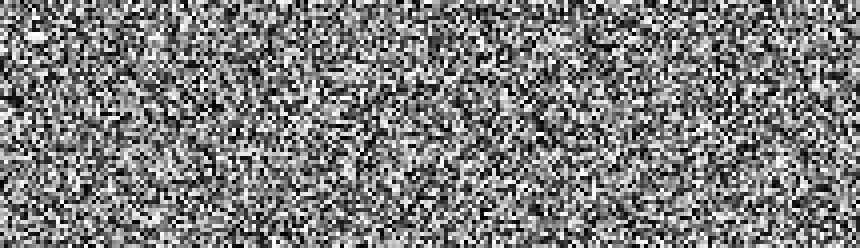 *嵌入在容器中的一个 cryptoblob:*
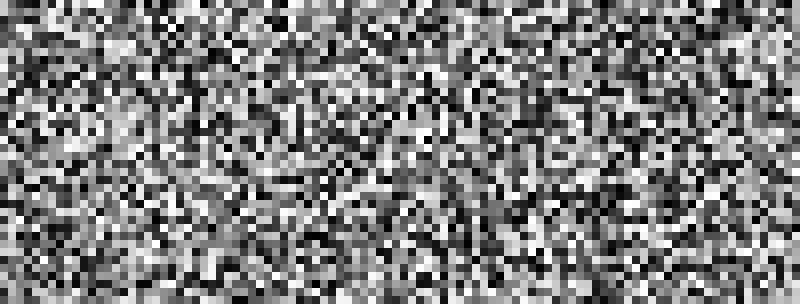 *嵌入在容器中的两个 cryptoblob:*
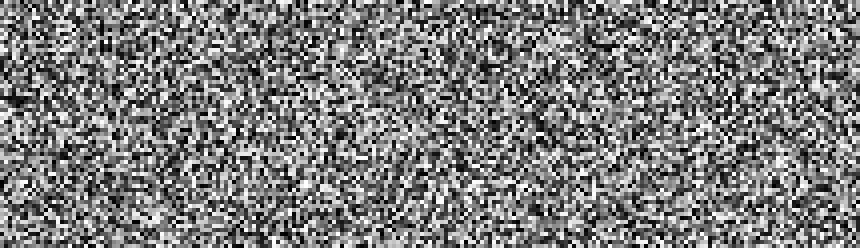 *嵌入在容器中的三个 cryptoblob:*
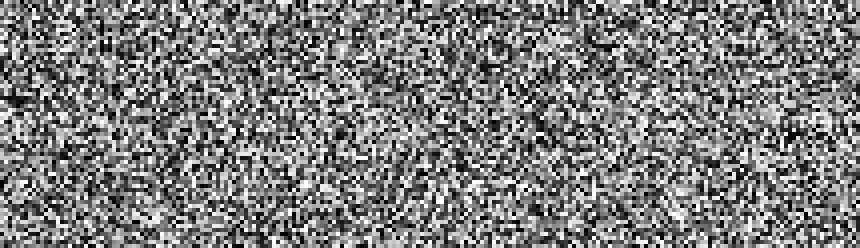 *动画:嵌入可视化:*
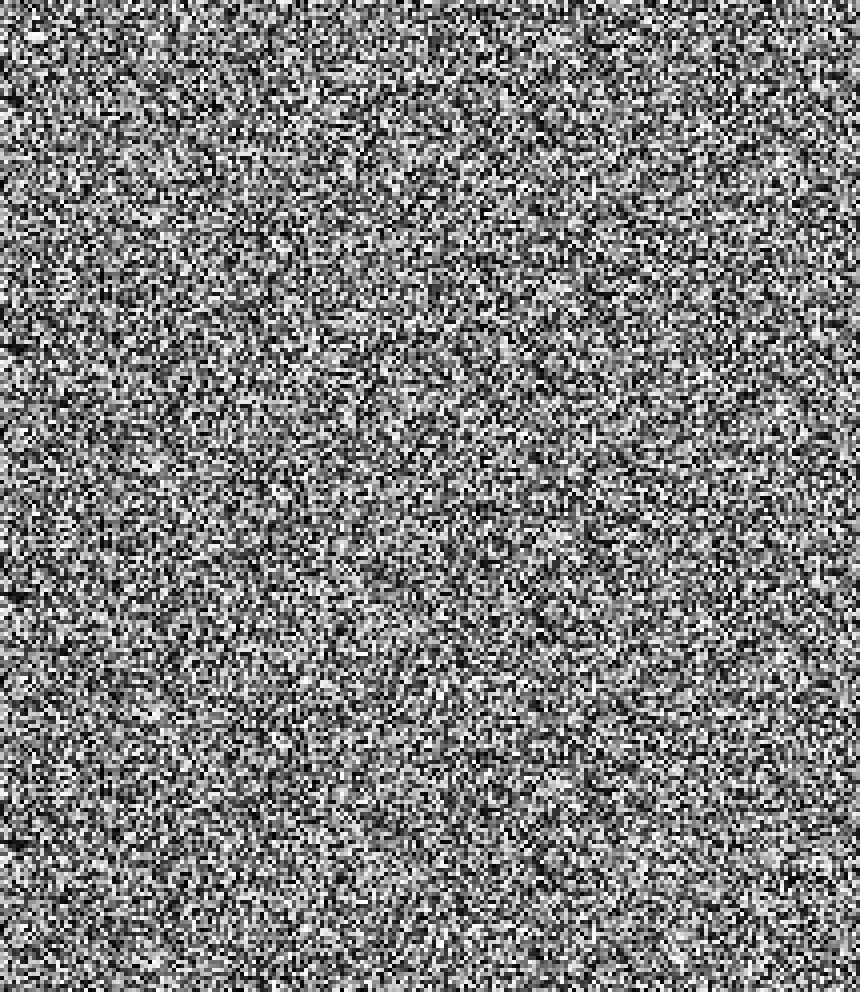
 看起来这个 16 GB 的卷中只包含一个 8.7 MiB 的文件。真的如此吗?也许是,也许不是。
文件系统告诉我们这里只有一个文件。但这个卷上真的只有一个文件吗?我们无法通过文件系统来确定这一点。事实上,数据可能位于文件系统之外,并且无法被文件系统工具检测到。这标记为空闲的 15.2 GiB 空间可能被一个隐藏的文件系统占。这些“空闲”空间可能被隐藏的加密数据占满了。
我们可以证明这些数据不存在吗?是的,例如,可以使用 `binwalk` 检查这片空闲空间的熵值。低熵表明很可能没有隐藏数据。而高熵*本身**并不能*证明存在隐藏的加密数据。高熵区域可能只是残留数据,或者是隐藏的加密数据。
如果您对在可见文件系统之外隐藏数据感兴趣,那么 `tird` 随时为您的文件提供隐形斗篷。
## 时间锁加密
看起来这个 16 GB 的卷中只包含一个 8.7 MiB 的文件。真的如此吗?也许是,也许不是。
文件系统告诉我们这里只有一个文件。但这个卷上真的只有一个文件吗?我们无法通过文件系统来确定这一点。事实上,数据可能位于文件系统之外,并且无法被文件系统工具检测到。这标记为空闲的 15.2 GiB 空间可能被一个隐藏的文件系统占。这些“空闲”空间可能被隐藏的加密数据占满了。
我们可以证明这些数据不存在吗?是的,例如,可以使用 `binwalk` 检查这片空闲空间的熵值。低熵表明很可能没有隐藏数据。而高熵*本身**并不能*证明存在隐藏的加密数据。高熵区域可能只是残留数据,或者是隐藏的加密数据。
如果您对在可见文件系统之外隐藏数据感兴趣,那么 `tird` 随时为您的文件提供隐形斗篷。
## 时间锁加密
 时间锁加密(TLE)可用于防止对手在 IKM 泄露(例如在用户被胁迫的情况下)时快速获取明文。在我们的实现中,它实际上是一种基于 PoW 的时间锁密钥派生。“时间成本”输入选项指定了 Argon2 的迭代次数。如果您指定了足够高的迭代次数,执行它们将需要大量的时间。然而,当使用类似的硬件时,攻击者也将需要相同的时间。Argon2 的执行无法通过并行化来加速,因此预计攻击者花费的时间将与防御者花费的时间大致相同。
与 [tlock](https://github.com/drand/tlock) 不同,此 TLE 实现是离线工作的。
设置所需的 `TIME COST`(时间成本)值:
```
K3. TIME COST (DEFAULT=4): 1000000
I: time cost: 1,000,000
W: decryption will require the same "TIME COST" value!
```
**合理推诿的 TLE:** 对手不知道时间成本的实际值,因此您可以合理地虚假报告迭代次数。在对手尝试使用指定的时间成本值解密 cryptoblob 之前,他们无法反驳您的主张。
## 命令行选项
`tird` 在正常使用时不需要任何命令行选项。
```
$ tird --help
tird v0.30.0
A tool for encrypting files and hiding encrypted data.
Homepage: https://github.com/hakavlad/tird
Usage:
tird [--unsafe-debug] [--unsafe-decrypt]
Start without options for normal usage.
Options:
--help print this help message and exit
--unsafe-debug enable unsafe debug mode
--unsafe-decrypt release plaintext even if MAC verification
failed (dangerous)
Examples:
$ tird
$ tird --unsafe-debug
```
## 不安全的调试模式
使用 `--unsafe-debug` 选项启动 `tird`,可以在程序运行时查看其内部状态。
启用调试模式还会显示:
- 文件操作:
- 文件描述符的打开和关闭。
- 已打开文件的真实路径。
- 文件指针的移动。
- 与加密操作相关的字节字符串:盐、密码、摘要、密钥、nonce 和标签。
- 其他一些信息,包括各种数据大小。
## 不安全的解密模式
在不安全的解密模式下,即使身份验证失败,`tird` 也会输出明文。仅当您将可用性置于完整性之上,并且在正常模式下无法成功解密 cryptoblob 时,才使用此模式。
## 权衡与限制
- `tird` 不支持:
- [公钥密码学](https://en.wikipedia.org/wiki/Public-key_cryptography)。
- 文件压缩。
- ASCII 装甲输出。
- [Reed-Solomon 纠错](https://en.wikipedia.org/wiki/Reed%E2%80%93Solomon_error_correction)。
- 将输出拆分为多个数据块。
- 使用[标准流](https://en.wikipedia.org/wiki/Standard_streams)处理文件(不适用于自动化脚本)。
- 在 MS Windows 上进行底层的块设备读写。因此,这些设备不能用作 keyfile,不能被覆盖,也不能被加密或嵌入。
- `tird` 不提供:
- 图形用户界面。
- 密码生成器。
- `tird` 无法在一次过程中处理(加密/嵌入)多个文件。不支持加密目录和多个文件。
- `tird` 不会清理文件系统元数据(atime、mtime、ctime)。
- `tird` 的加密速度不是很高(在现代硬件上的测试中最高可达 730 MiB/s)。
## 警告
— Loup Vaillant
时间锁加密(TLE)可用于防止对手在 IKM 泄露(例如在用户被胁迫的情况下)时快速获取明文。在我们的实现中,它实际上是一种基于 PoW 的时间锁密钥派生。“时间成本”输入选项指定了 Argon2 的迭代次数。如果您指定了足够高的迭代次数,执行它们将需要大量的时间。然而,当使用类似的硬件时,攻击者也将需要相同的时间。Argon2 的执行无法通过并行化来加速,因此预计攻击者花费的时间将与防御者花费的时间大致相同。
与 [tlock](https://github.com/drand/tlock) 不同,此 TLE 实现是离线工作的。
设置所需的 `TIME COST`(时间成本)值:
```
K3. TIME COST (DEFAULT=4): 1000000
I: time cost: 1,000,000
W: decryption will require the same "TIME COST" value!
```
**合理推诿的 TLE:** 对手不知道时间成本的实际值,因此您可以合理地虚假报告迭代次数。在对手尝试使用指定的时间成本值解密 cryptoblob 之前,他们无法反驳您的主张。
## 命令行选项
`tird` 在正常使用时不需要任何命令行选项。
```
$ tird --help
tird v0.30.0
A tool for encrypting files and hiding encrypted data.
Homepage: https://github.com/hakavlad/tird
Usage:
tird [--unsafe-debug] [--unsafe-decrypt]
Start without options for normal usage.
Options:
--help print this help message and exit
--unsafe-debug enable unsafe debug mode
--unsafe-decrypt release plaintext even if MAC verification
failed (dangerous)
Examples:
$ tird
$ tird --unsafe-debug
```
## 不安全的调试模式
使用 `--unsafe-debug` 选项启动 `tird`,可以在程序运行时查看其内部状态。
启用调试模式还会显示:
- 文件操作:
- 文件描述符的打开和关闭。
- 已打开文件的真实路径。
- 文件指针的移动。
- 与加密操作相关的字节字符串:盐、密码、摘要、密钥、nonce 和标签。
- 其他一些信息,包括各种数据大小。
## 不安全的解密模式
在不安全的解密模式下,即使身份验证失败,`tird` 也会输出明文。仅当您将可用性置于完整性之上,并且在正常模式下无法成功解密 cryptoblob 时,才使用此模式。
## 权衡与限制
- `tird` 不支持:
- [公钥密码学](https://en.wikipedia.org/wiki/Public-key_cryptography)。
- 文件压缩。
- ASCII 装甲输出。
- [Reed-Solomon 纠错](https://en.wikipedia.org/wiki/Reed%E2%80%93Solomon_error_correction)。
- 将输出拆分为多个数据块。
- 使用[标准流](https://en.wikipedia.org/wiki/Standard_streams)处理文件(不适用于自动化脚本)。
- 在 MS Windows 上进行底层的块设备读写。因此,这些设备不能用作 keyfile,不能被覆盖,也不能被加密或嵌入。
- `tird` 不提供:
- 图形用户界面。
- 密码生成器。
- `tird` 无法在一次过程中处理(加密/嵌入)多个文件。不支持加密目录和多个文件。
- `tird` 不会清理文件系统元数据(atime、mtime、ctime)。
- `tird` 的加密速度不是很高(在现代硬件上的测试中最高可达 730 MiB/s)。
## 警告
— Loup Vaillant
 - ⚠️ 作者没有密码学背景。
- ⚠️ 代码没有自动化测试覆盖率。
- ⚠️ `tird` 没有经过人工的独立安全审计。
- ⚠️ `tird` 在受损环境中无效;在这种情况下执行它可能会导致灾难性的数据泄露。
- ⚠️ `tird` 在使用短小且可预测的密钥时不太可能有效。
- ⚠️ `tird` 在使用后不会从内存中清除其敏感数据;密钥在程序退出后可能仍保留在内存中。
- ⚠️ 敏感数据可能会泄露到交换空间(swap space)中。
- ⚠️ 文件系统时间戳未经过清理——可能会泄露操作元数据。
- ⚠️ `tird` 不会在常数时间内对 keyfile 和密码的摘要进行排序。
- ⚠️ 覆盖文件内容并不能保证安全销毁介质上的数据。
- ⚠️ 您无法向对手证明您的随机数据不包含加密信息。
- ⚠️ `tird` 保护的是数据,而不是用户;如果您受到怀疑,它无法阻止酷刑。
- ⚠️ 密钥派生消耗 1 GiB RAM,这可能会导致低内存系统出现性能问题或崩溃。
- ⚠️ 完整性/真实性高于可用性——即使改变 cryptoblob 的单个字节也会导致无法解密。
- ⚠️ 开发尚未完成,可能存在向后兼容性问题。
## 要求
- Python >= 3.9.2
- [cryptography](https://pypi.org/project/cryptography/) >= 2.1(提供 `HKDF` 和快速的 `ChaCha20` 实现)
- [PyNaCl](https://pypi.org/project/PyNaCl/) >= 1.2.0(提供 `Argon2` 和 `BLAKE2` 的快速实现)
- [colorama](https://pypi.org/project/colorama/) >= 0.4.6(特定于 Windows)
## 文档
- 📜 `tird`(1) man page
- 📑 规范说明
- 📄 输入选项
- 📖 教程/演示
- ❓ FAQ/原理说明
- 📥 安装
## TODO
改进文档。
## 反馈
请随时在[讨论区](https://github.com/hakavlad/tird/discussions)提问、留下反馈或提供批评意见。
- ⚠️ 作者没有密码学背景。
- ⚠️ 代码没有自动化测试覆盖率。
- ⚠️ `tird` 没有经过人工的独立安全审计。
- ⚠️ `tird` 在受损环境中无效;在这种情况下执行它可能会导致灾难性的数据泄露。
- ⚠️ `tird` 在使用短小且可预测的密钥时不太可能有效。
- ⚠️ `tird` 在使用后不会从内存中清除其敏感数据;密钥在程序退出后可能仍保留在内存中。
- ⚠️ 敏感数据可能会泄露到交换空间(swap space)中。
- ⚠️ 文件系统时间戳未经过清理——可能会泄露操作元数据。
- ⚠️ `tird` 不会在常数时间内对 keyfile 和密码的摘要进行排序。
- ⚠️ 覆盖文件内容并不能保证安全销毁介质上的数据。
- ⚠️ 您无法向对手证明您的随机数据不包含加密信息。
- ⚠️ `tird` 保护的是数据,而不是用户;如果您受到怀疑,它无法阻止酷刑。
- ⚠️ 密钥派生消耗 1 GiB RAM,这可能会导致低内存系统出现性能问题或崩溃。
- ⚠️ 完整性/真实性高于可用性——即使改变 cryptoblob 的单个字节也会导致无法解密。
- ⚠️ 开发尚未完成,可能存在向后兼容性问题。
## 要求
- Python >= 3.9.2
- [cryptography](https://pypi.org/project/cryptography/) >= 2.1(提供 `HKDF` 和快速的 `ChaCha20` 实现)
- [PyNaCl](https://pypi.org/project/PyNaCl/) >= 1.2.0(提供 `Argon2` 和 `BLAKE2` 的快速实现)
- [colorama](https://pypi.org/project/colorama/) >= 0.4.6(特定于 Windows)
## 文档
- 📜 `tird`(1) man page
- 📑 规范说明
- 📄 输入选项
- 📖 教程/演示
- ❓ FAQ/原理说明
- 📥 安装
## TODO
改进文档。
## 反馈
请随时在[讨论区](https://github.com/hakavlad/tird/discussions)提问、留下反馈或提供批评意见。标签:DNS 反向解析, Python, 命令行工具, 安全工具, 密码学, 手动系统调用, 文件加密, 无后门, 隐写术