oobabooga/textgen
GitHub: oobabooga/textgen
一个完整的本地 LLM 界面,提供离线推理、工具调用与多模态支持。
Stars: 47462 | Forks: 5978
Special thanks to:
 ### [Warp,基于多个 AI 代理进行编码而构建](https://go.warp.dev/text-generation-webui)
[适用于 macOS、Linux 和 Windows](https://go.warp.dev/text-generation-webui)
### [Warp,基于多个 AI 代理进行编码而构建](https://go.warp.dev/text-generation-webui)
[适用于 macOS、Linux 和 Windows](https://go.warp.dev/text-generation-webui)
### [Warp,基于多个 AI 代理进行编码而构建](https://go.warp.dev/text-generation-webui)
[适用于 macOS、Linux 和 Windows](https://go.warp.dev/text-generation-webui)# TextGen **最初的本地 LLM 界面。** 文本、视觉、工具调用、训练、图像生成。UI + API,完全离线且私有。 如需推荐的 GGUF 量化版本,请查看我的新项目:[LocalBench](https://localbench.substack.com)。 |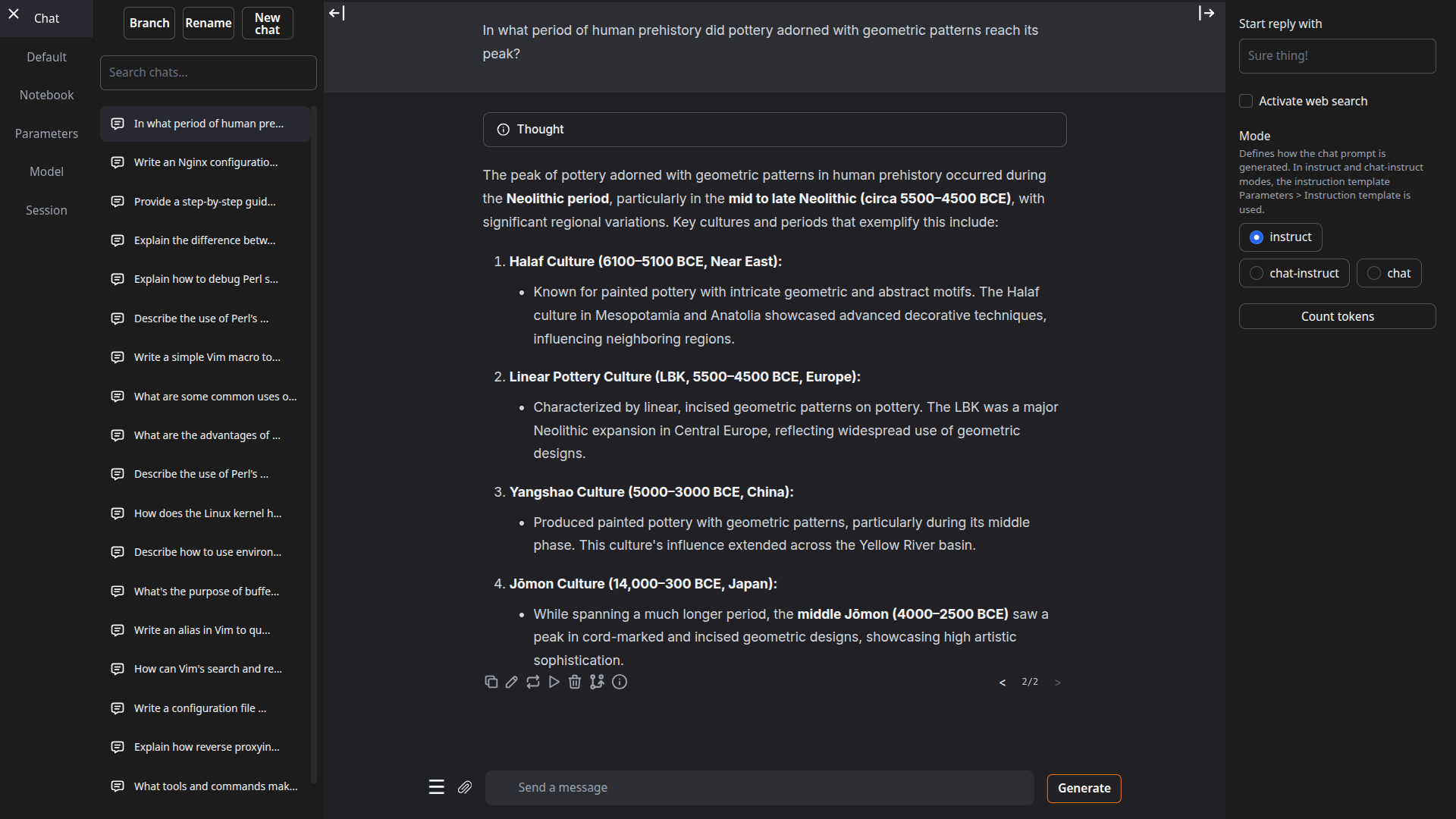 | 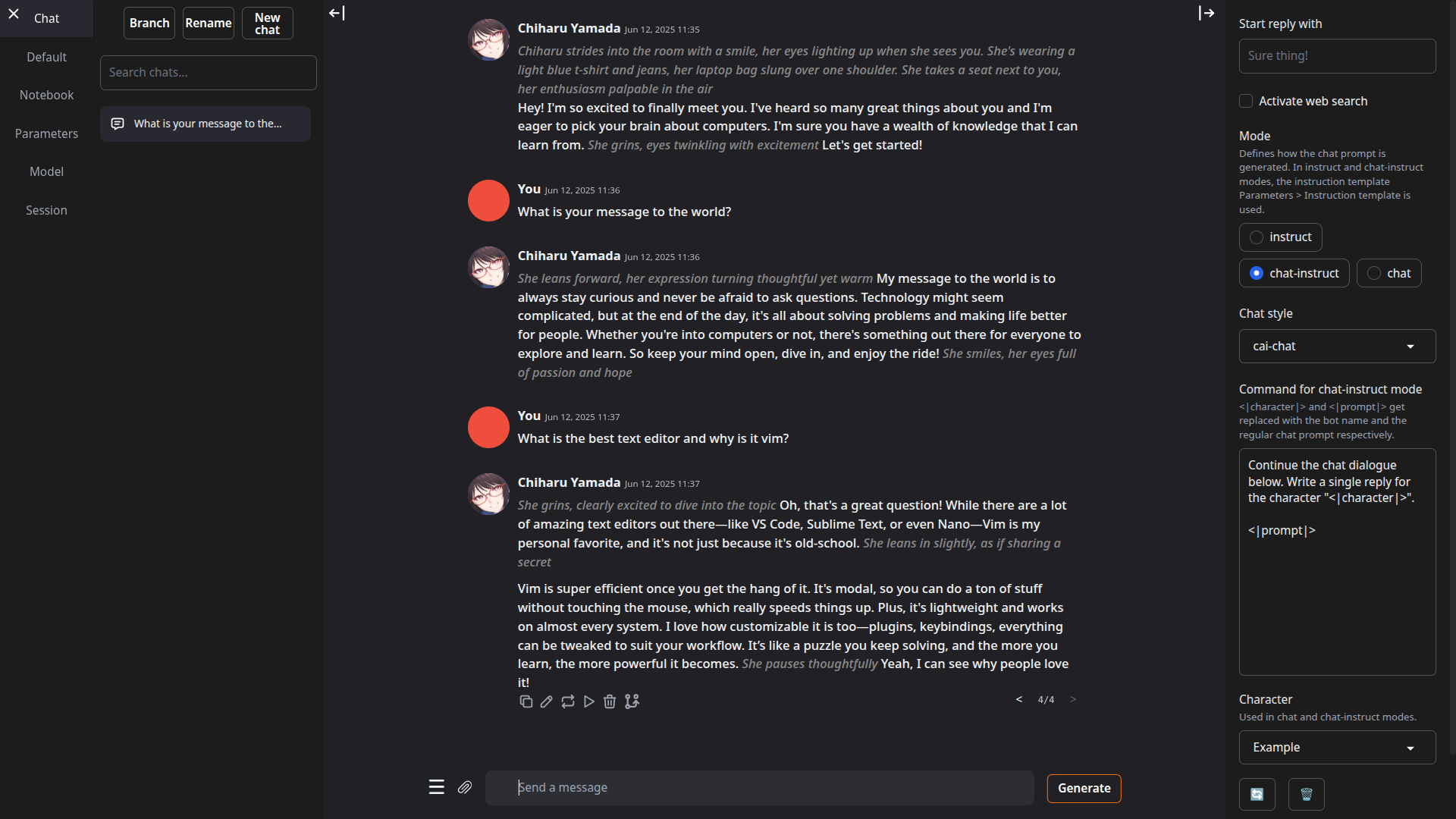 | |:---:|:---:| |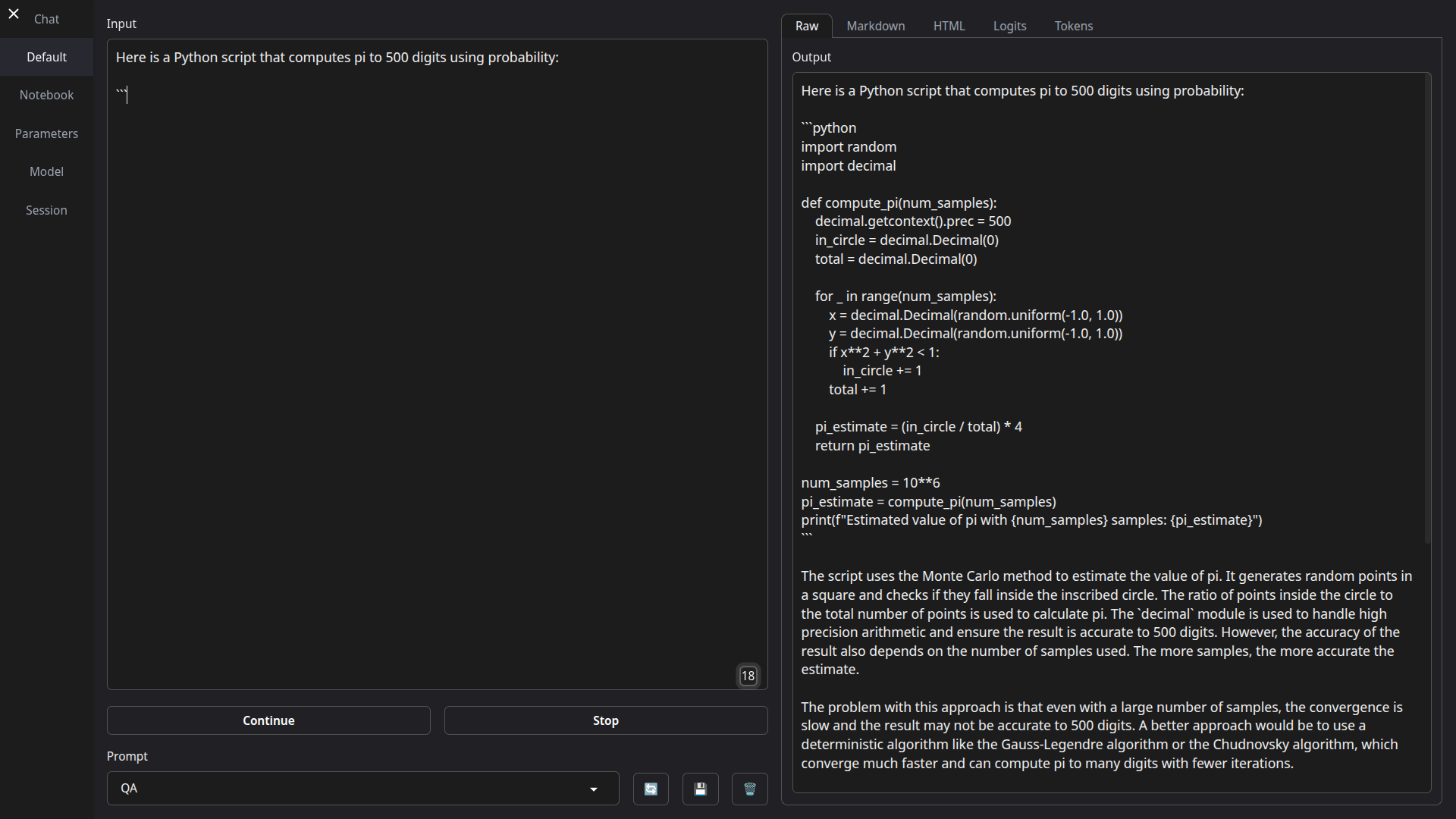 | 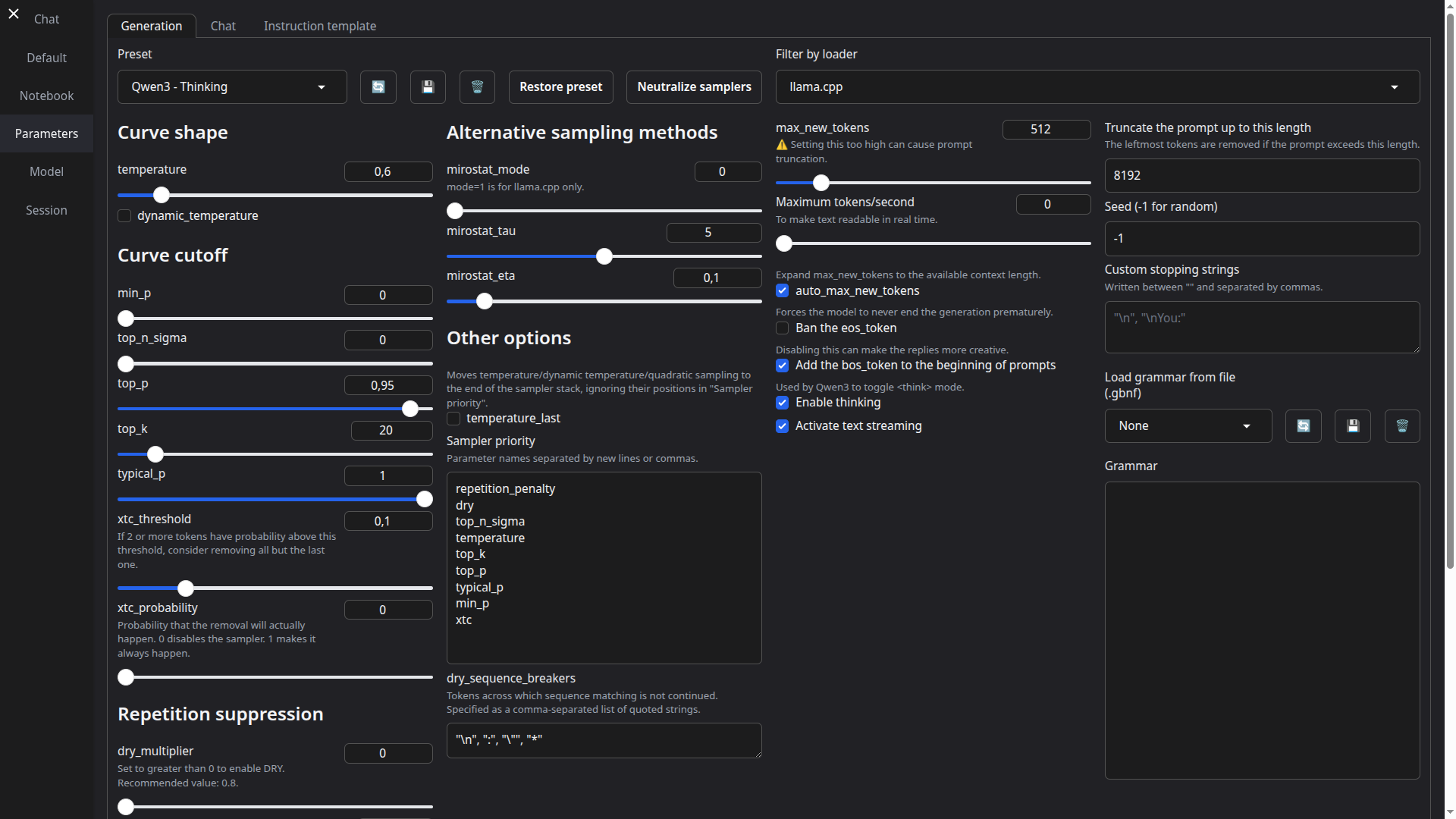 | ## 功能 - **易于设置**:[便携构建](https://github.com/oobabooga/textgen/releases)(零配置,解压即用)适用于 Windows/Linux/macOS 上的 GGUF 模型,或一键安装完整功能集。 - **多种后端**:[llama.cpp](https://github.com/ggerganov/llama.cpp)、[ik_llama.cpp](https://github.com/ikawrakow/ik_llama.cpp)、[Transformers](https://github.com/huggingface/transformers)、[ExLlamaV3](https://github.com/turboderp-org/exllamav3) 和 [TensorRT-LLM](https://github.com/NVIDIA/TensorRT-LLM)。可在不重启的情况下切换后端与模型。 - **OpenAI/Anthropic 兼容 API**:支持工具调用的聊天、完成与消息端点。可作为本地即插即用替代方案([示例](https://github.com/oobabooga/textgen/wiki/12-%E2%80%90-OpenAI-API#examples))。 - **工具调用**:模型可在聊天中调用自定义函数,包括网页搜索、页面获取和数学运算。每个工具均为单个 `.py` 文件。也支持 MCP 服务器([教程](https://github.com/oobabooga/textgen/wiki/Tool-Calling-Tutorial))。 - **视觉(多模态)**:为消息附加图像以实现视觉理解([教程](https://github.com/oobabooga/textgen/wiki/Multimodal-Tutorial))。 - **文件附件**:上传文本文件、PDF 文档和 .docx 文档以讨论其内容。 - **训练**:支持多轮聊天或原始文本数据集的 LoRA 微调。支持中断后恢复([教程](https://github.com/oobabooga/textgen/wiki/05-%E2%80%90-Training-Tab))。 - **图像生成**:专为 `diffusers` 模型设计的独立标签页,如 **Z-Image-Turbo**。支持 4 位/8 位量化,并提供带有元数据的持久化图库([教程](https://github.com/oobabooga/textgen/wiki/Image-Generation-Tutorial))。 - 100% 离线且私有,无任何遥测、外部资源或远程更新请求。 - `instruct` 模式用于指令遵循(类似 ChatGPT),`chat-instruct`/`chat` 模式用于与自定义角色对话。提示词会自动使用 Jinja2 模板格式化。 - 编辑消息、在消息版本之间导航,并在任意时刻分支对话。 - 在笔记本标签页中自由文本生成,不受聊天回合限制。 - 深色/浅色主题、代码块的语法高亮,以及数学表达式的 LaTeX 渲染。 - 支持扩展,提供内置和用户贡献的扩展。详见 [Wiki](https://github.com/oobabooga/textgen/wiki/07-%E2%80%90-Extensions) 和 [扩展目录](https://github.com/oobabooga/textgen-extensions)。 ## 如何安装 #### ✅ 选项 1:便携构建(1 分钟内启动) 无需安装,直接下载、解压并运行。所有依赖项均已包含。 从这里下载:**https://github.com/oobabooga/textgen/releases** - 为 Linux、Windows 和 macOS 提供构建版本,支持 CUDA、Vulkan、ROCm 和仅 CPU 模式。 - 兼容 GGUF(llama.cpp)模型。 #### 选项 2:使用 venv 的手动便携安装 在任意 Python 3.9+ 上快速设置: ``` # 克隆仓库 git clone https://github.com/oobabooga/textgen cd textgen # 创建虚拟环境 python -m venv venv # 激活虚拟环境 # 在 Windows 上: venv\Scripts\activate # 在 macOS/Linux 上: source venv/bin/activate # 安装依赖项(根据您的硬件选择 requirements/portable 下的适当文件) pip install -r requirements/portable/requirements.txt --upgrade # 启动服务器(基本命令) python server.py --portable --api --auto-launch # 工作完成后停用 deactivate ``` #### 选项 3:一键安装程序 适用于需要额外后端(ExLlamaV3、Transformers)、训练、图像生成或扩展(TTS、语音输入、翻译等)的用户。需要约 10GB 磁盘空间并下载 PyTorch。 1. 克隆仓库,或[下载源代码](https://github.com/oobabooga/textgen/archive/refs/heads/main.zip)并解压。 2. 运行启动脚本:`start_windows.bat`、`start_linux.sh` 或 `start_macos.sh`。 3. 提示时选择你的 GPU 厂商。 4. 安装完成后,在浏览器中打开 `http://127.0.0.1:7860`。 如需稍后重启 Web UI,运行相同的 `start_` 脚本。 可直接传递命令行参数(例如 `./start_linux.sh --help`),或将其添加到 `user_data/CMD_FLAGS.txt`(例如 `--api` 以启用 API)。 如需更新,运行对应系统的更新脚本:`update_wizard_windows.bat`、`update_wizard_linux.sh` 或 `update_wizard_macos.sh`。 如需使用全新 Python 环境重新安装,请删除 `installer_files` 文件夹并再次运行 `start_` 脚本。
一键安装程序详情
一键安装脚本使用 Miniforge 在 `installer_files` 文件夹中设置 Conda 环境。 如果在 `installer_files` 环境中需要手动安装内容,可通过 cmd 脚本启动交互式 Shell:`cmd_linux.sh`、`cmd_windows.bat` 或 `cmd_macos.sh`。 * 无需以管理员/根权限运行这些脚本(`start_`、`update_wizard_` 或 `cmd_`)。 * 若要安装扩展的依赖项,建议使用“安装/更新扩展依赖项”选项运行更新向导脚本。执行完毕后,该脚本将安装项目的主要依赖项,以确保它们在版本冲突时具有优先权。 * 对于自动化安装,可使用环境变量 `GPU_CHOICE`、`LAUNCH_AFTER_INSTALL` 和 `INSTALL_EXTENSIONS`。例如:`GPU_CHOICE=A LAUNCH_AFTER_INSTALL=FALSE INSTALL_EXTENSIONS=TRUE ./start_linux.sh`。使用 Conda 或 Docker 的手动完整安装
### 使用 Conda 的完整安装 #### 0. 安装 Conda https://github.com/conda-forge/miniforge 在 Linux 或 WSL 上,可使用以下两条命令自动安装 Miniforge: ``` curl -sL "https://github.com/conda-forge/miniforge/releases/latest/download/Miniforge3-Linux-x86_64.sh" > "Miniforge3.sh" bash Miniforge3.sh ``` 对于其他平台,请从以下地址下载:https://github.com/conda-forge/miniforge/releases/latest #### 1. 创建新的 Conda 环境 ``` conda create -n textgen python=3.13 conda activate textgen ``` #### 2. 安装 PyTorch | 系统 | GPU | 命令 | |------|-----|------| | Linux/WSL | NVIDIA | `pip3 install torch==2.9.1 --index-url https://download.pytorch.org/whl/cu128` | | Linux/WSL | 仅 CPU | `pip3 install torch==2.9.1 --index-url https://download.pytorch.org/whl/cpu` | | Linux | AMD | `pip3 install https://repo.radeon.com/rocm/manylinux/rocm-rel-7.2/torch-2.9.1%2Brocm7.2.0.lw.git7e1940d4-cp313-cp313-linux_x86_64.whl` | | macOS + MPS | 任意 | `pip3 install torch==2.9.1` | | Windows | NVIDIA | `pip3 install torch==2.9.1 --index-url https://download.pytorch.org/whl/cu128` | | Windows | 仅 CPU | `pip3 install torch==2.9.1` | 最新命令请参考:https://pytorch.org/get-started/locally/ 如果需要 `nvcc` 手动编译某些库,请额外安装: ``` conda install -y -c "nvidia/label/cuda-12.8.1" cuda ``` #### 3. 安装 Web UI ``` git clone https://github.com/oobabooga/textgen cd textgen pip install -r requirements/full/命令行参数列表
``` usage: server.py [-h] [--user-data-dir USER_DATA_DIR] [--multi-user] [--model MODEL] [--lora LORA [LORA ...]] [--model-dir MODEL_DIR] [--lora-dir LORA_DIR] [--model-menu] [--settings SETTINGS] [--extensions EXTENSIONS [EXTENSIONS ...]] [--verbose] [--idle-timeout IDLE_TIMEOUT] [--image-model IMAGE_MODEL] [--image-model-dir IMAGE_MODEL_DIR] [--image-dtype {bfloat16,float16}] [--image-attn-backend {flash_attention_2,sdpa}] [--image-cpu-offload] [--image-compile] [--image-quant {none,bnb-8bit,bnb-4bit,torchao-int8wo,torchao-fp4,torchao-float8wo}] [--loader LOADER] [--ctx-size N] [--cache-type N] [--model-draft MODEL_DRAFT] [--draft-max DRAFT_MAX] [--gpu-layers-draft GPU_LAYERS_DRAFT] [--device-draft DEVICE_DRAFT] [--ctx-size-draft CTX_SIZE_DRAFT] [--spec-type {none,ngram-mod,ngram-simple,ngram-map-k,ngram-map-k4v,ngram-cache}] [--spec-ngram-size-n SPEC_NGRAM_SIZE_N] [--spec-ngram-size-m SPEC_NGRAM_SIZE_M] [--spec-ngram-min-hits SPEC_NGRAM_MIN_HITS] [--gpu-layers N] [--cpu-moe] [--mmproj MMPROJ] [--streaming-llm] [--tensor-split TENSOR_SPLIT] [--row-split] [--no-mmap] [--mlock] [--no-kv-offload] [--batch-size BATCH_SIZE] [--ubatch-size UBATCH_SIZE] [--threads THREADS] [--threads-batch THREADS_BATCH] [--numa] [--parallel PARALLEL] [--fit-target FIT_TARGET] [--extra-flags EXTRA_FLAGS] [--cpu] [--cpu-memory CPU_MEMORY] [--disk] [--disk-cache-dir DISK_CACHE_DIR] [--load-in-8bit] [--bf16] [--no-cache] [--trust-remote-code] [--force-safetensors] [--no_use_fast] [--attn-implementation IMPLEMENTATION] [--load-in-4bit] [--use_double_quant] [--compute_dtype COMPUTE_DTYPE] [--quant_type QUANT_TYPE] [--gpu-split GPU_SPLIT] [--enable-tp] [--tp-backend TP_BACKEND] [--cfg-cache] [--listen] [--listen-port LISTEN_PORT] [--listen-host LISTEN_HOST] [--share] [--auto-launch] [--gradio-auth GRADIO_AUTH] [--gradio-auth-path GRADIO_AUTH_PATH] [--ssl-keyfile SSL_KEYFILE] [--ssl-certfile SSL_CERTFILE] [--subpath SUBPATH] [--old-colors] [--portable] [--api] [--public-api] [--public-api-id PUBLIC_API_ID] [--api-port API_PORT] [--api-key API_KEY] [--admin-key ADMIN_KEY] [--api-enable-ipv6] [--api-disable-ipv4] [--nowebui] [--temperature N] [--dynatemp-low N] [--dynatemp-high N] [--dynatemp-exponent N] [--smoothing-factor N] [--smoothing-curve N] [--min-p N] [--top-p N] [--top-k N] [--typical-p N] [--xtc-threshold N] [--xtc-probability N] [--epsilon-cutoff N] [--eta-cutoff N] [--tfs N] [--top-a N] [--top-n-sigma N] [--adaptive-target N] [--adaptive-decay N] [--dry-multiplier N] [--dry-allowed-length N] [--dry-base N] [--repetition-penalty N] [--frequency-penalty N] [--presence-penalty N] [--encoder-repetition-penalty N] [--no-repeat-ngram-size N] [--repetition-penalty-range N] [--penalty-alpha N] [--guidance-scale N] [--mirostat-mode N] [--mirostat-tau N] [--mirostat-eta N] [--do-sample | --no-do-sample] [--dynamic-temperature | --no-dynamic-temperature] [--temperature-last | --no-temperature-last] [--sampler-priority N] [--dry-sequence-breakers N] [--enable-thinking | --no-enable-thinking] [--reasoning-effort N] [--chat-template-file CHAT_TEMPLATE_FILE] TextGen options: -h, --help show this help message and exit Basic settings: --user-data-dir USER_DATA_DIR Path to the user data directory. Default: auto-detected. --multi-user Multi-user mode. Chat histories are not saved or automatically loaded. Best suited for small trusted teams. --model MODEL Name of the model to load by default. --lora LORA [LORA ...] The list of LoRAs to load. If you want to load more than one LoRA, write the names separated by spaces. --model-dir MODEL_DIR Path to directory with all the models. --lora-dir LORA_DIR Path to directory with all the loras. --model-menu Show a model menu in the terminal when the web UI is first launched. --settings SETTINGS Load the default interface settings from this yaml file. See user_data/settings-template.yaml for an example. If you create a file called user_data/settings.yaml, this file will be loaded by default without the need to use the --settings flag. --extensions EXTENSIONS [EXTENSIONS ...] The list of extensions to load. If you want to load more than one extension, write the names separated by spaces. --verbose Print the prompts to the terminal. --idle-timeout IDLE_TIMEOUT Unload model after this many minutes of inactivity. It will be automatically reloaded when you try to use it again. Image model: --image-model IMAGE_MODEL Name of the image model to select on startup (overrides saved setting). --image-model-dir IMAGE_MODEL_DIR Path to directory with all the image models. --image-dtype {bfloat16,float16} Data type for image model. --image-attn-backend {flash_attention_2,sdpa} Attention backend for image model. --image-cpu-offload Enable CPU offloading for image model. --image-compile Compile the image model for faster inference. --image-quant {none,bnb-8bit,bnb-4bit,torchao-int8wo,torchao-fp4,torchao-float8wo} Quantization method for image model. Model loader: --loader LOADER Choose the model loader manually, otherwise, it will get autodetected. Valid options: Transformers, llama.cpp, ExLlamav3_HF, ExLlamav3, TensorRT- LLM. Context and cache: --ctx-size, --n_ctx, --max_seq_len N Context size in tokens. 0 = auto for llama.cpp (requires gpu-layers=-1), 8192 for other loaders. --cache-type, --cache_type N KV cache type; valid options: llama.cpp - fp16, q8_0, q4_0; ExLlamaV3 - fp16, q2 to q8 (can specify k_bits and v_bits separately, e.g. q4_q8). Speculative decoding: --model-draft MODEL_DRAFT Path to the draft model for speculative decoding. --draft-max DRAFT_MAX Number of tokens to draft for speculative decoding. --gpu-layers-draft GPU_LAYERS_DRAFT Number of layers to offload to the GPU for the draft model. --device-draft DEVICE_DRAFT Comma-separated list of devices to use for offloading the draft model. Example: CUDA0,CUDA1 --ctx-size-draft CTX_SIZE_DRAFT Size of the prompt context for the draft model. If 0, uses the same as the main model. --spec-type {none,ngram-mod,ngram-simple,ngram-map-k,ngram-map-k4v,ngram-cache} Draftless speculative decoding type. Recommended: ngram-mod. --spec-ngram-size-n SPEC_NGRAM_SIZE_N N-gram lookup size for ngram speculative decoding. --spec-ngram-size-m SPEC_NGRAM_SIZE_M Draft n-gram size for ngram speculative decoding. --spec-ngram-min-hits SPEC_NGRAM_MIN_HITS Minimum n-gram hits for ngram-map speculative decoding. llama.cpp: --gpu-layers, --n-gpu-layers N Number of layers to offload to the GPU. -1 = auto. --cpu-moe Move the experts to the CPU (for MoE models). --mmproj MMPROJ Path to the mmproj file for vision models. --streaming-llm Activate StreamingLLM to avoid re-evaluating the entire prompt when old messages are removed. --tensor-split TENSOR_SPLIT Split the model across multiple GPUs. Comma-separated list of proportions. Example: 60,40. --row-split Split the model by rows across GPUs. This may improve multi-gpu performance. --no-mmap Prevent mmap from being used. --mlock Force the system to keep the model in RAM. --no-kv-offload Do not offload the K, Q, V to the GPU. This saves VRAM but reduces performance. --batch-size BATCH_SIZE Maximum number of prompt tokens to batch together when calling llama-server. This is the application level batch size. --ubatch-size UBATCH_SIZE Maximum number of prompt tokens to batch together when calling llama-server. This is the max physical batch size for computation (device level). --threads THREADS Number of threads to use. --threads-batch THREADS_BATCH Number of threads to use for batches/prompt processing. --numa Activate NUMA task allocation for llama.cpp. --parallel PARALLEL Number of parallel request slots. The context size is divided equally among slots. For example, to have 4 slots with 8192 context each, set ctx_size to 32768. --fit-target FIT_TARGET Target VRAM margin per device for auto GPU layers, comma-separated list of values in MiB. A single value is broadcast across all devices. Default: 1024. --extra-flags EXTRA_FLAGS Extra flags to pass to llama-server. Format: "flag1=value1,flag2,flag3=value3". Example: "override-tensor=exps=CPU" Transformers/Accelerate: --cpu Use the CPU to generate text. Warning: Training on CPU is extremely slow. --cpu-memory CPU_MEMORY Maximum CPU memory in GiB. Use this for CPU offloading. --disk If the model is too large for your GPU(s) and CPU combined, send the remaining layers to the disk. --disk-cache-dir DISK_CACHE_DIR Directory to save the disk cache to. --load-in-8bit Load the model with 8-bit precision (using bitsandbytes). --bf16 Load the model with bfloat16 precision. Requires NVIDIA Ampere GPU. --no-cache Set use_cache to False while generating text. This reduces VRAM usage slightly, but it comes at a performance cost. --trust-remote-code Set trust_remote_code=True while loading the model. Necessary for some models. --force-safetensors Set use_safetensors=True while loading the model. This prevents arbitrary code execution. --no_use_fast Set use_fast=False while loading the tokenizer (it's True by default). Use this if you have any problems related to use_fast. --attn-implementation IMPLEMENTATION Attention implementation. Valid options: sdpa, eager, flash_attention_2. bitsandbytes 4-bit: --load-in-4bit Load the model with 4-bit precision (using bitsandbytes). --use_double_quant use_double_quant for 4-bit. --compute_dtype COMPUTE_DTYPE compute dtype for 4-bit. Valid options: bfloat16, float16, float32. --quant_type QUANT_TYPE quant_type for 4-bit. Valid options: nf4, fp4. ExLlamaV3: --gpu-split GPU_SPLIT Comma-separated list of VRAM (in GB) to use per GPU device for model layers. Example: 20,7,7. --enable-tp, --enable_tp Enable Tensor Parallelism (TP) to split the model across GPUs. --tp-backend TP_BACKEND The backend for tensor parallelism. Valid options: native, nccl. Default: native. --cfg-cache Create an additional cache for CFG negative prompts. Necessary to use CFG with that loader. Gradio: --listen Make the web UI reachable from your local network. --listen-port LISTEN_PORT The listening port that the server will use. --listen-host LISTEN_HOST The hostname that the server will use. --share Create a public URL. This is useful for running the web UI on Google Colab or similar. --auto-launch Open the web UI in the default browser upon launch. --gradio-auth GRADIO_AUTH Set Gradio authentication password in the format "username:password". Multiple credentials can also be supplied with "u1:p1,u2:p2,u3:p3". --gradio-auth-path GRADIO_AUTH_PATH Set the Gradio authentication file path. The file should contain one or more user:password pairs in the same format as above. --ssl-keyfile SSL_KEYFILE The path to the SSL certificate key file. --ssl-certfile SSL_CERTFILE The path to the SSL certificate cert file. --subpath SUBPATH Customize the subpath for gradio, use with reverse proxy --old-colors Use the legacy Gradio colors, before the December/2024 update. --portable Hide features not available in portable mode like training. API: --api Enable the API extension. --public-api Create a public URL for the API using Cloudflare. --public-api-id PUBLIC_API_ID Tunnel ID for named Cloudflare Tunnel. Use together with public-api option. --api-port API_PORT The listening port for the API. --api-key API_KEY API authentication key. --admin-key ADMIN_KEY API authentication key for admin tasks like loading and unloading models. If not set, will be the same as --api-key. --api-enable-ipv6 Enable IPv6 for the API --api-disable-ipv4 Disable IPv4 for the API --nowebui Do not launch the Gradio UI. Useful for launching the API in standalone mode. API generation defaults: --temperature N Temperature --dynatemp-low N Dynamic temperature low --dynatemp-high N Dynamic temperature high --dynatemp-exponent N Dynamic temperature exponent --smoothing-factor N Smoothing factor --smoothing-curve N Smoothing curve --min-p N Min P --top-p N Top P --top-k N Top K --typical-p N Typical P --xtc-threshold N XTC threshold --xtc-probability N XTC probability --epsilon-cutoff N Epsilon cutoff --eta-cutoff N Eta cutoff --tfs N TFS --top-a N Top A --top-n-sigma N Top N Sigma --adaptive-target N Adaptive target --adaptive-decay N Adaptive decay --dry-multiplier N DRY multiplier --dry-allowed-length N DRY allowed length --dry-base N DRY base --repetition-penalty N Repetition penalty --frequency-penalty N Frequency penalty --presence-penalty N Presence penalty --encoder-repetition-penalty N Encoder repetition penalty --no-repeat-ngram-size N No repeat ngram size --repetition-penalty-range N Repetition penalty range --penalty-alpha N Penalty alpha --guidance-scale N Guidance scale --mirostat-mode N Mirostat mode --mirostat-tau N Mirostat tau --mirostat-eta N Mirostat eta --do-sample, --no-do-sample Do sample --dynamic-temperature, --no-dynamic-temperature Dynamic temperature --temperature-last, --no-temperature-last Temperature last --sampler-priority N Sampler priority --dry-sequence-breakers N DRY sequence breakers --enable-thinking, --no-enable-thinking Enable thinking --reasoning-effort N Reasoning effort --chat-template-file CHAT_TEMPLATE_FILE Path to a chat template file (.jinja, .jinja2, or .yaml) to use as the default instruction template for API requests. Overrides the model's built-in template. ```其他模型类型(Transformers、EXL3)
由多个文件组成的模型(如 16 位 Transformers 模型和 EXL3 模型)应放置在 `user_data/models` 的子文件夹中: ``` textgen └── user_data └── models └── Qwen_Qwen3-8B ├── config.json ├── generation_config.json ├── model-00001-of-00004.safetensors ├── ... ├── tokenizer_config.json └── tokenizer.json ``` 这些格式需要一键安装程序(而非便携构建)。标签:Anthropic兼容API, ExLlamaV3, GGUF, llama.cpp, LLM接口, OpenAI兼容API, TensorRT-LLM, UI与API, 一键安装, 便携版本, 多后端支持, 工具调用, 开源LLM, 开源搜索引擎, 文本到图像, 文本生成, 文本生成界面, 本地AI, 本地基准测试, 本地大语言模型, 模型量化, 离线AI, 私有部署, 视觉语言模型, 逆向工具, 零配置