jwoglom/pumpX2
GitHub: jwoglom/pumpX2
PumpX2 是一个逆向工程了 Tandem 胰岛素泵蓝牙协议的 Java/Android 库,让开发者能以编程方式连接并控制 t:slim X2 和 Mobi 泵。
Stars: 65 | Forks: 16
 [](https://jitpack.io/#jwoglom/pumpX2)
# PumpX2
用于 Tandem t:slim X2 和 Mobi 胰岛素泵的逆向工程 Bluetooth 协议 API 库。
### :warning: 如果你不是开发者,只是想通过手机控制你的胰岛素泵?你来错地方了。
[如需连接胰岛素泵的应用程序,请参阅 ControlX2。](https://github.com/jwoglom/controlX2)
PumpX2 是一个已导出的 Android 库,可供其他项目用于与胰岛素泵进行交互,
同时它也是一个通用的 Java 库,用于解析消息,没有任何特定的 Android 依赖。
**本项目处于实验阶段,仍在开发中。**
[在 Discord 的 #tslim-x2-dev 频道中讨论][discord]
**目前支持:**
* Bluetooth 连接
* 胰岛素泵身份验证和配对
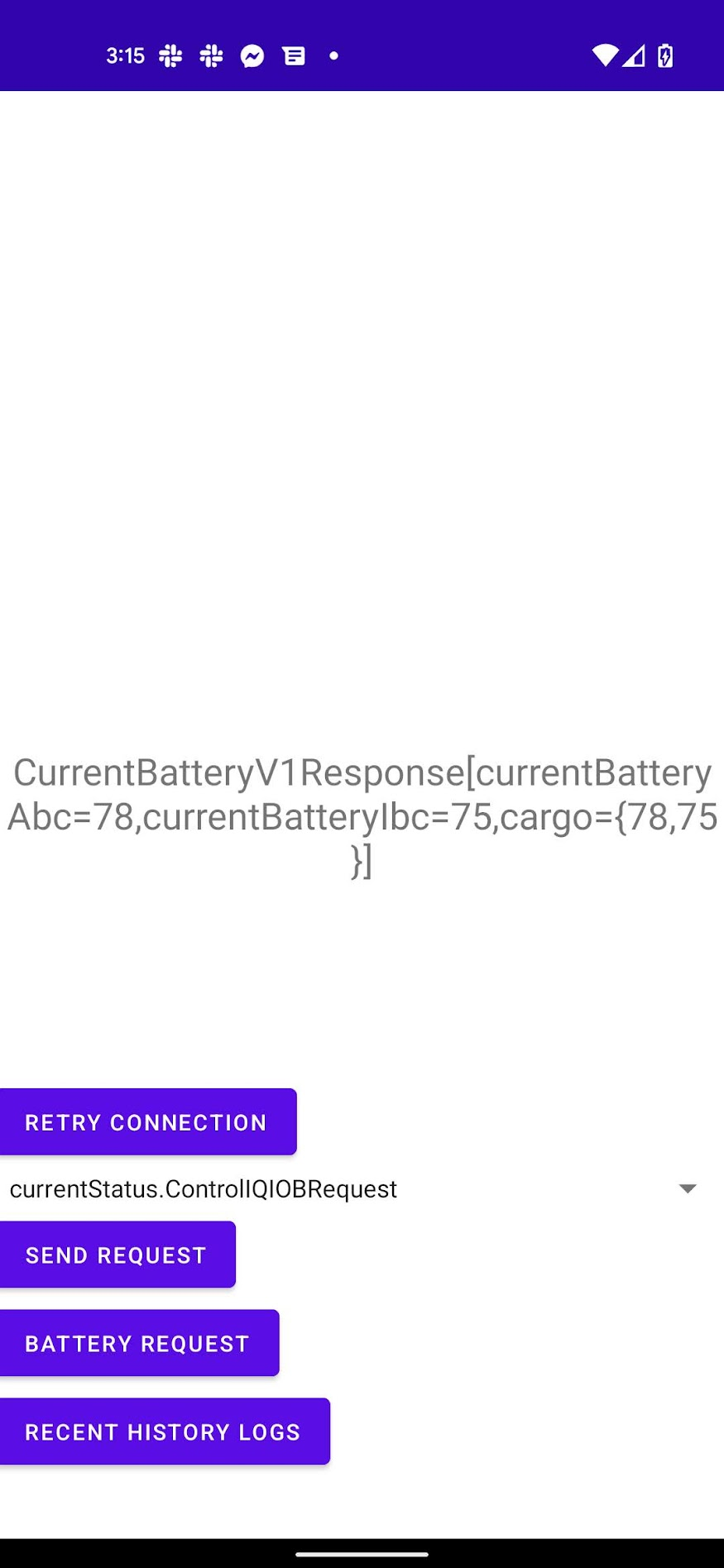
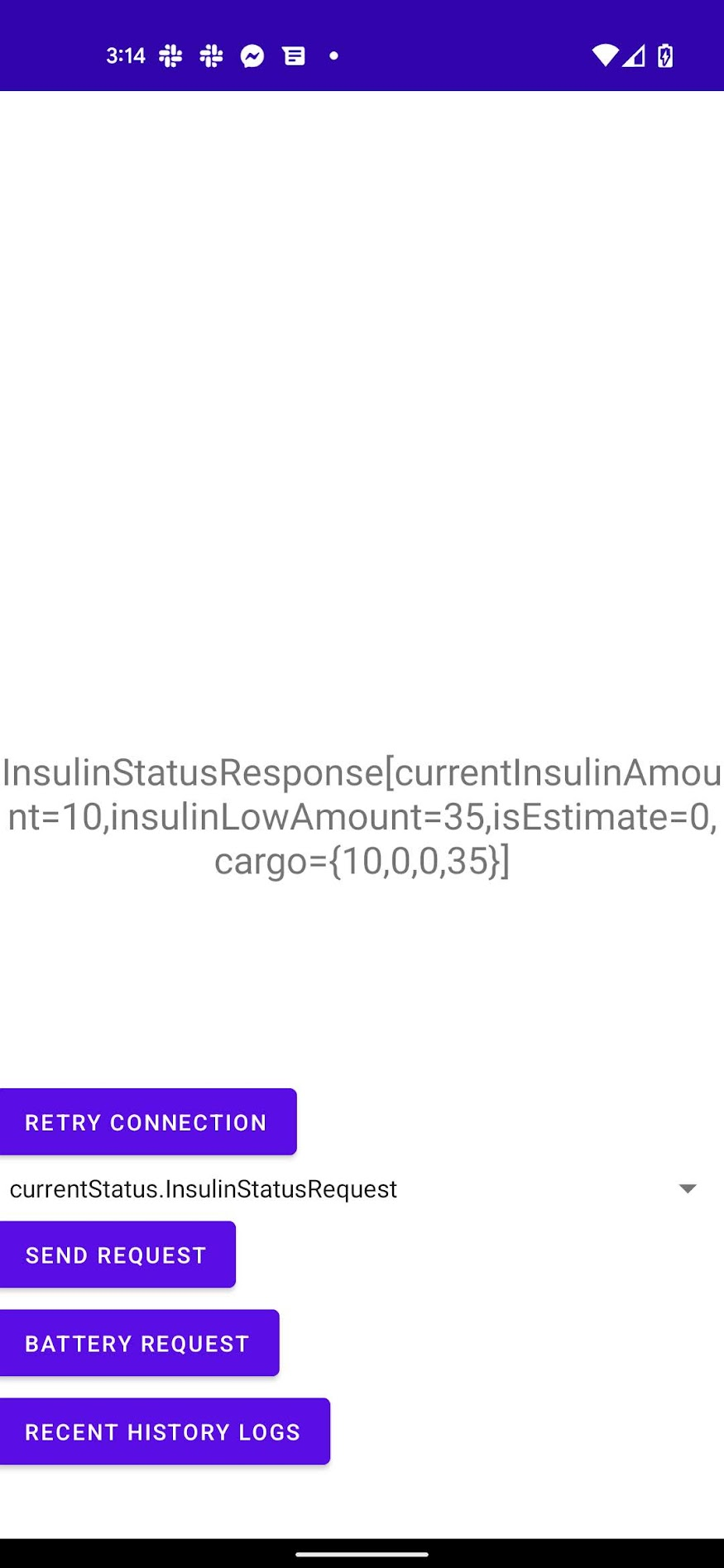
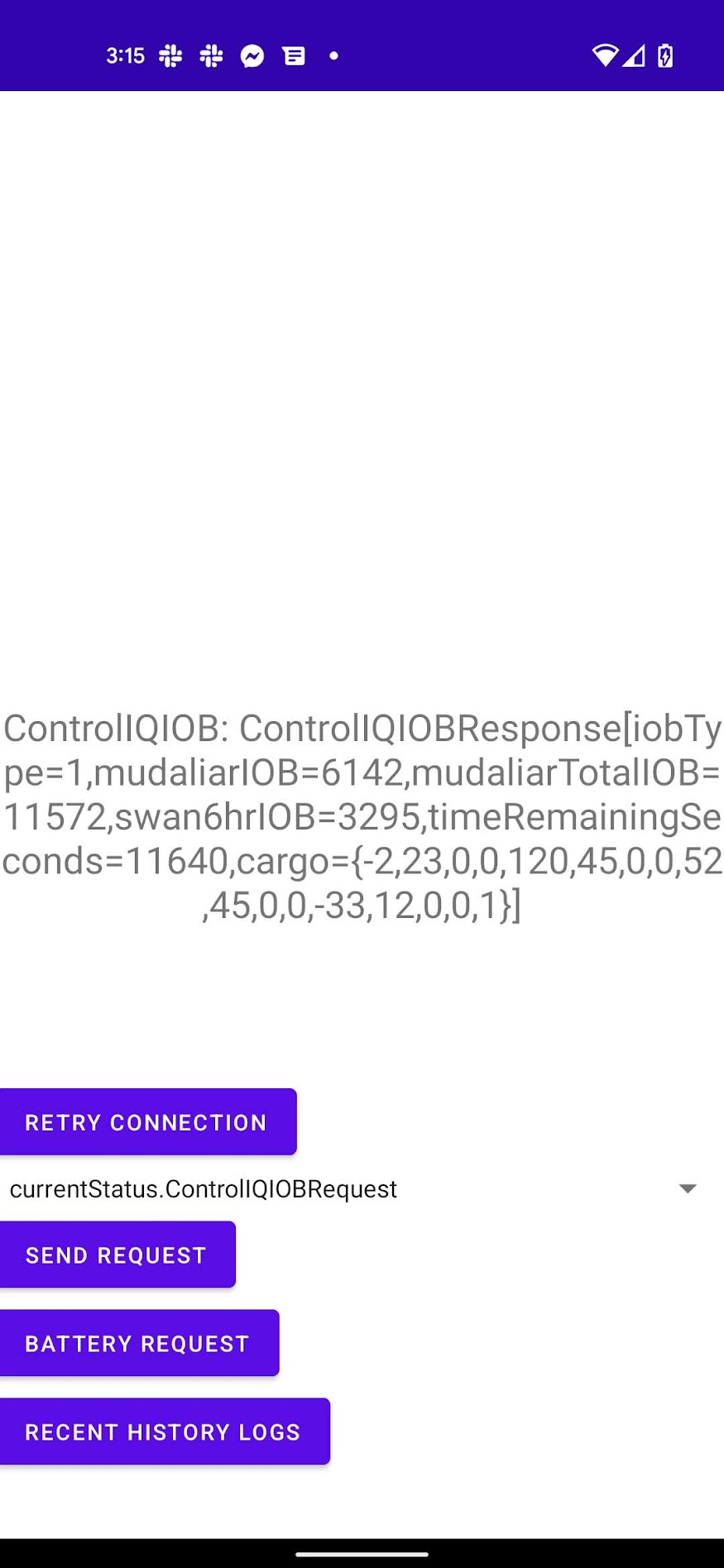
* 只读查看胰岛素泵的当前状态(currentStatus 特征)
* 胰岛素泵事件通知:警报、报警等(QualifyingEvent)
* **远程推注**(仅支持胰岛素单位量;暂不支持碳水化合物 / 自动校正)
**部分支持:**
* 历史日志解析(仍需测试以解码所有消息)
**不支持:**
* 非推注控制功能:当前 t:slim X2 firmware 不支持这些功能
* 根据碳水化合物 / 血糖(BG)自动计算单位量的推注向导
## 设置(面向开发者)
**只有想要尝试 PumpX2 提供的 API 的开发者才需遵循此流程。**
如果你不是开发者,[请参阅 ControlX2。](https://github.com/jwoglom/controlX2)
* 从 GitHub 的 Actions 标签页下载示例应用程序的最新 debug APK。
* 使用 `adb install` 将其安装到你的设备上
* 断开手机与任何 tslim Bluetooth 设备的连接
* 如果你安装了官方的 t:connect 应用程序,请**强制退出或注销**,以避免两个应用程序之间发生冲突。与 pumpX2 配对后,你需要注销并重新与官方 Tandem 应用程序配对。
* 在胰岛素泵的 Bluetooth 设置中启用移动连接(Mobile Connection),如果当前已启用,请取消配对设备
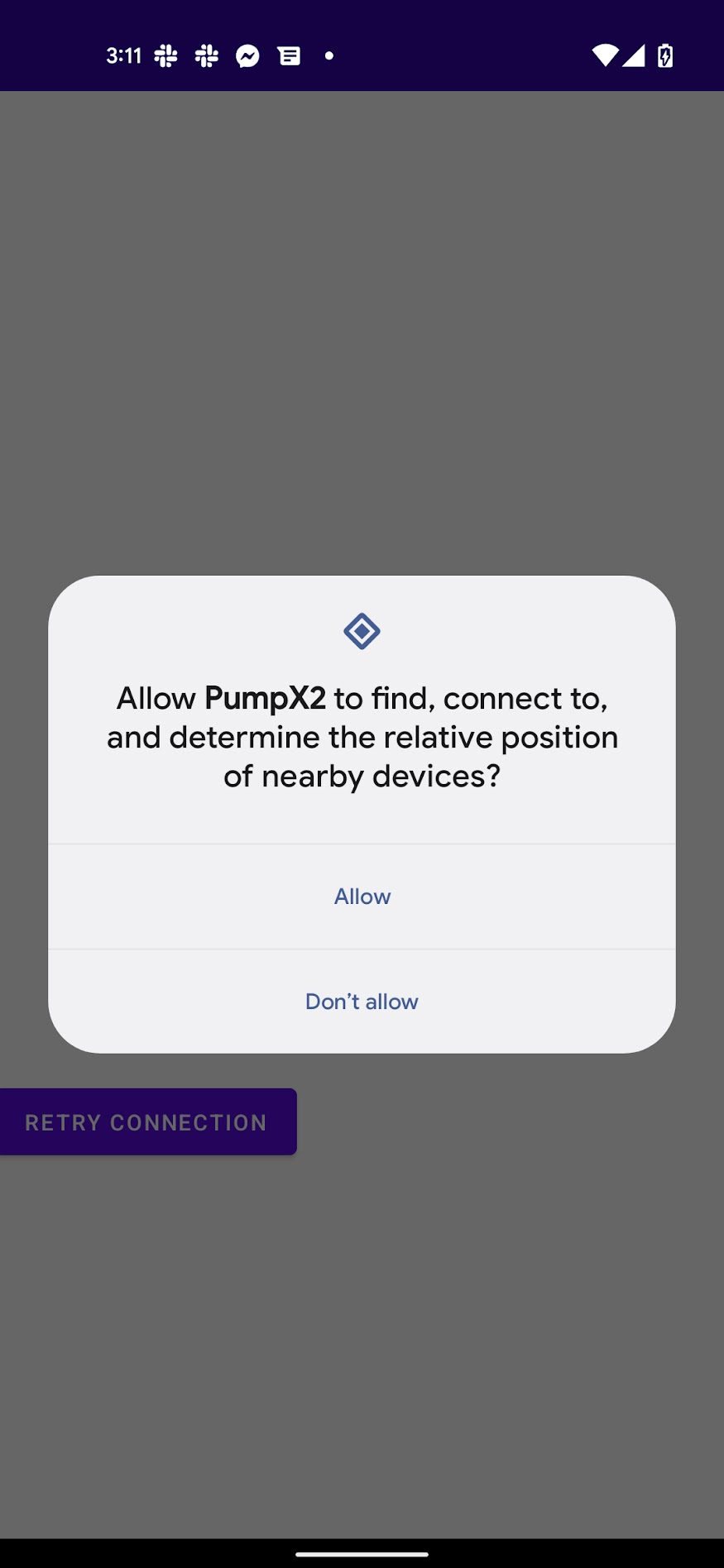
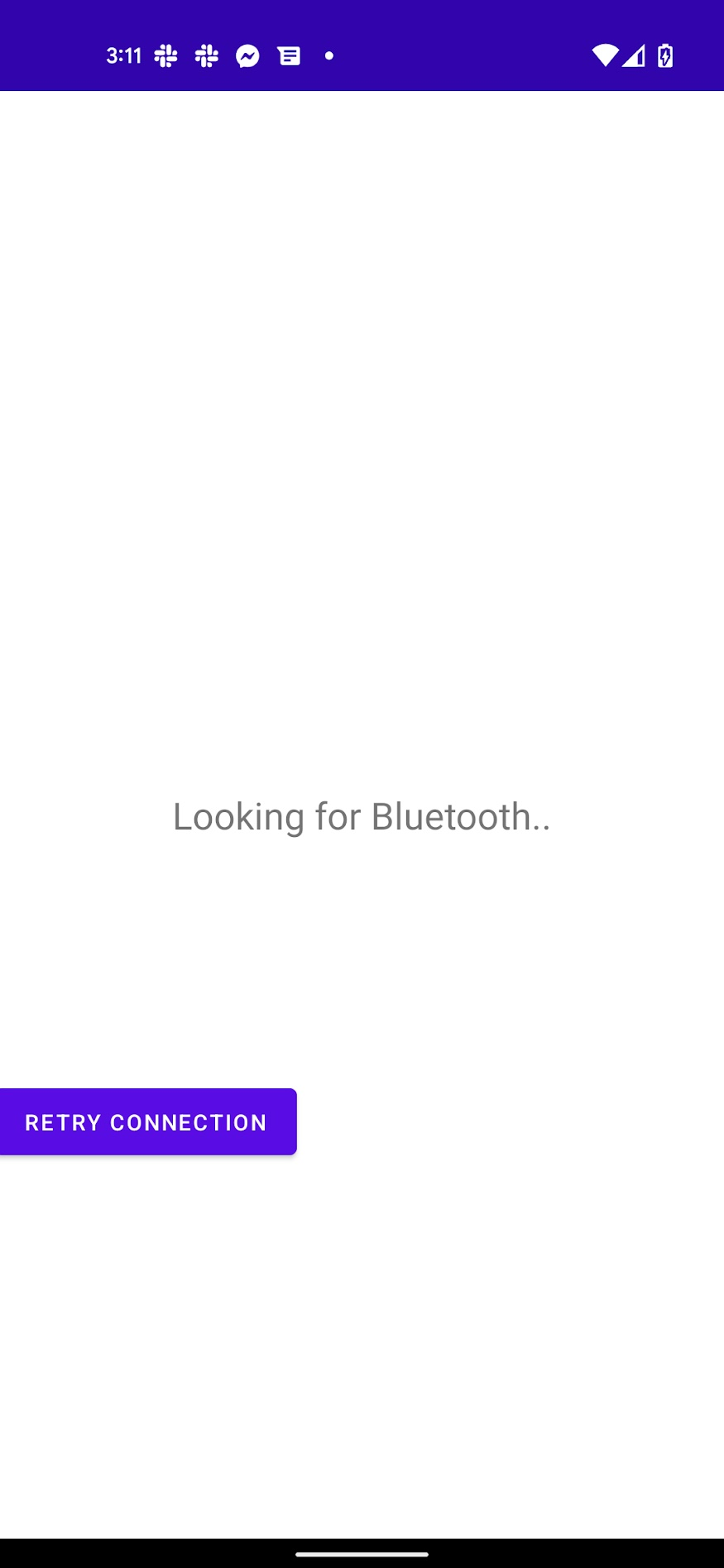
* 打开应用程序并接受 Bluetooth 配对
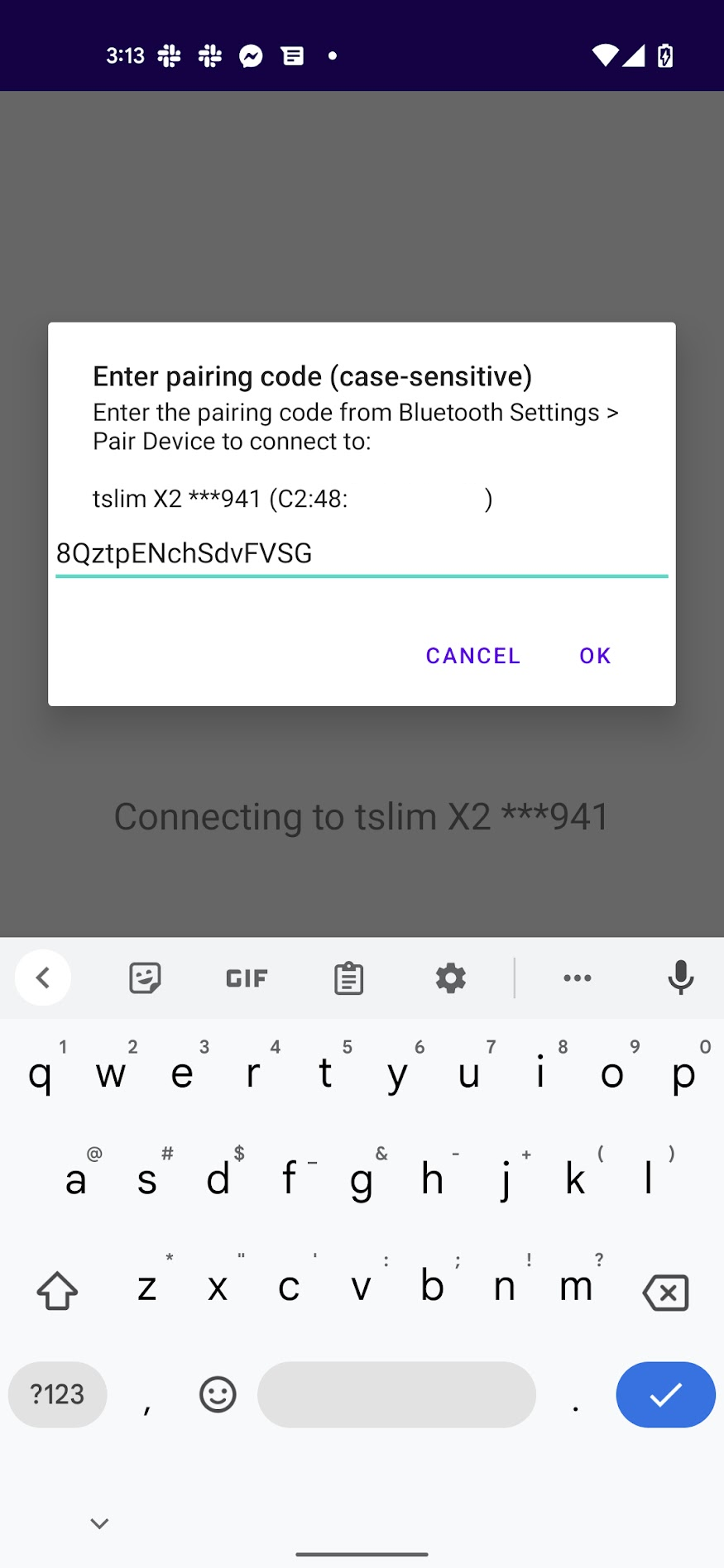
* 在“配对设备”(Pair Device)中输入配对码
目前 Bluetooth 配对码的实现并不特别稳定,主要只是概念验证。
你可能需要重新打开应用程序、清除应用程序数据,以及/或者取消配对并重新配对设备才能使其正常工作。
[](https://jitpack.io/#jwoglom/pumpX2)
# PumpX2
用于 Tandem t:slim X2 和 Mobi 胰岛素泵的逆向工程 Bluetooth 协议 API 库。
### :warning: 如果你不是开发者,只是想通过手机控制你的胰岛素泵?你来错地方了。
[如需连接胰岛素泵的应用程序,请参阅 ControlX2。](https://github.com/jwoglom/controlX2)
PumpX2 是一个已导出的 Android 库,可供其他项目用于与胰岛素泵进行交互,
同时它也是一个通用的 Java 库,用于解析消息,没有任何特定的 Android 依赖。
**本项目处于实验阶段,仍在开发中。**
[在 Discord 的 #tslim-x2-dev 频道中讨论][discord]
**目前支持:**
* Bluetooth 连接
* 胰岛素泵身份验证和配对
* 只读查看胰岛素泵的当前状态(currentStatus 特征)
* 胰岛素泵事件通知:警报、报警等(QualifyingEvent)
* **远程推注**(仅支持胰岛素单位量;暂不支持碳水化合物 / 自动校正)
**部分支持:**
* 历史日志解析(仍需测试以解码所有消息)
**不支持:**
* 非推注控制功能:当前 t:slim X2 firmware 不支持这些功能
* 根据碳水化合物 / 血糖(BG)自动计算单位量的推注向导
## 设置(面向开发者)
**只有想要尝试 PumpX2 提供的 API 的开发者才需遵循此流程。**
如果你不是开发者,[请参阅 ControlX2。](https://github.com/jwoglom/controlX2)
* 从 GitHub 的 Actions 标签页下载示例应用程序的最新 debug APK。
* 使用 `adb install` 将其安装到你的设备上
* 断开手机与任何 tslim Bluetooth 设备的连接
* 如果你安装了官方的 t:connect 应用程序,请**强制退出或注销**,以避免两个应用程序之间发生冲突。与 pumpX2 配对后,你需要注销并重新与官方 Tandem 应用程序配对。
* 在胰岛素泵的 Bluetooth 设置中启用移动连接(Mobile Connection),如果当前已启用,请取消配对设备
* 打开应用程序并接受 Bluetooth 配对
* 在“配对设备”(Pair Device)中输入配对码
目前 Bluetooth 配对码的实现并不特别稳定,主要只是概念验证。
你可能需要重新打开应用程序、清除应用程序数据,以及/或者取消配对并重新配对设备才能使其正常工作。
 ### Maven 包
**对于 Android 项目,**从 JitPack [加载以下 Maven 包](https://jitpack.io):
* `com.github.jwoglom.pumpX2:pumpx2-android`
* `com.github.jwoglom.pumpX2:pumpx2-messages`
* `com.github.jwoglom.pumpX2:pumpx2-shared`
例如,使用 Gradle,首先将 JitPack 存储库添加到你的根项目 `settings.gradle` 中:
```
pluginManagement {
repositories {
maven {
url 'https://jitpack.io'
}
}
}
```
在你的根项目 `build.gradle` 中添加对 PumpX2 版本的引用:
```
buildscript {
ext {
pumpx2_version = "x.x.x"
}
}
```
然后在你的模块的 `build.gradle` 中引用这些依赖项:
```
dependencies {
[...]
implementation "com.github.jwoglom.pumpX2:pumpx2-android:v${project.pumpx2_version}"
implementation "com.github.jwoglom.pumpX2:pumpx2-messages:v${project.pumpx2_version}"
implementation "com.github.jwoglom.pumpX2:pumpx2-shared:v${project.pumpx2_version}"
}
```
然后,要使用 PumpX2,请继承[`com.jwoglom.pumpx2.pump.bluetooth.TandemPump` 类](https://github.com/jwoglom/pumpX2/blob/main/androidLib/src/main/java/com/jwoglom/pumpx2/pump/bluetooth/TandemPump.java),
并使用以下代码初始化该库:
```
TandemPump tandemPump = new SubclassedTandemPump(getApplicationContext());
TandemBluetoothHandler bluetoothHandler = TandemBluetoothHandler.getInstance(getApplicationContext(), tandemPump);
```
**对于 Java(非 Android)项目,**加载以下 Maven 包:
* `com.github.jwoglom.pumpX2:pumpx2-messages`
* `com.github.jwoglom.pumpX2:pumpx2-shared`
查看[`cliparser` Gradle 模块](https://github.com/jwoglom/pumpX2/blob/main/cliparser/src/main/java/com/jwoglom/pumpx2/cliparser/Main.java)
以获取有关如何使用该库的示例。
### 构建说明
要构建项目并生成 AAR(Android 库)和 JAR(Java 库/可执行文件)文件:
```
./gradlew build
./gradlew publishToMavenLocal
```
生成的文件将创建在 `~/.m2/repository/com/jwoglom/pumpx2/` 中。
你也可以选择从 GitHub Packages 下载,或者使用 "Android CI" GitHub Action 中的最新版本。
要将 PumpX2 Android 库集成到你的项目中,请将以下依赖项导入你的项目:
* `pumpx2-android.aar`:Android Bluetooth 库
* `pumpx2-messages.jar`:通用消息解析代码。
* `pumpx2-shared.jar`:通用共享模块。
如果不需要 Android 特定的 Bluetooth 代码,那么 `messages` 和 `shared` 可以在标准的非 Android Java 项目中使用。
PumpX2 目前还需要其他 Gradle 依赖项,但这些依赖项未包含在 JAR/AAR 中。
对于 Android 项目:
```
dependencies {
implementation files('pumpx2-android-1.1.0.arr');
implementation files('pumpx2-messages-1.1.0.jar');
implementation files('pumpx2-shared-1.1.0.jar');
implementation "commons-codec:commons-codec:1.15"
implementation "org.apache.commons:commons-lang3:3.12.0"
implementation "com.google.guava:guava:31.0.1-android"
implementation "org.jetbrains.kotlin:kotlin-stdlib:1.7.10"
}
```
对于非 Android Java 项目:
```
dependencies {
implementation files('pumpx2-messages-1.1.0.jar');
implementation files('pumpx2-shared-1.1.0.jar');
implementation "commons-codec:commons-codec:1.15"
implementation "org.apache.commons:commons-lang3:3.12.0"
implementation "com.google.guava:guava:31.0.1-android"
implementation "org.jetbrains.kotlin:kotlin-stdlib:1.7.10"
}
```
GitHub Actions 上还提供了一个 `pumpx2-messages-all.jar`,它是一个包含所有依赖项的 fat JAR。
这是否适用于你的项目,取决于是否存在任何冲突的依赖项。
要使用命令行消息解析工具,请使用 `java -jar` 执行 `pumpx2-cliparser-all.jar` 文件。
### Maven 包
**对于 Android 项目,**从 JitPack [加载以下 Maven 包](https://jitpack.io):
* `com.github.jwoglom.pumpX2:pumpx2-android`
* `com.github.jwoglom.pumpX2:pumpx2-messages`
* `com.github.jwoglom.pumpX2:pumpx2-shared`
例如,使用 Gradle,首先将 JitPack 存储库添加到你的根项目 `settings.gradle` 中:
```
pluginManagement {
repositories {
maven {
url 'https://jitpack.io'
}
}
}
```
在你的根项目 `build.gradle` 中添加对 PumpX2 版本的引用:
```
buildscript {
ext {
pumpx2_version = "x.x.x"
}
}
```
然后在你的模块的 `build.gradle` 中引用这些依赖项:
```
dependencies {
[...]
implementation "com.github.jwoglom.pumpX2:pumpx2-android:v${project.pumpx2_version}"
implementation "com.github.jwoglom.pumpX2:pumpx2-messages:v${project.pumpx2_version}"
implementation "com.github.jwoglom.pumpX2:pumpx2-shared:v${project.pumpx2_version}"
}
```
然后,要使用 PumpX2,请继承[`com.jwoglom.pumpx2.pump.bluetooth.TandemPump` 类](https://github.com/jwoglom/pumpX2/blob/main/androidLib/src/main/java/com/jwoglom/pumpx2/pump/bluetooth/TandemPump.java),
并使用以下代码初始化该库:
```
TandemPump tandemPump = new SubclassedTandemPump(getApplicationContext());
TandemBluetoothHandler bluetoothHandler = TandemBluetoothHandler.getInstance(getApplicationContext(), tandemPump);
```
**对于 Java(非 Android)项目,**加载以下 Maven 包:
* `com.github.jwoglom.pumpX2:pumpx2-messages`
* `com.github.jwoglom.pumpX2:pumpx2-shared`
查看[`cliparser` Gradle 模块](https://github.com/jwoglom/pumpX2/blob/main/cliparser/src/main/java/com/jwoglom/pumpx2/cliparser/Main.java)
以获取有关如何使用该库的示例。
### 构建说明
要构建项目并生成 AAR(Android 库)和 JAR(Java 库/可执行文件)文件:
```
./gradlew build
./gradlew publishToMavenLocal
```
生成的文件将创建在 `~/.m2/repository/com/jwoglom/pumpx2/` 中。
你也可以选择从 GitHub Packages 下载,或者使用 "Android CI" GitHub Action 中的最新版本。
要将 PumpX2 Android 库集成到你的项目中,请将以下依赖项导入你的项目:
* `pumpx2-android.aar`:Android Bluetooth 库
* `pumpx2-messages.jar`:通用消息解析代码。
* `pumpx2-shared.jar`:通用共享模块。
如果不需要 Android 特定的 Bluetooth 代码,那么 `messages` 和 `shared` 可以在标准的非 Android Java 项目中使用。
PumpX2 目前还需要其他 Gradle 依赖项,但这些依赖项未包含在 JAR/AAR 中。
对于 Android 项目:
```
dependencies {
implementation files('pumpx2-android-1.1.0.arr');
implementation files('pumpx2-messages-1.1.0.jar');
implementation files('pumpx2-shared-1.1.0.jar');
implementation "commons-codec:commons-codec:1.15"
implementation "org.apache.commons:commons-lang3:3.12.0"
implementation "com.google.guava:guava:31.0.1-android"
implementation "org.jetbrains.kotlin:kotlin-stdlib:1.7.10"
}
```
对于非 Android Java 项目:
```
dependencies {
implementation files('pumpx2-messages-1.1.0.jar');
implementation files('pumpx2-shared-1.1.0.jar');
implementation "commons-codec:commons-codec:1.15"
implementation "org.apache.commons:commons-lang3:3.12.0"
implementation "com.google.guava:guava:31.0.1-android"
implementation "org.jetbrains.kotlin:kotlin-stdlib:1.7.10"
}
```
GitHub Actions 上还提供了一个 `pumpx2-messages-all.jar`,它是一个包含所有依赖项的 fat JAR。
这是否适用于你的项目,取决于是否存在任何冲突的依赖项。
要使用命令行消息解析工具,请使用 `java -jar` 执行 `pumpx2-cliparser-all.jar` 文件。
标签:Android, API库, DSL, JS文件枚举, 云资产清单, 医疗设备, 后台面板检测, 域名枚举, 胰岛素泵, 蓝牙, 逆向工程