fujiapple852/trippy
GitHub: fujiapple852/trippy
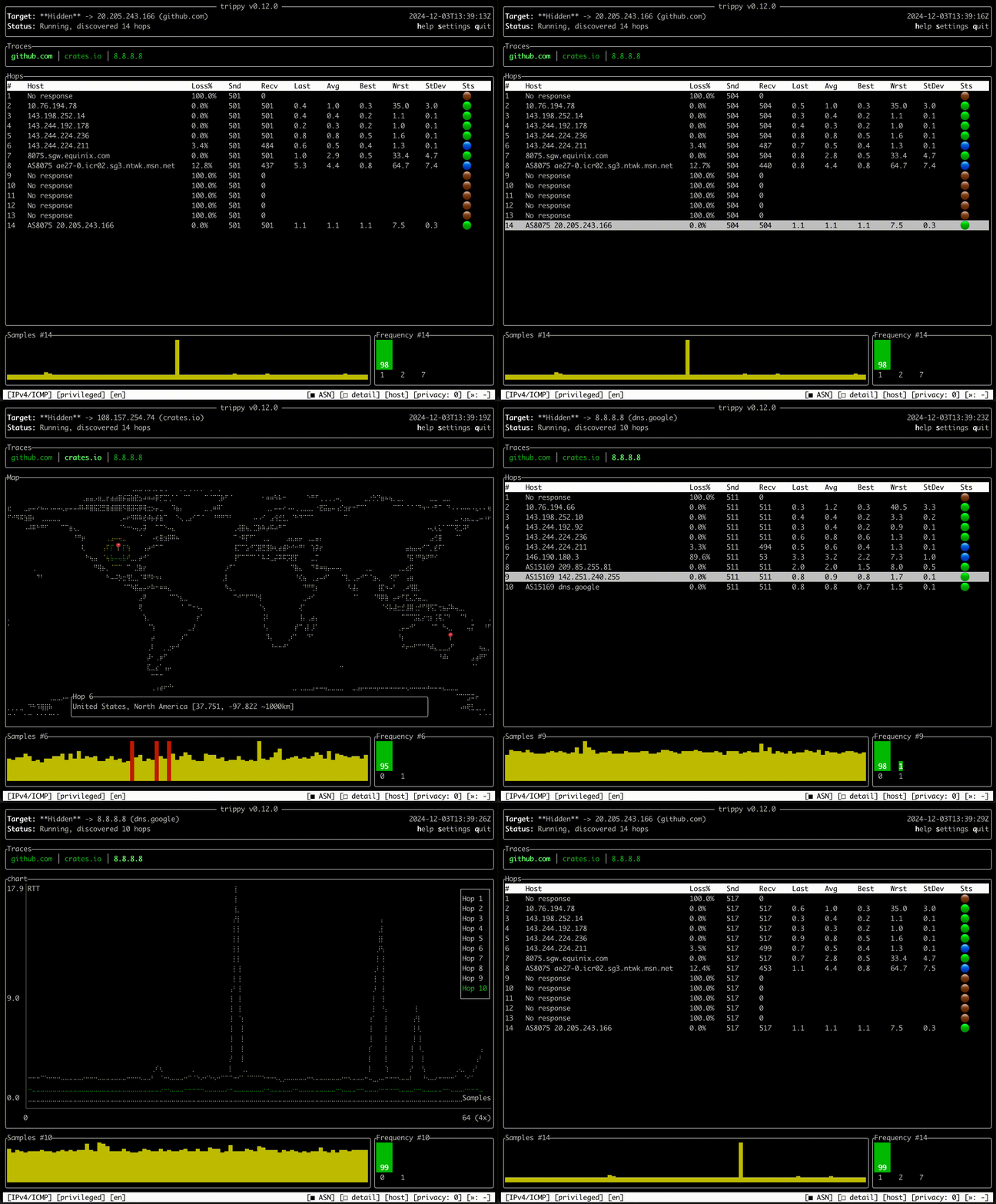
Trippy 是一款结合 traceroute 与 ping 功能的跨平台终端网络诊断工具,帮助用户实时分析网络路由问题。
Stars: 7291 | Forks: 245







Trippy combines the functionality of traceroute and ping and is designed to assist with the analysis of networking
issues.
 ## 快速开始
请参阅[入门指南](https://trippy.rs/start/getting-started)。
### 安装
Trippy 可以在 Linux、BSD、macOS 和 Windows 上运行。可以通过大多数包管理器、预编译二进制文件或
源码进行安装。
例如,使用 `cargo` 安装 Trippy:
```
cargo install trippy --locked
```
## 快速开始
请参阅[入门指南](https://trippy.rs/start/getting-started)。
### 安装
Trippy 可以在 Linux、BSD、macOS 和 Windows 上运行。可以通过大多数包管理器、预编译二进制文件或
源码进行安装。
例如,使用 `cargo` 安装 Trippy:
```
cargo install trippy --locked
```
所有包管理器
### Cargo [](https://crates.io/crates/trippy/0.13.0) ``` cargo install trippy --locked ``` ### APT (Debian) [](https://tracker.debian.org/pkg/trippy) ``` apt install trippy ``` ### PPA (Ubuntu) [](https://launchpad.net/~fujiapple/+archive/ubuntu/trippy/+packages) ``` add-apt-repository ppa:fujiapple/trippy apt update && apt install trippy ``` ### Snap (Linux) [](https://snapcraft.io/trippy) ``` snap install trippy ``` ### Homebrew (macOS) [](https://formulae.brew.sh/formula/trippy) ``` brew install trippy ``` ### WinGet (Windows) [](https://github.com/microsoft/winget-pkgs/tree/master/manifests/f/FujiApple/Trippy/0.13.0) ``` winget install trippy ``` ### Scoop (Windows) [](https://github.com/ScoopInstaller/Main/blob/master/bucket/trippy.json) ``` scoop install trippy ``` ### Chocolatey (Windows) [](https://community.chocolatey.org/packages/trippy) ``` choco install trippy ``` ### NetBSD [](https://pkgsrc.se/net/trippy) ``` pkgin install trippy ``` ### FreeBSD [](https://www.freshports.org/net/trippy/) ``` pkg install trippy ``` ### OpenBSD [](https://openports.pl/path/net/trippy) ``` pkg_add trippy ``` ### Arch Linux [](https://archlinux.org/packages/extra/x86_64/trippy) ``` pacman -S trippy ``` ### Gentoo Linux [](https://packages.gentoo.org/packages/net-analyzer/trippy) ``` emerge -av net-analyzer/trippy ``` ### Void Linux [](https://github.com/void-linux/void-packages/tree/master/srcpkgs/trippy) ``` xbps-install -S trippy ``` ### ALT Sisyphus [](https://packages.altlinux.org/en/sisyphus/srpms/trippy/) ``` apt-get install trippy ``` ### Chimera Linux [](https://github.com/chimera-linux/cports/tree/master/user/trippy) ``` apk add trippy ``` ### Nix [](https://github.com/NixOS/nixpkgs/blob/master/pkgs/by-name/tr/trippy/package.nix) ``` nix-env -iA trippy ``` ### Docker [](https://hub.docker.com/r/fujiapple/trippy/) ``` docker run -it fujiapple/trippy ``` ### 所有仓库 [](https://repology.org/project/trippy/versions)文档链接
## 入门 请参阅[入门指南](https://trippy.rs/start/getting-started/)。 ## 功能 请参阅[功能列表](https://trippy.rs/start/features/)。 ## 发行版 请参阅[发行版列表](https://trippy.rs/start/installation/)。 ## 权限 请参阅[权限指南](https://trippy.rs/guides/privileges/)。 ## 使用示例 请参阅[使用示例](https://trippy.rs/guides/usage/)。 ## 命令参考 请参阅[命令参考](https://trippy.rs/reference/cli/)。 ## 主题参考 请参阅[主题参考](https://trippy.rs/reference/theme/)。 ## 列参考 请参阅[列参考](https://trippy.rs/reference/column/)。 ## 配置参考 请参阅[配置参考](https://trippy.rs/reference/configuration/)。 ## 区域设置参考 请参阅[区域设置参考](https://trippy.rs/reference/locale/)。 ## 版本 请参阅[版本参考](https://trippy.rs/reference/version/)。 ## 常见问题 ### 为什么 Trippy 显示 "Awaiting data..."? 请参阅[等待数据指南](https://trippy.rs/guides/faq/)。 ### 如何在 Windows Defender 防火墙中允许传入的 ICMP 流量? 请参阅 [Windows Defender 防火墙指南](https://trippy.rs/guides/windows_firewall/)。 ### Trippy 的推荐设置是什么? 请参阅[推荐追踪设置指南](https://trippy.rs/guides/recommendation/)。标签:Ping, Rust, Traceroute, 可视化界面, 情报分析, 终端UI, 网络流量审计, 网络诊断, 运维工具, 通知系统