XZB-1248/Spark
GitHub: XZB-1248/Spark
一款基于 Go 和 React 的开源跨平台远程管理工具,通过 Web UI 提供文件管理、远程终端、桌面监控等完整功能。
Stars: 2357 | Forks: 582
#### [English](./README.md) [[中文]](./README.ZH.md) [[API Document]](./API.md) [[API文档]](./API.ZH.md)
**[Spark](https://github.com/XZB-1248/Spark)** 是一个免费、安全、开源、基于 Web、跨平台且功能完整的 RAT(远程管理工具),允许您通过浏览器在任何地方控制您的所有设备。
✅ **不收集数据**:Spark 不收集任何用户信息。
✅ **不自动更新**:服务器不会自行更新。
✅ **直接通信**:客户端仅与您的服务器通信。
|  |  |  |
|-----------------------------------------------------------------------------------------------|-----------------------------------------------------------------------------------------|-------------------------------------------------------------------------------------------------------|
| [](https://github.com/XZB-1248/Spark/releases) | [](https://github.com/XZB-1248/Spark/releases/latest) |
|---------------------------------------------------------------------------------------------------------------------------------------------------|--------------------------------------------------------------------------------------------------------------------------------------------------------------------------------|
## ⚠️ 免责声明
**本项目、其源代码及发布版仅应用于教育目的。**
❌ **严禁非法使用。**
❌ **作者和开发者不对任何误用行为负责。**
✅ **使用风险自负。**
如果您发现安全漏洞,**请勿开启 Issue**。请立即通过 [email](mailto:i@1248.ink) 联系我。
## 🚀 快速开始
### 二进制执行
1. 从 [releases](https://github.com/XZB-1248/Spark/releases) 页面下载可执行文件。
2. 按照 [配置](#configuration) 说明操作。
3. 运行可执行文件并通过 `http://IP:Port` 访问 Web 界面。
4. 生成客户端并在目标设备上运行。
5. 开始管理您的设备!
## ⚙️ 配置
配置文件 `config.json` 应与可执行文件位于同一目录。
**示例:**
```
{
"listen": ":8000",
"salt": "123456abcdef123456",
"auth": {
"username": "password"
},
"log": {
"level": "info",
"path": "./logs",
"days": 7
}
}
```
### 主要参数:
- **`listen`**(必需):格式为 `IP:Port`。
- **`salt`**(必需):最大长度 24 个字符。修改后需要重新生成所有客户端。
- **`auth`**(可选):认证凭据(`username:password`)。
- 建议使用哈希密码(`$algorithm$hashed-password`)。
- 支持的算法:`sha256`、`sha512`、`bcrypt`。
- **`log`**(可选):日志配置。
- `level`:`disable`、`fatal`、`error`、`warn`、`info`、`debug`。
- `path`:日志目录(默认:`./logs`)。
- `days`:日志保留天数(默认:`7`)。
## 🛠️ 功能特性
| Feature/OS | Windows | Linux | MacOS |
|-------------------|---------|-------|-------|
| Process Manager | ✔ | ✔ | ✔ |
| Kill Process | ✔ | ✔ | ✔ |
| Network Traffic | ✔ | ✔ | ✔ |
| File Explorer | ✔ | ✔ | ✔ |
| File Transfer | ✔ | ✔ | ✔ |
| File Editor | ✔ | ✔ | ✔ |
| Delete File | ✔ | ✔ | ✔ |
| Code Highlighting | ✔ | ✔ | ✔ |
| Desktop Monitor | ✔ | ✔ | ✔ |
| Screenshot | ✔ | ✔ | ✔ |
| OS Info | ✔ | ✔ | ✔ |
| Remote Terminal | ✔ | ✔ | ✔ |
| * Shutdown | ✔ | ✔ | ✔ |
| * Reboot | ✔ | ✔ | ✔ |
| * Log Off | ✔ | ❌ | ✔ |
| * Sleep | ✔ | ❌ | ✔ |
| * Hibernate | ✔ | ❌ | ❌ |
| * Lock Screen | ✔ | ❌ | ❌ |
🚨 **标记为 * 的功能可能需要管理员/root 权限。**
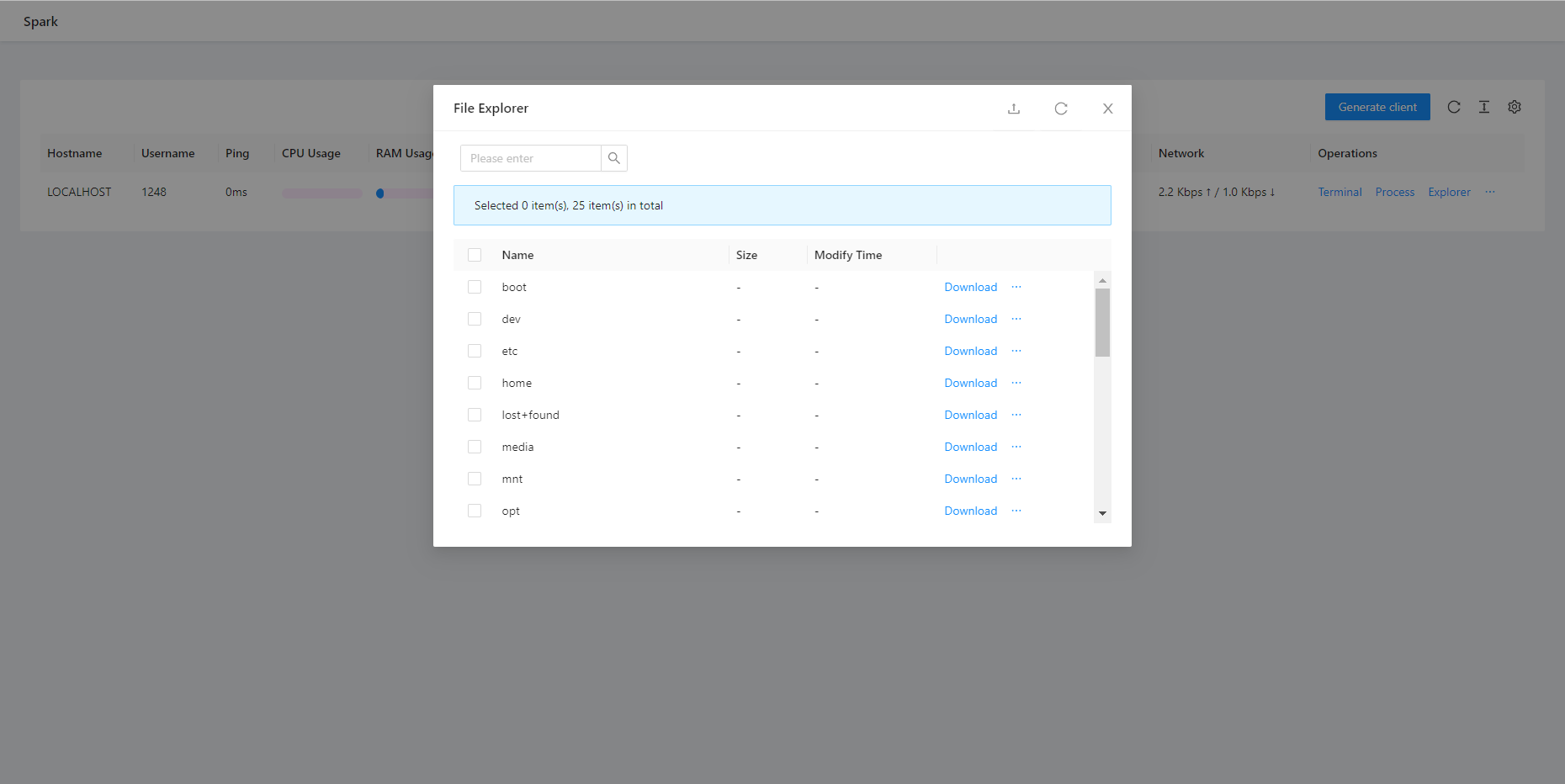
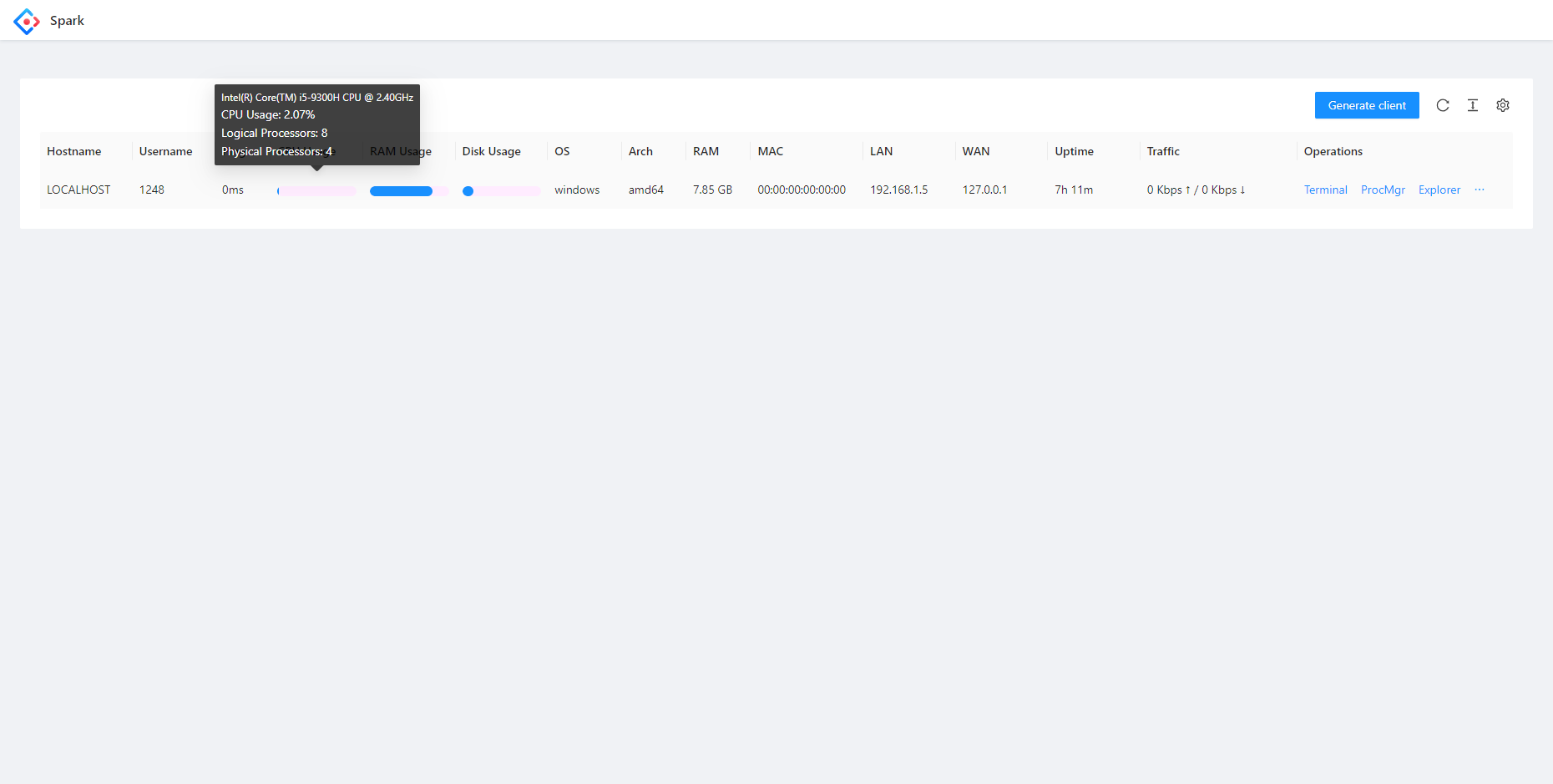
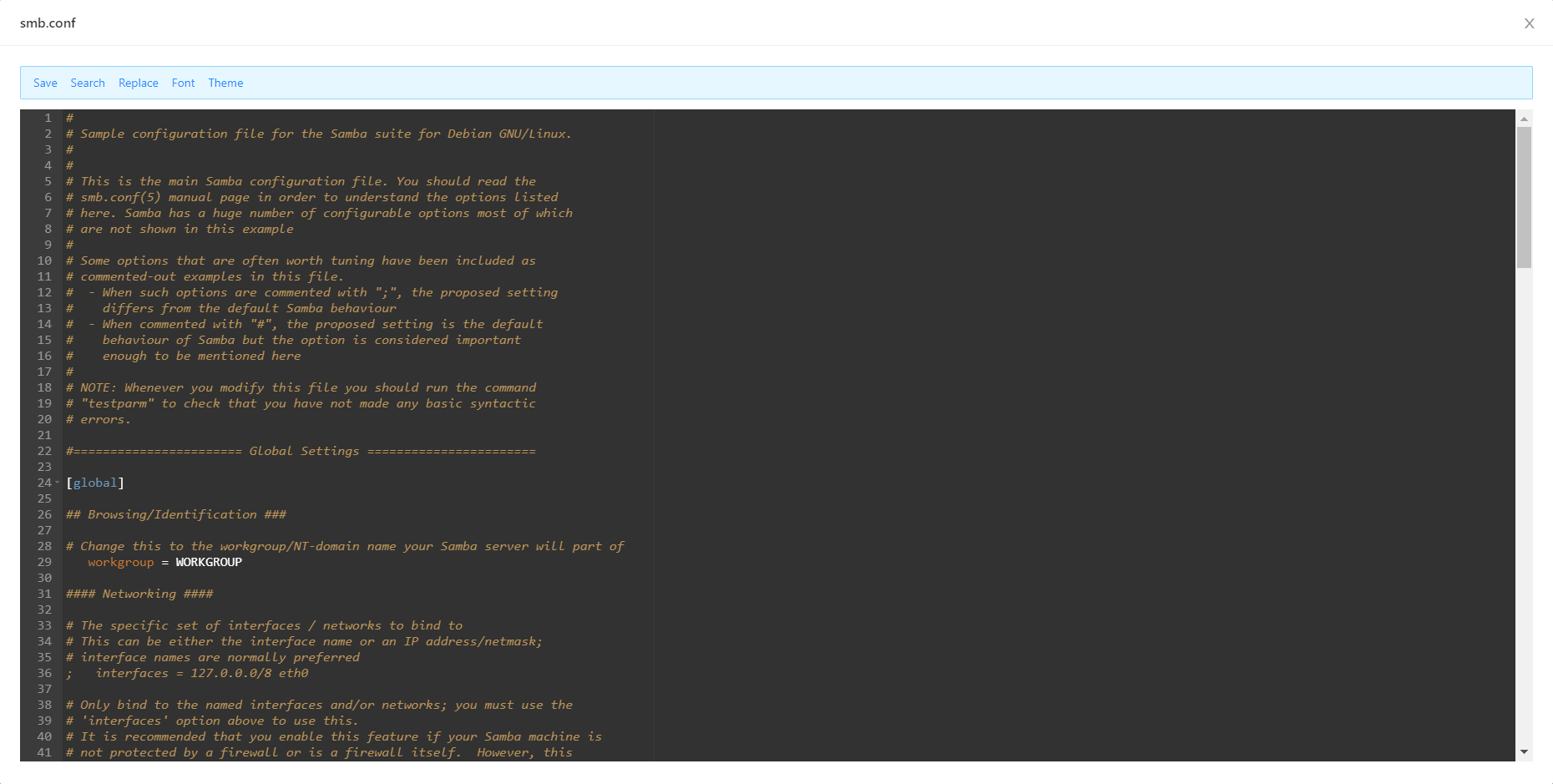
## 📸 截图
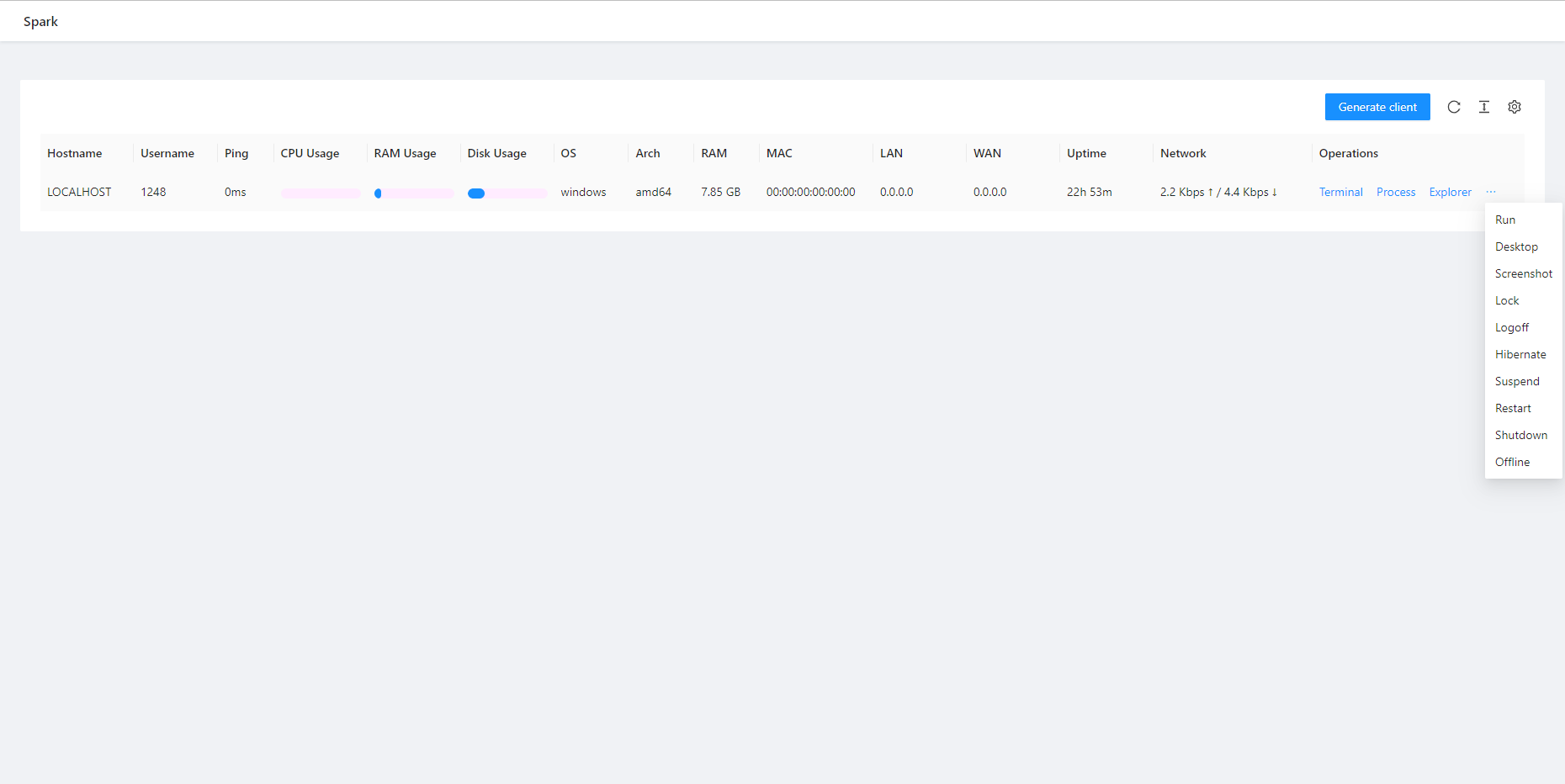
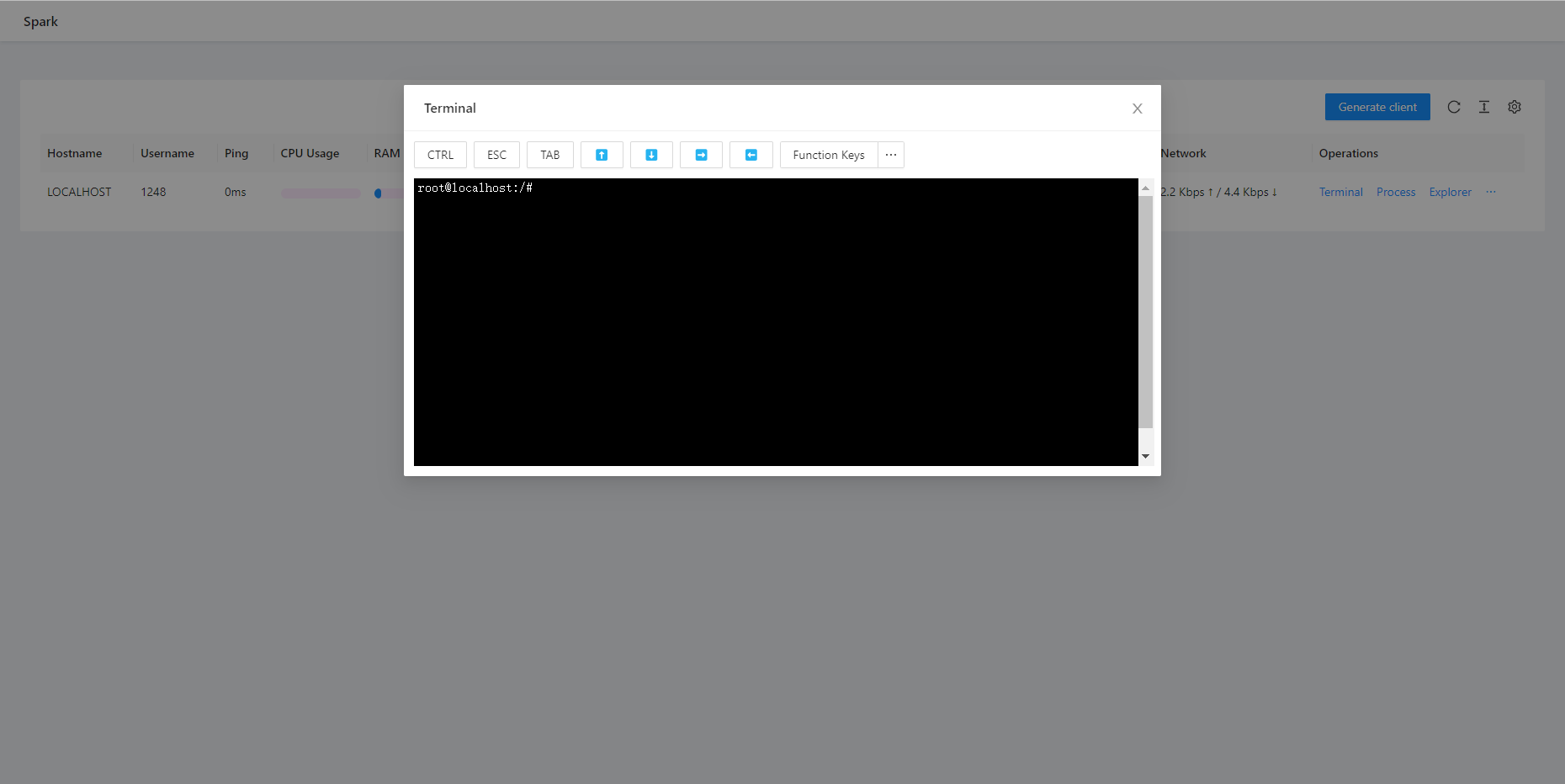
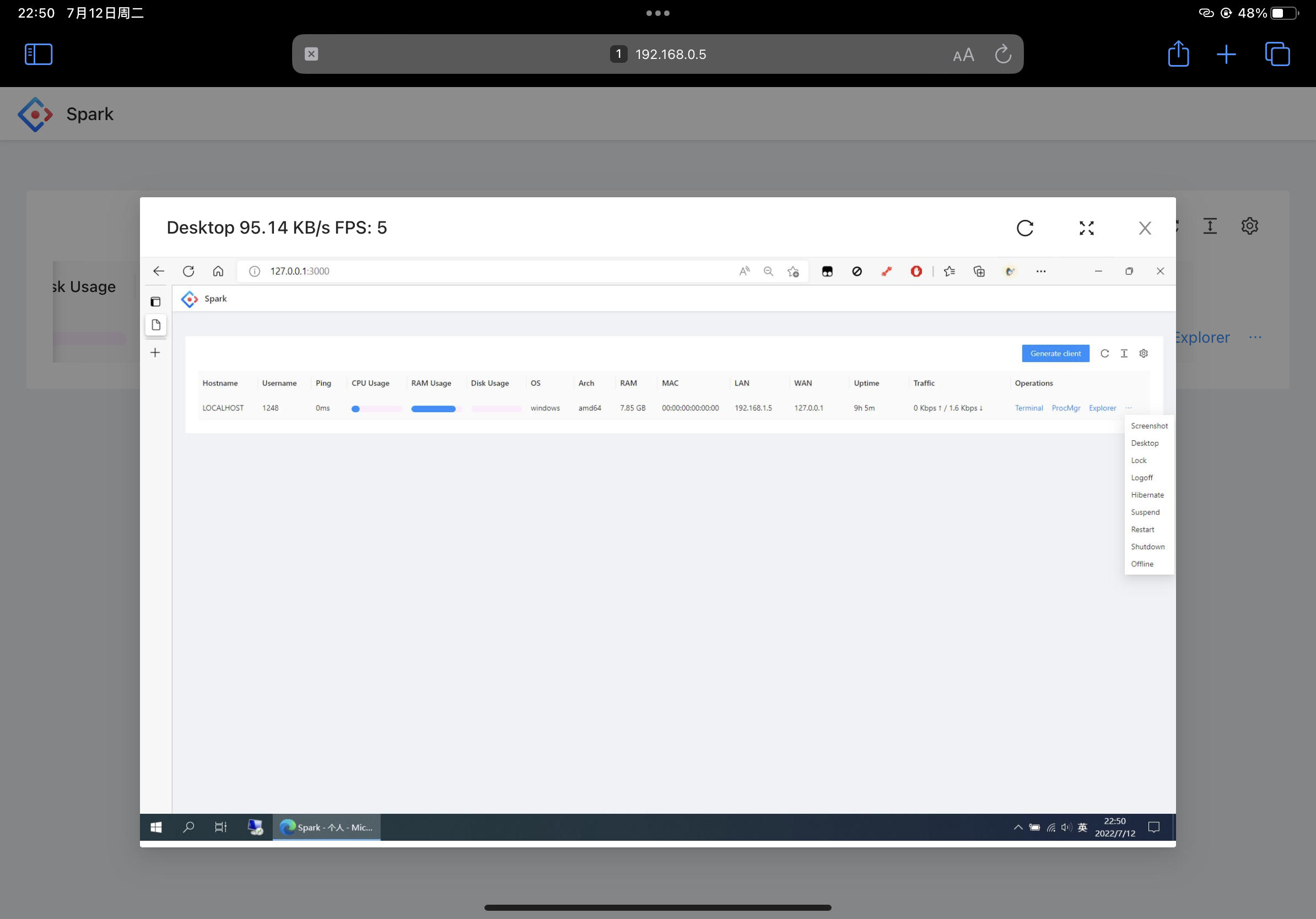
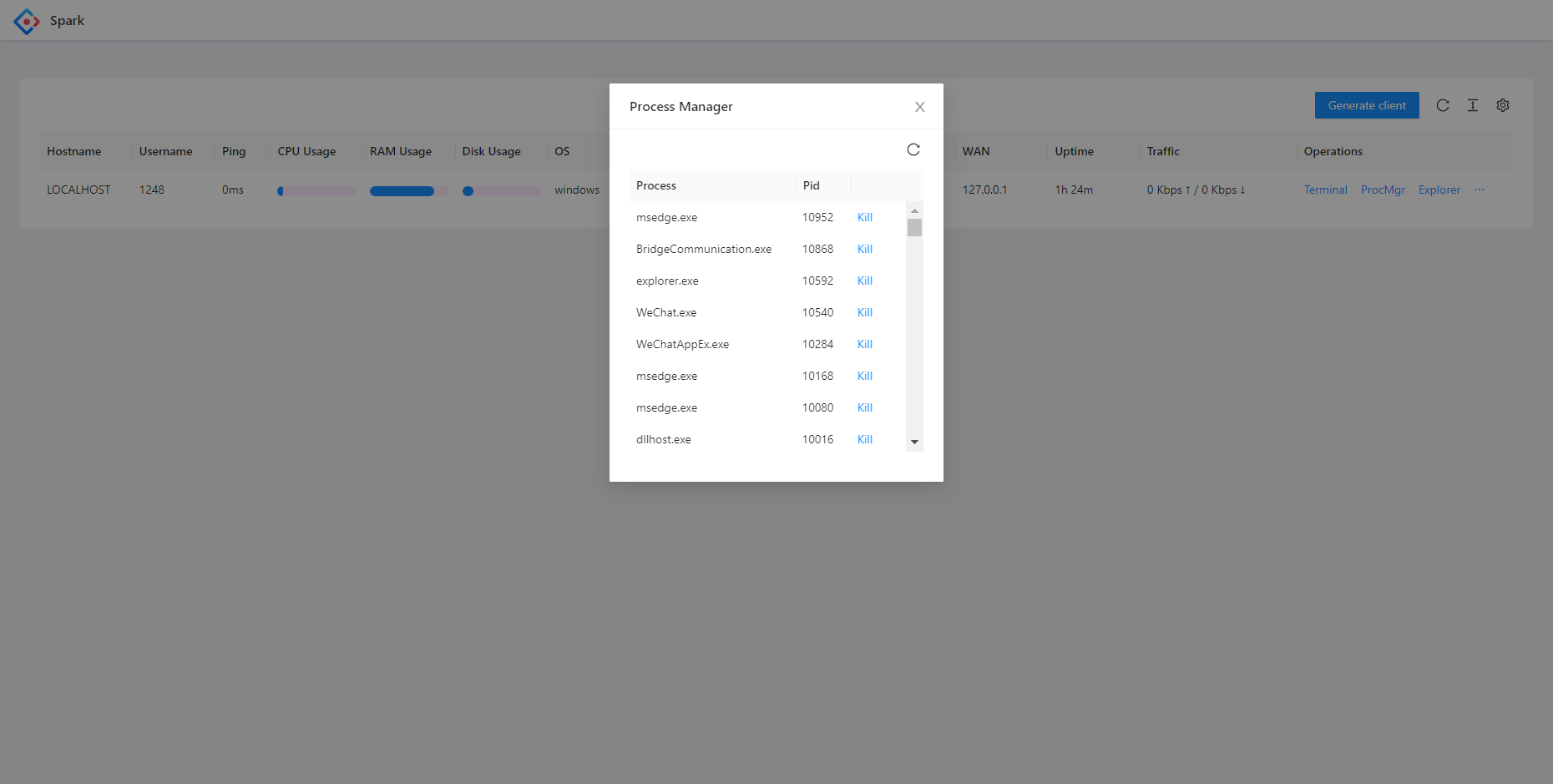
## 🔧 开发
### 组件
本项目由三个主要组件组成:
- **Client**
- **Server**
- **Front-end**
对于 Linux 和 Windows 之外的操作系统支持,可能需要额外的 C 编译器。例如,要支持 Android,请安装 [Android NDK](https://developer.android.com/ndk/downloads)。
### 构建指南
```
# 克隆 repository
git clone https://github.com/XZB-1248/Spark
cd ./Spark
# 构建 front-end
cd ./web
npm install
npm run build-prod
# 嵌入 static resources
cd ..
go install github.com/rakyll/statik
statik -m -src="./web/dist" -f -dest="./server/embed" -p web -ns web
# 构建 client
mkdir ./built
go mod tidy
go mod download
./scripts/build.client.sh
# 构建 server
mkdir ./releases
./scripts/build.server.sh
```
## 自定义功能
如果您需要自定义某些功能,请通过 [**i@1248.ink**](mailto:i@1248.ink) 联系我。
## 依赖
Spark 包含许多第三方开源项目。
依赖列表可在 `go.mod` 和 `package.json` 中找到。
下面列出了一些主要依赖。
### Back-end
* [Go](https://github.com/golang/go) ([License](https://github.com/golang/go/blob/master/LICENSE))
* [gin-gonic/gin](https://github.com/gin-gonic/gin) (MIT License)
* [imroc/req](https://github.com/imroc/req) (MIT License)
* [kbinani/screenshot](https://github.com/kbinani/screenshot) (MIT License)
* [shirou/gopsutil](https://github.com/shirou/gopsutil) ([License](https://github.com/shirou/gopsutil/blob/master/LICENSE))
* [gorilla/websocket](https://github.com/gorilla/websocket) (BSD-2-Clause License)
* [orcaman/concurrent-map](https://github.com/orcaman/concurrent-map) (MIT License)
### Front-end
* [React](https://github.com/facebook/react) (MIT License)
* [Ant-Design](https://github.com/ant-design/ant-design) (MIT License)
* [axios](https://github.com/axios/axios) (MIT License)
* [xterm.js](https://github.com/xtermjs/xterm.js) (MIT License)
* [crypto-js](https://github.com/brix/crypto-js) (MIT License)
### 致谢
* [natpass](https://github.com/lwch/natpass) (MIT License)
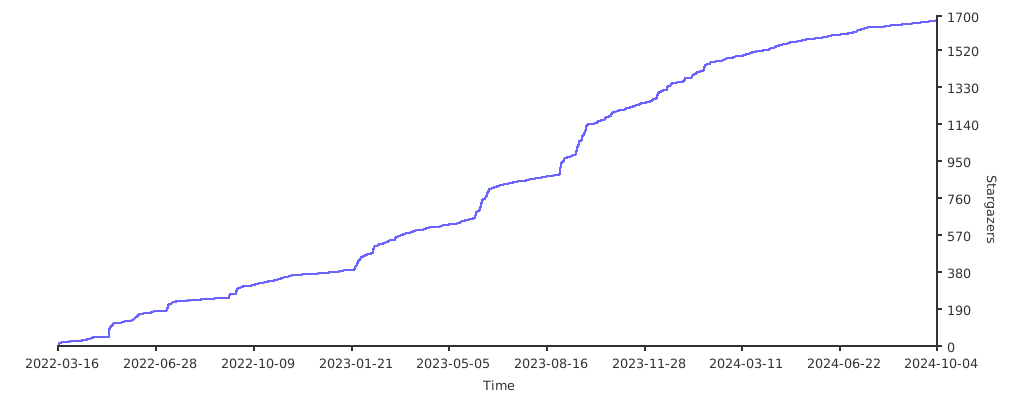
### Stargazers over time
[](https://starchart.cc/XZB-1248/Spark)
## 📜 许可证
根据 [BSD-2 License](./LICENSE) 分发。
 Spark
Spark
**[Spark](https://github.com/XZB-1248/Spark)** 是一个免费、安全、开源、基于 Web、跨平台且功能完整的 RAT(远程管理工具),允许您通过浏览器在任何地方控制您的所有设备。
✅ **不收集数据**:Spark 不收集任何用户信息。
✅ **不自动更新**:服务器不会自行更新。
✅ **直接通信**:客户端仅与您的服务器通信。
|  |  |  |
|-----------------------------------------------------------------------------------------------|-----------------------------------------------------------------------------------------|-------------------------------------------------------------------------------------------------------|
| [](https://github.com/XZB-1248/Spark/releases) | [](https://github.com/XZB-1248/Spark/releases/latest) |
|---------------------------------------------------------------------------------------------------------------------------------------------------|--------------------------------------------------------------------------------------------------------------------------------------------------------------------------------|
## ⚠️ 免责声明
**本项目、其源代码及发布版仅应用于教育目的。**
❌ **严禁非法使用。**
❌ **作者和开发者不对任何误用行为负责。**
✅ **使用风险自负。**
如果您发现安全漏洞,**请勿开启 Issue**。请立即通过 [email](mailto:i@1248.ink) 联系我。
## 🚀 快速开始
### 二进制执行
1. 从 [releases](https://github.com/XZB-1248/Spark/releases) 页面下载可执行文件。
2. 按照 [配置](#configuration) 说明操作。
3. 运行可执行文件并通过 `http://IP:Port` 访问 Web 界面。
4. 生成客户端并在目标设备上运行。
5. 开始管理您的设备!
## ⚙️ 配置
配置文件 `config.json` 应与可执行文件位于同一目录。
**示例:**
```
{
"listen": ":8000",
"salt": "123456abcdef123456",
"auth": {
"username": "password"
},
"log": {
"level": "info",
"path": "./logs",
"days": 7
}
}
```
### 主要参数:
- **`listen`**(必需):格式为 `IP:Port`。
- **`salt`**(必需):最大长度 24 个字符。修改后需要重新生成所有客户端。
- **`auth`**(可选):认证凭据(`username:password`)。
- 建议使用哈希密码(`$algorithm$hashed-password`)。
- 支持的算法:`sha256`、`sha512`、`bcrypt`。
- **`log`**(可选):日志配置。
- `level`:`disable`、`fatal`、`error`、`warn`、`info`、`debug`。
- `path`:日志目录(默认:`./logs`)。
- `days`:日志保留天数(默认:`7`)。
## 🛠️ 功能特性
| Feature/OS | Windows | Linux | MacOS |
|-------------------|---------|-------|-------|
| Process Manager | ✔ | ✔ | ✔ |
| Kill Process | ✔ | ✔ | ✔ |
| Network Traffic | ✔ | ✔ | ✔ |
| File Explorer | ✔ | ✔ | ✔ |
| File Transfer | ✔ | ✔ | ✔ |
| File Editor | ✔ | ✔ | ✔ |
| Delete File | ✔ | ✔ | ✔ |
| Code Highlighting | ✔ | ✔ | ✔ |
| Desktop Monitor | ✔ | ✔ | ✔ |
| Screenshot | ✔ | ✔ | ✔ |
| OS Info | ✔ | ✔ | ✔ |
| Remote Terminal | ✔ | ✔ | ✔ |
| * Shutdown | ✔ | ✔ | ✔ |
| * Reboot | ✔ | ✔ | ✔ |
| * Log Off | ✔ | ❌ | ✔ |
| * Sleep | ✔ | ❌ | ✔ |
| * Hibernate | ✔ | ❌ | ❌ |
| * Lock Screen | ✔ | ❌ | ❌ |
🚨 **标记为 * 的功能可能需要管理员/root 权限。**
## 📸 截图







## 🔧 开发
### 组件
本项目由三个主要组件组成:
- **Client**
- **Server**
- **Front-end**
对于 Linux 和 Windows 之外的操作系统支持,可能需要额外的 C 编译器。例如,要支持 Android,请安装 [Android NDK](https://developer.android.com/ndk/downloads)。
### 构建指南
```
# 克隆 repository
git clone https://github.com/XZB-1248/Spark
cd ./Spark
# 构建 front-end
cd ./web
npm install
npm run build-prod
# 嵌入 static resources
cd ..
go install github.com/rakyll/statik
statik -m -src="./web/dist" -f -dest="./server/embed" -p web -ns web
# 构建 client
mkdir ./built
go mod tidy
go mod download
./scripts/build.client.sh
# 构建 server
mkdir ./releases
./scripts/build.server.sh
```
## 自定义功能
如果您需要自定义某些功能,请通过 [**i@1248.ink**](mailto:i@1248.ink) 联系我。
## 依赖
Spark 包含许多第三方开源项目。
依赖列表可在 `go.mod` 和 `package.json` 中找到。
下面列出了一些主要依赖。
### Back-end
* [Go](https://github.com/golang/go) ([License](https://github.com/golang/go/blob/master/LICENSE))
* [gin-gonic/gin](https://github.com/gin-gonic/gin) (MIT License)
* [imroc/req](https://github.com/imroc/req) (MIT License)
* [kbinani/screenshot](https://github.com/kbinani/screenshot) (MIT License)
* [shirou/gopsutil](https://github.com/shirou/gopsutil) ([License](https://github.com/shirou/gopsutil/blob/master/LICENSE))
* [gorilla/websocket](https://github.com/gorilla/websocket) (BSD-2-Clause License)
* [orcaman/concurrent-map](https://github.com/orcaman/concurrent-map) (MIT License)
### Front-end
* [React](https://github.com/facebook/react) (MIT License)
* [Ant-Design](https://github.com/ant-design/ant-design) (MIT License)
* [axios](https://github.com/axios/axios) (MIT License)
* [xterm.js](https://github.com/xtermjs/xterm.js) (MIT License)
* [crypto-js](https://github.com/brix/crypto-js) (MIT License)
### 致谢
* [natpass](https://github.com/lwch/natpass) (MIT License)
### Stargazers over time
[](https://starchart.cc/XZB-1248/Spark)
## 📜 许可证
根据 [BSD-2 License](./LICENSE) 分发。标签:C2框架, EVTX分析, Golang, Go语言, HTTP工具, IP 地址批量处理, RAT, Shell终端, Web管理, 安全学习资源, 安全编程, 文件管理, 日志审计, 桌面控制, 程序破解, 网络安全, 网络安全审计, 设备管理, 远控软件, 远程控制, 远程桌面, 远程管理工具, 隐私保护, 隐私安全