lmarzen/esp32-weather-epd
GitHub: lmarzen/esp32-weather-epd
基于 ESP32 的低功耗墨水屏天气站,支持通过 OpenWeatherMap API 获取室外数据并利用板载传感器监测室内环境。
Stars: 6185 | Forks: 466
# ESP32 墨水屏天气显示器
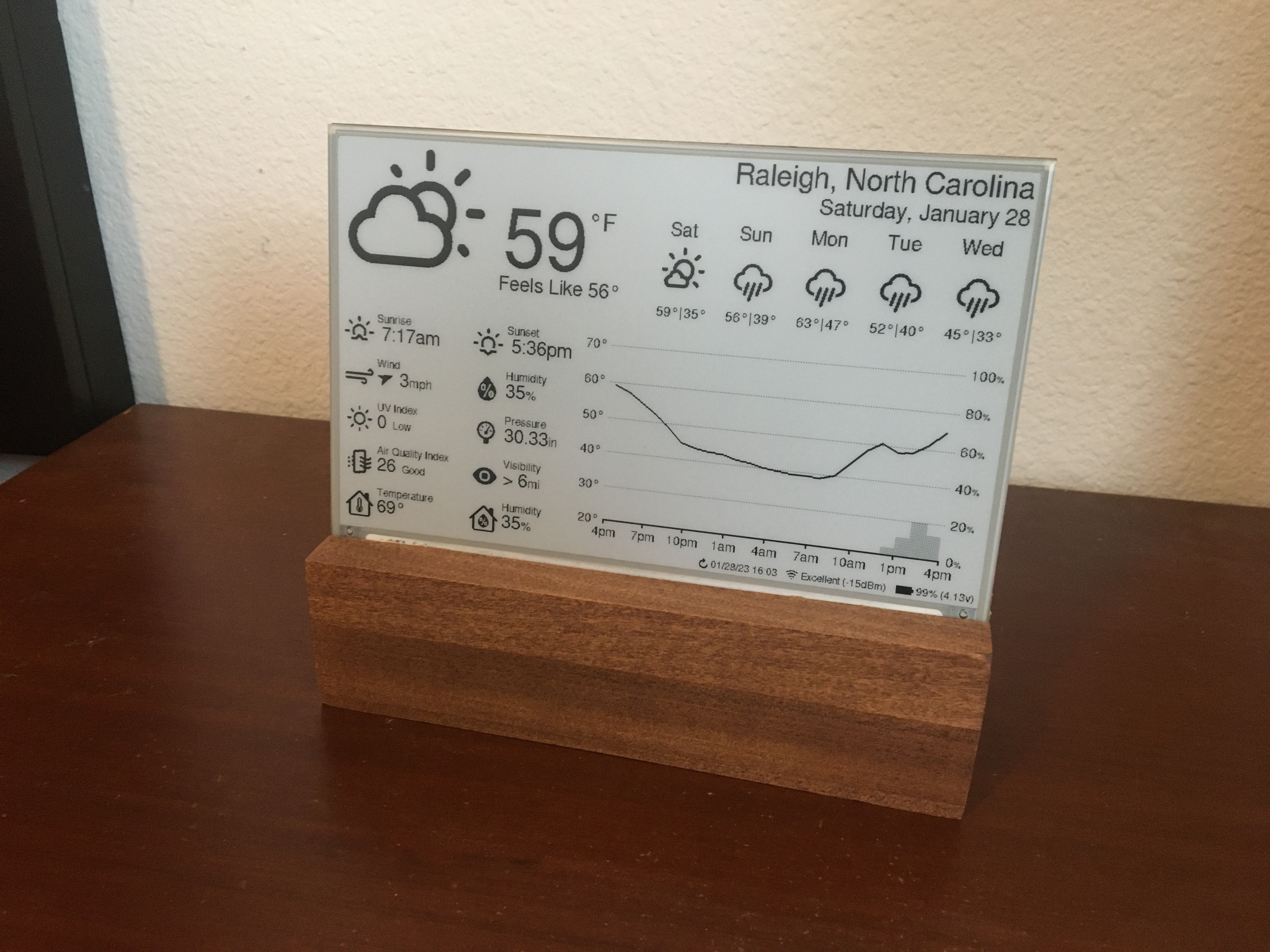
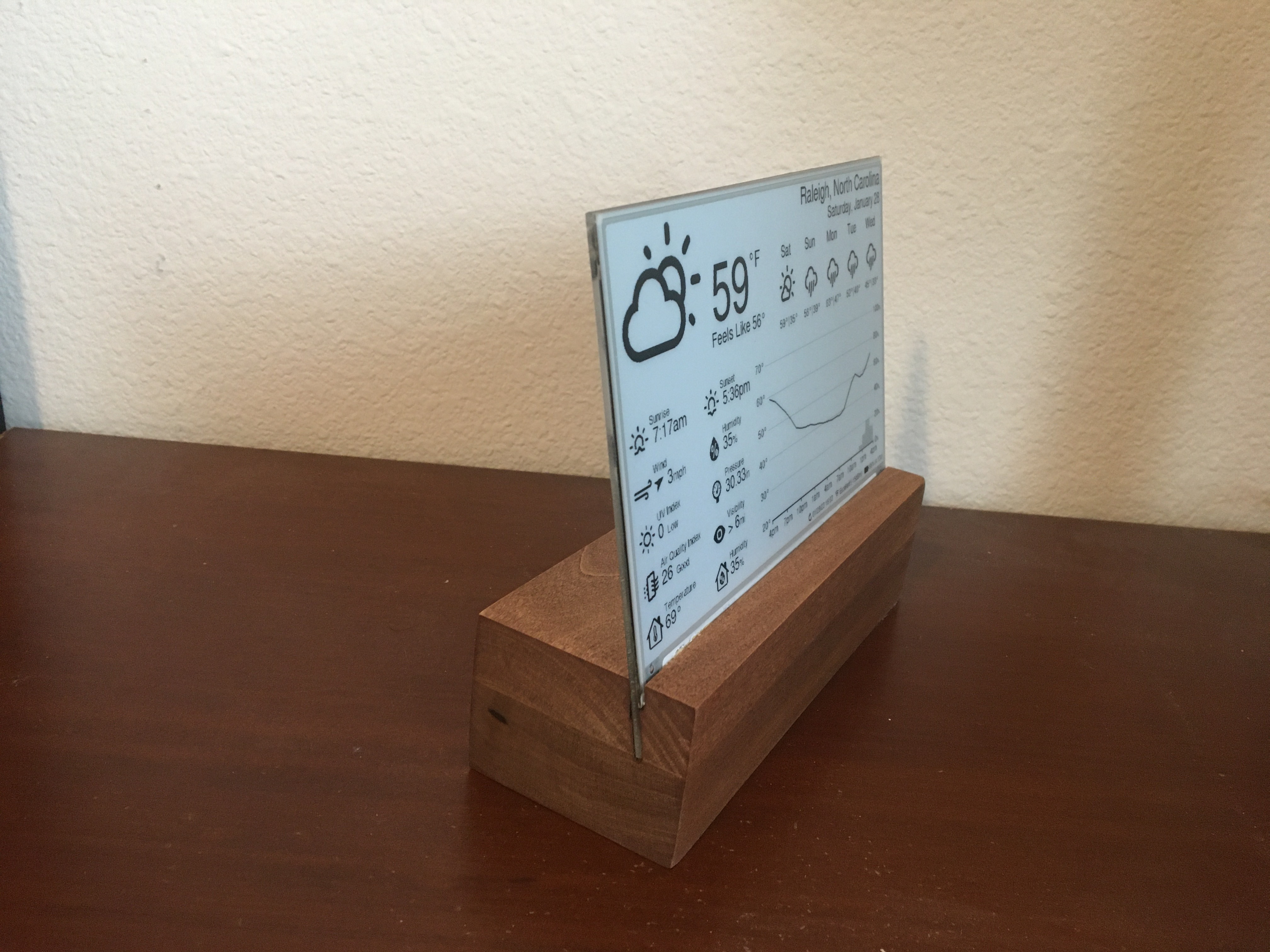
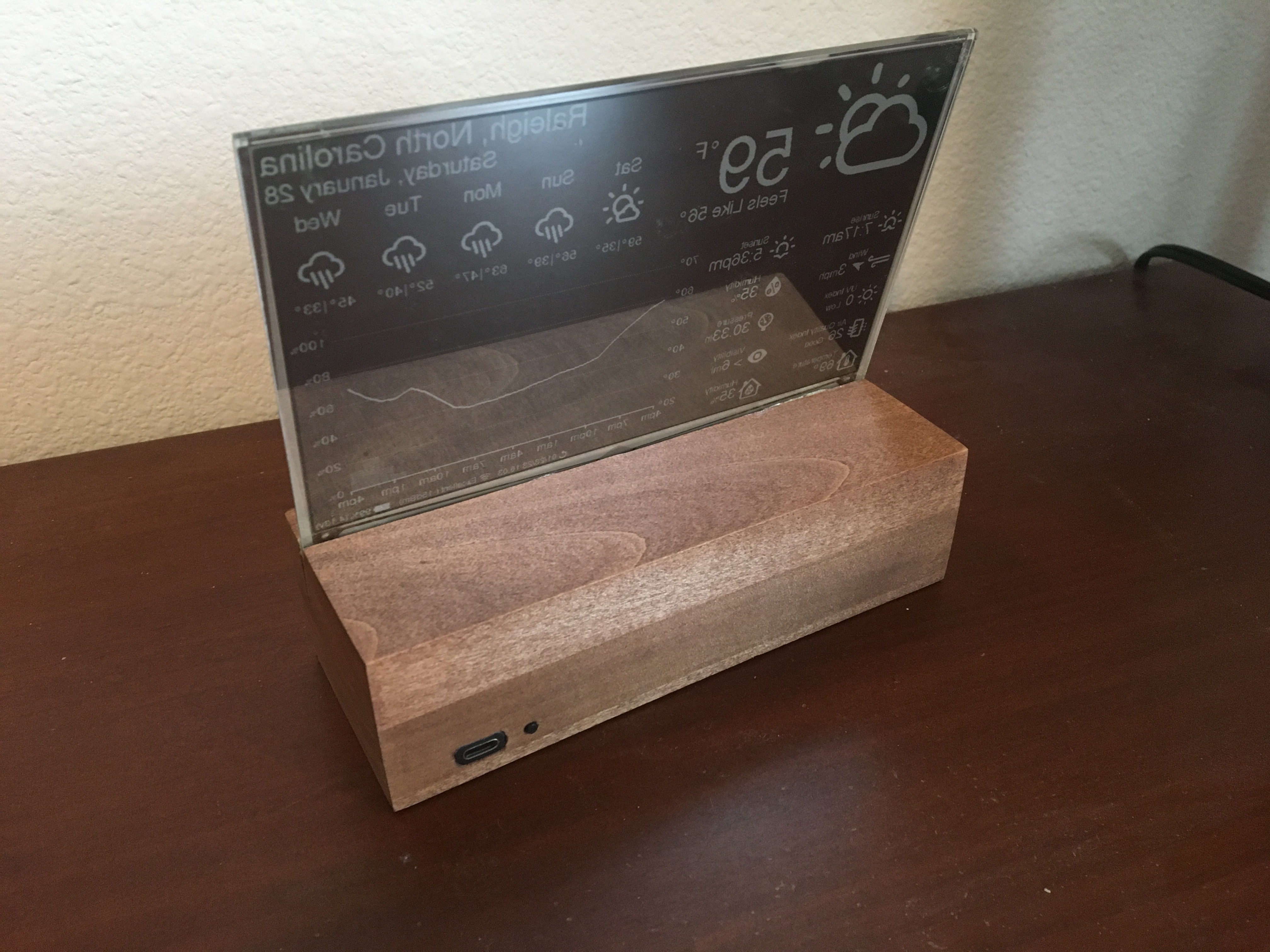
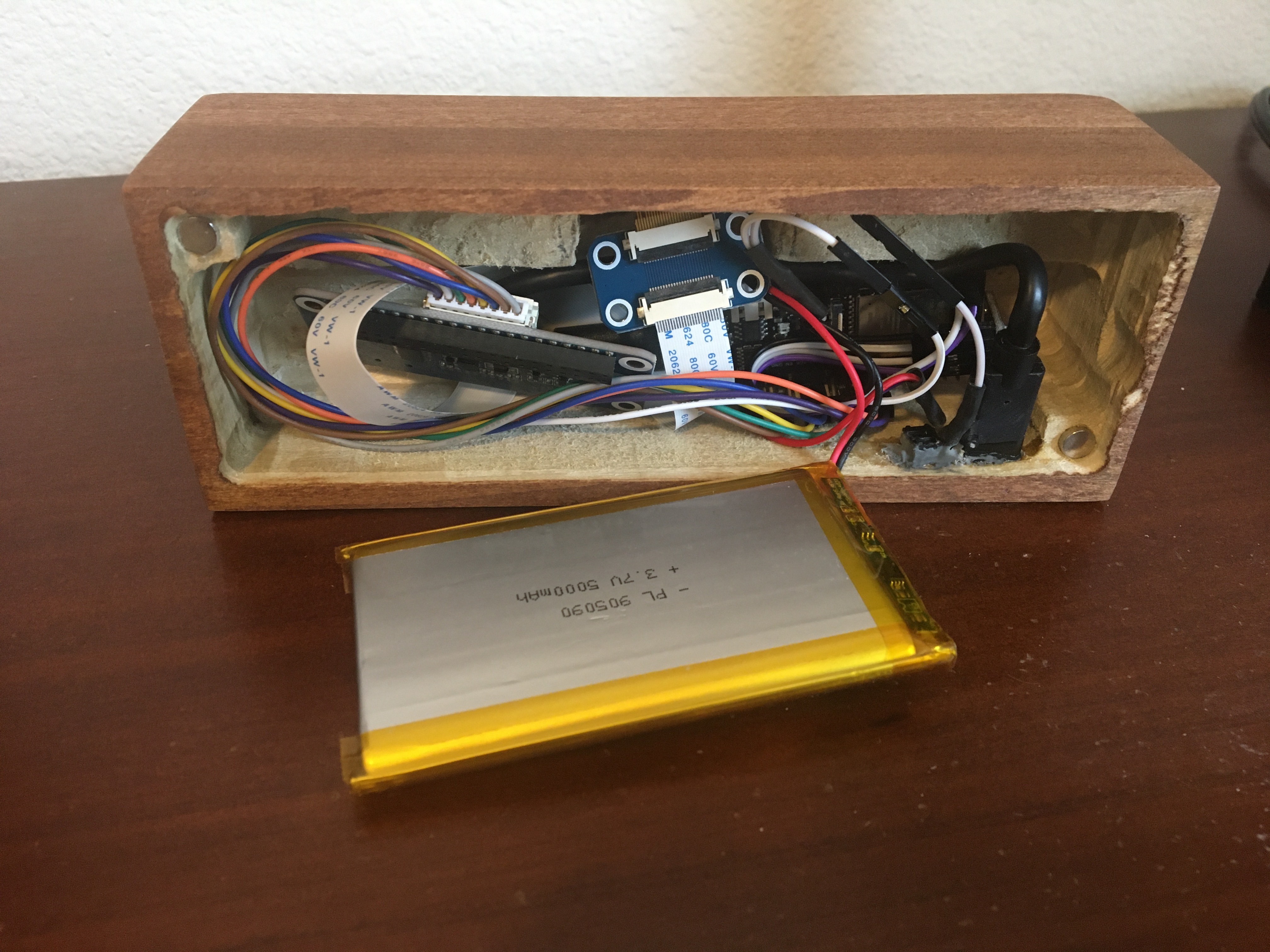
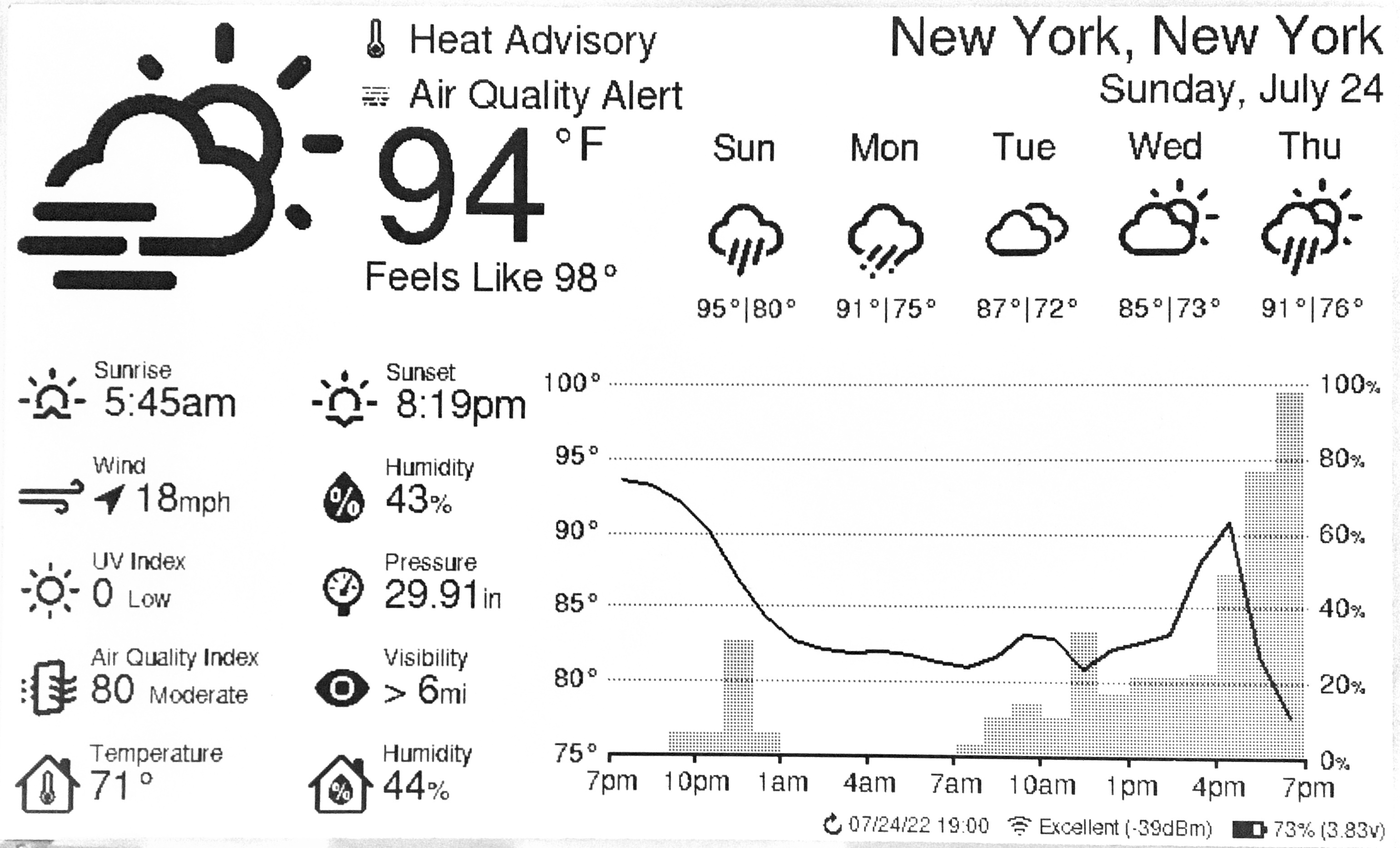
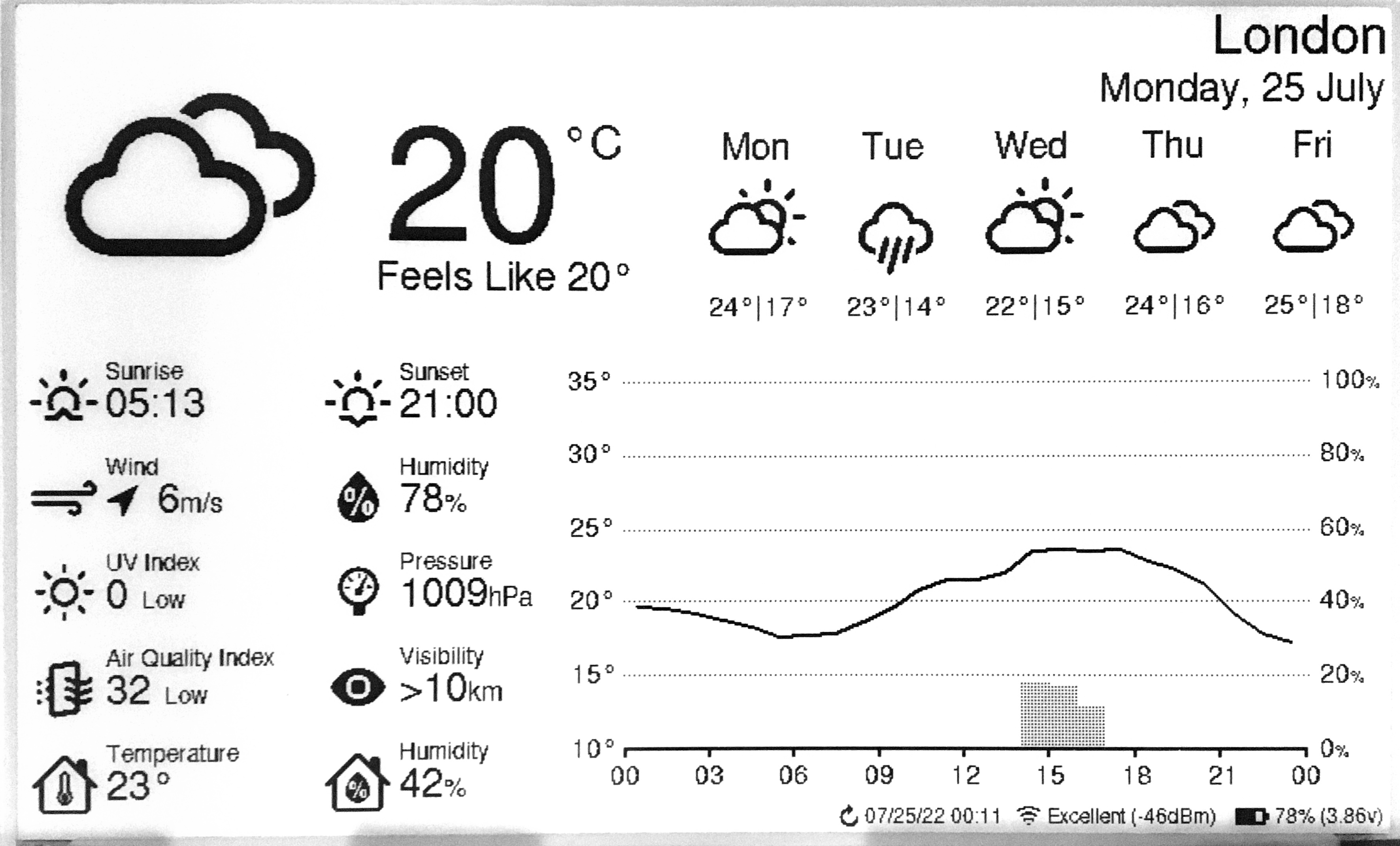
一款使用支持 WiFi 的 ESP32 微控制器和 7.5 英寸墨水屏的低功耗天气显示器。天气数据从 OpenWeatherMap API 获取,板载传感器提供室内温度和湿度。
高度 = 49mm
宽度 = 170.2mm(= 屏幕宽度)
屏幕角度 = 80度
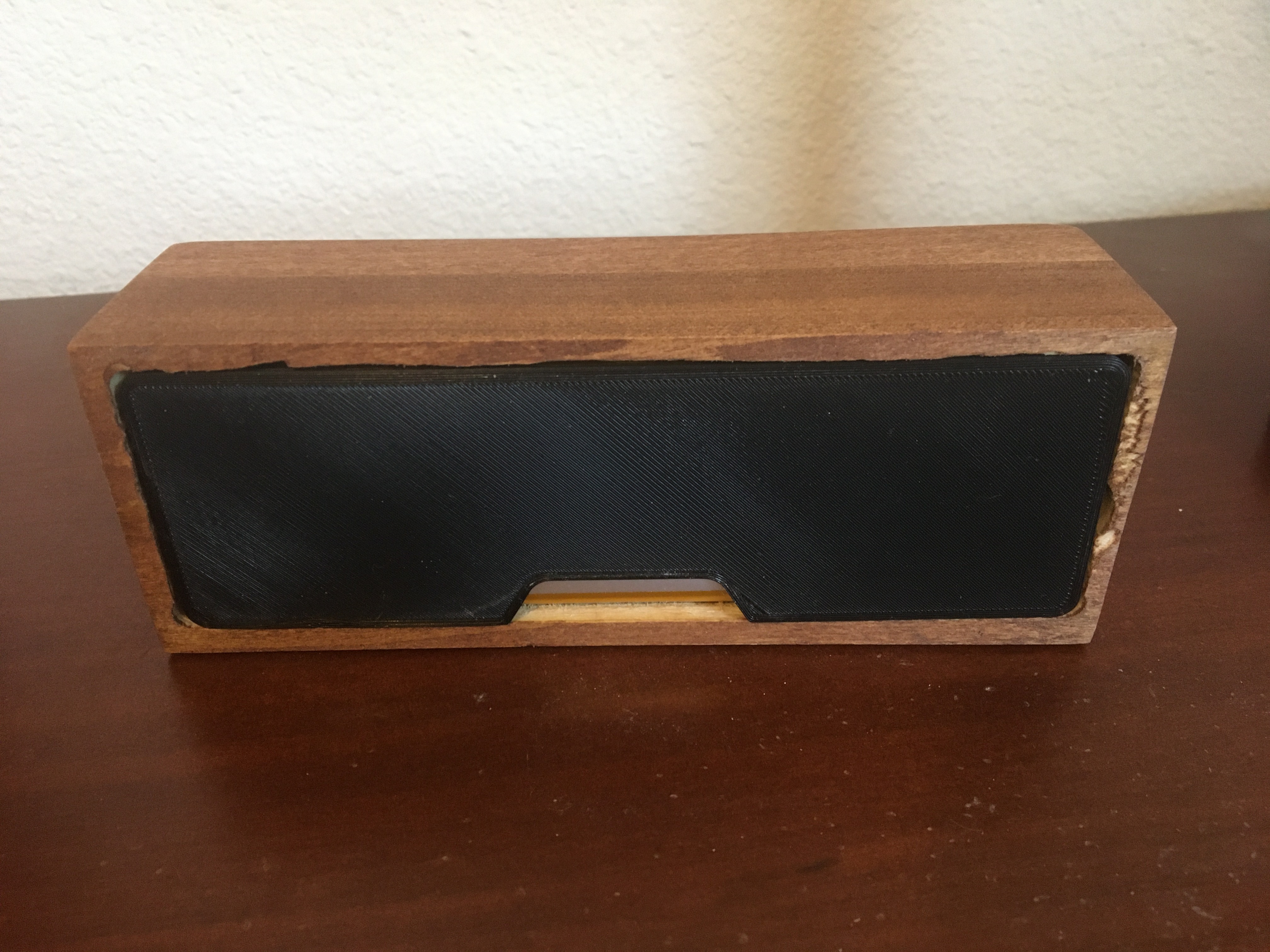
屏幕距前边缘 15mm - 3D 打印外壳 - 以下是社区设计列表。 | 贡献者 | 链接 | |----------------------------------------------------------------------|-----------------------------------------------------------------------------------------------------------| | [Kingfisher](https://www.printables.com/@Kingfisher_32821) | [Printables](https://www.printables.com/model/1139047-weather-station-e-ink-frame) | | [Francois Allard](https://www.printables.com/@FrAllard_1585397) | [Printables](https://www.printables.com/model/791477-weather-station-using-a-esp32) | | [3D Nate](https://www.printables.com/@3DNate_451157) | [Printables](https://www.printables.com/model/661183-e-ink-weather-station-frame) | | [Sven F.](https://github.com/Spanholz) | [Printables](https://www.printables.com/model/657756-case-for-esp32-weather-station) | | [Layers Studio](https://www.printables.com/@LayersStudio) | [Printables](https://www.printables.com/model/655768-esp32-e-paper-weather-display-stand) | | [PJ Veltri](https://www.printables.com/@PJVeltri_1590999) | [Printables](https://www.printables.com/model/692944-base-and-display-holder-for-esp-32-e-paper-weather) | | [TheMeanCanEHdian](https://www.printables.com/@TheMeanCanEH_1207348) | [Printables](https://www.printables.com/model/841458-weather-display-enclosure) | | [MPHarms](https://www.thingiverse.com/mpharms/designs) | [Thingiverse](https://www.thingiverse.com/thing:6666148) | | [Plaste-Metz](https://www.printables.com/@PlasteMetz_576567) | [Printables](https://www.printables.com/model/1160924-weather-station-case) | | [kenwch92](https://github.com/kenwch92) | [Printables](https://www.printables.com/model/1505838-over-engineered-display-stand-for-esp32-e-paper-we) | | [Eckerput](https://github.com/Eckerput) | [Thingiverse](https://www.thingiverse.com/thing:7112836) | | [Thomax ](https://www.printables.com/@Thomax_386720) | [Printables](https://www.printables.com/model/1363448-esp32-e-paper-weather-display) | - 如果您想分享自己的 3D 打印设计,我们非常欢迎并鼓励您的贡献! - 相框 ### 免焊接组件选择(可选) 如果您仔细选择组件,本项目可以在完全无需焊接的情况下完成。 - 购买“Dupont 跳线”来连接您的组件。 - 购买[带排针的 FireBeetle 2 ESP32-E](https://www.dfrobot.com/product-2231.html?tracking=PfSxQ8)。 - 购买出厂已焊接好排针的 BME280。 - 购买兼容跳线的复位开关。 ## 设置指南 ### 接线说明 当电池连接到 ESP32 的 JST 接口时,可以通过 USB-C 接口将 FireBeetle ESP32 连接到电源来为电池充电。 注意:Waveshare 目前出货的 e-paper HAT 已是 2.3 修订版(不再是 rev 2.2)。Rev 2.3 多了一个 `PWR` 引脚(下方的接线图中未显示);请将此引脚连接到 3.3V。 重要提示:DESPI-C02 适配板带有一个物理开关,必须正确设置才能使屏幕正常工作。 - RESE:将开关设置到位置 0.47。 重要提示:Waveshare E-Paper 驱动 HAT 带有两个物理开关,必须正确设置才能使屏幕正常工作。 - Display Config:将开关设置到位置 B。 - Interface Config:将开关设置到位置 0。 切断低功耗焊盘可进一步延长电池寿命。 - 引用自
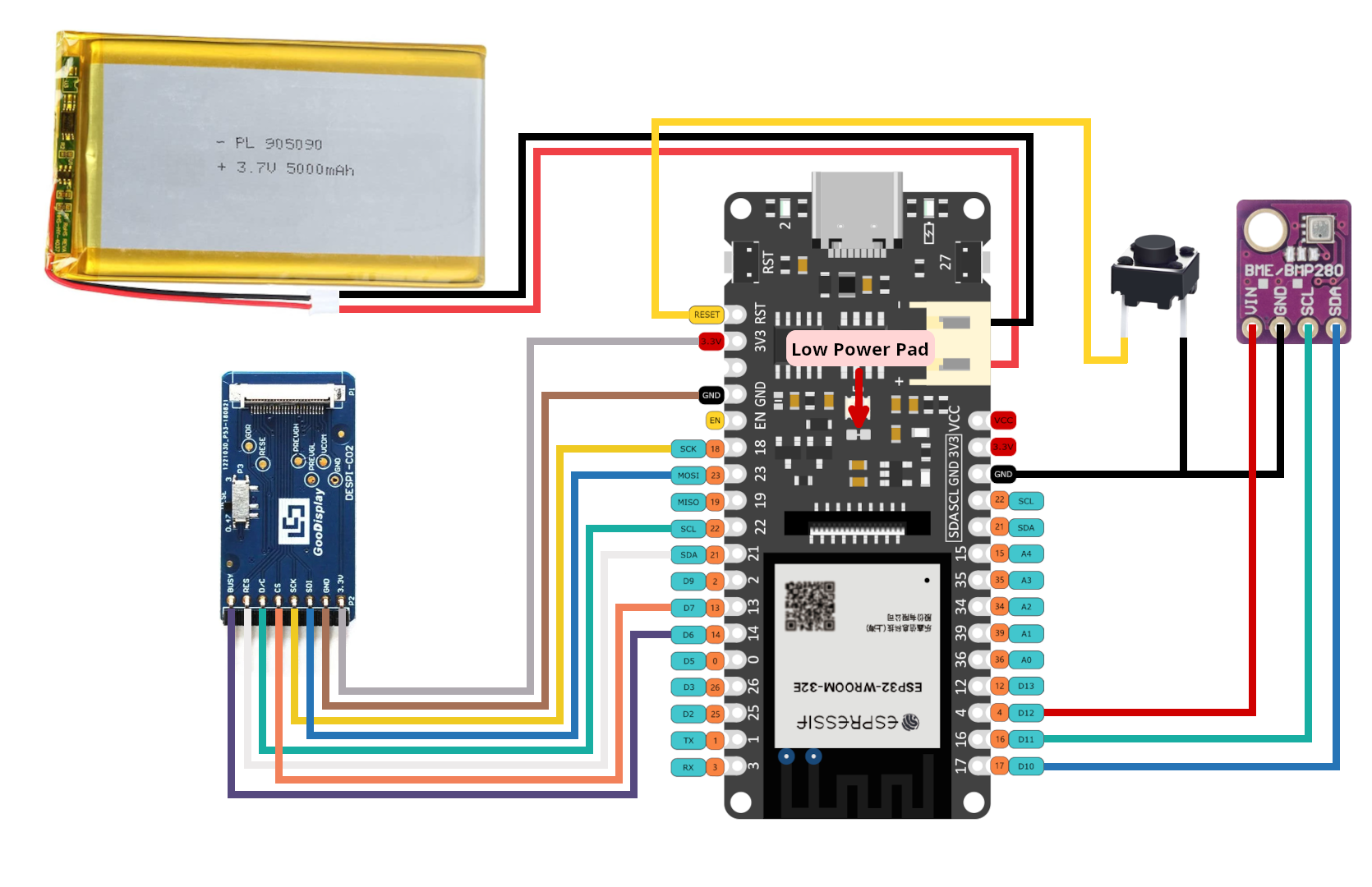
### 配置、编译和上传
本项目使用 VSCode 的 PlatformIO 插件来管理依赖项、编译代码以及上传到 ESP32。
1. 克隆此代码仓库或下载并解压 .zip 文件。
2. 安装 VSCode。
3. 按照以下说明安装 VSCode 的 PlatformIO 扩展:
4. 在 VSCode 中打开项目。
a. File > Open Folder...
b. 找到本项目并选择名为 "platformio" 的文件夹。
5. 配置选项。
- 大多数配置选项位于 [config.cpp](platformio/src/config.cpp) 中,少部分位于 [config.h](platformio/include/config.h) 中。
- 需要在 config.cpp 中配置的重要设置:
- WiFi 凭据(ssid、password)。
- Open Weather Map API 密钥(免费,获取 API 密钥的重要注意事项请见下一节)。
- 纬度和经度。
- 时间和日期格式。
- 睡眠持续时间。
- 需要在 config.h 中配置的重要设置:
- 单位(公制或英制)。
- 代码注释详细解释了每个选项。
6. 构建并上传代码。
a. 通过 USB 将 ESP32 连接到计算机。
b. 点击 VSCode 窗口底部的上传箭头。(将鼠标悬停在上面时应显示“PlatformIO: Upload”。)
- PlatformIO 将自动下载所需的第三方库,编译并上传代码。:)
- 仅当您安装了 PlatformIO 扩展时才会看到此选项。
- 如果您使用的是 FireBeetle 2 ESP32-E 并且收到错误 `Wrong boot mode detected (0x13)! The chip needs to be in download mode.`,请断开开发板电源,将 GPIO0([标记为 0/D5](https://wiki.dfrobot.com/FireBeetle_Board_ESP32_E_SKU_DFR0654#target_5))连接到 GND,然后重新上电以使开发板进入下载模式。
- 如果在上传过程中遇到其他错误,您可能需要安装驱动程序才能将代码上传到 ESP32。
### OpenWeatherMap API 密钥
在此处注册以获取 API 密钥;它是免费的。
本项目将调用 2 个不同的 API(“One Call”和“Air Pollution”)。
- One Call API 3.0 仅包含在“按次调用 One Call”订阅中。这个独立的订阅每天免费提供 1,000 次调用,并允许您仅为该产品产生的 API 调用次数付费。
以下是订阅并避免产生信用卡扣费的方法:
- 前往
- 按照说明完成订阅。
- 前往 并将“Calls per day (no more than)”设置为 1,000。这可确保您永远不会超出免费调用额度。
## 错误信息和故障排除
### 低电量
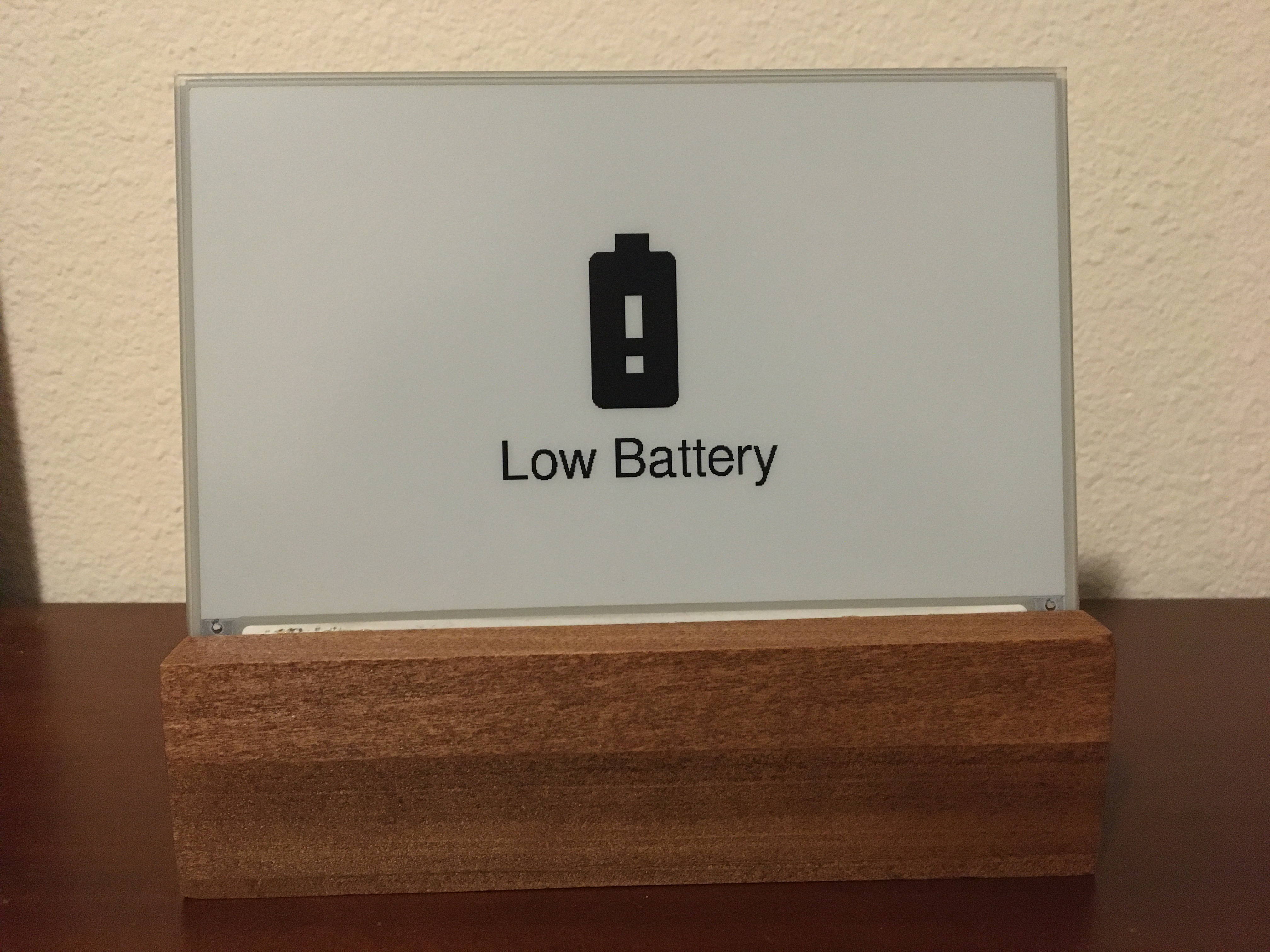 This error screen appears once the battery voltage has fallen below LOW_BATTERY_VOLTAGE (default = 3.20v). The display will not refresh again until it detects battery voltage above LOW_BATTERY_VOLTAGE. When battery voltage is between LOW_BATTERY_VOLTAGE and VERY_LOW_BATTERY_VOLTAGE (default = 3.10v) the esp32 will deep-sleep for periods of LOW_BATTERY_SLEEP_INTERVAL (default = 30min) before checking battery voltage again. If the battery voltage falls between LOW_BATTERY_SLEEP_INTERVAL and CRIT_LOW_BATTERY_VOLTAGE (default = 3.00v), then the display will deep-sleep for periods VERY_LOW_BATTERY_SLEEP_INTERVAL (default = 120min). If battery voltage falls below CRIT_LOW_BATTERY_VOLTAGE, then the esp32 will enter hibernate mode and will require a manual push of the reset (RST) button to begin updating again.
### WiFi 连接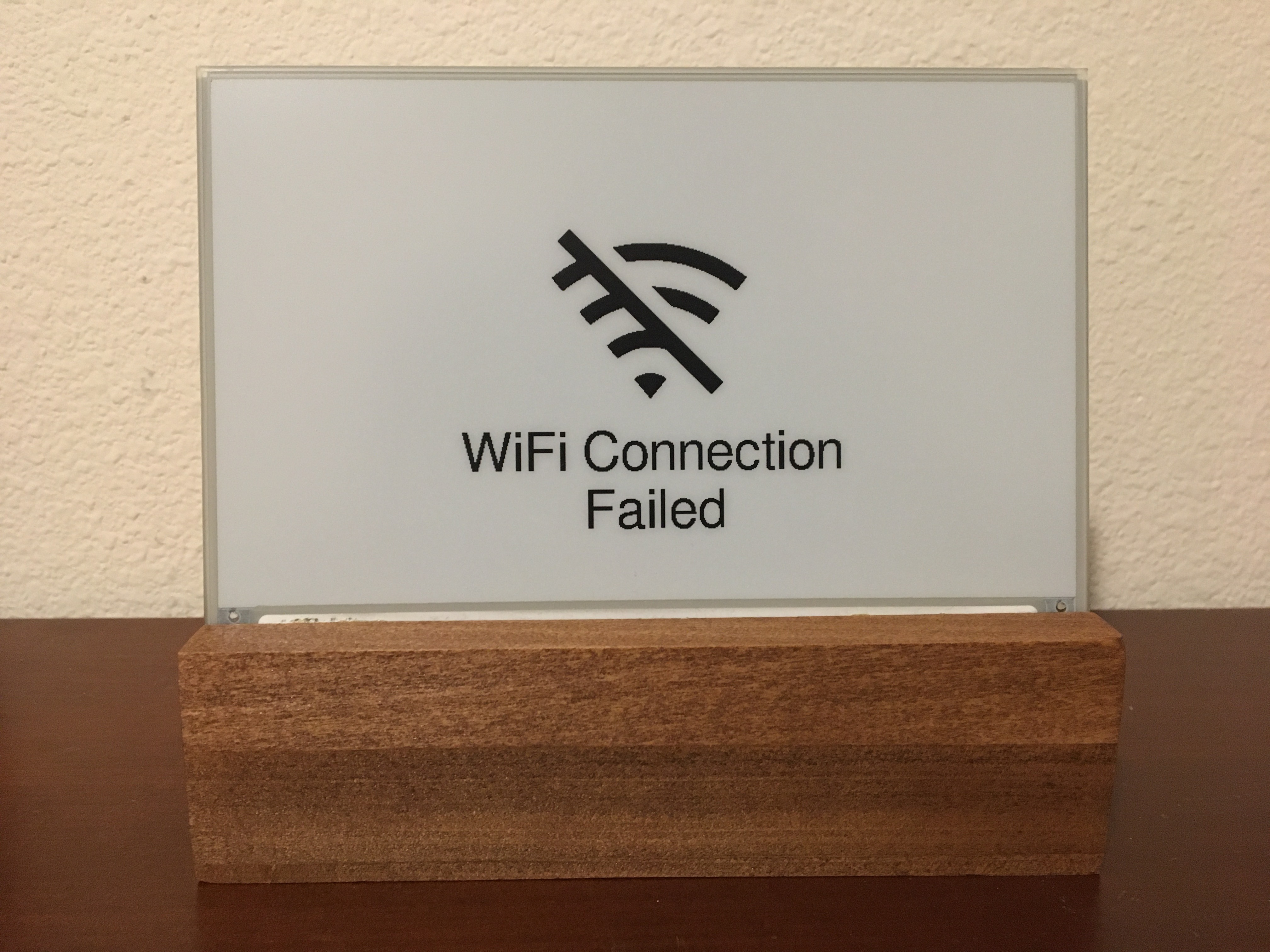 This error screen appears when the ESP32 fails to connect to WiFi. If the message reads "WiFi Connection Failed" this might indicate an incorrect password. If the message reads "SSID Not Available" this might indicate that you mistyped the SSID or that the esp32 is out of the range of the access point. The esp32 will retry once every SLEEP_DURATION (default = 30min).
### API 错误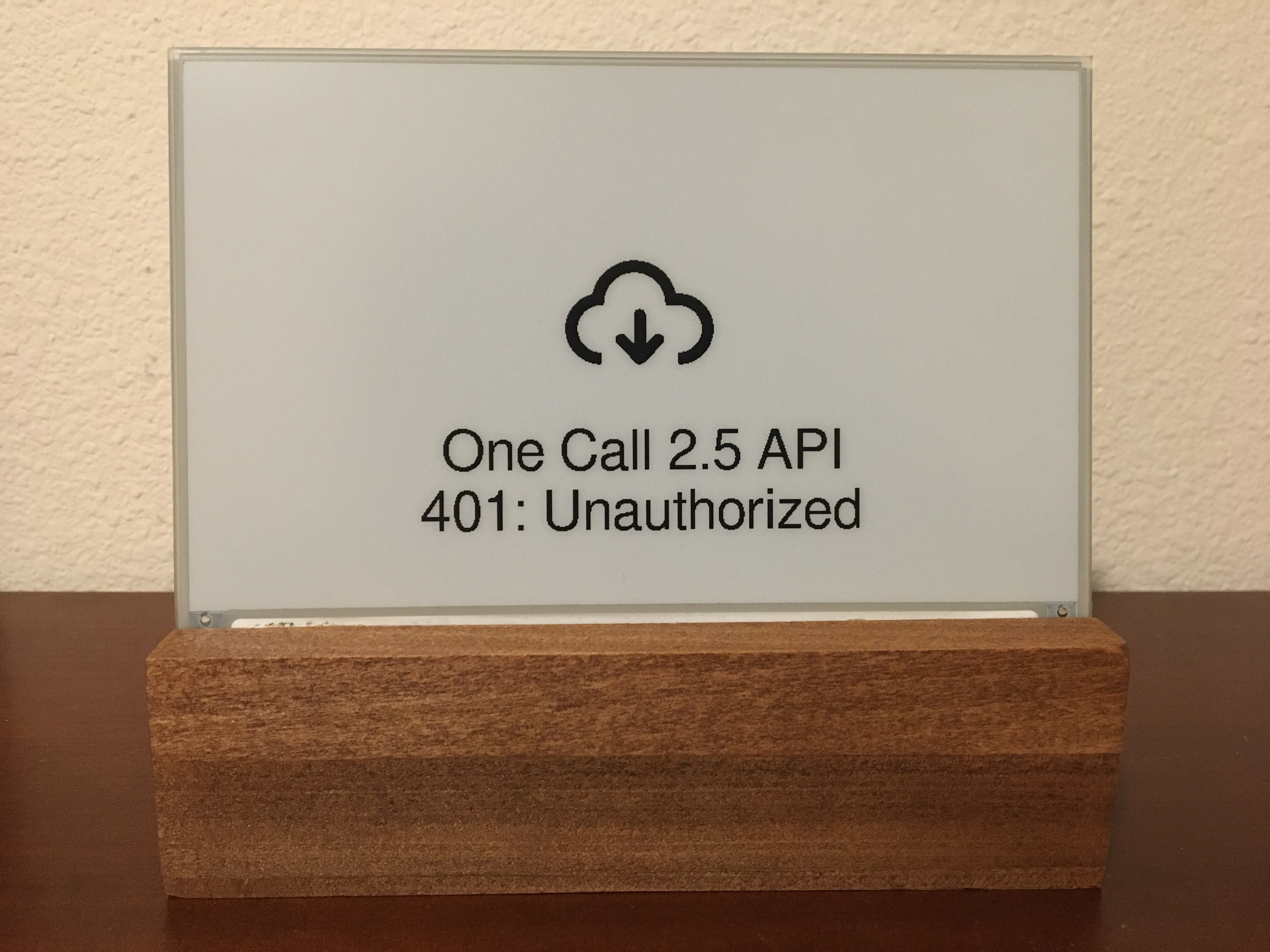 This error screen appears if an error (client or server) occurs when making an API request to OpenWeatherMap. The second line will give the error code followed by a descriptor phrase. Positive error codes correspond to HTTP response status codes, while error codes <= 0 indicate a client(esp32) error. The esp32 will retry once every SLEEP_DURATION (default = 30min).
In the example shown to the left, "401: Unauthorized" may be the result of an incorrect API key or that you are attempting to use the One Call v3 API without the proper account setup.
### 时间服务器错误
## 许可协议 esp32-weather-epd 采用 [GNU General Public License v3.0](LICENSE) 授权,其中包含的工具、字体和图标的许可协议如下: | 名称 | 许可协议 | 描述 | |---------------------------------------------------------------------------------------------------------------|---------------------------------------------------------------------------------------|------------------------------------------------------------------------------------| | [Adafruit-GFX-Library: fontconvert](https://github.com/adafruit/Adafruit-GFX-Library/tree/master/fontconvert) | [BSD License](fonts/fontconvert/license.txt) | 用于预处理字体以便与 Adafruit_GFX Arduino 库配合使用的 CLI 工具。 | | [pollutant-concentration-to-aqi](https://github.com/lmarzen/pollutant-concentration-to-aqi) | [GNU Lesser General Public License v2.1](platformio/lib/pollutant-concentration-to-aqi/LICENSE) | 用于将污染物浓度转换为空气质量指数 (AQI) 的 C 语言库。 | | [GNU FreeFont](https://www.gnu.org/software/freefont/) | [GNU General Public License v3.0](https://www.gnu.org/software/freefont/license.html) | 字体家族 | | [Lato](https://fonts.google.com/specimen/Lato) | [SIL OFL v1.1](http://scripts.sil.org/OFL) | 字体家族 | | [Montserrat](https://fonts.google.com/specimen/Montserrat) | [SIL OFL v1.1](http://scripts.sil.org/OFL) | 字体家族 | | [Open Sans](https://fonts.google.com/specimen/Open+Sans) | [SIL OFL v1.1](http://scripts.sil.org/OFL) | 字体家族 | | [Poppins](https://fonts.google.com/specimen/Poppins) | [SIL OFL v1.1](http://scripts.sil.org/OFL) | 字体家族 | | [Quicksand](https://fonts.google.com/specimen/Quicksand) | [SIL OFL v1.1](http://scripts.sil.org/OFL) | 字体家族 | | [Raleway](https://fonts.google.com/specimen/Raleway) | [SIL OFL v1.1](http://scripts.sil.org/OFL) | 字体家族 | | [Roboto](https://fonts.google.com/specimen/Roboto) | [Apache License v2.0](https://www.apache.org/licenses/LICENSE-2.0) | 字体家族 | | [Roboto Mono](https://fonts.google.com/specimen/Roboto+Mono) | [Apache License v2.0](https://www.apache.org/licenses/LICENSE-2.0) | 字体家族 | | [Roboto Slab](https://fonts.google.com/specimen/Roboto+Slab) | [Apache License v2.0](https://www.apache.org/licenses/LICENSE-2.0) | 字体家族 | | [Ubuntu font](https://design.ubuntu.com/font) | [Ubuntu Font Licence v1.0](https://ubuntu.com/legal/font-licence) | 字体家族 | | [Weather Themed Icons](https://github.com/erikflowers/weather-icons) | [SIL OFL v1.1](http://scripts.sil.org/OFL) | (wi-**.svg) 由 Lukas Bischoff/Erik Flowers 设计的天气图标系列。 | | [Google Icons](https://fonts.google.com/icons) | [Apache License v2.0](https://www.apache.org/licenses/LICENSE-2.0) | (battery**.svg, visibility_icon.svg) 来自 Google Icons 的电池和能见度图标。 | | [Biological Hazard Symbol](https://svgsilh.com/image/37775.html) | [CC0 v1.0](https://en.wikipedia.org/wiki/Public_domain) | (biological_hazard_symbol.svg) 生物危害图标。 | | [House Icon](https://seekicon.com/free-icon/house_16) | [MIT License](http://opensource.org/licenses/mit-license.html) | (house.svg) 房屋图标。 | | [Indoor Temerature/Humidity Icons](icons/svg) | [SIL OFL v1.1](http://scripts.sil.org/OFL) | (house_**.svg) 室内温度/湿度图标。 | | [Ionizing Radiation Symbol](https://svgsilh.com/image/309911.html) | [CC0 v1.0](https://creativecommons.org/publicdomain/zero/1.0/) | (ionizing_radiation_symbol.svg) 电离辐射图标。 | | [Phosphor Icons](https://github.com/phosphor-icons/homepage) | [MIT License](http://opensource.org/licenses/mit-license.html) | (wifi**.svg, warning_icon.svg, error_icon.svg) 来自 Phosphor Icons 的 WiFi、警告和错误图标。 | | [Wind Direction Icon](https://www.onlinewebfonts.com/icon/251550) | [CC BY v3.0](http://creativecommons.org/licenses/by/3.0) | (meteorological_wind_direction_**deg.svg) 来自 Online Web Fonts 的气象风向图标。 |
高度 = 49mm
宽度 = 170.2mm(= 屏幕宽度)
屏幕角度 = 80度
屏幕距前边缘 15mm - 3D 打印外壳 - 以下是社区设计列表。 | 贡献者 | 链接 | |----------------------------------------------------------------------|-----------------------------------------------------------------------------------------------------------| | [Kingfisher](https://www.printables.com/@Kingfisher_32821) | [Printables](https://www.printables.com/model/1139047-weather-station-e-ink-frame) | | [Francois Allard](https://www.printables.com/@FrAllard_1585397) | [Printables](https://www.printables.com/model/791477-weather-station-using-a-esp32) | | [3D Nate](https://www.printables.com/@3DNate_451157) | [Printables](https://www.printables.com/model/661183-e-ink-weather-station-frame) | | [Sven F.](https://github.com/Spanholz) | [Printables](https://www.printables.com/model/657756-case-for-esp32-weather-station) | | [Layers Studio](https://www.printables.com/@LayersStudio) | [Printables](https://www.printables.com/model/655768-esp32-e-paper-weather-display-stand) | | [PJ Veltri](https://www.printables.com/@PJVeltri_1590999) | [Printables](https://www.printables.com/model/692944-base-and-display-holder-for-esp-32-e-paper-weather) | | [TheMeanCanEHdian](https://www.printables.com/@TheMeanCanEH_1207348) | [Printables](https://www.printables.com/model/841458-weather-display-enclosure) | | [MPHarms](https://www.thingiverse.com/mpharms/designs) | [Thingiverse](https://www.thingiverse.com/thing:6666148) | | [Plaste-Metz](https://www.printables.com/@PlasteMetz_576567) | [Printables](https://www.printables.com/model/1160924-weather-station-case) | | [kenwch92](https://github.com/kenwch92) | [Printables](https://www.printables.com/model/1505838-over-engineered-display-stand-for-esp32-e-paper-we) | | [Eckerput](https://github.com/Eckerput) | [Thingiverse](https://www.thingiverse.com/thing:7112836) | | [Thomax ](https://www.printables.com/@Thomax_386720) | [Printables](https://www.printables.com/model/1363448-esp32-e-paper-weather-display) | - 如果您想分享自己的 3D 打印设计,我们非常欢迎并鼓励您的贡献! - 相框 ### 免焊接组件选择(可选) 如果您仔细选择组件,本项目可以在完全无需焊接的情况下完成。 - 购买“Dupont 跳线”来连接您的组件。 - 购买[带排针的 FireBeetle 2 ESP32-E](https://www.dfrobot.com/product-2231.html?tracking=PfSxQ8)。 - 购买出厂已焊接好排针的 BME280。 - 购买兼容跳线的复位开关。 ## 设置指南 ### 接线说明 当电池连接到 ESP32 的 JST 接口时,可以通过 USB-C 接口将 FireBeetle ESP32 连接到电源来为电池充电。 注意:Waveshare 目前出货的 e-paper HAT 已是 2.3 修订版(不再是 rev 2.2)。Rev 2.3 多了一个 `PWR` 引脚(下方的接线图中未显示);请将此引脚连接到 3.3V。 重要提示:DESPI-C02 适配板带有一个物理开关,必须正确设置才能使屏幕正常工作。 - RESE:将开关设置到位置 0.47。 重要提示:Waveshare E-Paper 驱动 HAT 带有两个物理开关,必须正确设置才能使屏幕正常工作。 - Display Config:将开关设置到位置 B。 - Interface Config:将开关设置到位置 0。 切断低功耗焊盘可进一步延长电池寿命。 - 引用自
This error screen appears once the battery voltage has fallen below LOW_BATTERY_VOLTAGE (default = 3.20v). The display will not refresh again until it detects battery voltage above LOW_BATTERY_VOLTAGE. When battery voltage is between LOW_BATTERY_VOLTAGE and VERY_LOW_BATTERY_VOLTAGE (default = 3.10v) the esp32 will deep-sleep for periods of LOW_BATTERY_SLEEP_INTERVAL (default = 30min) before checking battery voltage again. If the battery voltage falls between LOW_BATTERY_SLEEP_INTERVAL and CRIT_LOW_BATTERY_VOLTAGE (default = 3.00v), then the display will deep-sleep for periods VERY_LOW_BATTERY_SLEEP_INTERVAL (default = 120min). If battery voltage falls below CRIT_LOW_BATTERY_VOLTAGE, then the esp32 will enter hibernate mode and will require a manual push of the reset (RST) button to begin updating again.
### WiFi 连接
This error screen appears when the ESP32 fails to connect to WiFi. If the message reads "WiFi Connection Failed" this might indicate an incorrect password. If the message reads "SSID Not Available" this might indicate that you mistyped the SSID or that the esp32 is out of the range of the access point. The esp32 will retry once every SLEEP_DURATION (default = 30min).
### API 错误
This error screen appears if an error (client or server) occurs when making an API request to OpenWeatherMap. The second line will give the error code followed by a descriptor phrase. Positive error codes correspond to HTTP response status codes, while error codes <= 0 indicate a client(esp32) error. The esp32 will retry once every SLEEP_DURATION (default = 30min).
In the example shown to the left, "401: Unauthorized" may be the result of an incorrect API key or that you are attempting to use the One Call v3 API without the proper account setup.
### 时间服务器错误
## 许可协议 esp32-weather-epd 采用 [GNU General Public License v3.0](LICENSE) 授权,其中包含的工具、字体和图标的许可协议如下: | 名称 | 许可协议 | 描述 | |---------------------------------------------------------------------------------------------------------------|---------------------------------------------------------------------------------------|------------------------------------------------------------------------------------| | [Adafruit-GFX-Library: fontconvert](https://github.com/adafruit/Adafruit-GFX-Library/tree/master/fontconvert) | [BSD License](fonts/fontconvert/license.txt) | 用于预处理字体以便与 Adafruit_GFX Arduino 库配合使用的 CLI 工具。 | | [pollutant-concentration-to-aqi](https://github.com/lmarzen/pollutant-concentration-to-aqi) | [GNU Lesser General Public License v2.1](platformio/lib/pollutant-concentration-to-aqi/LICENSE) | 用于将污染物浓度转换为空气质量指数 (AQI) 的 C 语言库。 | | [GNU FreeFont](https://www.gnu.org/software/freefont/) | [GNU General Public License v3.0](https://www.gnu.org/software/freefont/license.html) | 字体家族 | | [Lato](https://fonts.google.com/specimen/Lato) | [SIL OFL v1.1](http://scripts.sil.org/OFL) | 字体家族 | | [Montserrat](https://fonts.google.com/specimen/Montserrat) | [SIL OFL v1.1](http://scripts.sil.org/OFL) | 字体家族 | | [Open Sans](https://fonts.google.com/specimen/Open+Sans) | [SIL OFL v1.1](http://scripts.sil.org/OFL) | 字体家族 | | [Poppins](https://fonts.google.com/specimen/Poppins) | [SIL OFL v1.1](http://scripts.sil.org/OFL) | 字体家族 | | [Quicksand](https://fonts.google.com/specimen/Quicksand) | [SIL OFL v1.1](http://scripts.sil.org/OFL) | 字体家族 | | [Raleway](https://fonts.google.com/specimen/Raleway) | [SIL OFL v1.1](http://scripts.sil.org/OFL) | 字体家族 | | [Roboto](https://fonts.google.com/specimen/Roboto) | [Apache License v2.0](https://www.apache.org/licenses/LICENSE-2.0) | 字体家族 | | [Roboto Mono](https://fonts.google.com/specimen/Roboto+Mono) | [Apache License v2.0](https://www.apache.org/licenses/LICENSE-2.0) | 字体家族 | | [Roboto Slab](https://fonts.google.com/specimen/Roboto+Slab) | [Apache License v2.0](https://www.apache.org/licenses/LICENSE-2.0) | 字体家族 | | [Ubuntu font](https://design.ubuntu.com/font) | [Ubuntu Font Licence v1.0](https://ubuntu.com/legal/font-licence) | 字体家族 | | [Weather Themed Icons](https://github.com/erikflowers/weather-icons) | [SIL OFL v1.1](http://scripts.sil.org/OFL) | (wi-**.svg) 由 Lukas Bischoff/Erik Flowers 设计的天气图标系列。 | | [Google Icons](https://fonts.google.com/icons) | [Apache License v2.0](https://www.apache.org/licenses/LICENSE-2.0) | (battery**.svg, visibility_icon.svg) 来自 Google Icons 的电池和能见度图标。 | | [Biological Hazard Symbol](https://svgsilh.com/image/37775.html) | [CC0 v1.0](https://en.wikipedia.org/wiki/Public_domain) | (biological_hazard_symbol.svg) 生物危害图标。 | | [House Icon](https://seekicon.com/free-icon/house_16) | [MIT License](http://opensource.org/licenses/mit-license.html) | (house.svg) 房屋图标。 | | [Indoor Temerature/Humidity Icons](icons/svg) | [SIL OFL v1.1](http://scripts.sil.org/OFL) | (house_**.svg) 室内温度/湿度图标。 | | [Ionizing Radiation Symbol](https://svgsilh.com/image/309911.html) | [CC0 v1.0](https://creativecommons.org/publicdomain/zero/1.0/) | (ionizing_radiation_symbol.svg) 电离辐射图标。 | | [Phosphor Icons](https://github.com/phosphor-icons/homepage) | [MIT License](http://opensource.org/licenses/mit-license.html) | (wifi**.svg, warning_icon.svg, error_icon.svg) 来自 Phosphor Icons 的 WiFi、警告和错误图标。 | | [Wind Direction Icon](https://www.onlinewebfonts.com/icon/251550) | [CC BY v3.0](http://creativecommons.org/licenses/by/3.0) | (meteorological_wind_direction_**deg.svg) 来自 Online Web Fonts 的气象风向图标。 |
标签:API集成, Arduino, C/C++, DIY硬件, E-Paper, ESP32, IoT, OpenWeatherMap, USB-C充电, 事务性I/O, 休眠模式, 低功耗, 可观测性, 天气显示屏, 天气预报, 客户端加密, 室内环境监测, 嵌入式系统, 开源硬件, 微控制器, 智能家居, 气象站, 温湿度传感器, 物联网, 电子墨水屏, 电池供电, 长续航