CommunityToolkit/Labs-Windows
GitHub: CommunityToolkit/Labs-Windows
这是一个用于 Windows UI 组件原型设计和社区协作的实验性开发平台。
Stars: 478 | Forks: 89
# 🧪 Windows Community Toolkit Labs (预览版) 🧪
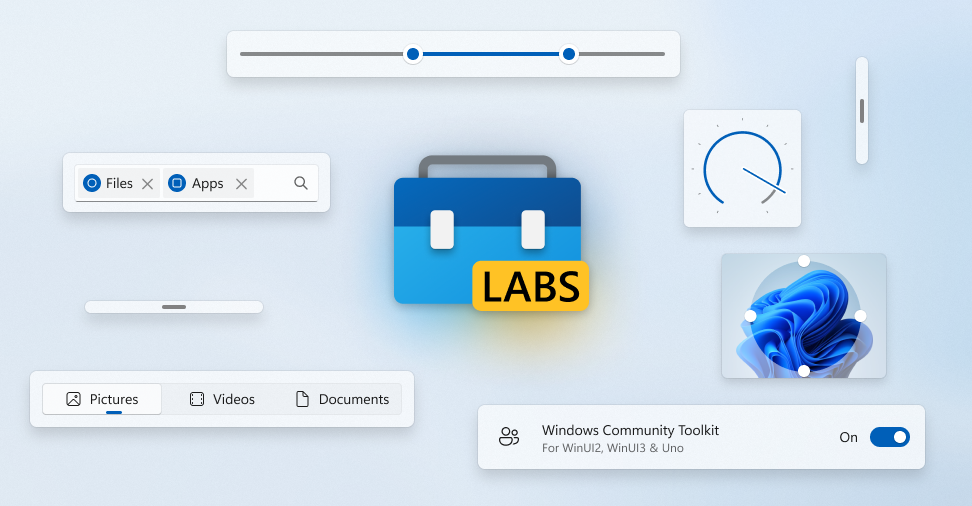
**[在我们的示例应用中,直接在浏览器里实时试用我们的组件!](https://toolkitlabs.dev)**
[](https://toolkitlabs.dev)
欢迎来到 Windows Community Toolkit Labs 的主页。这里是所有新组件在 [Windows Community Toolkit](https://aka.ms/windowstoolkitdocs) 中进行"实验性"开发的地方(基于 WinUI 2、[WinUI 3](https://aka.ms/winui3) 和 [Uno Platform](https://platform.uno) 构建)了解更多关于 Toolkit Labs 的信息,包括我们设立此空间的动机,以及如何设置 NuGet 源以便轻松使用本仓库中的实验性组件。
这里是所有新功能进入 [Windows Community Toolkit](https://aka.ms/wct) 的起点。它既是一个有用的原型设计空间,也是一个协作打磨功能的空间。这使得功能准备就绪后,能尽可能顺利地向主 Toolkit 仓库提交最终的 PR。借助 Uno Platform,您可以在浏览器中实时试用这些组件,[点击这里](https://toolkitlabs.dev)。
## 入门指南
### [在浏览器中实时试用我们的示例应用!](https://toolkitlabs.dev)
**[在此处查看我们当前开放的实验列表并试用!](https://github.com/CommunityToolkit/Labs-Windows/issues?q=is%3Aopen+is%3Aissue+label%3A%22experiment+%3Atest_tube%3A%22)**
您可以在我们的 Azure DevOps Feed 中找到对应的 `CommunityToolkit.Labs` 包,[在此处了解更多关于预览包的信息](https://aka.ms/toolkit/wiki/previewpackages)。
如果您觉得某个实验有用,请为其对应的 Issue 投票 👍 并提供反馈意见。每个实验都有一个分配了 `experiment` 标签的 Issue 用于跟踪。请在该单独的 Issue 上提交关于该实验的任何反馈或问题。对于其他问题或疑虑,请[开启一个讨论](https://github.com/CommunityToolkit/Labs-Windows/discussions)。
否则,您可以克隆仓库,打开 `components` 目录,导航到特定实验的文件夹,并在 Visual Studio 中打开其解决方案文件。运行其中一个项目主入口(_ExperimentName.Uwp/Wasm/WinAppSDK_)即可查看其示例。
**当前实验列表**
- [装饰器](https://github.com/CommunityToolkit/Labs-Windows/blob/main/components/Adorners/samples/Adorners.md)
- [应用服务](https://github.com/CommunityToolkit/Labs-Windows/tree/main/components/AppServices)
- [画布布局](https://github.com/CommunityToolkit/Labs-Windows/blob/main/components/CanvasLayout/samples/CanvasLayout.md)
- [画布视图](https://github.com/CommunityToolkit/Labs-Windows/blob/main/components/CanvasView/samples/CanvasView.md)
- [颜色分析器](https://github.com/CommunityToolkit/Labs-Windows/tree/main/components/ColorAnalyzer)
- [数据表](https://github.com/CommunityToolkit/Labs-Windows/blob/main/components/DataTable/samples/DataTable.md)
- [依赖属性生成器](https://github.com/CommunityToolkit/Labs-Windows/tree/main/components/DependencyPropertyGenerator)
- [扩展.依赖注入](https://github.com/CommunityToolkit/Labs-Windows/tree/main/components/Extensions.DependencyInjection)
- [Markdown 文本块](https://github.com/CommunityToolkit/Labs-Windows/blob/main/components/MarkdownTextBlock/samples/MarkdownTextBlock.md)
- [滚动字幕](https://github.com/CommunityToolkit/Labs-Windows/blob/main/components/Marquee/samples/Marquee.md)
- [通知](https://github.com/CommunityToolkit/Labs-Windows/tree/main/components/Notifications)
- [不透明遮罩视图](https://github.com/CommunityToolkit/Labs-Windows/tree/main/components/OpacityMaskView/samples/OpacityMaskView.md)
- [功能区](https://github.com/CommunityToolkit/Labs-Windows/blob/main/components/Ribbon/samples/Ribbon.md)
- [Rive 播放器](https://github.com/CommunityToolkit/Labs-Windows/blob/main/components/RivePlayer/samples/RivePlayer.md)
- [微光效果](https://github.com/CommunityToolkit/Labs-Windows/blob/main/components/Shimmer/samples/Shimmer.md)
- [标题栏](https://github.com/CommunityToolkit/Labs-Windows/blob/main/components/TitleBar/samples/TitleBar.md)
- [令牌视图](https://github.com/CommunityToolkit/Labs-Windows/blob/main/components/TokenView/samples/TokenView.md)
- [过渡助手](https://github.com/CommunityToolkit/Labs-Windows/blob/main/components/TransitionHelper/samples/TransitionHelper.md)
## 克隆仓库
[工具](https://github.com/CommunityToolkit/Tooling-Windows-Submodule)位于子模块中,因此首次克隆或拉取时需要使用 `--recurse-submodules` 参数:
```
git clone --recurse-submodules https://github.com/CommunityToolkit/Labs-Windows.git
```
## 构建要求
- Visual Studio 2022(需包含 .NET 的 UWP 和桌面工作负载)
- .NET 9 SDK
- Windows 10 SDK,版本 2004 (10.0.19041.0)
- Windows 10 21H1 (Build 19043) 或更高版本
- 从项目根目录运行 `dotnet tool restore` 以安装 SlnGen
- 从 [Visual Studio 开发人员命令提示符](https://learn.microsoft.com/visualstudio/ide/reference/command-prompt-powershell) 或将 `MSBuild.exe` 添加到 PATH 后从其他地方运行构建脚本
## 添加新实验
**注意:** _在预览版中,我们目前不接受试用列表之外的新实验,以确保我们的基础设施稳定。如果您想贡献力量,[请在此处查看您可以在哪些方面协助 Labs 本身](https://github.com/CommunityToolkit/Labs-Windows/issues?q=is%3Aopen+is%3Aissue+label%3A%22help+wanted%22)。[不过,如果您有关于组件的想法,请随时在此处开启讨论。](https://github.com/CommunityToolkit/Labs-Windows/discussions?discussions_q=category%3AExperiments+category%3A%22Ideas%22+)_
要开始一个新的实验,请开启一个新的讨论,向社区提出您的想法。请务必遵循模板,并强调您的想法为何以及如何能帮助其他开发者。
一旦获得关注并得到批准,将创建一个 Issue 来跟踪您的实验及其进展。
然后,您可以复刻 Labs 仓库,创建一个新分支,并开始开发您的功能(或移植您现有的原型)。
```
dotnet new --install .\tooling\ProjectTemplate\
cd components
dotnet new ctk-component -n MyExperimentNameHere
```
[在此处阅读更多关于从模板文件夹创建新实验的信息。](https://github.com/CommunityToolkit/Tooling-Windows-Submodule/tree/main/ProjectTemplate)
然后提交一个 PR。您的初始 PR 不需要包含所有内容,但应具备一些基本功能和用法示例。Labs 空间是长期迭代、获取社区反馈和与他人协作的好地方。然而,您的初始 PR 应该能够编译,并且包含足够内容以便他人理解如何使用您的组件。
## 修改实验
首先复刻仓库,并为您的修改创建一个新的特定分支。
要处理某个实验,您可以导航到其子目录并打开其自身的解决方案文件。这将让您仅针对该特定组件的功能、示例、文档或单元测试进行独立开发。
然后,将您的修改提交一个 PR 回仓库。该实验的所有者可以与您合作,整合您的更改。在实验所有者批准后,维护者将合并该 PR。
## 实验何时完成?
并非所有实验都会成功,这没关系!这就是我们实验的目的!👨🔬🔬👩🔬
如果某个实验引起了足够的兴趣,那么可能是时候将其移入主 Windows Community Toolkit 仓库了。这些实验应已实现所有必需的组件,如示例、文档和单元测试。
使用 `Toolkit Labs Transfer` Issue 模板在主 Toolkit 仓库上开启一个 Issue。(待办:添加链接)使用该 Issue 讨论新组件应放置在 Toolkit 的哪个位置以及应包含在哪个版本中。代码也将进行初步审查。一旦传输 Issue 被批准,请开启一个 PR,将实验复制到其新家。
## 构建示例应用
首先,请确保您已满足[构建要求](#build-requirements),否则构建脚本将失败。
接下来,您可以通过运行仓库根目录下的 `GenerateAllSolution.bat` 脚本来构建主示例应用解决方案,以查看本仓库中当前可用的所有实验。
然后,只需在 Visual Studio 中打开 `CommunityToolkit.AllComponents.sln` 解决方案即可。您可以运行其中一个项目主入口(如 `CommunityToolkit.App.WinAppSdk`)来在该平台上运行示例应用。
如果您想运行 UWP、Wasm 或 WinAppSDK 之外的其他主入口,您需要先在 `tooling/MultiTarget` 目录下运行 `UseTargetFrameworks.ps1` 脚本。例如:`.\UseTargetFrameworks.ps1 -targets all`
如果您想基于 Uno + Windows App SDK 而非 Uno + UWP 进行测试,请运行 `UseUnoWinUI.ps1` 脚本。例如:`.\UseUnoWinUI.ps1 -targets 3`
如果您对某个特定实验感兴趣,可以导航到其目录并打开其单独的解决方案,以查看该功能的专属示例。您也可以阅读下一节,了解如何获取此处提供的每个功能的预构建 NuGet 包。
## 📄 行为准则
本项目采用了 [Contributor Covenant](http://contributor-covenant.org/) 定义的行为准则,旨在阐明我们社区的预期行为。
更多信息请参阅 [.NET 基金会行为准则](CODE_OF_CONDUCT.md)。
## 🏢 .NET 基金会
本项目由 [.NET 基金会](http://dotnetfoundation.org) 支持。
## 🏆 贡献者
[](https://github.com/CommunityToolkit/Labs-Windows/graphs/contributors)
使用 [contrib.rocks](https://contrib.rocks) 制作。
标签:AI工具, Azure DevOps, DNS解析, .NET 开发, NuGet 包, SOC Prime, UI 组件, Uno Platform, UWP, Windows 应用开发, WinUI, WinUI 2, WinUI 3, 协作开发, 原型设计, 多人体追踪, 实验性组件, 开发工具, 开源项目, 浏览器试用, 社区工具包, 组件库, 预览版