IceWhaleTech/CasaOS

GitHub: IceWhaleTech/CasaOS

Stars: 34027 | Forks: 1928

# CasaOS - Your Personal Cloud

CasaOS
Connect with the community, establish autonomy, reduce the cost of SaaS, and MAXIMIZE the potential for a personalized copilot.


CasaOS Version CasaOS License CasaOS Pull Requests CasaOS Issues CasaOS Stargazers
IceWhale Discord CasaOS GitHub Discussions All Contributors YouTube Tutorial Views
twitter ZimaSpace facebook ZimaSpace
Website | Demo | GitHub

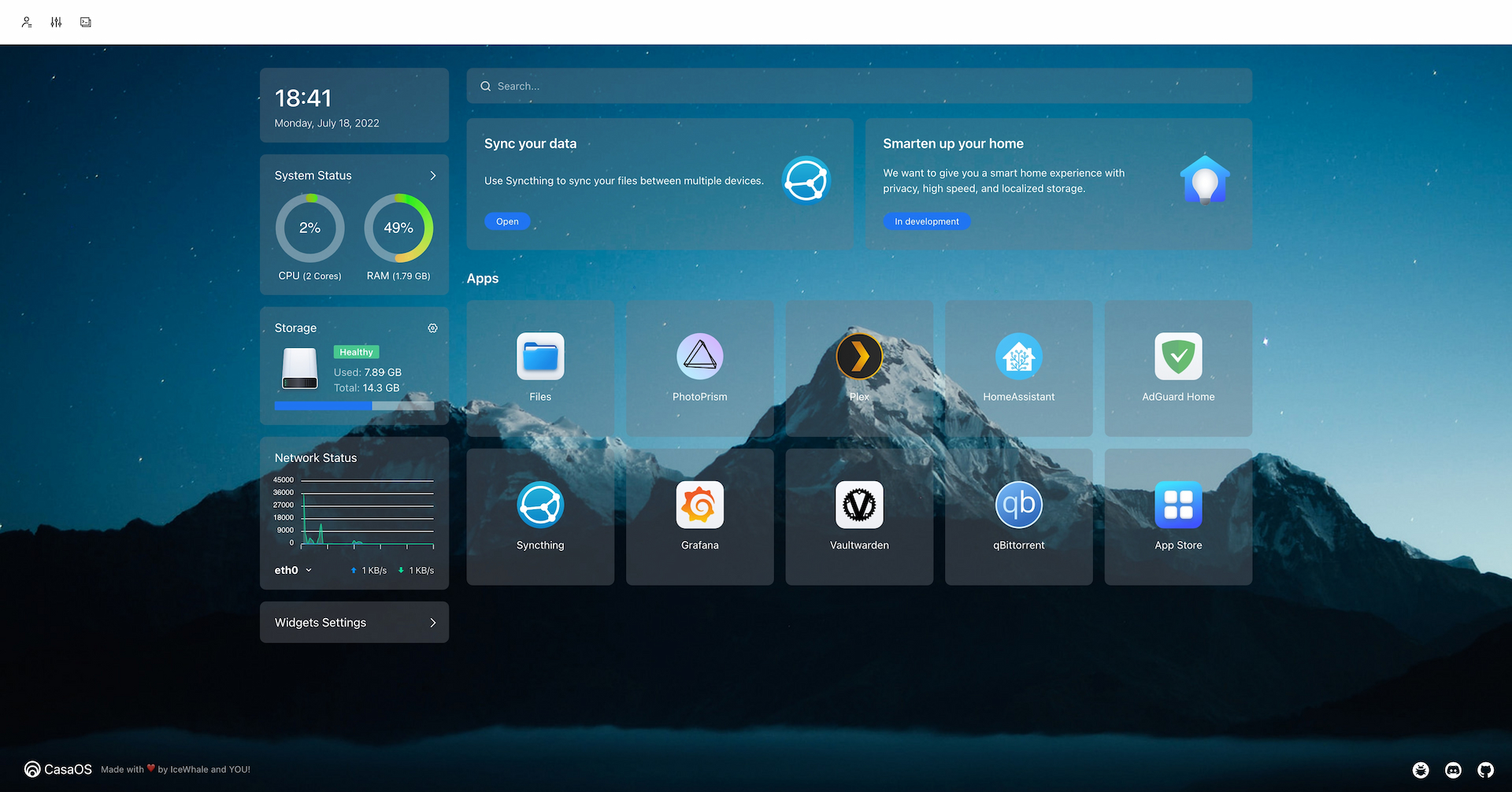
CasaOS Snapshot

## Why do you need Personal Cloud? In 2020, the team noticed three important trends: - The cost of computing power and storage was decreasing fast. - A part of cloud computing was moving towards edge computing. - The issue of consumer data asset ownership and attribution had been ignored. Based on these trends, the team proposed a thought experiment internally: what if personal clouds were available under $100 in next five years? This personal cloud would provide a low-cost data collaboration solution as a personal data center, storing and managing data for creators and small organizations. A distributed collaborative computing network can be formed by personal servers located around the world. It could also control and connect all smart devices, providing cross-ecosystem local intelligent services. Furthermore, the personal cloud could combine personal data to train personalized AI assistants. The idea is that this technology would be an effective way to solve the issue of consumer data asset ownership and , as well as provide a more affordable and efficient computing solution for individuals and small organizations. ## Features - Friendly UI designed for home scenarios - No code, no forms, intuitive, design for humanity - Multiple hardware and base system support - ZimaBoard, NUC, RPi, old computers, whatever is available. - Selected apps in the app store, one-click installation - Nextcloud, HomeAssistant, AdGuard, Jellyfin, *arr and more! - Easily install numerous Docker apps - Over 100,000 apps from the Docker ecosystem can be easily installed - Elegant drive and file management - What you see is what you get. No technical background required. - Well-designed system/app widgets - What you care about, at a glance. Resource usage, app status, and more! ## Getting Started CasaOS fully supports ZimaBoard, Intel NUC, and Raspberry Pi. Also, more computers and development boards and fully compatible with Ubuntu, Debian, Raspberry Pi OS, and CentOS with one-liner installation. ### Hardware Compatibility - amd64 / x86-64 - arm64 - armv7 ### System Compatibility - Debian 12 (✅ Tested, Recommended) - Ubuntu Server 20.04 (✅ Tested) - Raspberry Pi OS (✅ Tested) - Elementary 6.1 (✅ Tested) - Armbian 22.04 (✅ Tested) - Alpine (🚧 Not Fully Tested Yet) - OpenWrt (🚧 Not Fully Tested Yet) - ArchLinux (🚧 Not Fully Tested Yet) ### Quick Setup CasaOS Freshly install a system from the list above and run this command: wget -qO- https://get.casaos.io | sudo bash or curl -fsSL https://get.casaos.io | sudo bash ### Update CasaOS CasaOS can be updated from the User Interface (UI), via `Settings ... Update`. Alternatively it can be updated from a terminal session. To update from a terminal session, it must be done either from a secure shell (ssh) session to the device or from a directly attached terminal and keyboard to the device running CasaOS, this cannot be done from the terminal via the CasaOS User Interface (UI). To update to the latest release of CasaOS from a terminal session run this command: wget -qO- https://get.casaos.io/update | sudo bash or curl -fsSL https://get.casaos.io/update | sudo bash To determine version of CasaOS from a terminal session run this command: casaos -v ### Uninstall CasaOS v0.3.3 or newer casaos-uninstall Before v0.3.3 curl -fsSL https://get.icewhale.io/casaos-uninstall.sh | sudo bash ## Changelog Detailed changes for each release are documented in the [release notes](https://github.com/IceWhaleTech/CasaOS/releases).

trackgit-views

标签:EVTX分析