abiosoft/colima
GitHub: abiosoft/colima
Colima 是一款轻量级容器运行时工具,为 macOS 和 Linux 提供开箱即用的 Docker、Containerd、Incus 及 Kubernetes 本地环境。
Stars: 29313 | Forks: 581

## Colima - macOS(和 Linux)上的容器运行时,设置极简。
[](https://github.com/abiosoft/colima/actions/workflows/go.yml)
[](https://github.com/abiosoft/colima/actions/workflows/integration.yml)
[](https://goreportcard.com/report/github.com/abiosoft/colima)
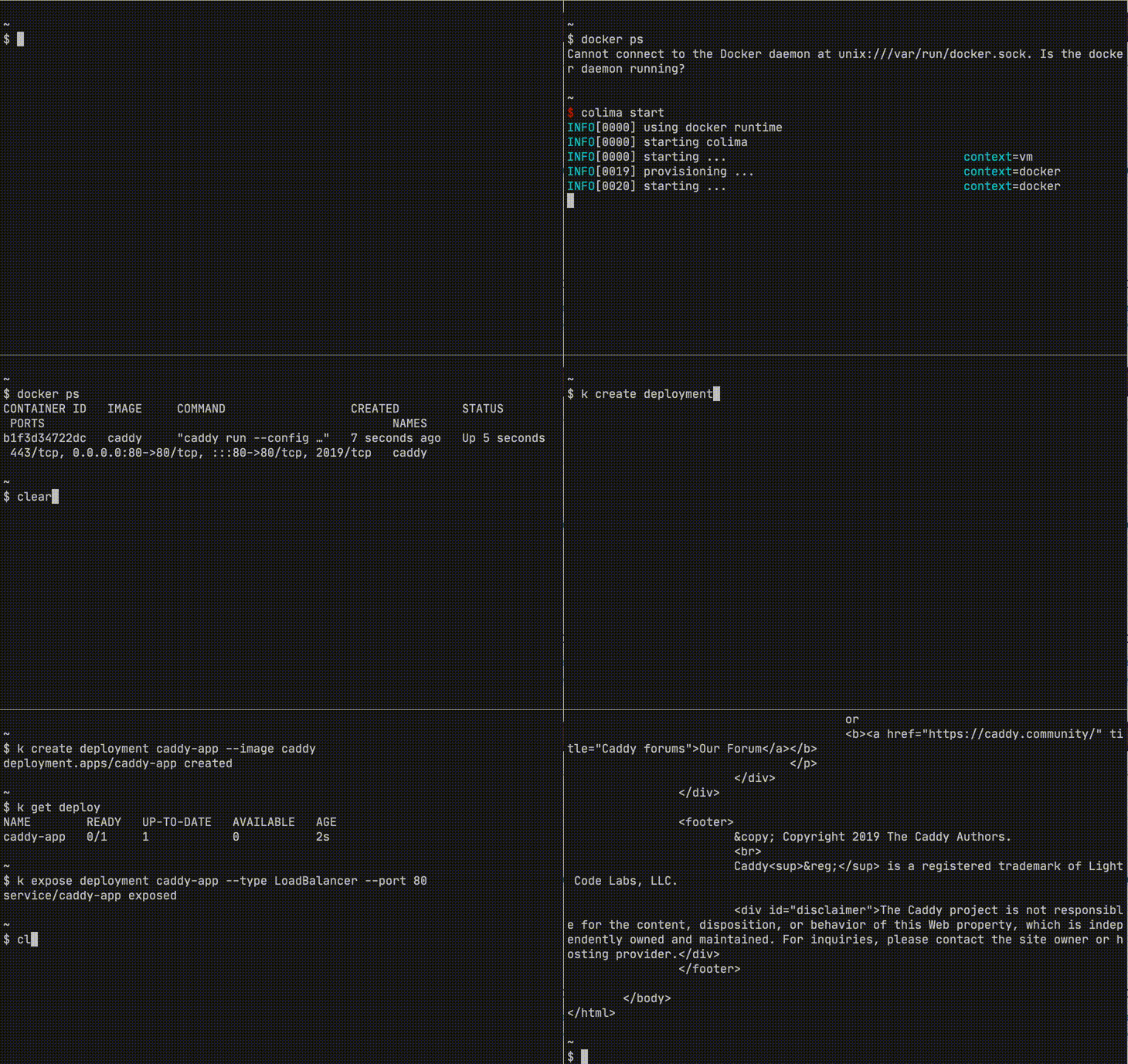
**网站与文档:** [colima.run](https://colima.run) | [colima.run/docs](https://colima.run/docs/)
## 功能特性
支持 Intel 和 Apple Silicon macOS,以及 Linux
- 简单的 CLI 界面,配有合理的默认值
- 自动端口转发
- 卷挂载
- 多实例支持
- 支持多种容器运行时
- [Docker](https://docker.com)(可选 Kubernetes)
- [Containerd](https://containerd.io)(可选 Kubernetes)
- [Incus](https://linuxcontainers.org/incus)(容器和虚拟机)
- 针对AI工作负载的 GPU 加速容器
## 快速开始
### 安装
Colima 可通过 Homebrew、MacPorts、Nix 和 [Mise](http://github.com/jdx/mise) 获取。查看 [此处](docs/INSTALL.md) 了解其他安装选项。
```
# Homebrew
brew install colima
# MacPorts
sudo port install colima
# Nix
nix-env -iA nixpkgs.colima
# Mise
mise use -g colima@latest
```
或者保持使用最新前沿版本(仅限 Homebrew)
```
brew install --HEAD colima
```
## 使用方法
使用默认设置启动 Colima
```
colima start
```
查看更多使用选项
```
colima --help
colima start --help
```
或者使用配置文件
```
colima start --edit
```
## 运行时
首次启动时,Colima 会使用用户指定的运行时进行初始化,默认为 Docker。
### Docker
Docker 运行时需要 Docker 客户端。可通过 `brew install docker` 安装。
```
colima start
docker run hello-world
docker ps
```
在 `colima start` 后,无需额外设置即可在 macOS 上使用 `docker` 客户端。
### Containerd
`colima start --runtime containerd` 启动并设置 Containerd。你可以使用 `colima nerdctl` 通过 [nerdctl](https://github.com/containerd/nerdctl) 与 Containerd 交互。
```
colima start --runtime containerd
nerdctl run hello-world
nerdctl ps
```
建议运行 `colima nerdctl install` 以在 $PATH 中安装 `nerdctl` 别名脚本。
### Kubernetes
Kubernetes 需要 kubectl。可通过 `brew install kubectl` 安装。
要启用 Kubernetes,请使用 `--kubernetes` 标志启动 Colima。
```
colima start --kubernetes
kubectl run caddy --image=caddy
kubectl get pods
```
#### 与镜像仓库交互
对于 Docker 运行时,使用 Docker 构建或拉取的镜像可供 Kubernetes 访问。
对于 Containerd 运行时,在 `k8s.io` 命名空间中构建或拉取的镜像可供 Kubernetes 访问。
### Incus
**需要 v0.7.0**
Incus 运行时需要 Incus 客户端。可通过 brew `brew install incus` 安装。
`colima start --runtime incus` 启动并设置 Incus。
```
colima start --runtime incus
incus launch images:alpine/edge
incus list
```
在 `colima start` 后,无需额外设置即可在 macOS 上使用 `incus` 客户端。
**注意:** 在 Incus 上运行虚拟机仅支持 m3 或更新的 Apple Silicon 设备。
### AI 模型(GPU 加速)
**需要 v0.10.0、Apple Silicon 和 macOS 13+**
Colima 使用 `krunkit` VM 类型支持针对 AI 工作负载的 GPU 加速容器。
**注意:** 要在 colima 中使用 krunkit,请确保已安装。
```
brew tap slp/krunkit
brew install krunkit
```
设置并使用模型。
```
colima start --runtime docker --vm-type krunkit
colima model run gemma3
```
Colima 支持两种模型运行器后端:
- **Docker Model Runner**(默认)— 支持 [Docker AI Registry](https://hub.docker.com/u/ai) 和 [HuggingFace](https://huggingface.co)。
- **Ramalama** — 支持 [HuggingFace](https://huggingface.co) 和 [Ollama](https://ollama.com) 仓库。
默认仓库是 Docker AI Registry。可以通过名称直接运行模型,无需前缀:
```
colima model run gemma3
colima model run llama3.2
# HuggingFace (Docker Model Runner)
colima model run hf.co/microsoft/Phi-3-mini-4k-instruct-gguf
# Ollama (需要 ramalama runner)
colima model run ollama://gemma3 --runner ramalama
```
详情请参阅 [AI 工作负载文档](https://colima.run/docs/ai/)。
### 自定义 VM
Colima 创建的默认 VM 具有 2 个 CPU、2GiB 内存和 100GiB 存储。
可以通过向 `colima start` 传递额外的标志来自定义 VM。
例如:`--cpu`、`--memory`、`--disk`、`--runtime`。
或者通过 `colima start --edit` 编辑配置文件。
**注意**:VM 创建后可以增加磁盘大小。
#### 自定义示例
- 创建具有 1 个 CPU、2GiB 内存和 10GiB 存储的 VM。
colima start --cpu 1 --memory 2 --disk 10
- 将现有 VM 修改为 4 个 CPU 和 8GiB 内存。
colima stop
colima start --cpu 4 --memory 8
- 创建具有 Rosetta 2 模拟的 VM。需要 v0.5.3 及以上版本,且 Apple Silicon 需 macOS >= 13 (Ventura)。
colima start --vm-type=vz --vz-rosetta
## 项目目标
在 macOS 上提供设置极简的容器运行时。
## 名字是什么意思?
Colima 意为 [Lima](https://github.com/lima-vm/lima) 上的容器(Containers on Lima)。
由于 Lima 又名 Linux Machines(Linux 机器)。依此类推,Colima 也可以意为 Linux 机器上的容器。
## Logo 呢?
Logo 由 [Daniel Hodvogner](https://github.com/dhodvogner) 贡献。查看 [此 issue](https://github.com/abiosoft/colima/issues/781) 了解更多。
## 故障排除与常见问题
查看 [此处](docs/FAQ.md) 获取常见问题解答,或访问 [在线 FAQ](https://colima.run/docs/faq/) 获取可搜索版本。
## 许可证
MIT
## 赞助项目
如果您(或您的公司)受益于该项目并希望支持贡献者,请慷慨赞助。
- [Github Sponsors](https://github.com/sponsors/abiosoft)
- [Buy me a coffee](https://www.buymeacoffee.com/abiosoft)
- [Patreon](https://patreon.com/colima)
[ ](https://macstadium.com)
](https://macstadium.com)标签:AI开发, Apple Silicon, Colima, Containerd, Docker, EVTX分析, EVTX分析, Go语言, Homebrew, Incus, Lima, M1, M2, NIDS, 子域名突变, 安全防御评估, 容器化, 容器编排, 容器运行时, 开发环境, 日志审计, 本地开发, 程序破解, 端口转发, 网络安全审计, 虚拟化, 请求拦截, 轻量级虚拟机