vdjagilev/nmap-formatter
GitHub: vdjagilev/nmap-formatter
一款将 Nmap XML 扫描结果转换为 HTML、CSV、JSON、Markdown、Excel、SQLite、Graphviz 和 D2 等多种格式的命令行工具。
Stars: 733 | Forks: 60
# NMAP-Formatter

[](https://codecov.io/gh/vdjagilev/nmap-formatter)
[](https://codeclimate.com/github/vdjagilev/nmap-formatter/maintainability)
## 示例
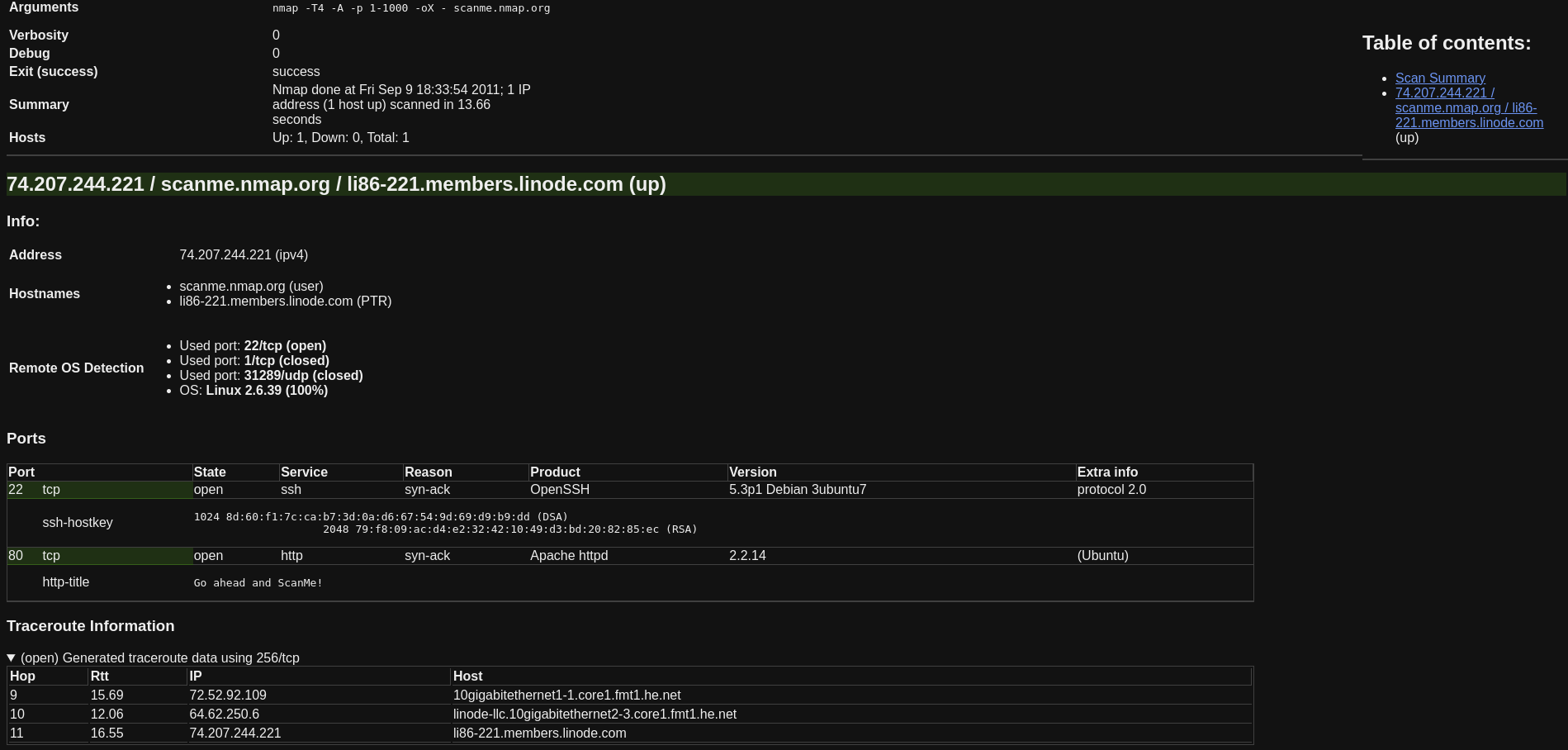
HTML:
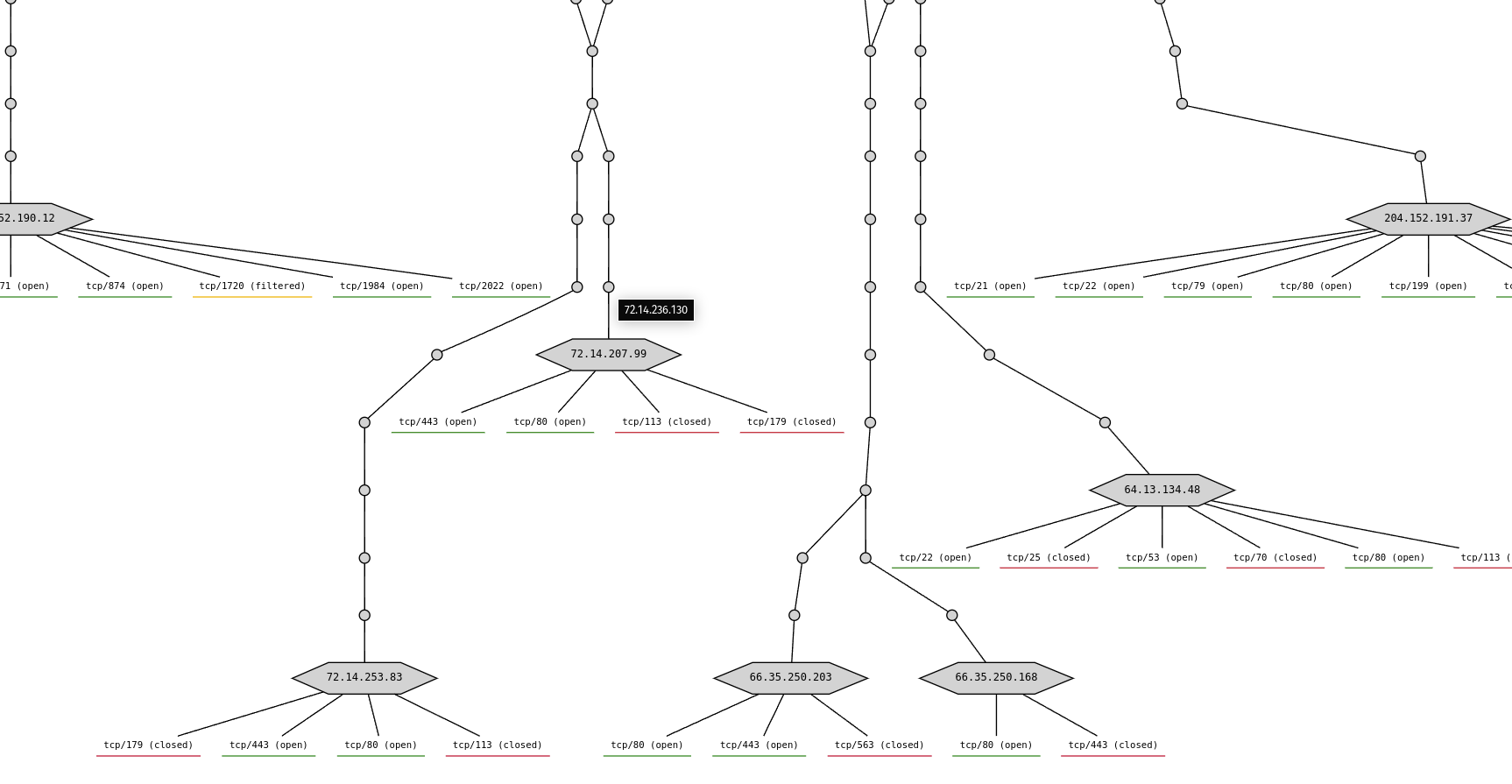
Graphviz:
一款允许您将 NMAP XML 输出转换为 excel/html/csv/json/markdown/dot/sqlite/d2 的工具。
## 安装
```
go install github.com/vdjagilev/nmap-formatter/v3@latest
cd nmap-formatter
go build
```
所有其他选项可以在[安装 Wiki 页面](https://github.com/vdjagilev/nmap-formatter/wiki/Installation)中找到。
## 用法
```
nmap-formatter [html|csv|md|json|dot|sqlite|excel|d2] [path-to-nmap.xml] [flags]
```
或者,您也可以从 `stdin` 读取文件并进行解析
```
cat some.xml | nmap-formatter json
```
将 XML 输出转换为更美观的 HTML
```
nmap-formatter html [path-to-nmap.xml] > some-file.html
```
或者 Markdown
```
nmap-formatter md [path-to-nmap.xml] > some-markdown.md
```
或者 Excel
```
nmap-formatter excel [path-to-nmap.xml]
```
或者 JSON
```
nmap-formatter json [path-to-nmap.xml]
# 这种方法也是可行的
cat nmap.xml | nmap-formatter json
```
或者 Graphviz (dot)
```
cat example.xml | nmap-formatter dot | dot -Tsvg > test.svg
# 用浏览器打开 test.svg
```
或者 SQLite
```
cat example.xml | nmap-formatter sqlite --sqlite-dsn nmap.sqlite
# 用任意数据库工具打开 nmap.sqlite
```
或者 D2 lang
```
cat example.xml | nmap-formatter d2 | d2 - example.png
# 将 nmap.xml 转换为 d2 语言,然后再转换为 png
```
更多示例可以在[用法 Wiki 页面](https://github.com/vdjagilev/nmap-formatter/wiki/Usage)中找到
### 标志
- `-f, --file [filename]` 将结果输出到文件(默认输出到 STDOUT)
- `--help` 显示帮助信息
- `--version` 显示版本(也可以使用:`./nmap-formatter version`)
- `--skip-down-hosts` 跳过宕机的主机(默认为 `true`)
还可以更改各种输出选项。更多示例请见[用法 Wiki 页面 - 标志](https://github.com/vdjagilev/nmap-formatter/wiki/Usage#flags-and-output-options)。
各种可用格式的截图请见[此处](https://github.com/vdjagilev/nmap-formatter/wiki/Examples)
## 作为库使用
关于如何在 Golang 项目中将此工具作为库使用的示例:[作为库使用 Wiki 页面](https://github.com/vdjagilev/nmap-formatter/wiki/Use-as-a-library)
标签:D2-lang, EVTX分析, Excel转换, Golang, Go语言, Graphviz, HTML生成, HTTP/HTTPS抓包, JSON解析, Markdown输出, NMAP, SEO, SQLite数据库, XML解析, 云存储安全, 伦理黑客工具, 内核监控, 安全编程, 开源安全工具, 态势感知, 插件系统, 数据格式转换, 数据统计, 日志审计, 程序破解, 端口扫描, 网络安全, 网络扫描, 资产可视化, 逆向工程平台, 隐私保护