tj-actions/changed-files
GitHub: tj-actions/changed-files
一款用于在 GitHub Actions 中精准检测文件变更并输出差异列表的自动化工具。
Stars: 2703 | Forks: 329
[](https://docs.github.com/en/actions/reference/workflow-syntax-for-github-actions#jobsjob_idruns-on)
[](https://docs.github.com/en/actions/reference/workflow-syntax-for-github-actions#jobsjob_idruns-on)
[](https://docs.github.com/en/actions/reference/workflow-syntax-for-github-actions#jobsjob_idruns-on)
[](https://github.com/search?o=desc\&q=tj-actions+changed-files+language%3AYAML\&s=\&type=Code)
[](https://app.codacy.com/gh/tj-actions/changed-files/dashboard?utm_source=gh\&utm_medium=referral\&utm_content=\&utm_campaign=Badge_grade)
[](https://github.com/tj-actions/changed-files/actions/workflows/test.yml)
## 变更文件
轻松追踪相对于目标分支、当前分支(前一次提交或最后一次远程提交)、多个分支或自定义提交的所有变更文件和目录,并使用此 GitHub action 返回项目根目录的**相对路径**。
## 目录
* [功能特性 🚀](#features-)
* [使用方法 💻](#usage-)
* [在 `pull_request` 中 🔀](#on-pull_request-)
* [使用本地 .git 目录 📁](#using-local-git-directory-)
* [使用 Github 的 API :octocat:](#using-githubs-api-octocat)
* [在 `push` 中 ⬆️](#on-push-️)
* [其他支持的事件 :electron:](#other-supported-events-electron)
* [输入参数 ⚙️](#inputs-️)
* [常用缩写 🧮](#useful-acronyms-)
* [输出参数 📤](#outputs-)
* [版本控制 🏷️](#versioning-️)
* [示例 📄](#examples-)
* [实际应用 🌐](#real-world-usage-)
* [开源项目 📦](#open-source-projects-)
* [扩展性示例 📈](#scalability-example-)
* [重要提示 ⚠️](#important-notice-️)
* [迁移指南 🔄](#migration-guide-)
* [致谢 👏](#credits-)
* [报告 Bug 🐛](#report-bugs-)
* [贡献者 ✨](#contributors-)
* [💼 也能自动化你的求职过程](#-automate-your-job-search-too)
## 功能特性 🚀
* 执行速度快,平均耗时 0-10 秒。
* 利用 [Github 的 REST API](https://docs.github.com/en/rest/reference/repos#list-commits) 或 [Git 原生 diff 命令](https://git-scm.com/docs/git-diff) 来确定变更文件。
* 便于调试。
* 可扩展以处理大型/单体仓库 (monorepo)。
* 支持 Git submodules。
* 支持 Pull Request 的 [merge queues](https://docs.github.com/en/repositories/configuring-branches-and-merges-in-your-repository/configuring-pull-request-merges/managing-a-merge-queue)。
* 生成转义的 [JSON 输出以便基于变更文件运行矩阵作业](https://github.com/tj-actions/changed-files/blob/main/.github/workflows/matrix-example.yml)。
* 列出变更的目录。
* 将匹配的变更目录限制在指定的最大深度内。
* 可选择排除当前目录。
* 将输出写入指定的 `.txt` 或 `.json` 文件以供进一步处理。
* 将已删除的文件恢复到其先前位置或指定的新位置。
* 支持获取固定数量的提交,从而提高性能。
* 兼容所有平台(Linux、MacOS、Windows)。
* 支持 [GitHub 托管的运行器](https://docs.github.com/en/actions/using-github-hosted-runners/about-github-hosted-runners)。
* 支持 [GitHub Enterprise Server](https://docs.github.com/en/enterprise-server@3.3/admin/github-actions/getting-started-with-github-actions-for-your-enterprise/getting-started-with-github-actions-for-github-enterprise-server)。
* 支持 [自托管运行器](https://docs.github.com/en/actions/hosting-your-own-runners/about-self-hosted-runners)。
* 列出所有发生变更的文件和目录:
* 位于当前 Pull Request 分支与目标分支最后一次提交之间。
* 位于最后一次提交与当前推送的更改之间。
* 位于最后一次远程分支提交与当前 HEAD 之间。
* 将变更检测限制在文件和目录的一个子集内:
* 提供布尔输出,指示特定文件是否发生更改。
* 使用 [Glob 模式](https://en.wikipedia.org/wiki/Glob_\(programming\)) 匹配。
* 支持 Globstar。
* 支持大括号扩展。
* 支持取反(排除)。
* 使用 [YAML](https://yaml.org/) 语法定义模式。
* 支持 [YAML 锚点 & 别名](https://github.com/tj-actions/changed-files/blob/main/test/changed-files.yml#L8-L12)。
* 支持 [YAML 多行字符串](https://github.com/tj-actions/changed-files/blob/main/test/changed-files.yml#L13-L16)。
以及更多功能...
## 使用方法 💻
请访问 [讨论区获取更多信息](https://github.com/tj-actions/changed-files/discussions) 或 [创建一个新的讨论](https://github.com/tj-actions/changed-files/discussions/new/choose) 以咨询用法相关的问题。
### 在 [`pull_request`](https://docs.github.com/en/actions/using-workflows/events-that-trigger-workflows#pull_request) 中 🔀
检测 Pull Request 中相对于目标分支或自上次推送提交以来所有文件的更改。
#### 使用本地 .git 目录 📁
```
name: CI
on:
pull_request:
branches:
- main
jobs:
# ------------------------------------------------------------------------------------------------------------------------------------------------
# Event `pull_request`: Compare the last commit of the main branch or last remote commit of the PR branch -> to the current commit of a PR branch.
# ------------------------------------------------------------------------------------------------------------------------------------------------
changed_files:
runs-on: ubuntu-latest # windows-latest || macos-latest
name: Test changed-files
steps:
- uses: actions/checkout@v4
# -----------------------------------------------------------------------------------------------------------
# Example 1
# -----------------------------------------------------------------------------------------------------------
- name: Get changed files
id: changed-files
uses: tj-actions/changed-files@22103cc46bda19c2b464ffe86db46df6922fd323 # v47.0.5
# To compare changes between the current commit and the last pushed remote commit set `since_last_remote_commit: true`. e.g
# with:
# since_last_remote_commit: true
- name: List all changed files
env:
ALL_CHANGED_FILES: ${{ steps.changed-files.outputs.all_changed_files }}
run: |
for file in ${ALL_CHANGED_FILES}; do
echo "$file was changed"
done
# -----------------------------------------------------------------------------------------------------------
# Example 2
# -----------------------------------------------------------------------------------------------------------
- name: Get all changed markdown files
id: changed-markdown-files
uses: tj-actions/changed-files@22103cc46bda19c2b464ffe86db46df6922fd323 # v47.0.5
with:
# Avoid using single or double quotes for multiline patterns
files: |
**.md
docs/**.md
- name: List all changed files markdown files
if: steps.changed-markdown-files.outputs.any_changed == 'true'
env:
ALL_CHANGED_FILES: ${{ steps.changed-markdown-files.outputs.all_changed_files }}
run: |
for file in ${ALL_CHANGED_FILES}; do
echo "$file was changed"
done
# -----------------------------------------------------------------------------------------------------------
# Example 3
# -----------------------------------------------------------------------------------------------------------
- name: Get all test, doc and src files that have changed
id: changed-files-yaml
uses: tj-actions/changed-files@22103cc46bda19c2b464ffe86db46df6922fd323 # v47.0.5
with:
files_yaml: |
doc:
- '**.md'
- docs/**
test:
- test/**
- '!test/**.md'
src:
- src/**
# Optionally set `files_yaml_from_source_file` to read the YAML from a file. e.g `files_yaml_from_source_file: .github/changed-files.yml`
- name: Run step if test file(s) change
# NOTE: Ensure all outputs are prefixed by the same key used above e.g. `test_(...)` | `doc_(...)` | `src_(...)` when trying to access the `any_changed` output.
if: steps.changed-files-yaml.outputs.test_any_changed == 'true'
env:
TEST_ALL_CHANGED_FILES: ${{ steps.changed-files-yaml.outputs.test_all_changed_files }}
run: |
echo "One or more test file(s) has changed."
echo "List all the files that have changed: $TEST_ALL_CHANGED_FILES"
- name: Run step if doc file(s) change
if: steps.changed-files-yaml.outputs.doc_any_changed == 'true'
env:
DOC_ALL_CHANGED_FILES: ${{ steps.changed-files-yaml.outputs.doc_all_changed_files }}
run: |
echo "One or more doc file(s) has changed."
echo "List all the files that have changed: $DOC_ALL_CHANGED_FILES"
# -----------------------------------------------------------------------------------------------------------
# Example 4
# -----------------------------------------------------------------------------------------------------------
- name: Get changed files in the docs folder
id: changed-files-specific
uses: tj-actions/changed-files@22103cc46bda19c2b464ffe86db46df6922fd323 # v47.0.5
with:
files: docs/*.{js,html} # Alternatively using: `docs/**`
files_ignore: docs/static.js
- name: Run step if any file(s) in the docs folder change
if: steps.changed-files-specific.outputs.any_changed == 'true'
env:
ALL_CHANGED_FILES: ${{ steps.changed-files-specific.outputs.all_changed_files }}
run: |
echo "One or more files in the docs folder has changed."
echo "List all the files that have changed: $ALL_CHANGED_FILES"
```
#### 使用 Github 的 API :octocat:
```
name: CI
on:
pull_request:
branches:
- main
jobs:
# -------------------------------------------------------------
# Event `pull_request`: Returns all changed pull request files.
# --------------------------------------------------------------
changed_files:
# NOTE:
# - This is limited to pull_request* events and would raise an error for other events.
# - A maximum of 3000 files can be returned.
# - For more flexibility and no limitations see "Using local .git directory" above.
runs-on: ubuntu-latest # windows-latest || macos-latest
name: Test changed-files
permissions:
pull-requests: read
steps:
- name: Get changed files
id: changed-files
uses: tj-actions/changed-files@22103cc46bda19c2b464ffe86db46df6922fd323 # v47.0.5
- name: List all changed files
env:
ALL_CHANGED_FILES: ${{ steps.changed-files.outputs.all_changed_files }}
run: |
for file in ${ALL_CHANGED_FILES}; do
echo "$file was changed"
done
```
### 在 [`push`](https://docs.github.com/en/actions/using-workflows/events-that-trigger-workflows#push) 中 ⬆️
检测自上次推送提交以来对文件所做的更改。
```
name: CI
on:
push:
branches:
- main
jobs:
# -------------------------------------------------------------
# Using GitHub's API is not supported for push events
# -------------------------------------------------------------
#
# ----------------------------------------------------------------------------------------------
# Using local .git history
# ----------------------------------------------------------------------------------------------
# Event `push`: Compare the preceding remote commit -> to the current commit of the main branch
# ----------------------------------------------------------------------------------------------
changed_files:
runs-on: ubuntu-latest # windows-latest || macos-latest
name: Test changed-files
steps:
- uses: actions/checkout@v4
with:
fetch-depth: 0 # OR "2" -> To retrieve the preceding commit.
- name: Get changed files
id: changed-files
uses: tj-actions/changed-files@22103cc46bda19c2b464ffe86db46df6922fd323 # v47.0.5
# NOTE: `since_last_remote_commit: true` is implied by default and falls back to the previous local commit.
- name: List all changed files
env:
ALL_CHANGED_FILES: ${{ steps.changed-files.outputs.all_changed_files }}
run: |
for file in ${ALL_CHANGED_FILES}; do
echo "$file was changed"
done
...
```
### 其他支持的事件 :electron:
* [schedule](https://docs.github.com/en/actions/using-workflows/events-that-trigger-workflows#schedule)
* [release](https://docs.github.com/en/actions/using-workflows/events-that-trigger-workflows#release)
* [workflow\_dispatch](https://docs.github.com/en/actions/using-workflows/events-that-trigger-workflows#workflow_dispatch)
* [workflow\_run](https://docs.github.com/en/actions/using-workflows/events-that-trigger-workflows#workflow_run)
* [merge\_group](https://docs.github.com/en/actions/using-workflows/events-that-trigger-workflows#merge_group)
* [issue\_comment](https://docs.github.com/en/actions/using-workflows/events-that-trigger-workflows#issue_comment)
* ...以及更多
要访问更多示例,请跳转至 [示例](#examples-) 部分。
## 输入参数 ⚙️
```
- uses: tj-actions/changed-files@22103cc46bda19c2b464ffe86db46df6922fd323 # v47.0.5
id: changed-files
with:
# Github API URL.
# Type: string
# Default: "${{ github.api_url }}"
api_url: ''
# Specify a different base commit
# SHA or branch used for
# comparing changes
# Type: string
base_sha: ''
# Exclude changes outside the current
# directory and show path names
# relative to it. NOTE: This
# requires you to specify the
# top-level directory via the `path`
# input.
# Type: boolean
# Default: "true"
diff_relative: ''
# Output unique changed directories instead
# of filenames. NOTE: This returns
# `.` for changed files located
# in the current working directory
# which defaults to `$GITHUB_WORKSPACE`.
# Type: boolean
# Default: "false"
dir_names: ''
# Include only directories that have
# been deleted as opposed to
# directory names of files that
# have been deleted in the
# `deleted_files` output when `dir_names` is
# set to `true`.
# Type: boolean
# Default: "false"
dir_names_deleted_files_include_only_deleted_dirs: ''
# Exclude the current directory represented
# by `.` from the output
# when `dir_names` is set to
# `true`.
# Type: boolean
# Default: "false"
dir_names_exclude_current_dir: ''
# File and directory patterns to
# include in the output when
# `dir_names` is set to `true`.
# NOTE: This returns only the
# matching files and also the
# directory names.
# Type: string
dir_names_include_files: ''
# Separator used to split the
# `dir_names_include_files` input
# Type: string
# Default: "\n"
dir_names_include_files_separator: ''
# Limit the directory output to
# a maximum depth e.g `test/test1/test2`
# with max depth of `2`
# returns `test/test1`.
# Type: string
dir_names_max_depth: ''
# Escape JSON output.
# Type: boolean
# Default: "true"
escape_json: ''
# Exclude changes to submodules.
# Type: boolean
# Default: "false"
exclude_submodules: ''
# Exclude symlinks from changed files.
# Type: boolean
# Default: "false"
exclude_symlinks: ''
# Fail when the initial diff
# fails.
# Type: boolean
# Default: "false"
fail_on_initial_diff_error: ''
# Fail when the submodule diff
# fails.
# Type: boolean
# Default: "false"
fail_on_submodule_diff_error: ''
# Fetch additional history for submodules.
# Type: boolean
# Default: "false"
fetch_additional_submodule_history: ''
# Depth of additional branch history
# fetched. NOTE: This can be
# adjusted to resolve errors with
# insufficient history.
# Type: string
# Default: "25"
fetch_depth: ''
# Maximum number of retries to
# fetch missing history.
# Type: string
# Default: "20"
fetch_missing_history_max_retries: ''
# File and directory patterns used
# to detect changes (Defaults to the entire repo if unset). NOTE:
# Multiline file/directory patterns should not
# include quotes.
# Type: string
files: ''
# Source file(s) used to populate
# the `files` input.
# Type: string
files_from_source_file: ''
# Separator used to split the
# `files_from_source_file` input.
# Type: string
# Default: "\n"
files_from_source_file_separator: ''
# Ignore changes to these file(s).
# NOTE: Multiline file/directory patterns should
# not include quotes.
# Type: string
files_ignore: ''
# Source file(s) used to populate
# the `files_ignore` input
# Type: string
files_ignore_from_source_file: ''
# Separator used to split the
# `files_ignore_from_source_file` input
# Type: string
# Default: "\n"
files_ignore_from_source_file_separator: ''
# Separator used to split the
# `files_ignore` input
# Type: string
# Default: "\n"
files_ignore_separator: ''
# YAML used to define a
# set of file patterns to
# ignore changes
# Type: string
files_ignore_yaml: ''
# Source file(s) used to populate
# the `files_ignore_yaml` input. Example: https://github.com/tj-actions/changed-files/blob/main/test/changed-files.yml
# Type: string
files_ignore_yaml_from_source_file: ''
# Separator used to split the
# `files_ignore_yaml_from_source_file` input
# Type: string
# Default: "\n"
files_ignore_yaml_from_source_file_separator: ''
# Separator used to split the
# `files` input
# Type: string
# Default: "\n"
files_separator: ''
# YAML used to define a
# set of file patterns to
# detect changes
# Type: string
files_yaml: ''
# Source file(s) used to populate
# the `files_yaml` input. Example: https://github.com/tj-actions/changed-files/blob/main/test/changed-files.yml
# Type: string
files_yaml_from_source_file: ''
# Separator used to split the
# `files_yaml_from_source_file` input
# Type: string
# Default: "\n"
files_yaml_from_source_file_separator: ''
# Include `all_old_new_renamed_files` output. Note this
# can generate a large output
# See: #501.
# Type: boolean
# Default: "false"
include_all_old_new_renamed_files: ''
# Output list of changed files
# in a JSON formatted string
# which can be used for
# matrix jobs. Example: https://github.com/tj-actions/changed-files/blob/main/.github/workflows/matrix-example.yml
# Type: boolean
# Default: "false"
json: ''
# Output changed files in a
# format that can be used
# for matrix jobs. Alias for
# setting inputs `json` to `true`
# and `escape_json` to `false`.
# Type: boolean
# Default: "false"
matrix: ''
# Apply the negation patterns first.
# NOTE: This affects how changed
# files are matched.
# Type: boolean
# Default: "false"
negation_patterns_first: ''
# Split character for old and
# new renamed filename pairs.
# Type: string
# Default: " "
old_new_files_separator: ''
# Split character for old and
# new filename pairs.
# Type: string
# Default: ","
old_new_separator: ''
# Directory to store output files.
# Type: string
# Default: ".github/outputs"
output_dir: ''
# Output renamed files as deleted
# and added files.
# Type: boolean
# Default: "false"
output_renamed_files_as_deleted_and_added: ''
# Specify a relative path under
# `$GITHUB_WORKSPACE` to locate the repository.
# Type: string
# Default: "."
path: ''
# Use non-ASCII characters to match
# files and output the filenames
# completely verbatim by setting this
# to `false`
# Type: boolean
# Default: "true"
quotepath: ''
# Recover deleted files.
# Type: boolean
# Default: "false"
recover_deleted_files: ''
# Recover deleted files to a
# new destination directory, defaults to
# the original location.
# Type: string
recover_deleted_files_to_destination: ''
# File and directory patterns used
# to recover deleted files, defaults
# to the patterns provided via
# the `files`, `files_from_source_file`, `files_ignore` and
# `files_ignore_from_source_file` inputs or all deleted
# files if no patterns are
# provided.
# Type: string
recover_files: ''
# File and directory patterns to
# ignore when recovering deleted files.
# Type: string
recover_files_ignore: ''
# Separator used to split the
# `recover_files_ignore` input
# Type: string
# Default: "\n"
recover_files_ignore_separator: ''
# Separator used to split the
# `recover_files` input
# Type: string
# Default: "\n"
recover_files_separator: ''
# Apply sanitization to output filenames
# before being set as output.
# Type: boolean
# Default: "true"
safe_output: ''
# Split character for output strings.
# Type: string
# Default: " "
separator: ''
# Specify a different commit SHA
# or branch used for comparing
# changes
# Type: string
sha: ''
# Get changed files for commits
# whose timestamp is older than
# the given time.
# Type: string
since: ''
# Use the last commit on
# the remote branch as the
# `base_sha`. Defaults to the last
# non-merge commit on the target
# branch for pull request events
# and the previous remote commit
# of the current branch for
# push events.
# Type: boolean
# Default: "false"
since_last_remote_commit: ''
# Skip initially fetching additional history
# to improve performance for shallow
# repositories. NOTE: This could lead
# to errors with missing history.
# It's intended to be used
# when you've fetched all necessary
# history to perform the diff.
# Type: boolean
# Default: "false"
skip_initial_fetch: ''
# Do not fail when base
# and head SHAs are identical.
# Type: boolean
# Default: "false"
skip_same_sha: ''
# Tags pattern to ignore.
# Type: string
tags_ignore_pattern: ''
# Tags pattern to include.
# Type: string
# Default: "*"
tags_pattern: ''
# GitHub token used to fetch
# changed files from Github's API.
# Type: string
# Default: "${{ github.token }}"
token: ''
# Get changed files for commits
# whose timestamp is earlier than
# the given time.
# Type: string
until: ''
# Use POSIX path separator `/`
# for output file paths on
# Windows.
# Type: boolean
# Default: "false"
use_posix_path_separator: ''
# Force the use of Github's
# REST API even when a
# local copy of the repository
# exists
# Type: boolean
# Default: "false"
use_rest_api: ''
# Write outputs to the `output_dir`
# defaults to `.github/outputs` folder. NOTE:
# This creates a `.txt` file
# by default and a `.json`
# file if `json` is set
# to `true`.
# Type: boolean
# Default: "false"
write_output_files: ''
```
## 常用缩写 🧮
| 缩写 | 含义 |
|:---------:|:------------:|
| A | 新增 |
| C | 复制 |
| M | 修改 |
| D | 删除 |
| R | 重命名 |
| T | 类型更改 |
| U | 未合并 |
| X | 未知 |
## 输出参数 📤
| 输出 | 类型 | 描述 |
|------------------------------------------------------------------------------------------------------------------------------------------------|--------|-------------------------------------------------------------------------------------------------------------------------------------------------------------------------------------------------------------------------------------------------------------------------------------------------------------------------|
| [added\_files](#output_added_files) | string | 仅返回被
新增 (A) 的文件。 | | [added\_files\_count](#output_added_files_count) | string | 返回 `added_files` 的数量 | | [all\_changed\_and\_modified\_files](#output_all_changed_and_modified_files) | string | 返回所有更改和修改的
文件,即
(ACMRDTUX) 的组合 | | [all\_changed\_and\_modified\_files\_count](#output_all_changed_and_modified_files_count) | string | 返回 `all_changed_and_modified_files` 的数量 | | [all\_changed\_files](#output_all_changed_files) | string | 返回所有已更改的文件,即
所有新增、
复制、修改和重命名文件的组合
(ACMR) | | [all\_changed\_files\_count](#output_all_changed_files_count) | string | 返回 `all_changed_files` 的数量 | | [all\_modified\_files](#output_all_modified_files) | string | 返回所有已更改的文件,即
所有新增、
复制、修改、重命名和删除
文件的组合 (ACMRD)。 | | [all\_modified\_files\_count](#output_all_modified_files_count) | string | 返回 `all_modified_files` 的数量 | | [all\_old\_new\_renamed\_files](#output_all_old_new_renamed_files) | string | 仅返回被
重命名的文件,并列出其旧
名和新名。**注意:** 这
需要将 `include_all_old_new_renamed_files` 设置为 `true`。
另外,请记住
此输出是全局的,
不会嵌套在使用 `*_yaml_*` 输入
时生成的输出中。(R) | | [all\_old\_new\_renamed\_files\_count](#output_all_old_new_renamed_files_count) | string | 返回 `all_old_new_renamed_files` 的数量 | | [any\_added](#output_any_added) | string | 当使用 `files*` 或 `files_ignore*` 输入提供的任何
文件名被添加时返回 `true`。 | | [any\_changed](#output_any_changed) | string | 当使用 `files*` 或 `files_ignore*` 输入提供的任何
文件名发生更改时返回 `true`。如果
未指定模式,则默认为 `true`。即 *包含所有新增、复制、修改和重命名文件的组合 (ACMR)*。 | | [any\_deleted](#output_any_deleted) | string | 当使用 `files*` 或 `files_ignore*` 输入提供的任何
文件名被删除时返回 `true`。
如果未指定模式,
则默认为 `true`。(D) | | [any\_modified](#output_any_modified) | string | 当使用 `files*` 或 `files_ignore*` 输入提供的任何
文件名被修改时返回 `true`。
如果未指定模式,
则默认为 `true`。即
*包含所有新增、复制、修改、重命名和删除文件的组合 (ACMRD)*。 | | [changed\_keys](#output_changed_keys) | string | 当使用 `files_yaml` 输入时,
返回所有已更改的 YAML 键。
即包含任何已被添加、复制、修改
和重命名的路径的键 (ACMR) | | [copied\_files](#output_copied_files) | string | 仅返回被
复制 (C) 的文件。 | | [copied\_files\_count](#output_copied_files_count) | string | 返回 `copied_files` 的数量 | | [deleted\_files](#output_deleted_files) | string | 仅返回被
删除 (D) 的文件。 | | [deleted\_files\_count](#output_deleted_files_count) | string | 返回 `deleted_files` 的数量 | | [modified\_files](#output_modified_files) | string | 仅返回被
修改 (M) 的文件。 | | [modified\_files\_count](#output_modified_files_count) | string | 返回 `modified_files` 的数量 | | [modified\_keys](#output_modified_keys) | string | 当使用 `files_yaml` 输入时,
返回所有已修改的 YAML 键。
即包含任何已被添加、复制、修改
和删除的路径的键 (ACMRD) | | [only\_changed](#output_only_changed) | string | 当仅使用 `files*` 或 `files_ignore*` 输入提供的
文件发生更改时返回 `true`。即 *包含所有新增、复制、修改重命名文件的组合 (ACMR)*。 | | [only\_deleted](#output_only_deleted) | string | 当仅使用 `files*` 或 `files_ignore*` 输入提供的
文件被删除时返回 `true`。(D) | | [only\_modified](#output_only_modified) | string | 当仅使用 `files*` 或 `files_ignore*` 输入提供的
文件被修改时返回 `true`。(ACMRD)。 | | [other\_changed\_files](#output_other_changed_files) | string | 返回所有未在 files
输入中列出的其他已更改文件,
即包含所有新增、复制、修改
和重命名文件的组合 (ACMR)。 | | [other\_changed\_files\_count](#output_other_changed_files_count) | string | 返回 `other_changed_files` 的数量 | | [other\_deleted\_files](#output_other_deleted_files) | string | 返回所有未在 files
输入中列出的其他已删除文件,
即所有已删除文件的组合
(D) | | [other\_deleted\_files\_count](#output_other_deleted_files_count) | string | 返回 `other_deleted_files` 的数量 | | [other\_modified\_files](#output_other_modified_files) | string | 返回所有未在 files
输入中列出的其他已修改文件,
即所有新增、复制、修改和
删除文件的组合 (ACMRD) | | [other\_modified\_files\_count](#output_other_modified_files_count) | string | 返回 `other_modified_files` 的数量 | | [renamed\_files](#output_renamed_files) | string | 仅返回被
重命名 (R) 的文件。 | | [renamed\_files\_count](#output_renamed_files_count) | string | 返回 `renamed_files` 的数量 | | [type\_changed\_files](#output_type_changed_files) | string | 仅返回文件类型
发生更改的文件 (T)。 | | [type\_changed\_files\_count](#output_type_changed_files_count) | string | 返回 `type_changed_files` 的数量 | | [unknown\_files](#output_unknown_files) | string | 仅返回
未知 (X) 的文件。 | | [unknown\_files\_count](#output_unknown_files_count) | string | 返回 `unknown_files` 的数量 | | [unmerged\_files](#output_unmerged_files) | string | 仅返回
未合并 (U) 的文件。 | | [unmerged\_files\_count](#output_unmerged_files_count) | string | 返回 `unmerged_files` 的数量 | ## 版本控制 🏷️ 此 GitHub Action 遵循 [语义化版本控制](https://semver.org) 的原则进行版本发布。 版本字符串的格式如下: * major(主版本号):表示重大更改或不向后兼容的新功能。 * minor(次版本号):表示向后兼容的微小更改或新功能。 * patch(修订号):表示向后兼容的 Bug 修复或其他微小更改。 ## 示例 📄
## 实际应用 🌐
### 开源项目 📦
* [vitejs/vite: 使用 tj-actions/changed-files 自动化测试](https://github.com/vitejs/vite/blob/8da04227d6f818a8ad9efc0056101968037c2e36/.github/workflows/ci.yml#L61)
* [qgis/QGIS: 使用 tj-actions/changed-files 自动化拼写检查](https://github.com/qgis/QGIS/blob/a5333497e90ac9de4ca70463d8e0b64c3f294d63/.github/workflows/code_layout.yml#L147)
* [tldr-pages/tldr: 使用 tj-actions/changed-files 自动检测拼写错误](https://github.com/tldr-pages/tldr/blob/c1b714c55cb0048037b79a681a10d7f3ddb0164c/.github/workflows/codespell.yml#L18-L26)
* [nodejs/docker-node: 使用 tj-actions/changed-files 根据检测到的更改生成矩阵作业](https://github.com/nodejs/docker-node/blob/3c4fa6daf06a4786d202f2f610351837806a0380/.github/workflows/build-test.yml#L29)
* [aws-doc-sdk-examples: 使用 tj-actions/changed-files 自动化测试](https://github.com/awsdocs/aws-doc-sdk-examples/blob/2393723ef6b0cad9502f4852f5c72f7be58ca89d/.github/workflows/javascript.yml#L22)
* [nhost: 使用 tj-actions/changed-files 根据检测到的更改自动化测试](https://github.com/nhost/nhost/blob/71a8ce444618a8ac4d660518172fba4883c4014b/.github/workflows/ci.yaml#L44-L48)
* [qmk\_firmware 使用 tj-actions/changed-files 运行 linters](https://github.com/qmk/qmk_firmware/blob/7a737235ffd49c32d2c5561e8fe53fd96baa7f96/.github/workflows/lint.yml#L30)
* [argo-cd 使用 tj-actions/changed-files 检测更改的前端或后端文件](https://github.com/argoproj/argo-cd/blob/5bc1850aa1d26301043be9f2fb825d88c80c111c/.github/workflows/ci-build.yaml#L33)
* [argo-workflows 使用 tj-actions/changed-files 根据检测到的更改运行特定作业](https://github.com/argoproj/argo-workflows/blob/baef4856ff2603c76dbe277c825eaa3f9788fc91/.github/workflows/ci-build.yaml#L34)
以及更多...
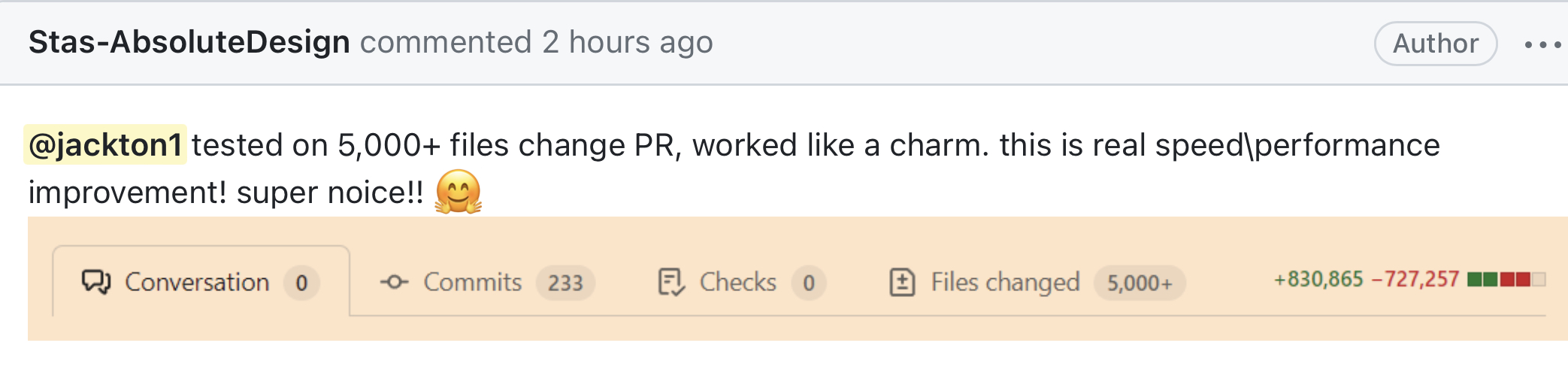
### 扩展性示例 📈
## 重要提示 ⚠️
## 迁移指南 🔄
随着 [v13](https://github.com/tj-actions/changed-files/releases/tag/v13) 引入了从使用 grep 的扩展正则表达式匹配文件切换到原生支持的 workflow glob 模式匹配语法,您需要修改用于匹配 `files` 的模式。
```
...
- name: Get specific changed files
id: changed-files-specific
uses: tj-actions/changed-files@v24
with:
files: |
- \.sh$
- .(sql|py)$
- ^(dir1|dir2)
+ **/*.{sh,sql,py}
+ {dir1,dir2}/**
```
* 免费软件:[MIT 许可证](LICENSE)
## 致谢 👏
此软件包是使用 [cookiecutter-action](https://github.com/tj-actions/cookiecutter-action) 创建的。
* [tj-actions/auto-doc](https://github.com/tj-actions/auto-doc)
* [tj-actions/verify-changed-files](https://github.com/tj-actions/verify-changed-files)
* [tj-actions/demo](https://github.com/tj-actions/demo)
* [tj-actions/demo2](https://github.com/tj-actions/demo2)
* [tj-actions/demo3](https://github.com/tj-actions/demo3)
* [tj-actions/release-tagger](https://github.com/tj-actions/release-tagger)
## 报告 Bug 🐛
请在 https://github.com/tj-actions/changed-files/issues 报告 Bug。
如果您要报告 Bug,请包括:
* 您的操作系统名称和版本。
* 所有可能有助于故障排除的 workflow 基本详情。(**注意**:确保包含启用了调试功能的完整日志输出)
* 重现 Bug 的详细步骤。
## 贡献者 ✨
感谢这些出色的人([表情符号键](https://allcontributors.org/docs/en/emoji-key)):
新增 (A) 的文件。 | | [added\_files\_count](#output_added_files_count) | string | 返回 `added_files` 的数量 | | [all\_changed\_and\_modified\_files](#output_all_changed_and_modified_files) | string | 返回所有更改和修改的
文件,即
(ACMRDTUX) 的组合 | | [all\_changed\_and\_modified\_files\_count](#output_all_changed_and_modified_files_count) | string | 返回 `all_changed_and_modified_files` 的数量 | | [all\_changed\_files](#output_all_changed_files) | string | 返回所有已更改的文件,即
所有新增、
复制、修改和重命名文件的组合
(ACMR) | | [all\_changed\_files\_count](#output_all_changed_files_count) | string | 返回 `all_changed_files` 的数量 | | [all\_modified\_files](#output_all_modified_files) | string | 返回所有已更改的文件,即
所有新增、
复制、修改、重命名和删除
文件的组合 (ACMRD)。 | | [all\_modified\_files\_count](#output_all_modified_files_count) | string | 返回 `all_modified_files` 的数量 | | [all\_old\_new\_renamed\_files](#output_all_old_new_renamed_files) | string | 仅返回被
重命名的文件,并列出其旧
名和新名。**注意:** 这
需要将 `include_all_old_new_renamed_files` 设置为 `true`。
另外,请记住
此输出是全局的,
不会嵌套在使用 `*_yaml_*` 输入
时生成的输出中。(R) | | [all\_old\_new\_renamed\_files\_count](#output_all_old_new_renamed_files_count) | string | 返回 `all_old_new_renamed_files` 的数量 | | [any\_added](#output_any_added) | string | 当使用 `files*` 或 `files_ignore*` 输入提供的任何
文件名被添加时返回 `true`。 | | [any\_changed](#output_any_changed) | string | 当使用 `files*` 或 `files_ignore*` 输入提供的任何
文件名发生更改时返回 `true`。如果
未指定模式,则默认为 `true`。即 *包含所有新增、复制、修改和重命名文件的组合 (ACMR)*。 | | [any\_deleted](#output_any_deleted) | string | 当使用 `files*` 或 `files_ignore*` 输入提供的任何
文件名被删除时返回 `true`。
如果未指定模式,
则默认为 `true`。(D) | | [any\_modified](#output_any_modified) | string | 当使用 `files*` 或 `files_ignore*` 输入提供的任何
文件名被修改时返回 `true`。
如果未指定模式,
则默认为 `true`。即
*包含所有新增、复制、修改、重命名和删除文件的组合 (ACMRD)*。 | | [changed\_keys](#output_changed_keys) | string | 当使用 `files_yaml` 输入时,
返回所有已更改的 YAML 键。
即包含任何已被添加、复制、修改
和重命名的路径的键 (ACMR) | | [copied\_files](#output_copied_files) | string | 仅返回被
复制 (C) 的文件。 | | [copied\_files\_count](#output_copied_files_count) | string | 返回 `copied_files` 的数量 | | [deleted\_files](#output_deleted_files) | string | 仅返回被
删除 (D) 的文件。 | | [deleted\_files\_count](#output_deleted_files_count) | string | 返回 `deleted_files` 的数量 | | [modified\_files](#output_modified_files) | string | 仅返回被
修改 (M) 的文件。 | | [modified\_files\_count](#output_modified_files_count) | string | 返回 `modified_files` 的数量 | | [modified\_keys](#output_modified_keys) | string | 当使用 `files_yaml` 输入时,
返回所有已修改的 YAML 键。
即包含任何已被添加、复制、修改
和删除的路径的键 (ACMRD) | | [only\_changed](#output_only_changed) | string | 当仅使用 `files*` 或 `files_ignore*` 输入提供的
文件发生更改时返回 `true`。即 *包含所有新增、复制、修改重命名文件的组合 (ACMR)*。 | | [only\_deleted](#output_only_deleted) | string | 当仅使用 `files*` 或 `files_ignore*` 输入提供的
文件被删除时返回 `true`。(D) | | [only\_modified](#output_only_modified) | string | 当仅使用 `files*` 或 `files_ignore*` 输入提供的
文件被修改时返回 `true`。(ACMRD)。 | | [other\_changed\_files](#output_other_changed_files) | string | 返回所有未在 files
输入中列出的其他已更改文件,
即包含所有新增、复制、修改
和重命名文件的组合 (ACMR)。 | | [other\_changed\_files\_count](#output_other_changed_files_count) | string | 返回 `other_changed_files` 的数量 | | [other\_deleted\_files](#output_other_deleted_files) | string | 返回所有未在 files
输入中列出的其他已删除文件,
即所有已删除文件的组合
(D) | | [other\_deleted\_files\_count](#output_other_deleted_files_count) | string | 返回 `other_deleted_files` 的数量 | | [other\_modified\_files](#output_other_modified_files) | string | 返回所有未在 files
输入中列出的其他已修改文件,
即所有新增、复制、修改和
删除文件的组合 (ACMRD) | | [other\_modified\_files\_count](#output_other_modified_files_count) | string | 返回 `other_modified_files` 的数量 | | [renamed\_files](#output_renamed_files) | string | 仅返回被
重命名 (R) 的文件。 | | [renamed\_files\_count](#output_renamed_files_count) | string | 返回 `renamed_files` 的数量 | | [type\_changed\_files](#output_type_changed_files) | string | 仅返回文件类型
发生更改的文件 (T)。 | | [type\_changed\_files\_count](#output_type_changed_files_count) | string | 返回 `type_changed_files` 的数量 | | [unknown\_files](#output_unknown_files) | string | 仅返回
未知 (X) 的文件。 | | [unknown\_files\_count](#output_unknown_files_count) | string | 返回 `unknown_files` 的数量 | | [unmerged\_files](#output_unmerged_files) | string | 仅返回
未合并 (U) 的文件。 | | [unmerged\_files\_count](#output_unmerged_files_count) | string | 返回 `unmerged_files` 的数量 | ## 版本控制 🏷️ 此 GitHub Action 遵循 [语义化版本控制](https://semver.org) 的原则进行版本发布。 版本字符串的格式如下: * major(主版本号):表示重大更改或不向后兼容的新功能。 * minor(次版本号):表示向后兼容的微小更改或新功能。 * patch(修订号):表示向后兼容的 Bug 修复或其他微小更改。 ## 示例 📄
获取当前分支中的所有已更改文件
``` ... - name: Get changed files id: changed-files uses: tj-actions/changed-files@22103cc46bda19c2b464ffe86db46df6922fd323 # v47.0.5 ... ```获取所有已更改文件且不转义不安全的文件名字符
``` ... - name: Get changed files id: changed-files uses: tj-actions/changed-files@22103cc46bda19c2b464ffe86db46df6922fd323 # v47.0.5 with: safe_output: false # set to false because we are using an environment variable to store the output and avoid command injection. - name: List all added files env: ADDED_FILES: ${{ steps.changed-files.outputs.added_files }} run: | for file in ${ADDED_FILES}; do echo "$file was added" done ... ```获取所有已更改文件并使用逗号分隔符
``` ... - name: Get all changed files and use a comma separator in the output id: changed-files uses: tj-actions/changed-files@22103cc46bda19c2b464ffe86db46df6922fd323 # v47.0.5 with: separator: "," ... ``` 更多信息请参阅 [输入参数](#inputs)。获取所有已更改文件并列出所有新增文件
``` ... - name: Get changed files id: changed-files uses: tj-actions/changed-files@22103cc46bda19c2b464ffe86db46df6922fd323 # v47.0.5 - name: List all added files env: ADDED_FILES: ${{ steps.changed-files.outputs.added_files }} run: | for file in ${ADDED_FILES}; do echo "$file was added" done ... ``` 有关所有可用输出的列表,请参阅 [输出参数](#outputs)。获取所有已更改文件,如果文件被修改则可选运行一个步骤
``` ... - name: Get changed files id: changed-files uses: tj-actions/changed-files@22103cc46bda19c2b464ffe86db46df6922fd323 # v47.0.5 - name: Run a step if my-file.txt was modified if: contains(steps.changed-files.outputs.modified_files, 'my-file.txt') run: | echo "my-file.txt file has been modified." ... ``` 有关所有可用输出的列表,请参阅 [输出参数](#outputs)。获取所有已更改文件并将输出写入 txt 文件
``` ... - name: Get changed files and write the outputs to a Txt file id: changed-files-write-output-files-txt uses: tj-actions/changed-files@22103cc46bda19c2b464ffe86db46df6922fd323 # v47.0.5 with: write_output_files: true - name: Verify the contents of the .github/outputs/added_files.txt file run: | cat .github/outputs/added_files.txt ... ```获取所有已更改文件并将输出写入 json 文件
``` ... - name: Get changed files and write the outputs to a JSON file id: changed-files-write-output-files-json uses: tj-actions/changed-files@22103cc46bda19c2b464ffe86db46df6922fd323 # v47.0.5 with: json: true write_output_files: true - name: Verify the contents of the .github/outputs/added_files.json file run: | cat .github/outputs/added_files.json ... ```使用文件列表获取所有已更改文件
``` ... - name: Get changed files id: changed-files uses: tj-actions/changed-files@22103cc46bda19c2b464ffe86db46df6922fd323 # v47.0.5 with: files: | my-file.txt *.sh *.png !*.md test_directory/** **/*.sql ... ``` 更多信息请参阅 [输入参数](#inputs)。使用文件列表获取所有已更改文件并根据更改采取操作
``` ... - name: Get changed files id: changed-files-specific uses: tj-actions/changed-files@22103cc46bda19c2b464ffe86db46df6922fd323 # v47.0.5 with: files: | my-file.txt *.sh *.png !*.md test_directory/** **/*.sql - name: Run step if any of the listed files above change if: steps.changed-files-specific.outputs.any_changed == 'true' run: | echo "One or more files listed above has changed." - name: Run step if only the files listed above change if: steps.changed-files-specific.outputs.only_changed == 'true' run: | echo "Only files listed above have changed." - name: Run step if any of the listed files above is deleted if: steps.changed-files-specific.outputs.any_deleted == 'true' env: DELETED_FILES: ${{ steps.changed-files-specific.outputs.deleted_files }} run: | for file in ${DELETED_FILES}; do echo "$file was deleted" done - name: Run step if all listed files above have been deleted if: steps.changed-files-specific.outputs.only_deleted == 'true' env: DELETED_FILES: ${{ steps.changed-files-specific.outputs.deleted_files }} run: | for file in ${DELETED_FILES}; do echo "$file was deleted" done ... ``` 有关所有可用输出的列表,请参阅 [输出参数](#outputs)。使用源文件或文件列表填充到 files 输入来获取所有已更改文件
``` ... - name: Get changed files using a source file or list of file(s) to populate to files input. id: changed-files-specific-source-file uses: tj-actions/changed-files@22103cc46bda19c2b464ffe86db46df6922fd323 # v47.0.5 with: files_from_source_file: test/changed-files-list.txt ... ``` 更多信息请参阅 [输入参数](#inputs)。使用源文件或文件列表填充到 files 输入来获取已更改文件,并可选择指定更多文件
``` ... - name: Get changed files using a source file or list of file(s) to populate to files input and optionally specify more files. id: changed-files-specific-source-file-and-specify-files uses: tj-actions/changed-files@22103cc46bda19c2b464ffe86db46df6922fd323 # v47.0.5 with: files_from_source_file: | test/changed-files-list.txt files: | test.txt ... ``` 更多信息请参阅 [输入参数](#inputs)。使用不同的 SHA 获取所有已更改文件
``` ... - name: Get changed files using a different SHA id: changed-files uses: tj-actions/changed-files@22103cc46bda19c2b464ffe86db46df6922fd323 # v47.0.5 with: sha: ${{ github.event.pull_request.head.sha }} ... ``` 更多信息请参阅 [输入参数](#inputs)。使用不同的基础 SHA 获取所有已更改文件
``` ... - name: Get changed files using a different base SHA id: changed-files uses: tj-actions/changed-files@22103cc46bda19c2b464ffe86db46df6922fd323 # v47.0.5 with: base_sha: ${{ github.event.pull_request.base.sha }} ... ``` 更多信息请参阅 [输入参数](#inputs)。获取上一个标签与当前标签之间的所有已更改文件
``` ... on: push: tags: - 'v*' jobs: release: name: Release runs-on: ubuntu-latest steps: - name: Checkout uses: actions/checkout@v4 with: fetch-depth: 0 - name: Get changed files id: changed-files uses: tj-actions/changed-files@22103cc46bda19c2b464ffe86db46df6922fd323 # v47.0.5 - name: List changed files env: ALL_CHANGED_FILES: ${{ steps.changed-files.outputs.all_changed_files }} run: | echo "List all the files that have changed: $ALL_CHANGED_FILES" - name: Get changed files in the .github folder id: changed-files-specific uses: tj-actions/changed-files@22103cc46bda19c2b464ffe86db46df6922fd323 # v47.0.5 with: files: .github/** - name: Run step if any file(s) in the .github folder change if: steps.changed-files-specific.outputs.any_changed == 'true' env: ALL_CHANGED_FILES: ${{ steps.changed-files-specific.outputs.all_changed_files }} run: | echo "One or more files in the .github folder has changed." echo "List all the files that have changed: $ALL_CHANGED_FILES" ... ``` 更多信息请参阅 [输入参数](#inputs)。获取位于不同路径的仓库的所有已更改文件
``` ... - name: Checkout into dir1 uses: actions/checkout@v4 with: fetch-depth: 0 path: dir1 - name: Run changed-files with defaults in dir1 id: changed-files-for-dir1 uses: tj-actions/changed-files@22103cc46bda19c2b464ffe86db46df6922fd323 # v47.0.5 with: path: dir1 - name: List all added files in dir1 env: ADDED_FILES: ${{ steps.changed-files-for-dir1.outputs.added_files }} run: | for file in ${ADDED_FILES}; do echo "$file was added" done ... ``` 更多信息请参阅 [输入参数](#inputs)。获取包含非 äšćįí 字符的已更改文件(即其他语言的文件名)
``` ... - name: Run changed-files with quotepath disabled id: changed-files-quotepath uses: tj-actions/changed-files@22103cc46bda19c2b464ffe86db46df6922fd323 # v47.0.5 with: quotepath: "false" - name: Run changed-files with quotepath disabled for a specified list of file(s) id: changed-files-quotepath-specific uses: tj-actions/changed-files@22103cc46bda19c2b464ffe86db46df6922fd323 # v47.0.5 with: files: test/test-è.txt quotepath: "false" ... ``` 更多信息请参阅 [输入参数](#inputs)。使用基础分支的最后一次成功提交获取所有已更改文件
-
Push 事件
``` ... - name: Get branch name id: branch-name uses: tj-actions/branch-names@v6 - uses: nrwl/nx-set-shas@v3 id: last_successful_commit_push with: main-branch-name: ${{ steps.branch-name.outputs.current_branch }} # Get the last successful commit for the current branch. workflow-id: 'test.yml' - name: Run changed-files with the commit of the last successful test workflow run id: changed-files-base-sha-push uses: tj-actions/changed-files@22103cc46bda19c2b464ffe86db46df6922fd323 # v47.0.5 with: base_sha: ${{ steps.last_successful_commit_push.outputs.base }} ... ``` -
Pull request 事件
``` ... - name: Get branch name id: branch-name uses: tj-actions/branch-names@v5 - uses: nrwl/nx-set-shas@v3 id: last_successful_commit_pull_request with: main-branch-name: ${{ steps.branch-name.outputs.base_ref_branch }} # Get the last successful commit on the master or main branch workflow_id: 'test.yml' - name: Run changed-files with the commit of the last successful test workflow run on the main branch id: changed-files-base-sha-pull-request uses: tj-actions/changed-files@22103cc46bda19c2b464ffe86db46df6922fd323 # v47.0.5 with: base_sha: ${{ steps.last_successful_commit_pull_request.outputs.base }} ... ```
获取所有已更改文件但仅返回目录名
``` ... - name: Run changed-files with dir_names id: changed-files-dir-names uses: tj-actions/changed-files@22103cc46bda19c2b464ffe86db46df6922fd323 # v47.0.5 with: dir_names: "true" ... ``` 更多信息请参阅 [输入参数](#inputs)。获取所有已更改文件并返回 JSON 格式的输出
``` ... - name: Run changed-files with JSON output id: changed-files-json uses: tj-actions/changed-files@22103cc46bda19c2b464ffe86db46df6922fd323 # v47.0.5 with: json: "true" ... ``` 更多信息请参阅 [输入参数](#inputs)。通过过去推送的提交获取所有已更改文件
``` ... - name: Get changed-files since 2022-08-19 id: changed-files-since uses: tj-actions/changed-files@22103cc46bda19c2b464ffe86db46df6922fd323 # v47.0.5 with: since: "2022-08-19" - name: Get changed-files until 2022-08-20 id: changed-files-until uses: tj-actions/changed-files@22103cc46bda19c2b464ffe86db46df6922fd323 # v47.0.5 with: until: "2022-08-20" ... ``` 更多信息请参阅 [输入参数](#inputs)。





























标签:Cutter, Git, Github Action, HTTP工具, JSON 请求, 云安全监控, 代码审查, 变更检测, 多平台支持, 安全可观测性, 工作流, 开源框架, 持续集成, 文件监控, 文件系统, 版本控制, 网络安全研究, 网络调试, 自动化, 自动化攻击, 路径提取, 静态分析