
下一代爬虫和蜘蛛框架





功能 •
安装 •
用法 •
范围 •
配置 •
过滤器 •
加入 Discord
# 功能
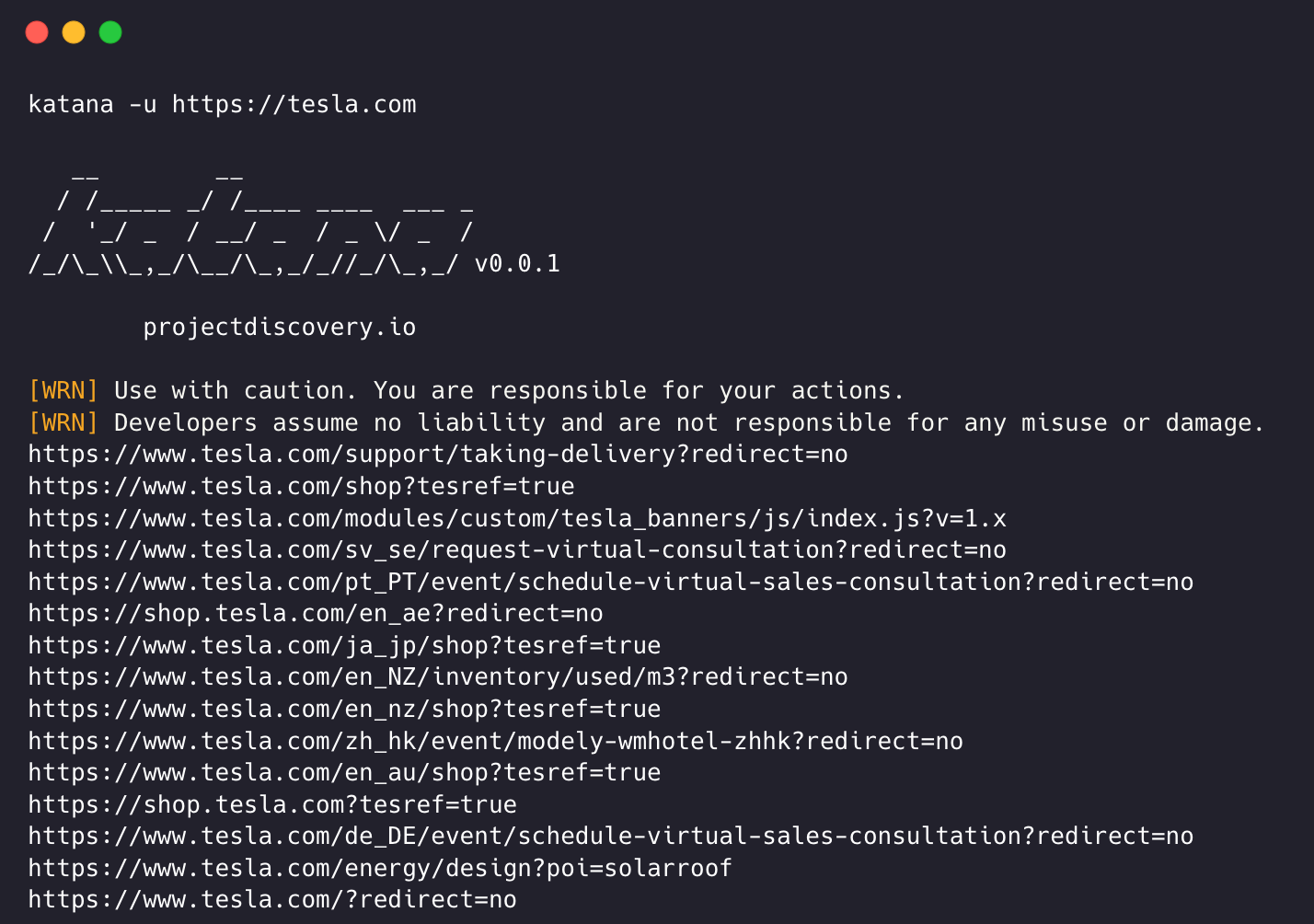
- 快速且完全可配置的 Web 爬取
- **标准** 和 **Headless** 模式
- **JavaScript** 解析 / 爬取
- 可自定义的 **自动表单填充**
- **范围控制** - 预配置字段 / 正则表达式
- **可自定义输出** - 预配置字段
- 输入 - **STDIN**, **URL** 和 **LIST**
- 输出 - **STDOUT**, **FILE** 和 **JSON**
## 安装
katana 需要 Go 1.24+ 才能成功安装。如果您遇到任何安装问题,我们建议尝试使用最新版本的 Go,因为所需的最低版本可能已更改。运行以下命令或从 [发布页面](https://github.com/projectdiscovery/katana/releases) 下载预编译的二进制文件。
```
CGO_ENABLED=1 go install github.com/projectdiscovery/katana/cmd/katana@latest
```
**更多安装 / 运行 katana 的选项 -**
Docker
```
docker pull projectdiscovery/katana:latest
```
```
docker run projectdiscovery/katana:latest -u https://tesla.com
```
```
docker run projectdiscovery/katana:latest -u https://tesla.com -system-chrome -headless
```
Ubuntu
```
sudo apt update
sudo snap refresh
sudo apt install zip curl wget git
sudo snap install golang --classic
wget -q -O - https://dl-ssl.google.com/linux/linux_signing_key.pub | sudo apt-key add -
sudo sh -c 'echo "deb http://dl.google.com/linux/chrome/deb/ stable main" >> /etc/apt/sources.list.d/google.list'
sudo apt update
sudo apt install google-chrome-stable
```
```
go install github.com/projectdiscovery/katana/cmd/katana@latest
```
## 用法
```
katana -h
```
这将显示该工具的帮助信息。以下是它支持的所有开关。
```
Katana is a fast crawler focused on execution in automation
pipelines offering both headless and non-headless crawling.
Usage:
./katana [flags]
Flags:
INPUT:
-u, -list string[] target url / list to crawl
-resume string resume scan using resume.cfg
-e, -exclude string[] exclude host matching specified filter ('cdn', 'private-ips', cidr, ip, regex)
CONFIGURATION:
-r, -resolvers string[] list of custom resolver (file or comma separated)
-d, -depth int maximum depth to crawl (default 3)
-jc, -js-crawl enable endpoint parsing / crawling in javascript file
-jsl, -jsluice enable jsluice parsing in javascript file (memory intensive)
-ct, -crawl-duration value maximum duration to crawl the target for (s, m, h, d) (default s)
-kf, -known-files string enable crawling of known files (all,robotstxt,sitemapxml), a minimum depth of 3 is required to ensure all known files are properly crawled.
-mrs, -max-response-size int maximum response size to read (default 4194304)
-timeout int time to wait for request in seconds (default 10)
-aff, -automatic-form-fill enable automatic form filling (experimental)
-fx, -form-extraction extract form, input, textarea & select elements in jsonl output
-retry int number of times to retry the request (default 1)
-proxy string http/socks5 proxy to use
-td, -tech-detect enable technology detection
-H, -headers string[] custom header/cookie to include in all http request in header:value format (file)
-config string path to the katana configuration file
-fc, -form-config string path to custom form configuration file
-flc, -field-config string path to custom field configuration file
-s, -strategy string Visit strategy (depth-first, breadth-first) (default "depth-first")
-iqp, -ignore-query-params Ignore crawling same path with different query-param values
-fsu, -filter-similar filter crawling of similar looking URLs (e.g., /users/123 and /users/456)
-fst, -filter-similar-threshold int number of distinct values before a path position is treated as parameter (default 10)
-tlsi, -tls-impersonate enable experimental client hello (ja3) tls randomization
-dr, -disable-redirects disable following redirects (default false)
DEBUG:
-health-check, -hc run diagnostic check up
-elog, -error-log string file to write sent requests error log
-pprof-server enable pprof server
HEADLESS:
-hl, -headless enable headless hybrid crawling (experimental)
-sc, -system-chrome use local installed chrome browser instead of katana installed
-sb, -show-browser show the browser on the screen with headless mode
-ho, -headless-options string[] start headless chrome with additional options
-nos, -no-sandbox start headless chrome in --no-sandbox mode
-cdd, -chrome-data-dir string path to store chrome browser data
-scp, -system-chrome-path string use specified chrome browser for headless crawling
-noi, -no-incognito start headless chrome without incognito mode
-cwu, -chrome-ws-url string use chrome browser instance launched elsewhere with the debugger listening at this URL
-xhr, -xhr-extraction extract xhr request url,method in jsonl output
-csp, -captcha-solver-provider string captcha solver provider (e.g. capsolver)
-csk, -captcha-solver-key string captcha solver provider api key
SCOPE:
-cs, -crawl-scope string[] in scope url regex to be followed by crawler
-cos, -crawl-out-scope string[] out of scope url regex to be excluded by crawler
-fs, -field-scope string pre-defined scope field (dn,rdn,fqdn) or custom regex (e.g., '(company-staging.io|company.com)') (default "rdn")
-ns, -no-scope disables host based default scope
-do, -display-out-scope display external endpoint from scoped crawling
FILTER:
-mr, -match-regex string[] regex or list of regex to match on output url (cli, file)
-fr, -filter-regex string[] regex or list of regex to filter on output url (cli, file)
-f, -field string field to display in output (url,path,fqdn,rdn,rurl,qurl,qpath,file,ufile,key,value,kv,dir,udir) (Deprecated: use -output-template instead)
-sf, -store-field string field to store in per-host output (url,path,fqdn,rdn,rurl,qurl,qpath,file,ufile,key,value,kv,dir,udir)
-em, -extension-match string[] match output for given extension (eg, -em php,html,js)
-ef, -extension-filter string[] filter output for given extension (eg, -ef png,css)
-ndef, -no-default-ext-filter bool remove default extensions from the filter list
-mdc, -match-condition string match response with dsl based condition
-fdc, -filter-condition string filter response with dsl based condition
-duf, -disable-unique-filter disable duplicate content filtering
RATE-LIMIT:
-c, -concurrency int number of concurrent fetchers to use (default 10)
-p, -parallelism int number of concurrent inputs to process (default 10)
-rd, -delay int request delay between each request in seconds
-rl, -rate-limit int maximum requests to send per second (default 150)
-rlm, -rate-limit-minute int maximum number of requests to send per minute
UPDATE:
-up, -update update katana to latest version
-duc, -disable-update-check disable automatic katana update check
OUTPUT:
-o, -output string file to write output to
-ot, -output-template string custom output template
-sr, -store-response store http requests/responses
-srd, -store-response-dir string store http requests/responses to custom directory
-ncb, -no-clobber do not overwrite output file
-sfd, -store-field-dir string store per-host field to custom directory
-or, -omit-raw omit raw requests/responses from jsonl output
-ob, -omit-body omit response body from jsonl output
-lof, -list-output-fields list available fields for jsonl output format
-eof, -exclude-output-fields exclude fields from jsonl output
-j, -jsonl write output in jsonl format
-nc, -no-color disable output content coloring (ANSI escape codes)
-silent display output only
-v, -verbose display verbose output
-debug display debug output
-version display project version
```
## 运行 Katana
### katana 的输入
**katana** 需要 **url** 或 **endpoint** 才能进行爬取,并接受单个或多个输入。
可以使用 `-u` 选项提供输入 URL,并且可以使用逗号分隔的输入提供多个值,同样支持使用 `-list` 选项的 **file** 输入,此外还支持管道输入 (stdin)。
#### URL 输入
```
katana -u https://tesla.com
```
#### 多 URL 输入(逗号分隔)
```
katana -u https://tesla.com,https://google.com
```
#### 列表输入
```
$ cat url_list.txt
https://tesla.com
https://google.com
```
```
katana -list url_list.txt
```
#### STDIN(管道)输入
```
echo https://tesla.com | katana
```
```
cat domains | httpx | katana
```
运行 katana 的示例 -
```
katana -u https://youtube.com
__ __
/ /_____ _/ /____ ____ ___ _
/ '_/ _ / __/ _ / _ \/ _ /
/_/\_\\_,_/\__/\_,_/_//_/\_,_/ v0.0.1
projectdiscovery.io
[WRN] Use with caution. You are responsible for your actions.
[WRN] Developers assume no liability and are not responsible for any misuse or damage.
https://www.youtube.com/
https://www.youtube.com/about/
https://www.youtube.com/about/press/
https://www.youtube.com/about/copyright/
https://www.youtube.com/t/contact_us/
https://www.youtube.com/creators/
https://www.youtube.com/ads/
https://www.youtube.com/t/terms
https://www.youtube.com/t/privacy
https://www.youtube.com/about/policies/
https://www.youtube.com/howyoutubeworks?utm_campaign=ytgen&utm_source=ythp&utm_medium=LeftNav&utm_content=txt&u=https%3A%2F%2Fwww.youtube.com%2Fhowyoutubeworks%3Futm_source%3Dythp%26utm_medium%3DLeftNav%26utm_campaign%3Dytgen
https://www.youtube.com/new
https://m.youtube.com/
https://www.youtube.com/s/desktop/4965577f/jsbin/desktop_polymer.vflset/desktop_polymer.js
https://www.youtube.com/s/desktop/4965577f/cssbin/www-main-desktop-home-page-skeleton.css
https://www.youtube.com/s/desktop/4965577f/cssbin/www-onepick.css
https://www.youtube.com/s/_/ytmainappweb/_/ss/k=ytmainappweb.kevlar_base.0Zo5FUcPkCg.L.B1.O/am=gAE/d=0/rs=AGKMywG5nh5Qp-BGPbOaI1evhF5BVGRZGA
https://www.youtube.com/opensearch?locale=en_GB
https://www.youtube.com/manifest.webmanifest
https://www.youtube.com/s/desktop/4965577f/cssbin/www-main-desktop-watch-page-skeleton.css
https://www.youtube.com/s/desktop/4965577f/jsbin/web-animations-next-lite.min.vflset/web-animations-next-lite.min.js
https://www.youtube.com/s/desktop/4965577f/jsbin/custom-elements-es5-adapter.vflset/custom-elements-es5-adapter.js
https://www.youtube.com/s/desktop/4965577f/jsbin/webcomponents-sd.vflset/webcomponents-sd.js
https://www.youtube.com/s/desktop/4965577f/jsbin/intersection-observer.min.vflset/intersection-observer.min.js
https://www.youtube.com/s/desktop/4965577f/jsbin/scheduler.vflset/scheduler.js
https://www.youtube.com/s/desktop/4965577f/jsbin/www-i18n-constants-en_GB.vflset/www-i18n-constants.js
https://www.youtube.com/s/desktop/4965577f/jsbin/www-tampering.vflset/www-tampering.js
https://www.youtube.com/s/desktop/4965577f/jsbin/spf.vflset/spf.js
https://www.youtube.com/s/desktop/4965577f/jsbin/network.vflset/network.js
https://www.youtube.com/howyoutubeworks/
https://www.youtube.com/trends/
https://www.youtube.com/jobs/
https://www.youtube.com/kids/
```
## 爬取模式
### 标准模式
标准爬取模式在底层使用标准的 go http 库来处理 HTTP 请求/响应。这种模式要快得多,因为它没有浏览器的开销。但是,它按原样分析 HTTP 响应正文,没有任何 javascript 或 DOM 渲染,可能会遗漏在复杂的 Web 应用程序中可能发生的 post-dom-rendered 端点或异步端点调用,例如,取决于浏览器特定的事件。
### Headless 模式
Headless 模式挂钩内部 headless 调用,以直接在浏览器上下文中处理 HTTP 请求/响应。这提供了两个优势:
- HTTP 指纹(TLS 和 user agent)完全将客户端识别为合法浏览器
- 更好的覆盖率,因为端点是通过分析标准原始响应(如前一种模式)以及启用 javascript 的浏览器渲染响应来发现的。
Headless 爬取是可选的,可以使用 `-headless` 选项启用。
以下是其他 headless CLI 选项 -
```
katana -h headless
Flags:
HEADLESS:
-hl, -headless enable headless hybrid crawling (experimental)
-sc, -system-chrome use local installed chrome browser instead of katana installed
-sb, -show-browser show the browser on the screen with headless mode
-ho, -headless-options string[] start headless chrome with additional options
-nos, -no-sandbox start headless chrome in --no-sandbox mode
-cdd, -chrome-data-dir string path to store chrome browser data
-scp, -system-chrome-path string use specified chrome browser for headless crawling
-noi, -no-incognito start headless chrome without incognito mode
-cwu, -chrome-ws-url string use chrome browser instance launched elsewhere with the debugger listening at this URL
-xhr, -xhr-extraction extract xhr requests
-csp, -captcha-solver-provider string captcha solver provider (e.g. capsolver)
-csk, -captcha-solver-key string captcha solver provider api key
```
## *`-no-sandbox`*
使用 **no-sandbox** 选项运行 headless chrome 浏览器,以 root 用户身份运行时很有用。
```
katana -u https://tesla.com -headless -no-sandbox
```
## *`-no-incognito`*
在不使用隐身模式的情况下运行 headless chrome 浏览器,在使用本地浏览器时很有用。
```
katana -u https://tesla.com -headless -no-incognito
```
## *`-headless-options`*
在 headless 模式下爬取时,可以使用 `-headless-options` 指定额外的 chrome 选项,例如 -
```
katana -u https://tesla.com -headless -system-chrome -headless-options --disable-gpu,proxy-server=http://127.0.0.1:8080
```
### 验证码解决
Katana 支持在 headless 爬取期间自动检测和解决验证码。当遇到验证码页面时,katana 会识别验证码提供商,通过外部服务解决它,并继续爬取。
支持的验证码类型:**reCAPTCHA v2**, **reCAPTCHA v3**, **reCAPTCHA Enterprise**, **Cloudflare Turnstile**, **hCaptcha**
## *`-captcha-solver-provider`*
指定验证码解决器提供商的选项。目前支持:`capsolver`。
## *`-captcha-solver-key`*
验证码解决器提供商的 API 密钥。
```
katana -u https://example.com -headless -csp capsolver -csk YOUR_API_KEY
```
提供商和密钥也可以通过环境变量设置:
```
export CAPTCHA_SOLVER_PROVIDER=capsolver
export CAPTCHA_SOLVER_KEY=YOUR_API_KEY
katana -u https://example.com -headless
```
## 范围控制
如果不加限制,爬取可能是无止境的,因此 katana 提供了多种支持来定义爬取范围。
## *`-field-scope`*
使用预定义字段名称定义范围的最方便选项,`rdn` 是字段范围的默认选项。
- `rdn` - 爬取范围限定为根域名和所有子域名(例如 `*example.com`)(默认)
- `fqdn` - 爬取范围限定为给定的子(域)(例如 `www.example.com` 或 `api.example.com`)
- `dn` - 爬取范围限定为域名关键字(例如 `example`)
```
katana -u https://tesla.com -fs dn
```
## *`-crawl-scope`*
对于高级范围控制,可以使用带有 **regex** 支持的 `-cs` 选项。
```
katana -u https://tesla.com -cs login
```
对于多个范围内规则,可以传递包含多行字符串 / 正则表达式的文件输入。
```
$ cat in_scope.txt
login/
admin/
app/
wordpress/
```
```
katana -u https://tesla.com -cs in_scope.txt
```
## *`-crawl-out-scope`*
为了定义不爬取的内容,可以使用 `-cos` 选项,该选项也支持 **regex** 输入。
```
katana -u https://tesla.com -cos logout
```
对于多个范围外规则,可以传递包含多行字符串 / 正则表达式的文件输入。
```
$ cat out_of_scope.txt
/logout
/log_out
```
```
katana -u https://tesla.com -cos out_of_scope.txt
```
## *`-no-scope`*
Katana 默认范围为 `*.domain`,要禁用此功能,可以使用 `-ns` 选项,也可以用于爬取互联网。
```
katana -u https://tesla.com -ns
```
## *`-display-out-scope`*
默认情况下,当使用范围选项时,它也适用于作为输出显示的链接,因此 **外部 URL 默认被排除**,要覆盖此行为,可以使用 `-do` 选项来显示目标范围 URL / 端点中存在的所有外部 URL。
```
katana -u https://tesla.com -do
```
以下是用于范围控制的所有 CLI 选项 -
```
katana -h scope
Flags:
SCOPE:
-cs, -crawl-scope string[] in scope url regex to be followed by crawler
-cos, -crawl-out-scope string[] out of scope url regex to be excluded by crawler
-fs, -field-scope string pre-defined scope field (dn,rdn,fqdn) (default "rdn")
-ns, -no-scope disables host based default scope
-do, -display-out-scope display external endpoint from scoped crawling
```
## 爬虫配置
Katana 提供了多种选项来按照我们需要的方式配置和控制爬取。
## *`-depth`*
用于定义爬取时跟踪 URL 的 `depth`(深度)的选项,深度越大,爬取的端点数量越多 + 爬取时间越长。
```
katana -u https://tesla.com -d 5
```
## *`-js-crawl`*
用于启用 JavaScript 文件解析 + 爬取 JavaScript 文件中发现的端点的选项,默认禁用。
```
katana -u https://tesla.com -jc
```
## *`-crawl-duration`*
用于预定义爬取持续时间的选项,默认禁用。
```
katana -u https://tesla.com -ct 2
```
## *`-known-files`*
用于启用爬取 `robots.txt` 和 `sitemap.xml` 文件的选项,默认禁用。
```
katana -u https://tesla.com -kf robotstxt,sitemapxml
```
## *`-automatic-form-fill`*
用于为已知 / 未知字段启用自动表单填充的选项,可以通过更新位于 `$HOME/.config/katana/form-config.yaml` 的表单配置文件根据需要自定义已知字段值。
自动表单填充是一项实验性功能。
```
katana -u https://tesla.com -aff
```
## *`-filter-similar`*
通过规范化变量路径段来过滤爬取外观相似的 URL 的选项。这会检测 ID、UUID、哈希、日期和其他动态值,并在运行时学习重复模式。例如,`/users/123` 和 `/users/456` 被视为同一个端点。
```
katana -u https://tesla.com -fsu
```
可以使用 `-fst` 调整提升阈值(在将路径位置视为参数之前,该位置需要有多少个不同的值)。较低的值更具激进度(爬取的 URL 较少),较高的值更宽松。默认值为 `10`。
```
katana -u https://tesla.com -fsu -fst 5
```
## 认证爬取
认证爬取涉及在 HTTP 请求中包含自定义标头或 Cookie 以访问受保护的资源。这些标头提供身份验证或授权信息,允许您爬取经过身份验证的内容 / 端点。您可以直接在命令行中指定标头,或者将它们作为文件提供给 katana 以执行认证爬取。
## *`-headers`*
向请求添加自定义标头或 Cookie 的选项。
这是向请求添加 Cookie 的示例:
```
katana -u https://tesla.com -H 'Cookie: usrsess=AmljNrESo'
```
也可以将标头或 Cookie 作为文件提供。例如:
```
$ cat cookie.txt
Cookie: PHPSESSIONID=XXXXXXXXX
X-API-KEY: XXXXX
TOKEN=XX
```
```
katana -u https://tesla.com -H cookie.txt
```
还有更多选项可以在需要时进行配置,以下是所有与配置相关的 CLI 选项 -
```
katana -h config
Flags:
CONFIGURATION:
-r, -resolvers string[] list of custom resolver (file or comma separated)
-d, -depth int maximum depth to crawl (default 3)
-jc, -js-crawl enable endpoint parsing / crawling in javascript file
-ct, -crawl-duration int maximum duration to crawl the target for
-kf, -known-files string enable crawling of known files (all,robotstxt,sitemapxml)
-mrs, -max-response-size int maximum response size to read (default 9223372036854775807)
-timeout int time to wait for request in seconds (default 10)
-aff, -automatic-form-fill enable automatic form filling (experimental)
-fx, -form-extraction enable extraction of form, input, textarea & select elements
-retry int number of times to retry the request (default 1)
-proxy string http/socks5 proxy to use
-H, -headers string[] custom header/cookie to include in request
-config string path to the katana configuration file
-fc, -form-config string path to custom form configuration file
-flc, -field-config string path to custom field configuration file
-s, -strategy string Visit strategy (depth-first, breadth-first) (default "depth-first")
-iqp, -ignore-query-params Ignore crawling same path with different query-param values
-fsu, -filter-similar filter crawling of similar looking URLs (e.g., /users/123 and /users/456)
-fst, -filter-similar-threshold int number of distinct values before a path position is treated as parameter (default 10)
```
### 连接到活动的浏览器会话
Katana 还可以连接到用户已经登录并通过身份验证的活动浏览器会话,并将其用于爬取。唯一的要求是启动启用了远程调试的浏览器。
以下是启动启用了远程调试的 chrome 浏览器并将其与 katana 一起使用的示例 -
**步骤 1) 首先找到 chrome 可执行文件的路径**
| Operating System | Chromium Executable Location | Google Chrome Executable Location |
|------------------|------------------------------|-----------------------------------|
| Windows (64-bit) | `C:\Program Files (x86)\Google\Chromium\Application\chrome.exe` | `C:\Program Files (x86)\Google\Chrome\Application\chrome.exe` |
| Windows (32-bit) | `C:\Program Files\Google\Chromium\Application\chrome.exe` | `C:\Program Files\Google\Chrome\Application\chrome.exe` |
| macOS | `/Applications/Chromium.app/Contents/MacOS/Chromium` | `/Applications/Google Chrome.app/Contents/MacOS/Google Chrome` |
| Linux | `/usr/bin/chromium` | `/usr/bin/google-chrome` |
**步骤 2) 启动启用了远程调试的 chrome,它将返回 websocket url。例如,在 MacOS 上,您可以使用以下命令启动启用了远程调试的 chrome** -
```
$ /Applications/Google\ Chrome.app/Contents/MacOS/Google\ Chrome --remote-debugging-port=9222
DevTools listening on ws://127.0.0.1:9222/devtools/browser/c5316c9c-19d6-42dc-847a-41d1aeebf7d6
```
**步骤 3) 现在将 websocket url 与 katana 一起使用以连接到活动的浏览器会话并爬取网站**
```
katana -headless -u https://tesla.com -cwu ws://127.0.0.1:9222/devtools/browser/c5316c9c-19d6-42dc-847a-41d1aeebf7d6 -no-incognito
```
## 过滤器
## *`-field`*
Katana 附带内置字段,可用于过滤输出以获取所需信息,可以使用 `-f` 选项指定任何可用字段。
```
-f, -field string field to display in output (url,path,fqdn,rdn,rurl,qurl,qpath,file,key,value,kv,dir,udir)
```
以下是包含每个字段示例和使用时预期输出的表格 -
| FIELD | DESCRIPTION | EXAMPLE |
| ------- | --------------------------- | ------------------------------------------------------------ |
| `url` | URL Endpoint | `https://admin.projectdiscovery.io/admin/login?user=admin&password=admin` |
| `qurl` | URL including query param | `https://admin.projectdiscovery.io/admin/login.php?user=admin&password=admin` |
| `qpath` | Path including query param | `/login?user=admin&password=admin` |
| `path` | URL Path | `https://admin.projectdiscovery.io/admin/login` |
| `fqdn` | Fully Qualified Domain name | `admin.projectdiscovery.io` |
| `rdn` | Root Domain name | `projectdiscovery.io` |
| `rurl` | Root URL | `https://admin.projectdiscovery.io` |
| `ufile` | URL with File | `https://admin.projectdiscovery.io/login.js` |
| `file` | Filename in URL | `login.php` |
| `key` | Parameter keys in URL | `user,password` |
| `value` | Parameter values in URL | `admin,admin` |
| `kv` | Keys=Values in URL | `user=admin&password=admin` |
| `dir` | URL Directory name | `/admin/` |
| `udir` | URL with Directory | `https://admin.projectdiscovery.io/admin/` |
这是使用字段选项仅显示其中包含查询参数的所有 url 的示例 -
```
katana -u https://tesla.com -f qurl -silent
https://shop.tesla.com/en_au?redirect=no
https://shop.tesla.com/en_nz?redirect=no
https://shop.tesla.com/product/men_s-raven-lightweight-zip-up-bomber-jacket?sku=1740250-00-A
https://shop.tesla.com/product/tesla-shop-gift-card?sku=1767247-00-A
https://shop.tesla.com/product/men_s-chill-crew-neck-sweatshirt?sku=1740176-00-A
https://www.tesla.com/about?redirect=no
https://www.tesla.com/about/legal?redirect=no
https://www.tesla.com/findus/list?redirect=no
```
### 自定义字段
您可以创建自定义字段,以使用正则表达式规则从页面响应中提取和存储特定信息。这些自定义字段使用 YAML 配置文件定义,并从默认位置 `$HOME/.config/katana/field-config.yaml` 加载。或者,您可以使用 `-flc` 选项从其他位置加载自定义字段配置文件。
这是示例自定义字段。
```
- name: email
type: regex
regex:
- '([a-zA-Z0-9._-]+@[a-zA-Z0-9._-]+\.[a-zA-Z0-9_-]+)'
- '([a-zA-Z0-9+._-]+@[a-zA-Z0-9._-]+\.[a-zA-Z0-9_-]+)'
- name: phone
type: regex
regex:
- '\d{3}-\d{8}|\d{4}-\d{7}'
```
定义自定义字段时,支持以下属性:
- **name**(必填)
- **type**(必填)
- **part**(可选)
- group(可选)
#### 使用自定义字段运行 katana:
```
katana -u https://tesla.com -f email,phone
```
## *`-store-field`*
为了补充在运行时过滤输出方面很有用的 `field` 选项,还有 `-sf, -store-fields` 选项,其工作方式与字段选项完全相同,不同之处在于它不是过滤而是将所有信息存储在磁盘上的 `katana_field` 目录中,并按目标 url 排序。使用 `-sfd` 或 `-store-field-dir` 将数据存储在其他位置。
```
katana -u https://tesla.com -sf key,fqdn,qurl -silent
```
```
$ ls katana_field/
https_www.tesla.com_fqdn.txt
https_www.tesla.com_key.txt
https_www.tesla.com_qurl.txt
```
`-store-field` 选项可用于收集信息以构建用于各种目的的目标字典,包括但不限于:
- 识别最常用的参数
- 发现常用的路径
- 查找常用的文件
- 识别相关或未知的子域名
### Katana 过滤器
## *`-extension-match`*
可以使用 `-em` 选项轻松匹配特定扩展名的爬取输出,以确保仅显示包含给定扩展名的输出。
```
katana -u https://tesla.com -silent -em js,jsp,json
```
## *`-extension-filter`*
可以使用 `-ef` 选项轻松过滤特定扩展名的爬取输出,该选项确保删除包含给定扩展名的所有 url。
```
katana -u https://tesla.com -silent -ef css,txt,md
```
## *`-no-default-ext-filter`*
Katana 默认过滤多个扩展名。可以使用 `-ndef` 选项禁用此功能。
```
katana -u https://tesla.com -silent -ndef
```
## *`-match-regex`*
`-match-regex` 或 `-mr` 标志允许您使用正则表达式过滤输出 URL。使用此标志时,只有与指定正则表达式匹配的 URL 才会打印在输出中。
```
katana -u https://tesla.com -mr 'https://shop\.tesla\.com/*' -silent
```
## *`-filter-regex`*
`-filter-regex` 或 `-fr` 标志允许您使用正则表达式过滤输出 URL。使用此标志时,它将跳过与指定正则表达式匹配的 URL。
```
katana -u https://tesla.com -fr 'https://www\.tesla\.com/*' -silent
```
### 高级过滤
Katana 支持基于 DSL 的表达式以实现高级匹配和过滤功能:
- 匹配状态码为 200 的端点:
```
katana -u https://www.hackerone.com -mdc 'status_code == 200'
```
- 匹配包含 "default" 且状态码不为 403 的端点:
```
katana -u https://www.hackerone.com -mdc 'contains(endpoint, "default") && status_code != 403'
```
- 匹配具有 PHP 技术的端点:
```
katana -u https://www.hackerone.com -mdc 'contains(to_lower(technologies), "php")'
```
- 过滤掉运行在 Cloudflare 上的端点:
```
katana -u https://www.hackerone.com -fdc 'contains(to_lower(technologies), "cloudflare")'
```
DSL 函数可以应用于 jsonl 输出中的任何键。有关可用 DSL 函数的更多信息,请访问 [dsl 项目](https://github.com/projectdiscovery/dsl)。
以下是其他过滤选项 -
```
katana -h filter
Flags:
FILTER:
-mr, -match-regex string[] regex or list of regex to match on output url (cli, file)
-fr, -filter-regex string[] regex or list of regex to filter on output url (cli, file)
-f, -field string field to display in output (url,path,fqdn,rdn,rurl,qurl,qpath,file,ufile,key,value,kv,dir,udir)
-sf, -store-field string field to store in per-host output (url,path,fqdn,rdn,rurl,qurl,qpath,file,ufile,key,value,kv,dir,udir)
-em, -extension-match string[] match output for given extension (eg, -em php,html,js)
-ef, -extension-filter string[] filter output for given extension (eg, -ef png,css)
-ndef, -no-default-ext-filter bool remove default extensions from the filter list
-mdc, -match-condition string match response with dsl based condition
-fdc, -filter-condition string filter response with dsl based condition
-duf, -disable-unique-filter disable duplicate content filtering
```
## 速率限制
如果不遵守目标网站的限制,在爬取时很容易被封锁 / 禁止,katana 提供了多种选项来调整爬取速度,使其按照我们想要的速度快 / 慢。
## *`-delay`*
在 katana 爬取时发出的每个新请求之间引入延迟(以秒为单位)的选项,默认禁用。
```
katana -u https://tesla.com -delay 20
```
## *`-concurrency`*
用于控制每个目标同时获取的 url 数量的选项。
```
katana -u https://tesla.com -c 20
```
## *`-parallelism`*
用于定义列表输入中同时处理的目标数量的选项。
```
katana -u https://tesla.com -p 20
```
## *`-rate-limit`*
用于定义每秒可以发出的最大请求数的选项。
```
katana -u https://tesla.com -rl 100
```
## *`-rate-limit-minute`*
用于定义每分钟可以发出的最大请求数的选项。
```
katana -u https://tesla.com -rlm 500
```
以下是用于速率限制控制的所有长 / 短 CLI 选项 -
```
katana -h rate-limit
Flags:
RATE-LIMIT:
-c, -concurrency int number of concurrent fetchers to use (default 10)
-p, -parallelism int number of concurrent inputs to process (default 10)
-rd, -delay int request delay between each request in seconds
-rl, -rate-limit int maximum requests to send per second (default 150)
-rlm, -rate-limit-minute int maximum number of requests to send per minute
```
## 输出
Katana 支持纯文本格式的文件输出以及 JSON,其中包括附加信息,如 `source`、`tag` 和 `attribute` 名称,以关联发现的端点。
## *`-output`*
默认情况下,katana 以纯文本格式输出爬取的端点。可以使用 -output 选项将结果写入文件。
```
katana -u https://example.com -no-scope -output example_endpoints.txt
```
## *`-output-template`*
`-output-template` 选项允许您使用模板自定义输出格式,从而在定义输出结构方面提供灵活性。此选项取代了已弃用的用于过滤输出的 `-field` 标志。您可以不依赖预定义字段,而是直接在命令行中指定自定义模板来控制提取数据的呈现方式。
使用 `-output-template` 选项的示例:
```
katana -u https://example.com -output-template '{{email}} - {{url}}'
```
在此示例中,`email` 表示一个 [自定义字段](#custom-fields),用于提取并显示在源 `url` 中找到的电子邮件地址。
此选项可以有效地以最适合您用例的方式构建输出,使数据提取更加直观和可自定义。
## *`-jsonl`*
```
katana -u https://example.com -jsonl | jq .
```
```
{
"timestamp": "2023-03-20T16:23:58.027559+05:30",
"request": {
"method": "GET",
"endpoint": "https://example.com",
"raw": "GET / HTTP/1.1\r\nHost: example.com\r\nUser-Agent: Mozilla/5.0 (Macintosh; Intel Mac OS X 11_1) AppleWebKit/537.36 (KHTML, like Gecko) Chrome/87.0.4280.88 Safari/537.36\r\nAccept-Encoding: gzip\r\n\r\n"
},
"response": {
"status_code": 200,
"headers": {
"accept_ranges": "bytes",
"expires": "Mon, 27 Mar 2023 10:53:58 GMT",
"last_modified": "Thu, 17 Oct 2019 07:18:26 GMT",
"content_type": "text/html; charset=UTF-8",
"server": "ECS (dcb/7EA3)",
"vary": "Accept-Encoding",
"etag": "\"3147526947\"",
"cache_control": "max-age=604800",
"x_cache": "HIT",
"date": "Mon, 20 Mar 2023 10:53:58 GMT",
"age": "331239"
},
"body": "\n\n\n
Example Domain\n\n
\n
\n
\n \n\n\n\n
\n
Example Domain
\n
This domain is for use in illustrative examples in documents. You may use this\n domain in literature without prior coordination or asking for permission.
\n
More information...
\n
\n\n\n",
"technologies": [
"Azure",
"Amazon ECS",
"Amazon Web Services",
"Docker",
"Azure CDN"
],
"raw": "HTTP/1.1 200 OK\r\nContent-Length: 1256\r\nAccept-Ranges: bytes\r\nAge: 331239\r\nCache-Control: max-age=604800\r\nContent-Type: text/html; charset=UTF-8\r\nDate: Mon, 20 Mar 2023 10:53:58 GMT\r\nEtag: \"3147526947\"\r\nExpires: Mon, 27 Mar 2023 10:53:58 GMT\r\nLast-Modified: Thu, 17 Oct 2019 07:18:26 GMT\r\nServer: ECS (dcb/7EA3)\r\nVary: Accept-Encoding\r\nX-Cache: HIT\r\n\r\n\n\n\n
Example Domain\n\n
\n
\n
\n \n\n\n\n
\n
Example Domain
\n
This domain is for use in illustrative examples in documents. You may use this\n domain in literature without prior coordination or asking for permission.
\n
More information...
\n
\n\n\n"
}
}
```
## *`-store-response`*
`-store-response` 选项允许将所有爬取的端点请求和响应写入文本文件。使用此选项时,包含请求和响应的文本文件将写入 **katana_response** 目录。如果您想指定自定义目录,可以使用 `-store-response-dir` 选项。
```
katana -u https://example.com -no-scope -store-response
```
```
$ cat katana_response/index.txt
katana_response/example.com/327c3fda87ce286848a574982ddd0b7c7487f816.txt https://example.com (200 OK)
katana_response/www.iana.org/bfc096e6dd93b993ca8918bf4c08fdc707a70723.txt http://www.iana.org/domains/reserved (200 OK)
```
**注意:**
*`-store-response` 选项在 `-headless` 模式下不受支持。*
## *`-list-output-fields`*
`-list-output-fields` 或 `-lof` 标志显示可在 JSONL 输出格式中使用的所有可用字段。这有助于了解在使用自定义输出模板或排除特定字段时可用的数据。
```
katana -lof
```
## *`-exclude-output-fields`*
`-exclude-output-fields` 或 `-eof` 标志允许您从 JSONL 输出中排除特定字段。这有助于通过删除不需要的字段来减小输出大小或专注于特定数据。
```
katana -u https://example.com -jsonl -eof raw,body
```
以下是其他与输出相关的 CLI 选项 -
```
katana -h output
OUTPUT:
-o, -output string file to write output to
-sr, -store-response store http requests/responses
-srd, -store-response-dir string store http requests/responses to custom directory
-lof, -list-output-fields list available fields for jsonl output format
-eof, -exclude-output-fields exclude fields from jsonl output
-j, -json write output in JSONL(ines) format
-nc, -no-color disable output content coloring (ANSI escape codes)
-silent display output only
-v, -verbose display verbose output
-version display project version
```
## Katana 作为库
`katana` 可以通过创建 `Option` 结构体的实例并使用与通过 CLI 指定的相同选项填充它来用作库。使用这些选项,您可以创建 `crawlerOptions` 以及标准或混合 `crawler`。
应调用 `crawler.Crawl` 方法来爬取输入。
```
package main
import (
"math"
"github.com/projectdiscovery/gologger"
"github.com/projectdiscovery/katana/pkg/engine/standard"
"github.com/projectdiscovery/katana/pkg/output"
"github.com/projectdiscovery/katana/pkg/types"
)
func main() {
options := &types.Options{
MaxDepth: 3, // Maximum depth to crawl
FieldScope: "rdn", // Crawling Scope Field
BodyReadSize: math.MaxInt, // Maximum response size to read
Timeout: 10, // Timeout is the time to wait for request in seconds
Concurrency: 10, // Concurrency is the number of concurrent crawling goroutines
Parallelism: 10, // Parallelism is the number of urls processing goroutines
Delay: 0, // Delay is the delay between each crawl requests in seconds
RateLimit: 150, // Maximum requests to send per second
Strategy: "depth-first", // Visit strategy (depth-first, breadth-first)
OnResult: func(result output.Result) { // Callback function to execute for result
gologger.Info().Msg(result.Request.URL)
},
}
crawlerOptions, err := types.NewCrawlerOptions(options)
if err != nil {
gologger.Fatal().Msg(err.Error())
}
defer crawlerOptions.Close()
crawler, err := standard.New(crawlerOptions)
if err != nil {
gologger.Fatal().Msg(err.Error())
}
defer crawler.Close()
var input = "https://www.hackerone.com"
err = crawler.Crawl(input)
if err != nil {
gologger.Warning().Msgf("Could not crawl %s: %s", input, err.Error())
}
}
```
## 报告问题 & 功能请求
为了维护问题跟踪并提高分类效率:
**所有报告均从 [GitHub Discussions](https://github.com/projectdiscovery/katana/discussions) 开始**
- **错误报告** → [发起 Q&A 讨论](https://github.com/projectdiscovery/katana/discussions/new?category=q-a)
- **功能请求** → [发起 Ideas 讨论](https://github.com/projectdiscovery/katana/discussions/new?category=ideas)
- **问题咨询** → [发起 Q&A 讨论](https://github.com/projectdiscovery/katana/discussions/new?category=q-a)
**为什么先发起讨论?**
- **社区可以帮助** 解决快速问题和故障排除
- **更好的分类** - 确认的错误/功能会变成跟踪的问题
- **更整洁的问题跟踪器** - 仅关注可操作的项目
维护人员将在适当审查后将讨论转换为问题。
katana 由 [projectdiscovery](https://projectdiscovery.io) 团队用 ❤️ 制作,并根据 [MIT License](LICENSE.md) 分发。