coreruleset/go-ftw
GitHub: coreruleset/go-ftw
Go 语言编写的 WAF 规则自动化测试框架,用于验证 Web 应用防火墙规则的拦截行为和误报率。
Stars: 177 | Forks: 38
# Go-FTW - Go 中的 WAF 测试框架!
[](https://github.com/pre-commit/pre-commit)
[](https://goreportcard.com/report/github.com/coreruleset/go-ftw)
[](http://godoc.org/github.com/coreruleset/go-ftw)
[](https://pkg.go.dev/github.com/coreruleset/go-ftw)
[](https://github.com/coreruleset/go-ftw/releases/latest)
[](https://sonarcloud.io/dashboard?id=coreruleset_go-ftw)
[](https://sonarcloud.io/dashboard?id=coreruleset_go-ftw)
[](https://securityscorecards.dev/viewer/?uri=github.com/coreruleset/go-ftw)
Go-FTW 是 [FTW](https://pypi.org/project/ftw/) 的替代品,后者在可维护性和性能方面已经达到了极限。
Go-FTW 的功能包括:
- 完全可定制的 HTTP 流量
- 对 CI/CD 友好
- 快速
- 测试文件的语法检查
## 安装
前往 [releases](https://github.com/coreruleset/go-ftw/releases) 页面,获取与您的操作系统匹配的二进制发布版本(向下滚动至 **Assets**)。
如果您已安装 Go 并配置了从 shell 运行 Go 二进制文件,您也可以运行
```
go install github.com/coreruleset/go-ftw@latest
```
## 使用示例
go-ftw 旨在运行 Web Application Firewall (WAF) 单元测试。其主要关注点是 [OWASP ModSecurity Core Rule Set](https://github.com/coreruleset/coreruleset)。
为了运行测试,您需要准备以下内容:
1. 激活的 WAF
2. WAF 写入警报消息的日志
3. 位于本地文件夹或您的主文件夹中的 go-ftw 配置文件 `.ftw.yaml`(有关更多信息,请参见 [YAML 配置文件](https://github.com/coreruleset/go-ftw#yaml-config-file))。
4. 至少一个 (go)-ftw yaml 格式的单元测试。
### YAML 配置文件
通过配置,您可以为您的环境设置路径、启用和禁用功能,还可以使用它来更改测试结果。
配置文件有六个基本设置:
* `logfile`:带有警报消息的 WAF 日志的路径,可以是相对路径或绝对路径
* `testoverride`:要覆盖的内容列表(请参见下面的[覆盖测试](https://github.com/coreruleset/go-ftw#overriding-tests))
* `mode`:"default" 或 "cloud"(仅在需要 "cloud" 时才更改它)
* `logmarkerheadername`:用于标记日志消息的 HTTP 标头名称,通常是 `X-CRS-TEST`(请参见下面的[日志解析工作原理](https://github.com/coreruleset/go-ftw#how-log-parsing-works))
* `maxmarkerretries`:搜索日志标记将重复的最大次数;每次都会向 Web 服务器发送一个额外的请求,最终强制刷新日志
* `maxmarkerloglines`:在中止之前搜索标记的最大行数
您大可不必理会最后三个,它们已经设置了合理的默认值。
__使用绝对日志文件的示例__:
```
logfile: /apache/logs/error.log
logmarkerheadername: X-CRS-TEST
testoverride:
mode: "default"
```
__使用相对日志文件的示例__:
```
logfile: ../logs/error.log
logmarkerheadername: X-CRS-TEST
testoverride:
mode: "default"
```
__使用最简定义的示例__:
go-ftw 在默认模式下运行的最低要求是拥有一个日志文件:
```
logfile: ../logs/error.log
```
默认情况下,_go-ftw_ 会在 `$PWD` / 本地文件夹中查找名为 `.ftw.yaml` 的文件。如果找不到,它会查找用户的主目录。您可以传入 `--config <配置文件名>` 来指向不同的文件。
### 测试文件格式
FTW 测试使用 YAML 格式编写,遵循标准化的 schema。完整的 schema 文档维护在 [ftw-tests-schema](https://github.com/coreruleset/ftw-tests-schema) 仓库中。
#### 基本测试结构
一个测试文件包含:
- **meta**:关于测试文件的元数据(作者、描述、名称、标签)
- **rule_id**:正在测试的规则 ID
- **tests**:测试用例数组
每个测试用例包括:
- **test_id**:(可选)由 `rule_id` 指定的规则的测试序列号。未设置时,将从位置推断该 ID。
- **test_title**:(可选)用于包含/排除测试运行的可读标题
- **desc**:(可选)测试功能的描述
- **tags**:(可选)用于过滤测试的标签数组
- **stages**:测试阶段数组(请求/响应对)
#### 测试阶段
每个阶段由以下部分组成:
- **input**:要发送的 HTTP 请求
- **output**:预期的响应和日志行为
##### 输入字段
输入部分支持以下字段:
- **dest_addr**:目标地址(IP 或主机名)
- **port**:端口号
- **protocol**:协议 (http/https)
- **uri**:请求 URI
- **follow_redirect**:如果为 true,则跟随上一阶段的重定向(忽略端口、协议、地址、URI)
- **version**:HTTP 版本(例如,"HTTP/1.1")
- **method**:HTTP 方法(GET、POST 等)
- **headers**:HTTP 标头映射
- **data**:作为纯字符串的请求体数据
- **encoded_data**:作为 base64 编码字符串的请求体数据(允许带有不可见字符的复杂 payload)
- **encoded_request**:Base64 编码的完整 HTTP 请求(覆盖所有其他设置)
- **save_cookie**:从响应中保存 cookie 以用于后续请求
- **autocomplete_headers**:自动添加常见的标头(Connection、Content-Length、Content-Type)。默认为 true。
- **stop_magic**:(已弃用)不再使用
- **raw_request**:(已弃用)请改用 `encoded_request`
##### 输出字段
输出部分支持以下验证字段:
- **status**:预期的 HTTP 状态码
- **response_contains**:应出现在响应体中的字符串
- **log_contains**:应出现在 WAF 日志中的字符串
- **no_log_contains**:不应出现在 WAF 日志中的字符串
- **log**:包含日志验证字段的对象:
- **expect_ids**:预期触发的规则 ID 数组
- **no_expect_ids**:不应触发的规则 ID 数组
- **match_regex**:预期与日志内容匹配的正则表达式
- **no_match_regex**:不应与日志内容匹配的正则表达式
- **expect_error**:布尔值,是否预期出现错误(WAF 没有响应)
- **retry_once**:如果测试失败则重试一次(对第五阶段的竞争条件很有用)
- **isolated**:布尔值,测试应仅触发在 `expect_ids` 中指定的单个规则(默认值:false)
#### 测试示例
```
---
meta:
author: "OWASP CRS"
description: "Test for SQL Injection Detection"
name: "942100.yaml"
rule_id: 942100
tests:
- test_id: 1
desc: "SQL Injection via UNION SELECT"
stages:
- input:
dest_addr: "localhost"
port: 80
headers:
User-Agent: "ModSecurity CRS 3 Tests"
Host: "localhost"
uri: "/index.html?id=1' UNION SELECT NULL--"
method: "GET"
output:
status: 403
log:
expect_ids: [942100]
- test_id: 2
desc: "Benign request should pass"
stages:
- input:
dest_addr: "localhost"
port: 80
headers:
User-Agent: "ModSecurity CRS 3 Tests"
Host: "localhost"
uri: "/index.html?id=123"
method: "GET"
output:
status: 200
log:
no_expect_ids: [942100]
```
#### 使用模板
Go-FTW 支持在测试数据中使用 Go 模板和 [Sprig functions](https://masterminds.github.io/sprig/):
```
# 生成重复字符
data: 'foo=%3d{{ "+" | repeat 34 }}'
# 从环境读取
data: 'username={{ env "USERNAME" }}'
# 使用随机数据
data: 'token={{ randAlphaNum 32 }}'
```
有关包括所有可用字段和选项的完整 schema 文档,请参见 [FTW 测试 Schema 文档](https://github.com/coreruleset/ftw-tests-schema)。
### WAF 服务器
我通常使用 [Core Rule Set](https://github.com/coreruleset/coreruleset/) 进行测试。
您可以使用 `docker compose` 从该仓库启动容器:
```
git clone https://github.com/coreruleset/coreruleset.git
cd coreruleset
docker compose -f tests/docker-compose.yml up -d modsec2-apache
```
### 日志文件
在默认模式下运行意味着您可以访问日志文件,以根据测试结果检查 WAF 行为。在此示例中,假设您位于 coreruleset 仓库的基础目录中,以下是 `apache` 和 `nginx` 的配置:
```
---
logfile: 'tests/logs/modsec2-apache/error.log'
```
```
---
logfile: 'tests/logs/modsec3-nginx/error.log'
```
## 运行
这是 `run` 命令的帮助信息:
```
./ftw run --help
Run all tests below a certain subdirectory. The command will search all y[a]ml files recursively and pass it to the test engine.
Usage:
ftw run [flags]
Flags:
--connect-timeout duration timeout for connecting to endpoints during test execution (default 3s)
-d, --dir string recursively find yaml tests in this directory (default ".")
-e, --exclude string exclude tests matching this Go regular expression (e.g. to exclude all tests beginning with "91", use "^91.*").
If you want more permanent exclusion, check the 'exclude' option in the config file.
--fail-fast Fail on first failed test
-f, --file string output file path for ftw tests. Prints to standard output by default.
-h, --help help for run
-i, --include string include only tests matching this Go regular expression (e.g. to include only tests beginning with "91", use "^91.*").
If you want more permanent inclusion, check the 'include' option in the config file.
-T, --include-tags string include tests tagged with labels matching this Go regular expression (e.g. to include all tests being tagged with "cookie", use "^cookie$").
-l, --log-file string path to log file to watch for WAF events
--max-marker-log-lines int maximum number of lines to search for a marker before aborting (default 500)
--max-marker-retries int maximum number of times the search for log markers will be repeated.
Each time an additional request is sent to the web server, eventually forcing the log to be flushed (default 20)
-o, --output string output type for ftw tests. "normal" is the default. (default "normal")
-r, --rate-limit duration Limit the request rate to the server to 1 request per specified duration. 0 is the default, and disables rate limiting.
--read-timeout duration timeout for receiving responses during test execution (default 10s)
--show-failures-only shows only the results of failed tests
-skip-tls-verification Skips TLS certificate checks. Useful for testing domains with self-signed TLS ceritificates.
-t, --time show time spent per test
--wait-delay duration Time to wait between retries for all wait operations. (default 1s)
--wait-for-connection-timeout duration Http connection timeout, The timeout includes connection time, any redirects, and reading the response body. (default 3s)
--wait-for-expect-body-json string Expect response body JSON pattern.
--wait-for-expect-body-regex string Expect response body pattern.
--wait-for-expect-body-xpath string Expect response body XPath pattern.
--wait-for-expect-header string Expect response header pattern.
--wait-for-expect-status-code int Expect response code e.g. 200, 204, ... .
--wait-for-host string Wait for host to be available before running tests.
--wait-for-no-redirect Do not follow HTTP 3xx redirects.
--wait-for-timeout duration Sets the timeout for all wait operations, 0 is unlimited. (default 10s)
Global Flags:
--cloud cloud mode: rely only on HTTP status codes for determining test success or failure (will not process any logs)
--config string specify config file (default is $PWD/.ftw.yaml)
--debug debug output
--overrides string specify file with platform specific overrides
--trace trace output: really, really verbose
```
所有用于等待的标志均使用 [wait4x](https://github.com/atkrad/wait4x#http) 库实现。
有关如何使用它们的示例,请参见它们的相关文档。在我们的标志中,我们添加了前缀 `--wait-for`,但它们的行为是相似的。
注意:上面的持续时间标志接受任何对 [`time.ParseDuration`](https://pkg.go.dev/time#ParseDuration) 有效的输入。
以下是如何在 `tests` 文件夹中递归运行测试的示例:
```
ftw run -d tests -t
```
结果应类似于:
```
❯ ./ftw run -d tests -t
🛠️ Starting tests!
🚀 Running!
👉 executing tests in file 911100.yaml
running 911100-1: ✔ passed 6.382692ms
running 911100-2: ✔ passed 4.590739ms
running 911100-3: ✔ passed 4.833236ms
running 911100-4: ✔ passed 4.675082ms
running 911100-5: ✔ passed 3.581742ms
running 911100-6: ✔ passed 6.426949ms
...
running 944300-322: ✔ passed 13.292549ms
running 944300-323: ✔ passed 8.960695ms
running 944300-324: ✔ passed 7.558008ms
running 944300-325: ✔ passed 5.977716ms
running 944300-326: ✔ passed 5.457394ms
running 944300-327: ✔ passed 5.896309ms
running 944300-328: ✔ passed 5.873305ms
running 944300-329: ✔ passed 5.828122ms
➕ run 2354 total tests in 18.923445528s
⏭ skipped 7 tests
🎉 All tests successful!
```
祝您测试愉快!
## 输出
现在,您可以通过传入 `-o` 标志来选择测试会话的输出显示方式。默认输出为 `-o normal`,
它将在所有受支持的终端中显示表情符号。如果您的终端不支持表情符号,或者您想要纯文本格式,
您可以使用 `-o plain`:
```
./ftw run -d tests -o plain -i 932240
** Running go-ftw!
skipping 920360-1 - (enabled: false) in file.
skipping 920370-1 - (enabled: false) in file.
skipping 920380-1 - (enabled: false) in file.
skipping 920390-1 - (enabled: false) in file.
=> executing tests in file 932240.yaml
running 932240-1: + passed in 39.928201ms (RTT 67.096865ms)
running 932240-2: + passed in 29.299056ms (RTT 65.650821ms)
running 932240-3: + passed in 30.426324ms (RTT 63.173202ms)
running 932240-4: + passed in 29.111381ms (RTT 66.593728ms)
running 932240-5: + passed in 30.627351ms (RTT 67.101436ms)
running 932240-6: + passed in 40.735442ms (RTT 79.628474ms)
+ run 6 total tests in 200.127755ms
>> skipped 3322 tests
\o/ All tests successful!
```
为了支持对测试结果进行自动化处理,现在还提供了使用 `-o json` 的新 JSON 输出:
```
{
"run": 8,
"success": [
"911100-1",
"911100-2",
"911100-3",
"911100-4",
"911100-5",
"911100-6",
"911100-7",
"911100-8"
],
"failed": null,
"skipped": [
"913100-1",
"913100-2",
"913100-3",
"...",
"980170-2"
],
"ignored": null,
"forced-pass": null,
"forced-fail": null,
"runtime": {
"911100-1": 20631077,
"911100-2": 14112617,
"911100-3": 14524897,
"911100-4": 14699391,
"911100-5": 16137499,
"911100-6": 16589660,
"911100-7": 16741235,
"911100-8": 20658905
},
"TotalTime": 134095281
}
```
然后,您可以轻松地使用您的 `jq` 技能来获取所需信息。
支持的输出列表为:
- "normal"
- "quiet"
- "github"
- "json"
- "plain"
#### 仅显示失败
如果您只想查看测试失败的情况,可以使用一个新标志 `--show-failures-only`,它恰好可以实现此目的。
这在 GHA 等 CI/CD 系统中运行以获得更简短的输出时非常有用。
## 附加功能
- 借助 Go [text/template](https://golang.org/pkg/text/template/) 的强大功能进行模板化。将您的模板添加到任何 `data:` 部分即可使用!
- 也可以将 [Sprig functions](https://masterminds.github.io/sprig/) 添加到模板中。
- 覆盖测试结果。
- 云模式!这种新模式将忽略日志文件,仅依靠请求的 HTTP 状态码来确定测试的成功与失败。
通过模板和函数,您可以简化批量测试的编写,甚至可以在执行时从环境中读取值。这些功能允许您编写如下测试:
```
data: 'foo=%3d{{ "+" | repeat 34 }}'
```
将被展开为:
```
data: 'foo=%3d++++++++++++++++++++++++++++++++++'
```
而且,您可以在运行测试时动态地从环境中获取值:
```
data: 'username={{ env "USERNAME" }}
```
将如您所愿,为您提供运行测试的用户名:
```
data: 'username=fzipi
```
您可以使用的其他有趣功能包括:`randBytes`、`htpasswd`、`encryptAES` 等。
## 覆盖测试
有时您的测试在某些平台组合(例如 Apache + ModSecurity 2)上运行良好,但在其他平台(例如 NGiNX + ModSecurity 3)上却会失败。考虑到这一点,您可以使用 `testoverride` 配置参数覆盖测试结果。测试将被跳过,并按配置强制输出结果。
可以使用四个列表来更改测试:
- `input` 允许您覆盖测试中的全局参数。可以覆盖以下内容:
- `dest_addr`:覆盖目标地址(接受 IP 或主机名)
- `override_empty_host_header`:如果为 true 并且 _也_ 设置了 `dest_addr` 覆盖,则空的 `Host` 标头将被替换为 `dest_addr`
- `port`:覆盖端口号
- `protocol`:覆盖协议
- `uri`:覆盖 uri
- `version`:覆盖 HTTP 版本。例如 "HTTP/1.1"
- `ordered_headers`:覆盖标头,格式为 `name` / `value` 对列表
- `method`:覆盖用于执行请求的方法
- `data`:覆盖请求中发送的数据
- `autocomplete_headers`:覆盖标头自动完成(当前会为带有 body 数据的请求设置 `Connection: close` 和 `Content-Length` 以及 `Content-Type`)
- `encodedrequest`:覆盖 base64 编码的请求
- `virtual_host_mode`:将测试中指定的 `Host` 标头也用于内部请求(覆盖向 `localhost` 发送内部请求的行为)
- `ignore` 用于您想要忽略的测试。您应该添加注释说明为何忽略该测试
- `forcepass` 用于您想要无条件通过的测试。您应该添加注释说明为何强制通过该测试
- `forcefail` 用于您想要无条件失败的测试。您应该添加注释说明为何强制失败该测试
每个列表均由正则表达式填充(请参见 https://pkg.go.dev/regexp),它们将与测试 ID 进行匹配。
以下是使用上述所有列表的示例:
```
...
testoverride:
input:
dest_addr: "192.168.1.100"
port: 8080
protocol: "http"
ignore:
# text comes from our friends at https://github.com/digitalwave/ftwrunner
'941190-3$': 'known MSC bug - PR #2023 (Cookie without value)'
'941330-1$': 'know MSC bug - #2148 (double escape)'
'942480-2$': 'known MSC bug - PR #2023 (Cookie without value)'
'944100-11$': 'known MSC bug - PR #2045, ISSUE #2146'
'^920': 'All the tests about Protocol Attack (rules starting with "920") will be ignored'
forcefail:
'123456-01$': 'I want this specific test to fail, even if passing'
forcepass:
'123456-02$': 'This test will always pass'
'123457-.*': 'All the tests about rule 123457 will always pass'
```
您可以组合使用 `ignore`、`forcefail` 和 `forcepass` 中的任何一个,以满足您的需求。
## ☁️ 云模式
大多数测试依赖于访问日志文件来检查成功或失败。有时这是不可能的,例如,在测试云服务或您无法访问日志文件和/或日志文件中没有您需要的信息来判断测试好坏的服务器时。
在云模式下,我们将测试失败或成功的决定权交给执行测试后收到的 HTTP 状态码。总体思路是,您将 WAF 设置为拦截模式,因此任何匹配的请求都将返回拦截状态(例如 403),如果不匹配,我们预期会收到 2XX 返回码。
您可能还需要覆盖测试中配置的 IP,改用您的云提供商提供的 IP。
此示例配置文件如下:
```
---
mode: 'cloud'
testoverride:
input:
dest_addr: ""
port: 80
```
将此文件保存为 `cloud-test.yaml` 并编辑 WAF IP。
然后运行:`./ftw run --config cloud-test.yaml`
## 日志解析工作原理
包含警报消息的 WAF 日志文件将被解析,并与在单元测试中 `log_contains` 或 `no_contains` 下定义的预期输出进行比较。
请注意,预期的输出可能包含多个检查(例如 `log_contains` 和 `status`)。如果任何检查失败,测试将失败。
日志文件的问题在于 `go-ftw` 速度非常快,而日志文件并不是实时更新的。通常,
Web 服务器 / WAF 同步文件的速度不够快。这会导致 `go-ftw` 找不到它触发的日志消息的情况。
为了使日志解析保持一致并确保我们在需要时能看到输出,`go-ftw` 将在单个测试之前发送一个旨在将标记写入日志文件的请求,并在单个测试之后发送另一个标记。
如果 `go-ftw` 在执行请求后没有看到结束标记,它将再次发送标记请求,直到强制 Web 服务器将日志文件写入磁盘并找到标记为止。
可以将 [Core Rule Set 的容器镜像](https://github.com/coreruleset/modsecurity-crs-docker) 配置为通过设置
`CRS_ENABLE_TEST_MARKER` 环境变量来写入这些标记日志行。如果您正在测试不同的测试设置,您将需要通过规则警报(除非您使用的是“云模式”)为其配备一条在日志文件中生成标记的规则。
CRS 的规则如下所示:
```
# 将 X-CRS-Test header 中的值作为 marker 写入日志
SecRule REQUEST_HEADERS:X-CRS-Test "@rx ^.*$" \
"id:999999,\
pass,\
phase:1,\
log,\
msg:'X-CRS-Test %{MATCHED_VAR}',\
ctl:ruleRemoveById=1-999999"
```
该规则查找名为 `X-CRS-Test` 的 HTTP 标头,并将其值写入日志,该值即为测试阶段的 UUID。如果标头不存在,则将跳过该规则并且不写入任何标记。如果找到该标头,该规则还将禁用对该请求的所有进一步匹配,以确保报告的匹配仅涉及实际的测试请求。
您可以通过在配置中将 `logmarkerheadername` 选项设置为自定义值来配置 HTTP 标头的名称(该值不区分大小写)。
## 等待后端服务就绪
有时您需要在运行测试之前等待后端服务准备就绪。例如,您可能需要在运行测试之前等待额外的容器准备就绪。
现在,您可以通过传入 `--wait-for-host` 标志来实现这一点。此选项的值是一个将被请求的 URL,您可以使用以下附加标志配置预期结果:
- `--wait-for-host`:在运行测试之前等待主机可用。
- `--wait-for-connection-timeout`:HTTP 连接超时,该超时包括连接时间、任何重定向和读取响应体的时间。(默认 3s)
- `--wait-for-expect-body-json`:预期的响应体 JSON 模式。
- `--wait-for-expect-body-regex`:预期的响应体正则模式。
- `--wait-for-expect-body-xpath`:预期的响应体 XPath 模式。
- `--wait-for-expect-header`:预期的响应头模式。
- `--wait-for-expect-status-code`:预期的响应代码,例如 200、204 等。
- `--wait-for-insecure-skip-tls-verify`:跳过 HTTPS 请求的 TLS 证书检查。
- `--wait-for-no-redirect`:不遵循 HTTP 3xx 重定向。
- `--wait-for-timeout`:设置所有等待操作的超时时间,0 表示无限制。(默认 10s)
## 定量测试
### 定量测试背后的理念是什么?
定量测试模式提供了一种方法,用于量化在特定规则的生产环境中预期会出现的误报数量。
我们使用知名的文本语料库来生成合理的、非恶意的 payload。每当这种 payload 被 WAF 拦截时,该检测即被视为误报。
任何人都可以创建自己的文本语料库并使用它们来测试其 WAF。每个语料库本质上是一个字符串列表,根据运行的配置,这些字符串可能会被发送到 WAF。
测试运行的结果是误报的百分比。百分比越低,WAF 在不拦截给定规则的良性 payload 方面表现越好。然而,由于我们在测试中使用了通用语料库,这些语料库中的字符串不一定能代表特定站点的领域。这意味着误报率低的规则在特定上下文中仍然可能产生许多误报,例如,当网站包含编程语言代码时。
### 什么是语料库?为什么我需要一个?
语料库是用于生成 payload 的文本集合。
这些文本可以包含任何内容,从新闻报道到书籍。其理念是拥有一个大型文本集合,可用于生成 payload。知名语料库通常具有特定的领域或背景,例如,新闻标题或 18 世纪的英文书籍。
默认语料库是 [Leipzig Corpora Collection](https://wortschatz.uni-leipzig.de/en/download/),这是一个来自网络的文本集合。
### 如何创建语料库?
您可以通过从网络、书籍、文章等收集文本来创建自己的语料库。
您甚至可以将自己网站的内容用作语料库!您需要做的是实现以下接口:
- `corpus.Corpus`
- `corpus.File`
- `corpus.Iterator`
- `corpus.Payload`
您可以在 `corpus/leipzig` 包中看到如何实现 `corpus.Corpus` 接口的示例。
### 如何运行定量测试?
要运行定量测试,您只需将 `quantitative` 标志传递给 `ftw` 即可。
语料库将被下载并在本地缓存以供将来使用。您还可以指定语料库的大小、
语言、来源和年份。您必须指定的最基本参数是存储 CRS 规则的目录。
以下是 `quantitative` 命令的帮助信息:
```
❯ ./go-ftw quantitative -h
Run all quantitative tests
Usage:
ftw quantitative [flags]
Flags:
-c, --corpus string Corpus to use for the quantitative tests. (default "leipzig")
-L, --corpus-lang string Corpus language to use for the quantitative tests. (default "eng")
-n, --corpus-line int Number is the payload line from the corpus to exclusively send.
--corpus-local-path string Path to store the local corpora. Defaults to .ftw folder under user's home directory.
-s, --corpus-size string Corpus size to use for the quantitative tests. Most corpora will have sizes like "100K", "1M", etc. (default "100K")
-S, --corpus-source string Corpus source to use for the quantitative tests. Most corpus will have a source like "news", "web", "wikipedia", etc. (default "news")
-y, --corpus-year string Corpus year to use for the quantitative tests. Most corpus will have a year like "2023", "2022", etc. (default "2023")
-C, --crs-path string Path to top folder of local CRS installation. (default ".")
-f, --file string Output file path for quantitative tests. Prints to standard output by default.
-h, --help help for quantitative
-l, --lines int Number of lines of input to process before stopping.
--max-concurrency int maximum number of goroutines. Defaults to 10, or 1 if log level is debug/trace. (default 10)
-o, --output string Output type for quantitative tests. (default "normal")
-P, --paranoia-level int Paranoia level used to run the quantitative tests. (default 1)
-p, --payload string Payload is a string you want to test using quantitative tests. Will not use the corpus.
-r, --rule int Rule ID of interest: only show false positives for specified rule ID.
Global Flags:
--cloud cloud mode: rely only on HTTP status codes for determining test success or failure (will not process any logs)
--config string specify config file (default is $PWD/.ftw.yaml)
--debug debug output
--overrides string specify file with platform specific overrides
--trace trace output: really, really verbose
```
### 运行定量测试的示例
这将使用默认的 leipzig 语料库和 10K 大小的 payload 运行。
```
❯ ./go-ftw quantitative -C ../coreruleset -s 10K
Running quantitative tests
Run 10000 payloads in 18.482979709s
Total False positive ratio: 408/10000 = 0.0408
False positives per rule:
Rule 920220: 198 false positives
Rule 920221: 198 false positives
Rule 932235: 4 false positives
Rule 932270: 2 false positives
Rule 932380: 2 false positives
Rule 933160: 1 false positives
Rule 942100: 1 false positives
Rule 942230: 1 false positives
Rule 942360: 1 false positives
```
这将使用默认的 leipzig 语料库和 10K 大小的 payload 运行,但仅针对规则 920350。
```
❯ ./go-ftw quantitative -C ../coreruleset -s 10K -r 932270
Running quantitative tests
Run 10000 payloads in 15.218343083s
Total False positive ratio: 2/10000 = 0.0002
False positives per rule:
Rule 932270: 2 false positives
```
如果在命令中添加 `--debug`,您将看到导致误报的 payload。
```
❯ ./go-ftw quantitative -C ../coreruleset -s 10K --debug
Running quantitative tests
12:32PM DBG Preparing download of corpus file from https://downloads.wortschatz-leipzig.de/corpora/eng_news_2023_10K.tar.gz
12:32PM DBG filename eng_news_2023_10K-sentences.txt already exists
12:32PM DBG Using paranoia level: 1
12:32PM DBG False positive with string: And finally: "I'd also say temp nurses make a lot.
12:32PM DBG **> rule 932290 => Matched Data: "I'd found within ARGS:payload: And finally: "I'd also say temp nurses make a lot.
12:32PM DBG False positive with string: But it was an experience Seguin said she "wouldn't trade for anything."
12:32PM DBG **> rule 932290 => Matched Data: "wouldn't found within ARGS:payload: But it was an experience Seguin said she "wouldn't trade for anything."
12:32PM DBG False positive with string: Consolidated Edison () last issued its earnings results on Thursday, November 3rd.
12:32PM DBG **> rule 932235 => Matched Data: () last found within ARGS:payload: Consolidated Edison () last issued its earnings results on Thursday, November 3rd.
```
语料库的默认语言是英语,但您可以使用 `-L` 标志将其更改为德语。
```
❯ ./go-ftw quantitative -C ../coreruleset -s 10K -L deu
Running quantitative tests
4:18PM INF Downloading corpus file from https://downloads.wortschatz-leipzig.de/corpora/deu_news_2023_10K.tar.gz
Moved /Users/fzipitria/.ftw/extracted/deu_news_2023_10K/deu_news_2023_10K-sentences.txt to /Users/fzipitria/.ftw/deu_news_2023_10K-sentences.txt
Run 10000 payloads in 25.169846084s
Total False positive ratio: 44/10000 = 0.0044
False positives per rule:
Rule 920220: 19 false positives
Rule 920221: 19 false positives
Rule 932125: 1 false positives
Rule 932290: 5 false positives
```
结果也可以以 JSON 格式显示,以便由其他工具处理。
```
❯ ./go-ftw quantitative -C ../coreruleset -s 10K -o json
{"count":10000,"falsePositives":408,"falsePositivesPerRule":{"920220":198,"920221":198,"932235":4,"932270":2,"932380":2,"933160":1,"942100":1,"942230":1,"942360":1},"totalTime":15031086083}%
```
### 定量测试的未来工作
此功能将使我们能够比较两个不同版本的 CRS(或任意两个规则)并查看,例如,
对规则的任何修改是否导致了更多的误报。
将其集成到 CI/CD 流水线中,将允许我们在合并之前检查每个 PR 是否存在误报。
## 库用法
`go-ftw` 也可以作为库使用。只需将其包含在您的项目中:
```
go get github.com/coreruleset/go-ftw
```
然后,对于以下示例,至少导入这些内容:
```
package main
import (
"net/url"
"os"
"path/filepath"
"strconv"
"github.com/bmatcuk/doublestar/v4"
"github.com/coreruleset/go-ftw/config"
"github.com/coreruleset/go-ftw/output"
"github.com/coreruleset/go-ftw/runner"
"github.com/coreruleset/go-ftw/test"
"github.com/rs/zerolog"
)
```
以及示例代码:
```
// sample from https://github.com/corazawaf/coraza/blob/v3/dev/testing/coreruleset/coreruleset_test.go#L215-L251
var tests []test.FTWTest
err = doublestar.GlobWalk(crsReader, "tests/regression/tests/**/*.yaml", func(path string, d os.DirEntry) error {
yaml, err := fs.ReadFile(crsReader, path)
if err != nil {
return err
}
t, err := test.GetTestFromYaml(yaml)
if err != nil {
return err
}
tests = append(tests, t)
return nil
})
if err != nil {
log.Fatal(err)
}
u, _ := url.Parse(s.URL)
host := u.Hostname()
port, _ := strconv.Atoi(u.Port())
zerolog.SetGlobalLevel(zerolog.InfoLevel)
cfg, err := config.NewConfigFromFile(".ftw.yml")
if err != nil {
log.Fatal(err)
}
cfg.LogFile = errorPath
cfg.TestOverride.Input.DestAddr = &host
cfg.TestOverride.Input.Port = &port
runnerConfig := config.NewRunnerConfiguration(cfg)
runnerConfig.ShowTime = false
res, err := runner.Run(runnerConfig, tests, output.NewOutput("quiet", os.Stdout))
if err != nil {
log.Fatal(err)
}
if len(res.Stats.Failed) > 0 {
log.Errorf("failed tests: %v", res.Stats.Failed)
}
```
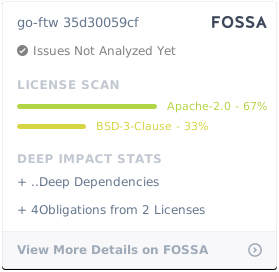
## 许可证
[](https://app.fossa.com/projects/git%2Bgithub.com%2Fcoreruleset%2Fgo-ftw?ref=badge_large)
标签:AppImage, DNS解析, GitHub项目, Go语言, HTTP流量模拟, ModSecurity, WAF测试, Web应用防火墙, 代码生成, 功能安全测试, 单元测试, 反取证, 回归测试, 多语言支持, 安全测试框架, 安全评估, 开源项目, 日志审计, 核心规则集, 测试工具, 渗透测试工具, 程序破解, 网络安全, 请求拦截, 质量保证, 隐私保护