jomjol/AI-on-the-edge-device
GitHub: jomjol/AI-on-the-edge-device
基于 ESP32-CAM 和边缘 AI 技术的模拟仪表数字读数识别方案,让传统水电气表实现智能化升级。
Stars: 8448 | Forks: 874
边缘 AI 设备:使用 ESP32-CAM 数字化您的非数字仪表
## 目录 - [主要功能 🚀](#key-features-) - [工作流程 🔧](#workflow-) - [预览图 📷](#impressions-) - [水表上的边缘 AI 设备 💧](#ai-on-the-edge-device-on-a-water-meter-) - [Web 界面(水表)💻](#web-interface-water-meter-) - [电表上的边缘 AI 设备 ⚡](#ai-on-the-edge-device-on-an-electrical-power-meter-) - [安装设置 🛠️](#setup-%EF%B8%8F) - [下载 🔽](#download-) - [刷写 ESP32 💾](#flashing-the-esp32-) - [刷写 SD 卡 💾](#flashing-the-sd-card-) - [外壳 🛠️](#casing-%EF%B8%8F) - [捐赠 ☕](#donate-) - [支持 💬](#support-) - [更新与历史 📜](#changes-and-history-) - [自行构建 🔨](#build-it-yourself-) - [工具 🛠️](#tools-%EF%B8%8F) - [更多想法 💡](#additional-ideas-) - [我们的贡献者 ❤️](#our-contributors-%EF%B8%8F)

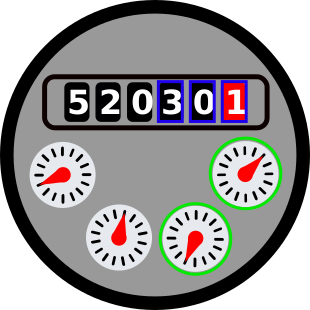
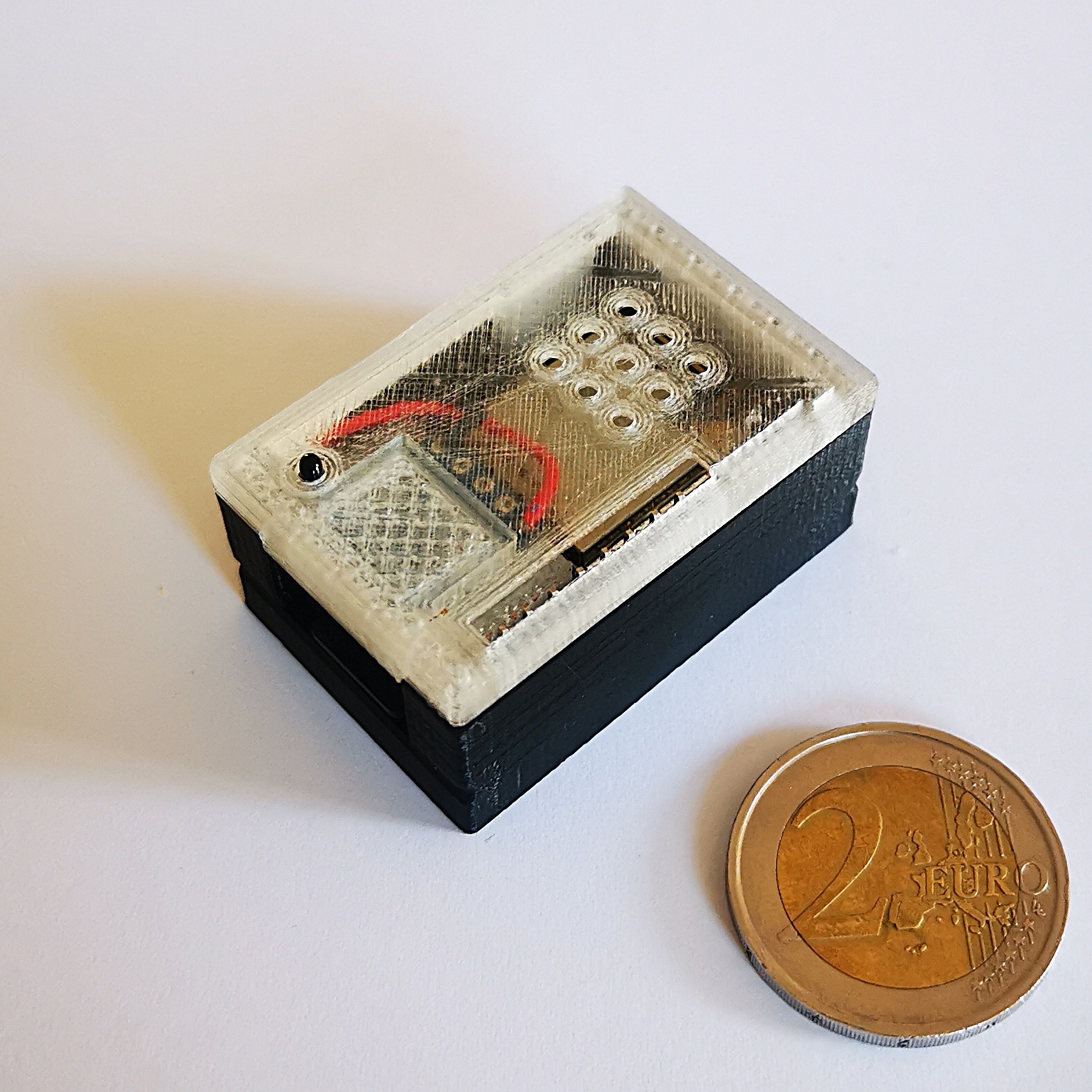
## 主要功能 🚀 - 🔗 **集成 Tensorflow Lite (TFLite)** – 包含一个易于使用的封装器。 - 📸 **内联图像处理**(特征检测、对齐、ROI 提取)。 - 💡 **小巧**且**廉价**的设备(3 x 4.5 x 2 cm³,不到 10 欧元)。 - 📷 集成摄像头和照明装置。 - 🌐 用于管理和控制的 Web 界面。 - 🔄 OTA 接口,支持直接通过 Web 界面进行更新。 - 🏠 完全集成 Home Assistant。 - 📊 支持 **Influx DB 1** 和 **2**。 - 📡 支持 **MQTT 协议**。 - 📥 提供 **REST API** 用于数据访问。
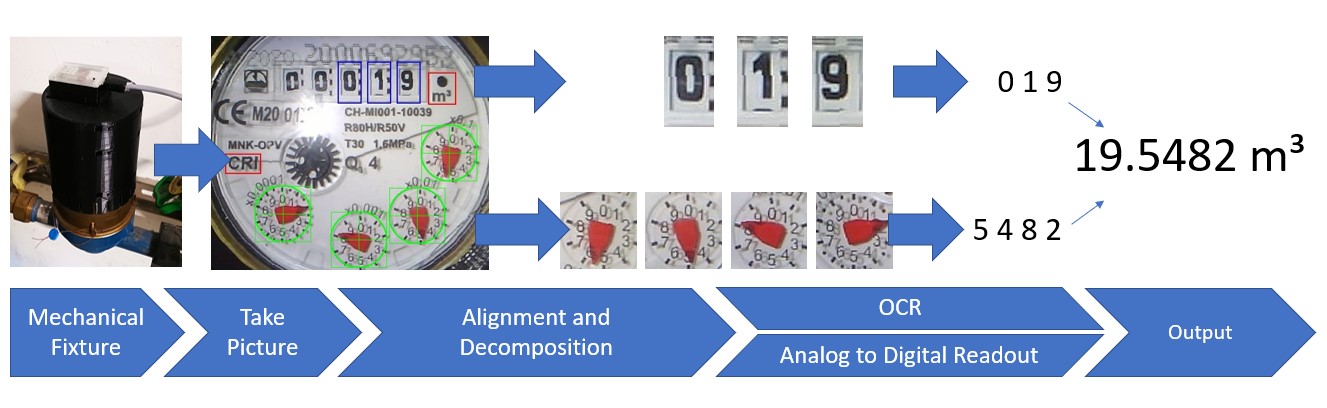
## 工作流程 🔧 该设备按设定的时间间隔捕捉仪表的照片。然后它从图像中提取感兴趣区域(ROI),并通过人工智能对其进行处理。结果就是您仪表的数字化数值。 关于如何处理该数值,有几种选择: - 📤 将其发送到 **MQTT broker**。 - 📝 将其写入 **InfluxDb**。 - 🔗 通过 **REST API** 提供访问。
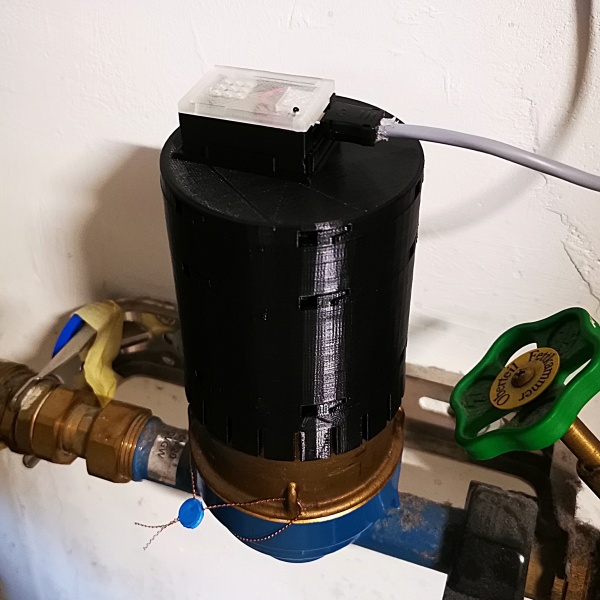
## 预览图 📷 + 水表上的边缘 AI 设备 💧
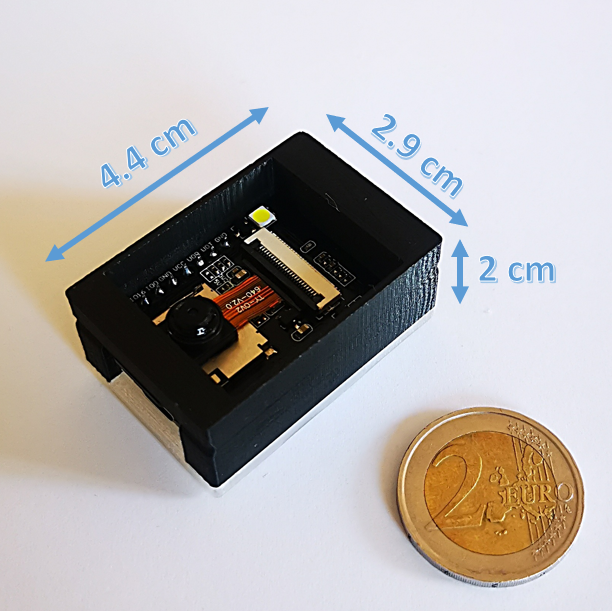
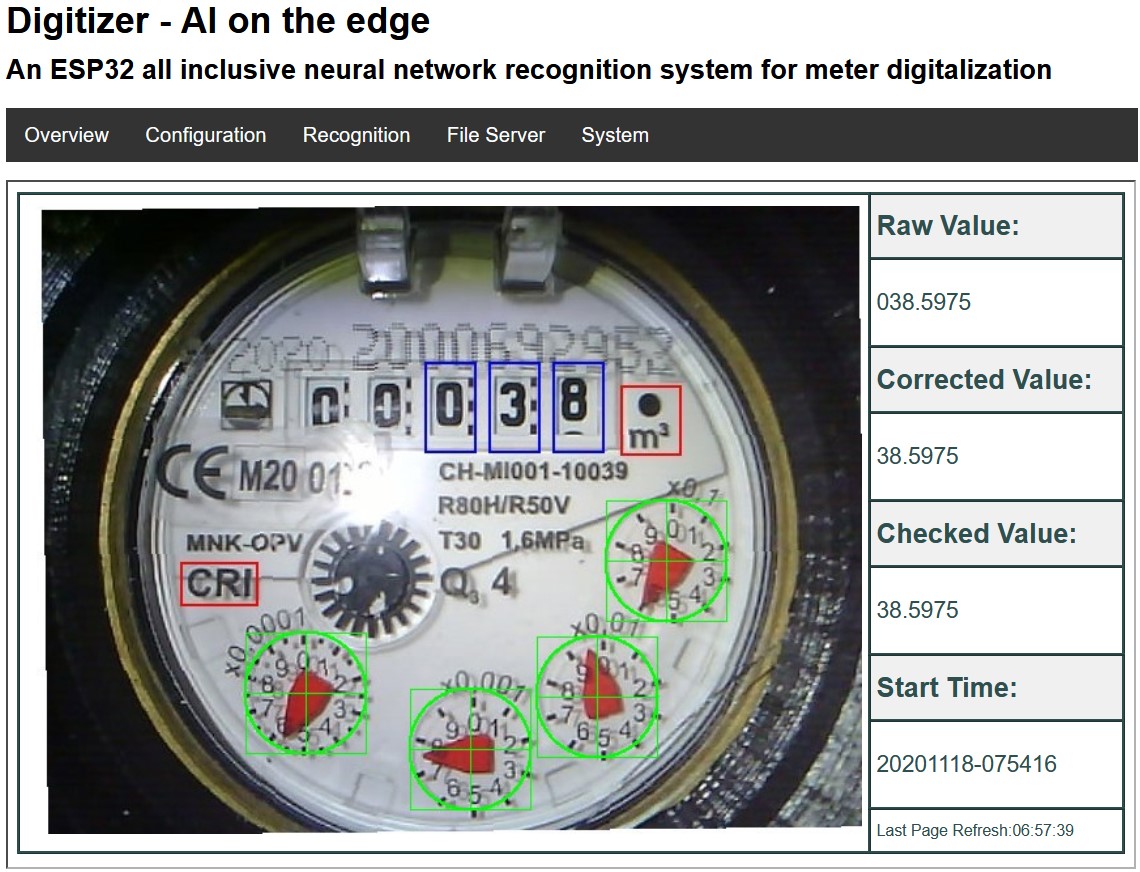
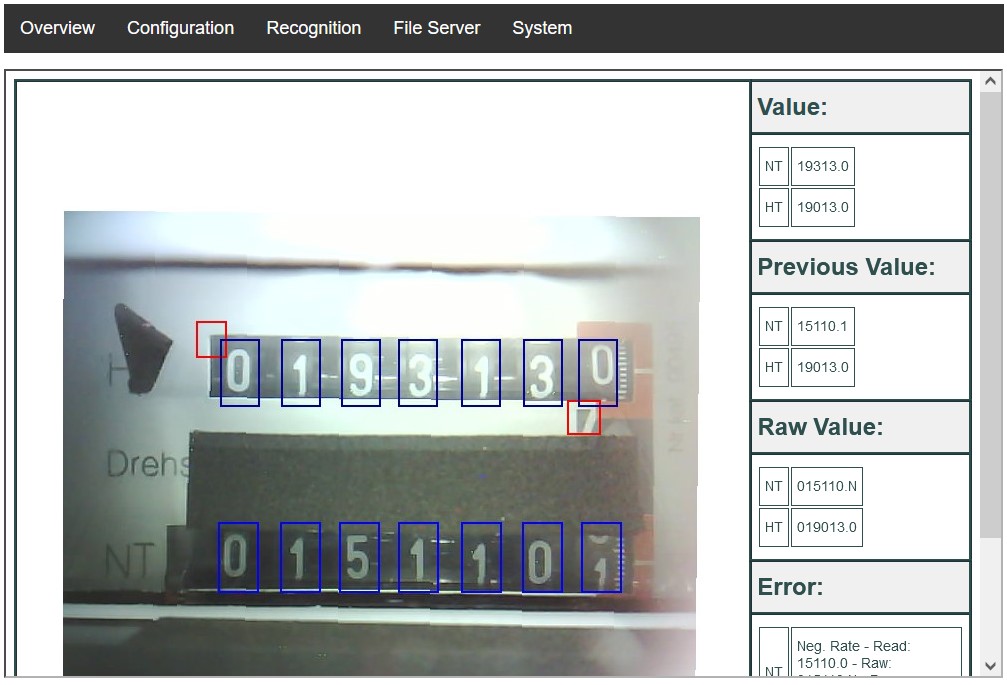
## 安装设置 🛠️ 这里有日益完善的[文档](https://jomjol.github.io/AI-on-the-edge-device-docs/),提供了大量信息。请前往了解如何开始、安装和配置。 德国 Heise 杂志《make:》上也有一些关于设置和技术背景的文章(需付费):[DIY - 设置](https://www.heise.de/select/make/2021/2/2103513300897420296) 📰 很多人制作了有用的 YouTube 视频,可能有助于您入门: - 🎥 [youtube.com/watch?v=HKBofb1cnNc](https://www.youtube.com/watch?v=HKBofb1cnNc) - 🎥 [youtube.com/watch?v=yyf0ORNLCk4](https://www.youtube.com/watch?v=yyf0ORNLCk4) - 🎥 [youtube.com/watch?v=XxmTubGek6M](https://www.youtube.com/watch?v=XxmTubGek6M) - 🎥 [youtube.com/watch?v=mDIJEyElkAU](https://www.youtube.com/watch?v=mDIJEyElkAU) - 🎥 [youtube.com/watch?v=SssiPkyKVVs](https://www.youtube.com/watch?v=SssiPkyKVVs) - 🎥 [youtube.com/watch?v=MAHE_QyHZFQ](https://www.youtube.com/watch?v=MAHE_QyHZFQ) - 🎥 [youtube.com/watch?v=Uap_6bwtILQ](https://www.youtube.com/watch?v=Uap_6bwtILQ) 如需更多背景信息,请前往: - [神经网络](https://www.heise.de/select/make/2021/6/2126410443385102621) - [训练神经网络](https://www.heise.de/select/make/2022/1/2134114065999161585) - [ESP32 编程](https://www.heise.de/select/make/2022/2/2204010051597422030)
## 下载 🔽 最新可用版本可以在 [Releases 页面](https://github.com/jomjol/AI-on-the-edge-device/releases)找到。
## 刷写 ESP32 💾 初次使用时,您需要通过 USB 连接刷写 ESP32。后续更新可以直接通过无线网络进行(OTA 使用 Wi-Fi)。 刷写 ESP32 有几种不同的方式: - 首选方式是使用 [Web 安装程序和控制台](https://jomjol.github.io/AI-on-the-edge-device/index.html),这是一个基于浏览器的工具,用于刷写 ESP32 并通过 USB 提取日志: 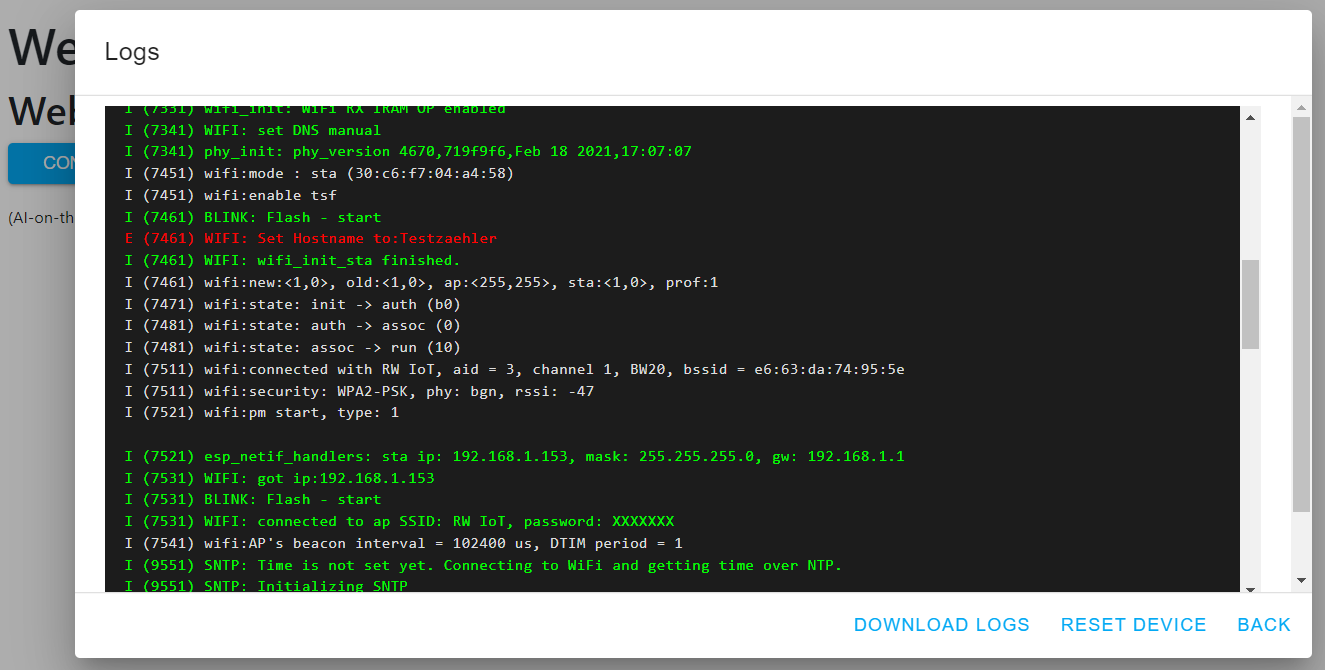 - Espressif 的 Flash Tool - ESPtool(命令行工具) 有关更多信息,请参阅[文档](https://jomjol.github.io/AI-on-the-edge-device-docs/Installation/)。
## 刷写 SD 卡 💾 安装固件后,SD 卡可以自动设置。有关详细信息,请参阅[文档](https://jomjol.github.io/AI-on-the-edge-device-docs/Installation/#remote-setup-using-the-built-in-access-point)。为此,SD 卡必须格式化为 FAT(这是新 SD 卡的默认格式)。 或者,仍然可以手动设置 SD 卡。有关详细信息,请参阅[文档](https://jomjol.github.io/AI-on-the-edge-device-docs/Installation/#3-sd-card)。
## 外壳 🛠️ 各种可 3D 打印的外壳可以在这里找到: - 💧 [水表](https://www.thingiverse.com/thing:4573481) - ⚡ [电表](https://www.thingiverse.com/thing:5028229) - 🔥 [燃气表](https://www.thingiverse.com/thing:5224101) - 📷 [仅 ESP32-cam 外壳](https://www.thingiverse.com/thing:4571627) - 📡 [顶盖和天线支架](https://www.printables.com/model/452139-cover-for-esp32-cam-water-meter)
## 支持 💬 如果您有任何技术问题,请在[讨论区](https://github.com/jomjol/AI-on-the-edge-device/discussions)搜索。如果您发现错误或有功能请求,请开启一个 [Issue](https://github.com/jomjol/AI-on-the-edge-device/issues)。 对于任何其他问题,您可以通过电子邮件联系开发者:

## 更新与历史 📜 有关详细信息,请参阅[更新日志](Changelog.md)。
## 自行构建 🔨 请参阅[构建说明](code/README.md)获取分步指导。
## 工具 🛠️ * 日志文件下载器和合并器(感谢 [reserve85](https://github.com/reserve85)) * 可以在 ['/tools/logfile-tool'](https://github.com/jomjol/AI-on-the-edge-device/tree/main/tools/logfile-tool) 找到。
## 更多想法 💡 有一些目前尚未实施的想法和功能请求——主要是由于开发者的精力有限。这些功能收集在 [Issues](https://github.com/jomjol/AI-on-the-edge-device/issues) 和 [FeatureRequest.md](FeatureRequest.md) 中。
标签:AI, C++, DIY, ESP32, ESP32-CAM, IoT, MicroPython, OCR, 人工智能, 仪表数字化, 传感器, 光学字符识别, 图像处理, 嵌入式系统, 开源硬件, 数字孪生, 数字识别, 数据擦除, 智能家居, 智能抄表, 智能电表, 气表读数, 水表读数, 物联网, 用户模式Hook绕过, 电表读数, 网络调试, 老旧设备改造, 能耗监控, 自动化, 自动化代码审查, 计算机视觉, 边缘计算