# HackTricks
_Hacktricks Logo 与动效设计由_ [_@ppieranacho_](https://www.instagram.com/ppieranacho/)_制作。_
### 在本地运行 HackTricks
```
# Download latest version of hacktricks
git clone https://github.com/HackTricks-wiki/hacktricks
# Select the language you want to use
export LANG="master" # Leave master for english
# "af" for Afrikaans
# "de" for German
# "el" for Greek
# "es" for Spanish
# "fr" for French
# "hi" for HindiP
# "it" for Italian
# "ja" for Japanese
# "ko" for Korean
# "pl" for Polish
# "pt" for Portuguese
# "sr" for Serbian
# "sw" for Swahili
# "tr" for Turkish
# "uk" for Ukrainian
# "zh" for Chinese
# Run the docker container indicating the path to the hacktricks folder
docker run -d --rm --platform linux/amd64 -p 3337:3000 --name hacktricks -v $(pwd)/hacktricks:/app ghcr.io/hacktricks-wiki/hacktricks-cloud/translator-image bash -c "mkdir -p ~/.ssh && ssh-keyscan -H github.com >> ~/.ssh/known_hosts && cd /app && git config --global --add safe.directory /app && git checkout $LANG && git pull && MDBOOK_PREPROCESSOR__HACKTRICKS__ENV=dev mdbook serve --hostname 0.0.0.0"
```
HackTricks 的本地副本将在 5 分钟内**可通过 [http://localhost:3337](http://localhost:3337) 访问**(它需要构建书籍,请耐心等待)。
## 许可证与免责声明
请查阅:
{{#ref}}
welcome/hacktricks-values-and-faq.md
{{#endref}}
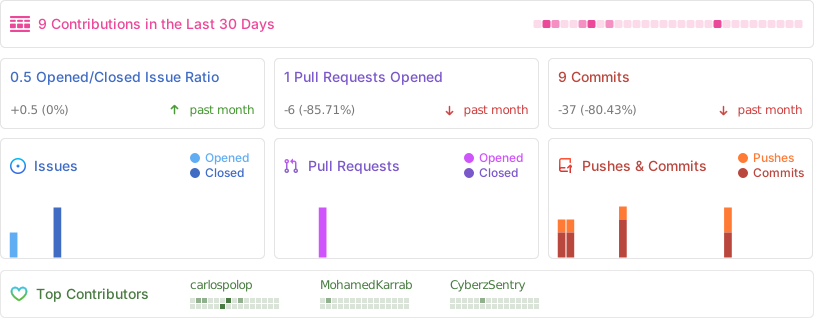
## Github 统计
{{#include ./banners/hacktricks-training.md}}
