pry0cc/axiom
GitHub: pry0cc/axiom
Axiom 是一个动态基础设施框架,帮助安全团队统一管理扫描工具,实现高效的多云渗透测试。
Stars: 4390 | Forks: 716







对于 Linux 系统,您还需要提前安装所有软件包的最新版本 `sudo apt dist-upgrade`。
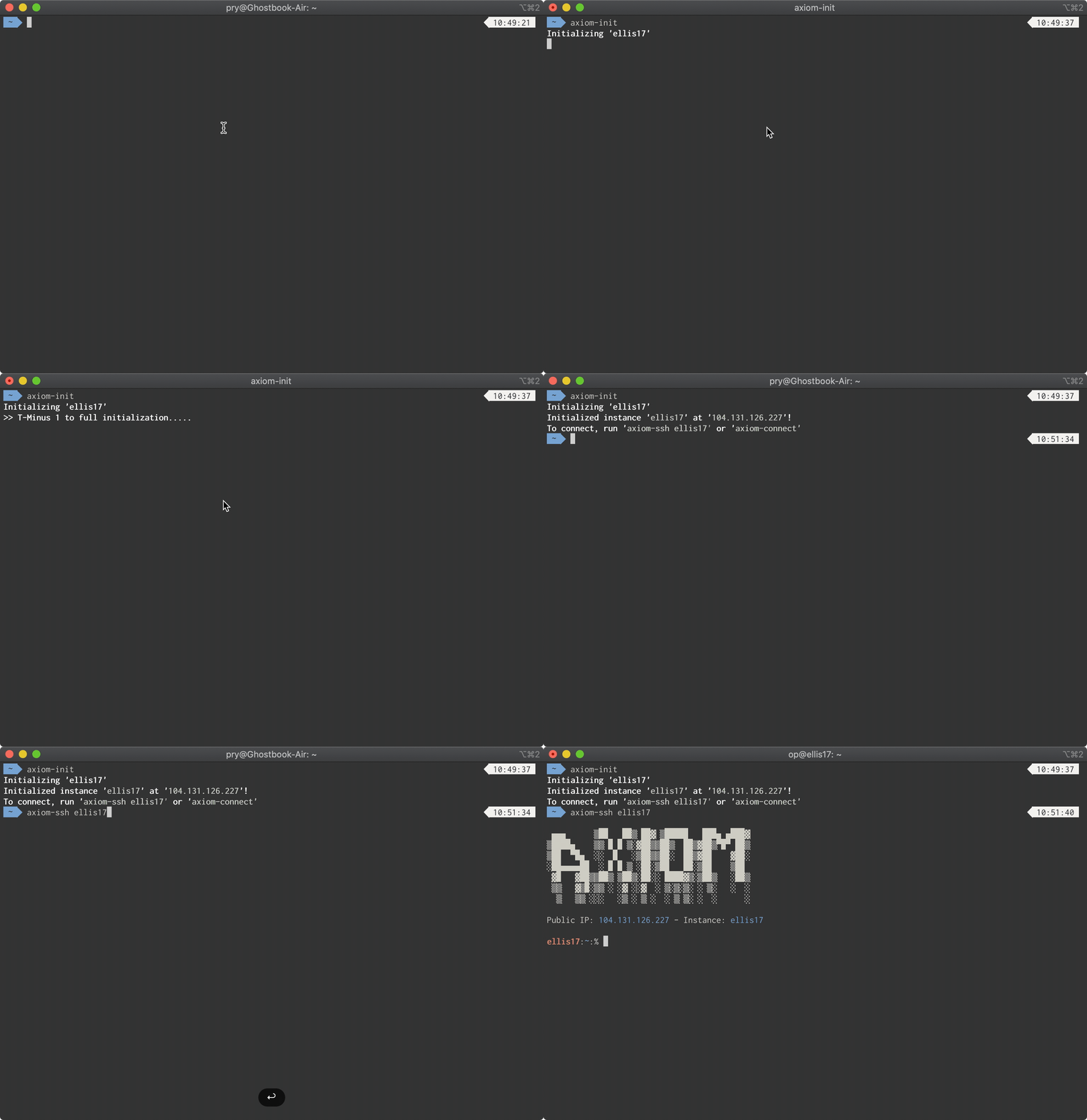
``` bash <(curl -s https://raw.githubusercontent.com/pry0cc/axiom/master/interact/axiom-configure) ``` 如果您在使用此安装程序时遇到任何问题,或使用了不受支持的操作系统,请参阅 [Installation](https://github.com/pry0cc/axiom/wiki/0-Installation)。 # 演示 在此演示(为尊重您的时间而加速 ;))中,我们展示了初始化并 SSH 进入新实例的简易过程。
 ## 支持的操作系统
| 操作系统 | 支持 | 简易安装 | 已测试 |
|------------|------|----------|--------|
| Ubuntu | Yes | Yes | Ubuntu 20.04 |
| Kali | Yes | Yes | Kali 2021.3 |
| Debian | Yes | Yes | Debian 10 |
| Windows | Yes | Yes | WSL w/ Ubuntu |
| MacOS | Yes | Yes | MacOS 11.6 |
| Arch Linux | Yes | No | Yes |
# 已有工具
- [x] aiodnsbrute
- [x] Amass
- [x] anew
- [x] anti-burl
- [x] aquatone
- [x] Arjun
- [x] assetfinder
- [x] axiom
- [x] axiom-dockerfiles
- [x] cent
- [x] cero
- [x] chaos-client
- [x] commix
- [x] concurl
- [x] Corsy
- [x] CrackMapExec
- [x] crlfuzz
- [x] dalfox
- [x] dirdar
- [x] DNSCewl
- [x] dnsgen
- [x] dnsrecon
- [x] dns resolvers by trickest
- [x] dnsvalidator
- [x] dnsx
- [x] Docker
- [x] ERLPopper
- [x] exclude-cdn
- [x] feroxbuster
- [x] fff
- [x] ffuf
- [x] findomain
- [x] gau
- [x] gauplus
- [x] getJS
- [x] gf
- [x] Gf-Patterns
- [x] github-endpoints
- [x] github-subdomains
- [x] Go
- [x] gobuster
- [x] google-chrome
- [x] gorgo
- [x] gospider
- [x] gowitness
- [x] gron
- [x] Gxss
- [x] hakrawler
- [x] hakrevdns
- [x] httprobe
- [x] httpx
- [x] interactsh-client
- [x] Interlace
- [x] ipcdn
- [x] jaeles
- [x] kiterunner
- [x] kxss
- [x] leaky-paths
- [x] LinkFinder
- [x] masscan
- [x] massdns
- [x] medusa
- [x] meg
- [x] naabu
- [x] nmap
- [x] nuclei
- [x] OpenRedireX
- [x] ParamSpider
- [x] phantomjs
- [x] proxychains-ng
- [x] puredns
- [x] qsreplace
- [x] responder.py
- [x] RustScan
- [x] s3scanner
- [x] scrying
- [x] SecLists
- [x] shuffledns
- [x] six2dez dns permutations
- [x] sqlmap
- [x] subfinder
- [x] subjack
- [x] subjs
- [x] testssl
- [x] thc-hydra
- [x] tlsx
- [x] trufflehog
- [x] ufw
- [x] unimap
- [x] wafw00f
- [x] waybackurls
- [x] webscreenshot
- [x] wpscan
# 通过 apt-get 安装的包
- [x] bison
- [x] build-essential
- [x] fail2ban
- [x] firebird-dev
- [x] flex
- [x] git
- [x] grc
- [x] jq
- [x] libgcrypt11-dev_1.5.4-3+really1.8.1-4ubuntu1.2_amd64.deb
- [x] libgcrypt20-dev
- [x] libgpg-error-dev
- [x] libgtk2.0-dev
- [x] libidn11-dev
- [x] libmemcached-dev
- [x]mysqlclient-dev
- [x] libpcap-dev
- [x] libpcre3-dev
- [x] libpq-dev
- [x] libssh-dev
- [x] libssl-dev
- [x] libsvn-dev
- [x] net-tools
- [x] ohmyzsh
- [x] p7zip
- [x] python3-pip
- [x] ruby-dev
- [x] rubygems
- [x] ufw
- [x] unzip
- [x] zsh
- [x] zsh-autosuggestions
- [x] zsh-syntax-highlighting
## 支持的操作系统
| 操作系统 | 支持 | 简易安装 | 已测试 |
|------------|------|----------|--------|
| Ubuntu | Yes | Yes | Ubuntu 20.04 |
| Kali | Yes | Yes | Kali 2021.3 |
| Debian | Yes | Yes | Debian 10 |
| Windows | Yes | Yes | WSL w/ Ubuntu |
| MacOS | Yes | Yes | MacOS 11.6 |
| Arch Linux | Yes | No | Yes |
# 已有工具
- [x] aiodnsbrute
- [x] Amass
- [x] anew
- [x] anti-burl
- [x] aquatone
- [x] Arjun
- [x] assetfinder
- [x] axiom
- [x] axiom-dockerfiles
- [x] cent
- [x] cero
- [x] chaos-client
- [x] commix
- [x] concurl
- [x] Corsy
- [x] CrackMapExec
- [x] crlfuzz
- [x] dalfox
- [x] dirdar
- [x] DNSCewl
- [x] dnsgen
- [x] dnsrecon
- [x] dns resolvers by trickest
- [x] dnsvalidator
- [x] dnsx
- [x] Docker
- [x] ERLPopper
- [x] exclude-cdn
- [x] feroxbuster
- [x] fff
- [x] ffuf
- [x] findomain
- [x] gau
- [x] gauplus
- [x] getJS
- [x] gf
- [x] Gf-Patterns
- [x] github-endpoints
- [x] github-subdomains
- [x] Go
- [x] gobuster
- [x] google-chrome
- [x] gorgo
- [x] gospider
- [x] gowitness
- [x] gron
- [x] Gxss
- [x] hakrawler
- [x] hakrevdns
- [x] httprobe
- [x] httpx
- [x] interactsh-client
- [x] Interlace
- [x] ipcdn
- [x] jaeles
- [x] kiterunner
- [x] kxss
- [x] leaky-paths
- [x] LinkFinder
- [x] masscan
- [x] massdns
- [x] medusa
- [x] meg
- [x] naabu
- [x] nmap
- [x] nuclei
- [x] OpenRedireX
- [x] ParamSpider
- [x] phantomjs
- [x] proxychains-ng
- [x] puredns
- [x] qsreplace
- [x] responder.py
- [x] RustScan
- [x] s3scanner
- [x] scrying
- [x] SecLists
- [x] shuffledns
- [x] six2dez dns permutations
- [x] sqlmap
- [x] subfinder
- [x] subjack
- [x] subjs
- [x] testssl
- [x] thc-hydra
- [x] tlsx
- [x] trufflehog
- [x] ufw
- [x] unimap
- [x] wafw00f
- [x] waybackurls
- [x] webscreenshot
- [x] wpscan
# 通过 apt-get 安装的包
- [x] bison
- [x] build-essential
- [x] fail2ban
- [x] firebird-dev
- [x] flex
- [x] git
- [x] grc
- [x] jq
- [x] libgcrypt11-dev_1.5.4-3+really1.8.1-4ubuntu1.2_amd64.deb
- [x] libgcrypt20-dev
- [x] libgpg-error-dev
- [x] libgtk2.0-dev
- [x] libidn11-dev
- [x] libmemcached-dev
- [x]mysqlclient-dev
- [x] libpcap-dev
- [x] libpcre3-dev
- [x] libpq-dev
- [x] libssh-dev
- [x] libssl-dev
- [x] libsvn-dev
- [x] net-tools
- [x] ohmyzsh
- [x] p7zip
- [x] python3-pip
- [x] ruby-dev
- [x] rubygems
- [x] ufw
- [x] unzip
- [x] zsh
- [x] zsh-autosuggestions
- [x] zsh-syntax-highlighting
 想向 axiom 添加包吗?[Read the wiki!](https://github.com/pry0cc/axiom/wiki/Adding-Simple-Modules)
标签:Bug Bounty, CTI, DNS解析, ffuf, IOC 共享, LIDS, masscan, meg, MISP, NIDS, nuclei, SIEM 集成, SOC, TIP, 不可变基础设施, 云原生安全, 信息安全, 分布式扫描, 可自定义解析器, 可视化界面, 可重复部署, 威胁情报平台, 子域名突变, 安全工具集成, 安全自动化, 容器化, 开源项目, 指标共享, 日志审计, 渗透测试平台, 特权提升, 结构化信息, 自动化部署, 请求拦截, 逆向工具