Bl4Cc4t/GoodTwitter2
GitHub: Bl4Cc4t/GoodTwitter2
一款通过用户脚本在浏览器中重塑 Twitter 经典外观的增强工具。
Stars: 521 | Forks: 63
```markdown
一个让 Twitter 恢复良好的尝试。
[更新日志](https://github.com/Bl4Cc4t/GoodTwitter2/blob/master/doc/changelog.md)
⚠ 尚未停止!请参阅 [#567](https://github.com/Bl4Cc4t/GoodTwitter2/issues/567) 了解当前项目状态。
## 内容
- [背景](#background)
- [免责声明](#disclaimers)
- [特性](#features)
- [安装](#installation)
- [常见问题](#faq)
- [翻译](#translations)
- [类似项目](#similar-projects)
- [致谢](#credits)
- [预览](#previews)
## 背景
Twitter 于 2020 年 6 月 1 日完全禁用了旧的 2014 布局。这导致流行的扩展程序 [GoodTwitter](https://github.com/ZusorCode/GoodTwitter) [无法继续使用](https://twitter.com/ZusorOW/status/1258885451055800320)。但因为我更喜欢旧版布局,所以我决定创建这个脚本来以某种方式重现经典外观。
## 免责声明
- 请记住,某些功能会不时失效,因此创建拉取请求和/或问题将受到欢迎。
- 这绝不是对旧设计完整重现,它更像是两者之间的混合。
## 特性
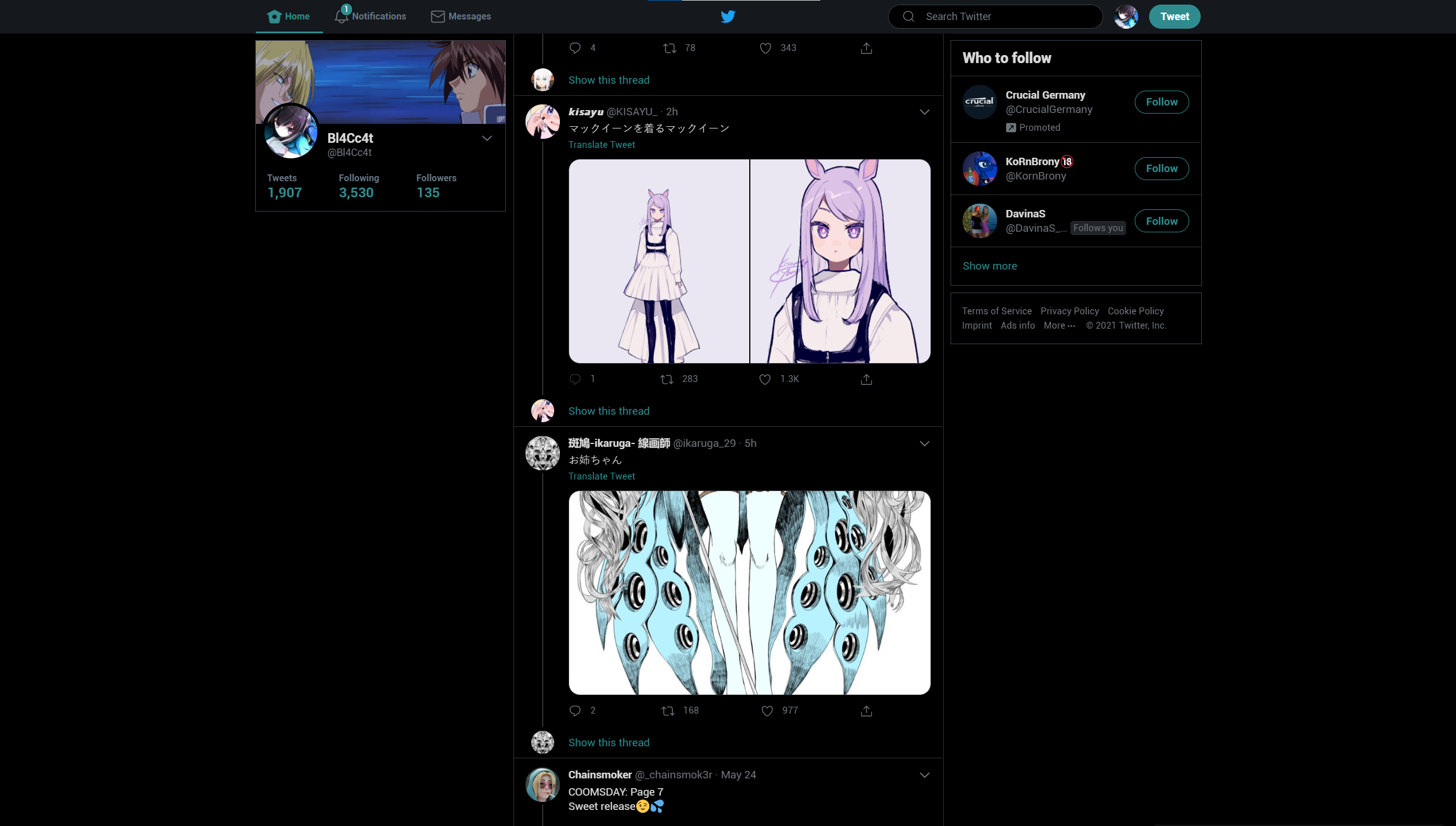
- 经典导航栏回归!

- 经典个人资料布局选项!
- 个人资料在大多数页面显示在左侧
- 支持所有显示设置!
- 默认和暗色主题使用经典 Twitter 的配色方案
- 添加了未登录时的夜间模式切换
- 在时间线中直接翻译推文!
- 推文的来源字段再次可见
- 多种其他自定义设置,请查看 [预览](#previews)
## 安装
要使用此脚本,你需要一个用户脚本管理器。
- 安装 [Tampermonkey](https://www.tampermonkey.net/) 或 [Violentmonkey](https://violentmonkey.github.io/get-it/)(目前不支持 Greasemonkey)
- Violentmonkey 在非常旧的 Firefox 版本中可能表现更好。
- 然后,点击[这个链接](https://github.com/Bl4Cc4t/GoodTwitter2/raw/master/twitter.gt2eb.user.js),新标签页会打开并提示你进行安装。
- 点击安装,你就可以顺利使用了!
- [仅限 Firefox] 你不再需要禁用 CSP。如果你之前禁用了它,请参阅[此指南](https://github.com/Bl4Cc4t/GoodTwitter2/blob/master/doc/firefox-csp.md)了解如何重新启用。
**不要同时使用此脚本与 GoodTwitter 扩展。请先禁用它!**
## 常见问题
### 高亮颜色与我的设置不匹配,该怎么办?
正常情况下,脚本应能检测到你正在使用的颜色。
如果它未能识别,请导航到显示设置,切换至另一种颜色,然后再选择你希望的颜色。
现在应该能按你期望的方式显示了!
### 我可以帮你吗?
当然可以!如果你想帮助翻译,请查看 [添加翻译](#adding-translations)。
如果你想协助编码,可以查看问题追踪器。有很多功能无法正常运行,我当然需要一些帮助 :)
## 翻译
- 保加利亚语(由 [@EdinUser](https://github.com/EdinUser) 添加)
- 简体中文(由 [@Hewasshushed](https://github.com/Hewasshushed) 添加)
- 繁体中文(由 [@roy4801](https://github.com/roy4801) &
[@olivertzeng](https://github.com/olivertzeng) 添加)
- 荷兰语(由 [@gvmelle](https://github.com/gvmelle) 添加)
- 法语(由 [@Aridow](https://github.com/Aridow) 添加)
- 印度尼西亚语(由 [@NekoSam395!](https://github.com/NekoSam395) 添加)
- 日语(由 [@Gizel-jiz](https://github.com/Gizel-jiz) 添加)
- 韩语(由 [@Lastorder-DC](https://github.com/Lastorder-DC) 添加)
- 波兰语(由 [@mkljczk](https://github.com/mkljczk) 添加)
- 葡萄牙语(由 [@fr0r](https://github.com/fr0r) 添加)
- 罗马尼亚语(由 [@Andy9001](https://github.com/Andy9001) 添加)
- 俄语(由 [@BrandtnerKPW](https://github.com/BrandtnerKPW) 添加)
- 西班牙语(由 [@granmacco](https://github.com/granmacco) & [@gaelcoral](https://github.com/gaelcoral) 添加)
- 瑞典语(由 [@krokerik](https://github.com/krokerik) 添加)
- 土耳其语(由 [@seaque](https://github.com/seaque) 添加)
- 乌克兰语(由 [@megamanyoutuber](https://github.com/megamanyoutuber) 添加)
- 越南语(由 [@touanu](https://github.com/touanu) 添加)
- 英语和德语原生支持。
### 添加翻译
如果你的语言尚未支持,你可以通过以下方式帮助添加:
打开以下框以了解更多信息。
- 切换到开发分支。
- 进入 i18n 文件夹。
- 如果尚未有你的语言翻译:
- 叉出仓库。
- 复制 `en.yml` 文件并相应地更改文件名(例如 `ja.yml` 或 `nl.yml`)。
- 你可以通过在 Twitter 页面按下 Ctrl+U 并查看第二行来获取语言 ID:

- 然后,翻译所有字符串并创建拉取请求。
- 对于第一段中的所有字符串:如果可能,请使用 Twitter 上的官方翻译。
- 你也可以当然搜索潜在的拼写错误等并修正现有翻译!
- 新字符串会不时添加(例如针对新设置)。它们将以 `TODO` 注释结尾,以便你更容易发现它们!
如果你不知道如何使用 Git,也可以使用创建新问题并附上你的翻译。
如果这样做,请确保将文件内容用反引号包裹,如下所示:
```content```
## 类似项目
- [userscripts-public](https://github.com/Bl4Cc4t/userscripts-public)(其他非常小的用户脚本)
## 预览
[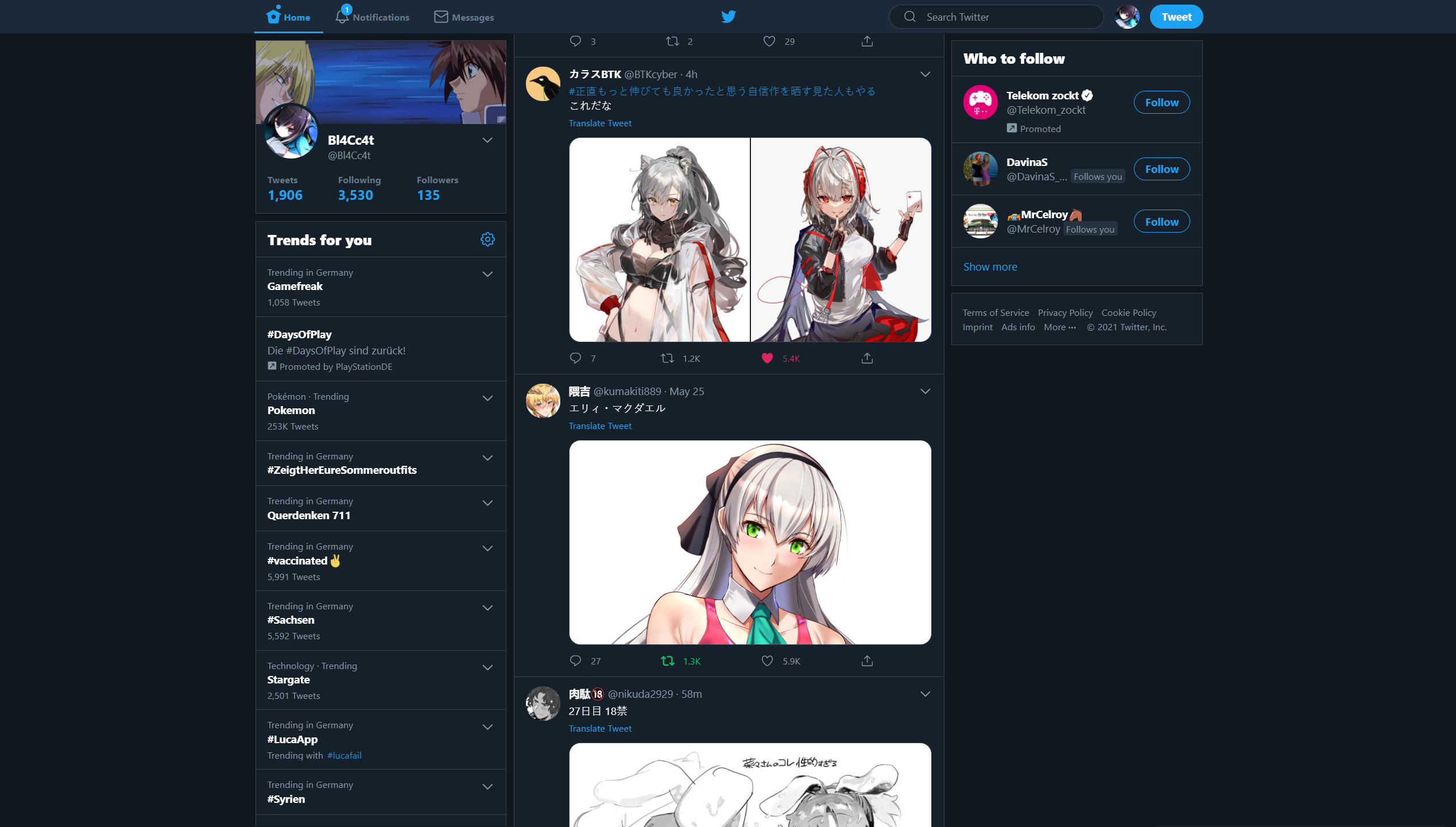](https://static.pigsec.cn/wp-content/uploads/repos/2026/04/1a278161ba013442.png)
[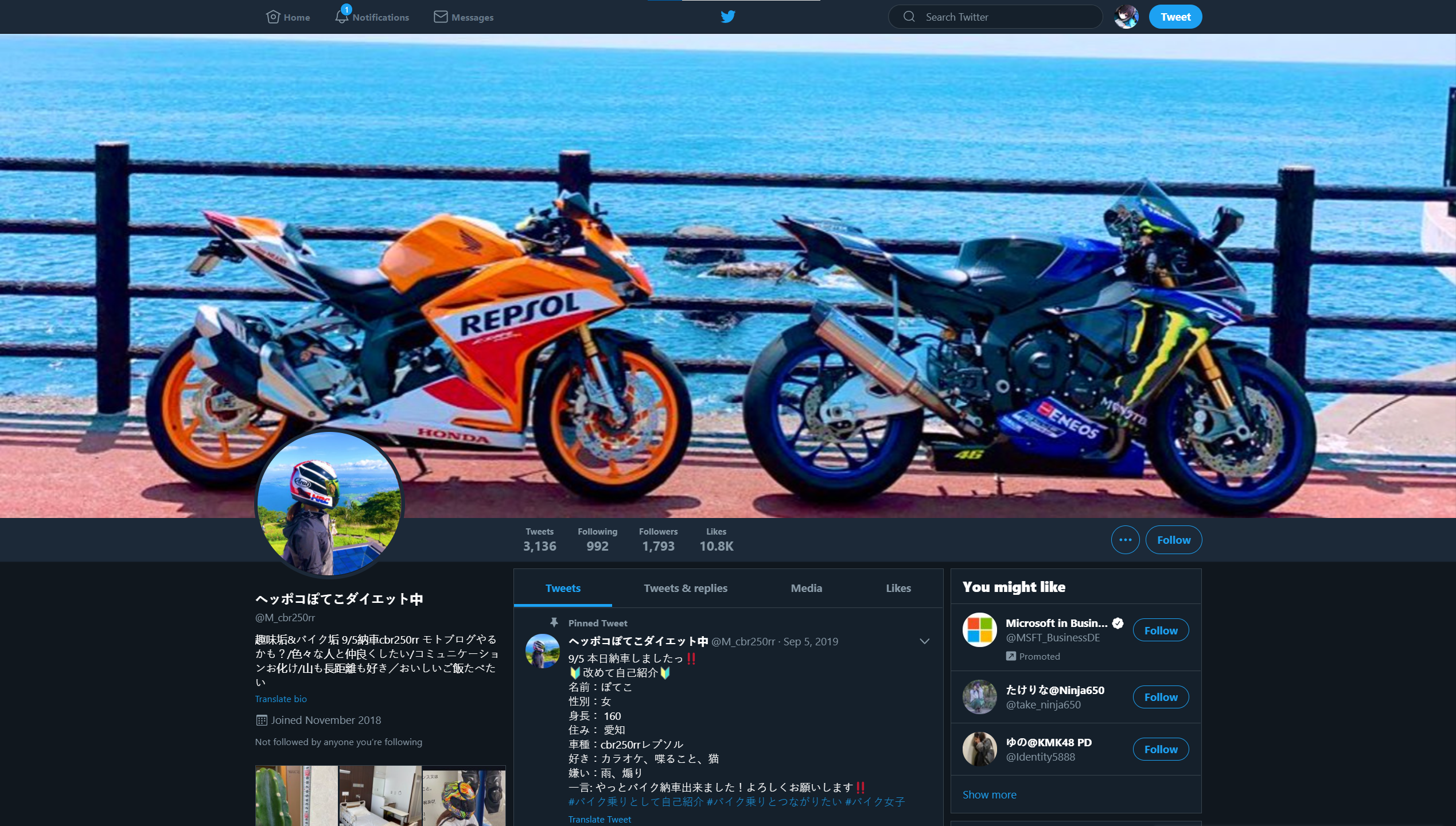](https://static.pigsec.cn/wp-content/uploads/repos/2026/04/3668a7d140013445.png)
[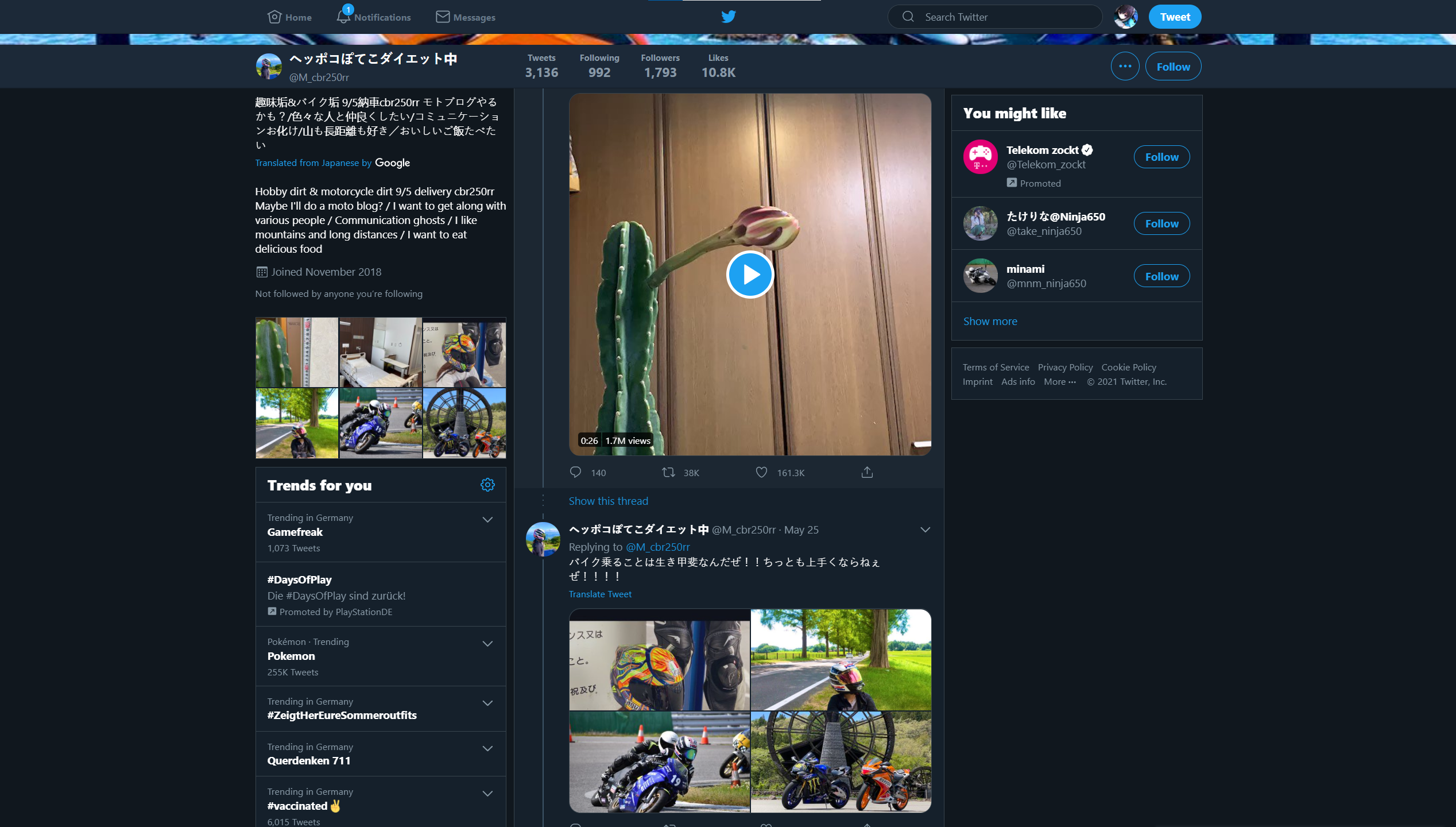](https://static.pigsec.cn/wp-content/uploads/repos/2026/04/6158049af3013447.png)
[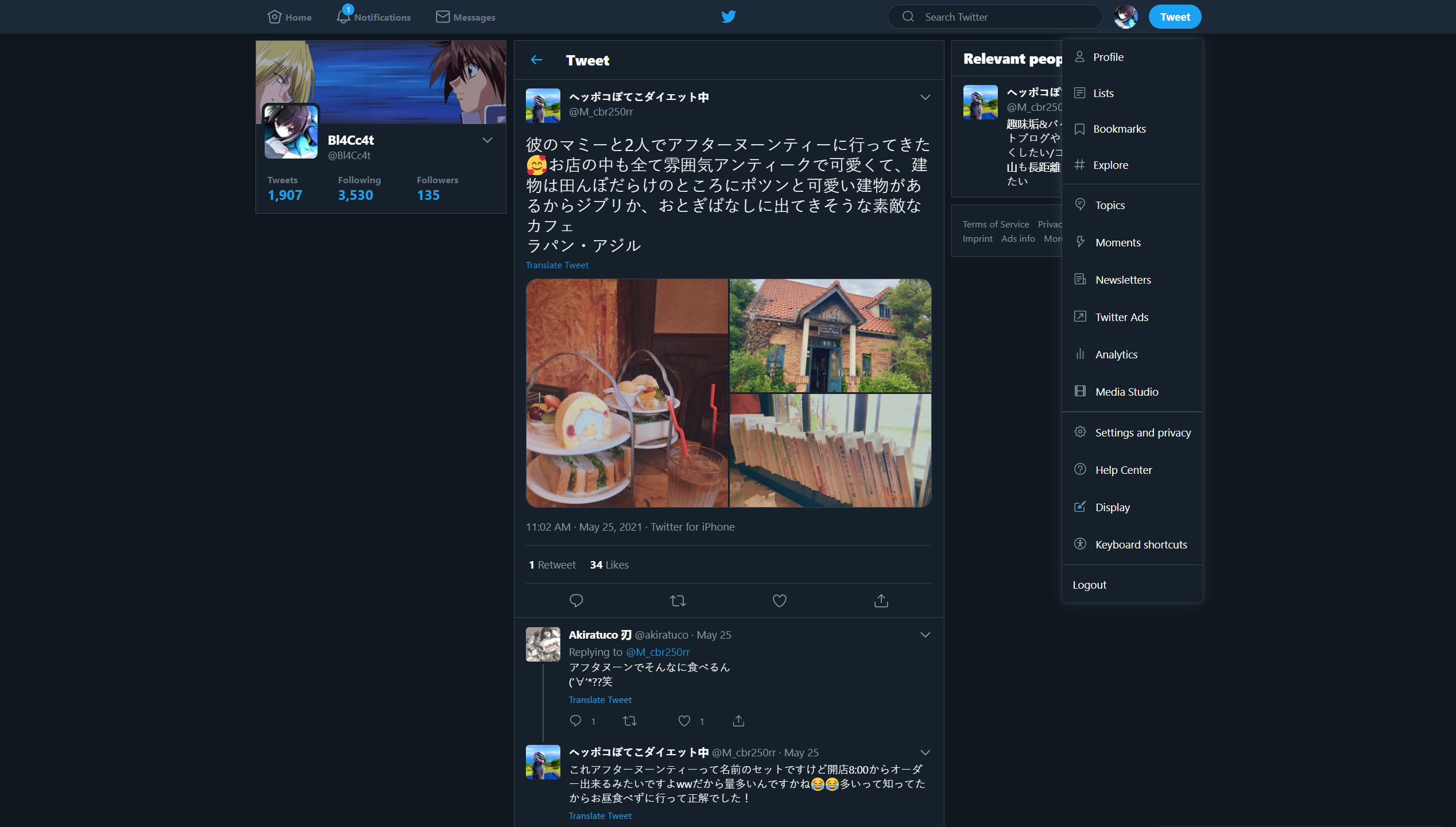](https://static.pigsec.cn/wp-content/uploads/repos/2026/04/e717682997013448.png)
[](https://static.pigsec.cn/wp-content/uploads/repos/2026/04/d9b3f259b4013450.png)
[](https://static.pigsec.cn/wp-content/uploads/repos/2026/04/d9b3f259b4013450.png)
### 设置
页面 1 | 页面 2
-|-
[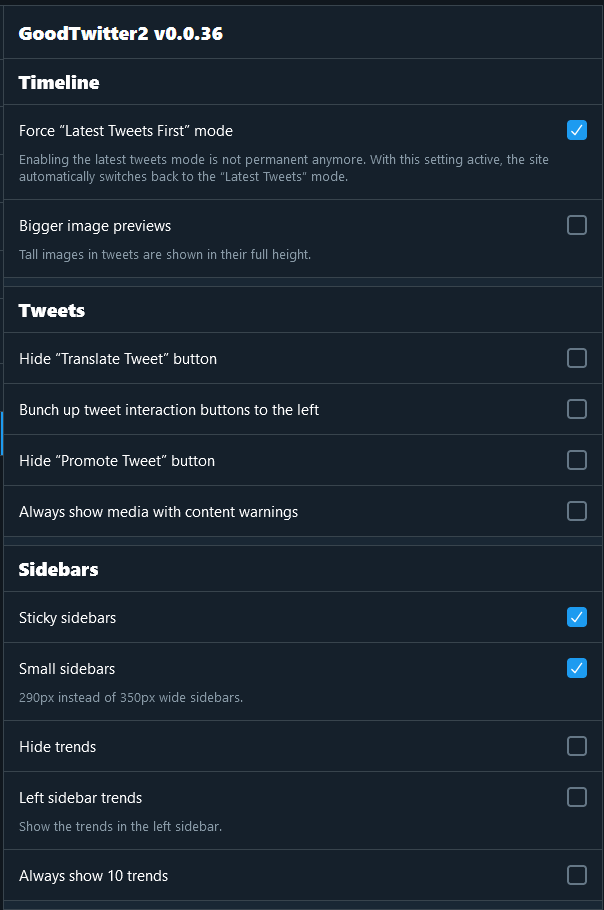](https://static.pigsec.cn/wp-content/uploads/repos/2026/04/7192d7c035013451.png) | [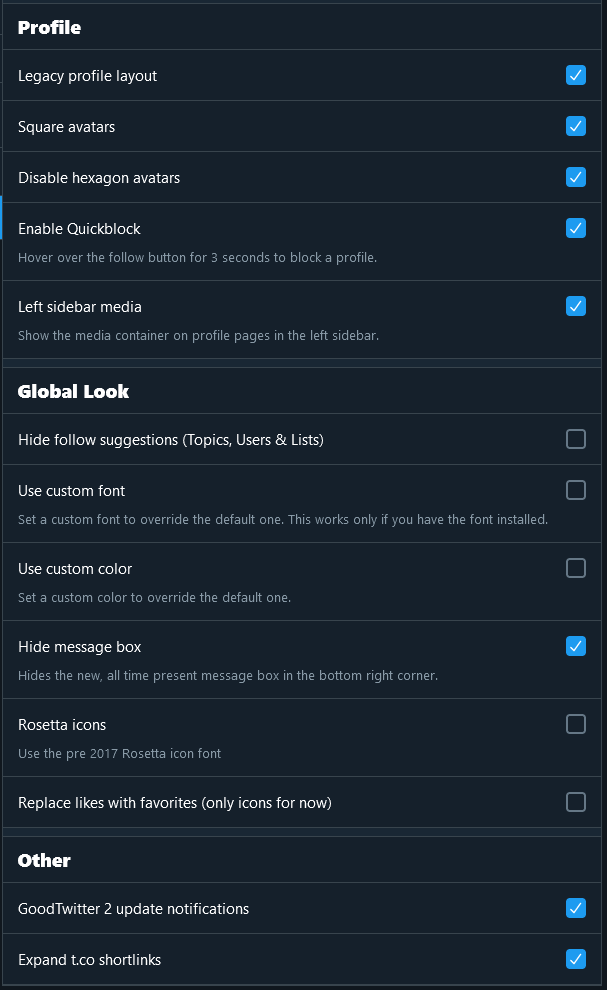](https://static.pigsec.cn/wp-content/uploads/repos/2026/04/4c7d57ecbe013452.png)
```
标签:Greasemonkey, Homebrew安装, IPv6支持, SEO, Tampermonkey, Twitter, Violentmonkey, 主题切换, 侧边栏布局, 前端脚本, 复古主题, 夜间模式, 导航栏定制, 开源脚本, 数据可视化, 旧版界面, 样式修改, 浏览器扩展, 浏览器插件, 用户脚本, 用户脚本管理器, 界面定制, 策略控制器, 翻译功能, 自定义脚本