projectdiscovery/naabu
GitHub: projectdiscovery/naabu
一款用 Go 编写的高性能端口扫描工具,专注于快速可靠地枚举主机开放端口,支持多种扫描模式并与 Nmap 无缝集成。
Stars: 5995 | Forks: 680







功能 •
安装 •
用法 •
运行 naabu •
配置 •
NMAP 集成 •
CDN/WAF 排除 •
Discord
Naabu 是一个用 Go 语言编写的端口扫描工具,允许你以快速可靠的方式枚举主机的有效端口。它是一个非常简单的工具,对主机/主机列表进行快速的 SYN/CONNECT/UDP 扫描,并列出所有返回回复的端口。
# 功能
- 快速简单的 **SYN/CONNECT/UDP** 探测扫描
- 优化易用性且资源**轻量**
- **DNS** 端口扫描
- DNS 端口扫描的 **IP 自动去重**
- **IPv4/IPv6** 端口扫描 (**实验性**)
- 使用 Shodan [Internetdb](https://internetdb.shodan.io) 的 **被动** 端口枚举
- **主机发现** 扫描 (**实验性**)
- **NMAP** 集成用于服务发现
- 用于 CONNECT 扫描的 **自定义 UDP 负载**
- 支持多种输入 - **STDIN/HOST/IP/CIDR/ASN**
- 支持多种输出格式 - **JSON/TXT/STDOUT**
# 用法
```
naabu -h
```
这将显示该工具的帮助信息。以下是它支持的所有开关。
```
Usage:
naabu [flags]
Flags:
INPUT:
-host string[] hosts to scan ports for (comma-separated)
-list, -l string list of hosts to scan ports (file)
-exclude-hosts, -eh string hosts to exclude from the scan (comma-separated)
-exclude-file, -ef string list of hosts to exclude from scan (file)
PORT:
-port, -p string ports to scan (80,443, 100-200)
-top-ports, -tp string top ports to scan (default 100) [full,100,1000]
-exclude-ports, -ep string ports to exclude from scan (comma-separated)
-ports-file, -pf string list of ports to scan (file)
-port-threshold, -pts int port threshold to skip port scan for the host
-exclude-cdn, -ec skip full port scans for CDN/WAF (only scan for port 80,443)
-display-cdn, -cdn display cdn in use
RATE-LIMIT:
-c int general internal worker threads (default 25)
-rate int packets to send per second (default 1000)
UPDATE:
-up, -update update naabu to latest version
-duc, -disable-update-check disable automatic naabu update check
OUTPUT:
-o, -output string file to write output to (optional)
-j, -json write output in JSON lines format
-csv write output in csv format
CONFIGURATION:
-config string path to the naabu configuration file (default $HOME/.config/naabu/config.yaml)
-scan-all-ips, -sa scan all the IP's associated with DNS record
-ip-version, -iv string[] ip version to scan of hostname (4,6) - (default 4,6) (default ["4","6"])
-scan-type, -s string type of port scan (SYN/CONNECT) (default "c")
-source-ip string source ip and port (x.x.x.x:yyy - might not work on OSX)
-cp, -connect-payload string payload to send in CONNECT scans (optional)
-interface-list, -il list available interfaces and public ip
-interface, -i string network Interface to use for port scan
-nmap invoke nmap scan on targets (nmap must be installed) - Deprecated
-nmap-cli string nmap command to run on found results (example: -nmap-cli 'nmap -sV')
-r string list of custom resolver dns resolution (comma separated or from file)
-proxy string socks5 proxy (ip[:port] / fqdn[:port]
-proxy-auth string socks5 proxy authentication (username:password)
-resume resume scan using resume.cfg
-stream stream mode (disables resume, nmap, verify, retries, shuffling, etc)
-passive display passive open ports using shodan internetdb api
-irt, -input-read-timeout value timeout on input read (default 3m0s)
-no-stdin Disable Stdin processing
HOST-DISCOVERY:
-sn, -host-discovery Perform Only Host Discovery
-Pn, -skip-host-discovery Skip Host discovery (Deprecated: use -wn/-with-host-discovery instead)
-wn, -with-host-discovery Enable Host discovery
-ps, -probe-tcp-syn string[] TCP SYN Ping (host discovery needs to be enabled)
-pa, -probe-tcp-ack string[] TCP ACK Ping (host discovery needs to be enabled)
-pe, -probe-icmp-echo ICMP echo request Ping (host discovery needs to be enabled)
-pp, -probe-icmp-timestamp ICMP timestamp request Ping (host discovery needs to be enabled)
-pm, -probe-icmp-address-mask ICMP address mask request Ping (host discovery needs to be enabled)
-arp, -arp-ping ARP ping (host discovery needs to be enabled)
-nd, -nd-ping IPv6 Neighbor Discovery (host discovery needs to be enabled)
-rev-ptr Reverse PTR lookup for input ips
OPTIMIZATION:
-retries int number of retries for the port scan (default 3)
-timeout int millisecond to wait before timing out (default 1000)
-warm-up-time int time in seconds between scan phases (default 2)
-ping ping probes for verification of host
-verify validate the ports again with TCP verification
DEBUG:
-health-check, -hc run diagnostic check up
-debug display debugging information
-verbose, -v display verbose output
-no-color, -nc disable colors in CLI output
-silent display only results in output
-version display version of naabu
-stats display stats of the running scan (deprecated)
-si, -stats-interval int number of seconds to wait between showing a statistics update (deprecated) (default 5)
-mp, -metrics-port int port to expose naabu metrics on (default 63636)
CLOUD:
-auth configure projectdiscovery cloud (pdcp) api key (default true)
-ac, -auth-config string configure projectdiscovery cloud (pdcp) api key credential file
-pd, -dashboard upload / view output in projectdiscovery cloud (pdcp) UI dashboard
-tid, -team-id string upload asset results to given team id (optional)
-aid, -asset-id string upload new assets to existing asset id (optional)
-aname, -asset-name string assets group name to set (optional)
-pdu, -dashboard-upload string upload naabu output file (jsonl) in projectdiscovery cloud (pdcp) UI dashboard
```
# 安装说明
下载可直接运行的 [binary](https://github.com/projectdiscovery/naabu/releases/) / [docker](https://hub.docker.com/r/projectdiscovery/naabu) 或使用 GO 安装
## 前置条件
要在 **Linux** 上安装 libcap:`sudo apt install -y libpcap-dev`,在 **Mac** 上:`brew install libpcap`
## 安装 Naabu
```
go install -v github.com/projectdiscovery/naabu/v2/cmd/naabu@latest
```
# 运行 Naabu
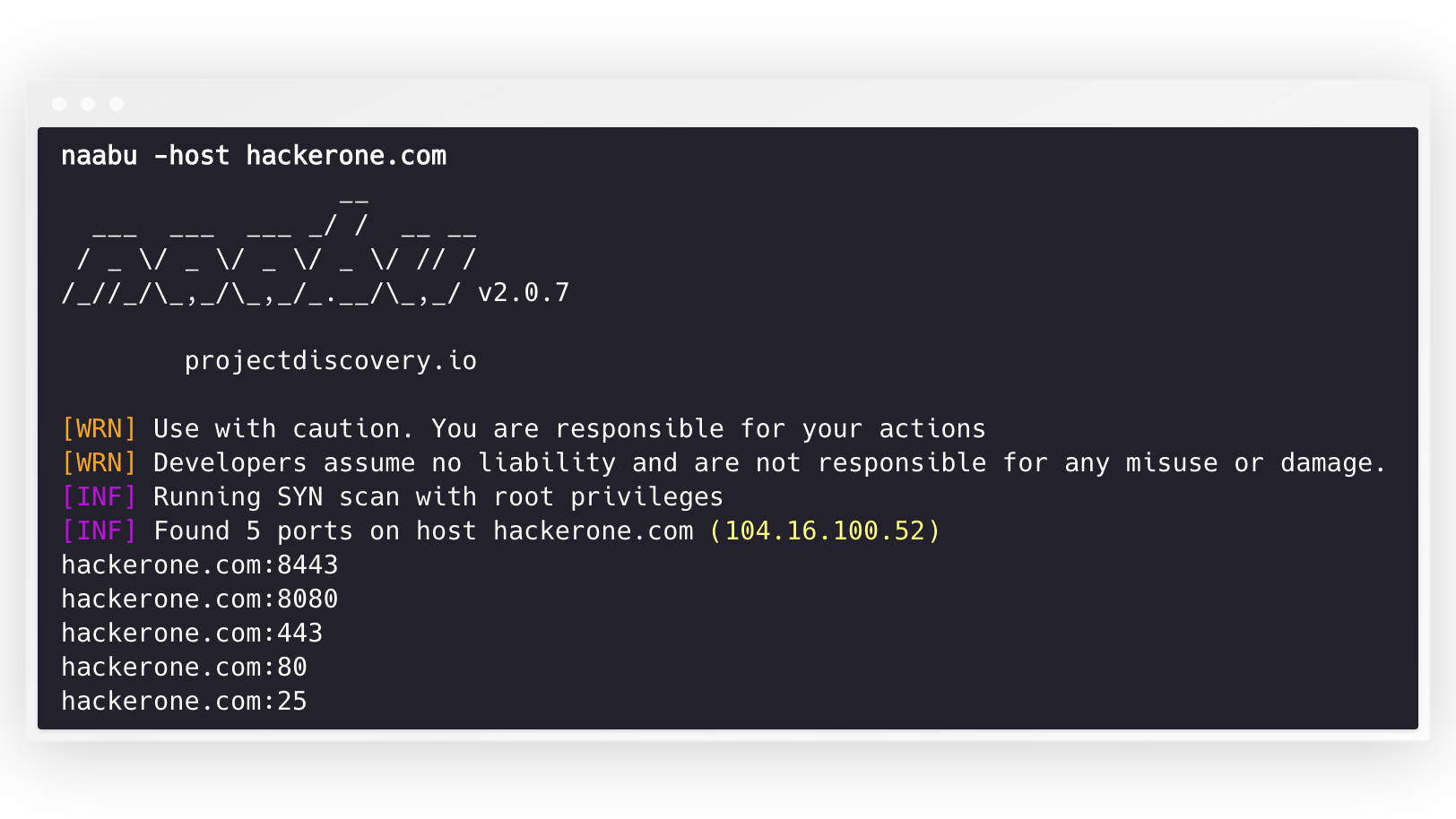
要在目标上运行该工具,只需使用以下命令。
```
naabu -host hackerone.com
```
这将对 hackerone.com 运行该工具。你可以随此命令传递许多配置选项。详细开关 `-v` 可用于显示详细信息。
```
naabu -host hackerone.com
__
___ ___ ___ _/ / __ __
/ _ \/ _ \/ _ \/ _ \/ // /
/_//_/\_,_/\_,_/_.__/\_,_/ v2.0.3
projectdiscovery.io
[WRN] Use with caution. You are responsible for your actions
[WRN] Developers assume no liability and are not responsible for any misuse or damage.
[INF] Running SYN scan with root privileges
[INF] Found 4 ports on host hackerone.com (104.16.100.52)
hackerone.com:80
hackerone.com:443
hackerone.com:8443
hackerone.com:8080
```
可以通过 `-p` 参数指定要扫描主机的端口(udp 端口必须表示为 `u:port`)。它接受 nmap 格式的端口并对其进行枚举。
```
naabu -p 80,443,21-23,u:53 -host hackerone.com
```
对于 UDP 扫描,你可以使用 `-cp` 或 `--connect-payload` 标志指定要发送的自定义负载。这对于需要特定数据才能响应的 UDP 服务特别有用:
```
naabu -p u:53 -host example.com -cp "DNS query payload"
```
默认情况下,Naabu 检查 nmap 的 `Top 100` 端口。它支持以下内置端口列表 -
| 标志 | 描述 |
|-------------------|--------------------------------------|
| `-top-ports 100` | 扫描 nmap 前 **100** 个端口 |
| `-top-ports 1000` | 扫描 nmap 前 **1000** 个端口 |
| `-p - ` | 扫描全端口,范围 **1-65535** |
你也可以指定要从扫描中排除的特定端口。
```
naabu -p - -exclude-ports 80,443
```
要在主机列表上运行 naabu,可以使用 `-list` 选项。
```
naabu -list hosts.txt
```
要在 ASN 上运行 naabu,可以使用 AS 输入。它获取给定 ASN 可用的 IP 地址并对其运行枚举。
```
echo AS14421 | naabu -p 80,443
216.101.17.249:80
216.101.17.249:443
216.101.17.248:443
216.101.17.252:443
216.101.17.251:80
216.101.17.251:443
216.101.17.250:443
216.101.17.250:80
```
你也可以使用 `-json` 开关获取 json 格式的输出。此开关以 JSON 行格式保存输出。
```
naabu -host 104.16.99.52 -json
{"ip":"104.16.99.52","port":443}
{"ip":"104.16.99.52","port":80}
```
发现的端口也可以通过管道传输到其他工具。例如,你可以将 naabu 发现的端口通过管道传输到 [httpx](https://github.com/projectdiscovery/httpx),这将找到主机上运行的 http 服务器。
```
echo hackerone.com | naabu -silent | httpx -silent
http://hackerone.com:8443
http://hackerone.com:443
http://hackerone.com:8080
http://hackerone.com:80
```
可以通过更改 `rate` 标志的值来控制速度,该标志表示每秒的数据包数。在处理主机时增加它可能会导致误报率增加。因此建议将其保持在合理的数值。
# IPv4 和 IPv6
Naabu 同时支持 IPv4 和 IPv6,且默认都启用。如果使用 IPv6,必须正确配置连接,并且网络接口必须分配了 IPv6 地址 (`inet6`) 和默认网关。
```
echo hackerone.com | naabu -p 80 -silent
104.16.99.52:80
104.16.100.52:80
2606:4700::6810:6434:80
2606:4700::6810:6334:80
```
选项 `-ip-version 6` 使工具在解析域名时仅使用 IPv6 地址。
```
echo hackerone.com | ./naabu -p 80 -ip-version 6
__
___ ___ ___ _/ / __ __
/ _ \/ _ \/ _ \/ _ \/ // /
/_//_/\_,_/\_,_/_.__/\_,_/ v2.0.8
projectdiscovery.io
Use with caution. You are responsible for your actions
Developers assume no liability and are not responsible for any misuse or damage.
[INF] Running CONNECT scan with non root privileges
[INF] Found 1 ports on host hackerone.com (2606:4700::6810:6334)
hackerone.com:80
```
要扫描两个版本的所有 IP,可以使用 `-scan-all-ips` 标志。
```
echo hackerone.com | ./naabu -sa -p 80 -silent
[INF] Found 1 ports on host hackerone.com (104.16.100.52)
hackerone.com:80
[INF] Found 1 ports on host hackerone.com (104.16.99.52)
hackerone.com:80
[INF] Found 1 ports on host hackerone.com (2606:4700::6810:6334)
hackerone.com:80
[INF] Found 1 ports on host hackerone.com (2606:4700::6810:6434)
hackerone.com:80
```
# 主机发现
Naabu 可选地支持多种执行主机发现的选项。主机发现是可选的,可以通过 `-wn` 标志启用。`-sn` 标志指示工具仅执行主机发现。
可用于执行主机发现的选项:
- **ARP** ping (`-arp`)
- TCP **SYN** ping (`-ps 80`)
- TCP **ACK** ping (`-pa 443`)
- ICMP **echo** ping (`-pe`)
- ICMP **timestamp** ping (`-pp`)
- ICMP **address mask** ping (`-pm`)
- IPv6 **neighbor discovery** (`-nd`)
# 配置文件
Naabu 支持默认位于 `$HOME/.config/naabu/config.yaml` 的配置文件,它允许你在配置文件中定义任何标志并设置默认值以包含在所有扫描中。
# Nmap 集成
我们已经集成了 nmap 支持,用于服务发现或 Naabu 发现结果支持的任何其他 nmap 扫描,请确保你已安装 `nmap` 以使用此功能。
要使用,可以使用 `nmap-cli` 标志,后跟 nmap 命令,例如:-
```
echo hackerone.com | naabu -nmap-cli 'nmap -sV -oX nmap-output'
__
___ ___ ___ _/ / __ __
/ _ \/ _ \/ _ \/ _ \/ // /
/_//_/\_,_/\_,_/_.__/\_,_/ v2.0.0
projectdiscovery.io
[WRN] Use with caution. You are responsible for your actions
[WRN] Developers assume no liability and are not responsible for any misuse or damage.
[INF] Running TCP/ICMP/SYN scan with root privileges
[INF] Found 4 ports on host hackerone.com (104.16.99.52)
hackerone.com:443
hackerone.com:80
hackerone.com:8443
hackerone.com:8080
[INF] Running nmap command: nmap -sV -p 80,8443,8080,443 104.16.99.52
Starting Nmap 7.01 ( https://nmap.org ) at 2020-09-23 05:02 UTC
Nmap scan report for 104.16.99.52
Host is up (0.0021s latency).
PORT STATE SERVICE VERSION
80/tcp open http cloudflare
443/tcp open ssl/https cloudflare
8080/tcp open http-proxy cloudflare
8443/tcp open ssl/https-alt cloudflare
```
# CDN/WAF 排除
Naabu 还支持排除 CDN/WAF IP 的端口扫描。如果使用,这些 IP 仅扫描 `80` 和 `443` 端口。可以使用 `exclude-cdn` 标志启用此功能。
目前支持排除 `cloudflare`、`akamai`、`incapsula` 和 `sucuri` IP。
# 扫描状态
Naabu 在绑定到 localhost 的本地端口 `http://localhost:63636/metrics` 上公开 json 扫描信息(可以通过 `-metrics-port` 标志更改端口)
# 将 naabu 用作库
以下示例程序扫描 `scanme.sh` 的 `80` 端口。结果通过 `OnResult` 回调返回:
```
package main
import (
"log"
"context"
"github.com/projectdiscovery/goflags"
"github.com/projectdiscovery/naabu/v2/pkg/result"
"github.com/projectdiscovery/naabu/v2/pkg/runner"
)
func main() {
options := runner.Options{
Host: goflags.StringSlice{"scanme.sh"},
ScanType: "s",
OnResult: func(hr *result.HostResult) {
log.Println(hr.Host, hr.Ports)
},
Ports: "80",
}
naabuRunner, err := runner.NewRunner(&options)
if err != nil {
log.Fatal(err)
}
defer naabuRunner.Close()
naabuRunner.RunEnumeration(context.Background())
}
```
# 注意事项
- Naabu 允许任意二进制执行作为支持 [nmap integration](https://github.com/projectdiscovery/naabu#nmap-integration) 的一项功能。
- Naabu 旨在扫描多台主机的端口/批量端口扫描。
- 默认情况下,naabu 的配置假设你是从 VPS 运行它的。
- 如果从本地系统运行 naabu,我们建议调整标志/速率。
- 为了获得最佳效果,请以 **root** 用户身份运行 naabu。
Naabu 由 [projectdiscovery](https://projectdiscovery.io) 团队用 🖤 制作。社区贡献成就了这个项目。
有关更多详细信息,请参阅 **[Thanks.md](https://github.com/projectdiscovery/naabu/blob/master/THANKS.md)** 文件。
标签:Bug Bounty, CDN识别, dns.bufferover.run, DNS查询, Docker容器, EVTX分析, EVTX分析, EVTX分析, EVTX分析, Facebook API, Go语言, Groq, LangChain, Naabu, Nmap集成, Prompt Injection, Rust语言, SYN扫描, Transformers, UDP扫描, 人工智能防御, 信息收集, 内容安全, 可自定义解析器, 域名解析, 安全工具, 密码管理, 带宽管理, 开源社区, 批量查询, 插件系统, 攻击面发现, 数据展示, 数据统计, 日志审计, 服务枚举, 本地模型, 渗透测试, 漏洞挖掘, 用户界面自定义, 程序破解, 端口扫描, 红队, 网络侦察, 网络安全, 自然语言处理, 蓝队, 资产探测, 轻量级, 防御绕过, 防护栏, 隐私保护