Datalux/Osintgram

GitHub: Datalux/Osintgram

Stars: 13083 | Forks: 2872

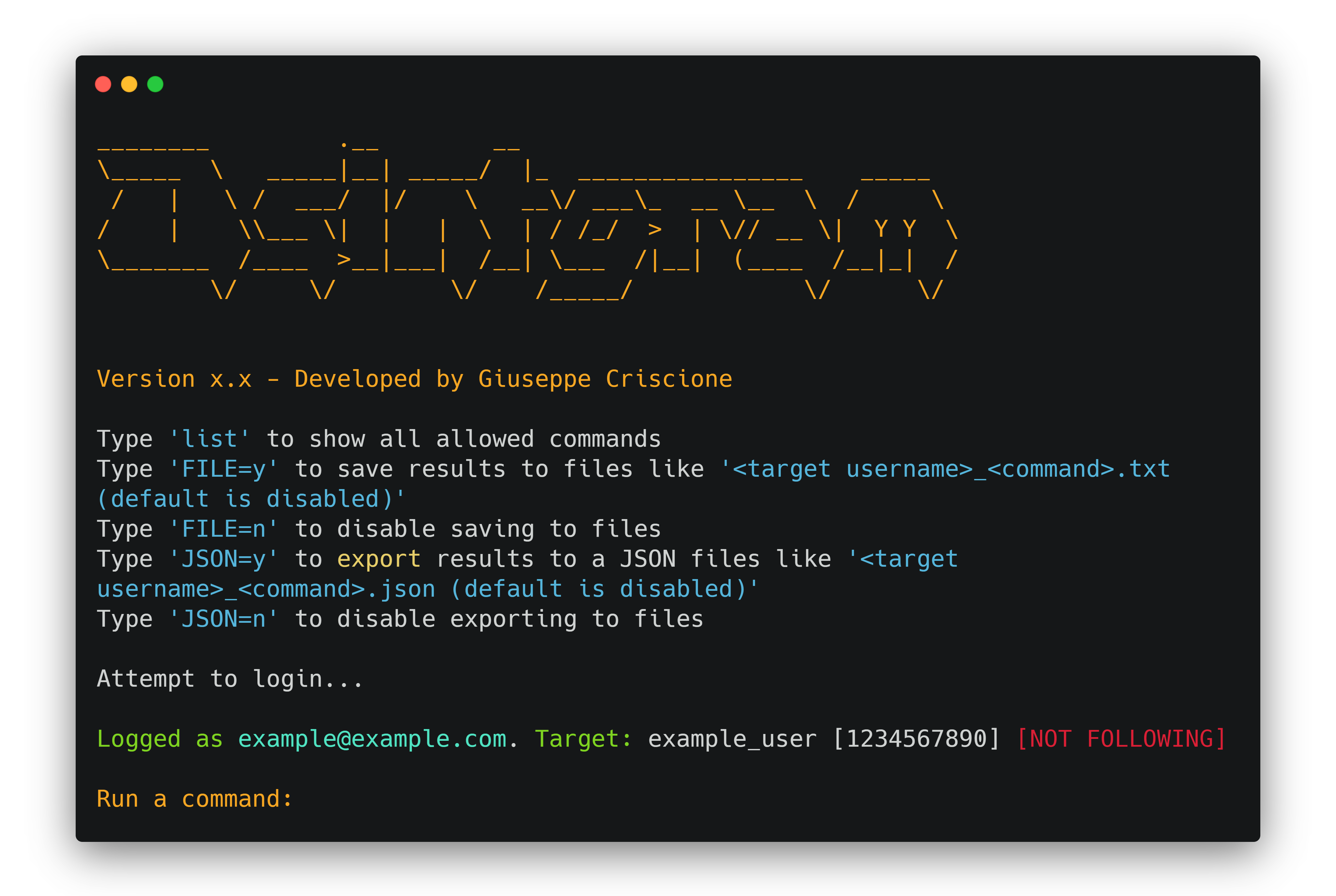
# Osintgram 🔎📸 [![version-1.3](https://img.shields.io/badge/version-1.3-green)](https://github.com/Datalux/Osintgram/releases/tag/1.3) [![GPLv3](https://img.shields.io/badge/license-GPLv3-blue)](https://img.shields.io/badge/license-GPLv3-blue) [![Python3](https://img.shields.io/badge/language-Python3-red)](https://img.shields.io/badge/language-Python3-red) [![Telegram](https://img.shields.io/badge/Telegram-Channel-blue.svg)](https://t.me/osintgram) [![Docker](https://img.shields.io/badge/Docker-Supported-blue)](https://img.shields.io/badge/Docker-Supported-blue) Osintgram is an **OSINT** tool on Instagram to collect, analyze, and run reconnaissance.


$${\color{red}Warning:}$$ It is advisable to **not** use your own/primary account when using this tool. $${\color{red}Warning:}$$ If you fork the project and add your instagram credentials to you home repository do not upload them to github. You can disable uploading a certain file by adding it to ignore list. ## Tools and Commands 🧰 Osintgram offers an interactive shell to perform analysis on Instagram account of any users by its nickname. You can get: - addrs Get all registered addressed by target photos - captions Get user's photos captions - comments Get total comments of target's posts - followers Get target followers - followings Get users followed by target - fwersemail Get email of target followers - fwingsemail Get email of users followed by target - fwersnumber Get phone number of target followers - fwingsnumber Get phone number of users followed by target - hashtags Get hashtags used by target - info Get target info - likes Get total likes of target's posts - mediatype Get user's posts type (photo or video) - photodes Get description of target's photos - photos Download user's photos in output folder - propic Download user's profile picture - stories Download user's stories - tagged Get list of users tagged by target - wcommented Get a list of user who commented target's photos - wtagged Get a list of user who tagged target You can find detailed commands usage [here](doc/COMMANDS.md). [**Latest version**](https://github.com/Datalux/Osintgram/releases/tag/1.3) | [Commands](doc/COMMANDS.md) | [CHANGELOG](doc/CHANGELOG.md) ## FAQ ## Installation ⚙️ 1. Fork/Clone/Download this repo `git clone https://github.com/Datalux/Osintgram.git` 2. Navigate to the directory `cd Osintgram` 3. Create a virtual environment for this project `python3 -m venv venv` 4. Load the virtual environment - On Windows Powershell: `.\venv\Scripts\activate.ps1` - On Linux and Git Bash: `source venv/bin/activate` 5. Run `pip install -r requirements.txt` 6. Open the `credentials.ini` file in the `config` folder and write your Instagram account username and password in the corresponding fields. Or use `hikerapi_token` from https://hikerapi.com/tokens (first 100 requests are free after registration and confirmation of your tg) Alternatively, you can run the `make setup` command to populate this file for you. 7. Run the main.py script in one of three ways * As an interactive prompt `python3 main.py ` * Or execute your command straight away `python3 main.py --command ` * Or execute using HikerAPI token via env `HIKERAPI_TOKEN= python3 main.py -c ` ### Use Osintgram v2 (beta) You can use Osintgram2 beta just switching to `v2` [branch](https://github.com/Datalux/Osintgram/tree/v2). The v2 has some improvements and is faster with a new command execution interface. Try it just running `git checkout v2`. ## Docker Quick Start 🐳 This section will explain how you can quickly use this image with `Docker` or `Docker-compose`. ### Prerequisites Before you can use either `Docker` or `Docker-compose`, please ensure you do have the following prerequisites met. 1. **Docker** installed - [link](https://docs.docker.com/get-docker/) 2. **Docker-composed** installed (if using Docker-compose) - [link](https://docs.docker.com/compose/install/) 3. **Credentials** configured - This can be done manually or by running the `make setup` command from the root of this repo **Important**: Your container will fail if you do not do step #3 and configure your credentials ### Docker If docker is installed you can build an image and run this as a container. Build: docker build -t osintgram . Run: docker run --rm -it -v "$PWD/output:/home/osintgram/output" osintgram - The `` is the Instagram account you wish to use as your target for recon. - The required `-i` flag enables an interactive terminal to use commands within the container. [docs](https://docs.docker.com/engine/reference/commandline/run/#assign-name-and-allocate-pseudo-tty---name--it) - The required `-v` flag mounts a volume between your local filesystem and the container to save to the `./output/` folder. [docs](https://docs.docker.com/engine/reference/commandline/run/#mount-volume--v---read-only) - The optional `--rm` flag removes the container filesystem on completion to prevent cruft build-up. [docs](https://docs.docker.com/engine/reference/run/#clean-up---rm) - The optional `-t` flag allocates a pseudo-TTY which allows colored output. [docs](https://docs.docker.com/engine/reference/run/#foreground) ### Using `docker-compose` You can use the `docker-compose.yml` file this single command: docker-compose run osintgram Where `target` is the Instagram target for recon. Alternatively, you may run `docker-compose` with the `Makefile`: `make run` - Builds and Runs with compose. Prompts for a `target` before running. ### Makefile (easy mode) For ease of use with Docker-compose, a `Makefile` has been provided. Here is a sample work flow to spin up a container and run `osintgram` with just two commands! 1. `make setup` - Sets up your Instagram credentials 2. `make run` - Builds and Runs a osintgram container and prompts for a target Sample workflow for development: 1. `make setup` - Sets up your Instagram credentials 2. `make build-run-testing` - Builds an Runs a container without invoking the `main.py` script. Useful for an `it` Docker session for development 3. `make cleanup-testing` - Cleans up the testing container created from `build-run-testing` ## Development version 💻 To use the development version with the latest feature and fixes just switch to `development` branch using Git: `git checkout development` and update to last version using: `git pull origin development` ## Updating ⬇️ To update Osintgram with the stable release just pull the latest commit using Git. 1. Make sure you are in the master branch running: `git checkout master` 2. Download the latest version: `git pull origin master` ## External library 🔗 [Instagram API](https://github.com/ping/instagram_private_api)